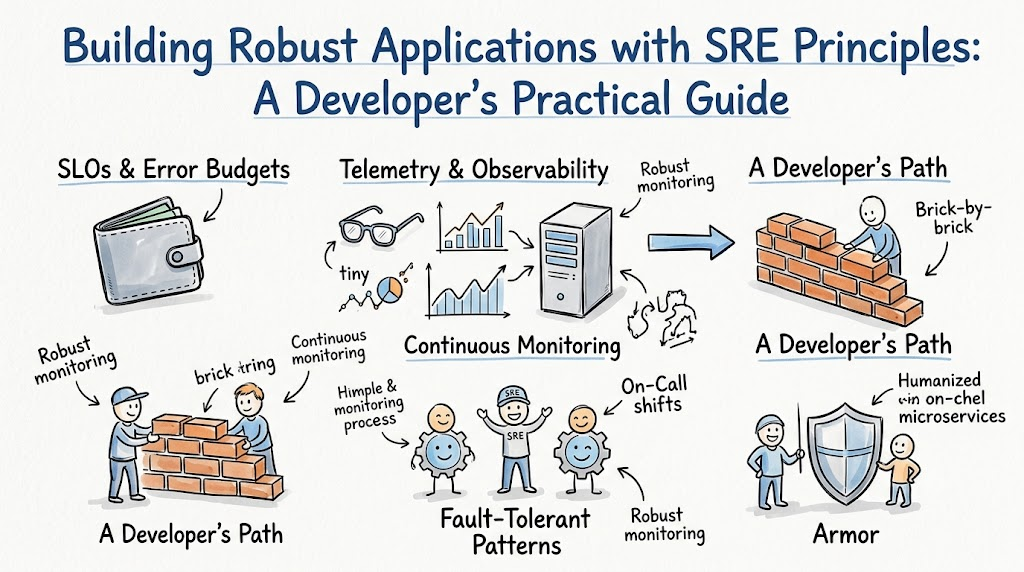
Websites break when too many people visit them at once. Apps crash when a computer runs out of memory. Site Reliability Engineering, or SRE for short, keeps websites fast and working every day. You can learn how to fix systems and keep software healthy at Sreschool.
Developers write code to add cool new features to an app. SRE engineers make sure that code does not break the computer servers. When developers and reliability teams work as one team, apps stay online. Users stay happy because the app never stops working.
Reliability is not magic. It takes smart planning and easy rules. Let us explore how you can build strong apps that never crash.
What Does Site Reliability Engineering Really Mean?
Think of a big digital playground. SRE acts like the playground mechanic. The mechanic checks the swings and slides every morning before kids arrive. They fix loose bolts so no one gets hurt while playing.
Software engineers build games, websites, and mobile apps. SRE teams use software tools to check those apps all day long. They look at computer health just like a doctor checks a heartbeat.
When a computer runs out of power, the SRE team spots it early. They fix the problem before any user notices a glitch. This keeps everything running smooth and fast.
The Three Golden Rules of System Health
Engineers watch three main things to make sure an app feels healthy. First, they measure latency, which means speed. Latency shows how fast a page loads on your screen.
Second, they count errors. An error happens when a button fails to work or a picture does not load. Zero errors means the app works just like you want it to.
Third, they measure traffic and capacity. Traffic is simply the count of people clicking on the site. Capacity means how much room the computer server has left to do more work.
+-------------------------------------------------------+
|                 The Core Health Metrics               |
+-------------------------------------------------------+
|  1. Speed: How fast pages load on your screen         |
|  2. Errors: How often buttons fail or crash           |
|  3. Traffic: How many users visit at the same time    |
+-------------------------------------------------------+
Key Operational Concepts You Must Know
Understanding Service Level Objectives and Slippage
A Service Level Objective is an agreement about how well an app must run. Think of it like a school promise. A student might promise to finish homework on time 99 out of 100 days.
In software, a team might set an objective that says 99% of web pages must open fast. If pages open slowly, engineers call that slippage. Slippage tells you that the system needs quick attention.
When slippage happens, developers stop adding new game modes or shiny buttons. Instead, they fix bugs and speed up the code. This promise protects the app from bigger crashes down the road.
What Is an Error Budget?
An error budget is the amount of downtime an app is allowed to have. No app can stay up 100% of the time. Computers need reboots, updates, and maintenance just like cars need fresh oil.
If a team aims for 99.9% uptime, they get a tiny 0.1% budget for mistakes. Developers use this budget to try out new updates. They can ship new code fast as long as they stay inside this budget.
[ Total Time: 100% ] = [ 99.9% Perfect Uptime ] + [ 0.1% Error Budget ]
When the budget runs out, new updates stop right away. The team must work on system strength until the budget fills back up. This rule creates a fair game between speed and safety.
Sorting Out Bugs by Severity
When an app breaks, engineers sort the problem by how bad it hurts users. They do not treat a broken logo the same as a broken checkout button. Sorting bugs keeps the team calm during scary outages.
| Bug Level | What Is Happening? | What Must the Team Do? |
|---|---|---|
| Level 1 (Worst) | The whole website is down for everyone. | Wake up the whole team and fix it immediately. |
| Level 2 (Bad) | Many users cannot buy or search for items. | Start working on a fix within thirty minutes. |
| Level 3 (Small) | A single picture looks blurry on one page. | Write a note and fix it during regular work hours. |
This chart helps engineers pick the right fire to put out first. It stops panic and saves time. Responders always know what to fix before they write a single line of code.
Setting Up On-Call Duty
Websites run all night, even while programmers sleep in bed. Because of this, teams take turns carrying an alert phone. This duty is called being on-call.
If an app crashes at midnight, the computer rings the on-call phone. The engineer wakes up, opens their laptop, and fixes the issue. Teams swap this job every week so no single person gets tired.
Good teams also set up a backup helper. If the first engineer sleeps through an alarm, the system calls the backup engineer. This system keeps the website safe around the clock.
Platform Implementation vs. Culture — What’s the Real Difference?
The Magic of Good Software Tools
Every engineering team uses fancy tools to watch their apps. They set up dashboards full of bright green charts and dials. These tools read log files and track computer memory every second.
+------------------+     +------------------+     +------------------+
| App Log Events   | --> | Tracking System  | --> | Visual Dashboard |
+------------------+     +------------------+     +------------------+
Tools act like smoke alarms in a house. When smoke appears, the alarm beeps loud and clear. But the alarm cannot hold a hose or put out the fire by itself.
Good tools save time, but they cannot replace a smart human mind. Engineers still have to fix the bad code and reboot the broken servers. Tools show you where to look, but humans solve the riddle.
Building a Safe and Blameless Culture
A blameless culture means nobody gets yelled at when a mistake happens. If an engineer pushes bad code that crashes the app, the team does not punish them. Instead, everyone asks why the system let that bad code through.
+-------------------------------------------------------+
|                 Blameless Team Culture                |
|  - Asks: Why did the computer allow this mistake?     |
|  - Fixes the safety nets and tests                    |
|  - Keeps engineers happy and fearless                 |
+-------------------------------------------------------+
When bosses punish workers, people hide their mistakes. Hidden bugs stay in the dark and grow into massive disasters later on. A safe team talks about mistakes openly so everyone can learn together.
True reliability comes from helpful teamwork, not fear. When developers feel safe, they build better safety nets. That makes the entire app stronger for every visitor.
Real-World Use Cases of Modern Operations
Breaking Down a Giant App into Tiny Pieces
A big online bookstore once ran its entire store on a single giant program. If the user review section broke, the whole store crashed down with it. Shoppers could not buy books, and the company lost money every minute.
To fix this, the team broke the giant program into smaller mini-programs. Now, the shopping cart runs on its own tiny server. If the book review section crashes today, the checkout button still works fine.
This smart design stops small bugs from spreading across the whole system. The bookstore stays open, and shoppers stay happy. Small, isolated parts make big systems much tougher.
Stopping a Runaway Server Stampede
One day, a popular video game released a surprise update. Millions of players opened the game at the exact same second. The main login server could not handle that many knocks on the door at once.
[ Millions of Players ] ---> [ Login Server Overloaded! ] ---> [ Retries Flood the Gate ]
                                         ^                               |
                                         |                               v
                                         +----- [ Crash Loop Continues ] +
The game server began to slow down. Then, every phone started retrying the connection automatically. This retry flood made the traffic twice as heavy, causing a total crash loop.
Engineers saved the day by adding a simple delay rule called backoff. The app told phones to wait five seconds before knocking on the door again. The servers caught their breath, recovered, and let everyone play safely.
Common Mistakes in Operations Engineering
Too Many Noisy Alarms
Setting up alarms sounds easy, but teams often set up way too many. If your phone beeps every five minutes for tiny things, you stop checking it. Engineers call this bad habit alert fatigue.
+-------------------------------------------------------------+
|                     The Alert Trap                          |
|  Noisy Alerts -> Annoyed Engineers -> Ignored Phone -> Crash |
+-------------------------------------------------------------+
When a real disaster hits, an exhausted engineer might sleep right through the chime. Only set alarms for problems that need a human right this second. Send small notes to chat rooms instead of ringing loud phones.
Quiet alert systems keep workers sharp and alert. When the phone finally rings, the engineer knows it is a real emergency. They jump out of bed and fix the issue fast.
Forgetting to Write Down What Happened
After a bad outage ends, tired engineers just want to take a nap. But skipping the incident story is a huge mistake. Engineers call this write-up a post-mortem review.
A good write-up details what broke, what worked, and how to fix it for good. It lists action tasks that the team must build next week. If you skip this step, the exact same bug will strike again next month.
Always write down the lessons while the story is still fresh in your mind. Turn every crash into a free lesson for the whole company. That is how good teams become great teams over time.
How to Become an Operations Expert — Career Roadmap
Step 1: Learn How Computers Talk to Each Other
Start your learning journey by studying the basic building blocks of computers. You need to know how files live inside an operating system like Linux. Learn how computers find each other on the internet using web addresses and ports.
- Operating Systems: Learn how computer memory works and how programs start and stop.
- Basic Networking: Learn how data travels across cables from one city to another city.
- Simple Scripting: Write short scripts in Python to do boring chores automatically.
When you master these basics, complex cloud servers will not scare you anymore. You will understand what happens under the hood when code runs. This foundation helps you find bugs faster than other developers.
Step 2: Master Cloud Tools and Containers
Next, learn how to pack your software into neat little lunchboxes called containers. Tools like Docker let you run code on your laptop the exact same way it runs on cloud servers. This means your code will never break just because it moved to a new machine.
- Container Packaging: Put your app into a box so it runs anywhere without bugs.
- Cloud Platforms: Learn how to rent computers on the web with a few clicks.
- Code Templates: Write configuration files that build one hundred servers at once.
These modern skills help you build huge applications that grow on their own. When lots of users show up, your system adds more servers automatically. When users leave, it turns extra servers off to save money.
FAQ Section
- What is the simplest way to explain SRE to a friend?SRE is like hiring a pit crew for a race car. Software developers drive the car fast, and the reliability team makes sure the wheels stay on.
- Why do we not aim for 100% uptime on every app?Aiming for 100% uptime costs too much money and slows down new features. A tiny bit of downtime lets developers test new things without fear.
- What is the first thing to do when an app crashes?First, tell your team you are looking into the issue so people do not panic. Next, check the main charts to see what broke and find a fast way to get it back online.
- Can one person do all the SRE work alone?One person can start the work, but true reliability needs a full team effort. Everyone must care about writing clean, safe code that does not crash servers.
- Why should developers care about reliability?Developers care because broken code wakes them up in the middle of the night. Strong, healthy apps let developers sleep peacefully and build fun features during the day.
Final Summary
Building strong apps is all about care, smart rules, and good teamwork. When developers use SRE habits, websites stop crashing and users stay happy. Tracking your speed, errors, and traffic gives you the power to catch bugs before they hurt anyone.
Remember that tools only show where the problem is. A friendly, blameless team is what actually fixes the machine and keeps it running for years to come. Start small, write down what you learn from every mistake, and keep your software healthy every single day.