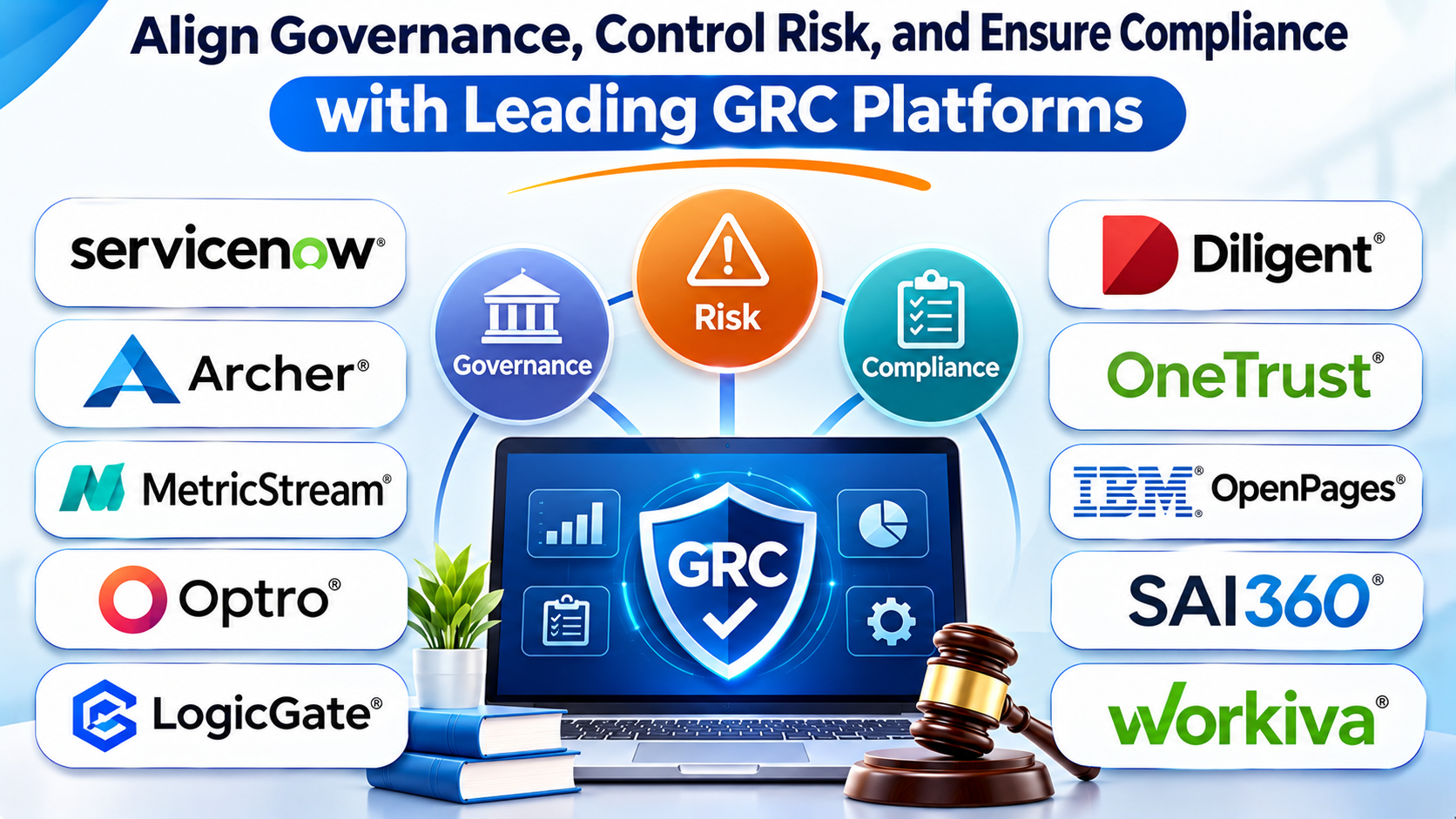
Governance, risk, and compliance play a major role in every business. Companies must follow rules, protect information, manage risks, and maintain clear records. These tasks become harder as a business grows.
GRC platforms help companies manage these responsibilities from one place. They bring together risk management, compliance activities, internal audits, policies, controls, and reports. They also help teams find problems early and take action before small issues become serious.
A good GRC platform can reduce manual work and improve teamwork. It can also help leaders understand the risks that affect their business.
However, not every GRC platform offers the same features. Some focus on enterprise risk, while others focus on audits, IT controls, privacy, or regulatory compliance. The right choice depends on your business size, industry, risk level, and goals.
This guide explores ten well-known GRC platforms. It explains their main features, strengths, weaknesses, and best uses. It also includes a comparison table to help you choose the right solution.
What Is a GRC Platform?
A Governance, Risk, and Compliance platform is software that helps an organization manage its rules, risks, and responsibilities.
It connects three important business areas:
- Governance: Helps leaders set policies, define responsibilities, and guide business decisions.
- Risk Management: Helps teams find, assess, track, and reduce business risks.
- Compliance: Helps organizations follow laws, industry rules, internal policies, and security standards.
Many GRC platforms also support internal audits, vendor risk management, policy management, incident tracking, and control testing.
For example, a company may need to follow privacy laws and security standards. A GRC platform can help it track the rules, assign tasks, collect proof, review controls, and prepare reports.
Top 10 GRC Platforms
1. ServiceNow Integrated Risk Management
ServiceNow Integrated Risk Management (IRM) is a GRC solution for organizations that want to connect risk and compliance work with business operations. It works within the wider ServiceNow platform.
The solution helps teams manage risks, controls, policies, compliance tasks, and issues. It can connect risk information with IT services, security operations, and business workflows.
ServiceNow is especially useful for large organizations that already use its platform. Teams can create workflows, assign tasks, and track progress through a shared system.
Its automation features can reduce repeated work. Risk teams can also use dashboards to understand control performance and identify areas that need attention.
Key Features
- Enterprise risk management
- Policy and compliance management
- Risk and control assessments
- Issue and remediation tracking
- Automated workflows and task assignments
- IT and operational risk management
- Risk dashboards and reporting
- Integration with other ServiceNow workflows
Pros
- Connects GRC activities with business workflows.
- Offers strong automation options.
- Supports large and complex organizations.
- Works well with the wider ServiceNow ecosystem.
- Provides centralized risk and compliance information.
Cons
- Implementation can require careful planning.
- Licensing and setup costs can be high.
- Some features need technical support.
- Smaller businesses may find it complex.
Best For: Large enterprises that already use ServiceNow and want connected risk, compliance, and IT workflows.
2. Archer
Archer is an integrated risk management platform designed for organizations with complex risk and compliance needs.
It helps companies manage enterprise risk, IT risk, regulatory requirements, audits, policies, and third-party relationships. Teams can use it to build a connected view of risks across different departments.
Archer offers configuration options that help organizations adapt the platform to their processes. This flexibility makes it useful for businesses with detailed risk frameworks and complex reporting needs.
The platform can also help teams connect risks with controls, policies, and business processes. This gives risk leaders a clearer view of how one issue may affect several parts of the organization.
Key Features
- Enterprise risk management
- IT and cybersecurity risk management
- Regulatory compliance tracking
- Internal audit management
- Policy and control management
- Third-party risk management
- Risk assessments and reporting
- Configurable workflows
Pros
- Supports complex enterprise risk programs.
- Offers broad GRC capabilities.
- Provides flexible configuration options.
- Connects risks, controls, and compliance activities.
- Supports detailed reporting.
Cons
- Configuration may require specialist knowledge.
- Implementation can take time.
- The interface and workflows may feel complex.
- Costs may not suit smaller organizations.
Best For: Large and regulated organizations that need flexible, detailed risk management.
3. MetricStream
MetricStream is an enterprise GRC and integrated risk management platform. It helps organizations manage risks, compliance, audits, policies, and controls through connected applications.
The platform supports businesses that operate across multiple regions, departments, and regulatory environments. It helps teams create a shared view of risk and compliance activities.
MetricStream can support enterprise risk management, operational risk, IT risk, internal audits, and third-party risk. Its reporting tools help leaders monitor performance and review important risk information.
Organizations can use the platform to connect business objectives with risk and compliance activities. This can help teams make better decisions and improve accountability.
Key Features
- Enterprise risk management
- Operational risk management
- Regulatory compliance management
- Internal audit management
- IT and cybersecurity risk
- Third-party risk management
- Policy and control management
- Risk analytics and dashboards
Pros
- Covers many GRC requirements.
- Supports complex enterprise environments.
- Helps connect risk and compliance data.
- Offers detailed reporting and analytics.
- Supports multiple business functions.
Cons
- Setup can be complex.
- Organizations may need training.
- Customization can require expert support.
- The full platform may be too broad for small teams.
Best For: Large enterprises that need broad GRC coverage across departments and regions.
4. Optro (formerly AuditBoard)
Optro, formerly known as AuditBoard, provides connected risk, audit, and compliance management software. It helps organizations bring internal audit, financial controls, and enterprise risk activities together.
The platform is useful for companies that need better visibility into audits and control performance. Teams can manage audit plans, document evidence, track findings, and follow corrective actions.
Optro also supports collaboration between auditors, risk teams, and business owners. This can reduce the need to manage audit work through separate spreadsheets and email threads.
Its focus on audit and connected risk processes makes it a strong option for organizations that want to improve internal controls and accountability.
Key Features
- Internal audit management
- SOX compliance and controls testing
- Enterprise risk management
- Audit planning and reporting
- Issue and finding management
- Evidence collection
- Risk and control assessments
- Connected risk workflows
Pros
- Strong focus on internal audit.
- Helps organize SOX and control activities.
- Makes audit collaboration easier.
- Supports evidence and issue tracking.
- Connects audit and risk information.
Cons
- Some capabilities depend on selected modules.
- Pricing may not suit smaller organizations.
- Teams may need time to configure workflows.
- Organizations seeking a very broad GRC suite should review module coverage carefully.
Best For: Public companies, internal audit teams, and organizations with strong SOX and financial control requirements.
5. LogicGate Risk Cloud
LogicGate Risk Cloud is a configurable GRC platform that helps organizations manage risk, compliance, audits, and business processes.
It offers a flexible approach to GRC. Teams can create workflows and adapt processes to their needs without building every solution from scratch.
The platform can help organizations manage risk assessments, compliance requirements, control activities, vendor reviews, and policy processes. Its workflow features help teams assign responsibilities and track work.
LogicGate is a useful option for companies that want to improve GRC processes while keeping room for future changes. It can support growing programs that need more structure and automation.
Key Features
- Enterprise risk management
- Compliance management
- Risk assessments
- Audit and control management
- Third-party risk workflows
- Policy management
- No-code workflow configuration
- Dashboards and reporting
Pros
- Offers flexible workflow design.
- Supports several GRC processes.
- Helps reduce manual tasks.
- Can adapt as business needs change.
- Provides centralized risk information.
Cons
- Advanced workflows need careful planning.
- Customization can take time.
- Some users may need training.
- Feature availability depends on the selected solution and modules.
Best For: Mid-sized and large organizations that want configurable GRC workflows.
6. Diligent One Platform
Diligent One Platform connects governance, risk, audit, and compliance activities. It helps organizations improve oversight and share important information with business leaders and boards.
The platform supports risk management, internal audit, compliance, and governance processes. It can help teams track risks, review controls, manage audit findings, and prepare reports.
Diligent is particularly useful for organizations that want to connect board-level oversight with daily risk and compliance work. Its tools can help leaders understand business risks and monitor how teams respond to them.
The platform also supports collaboration between executives, board members, auditors, and risk professionals.
Key Features
- Enterprise risk management
- Internal audit management
- Compliance tracking
- Board and governance support
- Policy management
- Risk reporting and dashboards
- Issue tracking
- Third-party risk capabilities
Pros
- Connects governance and risk activities.
- Supports board-level oversight.
- Helps improve audit coordination.
- Provides useful reporting features.
- Supports collaboration across teams.
Cons
- The full platform may require several modules.
- Setup can be complex for some organizations.
- Costs may be high for smaller teams.
- Users may need training to use all features.
Best For: Organizations that want to connect board governance, internal audit, risk, and compliance.
7. OneTrust
OneTrust offers privacy, risk, and compliance solutions for organizations that manage large amounts of personal and business data.
Its platform supports privacy management, third-party risk, technology risk, and compliance activities. It can help companies manage assessments, track obligations, review vendors, and organize compliance evidence.
OneTrust is especially useful for organizations that need to connect privacy responsibilities with wider risk management. It can help teams understand how data moves through the business and where privacy or compliance risks may exist.
Companies with complex data protection needs can use its solutions to improve oversight and manage related processes.
Key Features
- Privacy management
- Third-party risk management
- Technology risk and compliance
- Data governance support
- Risk assessments
- Policy and compliance workflows
- Vendor monitoring
- Reporting and dashboards
Pros
- Strong privacy management capabilities.
- Supports third-party risk activities.
- Helps manage complex compliance processes.
- Connects privacy with wider risk programs.
- Offers solutions for different business needs.
Cons
- Product selection can be complex.
- Some features require separate modules.
- Implementation may need specialist support.
- Smaller businesses may not need its full range.
Best For: Organizations with significant privacy, data governance, and third-party risk requirements.
8. IBM OpenPages
IBM OpenPages is an enterprise GRC platform that helps organizations manage risk, compliance, audits, and policy activities.
It supports companies that need a structured view of risks across business units. Teams can use it to assess risks, manage controls, monitor compliance, and prepare reports.
IBM OpenPages is suited to complex organizations, including businesses in highly regulated industries. It can help connect different risk areas and provide leaders with information for better decisions.
The platform also supports analytics and AI-related capabilities within the wider IBM ecosystem. Organizations should review the specific features and licensing available in their chosen deployment.
Key Features
- Enterprise risk management
- Regulatory compliance
- Operational risk management
- Internal audit support
- Policy and control management
- Financial and IT risk
- Risk assessments
- Analytics and reporting
Pros
- Supports complex enterprise risk programs.
- Offers broad GRC coverage.
- Helps centralize risk information.
- Supports detailed reporting.
- Fits organizations with wider IBM technology environments.
Cons
- Implementation can be demanding.
- Advanced configuration may need specialists.
- Licensing can be complex.
- Smaller companies may find it too extensive.
Best For: Large and regulated organizations that need enterprise-wide risk and compliance management.
9. SAI360
SAI360 is a GRC platform that supports risk management, compliance, ethics, and environmental, health, and safety programs.
It helps organizations manage policies, training, incidents, assessments, and compliance tasks. Teams can use the platform to track responsibilities and improve oversight across business operations.
SAI360 is useful for companies that want to connect corporate compliance with operational and workplace risk. Its capabilities can support ethics programs, employee training, regulatory requirements, and risk reporting.
Organizations can use its tools to create more consistent processes and improve visibility into compliance activities.
Key Features
- Enterprise risk management
- Compliance management
- Ethics and conduct programs
- Policy management
- Employee compliance training
- Incident management
- Environmental, health, and safety support
- Risk reporting
Pros
- Covers several compliance and risk areas.
- Supports ethics and training programs.
- Connects operational and compliance activities.
- Helps organize policies and incidents.
- Useful for organizations with varied risk needs.
Cons
- The platform may need careful configuration.
- Some features may require separate modules.
- Implementation can take time.
- Users may need training across different applications.
Best For: Organizations that want to manage GRC, ethics, compliance training, and workplace risks together.
10. Workiva
Workiva is a connected reporting, compliance, audit, and risk management platform. It helps organizations manage information used in financial reporting, internal controls, audits, and sustainability reporting.
The platform focuses on connecting data, documents, and workflows. Teams can collaborate on reports, manage supporting evidence, and maintain clear records of changes.
Workiva is particularly useful for finance, audit, and compliance teams that work with complex reporting requirements. It can help reduce manual document handling and improve consistency across reports.
Although it supports important GRC activities, organizations should compare its coverage with broader enterprise risk platforms before choosing it as their main GRC system.
Key Features
- Internal audit management
- SOX and internal controls support
- Risk management workflows
- Compliance reporting
- Financial reporting
- ESG and sustainability reporting
- Evidence and document management
- Collaborative review workflows
Pros
- Strong connected reporting capabilities.
- Helps teams manage audit evidence.
- Supports financial and compliance reporting.
- Improves document collaboration.
- Connects information across reports and workflows.
Cons
- Some GRC functions may need additional solutions.
- Advanced reporting workflows require setup.
- Costs can grow with selected products.
- It may not replace a broad enterprise risk platform for every organization.
Best For: Finance, audit, and compliance teams that need connected reporting and control management.
Comparison of the Top 10 GRC Platforms
| Platform | Main Strength | Best For |
|---|---|---|
| ServiceNow IRM | Workflow automation and connected risk | Large enterprises using ServiceNow |
| Archer | Flexible enterprise risk management | Complex and regulated organizations |
| MetricStream | Broad enterprise GRC coverage | Global enterprises |
| Optro | Internal audit and SOX controls | Audit and financial control teams |
| LogicGate Risk Cloud | Configurable GRC workflows | Growing and mid-sized organizations |
| Diligent One | Governance and board oversight | Boards, executives, and risk teams |
| OneTrust | Privacy and third-party risk | Data-driven organizations |
| IBM OpenPages | Enterprise risk and compliance | Large regulated businesses |
| SAI360 | Ethics, compliance, and operational risk | Organizations with broad compliance needs |
| Workiva | Connected reporting and audit evidence | Finance and audit teams |
Important Features to Look for in a GRC Platform
Choosing GRC software requires more than checking a list of features. You should understand how the platform will support your daily work.
Here are the most important features to review.
1. Enterprise Risk Management
The platform should help teams identify, assess, and monitor risks across the organization. It should also support risk ownership, risk scoring, and action plans.
2. Compliance Management
Look for tools that help track laws, regulations, industry standards, and internal requirements. The platform should also show who owns each compliance task.
3. Audit Management
A strong audit module should support audit planning, evidence collection, testing, findings, and corrective actions. It should also help teams track audit progress.
4. Policy Management
The software should help create, review, approve, publish, and update company policies. It should also track employee access and policy acknowledgements.
5. Risk and Control Mapping
The platform should connect risks with controls, policies, business processes, and compliance requirements. This helps teams understand how controls reduce business risks.
6. Third-Party Risk Management
Vendors and service providers can create security, privacy, financial, and operational risks. A GRC platform should help assess vendors and track their risk status.
7. Workflow Automation
Automation can reduce repeated tasks. Look for features that assign work, send reminders, collect evidence, and notify teams about overdue actions.
8. Reporting and Dashboards
Clear dashboards help managers understand risk levels and compliance status. The platform should support reports for different teams and leadership groups.
9. Integration Support
The platform should connect with tools your company already uses. Common integrations include identity systems, security tools, HR software, cloud services, and document platforms.
10. Access Control and Security
GRC software stores sensitive business information. Check user permissions, authentication options, audit logs, data protection, and hosting requirements.
Benefits of Using GRC Platforms
GRC platforms can improve how organizations manage risk and compliance. Their value depends on proper setup and regular use.
Centralized Information
A GRC platform brings risk registers, policies, controls, audits, and compliance records together. Teams can find information without searching through many separate files.
Better Risk Visibility
The software helps teams identify risks and understand their possible impact. Leaders can use this information to set priorities and make better decisions.
Improved Compliance Tracking
Teams can track requirements, assign owners, and monitor progress. This helps reduce missed tasks and improve accountability.
Faster Audit Preparation
Centralized evidence and audit records can reduce manual work. Auditors and control owners can also work through clearer processes.
Less Manual Work
Automated reminders, approvals, and evidence requests can reduce repeated tasks. Employees can spend more time on important risk and compliance work.
Stronger Accountability
Clear ownership helps teams understand who must complete each task. Managers can also track overdue actions and unresolved issues.
Better Business Decisions
Connected risk reports help leaders understand the possible effects of business decisions. This supports better planning and stronger oversight.
Common Challenges When Implementing GRC Software
GRC platforms offer many benefits, but implementation can create challenges.
Complex Setup
Large organizations may have many policies, controls, departments, and regulations. Moving these processes into one platform can take time.
Poor Data Quality
Old spreadsheets and records may contain missing or incorrect information. Teams should review data before importing it.
Low Employee Adoption
Employees may avoid a new system if it feels difficult to use. Training and clear workflows can help improve adoption.
High Costs
Enterprise GRC platforms can require licensing, implementation, training, and ongoing support. Businesses should review the total cost before making a decision.
Integration Problems
A platform may need to connect with several business systems. Teams should test important integrations during the selection process.
Unclear Ownership
GRC work often involves many departments. Each risk, control, policy, and compliance task should have a clear owner.
How to Choose the Right GRC Platform
The best platform is the one that fits your organization’s needs. Use these steps to make a careful choice.
- Define your goals: Decide whether you need better risk management, audit control, compliance tracking, or full GRC coverage.
- Review your current processes: Identify manual tasks, repeated work, missing records, and weak controls.
- List required features: Separate essential features from optional ones.
- Check industry needs: Review the laws, standards, and regulations that apply to your business.
- Compare integration options: Make sure the platform can connect with your existing systems.
- Review ease of use: Ask the people who will use the software to test it.
- Check customization: Confirm that the platform can support your workflows without unnecessary complexity.
- Understand the total cost: Include licensing, setup, training, support, and future growth.
- Request a product demonstration: Use real business scenarios during the demo.
- Run a pilot: Test the platform with one team or one GRC process before wider deployment.
Best Practices for Successful GRC Management
Buying software alone will not create a strong GRC program. Organizations also need clear processes and active participation.
- Set clear governance responsibilities.
- Assign an owner to every major risk and control.
- Keep policies current.
- Review risks on a regular schedule.
- Collect reliable evidence.
- Test controls instead of assuming they work.
- Train employees on their responsibilities.
- Track audit findings until teams resolve them.
- Review vendor risks before and during business relationships.
- Use dashboards to monitor progress.
- Update workflows when business needs change.
- Review access to sensitive GRC records.
Frequently Asked Questions
1. What does GRC stand for?
GRC stands for Governance, Risk, and Compliance. It describes how an organization manages business rules, risks, and regulatory responsibilities.
2. What is a GRC platform?
A GRC platform is software that helps organizations manage governance, risk, compliance, audits, policies, and controls. It brings related activities into a connected system.
3. Why do businesses need GRC software?
Businesses use GRC software to improve risk visibility, track compliance work, manage audits, and reduce manual tasks. It also helps teams maintain records and assign responsibilities.
4. What are the main features of GRC platforms?
Common features include enterprise risk management, compliance tracking, audit management, policy management, control testing, vendor risk management, reporting, and workflow automation.
5. Which GRC platform is best for large enterprises?
ServiceNow IRM, Archer, MetricStream, and IBM OpenPages are worth evaluating for large enterprises. The best option depends on existing systems, risk needs, implementation plans, and budget.
6. Which GRC platform is best for internal audit teams?
Optro is a strong option to evaluate for internal audit and SOX-related work. Workiva and Diligent One may also suit organizations with reporting and governance needs.
7. Can small businesses use GRC platforms?
Yes. Small businesses can use GRC software to manage policies, risks, compliance tasks, and audits. They should choose a platform that matches their size and avoids unnecessary complexity.
8. What is the difference between GRC and risk management?
Risk management focuses on identifying and reducing risks. GRC covers risk management along with governance, compliance, policies, controls, and oversight.
9. Does GRC software help with audits?
Yes. Many GRC platforms support audit planning, evidence collection, control testing, findings, and corrective actions. These features can make audit work easier to manage.
10. How much does GRC software cost?
Pricing depends on the vendor, selected modules, number of users, deployment, and implementation needs. Many enterprise platforms provide custom quotes instead of public prices.
11. Is GRC software the same as compliance software?
No. Compliance software often focuses on meeting specific rules or standards. GRC software usually covers a wider set of activities, including governance, enterprise risk, audits, and compliance.
12. How long does GRC implementation take?
The timeline depends on the platform, company size, data quality, integrations, and number of processes. A focused pilot may take less time than a full enterprise rollout.
Final Thoughts
GRC platforms help organizations manage risk, improve compliance, and strengthen business governance. They also make it easier to track policies, audits, controls, and responsibilities.
ServiceNow IRM and Archer suit organizations with complex enterprise needs. MetricStream and IBM OpenPages offer broad risk and compliance management. Optro supports audit-focused teams, while LogicGate provides flexible workflows. Diligent One connects governance with risk oversight. OneTrust supports privacy and third-party risk, while SAI360 and Workiva serve important compliance and reporting needs.
Before choosing a platform, review your business goals and current processes. Compare features, ease of use, integrations, support, and total cost. Most importantly, test the software with real business tasks.
The right GRC platform should help your teams work with greater clarity. It should also support better decisions and a stronger approach to risk and compliance.