Introduction
Data helps businesses understand problems and make better decisions. But raw data alone cannot provide useful answers. Teams need the right tools to collect, prepare, analyze, and understand it.
Data science platforms bring these tasks into one working environment. They help data scientists explore information, build machine learning models, run experiments, and share results.
Some platforms focus on coding and model development. Others offer visual tools, automated machine learning, or cloud-based services. Many also support teamwork and model deployment.
Choosing the right platform depends on your data, skills, budget, and business goals.
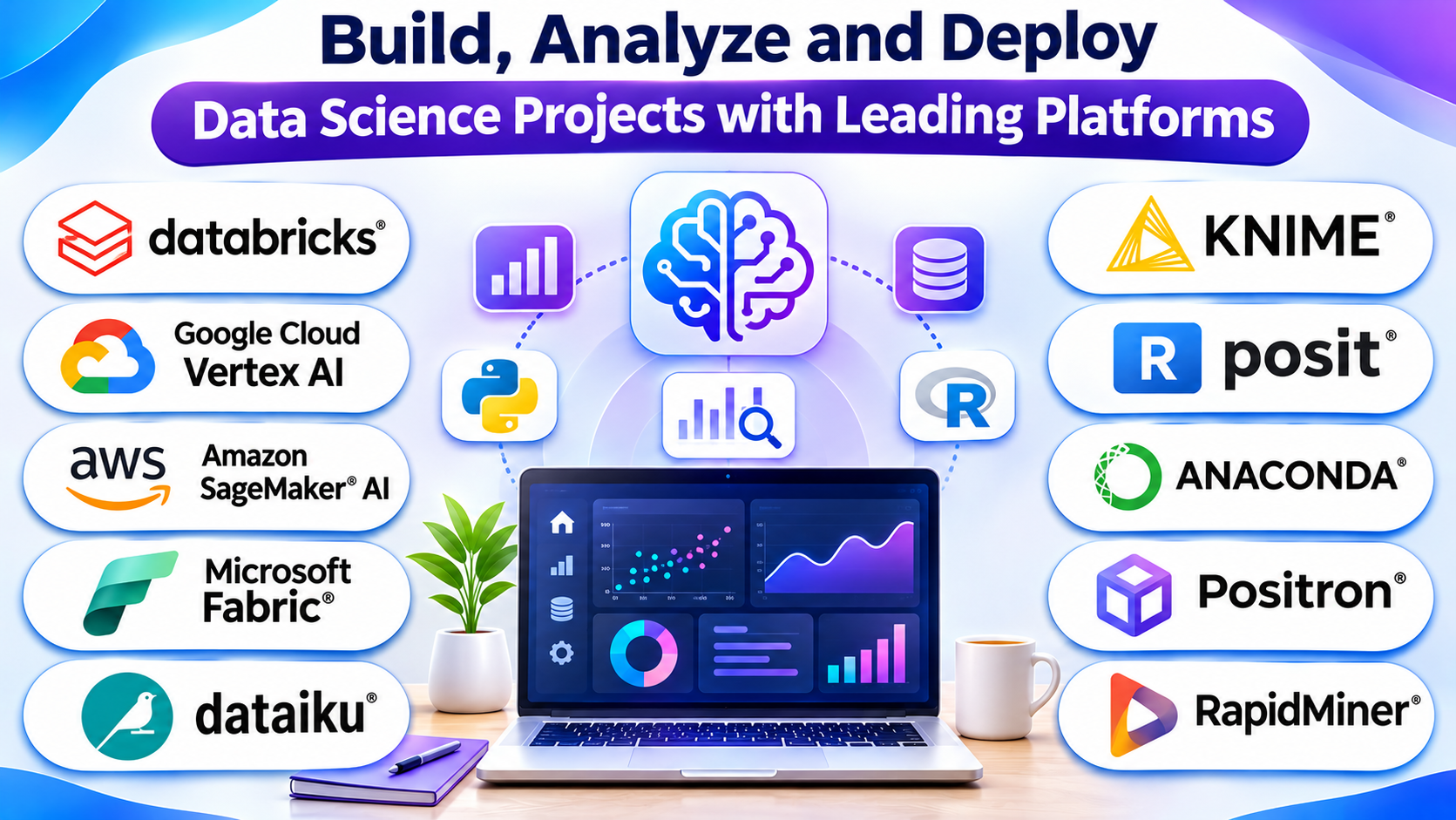
This guide explores ten popular data science platforms. It covers their main features, Pros, Cons, and common uses. It also includes a comparison table and practical tips to help you choose the right solution.
Top 10 Data Science Platforms
1. Databricks Data Intelligence Platform
Databricks provides a unified environment for data engineering, data science, analytics, and machine learning. It helps teams work with data across large projects.
The platform combines data processing, collaborative notebooks, machine learning tools, and data management features. Teams can use Python, SQL, Scala, and other supported tools to build data workflows.
Databricks also supports machine learning development through its integrated tools and MLflow capabilities. Data scientists can track experiments, manage models, and work with shared datasets.
Organizations often use Databricks for large-scale analytics, machine learning, and AI projects.
Key Features
- Collaborative notebooks.
- Distributed data processing.
- Machine learning development.
- MLflow experiment tracking.
- Data engineering workflows.
- SQL analytics.
- Model management and deployment options.
- Integration with cloud storage and services.
Pros
- Combines data engineering and data science.
- Supports large data workloads.
- Offers collaborative development tools.
- Supports several programming languages.
- Provides machine learning lifecycle features.
Cons
- Costs can grow with usage.
- New users may need time to learn the platform.
- Some features depend on cloud configuration.
- Large projects need careful resource management.
2. Google Cloud Vertex AI
Google Cloud Vertex AI provides tools for building, training, deploying, and managing machine learning models. It supports data science teams throughout the model development process.
The platform offers managed notebooks, training services, model evaluation, and deployment options. Teams can use popular machine learning frameworks and Google Cloud services.
Vertex AI also supports AutoML features for selected tasks. These features can help users build models without writing every part of the training code.
Organizations use Vertex AI for predictive analytics, image analysis, language applications, and machine learning operations.
Key Features
- Managed notebook environments.
- Model training and deployment.
- AutoML capabilities.
- Model evaluation tools.
- Experiment tracking.
- Pipeline management.
- Feature management options.
- Integration with Google Cloud services.
Pros
- Provides a managed cloud environment.
- Supports the machine learning lifecycle.
- Offers useful automation features.
- Integrates with Google Cloud data services.
- Supports popular ML frameworks.
Cons
- Works best within the Google Cloud ecosystem.
- Costs depend on resource usage.
- Advanced workflows require cloud knowledge.
- Some features may need extra setup.
3. Amazon SageMaker AI
Amazon SageMaker AI provides managed tools for developing, training, and deploying machine learning models. It supports data scientists, developers, and machine learning engineers.
The platform includes notebook environments, model training, deployment tools, and model monitoring features. Teams can use built-in algorithms or bring their own code and frameworks.
SageMaker AI also supports automated machine learning through selected capabilities. This can help teams test model options and speed up development.
Organizations use it for forecasting, fraud detection, recommendation systems, and other machine learning applications.
Key Features
- Managed development environments.
- Model training and deployment.
- Support for popular ML frameworks.
- Automated machine learning options.
- Model monitoring.
- Experiment management.
- Data preparation tools.
- Integration with AWS services.
Pros
- Offers a broad machine learning toolset.
- Supports flexible model development.
- Integrates with AWS data services.
- Supports managed training and deployment.
- Helps teams manage model workflows.
Cons
- The service range can feel complex.
- Costs depend on compute and storage use.
- AWS knowledge helps with setup.
- Teams must manage permissions and resources carefully.
4. Microsoft Fabric
Microsoft Fabric is an analytics platform that brings data engineering, data science, data warehousing, and business intelligence together.
Its Data Science experience helps users build machine learning models and run experiments. Teams can use notebooks, Python libraries, and integrated data resources.
Fabric also connects data science work with other analytics experiences. This helps organizations move from data preparation to analysis and reporting within one environment.
It can suit businesses that already use Microsoft cloud and analytics products.
Key Features
- Integrated data science workspace.
- Notebook-based development.
- Python support.
- Machine learning experiment tracking.
- Data engineering integration.
- Shared data storage through OneLake.
- Integration with Power BI.
- Collaboration across analytics workloads.
Pros
- Brings several analytics tasks together.
- Connects data science with business intelligence.
- Supports notebook-based development.
- Fits Microsoft-focused environments.
- Helps teams share data and workflows.
Cons
- The full platform can take time to learn.
- Costs depend on capacity and usage.
- Some capabilities require additional configuration.
- Organizations may need to review existing Microsoft licenses.
5. Dataiku
Dataiku provides a collaborative platform for data science, machine learning, and analytics. It supports both code-based and visual development.
Users can prepare data, create workflows, build models, and share results. Technical teams can write Python, R, and SQL code. Business users can work with visual tools.
Dataiku also supports machine learning operations and governance features. These capabilities help teams manage projects from early experiments to production workflows.
Organizations use it to support forecasting, customer analysis, risk modeling, and business automation.
Key Features
- Visual data preparation.
- Code-based development.
- Machine learning tools.
- AutoML capabilities.
- Workflow automation.
- Model deployment support.
- Collaboration features.
- Governance and monitoring tools.
Pros
- Supports technical and non-technical users.
- Offers visual and coding workflows.
- Helps teams manage end-to-end projects.
- Provides collaboration features.
- Supports machine learning operations.
Cons
- Advanced features may need training.
- Pricing may not suit small teams.
- Large projects require governance planning.
- Some workflows depend on platform configuration.
6. KNIME Analytics Platform
KNIME Analytics Platform is a visual data science tool. It helps users build data workflows by connecting different processing nodes.
Users can import data, clean records, create visualizations, and build machine learning models. They can develop workflows without writing every step as code.
KNIME also supports Python and R integrations. This gives experienced users more control when visual components do not meet their needs.
The platform is useful for data preparation, reporting, predictive analytics, and repeatable data workflows.
Key Features
- Visual workflow builder.
- Data preparation tools.
- Machine learning nodes.
- Data visualization.
- Python and R integration.
- Database connectivity.
- Workflow automation options.
- Extensions for additional capabilities.
Pros
- Easy to explore through visual workflows.
- Supports coding and no-code tasks.
- Offers many data connectors.
- Useful for repeatable processes.
- Has an active user community.
Cons
- Complex workflows can become difficult to manage.
- Some advanced features require extensions.
- Performance depends on available system resources.
- Enterprise deployment may need extra planning.
7. Posit Team
Posit Team supports professional data science work with R and Python. It brings together tools for sharing code, publishing analysis, and managing data science projects.
Its product family includes Posit Workbench, Posit Connect, and Posit Package Manager. Together, these tools support development environments, publishing, and package management.
Data scientists can work with familiar tools such as RStudio and Jupyter. Teams can publish reports, dashboards, applications, and data products.
Organizations that rely on R and Python often use Posit products to support collaboration and controlled deployment.
Key Features
- R and Python development environments.
- Support for RStudio and Jupyter.
- Publishing for reports and applications.
- Package management.
- Team collaboration.
- Shared development environments.
- Access control options.
- Integration with enterprise systems.
Pros
- Strong support for R and Python.
- Fits established data science workflows.
- Helps teams publish analysis.
- Supports shared development environments.
- Offers package management tools.
Cons
- Organizations may need several product components.
- Best suited to R and Python-focused teams.
- Deployment needs technical planning.
- Commercial features may involve additional costs.
8. Anaconda
Anaconda provides tools for Python and R development, data science, and machine learning. It helps teams manage packages and development environments.
Its distribution includes many popular data science libraries. Anaconda Navigator also offers a graphical way to manage environments and launch applications.
Teams can use Anaconda to build reproducible environments for analysis and model development. This helps reduce package conflicts across projects.
It is often used by data scientists, researchers, educators, and organizations that work with Python.
Key Features
- Python and R environment management.
- Package management with Conda.
- Anaconda Navigator.
- Data science library support.
- Reproducible environments.
- Notebook integration.
- Machine learning library support.
- Enterprise package management options.
Pros
- Simplifies package management.
- Helps create separate project environments.
- Supports common data science libraries.
- Useful for learning and research.
- Works with many development tools.
Cons
- Environments can use significant disk space.
- Package conflicts may still occur.
- Some enterprise features require paid plans.
- Users need to understand environment management.
9. Positron
Positron is an integrated development environment designed for data science. It supports Python and R workflows in a modern coding environment.
It brings together code editing, interactive data tools, notebooks, and development features. Data scientists can explore datasets while writing and testing code.
Positron is useful for people who prefer a coding-focused workflow. It can support data exploration, analysis, and model development with familiar languages.
Teams should review its current capabilities and deployment needs before adopting it for large enterprise workflows.
Key Features
- Python and R support.
- Code editing tools.
- Interactive data exploration.
- Notebook workflows.
- Integrated development experience.
- Data science-focused interface.
- Extension support.
- Integration with common development tools.
Pros
- Designed for data science workflows.
- Supports popular languages.
- Combines coding and data exploration.
- Offers a modern development interface.
- Useful for interactive analysis.
Cons
- It may not replace a full managed ML platform.
- Some users may need time to adjust.
- Enterprise administration needs review.
- Available integrations may differ from larger platforms.
10. RapidMiner
RapidMiner provides tools for data preparation, machine learning, and advanced analytics. It supports visual workflows that help users build data science processes.
Users can prepare datasets, train models, test results, and create repeatable workflows. Its visual approach can help teams explore machine learning without writing every operation as code.
RapidMiner is now part of Altair’s data analytics portfolio. Organizations should review current product packaging and availability when evaluating it.
The platform can support predictive modeling, customer analysis, fraud detection, and other data-driven projects.
Key Features
- Visual workflow design.
- Data preparation.
- Machine learning tools.
- Predictive analytics.
- Model evaluation.
- Workflow automation.
- Integration with data sources.
- Options for code-based development.
Pros
- Visual tools support easier workflow building.
- Helps users prepare and analyze data.
- Supports predictive modeling.
- Useful for business analytics projects.
- Can reduce repetitive manual work.
Cons
- Advanced workflows may require training.
- Product packaging and availability should be checked.
- Large projects need performance planning.
- Some capabilities may depend on licensing.
Comparison of the Top 10 Data Science Platforms
| Platform | Best For | Main Strength | Development Style |
|---|---|---|---|
| Databricks | Large-scale data and AI | Unified data and ML workflows | Code and notebooks |
| Google Cloud Vertex AI | Managed machine learning | Model lifecycle tools | Code and managed tools |
| Amazon SageMaker AI | AWS-based ML projects | Training and deployment services | Code and managed tools |
| Microsoft Fabric | Integrated analytics | Data science and BI connection | Notebooks and visual tools |
| Dataiku | Team-based data science | Visual and code workflows | Visual, Python, R, SQL |
| KNIME Analytics Platform | Visual analytics | Node-based workflows | Visual and code |
| Posit Team | R and Python teams | Development and publishing | Code and notebooks |
| Anaconda | Python environments | Package and environment management | Code and notebooks |
| Positron | Interactive data science coding | Data-focused IDE | Code and notebooks |
| RapidMiner | Visual predictive analytics | Workflow-based modeling | Visual and code |
Important Features to Look for in a Data Science Platform
1. Data Preparation
A good platform should help users clean, transform, and organize data. These tasks create a reliable base for analysis and modeling.
2. Machine Learning Support
Check whether the platform supports the algorithms and frameworks your team needs. Look for model training, evaluation, and deployment features.
3. Programming Language Support
Python and R remain common choices in data science. SQL support can also help teams work with structured data.
4. Collaboration
Data science projects often involve several people. Shared notebooks, version control, and project workspaces can improve teamwork.
5. Experiment Tracking
Teams need to compare model versions and training results. Experiment tracking helps them understand which settings produce better outcomes.
6. Model Deployment
A platform should support the way your business uses models. Check for APIs, batch predictions, application integration, and deployment controls.
7. Data Visualization
Charts and dashboards help users understand patterns. Look for tools that make it easy to explore and explain results.
8. Security and Governance
Data science projects may use private or regulated information. Review access controls, audit logs, encryption, and data governance features.
9. Scalability
Choose a platform that can handle growing datasets and more users. Consider distributed computing and cloud resource options.
10. Cost and Licensing
Review subscription fees, compute charges, storage costs, and support plans. Consider the full cost of running the platform.
Benefits of Using Data Science Platforms
Faster Data Analysis
Integrated tools help teams prepare and analyze information in one environment. This can reduce time spent moving between separate applications.
Better Business Decisions
Data science platforms help teams find patterns and test ideas. Businesses can use these findings to make more informed decisions.
Improved Collaboration
Shared workspaces and notebooks help teams work together. They can review code, compare results, and share project progress.
Repeatable Workflows
Teams can save and reuse data preparation steps and model workflows. This helps reduce repeated manual work.
Better Machine Learning Management
Some platforms support model tracking, deployment, and monitoring. These features help teams manage models beyond initial experiments.
Support for Large Datasets
Distributed processing and cloud services help teams work with growing data volumes. This can support more complex analysis.
Easier Reporting
Visualization and publishing tools help teams share findings. Business users can understand results without reading every line of code.
Common Challenges of Data Science Platforms
1. Learning Curve
Some platforms include many tools and features. New users may need time to understand the environment.
How to address it: Start with a small project. Use official training materials and create clear team guidelines.
2. Data Quality Issues
Incomplete, incorrect, or duplicated data can affect model results.
How to address it: Add data validation and cleaning steps before training models. Track data quality over time.
3. High Infrastructure Costs
Large models and datasets can require significant computing resources.
How to address it: Monitor resource usage. Choose suitable instance sizes and stop unused environments.
4. Model Deployment Complexity
A model that works during development may need extra work before production use.
How to address it: Plan deployment early. Test models with real data and use repeatable release processes.
5. Integration Problems
Platforms may not connect easily with every database or business application.
How to address it: Check connectors and APIs before purchase. Test important integrations during evaluation.
6. Security and Privacy Risks
Data science teams may handle sensitive customer or company data.
How to address it: Apply role-based access, encryption, secure credentials, and audit controls.
7. Model Performance Changes
A model may become less accurate when real-world data changes.
How to address it: Monitor model performance. Retrain or update models when the data or business needs change.
How to Choose the Right Data Science Platform
Step 1: Define Your Business Goals
Decide what you want to achieve. Common goals include forecasting, customer analysis, fraud detection, and process improvement.
Step 2: Review Your Data
Understand your data sources, formats, size, and quality. Check whether the platform can connect to them.
Step 3: Understand Your Team’s Skills
Choose a platform that matches your team’s experience. A Python-focused team may prefer a coding environment, while other teams may benefit from visual workflows.
Step 4: Identify Required Features
List the features you need. These may include notebooks, AutoML, model deployment, dashboards, or experiment tracking.
Step 5: Check Integration Options
Make sure the platform works with your databases, cloud services, and business applications.
Step 6: Compare Security Controls
Review access management, encryption, audit features, and data protection options.
Step 7: Test with a Real Project
Use a sample business problem to test the platform. Check usability, performance, and workflow quality.
Step 8: Review Total Cost
Include subscriptions, compute, storage, training, and support. Avoid choosing a platform based only on its starting price.
Step 9: Check Collaboration Features
Make sure team members can share work and manage project changes. Good collaboration can reduce errors and delays.
Step 10: Plan for Growth
Choose a platform that can support future projects and larger datasets. Review its scalability and long-term support.
Best Practices for Successful Data Science Projects
- Define clear business questions before starting.
- Use reliable and relevant data sources.
- Clean and validate data before analysis.
- Keep code organized and documented.
- Use version control for project files.
- Track experiments and model results.
- Protect sensitive information.
- Review model accuracy with suitable metrics.
- Test models with data they have not seen.
- Monitor deployed models.
- Share findings with clear visualizations.
- Record assumptions and limitations.
- Review project costs regularly.
- Use repeatable workflows.
- Keep skills and platform knowledge up to date.
Frequently Asked Questions
1. What is a data science platform?
A data science platform provides tools for preparing data, analyzing information, building machine learning models, and sharing results.
2. Which is the best data science platform?
The best choice depends on your needs. Databricks supports large-scale data and AI workflows. Vertex AI and SageMaker AI offer managed machine learning services. KNIME supports visual workflows.
3. What is the difference between a data science platform and a machine learning platform?
A data science platform may support data preparation, exploration, analysis, and machine learning. A machine learning platform focuses more on building, training, deploying, and managing models.
4. Do data science platforms require coding?
Not always. Some platforms provide visual tools and automated features. Others focus on Python, R, SQL, or notebook-based development.
5. Which programming languages are common in data science?
Python and R are widely used. SQL is also important for working with databases and structured data.
6. What is AutoML?
AutoML stands for automated machine learning. It helps automate selected tasks, such as model selection and parameter tuning.
7. Can small businesses use data science platforms?
Yes. Small businesses can use cloud services, open-source tools, and visual platforms. They should choose a solution that fits their budget and team skills.
8. What is the role of notebooks in data science?
Notebooks let users combine code, explanations, charts, and results. They are useful for experiments and sharing analysis.
9. Are open-source data science platforms available?
Yes. KNIME Analytics Platform and Anaconda offer freely available tools. Several platforms also support open-source libraries and frameworks.
10. What is MLOps?
MLOps brings development and operations practices into machine learning. It helps teams manage model testing, deployment, monitoring, and updates.
11. Can data science platforms handle big data?
Some platforms support distributed processing and cloud infrastructure. Databricks and cloud-based services can help teams work with large datasets.
12. How do data science platforms support collaboration?
They may offer shared notebooks, project spaces, version control, access management, and publishing tools. These features help teams work together.
13. What should businesses check before buying a platform?
Review features, data connections, security, scalability, pricing, support, and ease of use. Test the platform with a real project before making a decision.
14. Can data science platforms support artificial intelligence projects?
Yes. Many platforms support machine learning and AI development. Some also connect data preparation with model training and deployment.
15. How can teams measure the success of a data science project?
Teams can measure model quality, business impact, processing time, cost, and user adoption. The right measures depend on the project’s goal.
Final Thoughts
Data science platforms help teams turn raw information into useful results. They support data preparation, analysis, machine learning, and collaboration.
Databricks, Vertex AI, and SageMaker AI offer broad cloud-based environments. Microsoft Fabric connects data science with wider analytics work. Dataiku and KNIME provide visual and code-based workflows.
Posit Team, Anaconda, and Positron support R and Python development. RapidMiner offers visual tools for predictive analytics.
No single platform fits every team. The right choice depends on your goals, data, technical skills, and budget.
Start with a clear business problem. Test a few platforms with real data. Choose the one that helps your team work well and deliver useful results.