Introduction
Businesses create huge amounts of data every second. Websites record clicks, banks process payments, and smart devices send constant updates.
Stream processing frameworks help applications process this data as it arrives. They can filter events, combine records, calculate values, and detect patterns.
These frameworks support real-time analytics, fraud detection, application monitoring, and data pipelines. They also help businesses respond to events without waiting for large batch jobs.
However, each framework has its own strengths. Some focus on distributed processing. Others support SQL, Python, or Kafka-based applications.
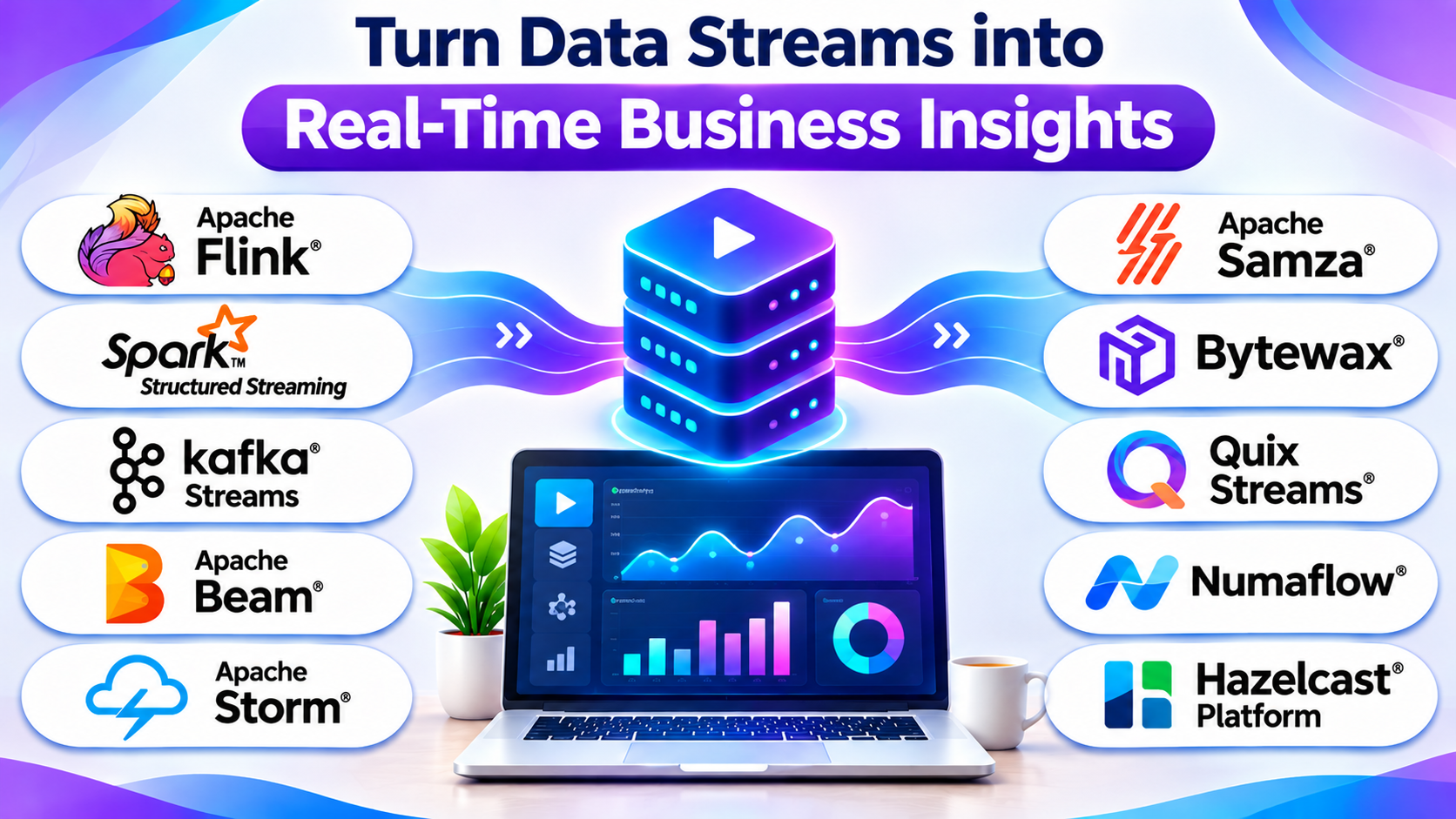
This guide explores ten stream processing frameworks. It covers their features, Pros, Cons, and common uses. You will also find a comparison table and practical tips for choosing the right framework.
Top 10 Stream Processing Frameworks
1. Apache Flink
Apache Flink is a distributed framework for processing continuous and bounded data streams. It helps applications handle large data flows with low delay.
Flink supports stateful processing. This means an application can remember information while it processes new events. For example, a payment system can track customer activity and identify unusual patterns.
Flink also supports event-time processing. This helps applications work with events that arrive late or out of order.
Key Features
- Stateful stream processing.
- Event-time processing and watermarks.
- Window-based calculations.
- Checkpointing and recovery.
- Distributed execution.
- Support for batch and streaming workloads.
- SQL and Table API support.
- Connectors for common data systems.
Pros
- Strong support for complex streaming tasks.
- Handles large distributed workloads.
- Supports event-time operations.
- Offers flexible state management.
- Provides recovery features.
Cons
- Cluster setup can be complex.
- State management needs careful planning.
- Monitoring and tuning require experience.
- Large deployments need skilled operators.
2. Apache Spark Structured Streaming
Apache Spark Structured Streaming brings stream processing into the Apache Spark environment. It lets developers use familiar DataFrame and SQL operations to work with continuous data.
Teams can build streaming applications with many of the same ideas they use for batch processing. This can make development easier for organizations that already use Spark.
Structured Streaming supports event-time windows, joins, and fault-tolerant processing. Its default execution model uses micro-batches, which process small groups of events. Spark also offers other processing modes with different maturity and performance characteristics.
Key Features
- DataFrame and SQL-based processing.
- Micro-batch execution by default.
- Event-time window operations.
- Streaming joins and aggregations.
- Checkpointing and recovery.
- Integration with the Spark ecosystem.
- Support for Python, Scala, Java, and SQL.
- Connectors for multiple data sources.
Pros
- Fits existing Spark environments.
- Uses familiar DataFrame and SQL concepts.
- Supports batch and streaming workloads.
- Offers broad data integration options.
- Supports several programming languages.
Cons
- Default micro-batch processing may not fit every low-latency need.
- Spark clusters need proper configuration.
- Streaming queries can use significant resources.
- Advanced tuning requires Spark knowledge.
3. Kafka Streams
Kafka Streams is a Java library for building stream processing applications. It works with data stored in Apache Kafka topics.
Unlike a separate processing cluster, Kafka Streams runs inside the application. Developers can use it to filter, transform, join, and aggregate records.
It also supports state stores. These stores help applications keep information between events. Kafka Streams suits teams that already use Kafka and want to add processing to their services.
Key Features
- Java-based stream processing library.
- Kafka topic integration.
- Stateful operations.
- Windowed aggregations.
- Stream-to-stream joins.
- Stream-to-table operations.
- Local state stores.
- Fault-tolerant processing through Kafka.
Pros
- Fits naturally into Kafka applications.
- Does not require a separate processing cluster.
- Supports stateful operations.
- Offers useful stream and table abstractions.
- Works well with Java microservices.
Cons
- Strongly tied to the Kafka ecosystem.
- Requires knowledge of Kafka operations.
- Scaling depends on topic partitions and application design.
- Java is the main development language.
4. Apache Beam
Apache Beam provides one programming model for both batch and streaming data pipelines. Developers write a pipeline once and run it on a supported execution engine.
Beam supports several runners. These include Apache Flink, Apache Spark, and Google Cloud Dataflow. This gives teams more flexibility when they choose where to run their pipelines.
Beam is useful for data integration, event processing, and large-scale transformation tasks. It also supports event-time processing and window-based calculations.
Key Features
- Unified batch and stream programming model.
- Multiple language SDKs.
- Support for different execution runners.
- Event-time processing.
- Windowing and triggers.
- Data transformation operations.
- Pipeline testing tools.
- Integration with data processing services.
Pros
- Supports more than one execution engine.
- Helps teams reuse pipeline logic.
- Handles batch and streaming data.
- Offers flexible windowing features.
- Fits large data integration projects.
Cons
- Runner differences can affect behavior.
- Debugging may involve several system layers.
- Teams must understand Beam and the chosen runner.
- Some advanced features depend on runner support.
5. Apache Storm
Apache Storm is a distributed framework for processing continuous streams of data. It uses a topology made of spouts and bolts.
Spouts receive data from sources. Bolts process the data through tasks such as filtering, transformation, and aggregation.
Storm supports continuous processing and can suit applications that need quick event handling. Teams can use it for log processing, monitoring, and real-time data pipelines.
Key Features
- Distributed stream processing.
- Spout and bolt architecture.
- Parallel task execution.
- Fault-tolerant processing.
- Multiple programming language options.
- Integration with messaging systems.
- Topology-based application design.
- Support for continuous event processing.
Pros
- Designed for continuous data streams.
- Supports distributed processing.
- Offers a clear topology model.
- Can handle large event flows.
- Fits established Storm applications.
Cons
- Topology design can become complex.
- Requires cluster management.
- Some newer frameworks offer richer stateful features.
- Teams should review current ecosystem and support needs.
6. Apache Samza
Apache Samza is a distributed stream processing framework that works closely with Apache Kafka. It helps applications process messages and maintain local state.
Samza can store application state and recover it when tasks restart. This helps developers build applications that need to remember information between events.
The framework suits teams that use Kafka and need distributed processing with state management. It can support data pipelines, event-driven services, and continuous analytics.
Key Features
- Distributed stream processing.
- Kafka integration.
- Stateful processing.
- Local state stores.
- Fault recovery.
- Partition-based task execution.
- Batch and stream processing support.
- Integration with distributed data systems.
Pros
- Strong Kafka integration.
- Supports stateful applications.
- Offers local state management.
- Fits distributed data pipelines.
- Can handle continuous processing workloads.
Cons
- Smaller ecosystem than some popular alternatives.
- Setup and operations require technical knowledge.
- Kafka and deployment concepts need understanding.
- Teams should check current project activity before choosing it.
7. Bytewax
Bytewax is a Python stream processing framework with a Rust-based processing engine. It helps developers build dataflows that process events continuously.
Developers can use Python to create operations, manage state, and connect data sources. This makes Bytewax useful for teams that prefer Python over a Java-based development model.
Bytewax can work with event sources such as Kafka. Teams can use it for real-time data preparation, monitoring, and event-driven applications.
Key Features
- Python-based development.
- Rust-based processing engine.
- Stateful dataflows.
- Distributed processing.
- Kafka integration.
- Window and event operations.
- Data connectors.
- Support for real-time pipelines.
Pros
- Familiar Python programming model.
- Useful for Python-focused teams.
- Supports stateful processing.
- Can connect with streaming data sources.
- Offers a practical way to build custom dataflows.
Cons
- Smaller ecosystem than Flink or Spark.
- Teams may need to build or adapt integrations.
- Distributed deployment still needs planning.
- Large enterprise use cases need careful testing.
8. Quix Streams
Quix Streams is a Python stream processing library designed for Kafka-based applications. It helps developers build event-driven services using Python.
The library supports stateful processing and data transformations. Developers can create applications that read events, process them, and write results back to Kafka.
Quix Streams suits teams that want Python development with Kafka-based streaming. It can support analytics pipelines, event processing, and real-time applications.
Key Features
- Python-based stream processing.
- Kafka integration.
- Stateful processing.
- Data transformation operations.
- Windowing support.
- Local development tools.
- Deployment flexibility.
- Support for event-driven applications.
Pros
- Makes Kafka processing accessible to Python developers.
- Supports stateful applications.
- Fits microservice architectures.
- Offers a familiar development approach.
- Useful for custom streaming pipelines.
Cons
- Focuses mainly on Kafka-based workloads.
- Teams need to understand Kafka operations.
- Smaller ecosystem than broad distributed engines.
- Production deployment needs monitoring and scaling plans.
9. Numaflow
Numaflow is an open-source, Kubernetes-native platform for stream processing. It helps teams build and run data processing pipelines on Kubernetes.
Numaflow uses components called vertices and edges. Vertices perform processing tasks, while edges move data between them.
Teams can use it for event processing, data transformation, and continuous analytics. Its Kubernetes focus makes it relevant for organizations that already manage container-based applications.
Key Features
- Kubernetes-native architecture.
- Distributed stream processing.
- Pipeline-based design.
- Processing vertices and data edges.
- Parallel execution.
- Event handling and transformation.
- Monitoring integration.
- Support for scalable deployments.
Pros
- Fits Kubernetes environments.
- Offers a clear pipeline model.
- Supports distributed processing.
- Works with container-based operations.
- Useful for cloud-native data pipelines.
Cons
- Requires Kubernetes knowledge.
- Adds operational work for teams new to containers.
- Ecosystem is smaller than older frameworks.
- Teams should test connectors and deployment needs.
10. Hazelcast Platform
Hazelcast Platform combines distributed computing with an in-memory data grid. It supports stream processing and fast data access for applications that need quick responses.
The platform can process events while keeping frequently used data in memory. This can help applications that need low-latency operations and shared state.
Hazelcast suits use cases such as fraud detection, real-time recommendations, application monitoring, and operational analytics.
Key Features
- In-memory data storage.
- Distributed computing.
- Stream processing capabilities.
- Stateful event handling.
- SQL support.
- Distributed data structures.
- Fault tolerance and clustering.
- Integration with enterprise applications.
Pros
- Combines data storage and processing.
- Supports fast in-memory access.
- Offers distributed computing features.
- Useful for low-latency applications.
- Supports stateful workloads.
Cons
- In-memory workloads need careful capacity planning.
- Architecture can be complex.
- Large deployments may need specialist skills.
- Licensing and deployment options need review.
Comparison of the Top 10 Stream Processing Frameworks
| Framework | Best For | Main Strength | Development Model |
|---|---|---|---|
| Apache Flink | Complex streaming workloads | Stateful and event-time processing | Java, Python, SQL |
| Spark Structured Streaming | Spark-based analytics | DataFrame and SQL processing | Python, Scala, Java, SQL |
| Kafka Streams | Kafka applications | Embedded stream processing | Java |
| Apache Beam | Portable data pipelines | Multiple execution runners | Java, Python, Go |
| Apache Storm | Continuous event processing | Spout and bolt architecture | Java and other APIs |
| Apache Samza | Stateful Kafka pipelines | Local state management | Java |
| Bytewax | Python data pipelines | Python development model | Python |
| Quix Streams | Kafka-based Python apps | Stateful Python processing | Python |
| Numaflow | Kubernetes data pipelines | Cloud-native pipeline design | Kubernetes-based |
| Hazelcast Platform | Low-latency applications | In-memory distributed computing | Java and SQL |
These frameworks use different processing models. Test your workload before comparing speed, latency, or resource use.
Important Features to Look for in Stream Processing Frameworks
1. Low-Latency Processing
Low latency helps applications process events quickly. This matters for payment alerts, fraud detection, and live monitoring.
2. Stateful Processing
Stateful processing lets applications remember information between events. It supports session tracking, running totals, and customer activity analysis.
3. Event-Time Processing
Events do not always arrive in the order they happen. Event-time processing helps frameworks handle late and out-of-order records.
4. Windowing Support
Windowing groups events by time or another condition. It helps teams calculate hourly sales, website activity, and transaction totals.
5. Fault Tolerance
A framework should recover from failures without losing important processing state. Look for checkpoints, backups, and recovery options.
6. Processing Guarantees
Review how the framework handles message delivery and processing. Exactly-once results depend on the source, framework, destination, and configuration.
7. Scalability
The framework should handle growing event volumes and more processing tasks. Check how it distributes work across machines.
8. Integration Support
Look for connectors for Kafka, databases, cloud storage, APIs, and analytics tools. Strong integrations can reduce development work.
9. Programming Language Support
Choose a framework that supports the languages your team uses. Common options include Java, Python, Scala, and SQL.
10. Monitoring and Management
Good monitoring helps teams track processing delays, errors, resource use, and application health. These details help prevent small issues from becoming major problems.
Benefits of Stream Processing Frameworks
Faster Business Decisions
Stream processing makes fresh information available quickly. Teams can react to sales, customer actions, and system changes sooner.
Real-Time Fraud Detection
Financial systems can analyze transactions as they happen. They can identify unusual activity and send alerts for further review.
Better Customer Experiences
Applications can respond to customer actions immediately. They can update recommendations, account details, and order information.
Improved Operational Monitoring
Companies can process application logs and system events continuously. This helps technical teams detect errors and performance problems.
Efficient Data Integration
Stream processing frameworks connect different systems through continuous data pipelines. They reduce the need to move all information through scheduled batch jobs.
Support for IoT Applications
Connected devices create constant streams of data. Frameworks can process these events to monitor equipment, detect unusual readings, and trigger actions.
Scalable Data Pipelines
Distributed frameworks can divide workloads across multiple machines. This helps organizations handle growing data volumes.
Better Analytics
Businesses can calculate metrics as events arrive. This supports live dashboards, operational reports, and timely business insights.
Common Challenges of Stream Processing
1. Complex Architecture
Streaming systems may include brokers, processing engines, connectors, databases, and monitoring tools.
How to address it: Start with a small pipeline. Add more components only when the project needs them.
2. Data Arrives Out of Order
Network delays can cause events to arrive later than expected.
How to address it: Use event-time processing and suitable watermark settings. Define how your application should handle late events.
3. State Management
Stateful applications must store and recover information correctly.
How to address it: Plan state size, checkpoint frequency, storage, and recovery procedures.
4. Processing Delays
A slow consumer or processing task can create a backlog.
How to address it: Monitor processing lag. Optimize expensive operations and increase resources when needed.
5. Duplicate Events
Some pipelines may deliver the same event more than once.
How to address it: Use unique event IDs and idempotent operations. Select suitable delivery and processing guarantees.
6. Infrastructure Costs
Distributed processing can use large amounts of memory, CPU, storage, and network capacity.
How to address it: Measure resource usage. Tune workloads and remove unnecessary processing steps.
7. Difficult Troubleshooting
Errors can occur at different stages of a streaming pipeline.
How to address it: Add clear logs, metrics, alerts, and tracing. Keep event IDs to help teams follow data through the system.
How to Choose the Right Stream Processing Framework
Step 1: Define Your Business Use Case
Decide what the system must do. You may need fraud detection, live analytics, IoT monitoring, or application event processing.
Step 2: Estimate Your Data Volume
Estimate how many events your system receives. Include average event size and expected traffic peaks.
Step 3: Set Your Latency Needs
Decide how quickly the application must process new events. Some use cases need very low latency, while others can accept a longer delay.
Step 4: Review Your Team’s Skills
Choose a framework that fits your team’s experience. Python teams may prefer Bytewax or Quix Streams. Kafka-focused Java teams may find Kafka Streams practical.
Step 5: Check Your Data Sources
Confirm that the framework supports your message brokers, databases, APIs, and storage systems.
Step 6: Evaluate State and Recovery
Check how the framework manages state, checkpoints, failures, and event replay. These features matter for reliable applications.
Step 7: Compare Deployment Options
Some frameworks need clusters that your team manages. Others run inside applications or fit Kubernetes and managed cloud environments.
Step 8: Test Real Workloads
Build a small proof of concept. Use realistic event sizes, traffic, joins, and processing operations.
Step 9: Review Costs and Operations
Include infrastructure, cloud services, support, monitoring, and engineering time. Consider the work needed to maintain the system.
Step 10: Plan for Future Growth
Choose a framework that can support more data, applications, and users. Avoid selecting a tool based only on today’s workload.
Best Practices for Successful Stream Processing
- Define clear event formats.
- Use consistent event names.
- Choose suitable partition keys.
- Set clear event-time rules.
- Monitor processing delays.
- Plan for duplicate events.
- Use checkpoints where supported.
- Test recovery procedures.
- Keep sensitive data protected.
- Use access controls and encryption.
- Track resource use and costs.
- Set alerts for pipeline failures.
- Document data sources and destinations.
- Test with realistic traffic.
- Review framework and connector support.
- Train developers and operations teams.
Frequently Asked Questions
1. What is a stream processing framework?
A stream processing framework helps applications process continuous data as it arrives. It can filter, transform, join, and analyze events.
2. What is stream processing used for?
Businesses use stream processing for fraud detection, real-time analytics, IoT monitoring, website activity tracking, and application monitoring.
3. Which is the best stream processing framework?
There is no single best option for every project. Apache Flink suits complex stateful workloads. Spark Structured Streaming fits Spark-based analytics. Kafka Streams works well for Kafka applications.
4. What is the difference between batch processing and stream processing?
Batch processing handles data in groups at scheduled times. Stream processing handles events continuously as they arrive.
5. Is Apache Flink better than Spark Structured Streaming?
Both support distributed stream processing. Flink offers strong event-time and stateful processing capabilities. Spark Structured Streaming suits teams that already use Spark for analytics and data engineering.
6. What is Kafka Streams used for?
Kafka Streams helps developers build stream processing applications directly into Java services. It processes data stored in Apache Kafka topics.
7. Is Apache Beam a processing engine?
Apache Beam provides a unified programming model for batch and streaming pipelines. It uses runners to execute those pipelines on supported processing engines.
8. Can Python handle stream processing?
Yes. Frameworks such as Bytewax and Quix Streams support Python-based stream processing. Python can also work with other streaming systems through their APIs and connectors.
9. What is stateful stream processing?
Stateful stream processing keeps information between events. It helps applications calculate totals, track sessions, and detect patterns over time.
10. What is event-time processing?
Event-time processing uses the time when an event actually happened. It helps applications handle delayed and out-of-order data.
11. What is a streaming database?
A streaming database processes incoming data and keeps query results updated. It differs from a general-purpose stream processing framework, though both can support continuous data workflows.
12. Do stream processing frameworks support cloud deployment?
Many frameworks can run in cloud environments. Some also work with managed cloud services, containers, and Kubernetes.
13. How do stream processing frameworks handle failures?
They may use checkpoints, replicated data, persistent state, and recovery mechanisms. Exact support depends on the framework and pipeline design.
14. What is exactly-once processing?
Exactly-once processing aims to prevent an event from affecting the final result more than once. It depends on the framework, data source, destination, and configuration.
15. How can I measure stream processing performance?
Measure throughput, processing latency, consumer lag, error rates, resource use, and recovery time. Test with realistic workloads.
Final Thoughts
Stream processing frameworks help businesses work with data as it arrives. They support faster decisions, live analytics, responsive applications, and reliable data pipelines.
Apache Flink offers strong tools for complex stateful processing. Spark Structured Streaming fits teams that already use Spark. Kafka Streams works well for Kafka-based applications, while Apache Beam offers a portable programming model.
Apache Storm and Apache Samza remain useful for specific distributed processing needs. Bytewax and Quix Streams offer Python-focused development options. Numaflow suits Kubernetes-based pipelines, while Hazelcast Platform combines in-memory computing with stream processing.
The right choice depends on your data volume, latency needs, programming skills, and system architecture.
Start with a clear use case. Test the framework with real data before making a large investment. A well-planned stream processing system can help your business build faster and more responsive applications.