Introduction
Businesses collect data from many sources. They use it to serve customers, manage products, track sales, and make decisions.
But data can become hard to manage as a business grows. Teams may use different names, formats, and rules for the same information. Some records may also contain errors or sensitive details.
Data governance helps solve these problems. It sets clear rules for how a business collects, stores, protects, shares, and uses data.
Data governance platforms help teams put these rules into practice. They support data discovery, ownership, quality, policies, privacy, and compliance. They also help people understand where data comes from and who can use it.
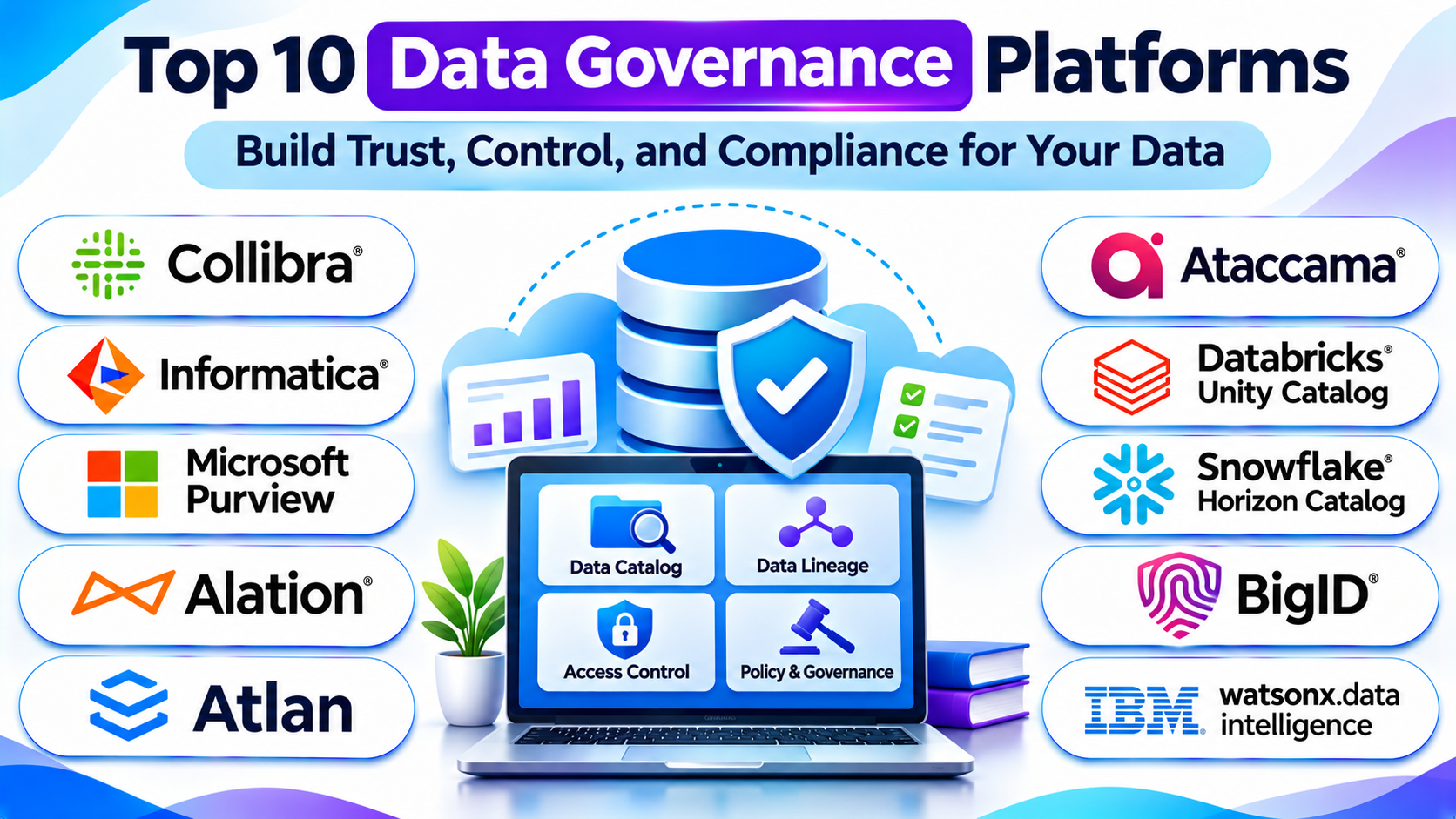
This guide explores ten leading data governance platforms. It explains their main features, Pros and Cons, and the types of organizations they may suit.
Top 10 Data Governance Platforms
1. Collibra
Best for: Large organizations that need enterprise-wide data governance
Collibra helps organizations manage data policies, ownership, quality, and access. It gives business and technical teams a shared place to understand important data assets.
The platform includes a data catalog, business glossary, lineage, and governance workflows. These features help teams understand what data means, where it comes from, and who is responsible for it.
Collibra also supports policy management and data stewardship. Teams can assign owners, review data assets, document standards, and manage approval tasks.
Its governance capabilities can support privacy, compliance, and AI-related data oversight. Organizations can use these features to create clear rules for data use.
Collibra is a strong option for large businesses with many departments and data sources. However, teams should plan the rollout carefully because broad governance programs need clear ownership and ongoing support.
Key Features
- Enterprise data catalog.
- Business glossary.
- Data lineage and impact analysis.
- Data ownership and stewardship.
- Policy and workflow management.
- Data quality management.
- Data access governance.
- Privacy and compliance support.
- AI governance capabilities.
- Data marketplace features.
Pros
- Supports broad enterprise governance.
- Connects business and technical data views.
- Provides useful stewardship workflows.
- Helps document data ownership.
- Supports lineage and policy management.
- Covers several governance needs in one platform.
Cons
- Implementation can take time.
- Large programs need strong leadership.
- Advanced workflows may need training.
- Pricing may not suit smaller organizations.
2. Informatica Cloud Data Governance and Catalog
Best for: Enterprises managing complex data across cloud and hybrid systems
Informatica Cloud Data Governance and Catalog helps organizations discover, understand, and govern data across different systems.
It forms part of Informatica’s wider Intelligent Data Management Cloud. The platform connects data cataloging with quality, lineage, metadata, and governance capabilities.
Teams can use it to discover data assets and understand their business meaning. They can also document ownership, apply classifications, and trace data movement.
Its metadata and lineage features help users understand how information moves between systems. This can support impact analysis when teams change a data pipeline or business report.
Informatica also offers data quality and master data capabilities across its wider product portfolio. This can help organizations connect governance with broader data management work.
It suits enterprises that manage data across many applications and platforms. Buyers should review the exact modules and services included in their proposed package.
Key Features
- Cloud data catalog.
- Metadata management.
- Data discovery and classification.
- Data lineage.
- Business glossary.
- Data quality integration.
- Governance workflows.
- Data access and policy support.
- Master data capabilities through related products.
- Cloud and hybrid data connectivity.
Pros
- Supports complex data environments.
- Connects governance with data quality.
- Provides metadata and lineage capabilities.
- Helps teams discover enterprise data.
- Supports cloud and hybrid systems.
- Offers a broad data management ecosystem.
Cons
- Product packaging can be complex.
- Costs depend on selected services and usage.
- Implementation may need specialist skills.
- Large deployments require careful integration planning.
3. Microsoft Purview
Best for: Organizations using Microsoft cloud and business services
Microsoft Purview helps organizations discover, manage, protect, and govern data across supported environments.
Its governance capabilities help teams build a data catalog and understand important data assets. Users can organize information into domains, document business terms, and manage data products.
Purview also connects with Microsoft’s wider security and compliance services. These capabilities can help organizations classify sensitive information and manage its use.
Data discovery and lineage features help teams understand where information lives and how it moves. This can improve visibility across supported data sources.
Purview is especially useful for businesses that already use Microsoft Azure, Microsoft Fabric, Microsoft 365, and Power BI. However, buyers should check which Purview capabilities and licensing options apply to their specific environment.
Key Features
- Unified data catalog.
- Data discovery and classification.
- Business glossary and data domains.
- Data lineage.
- Data governance workflows.
- Sensitive data identification.
- Information protection.
- Compliance management.
- Microsoft ecosystem integration.
- Data access and policy capabilities.
Pros
- Strong fit for Microsoft environments.
- Connects governance with security and compliance.
- Helps classify sensitive information.
- Supports data discovery and lineage.
- Integrates with several Microsoft services.
- Offers a broad set of governance capabilities.
Cons
- Some features depend on Microsoft services and licensing.
- Non-Microsoft integrations need evaluation.
- The product can take time to learn.
- Capability coverage varies by connected source.
4. Alation
Best for: Organizations that want users to find and understand trusted data
Alation helps businesses make data easier to discover, understand, and use. Its platform combines data cataloging, governance, lineage, and collaboration.
Users can search for data assets and view descriptions, owners, and related information. This helps business teams find useful data without relying on technical teams for every request.
Alation also supports a business glossary. Teams can use it to define terms and create shared meanings across departments.
Its governance workflows help organizations assign responsibility and manage data standards. Usage information and collaboration features can also help teams identify trusted data assets.
Alation is suitable for organizations that want to improve data discovery and encourage wider data use. Its value depends on active participation from data owners and business users.
Key Features
- Enterprise data catalog.
- Data discovery and search.
- Business glossary.
- Data lineage.
- Data stewardship workflows.
- Data quality information.
- Data policies and standards.
- Collaboration features.
- Data usage insights.
- AI-related governance capabilities.
Pros
- Makes data easier to find.
- Supports business and technical users.
- Provides catalog and glossary features.
- Encourages collaboration.
- Helps identify trusted data assets.
- Supports data stewardship.
Cons
- Catalog quality depends on good metadata.
- User adoption needs ongoing attention.
- Complex environments require integration work.
- Enterprise pricing may challenge smaller teams.
5. Atlan
Best for: Modern data teams that need connected metadata and collaboration
Atlan provides an active metadata platform for discovering, understanding, and governing data. It connects information from data warehouses, transformation tools, business intelligence systems, and other data services.
The platform creates a shared view of data assets. Teams can explore descriptions, owners, lineage, and relationships from one workspace.
Atlan also supports business glossaries, data products, and governance workflows. These features help teams document important information and make data easier to use.
Its collaboration features allow business and technical users to work together. Teams can add context, review assets, and share knowledge.
Atlan is designed for modern cloud data environments. Organizations should still check its connectors and governance integrations against their own systems.
Key Features
- Active metadata management.
- Data catalog and discovery.
- Data lineage.
- Business glossary.
- Data ownership and stewardship.
- Data product management.
- Collaboration and documentation.
- Data quality context.
- Access governance integrations.
- AI-ready metadata capabilities.
Pros
- Provides a modern data workspace.
- Connects metadata from different systems.
- Supports collaboration.
- Helps teams understand data lineage.
- Makes data assets easier to discover.
- Supports data product practices.
Cons
- Cloud-first approach may not fit every environment.
- Governance enforcement may rely on connected systems.
- Connector coverage should be checked.
- Advanced use may need setup and training.
6. Ataccama ONE
Best for: Organizations that want data quality and governance together
Ataccama ONE combines data governance, data quality, cataloging, and data management capabilities.
The platform helps organizations discover data and understand its condition. Teams can profile records, identify errors, and apply quality rules.
Its catalog and metadata features help users find data assets and understand their meaning. Data lineage also helps teams trace information across connected systems.
Ataccama supports governance workflows and data stewardship. These capabilities help organizations assign ownership and manage data standards.
Its wider platform also includes master data capabilities. This can help businesses connect governance with the management of trusted business records.
Ataccama ONE suits organizations that want to manage data quality and governance within a connected environment.
Key Features
- Data governance.
- Data catalog and discovery.
- Data quality management.
- Data profiling and validation.
- Data lineage.
- Business glossary.
- Data stewardship workflows.
- Data classification.
- Master data management capabilities.
- Cloud and hybrid deployment options.
Pros
- Combines governance and data quality.
- Helps identify data problems.
- Supports data cataloging and lineage.
- Provides stewardship workflows.
- Supports broader data management needs.
- Offers flexible deployment options.
Cons
- Broad features can require training.
- Implementation needs careful planning.
- Complex data environments may need specialists.
- Costs depend on selected capabilities.
7. Databricks Unity Catalog
Best for: Organizations that build analytics and AI workloads on Databricks
Databricks Unity Catalog provides governance for data and AI assets within the Databricks environment.
It helps teams organize data objects, manage permissions, and control access. Organizations can use it to govern tables, files, machine learning models, and other supported assets.
Unity Catalog also provides lineage capabilities. These help teams trace data from its sources through transformations and downstream uses.
Centralized permissions help administrators apply consistent access rules. Features such as auditing and data discovery support better control and visibility.
Unity Catalog is a strong choice for organizations that use Databricks as a core data and AI platform. It is not a complete replacement for every cross-platform governance suite, so businesses with many external systems should review their wider needs.
Key Features
- Centralized data catalog.
- Access control and permissions.
- Data and AI asset governance.
- Data lineage.
- Audit logging.
- Data discovery.
- Data sharing.
- Data classification and tagging.
- Fine-grained access controls.
- Integration with the Databricks lakehouse.
Pros
- Built for Databricks environments.
- Connects data and AI governance.
- Provides centralized access controls.
- Supports data lineage.
- Helps manage permissions.
- Integrates with lakehouse workflows.
Cons
- Strongest fit is within Databricks.
- Cross-platform governance may need other tools.
- Configuration requires technical knowledge.
- Some capabilities depend on workspace setup and service tiers.
8. Snowflake Horizon Catalog
Best for: Businesses that use Snowflake for cloud data workloads
Snowflake Horizon Catalog provides governance, discovery, and security capabilities across the Snowflake data environment.
It helps organizations understand their data assets and apply controls. Teams can use classification, tagging, access policies, and monitoring features to manage data responsibly.
Horizon capabilities also help users understand data relationships and track information across supported workloads. This can support governance and compliance activities.
Its security features include controls such as masking policies and row access policies. These help organizations limit access to sensitive information.
Snowflake Horizon Catalog is especially useful for businesses that rely heavily on Snowflake. Organizations with mixed data platforms may need an additional governance layer for broader coverage.
Key Features
- Data discovery and cataloging.
- Data classification and tagging.
- Access policies.
- Data lineage capabilities.
- Sensitive data controls.
- Masking policies.
- Row access policies.
- Monitoring and governance insights.
- Data sharing controls.
- Snowflake ecosystem integration.
Pros
- Native fit for Snowflake environments.
- Connects governance with data security.
- Supports sensitive data controls.
- Helps manage access policies.
- Reduces the need for separate setup for some native capabilities.
- Supports data discovery and governance.
Cons
- Best suited to Snowflake-centered environments.
- Cross-platform coverage may be limited.
- Some features require specific configurations.
- Teams need Snowflake knowledge to use it well.
9. BigID
Best for: Organizations that focus on sensitive data discovery and privacy
BigID helps organizations discover, classify, and manage data across different environments. It focuses strongly on sensitive data, privacy, and security.
The platform can help teams locate personal, confidential, and regulated information. This gives organizations better visibility into the data they hold.
BigID also supports data classification, access intelligence, and governance workflows. These features can help teams understand data risks and apply suitable controls.
Its capabilities can support privacy programs and compliance work. Organizations can use discovery and classification results to improve how they manage sensitive information.
BigID is a useful option for businesses that need strong data visibility and privacy-focused governance. Buyers should check which governance, security, and privacy modules fit their requirements.
Key Features
- Sensitive data discovery.
- Data classification.
- Data catalog capabilities.
- Data access intelligence.
- Privacy management.
- Data risk assessment.
- Data governance workflows.
- Data security posture insights.
- Cloud and hybrid data discovery.
- AI data governance capabilities.
Pros
- Strong focus on sensitive data.
- Helps identify data risks.
- Supports privacy and security programs.
- Provides discovery and classification.
- Helps teams understand data exposure.
- Covers cloud and hybrid environments.
Cons
- Broad platform features can require planning.
- Advanced capabilities may need training.
- Costs depend on modules and scale.
- Governance workflows may need integration with other systems.
10. IBM watsonx.data intelligence
Best for: Enterprises that need data cataloging, quality, and governance
IBM watsonx.data intelligence helps organizations discover, understand, and manage data across their business environments.
The platform supports data cataloging, metadata management, data lineage, and data quality. These capabilities help teams find data and understand how it moves through systems.
Its governance features help organizations document data meaning, assign ownership, and manage policies. This can improve trust in business information.
IBM also connects its data intelligence capabilities with its wider AI and data ecosystem. Organizations can use this approach to improve data readiness for analytics and AI projects.
It is worth considering for large businesses that already use IBM data services or need a broad enterprise data management environment.
Key Features
- Enterprise data catalog.
- Metadata management.
- Data discovery.
- Data lineage.
- Data quality capabilities.
- Business glossary.
- Data governance workflows.
- Data classification.
- Data product management.
- Integration with IBM data services.
Pros
- Supports enterprise data environments.
- Combines catalog and governance capabilities.
- Helps improve data discovery.
- Provides lineage and quality features.
- Connects with IBM’s wider data ecosystem.
- Supports analytics and AI data needs.
Cons
- Product capabilities may require separate services or modules.
- Implementation can be complex.
- IBM-focused environments may gain the most value.
- Costs and packaging need direct review.
Comparison of the Top 10 Data Governance Platforms
| Platform | Best For | Main Strength |
|---|---|---|
| Collibra | Large enterprises | Enterprise governance workflows |
| Informatica Cloud Data Governance and Catalog | Complex data environments | Metadata, lineage, and quality |
| Microsoft Purview | Microsoft users | Governance, security, and compliance |
| Alation | Data discovery programs | Catalog and user adoption |
| Atlan | Modern cloud data teams | Active metadata and collaboration |
| Ataccama ONE | Data quality programs | Governance and quality together |
| Databricks Unity Catalog | Databricks users | Lakehouse and AI governance |
| Snowflake Horizon Catalog | Snowflake users | Native data controls |
| BigID | Privacy-focused organizations | Sensitive data discovery |
| IBM watsonx.data intelligence | Large enterprises | Catalog, quality, and governance |
Important Features to Look for in Data Governance Platforms
1. Data Catalog
A data catalog helps users find and understand data assets. It should show descriptions, owners, locations, and other useful details.
2. Business Glossary
A business glossary creates shared meanings for important terms. It helps departments use the same definitions in reports and processes.
3. Data Lineage
Data lineage shows where data comes from and how it changes. It helps teams trace errors and understand the impact of system changes.
4. Data Ownership
A good platform should let organizations assign owners and stewards. Clear ownership helps teams manage data problems and approve changes.
5. Data Quality Management
Quality features help identify missing, incorrect, duplicate, or inconsistent records. They also support rules for improving data accuracy.
6. Data Classification
Classification helps teams identify sensitive and important information. It can support privacy, security, and compliance programs.
7. Policy Management
Policy tools help organizations document and manage rules for data use. They should support reviews, approvals, and clear responsibilities.
8. Access Governance
Access governance helps control who can view or use data. Look for role-based permissions and integration with existing security systems.
9. Compliance Support
Organizations may need to meet privacy and industry rules. A platform should help document controls, ownership, and evidence for audits.
10. AI Governance
Businesses increasingly use AI models and agents. Check whether the platform can help track AI data sources, access, ownership, and risks.
Benefits of Data Governance Platforms
Better Data Quality
Governance platforms help teams define standards and identify data problems. This improves the reliability of business information.
Clear Data Ownership
Teams can assign responsibility for important data assets. This helps users know who can answer questions and approve changes.
Stronger Data Security
Classification and access controls help protect sensitive information. They also reduce the risk of unauthorized data use.
Improved Compliance
Governance tools help document policies and controls. This can make audits and compliance reviews easier.
Better Business Decisions
Reliable data helps teams create more accurate reports. It also gives managers more confidence in their decisions.
Easier Data Discovery
Catalogs and glossaries help users find useful information. Teams spend less time searching across systems.
Greater Collaboration
Governance platforms connect business and technical teams. They create shared definitions and clear processes.
Better AI Readiness
AI systems need trusted and well-understood data. Governance helps teams track data sources, quality, and access.
Common Challenges in Data Governance
1. Unclear Data Ownership
Some organizations do not assign clear owners to important data. This can delay decisions and corrections.
How to address it: Assign owners and stewards for each key data domain. Define their responsibilities clearly.
2. Poor Data Quality
Incorrect and incomplete records can reduce trust in reports and analytics.
How to address it: Set quality rules and review important data regularly. Assign teams to fix repeated issues.
3. Limited Employee Adoption
Employees may not understand why governance matters. They may also avoid new processes.
How to address it: Provide practical training and explain how governance helps daily work. Keep workflows simple.
4. Complex Data Environments
Businesses often use many databases, cloud services, and applications. Connecting them can be difficult.
How to address it: Start with critical systems. Test connectors and expand coverage in stages.
5. Weak Policies
Policies may exist but lack clear owners or review steps.
How to address it: Write simple policies, assign responsible teams, and set regular review cycles.
6. Too Much Manual Work
Teams may rely on spreadsheets and email to manage governance tasks.
How to address it: Automate repeatable tasks such as classification, approval reminders, and metadata collection where suitable.
7. Unclear Business Value
Some governance projects focus on documentation without showing business results.
How to address it: Set measurable goals. Track data quality, discovery time, access reviews, and audit readiness.
How to Choose the Right Data Governance Platform
Step 1: Understand Your Data Environment
List your databases, cloud services, business applications, and analytics tools. This helps you understand what the platform must connect to.
Step 2: Define Your Governance Goals
Decide whether you want better data quality, stronger privacy, easier discovery, or improved compliance. Clear goals help narrow your options.
Step 3: Identify Your Data Users
Consider the needs of data engineers, analysts, business teams, security staff, and compliance teams. The platform should support the people who will use it.
Step 4: Review Catalog and Lineage Features
Check how the platform discovers data and displays relationships. Make sure users can understand where data comes from.
Step 5: Evaluate Security Controls
Review access management, classification, and audit capabilities. Confirm that the platform fits your security requirements.
Step 6: Check Integration Support
Test connections with your important systems. Do not assume every connector supports every feature.
Step 7: Review Governance Workflows
Check how the platform handles ownership, approvals, policy reviews, and data stewardship. Choose workflows that match your business processes.
Step 8: Consider AI Governance
If your organization uses AI, review how the platform handles AI data, models, and access. This can help support future governance needs.
Step 9: Compare Deployment and Costs
Review cloud, hybrid, or self-managed options. Include licensing, implementation, connector, training, and maintenance costs.
Step 10: Run a Pilot Project
Test the platform with a real data domain. Measure discovery, lineage, policy management, user adoption, and integration results.
Best Practices for Successful Data Governance
- Set clear governance goals.
- Start with important business data.
- Assign data owners and stewards.
- Create shared business definitions.
- Build a useful data catalog.
- Document data policies.
- Set data quality standards.
- Review sensitive data regularly.
- Apply suitable access controls.
- Track data lineage.
- Automate repeatable governance tasks.
- Train employees and data teams.
- Keep policies current.
- Review permissions regularly.
- Monitor governance results.
- Include security and compliance teams.
- Test integrations before expansion.
- Measure business outcomes.
- Improve the program over time.
Frequently Asked Questions
1. What is data governance?
Data governance is the process of managing how an organization uses, protects, and maintains its data. It defines policies, ownership, standards, and responsibilities.
2. What do data governance platforms do?
They help organizations discover, catalog, classify, protect, and manage data. They also support policies, ownership, lineage, and data quality.
3. Why is data governance important?
It helps improve data quality, security, and consistency. It also supports compliance and better business decisions.
4. What is the difference between data governance and data management?
Data governance defines the rules and responsibilities for managing data. Data management covers the practical work of collecting, storing, processing, and maintaining it.
5. What is a data catalog?
A data catalog is an organized inventory of data assets. It helps users find information and understand its meaning, owner, and location.
6. What is a business glossary?
A business glossary contains agreed definitions for business terms. It helps teams use consistent language across reports and systems.
7. Which data governance platform is best for large enterprises?
Collibra, Informatica, IBM, and Alation are worth evaluating for large governance programs. The right choice depends on integrations, workflows, data sources, and business needs.
8. Which platform is best for Microsoft environments?
Microsoft Purview is a natural option for organizations that use Microsoft services. Buyers should check the exact capabilities and licensing needed.
9. Which platform is best for Databricks users?
Databricks Unity Catalog provides governance within the Databricks environment. Organizations with other major data platforms may also need broader governance coverage.
10. Can data governance platforms improve data quality?
Yes. Many platforms support quality rules, classification, lineage, and stewardship. These features help teams find and manage data problems.
11. What is data lineage in governance?
Data lineage shows where data comes from and how it moves or changes. It helps users understand data dependencies and trace problems.
12. What is data stewardship?
Data stewardship is the work of maintaining data quality and following governance rules. Data stewards help review, document, and correct important data.
13. Do small businesses need data governance platforms?
Small businesses can benefit from governance when they manage sensitive or complex data. They should choose a platform that matches their scale and budget.
14. How much do data governance platforms cost?
Costs vary by users, data volume, connectors, modules, and deployment. Many enterprise vendors provide custom quotes rather than fixed public prices.
15. How can an organization measure data governance success?
It can track data quality, catalog coverage, ownership, access reviews, policy completion, and audit readiness. It should also measure how easily employees find trusted data.
Final Thoughts
Data governance platforms help organizations turn scattered information into trusted business data. They support clear ownership, better quality, stronger security, and responsible data use.
Collibra and Informatica offer broad enterprise capabilities. Microsoft Purview suits Microsoft-focused environments, while Alation and Atlan help users discover and understand data.
Ataccama connects governance with data quality. Databricks Unity Catalog and Snowflake Horizon Catalog offer native controls within their platforms. BigID focuses on sensitive data discovery, while IBM provides a broad data intelligence environment.
No single platform fits every organization. The right choice depends on your data sources, security needs, governance goals, and budget.
Start with a clear business problem. Test the platform with real data. Build ownership and policies that teams can follow.
A strong data governance program helps people trust the information they use every day.