Introduction
The right 3D rendering software can make a major difference to the quality, speed, and cost of a creative project. An architectural artist needs convincing daylight, reflections, and realistic interior materials. A product designer needs accurate surfaces and quick visual feedback. A film studio needs dependable rendering across complex scenes and animated sequences. A game developer needs attractive graphics without sacrificing interactive performance.
These requirements explain why no single rendering tool is ideal for every situation. Some applications specialize in physically based path tracing, others focus on GPU-accelerated production, and real-time engines combine rasterization with ray-traced effects to deliver interactive visuals.
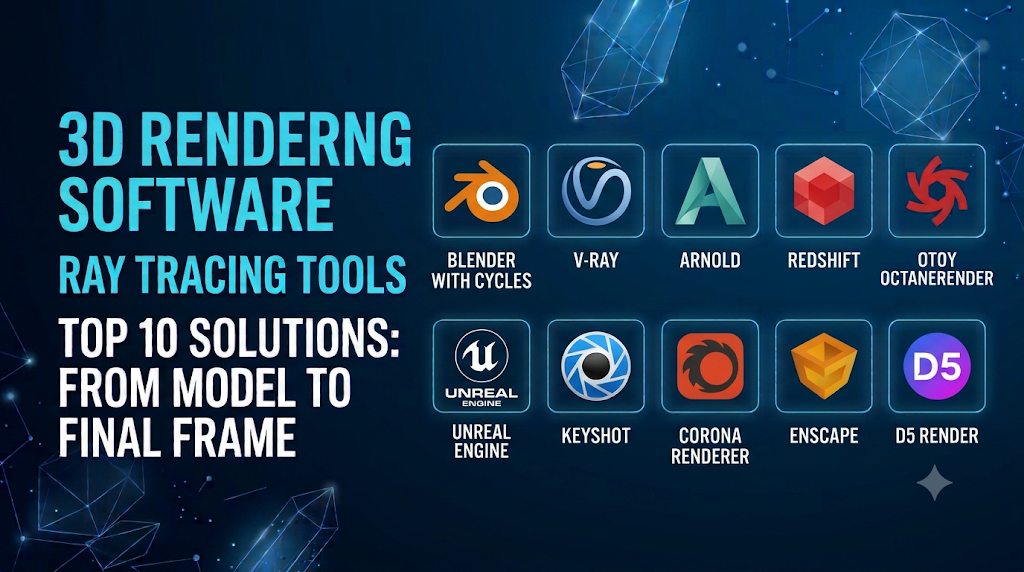
This guide examines ten established 3D rendering and ray tracing tools, explaining what each does, how its rendering approach differs, where it fits into a production workflow, and what to consider before choosing it. The list is organized around practical capabilities and use cases rather than claiming that one product is objectively superior to all the others.
Understanding what these tools actually do
A 3D rendering workflow generally involves three components:
- 3D creation software: Used to model objects, build environments, create materials, animate scenes, and position cameras.
- Rendering engine: Calculates the final appearance of a scene, including lighting, shadows, reflections, and material interactions.
- Hardware: The CPU, GPU, memory, and storage resources used to process the scene.
Some products combine these roles. Blender, for example, provides modelling tools alongside its Cycles and EEVEE rendering engines. Other products, such as V-Ray, Arnold, Redshift, and OctaneRender, are rendering solutions that integrate with supported 3D applications.
It is also important to distinguish ray tracing from path tracing. Ray tracing calculates how rays interact with scene geometry and materials to produce effects such as reflections, refractions, and shadows. Path tracing is a more comprehensive sampling technique used to estimate light transport through a scene. Real-time engines may use selected ray-traced effects alongside rasterization rather than path-tracing every pixel.
Top 10 3D Rendering and Ray Tracing Tools
1. Blender with Cycles – Best free all-in-one 3D rendering solution
Software type: Open-source 3D creation suite with built-in offline and real-time renderers.
Best suited to: Independent artists, freelancers, students, small studios, animation, product visualization, and general 3D production.
Blender is one of the most versatile choices in the 3D graphics market because it combines scene creation and rendering in a single application. Users can model objects, sculpt characters, create materials, animate scenes, simulate physical effects, compose images, and produce final renders without needing a separate commercial modelling package.
Its two principal rendering engines serve different purposes.
Cycles is Blender’s ray-tracing-based production renderer. It uses path tracing with multiple importance sampling to estimate how light travels through a scene. This makes it suitable for realistic indirect illumination, reflections, refractions, soft shadows, subsurface scattering, and physically based materials.
Cycles supports CPU and GPU rendering. Its available GPU backends include technologies for NVIDIA, AMD, Intel, and Apple hardware, with compatibility depending on the operating system and device. This gives users flexibility when configuring a workstation.
EEVEE takes a different approach. It is Blender’s real-time rendering engine, designed to provide fast visual feedback while artists work. It is useful for previews, stylized animation, interactive scenes, and projects where rapid iteration is more important than fully path-traced lighting.
A practical advantage is that artists can use EEVEE while developing a scene and switch to Cycles for final output when more complete light simulation is required. However, the two engines have different rendering behavior, so lighting and materials may need adjustments between them.
Blender also includes Python scripting and a node-based material system. These features allow artists to automate repetitive work, build procedural materials, and create custom production tools.
Limitations to consider: Blender’s large feature set takes time to learn. Complex Cycles scenes can require substantial processing time and memory, especially when they contain detailed geometry, high-resolution textures, volumes, or complicated lighting.
Why it deserves a place on the list: Blender provides a complete creative environment without a standard software purchase cost. It is a particularly sensible starting point for anyone learning modelling, animation, and rendering together.
2. V-Ray – Best for photorealistic architectural and product visualization
Software type: Production rendering engine with CPU, GPU, and hybrid rendering options.
Best suited to: Architects, interior designers, product visualization specialists, VFX artists, and professional studios.
V-Ray, developed by Chaos, is a widely used rendering engine for producing detailed images of buildings, interiors, products, and visual effects. It is designed to work with several established 3D and design applications, including 3ds Max, SketchUp, Rhino, Revit, Cinema 4D, and other supported platforms.
Its main strength is the combination of physically based lighting, extensive material controls, and production-oriented rendering features. Artists can create realistic surfaces, configure complex lighting environments, control camera effects, and manage detailed render outputs.
For architectural visualization, these capabilities are particularly valuable. Consider an interior scene containing sunlight through windows, reflective flooring, glass partitions, fabric furniture, and artificial lighting. V-Ray gives artists detailed control over how these elements interact with light. Global illumination helps calculate indirect lighting, while material and reflection controls make it possible to reproduce the appearance of different surfaces.
V-Ray also provides different rendering modes:
- V-Ray CPU: Uses the processor for rendering and is suitable for workflows that rely on CPU-based production features.
- V-Ray GPU: Uses compatible graphics hardware to accelerate rendering calculations.
- Hybrid rendering: Allows supported configurations to use CPU and GPU resources together.
The choice is not simply about which mode is faster. Hardware, scene complexity, GPU memory, and feature compatibility all influence performance. Some features may behave differently or have different availability between rendering modes.
Another useful capability is distributed rendering, which allows multiple networked computers to contribute to rendering work. This can help studios manage demanding scenes and production deadlines.
Limitations to consider: V-Ray offers extensive controls, and learning its materials, lighting, sampling, and optimization settings takes practice. Users should also verify that their preferred host application and required features are supported by the particular V-Ray integration they intend to purchase.
Why it deserves a place on the list: V-Ray is a flexible choice for professionals who need detailed control over photorealistic output and want a renderer that can fit into several established 3D workflows.
3. Arnold – Best for film production, animation, and visual effects
Software type: Production ray-tracing renderer.
Best suited to: Film studios, character artists, animation teams, lighting artists, and visual effects professionals.
Arnold, developed by Autodesk, is a production renderer designed for demanding visual effects and animation work. It is commonly associated with workflows involving Autodesk Maya, although it is also available through other supported 3D applications.
Arnold uses Monte Carlo ray tracing to calculate lighting and material interactions. This approach makes it useful for complex scenes where accurate reflections, indirect illumination, shadows, transparency, and surface shading are important.
One of Arnold’s strengths is its ability to work with detailed production assets. Character rendering can involve skin shading, hair, fur, clothing, and complex lighting. Environmental scenes may contain large amounts of geometry, atmospheric effects, and numerous light sources. Arnold provides controls for managing these elements while maintaining consistent rendering behavior.
It supports CPU and GPU rendering, although the available features are not necessarily identical between the two modes. Autodesk’s documentation identifies GPU support for features such as subsurface scattering, hair, atmospherics, instancing, and procedural workflows, alongside documented limitations. Studios should check the compatibility of their actual materials and scene features before moving a production from CPU to GPU rendering.
Arnold is also relevant to animation because a production renderer must deliver consistent results across sequences rather than just one attractive still image. Lighting, shading, motion blur, and render passes need to remain predictable as characters and cameras move.
Limitations to consider: Arnold is a specialized professional renderer, not a complete replacement for modelling and animation software. Its deeper controls can require technical knowledge, and large scenes or high-quality animation sequences may require substantial rendering resources.
Why it deserves a place on the list: Arnold is a strong option for studios that need production-oriented ray tracing, detailed shading, and integration with established animation and VFX workflows.
4. Redshift – Best for GPU-accelerated motion graphics and animation
Software type: GPU-accelerated production rendering engine.
Best suited to: Motion designers, animation studios, advertising agencies, and artists producing demanding visual content.
Redshift, developed by Maxon, is a GPU-accelerated renderer designed for professional production work. It integrates with creative applications such as Cinema 4D, Houdini, Maya, and 3ds Max, making it relevant to studios with different modelling and animation pipelines.
A technical feature that distinguishes Redshift is its use of biased rendering. A biased renderer allows artists to adjust how certain rendering calculations are performed to balance image quality and processing time. This provides control over the quality and computational cost of individual effects rather than requiring every aspect of the scene to be calculated using the same approach.
For motion graphics, this flexibility is useful. A designer may need to render an animated sequence containing hundreds of moving objects, reflective materials, complex lighting, and camera movement. Rendering every frame at maximum quality may be unnecessary during creative development. Redshift’s adjustable settings help artists balance preview speed and final-frame quality.
Its interactive RenderView also supports look development. Artists can change lighting, materials, and scene settings while monitoring the result, reducing the need to repeatedly run complete test renders.
Redshift provides production features such as motion blur, render passes, advanced shading networks, and support for layered image outputs. These capabilities are valuable when the rendered image will undergo additional compositing and post-production.
Limitations to consider: Redshift is designed around GPU acceleration, so compatible graphics hardware and available video memory are important. Its biased rendering approach also means users need to understand quality settings to avoid unnecessary compromises in final images.
Why it deserves a place on the list: Redshift is particularly useful when GPU-oriented rendering, interactive feedback, and control over production quality are important to an animation or motion graphics workflow.
5. OctaneRender – Best for GPU-based path tracing and visually detailed imagery
Software type: GPU-based rendering engine.
Best suited to: Product visualization artists, motion designers, advertising studios, and artists focused on physically based imagery.
OctaneRender, developed by OTOY, is a specialist rendering engine built around GPU-based path tracing. Unlike a complete 3D modelling application, it focuses on calculating the final appearance of scenes created in compatible host software.
Its path-tracing approach estimates how light travels through a scene, including reflections, refractions, indirect illumination, and interactions with different materials. This makes it useful for scenes containing polished metal, glass, transparent materials, glossy surfaces, and complex lighting environments.
One of OctaneRender’s distinctive technical approaches is spectral rendering. Instead of treating light only as a simplified combination of red, green, and blue values, spectral rendering models light using wavelength-related information. This can be relevant to how materials and lighting are represented, particularly in visually demanding scenes.
OctaneRender also supports interactive rendering, allowing artists to inspect progressive results while making changes to lighting, materials, cameras, and objects. This is useful during product visualization, where a small adjustment to a reflective surface or light position can significantly change the final appearance.
Its GPU-focused design can make good use of compatible graphics hardware, including supported multi-GPU configurations. However, GPU memory becomes a critical consideration when working with detailed geometry, large textures, and complex scenes.
Limitations to consider: OctaneRender is not a standalone substitute for a full modelling and animation package. Users need compatible host software and hardware, and should check the supported GPU platforms and plugin requirements before committing to it.
Why it deserves a place on the list: OctaneRender is worth considering when physically based GPU path tracing and detailed visual material representation are central to the project.
6. Unreal Engine – Best for real-time ray tracing and interactive 3D environments
Software type: Real-time 3D development and rendering engine.
Best suited to: Game developers, virtual production teams, architectural visualization specialists, and interactive experience designers.
Unreal Engine, developed by Epic Games, differs from traditional offline rendering engines because it is designed to create interactive experiences. It is widely used in game development, simulation, virtual production, architectural walkthroughs, and real-time visualization.
Its rendering system combines rasterization with advanced lighting and ray-tracing techniques. This hybrid approach is important because fully path tracing every frame would be too demanding for many interactive applications.
Unreal Engine provides several relevant rendering technologies:
Hardware ray tracing uses compatible graphics hardware to calculate selected lighting effects, including reflections and shadows. It can improve the appearance of reflective materials and complex lighting interactions.
Lumen is Unreal Engine’s dynamic global illumination and reflections system. It supports changing lighting conditions and interactive environments without requiring every lighting change to be manually baked into the scene. Its implementation can use software and hardware ray-tracing capabilities, depending on the configuration.
Path Tracer is a separate rendering mode designed for high-quality output rather than maintaining interactive frame rates. It is useful for still images, architectural presentations, and cinematic frames that need more comprehensive lighting calculations.
These technologies give Unreal Engine a flexible role. An architectural studio can build an interactive building walkthrough and use the Path Tracer for selected high-quality images. A virtual production team can create environments that respond to camera movement and scene changes.
The engine also provides a broader development environment, including animation tools, materials, physics, scripting, asset management, and application-building capabilities.
Limitations to consider: Unreal Engine requires a different skill set from traditional offline renderers. Users must understand real-time performance, asset optimization, scene management, and engine-specific material workflows. High-quality ray tracing also depends on suitable hardware and project settings.
Why it deserves a place on the list: Unreal Engine is a compelling choice when rendering must be combined with interaction, navigation, simulation, or real-time content creation.
7. KeyShot – Best for product design and commercial product visualization
Software type: Dedicated 3D product visualization and rendering application.
Best suited to: Industrial designers, product engineers, manufacturers, marketing teams, and consumer product brands.
KeyShot, developed by Luxion, is designed to make product visualization more accessible to designers and engineering teams. Rather than requiring users to build an entire 3D production pipeline, it focuses on importing models, applying materials, arranging lighting, positioning cameras, and producing polished product images.
Its workflow is particularly useful for products such as furniture, electronics, automotive components, packaging, appliances, and industrial equipment. Designers can use existing CAD models to create realistic presentations without rebuilding every object from scratch.
KeyShot’s material library and environment-based lighting workflow are central to its appeal. Users can apply materials such as brushed metal, glass, plastic, rubber, ceramic, and painted surfaces, then adjust their appearance through material properties and lighting environments.
Its real-time ray-tracing approach helps designers inspect reflections, shadows, and material changes while working. This makes it useful during product development, when teams need to compare different finishes, colours, and design variations.
KeyShot also supports animation and interactive product presentation workflows. Depending on the edition and available features, users can create product animations, turntable sequences, and presentations that help communicate how a design looks or operates.
Another advantage is its relevance to engineering and CAD workflows. A product designer can use an existing model to create marketing-quality imagery without necessarily learning a full 3D animation application.
Limitations to consider: KeyShot is specialized around visualization rather than broad character animation, procedural effects, or game development. Its commercial licensing and supported import workflows should be checked against the CAD applications used by the design team.
Why it deserves a place on the list: KeyShot is a practical option when the main objective is to turn existing product models into professional visual presentations efficiently.
8. Corona Renderer – Best for architectural and interior visualization
Software type: CPU-based production renderer.
Best suited to: Interior designers, architectural visualization artists, residential design studios, and architectural presentation teams.
Corona Renderer, developed by Chaos, is designed around architectural visualization. It is available for supported versions of 3ds Max and Cinema 4D and focuses on creating realistic images of buildings, rooms, furniture, and designed spaces.
Its appeal comes from a workflow that emphasizes lighting, materials, and visual composition rather than requiring users to manage every rendering parameter manually. This can make it attractive to artists who want to concentrate on the appearance of a space.
Corona uses CPU rendering. This is an important distinction when comparing it with GPU-oriented renderers such as Redshift and OctaneRender. Its rendering performance depends heavily on the processor and available system memory rather than relying on a high-end graphics card for the main rendering calculations.
One particularly useful feature is LightMix. It allows artists to adjust the intensity and colour of lights in the rendered image through the frame buffer. This makes it possible to explore different lighting arrangements without necessarily rendering the entire scene again for every adjustment.
Corona also provides interactive rendering, denoising, distributed rendering, and post-processing controls. These features are useful for architectural projects where lighting and atmosphere often undergo several rounds of revision.
For example, an interior designer may want to compare a room under warm artificial lighting, neutral daylight, and a combination of both. LightMix helps explore those alternatives using the rendered scene.
Limitations to consider: Corona is CPU-based for rendering, so users expecting their graphics card to accelerate the main render should look elsewhere or investigate complementary tools. Its supported host applications are also more limited than those of some general-purpose renderers.
Why it deserves a place on the list: Corona is worth considering when architectural and interior imagery is the main priority and a CPU-based rendering workflow suits the available workstation.
9. Enscape – Best for live architectural visualization and design review
Software type: Real-time architectural visualization software integrated with supported design applications.
Best suited to: Architects, interior designers, BIM professionals, and design teams that need interactive presentations.
Enscape, developed by Chaos, is designed to connect architectural design workflows with real-time visualization. Instead of exporting a model to a separate offline renderer for every presentation, users can explore a supported design model in an interactive visual environment.
This approach is particularly useful during the design process. Architects and clients can walk through a proposed building, inspect room layouts, evaluate material choices, and understand spatial relationships more clearly than they might from conventional drawings alone.
Its integration with supported applications such as Revit, SketchUp, Rhino, Archicad, and Vectorworks helps keep visualization connected to the original design workflow. Changes made to a model can be reflected in the visualization, reducing the need for repeated manual exports.
Enscape supports real-time lighting and visual effects, including ray-tracing capabilities on compatible hardware and configurations. It is designed to provide immediate feedback rather than requiring users to wait for a traditional offline rendering process.
The practical value is not limited to attractive images. Interactive walkthroughs can help teams identify design issues, explain decisions to clients, and communicate the scale and atmosphere of a space.
Enscape also supports presentation workflows that can include panoramas and virtual reality experiences, depending on supported hardware and product features.
Limitations to consider: Enscape is not a general-purpose modelling application or a replacement for every offline production renderer. Its value depends on compatibility with the design software, hardware performance, and the level of image quality required for final deliverables.
Why it deserves a place on the list: Enscape is a useful choice for architectural professionals who need fast visualization directly connected to their design process.
10. D5 Render – Best for real-time architectural scenes and presentation
Software type: Real-time 3D rendering and visualization application.
Best suited to: Architects, landscape designers, interior designers, and visualization specialists.
D5 Render is a real-time rendering application focused on architectural and design visualization. It is intended to help users turn 3D models into visual presentations, including interior scenes, exterior environments, landscapes, and architectural animations.
Its workflow is built around rapid scene development. Users can import compatible models, apply materials, arrange lighting, populate environments with objects, and adjust the camera while viewing the rendered result.
D5 Render uses real-time rendering technology with ray-tracing capabilities. This is useful when artists want to explore reflections, shadows, and lighting without repeatedly waiting for a full offline render.
The software’s asset and material workflow is particularly relevant to architectural visualization. Scenes often need more than buildings and furniture: vegetation, people, vehicles, outdoor elements, and surrounding environments help communicate the design. A rendering application that supports efficient scene population can reduce the time spent preparing these details manually.
D5 Render is also relevant for animated architectural presentations. Designers can create sequences that move through interiors, approach buildings, or show landscaped environments from different perspectives.
Its hardware requirements deserve attention. Real-time rendering can place considerable demands on the GPU, particularly when scenes contain detailed geometry, high-resolution textures, extensive vegetation, and complex lighting. Users should confirm the current graphics-card requirements before adopting it for regular production.
Limitations to consider: D5 Render is specialized around visualization rather than advanced character animation, film effects, or procedural simulation. Teams should also verify that their preferred modelling and BIM applications are supported by the available import or synchronization workflow.
Why it deserves a place on the list: D5 Render is a relevant option for architectural artists who want an interactive rendering workflow focused on building, interior, and landscape presentations.
Comparison of the top 10 tools
| Tool | Main specialization | Rendering approach | Main strength |
|---|---|---|---|
| Blender with Cycles | General 3D production | Path tracing and real-time rendering | Broad features and open-source access |
| V-Ray | Architecture, design, and VFX | CPU, GPU, and hybrid rendering | Extensive control over realistic rendering |
| Arnold | Film and visual effects | Monte Carlo ray tracing | Production-oriented shading and lighting |
| Redshift | Motion graphics and animation | GPU-accelerated biased rendering | Adjustable quality and GPU-focused workflow |
| OctaneRender | Product and creative visualization | GPU-based path tracing | Spectral rendering and interactive feedback |
| Unreal Engine | Games and interactive environments | Hybrid real-time rendering and path tracing | Interactive environments and real-time development |
| KeyShot | Product visualization | Real-time ray-tracing workflow | Product-focused materials and presentation |
| Corona Renderer | Architectural interiors and exteriors | CPU-based rendering | LightMix and architectural workflow |
| Enscape | Architectural design review | Real-time visualization | Integration with supported design applications |
| D5 Render | Architectural and landscape visualization | Real-time rendering with ray-tracing capabilities | Interactive scene creation and presentation |
These tools are not all direct competitors. Blender is a complete 3D creation suite, while V-Ray and Arnold are rendering engines. Enscape and D5 Render focus on interactive visualization, whereas Unreal Engine is a broader development environment. The most useful comparison is therefore based on the work each tool is intended to support.
How to choose the right 3D rendering tool
A useful shortlist starts with the type of work you produce, not the number of features advertised by a software company.
For beginners and independent creators
Blender is a sensible starting point because it includes modelling, animation, materials, and two different rendering engines. Beginners can learn the complete 3D workflow without purchasing several separate applications.
Once the fundamentals are familiar, they can explore specialist renderers such as V-Ray, Redshift, or OctaneRender if a particular project demands more specialized capabilities.
For architectural and interior design
V-Ray and Corona are strong options for high-quality architectural images. Enscape and D5 Render are more appropriate when interactive walkthroughs, quick design reviews, and real-time presentations are important.
The distinction is practical: offline rendering is useful for carefully controlled final images, while real-time visualization helps designers and clients explore a project as it develops.
For animation and visual effects
Arnold is worth considering for production-oriented animation and VFX work. Redshift is attractive for GPU-accelerated motion graphics and animation, while Houdini with Karma is another relevant option when procedural effects and complex simulations are central to the workflow.
For product design and advertising
KeyShot is a practical choice when existing CAD models need to become polished product presentations. OctaneRender and Redshift are alternatives for artists who want greater control over specialized rendering and animation workflows.
For games and interactive experiences
Unreal Engine is the most relevant choice in this selection when the project requires real-time interaction. It supports interactive environments, hardware ray tracing, and a separate Path Tracer for higher-quality output.
Hardware and performance considerations
Rendering performance depends on the scene, software, and hardware working together. Buying an expensive graphics card does not guarantee that every renderer will become faster.
Consider these factors before upgrading a workstation:
- GPU memory: Important for GPU renderers working with detailed geometry and large textures.
- CPU performance: Particularly important for CPU-based engines such as Corona.
- System RAM: Helps manage large scenes, applications, simulations, and asset libraries.
- Storage: Fast SSD storage is useful when projects contain extensive textures, geometry caches, and animation files.
- Software compatibility: Check supported processors, graphics cards, operating systems, and rendering features.
- Denoising: Can reduce visible noise and shorten rendering workflows, but should be evaluated for possible detail loss.
For hardware-accelerated rendering, NVIDIA’s professional rendering resources explain how RTX hardware, ray-tracing acceleration, and denoising technologies are used in supported applications.
Common mistakes when selecting rendering software
Choosing software based only on image quality: A renderer may produce excellent still images but be unsuitable for interactive presentations or long animation sequences.
Ignoring the existing 3D workflow: Before purchasing a renderer, confirm that it supports the modelling, CAD, or animation application already used by your team.
Assuming every GPU renderer behaves the same: Different engines have different hardware requirements, memory limitations, and supported features.
Overlooking learning time: A professional renderer with extensive controls may require considerable training. A simpler visualization application could be more productive for a team that needs quick design presentations.
Comparing previews instead of final output: Interactive previews are useful, but the final image should be evaluated at the intended resolution and quality level.
Ignoring licensing and additional costs: Consider the cost of the host application, plugins, render services, hardware upgrades, and training rather than evaluating the renderer’s licence alone.
Final Thoughts
The top 10 3D rendering and ray tracing tools serve different creative and technical requirements. Blender is an excellent all-round option for learning and general 3D production. V-Ray offers extensive rendering controls for architectural and product visualization, while Arnold is a strong choice for animation and visual effects pipelines. Redshift and OctaneRender are worth exploring when GPU-based rendering is important.
For architectural professionals, Corona provides a CPU-based rendering workflow, while Enscape and D5 Render focus on interactive design visualization. KeyShot is particularly useful for turning product models into commercial presentations, and Unreal Engine is a compelling choice for real-time environments, games, and interactive experiences.
There is no universal winner. The right decision depends on whether the priority is photorealism, interactive performance, animation, architectural presentation, or product visualization.
Before committing to a paid application, test its trial or available free edition with a project similar to your actual work. Check how well it handles your models, materials, lighting, animation, and hardware. That practical comparison will provide a much better basis for choosing than a feature list or promotional demonstration alone.