Introduction
A business may store files in many places. Contracts sit in shared folders. Invoices arrive by email. Staff records live in separate systems. Policies may have several versions.
This creates a serious problem. People waste time finding trusted information. Teams may also share old files or miss key approval steps.
Enterprise Content Management (ECM) helps bring this content under control. It gives organizations ways to capture, store, organize, protect, find, and manage information. It also supports records rules and business workflows.
ECM goes beyond simple file storage. A cloud drive can hold documents. An ECM platform can also manage their full life cycle. It can control who sees a record, track changes, route approvals, and apply retention rules.
The right platform depends on the work. Some focus on large enterprise records. Others connect documents to daily business processes. Some suit Microsoft-based teams, while others support complex content needs across many departments.
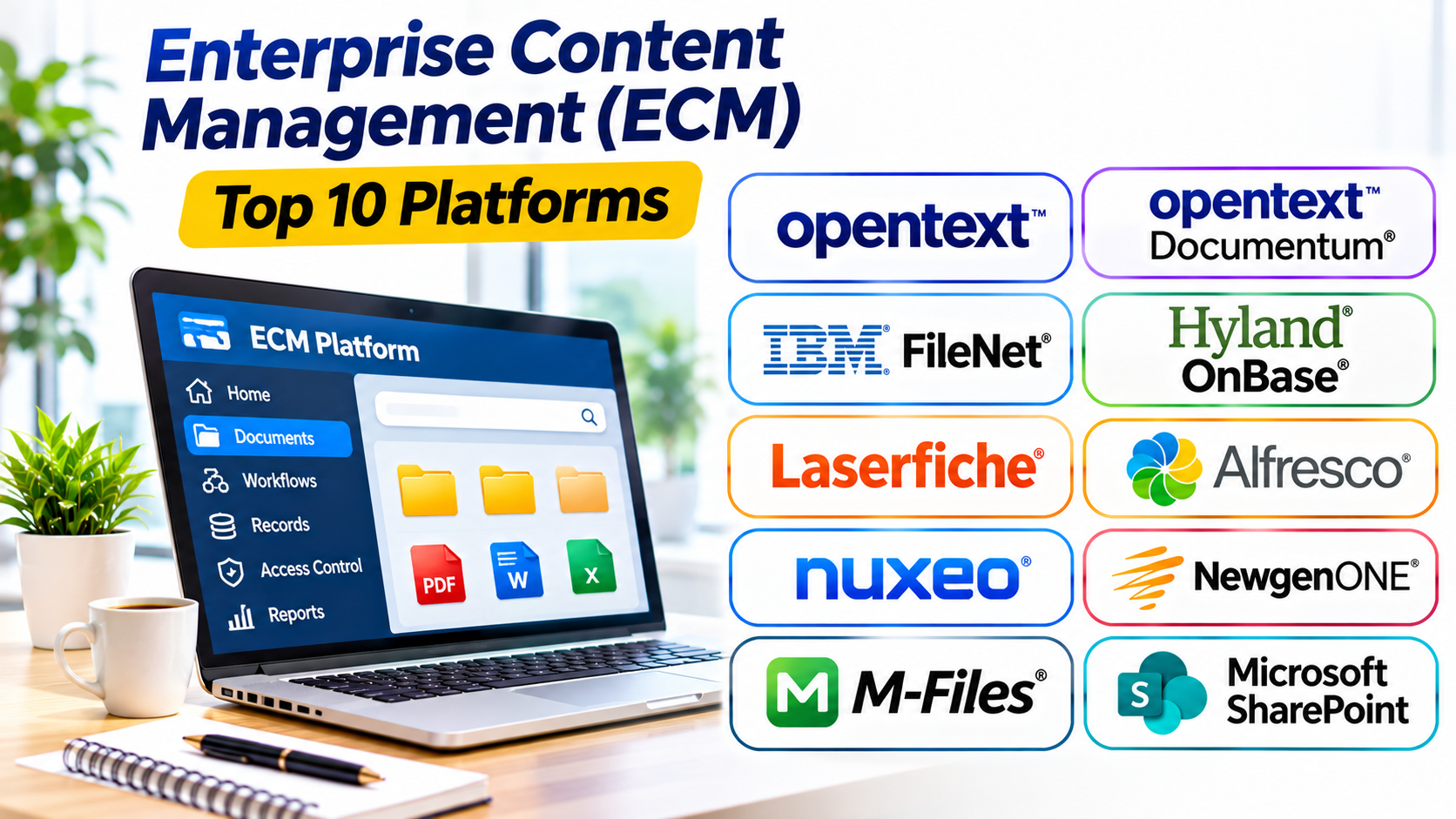
This guide compares ten established ECM platforms. It explains their main uses, key strengths, Pros, and Cons. It also includes a comparison table and practical selection advice.
What Is Enterprise Content Management?
Enterprise Content Management is a set of tools and practices for managing an organization’s information.
It can cover digital documents, scanned paper records, emails, forms, images, videos, and other business content. An ECM system helps manage this information from creation to final storage or disposal.
A complete ECM platform may include:
- Content capture: Collect files from scanners, email, forms, and business systems.
- Document storage: Keep content in a managed central repository.
- Search and indexing: Find files by text, tags, metadata, and other details.
- Version control: Track document edits and retain earlier versions.
- Access control: Set who can view, change, share, or delete content.
- Workflow automation: Route documents through reviews and approvals.
- Records management: Apply retention rules and manage official records.
- Audit trails: Track important actions and changes.
- Integration: Connect content with business applications and processes.
ECM is broader than a Document Management System. A DMS often focuses on documents and their handling. ECM can also manage records, forms, cases, web content, and other business information.
Enterprise Content Management Platforms
The platforms below serve different needs. Some provide broad enterprise repositories. Others focus on automation, records, or custom content applications.
They are not a strict ranking. Compare them by the work they need to support.
1. OpenText Content Management
OpenText Content Management helps large organizations manage business content across departments. It supports document storage, editing, version control, annotation, redaction, and publishing.
Its business workspaces bring related content, people, data, and tasks together. For example, a project workspace can hold contracts, reports, plans, and team documents. Staff can then work from one shared context instead of searching across separate folders.
The platform also supports information governance. Organizations can apply rules to important content and control how people use it. Search and content discovery tools help staff find information across large collections.
OpenText suits organizations that need broad content control. It can support complex business structures and many types of information. However, companies should plan the repository design, permissions, integrations, and records rules before rollout.
Pros
- Supports many types of business content.
- Provides version control and document editing.
- Offers workspaces for projects and business activities.
- Supports governance and content control.
- Includes tools for search and content discovery.
- Can serve large, complex organizations.
Cons
- Implementation can require careful planning.
- Administration may need specialist skills.
- Integration work can add complexity.
- Large deployments may require significant resources.
- Smaller teams may not need its broad feature set.
Best suited for: Large organizations that need centralized content management, governance, and structured workspaces.
2. OpenText Documentum Content Management
OpenText Documentum Content Management is an enterprise platform for managing controlled business content. It is often relevant to organizations with complex records, strict processes, and large content repositories.
Documentum supports content lifecycle management. This means an organization can control how documents move from creation to review, approval, retention, and final disposal.
Its governance features help businesses manage access, encryption, retention policies, and records. It also connects with major enterprise applications, including SAP, Microsoft 365, and Salesforce. These connections can bring business documents into the systems employees already use.
Documentum can suit industries that manage important technical, operational, or regulated information. For example, a company may need to control product records, engineering documents, or business contracts through formal review steps.
This power comes with planning needs. Organizations should assess their existing systems, content structures, and workflows before migration. They should also check which Documentum components and services fit their requirements.
Pros
- Supports complex enterprise content repositories.
- Offers document lifecycle and records controls.
- Provides retention and governance features.
- Supports enterprise application integrations.
- Helps manage controlled business documents.
- Can support large and structured content environments.
Cons
- Deployment can be complex.
- Migration may require specialist planning.
- Custom workflows can increase project effort.
- Administration needs skilled staff.
- It may be too extensive for basic document storage.
Best suited for: Large organizations that need strong control over complex documents, records, and business content.
3. IBM FileNet Content Manager
IBM FileNet Content Manager helps organizations manage content across business systems and departments. It supports document storage, collaboration, sharing, security, and governance.
The platform can manage content from different repositories and file shares. This can help companies reduce information silos. Staff can access relevant documents without moving every file into one physical storage location.
FileNet also supports business applications through APIs and development tools. Organizations can use these capabilities to build content-driven applications and connect documents with business processes.
Its integration options can be useful for companies that need documents inside customer service, sales, finance, or case management systems. For example, a service team may need contracts and customer records while handling a request.
FileNet is designed for demanding enterprise environments. It may suit organizations with complex access rules and large content collections. However, the project needs a clear architecture, integration plan, and administration model.
Pros
- Supports enterprise content management at scale.
- Helps manage content across repositories.
- Offers security and governance capabilities.
- Provides APIs and application development options.
- Supports collaboration and controlled sharing.
- Can connect content with business applications.
Cons
- Technical setup can be demanding.
- Integration projects may need specialist skills.
- Administration can require dedicated resources.
- Migration needs detailed planning.
- Smaller organizations may find it complex.
Best suited for: Enterprises that need content services across business applications and large information environments.
4. Hyland OnBase
Hyland OnBase connects documents with business processes. It helps organizations capture information, manage content, automate workflows, and support case management.
The platform can collect documents from different sources. It can then classify and route information to the right teams. This can help reduce manual handling in departments that process many forms and records.
OnBase also supports configurable workflows and electronic forms. A business can use these tools to route invoices, employee documents, applications, or customer cases through review steps.
Its case management features bring documents, emails, tasks, and approvals together. Staff can view the information linked to a case instead of searching through separate systems.
Records management and audit trails also support control over business content. Organizations can set retention and disposal processes for documents and records.
OnBase suits process-heavy organizations. However, teams should map their workflows before deployment. Complex processes may need configuration, integration, and staff training.
Pros
- Connects documents with business workflows.
- Supports automated content capture.
- Provides case management capabilities.
- Offers electronic forms and configurable workflows.
- Supports records retention and audit trails.
- Can connect with business applications.
Cons
- Workflow design can take time.
- Implementation may require specialist support.
- Complex configurations can increase costs.
- Users may need training.
- It may exceed the needs of simple file-sharing teams.
Best suited for: Organizations that need document capture, case management, and automated processes across departments.
5. Laserfiche
Laserfiche combines document management, records management, and process automation. It helps organizations move information from paper-based work into managed digital processes.
The platform can capture documents from different sources. Teams can organize files, apply metadata, search content, and manage access. It also supports audit trails and records controls.
Laserfiche offers workflow automation for repeatable tasks. For example, an organization can create a digital form for a request. The system can route the form to the right person, collect approvals, and track progress.
Its forms and process tools can help government offices, schools, financial teams, and other organizations. These groups often manage large volumes of records and formal approval steps.
Laserfiche also provides tools for information governance. Organizations can set rules for retention, privacy, access, and auditing. They should still confirm that their chosen setup meets their own legal and industry requirements.
The platform offers broad capabilities. Teams should define their document types and processes before building workflows. This helps prevent a complex system that staff struggle to use.
Pros
- Combines document and records management.
- Supports digital forms and workflow automation.
- Offers document capture and search.
- Provides audit trails and governance tools.
- Helps replace paper-based processes.
- Can support multiple departments.
Cons
- Advanced workflows need careful design.
- Setup may require technical support.
- Staff training can take time.
- Complex deployments need clear governance.
- Some capabilities may depend on the selected plan.
Best suited for: Government bodies, schools, and businesses that need records control and automated document processes.
6. Alfresco Content Services
Alfresco Content Services provides an enterprise content repository for managing business documents and information. It supports document management, scanning, collaboration, governance, and content search.
The platform stores content along with metadata, relationships, and full-text indexes. This structure helps organizations manage documents with more context than a simple folder system.
Alfresco can connect with other applications and business processes. Its extensible design gives development teams options to customize content services for their needs.
Organizations can use it for contracts, technical documents, employee records, policies, and other business content. It can also support collaboration and information governance.
Alfresco may appeal to companies that want more control over their content platform. However, technical teams should review hosting, support, integrations, and maintenance needs before choosing a deployment model.
Its flexibility can also create extra work. A business should define its requirements before customizing the platform. Too much customization can make upgrades and long-term support harder.
Pros
- Provides a central enterprise content repository.
- Supports document capture and collaboration.
- Offers metadata and full-text search.
- Supports information governance.
- Provides options for integration and customization.
- Can suit organizations with technical teams.
Cons
- Customization may need developer skills.
- Deployment requires technical planning.
- Ongoing maintenance needs attention.
- Integration work can add effort.
- Advanced use may require specialist support.
Best suited for: Organizations that need an extensible content platform and have technical resources for setup and maintenance.
7. Nuxeo Platform
Nuxeo Platform provides a flexible foundation for building content management applications. It can support document management, digital asset management, case management, and large content repositories.
Its modular design lets organizations assemble services for different business needs. Developers can configure existing components or extend them to build custom applications.
This makes Nuxeo different from a simple ready-to-use document repository. It can serve as a platform for creating content-based business systems.
For example, a media company may use it to manage large collections of images and video. A business may build a case management application around documents, tasks, and related records.
Nuxeo also provides APIs and tools for integration. These features can help technical teams connect content with other applications.
However, flexibility comes with responsibility. Organizations need developers or implementation partners who understand the platform. They should also plan upgrades, hosting, performance, and support.
Pros
- Offers a modular and extensible architecture.
- Supports custom content applications.
- Can manage documents and digital assets.
- Provides APIs for integration.
- Supports case management use cases.
- Gives technical teams control over application design.
Cons
- Custom applications need development work.
- Setup may require experienced technical staff.
- Maintenance and upgrades need planning.
- It may be too complex for basic document needs.
- Project costs depend on the required customization.
Best suited for: Organizations that want to build custom content, digital asset, or case management applications.
8. NewgenONE Platform
NewgenONE brings content management, process automation, and communication tools together. It supports organizations that want to connect documents with business operations.
Its content services include a central repository, document search, version control, and collaboration. Teams can use it to manage documents and share information across business processes.
The platform also supports document-centric workflows. For example, a financial organization can route applications through checks, reviews, approvals, and final decisions.
NewgenONE offers tools for records management, case management, and process automation. It can also support document capture and classification. These features can help reduce manual data entry and organize information from different sources.
The platform may suit banks, insurers, government bodies, and large service organizations. These sectors often manage many forms, customer records, and approval processes.
However, businesses should review the exact modules they need. A broad platform can require careful implementation and process design. They should also check integration needs and licensing details before committing.
Pros
- Combines content services and process automation.
- Supports document capture and classification.
- Offers records and case management capabilities.
- Provides workflow and approval tools.
- Supports collaboration and audit trails.
- Can serve complex business processes.
Cons
- Implementation needs process planning.
- The full platform may be complex for small teams.
- Custom workflows can require specialist support.
- Organizations must assess module and licensing needs.
- Integration projects may take time.
Best suited for: Large organizations that want content management, case handling, and business process automation in one platform.
9. M-Files
M-Files uses metadata to organize and find business information. Instead of making users depend only on folders, it helps them locate documents through details such as customer, project, document type, or status.
This approach can make a difference when teams store files across many systems. Users can search for content based on what it means rather than where someone saved it.
M-Files supports document workflows, version control, and access management. It can also connect with tools that employees already use, such as Microsoft Teams and Salesforce.
The platform can help organizations manage contracts, policies, project files, and business records. Metadata can also support automated tagging and document processes.
However, metadata must reflect how the organization works. If teams use unclear labels or inconsistent rules, search results may become confusing. Businesses should define document types and metadata fields before rollout.
M-Files can be a strong option for organizations that want context-based information management. It may be less suitable for teams that only need a basic shared folder.
Pros
- Organizes content through metadata.
- Helps users search by business context.
- Supports document workflows and version control.
- Can connect with existing business applications.
- Helps manage content across information silos.
- Supports structured document processes.
Cons
- Metadata design requires planning.
- Users may need training.
- Complex workflows can need configuration.
- Implementation may require specialist support.
- It may offer more than basic storage teams need.
Best suited for: Businesses that need context-based search and document management across multiple systems.
10. Microsoft SharePoint
Microsoft SharePoint provides collaboration, document libraries, and content management within the Microsoft 365 environment. Many organizations use it to manage team files, internal information, and business documents.
SharePoint libraries support version history, metadata, permissions, and document sharing. Teams can work together on files using Microsoft applications. Staff can also create sites for departments, projects, and internal knowledge.
SharePoint works with Microsoft Teams, Word, Excel, Outlook, and Power Automate. These connections can support document collaboration and approval workflows.
For example, a company can store policies in a managed library. Staff can access the latest approved version. Administrators can control who edits the content and who can only read it.
SharePoint can support many content management needs. However, it does not automatically provide every advanced ECM function. Organizations with strict records, capture, or case management needs may need extra configuration or specialist products.
Good information architecture matters. Teams should plan site structures, metadata, permissions, and ownership before moving large file collections.
Pros
- Strong integration with Microsoft 365.
- Supports document libraries and version history.
- Offers collaboration and sharing controls.
- Works with workflow automation tools.
- Supports internal sites and knowledge sharing.
- Familiar to many business users.
Cons
- Poor site design can make content hard to find.
- Permission management can become complex.
- Advanced ECM needs may require extra tools.
- Large migrations need careful planning.
- Administration requires clear ownership.
Best suited for: Organizations that use Microsoft 365 and need collaboration, document libraries, and internal content management.
Enterprise Content Management Platforms Comparison Table
The table below summarizes each platform’s main focus. It does not show a universal winner. Your business needs should guide the final choice.
| Platform | Main Focus | Key Strength | Best Fit |
|---|---|---|---|
| OpenText Content Management | Enterprise content control | Workspaces and governance | Large organizations |
| OpenText Documentum | Enterprise document lifecycle | Records and retention control | Complex enterprise environments |
| IBM FileNet Content Manager | Enterprise content services | Repository integration and APIs | Large businesses with connected systems |
| Hyland OnBase | Operational content management | Case management and workflows | Process-heavy organizations |
| Laserfiche | Document and records management | Forms and process automation | Government and service organizations |
| Alfresco Content Services | Enterprise content repository | Extensibility and integration | Businesses with technical teams |
| Nuxeo Platform | Custom content applications | Modular architecture | Developers and custom projects |
| NewgenONE Platform | Content and process orchestration | Content services and automation | Large process-driven organizations |
| M-Files | Metadata-based information management | Context-based document search | Businesses with scattered content |
| Microsoft SharePoint | Collaboration and content libraries | Microsoft 365 integration | Microsoft-based organizations |
How to Choose the Right ECM Platform
An ECM platform should solve real information problems. It should also fit your current systems and staff skills.
1. Define the Content You Need to Manage
Start by listing the content your organization handles. Include contracts, invoices, employee files, customer records, emails, forms, images, and official records.
Then identify where this content lives. It may sit in shared drives, email accounts, cloud services, or older business systems.
This review helps you understand the size of the problem. It also shows which repositories need to connect.
2. Separate Document Management from Full ECM
Some businesses only need a better way to store and share documents. Others need records management, case handling, automated capture, and formal approval workflows.
Do not pay for a large ECM platform if your team only needs basic document control. On the other hand, simple file storage may not meet complex business or records needs.
3. Review Search and Metadata
Search quality affects daily work. Users should find content by name, text, customer, project, document type, or other useful details.
Check how each platform handles metadata. Also test whether it can search across different repositories when needed.
Use real business examples during product demonstrations. A search that works well with sample files may behave differently with your own content.
4. Check Records and Retention Controls
Organizations often need to keep some records for set periods. They may also need to stop users from changing or deleting important files.
Check whether the platform supports retention schedules, legal holds, audit trails, and controlled disposal. Confirm that the selected product and plan include the controls your organization requires.
Do not assume that a vendor’s general compliance claims cover every legal or industry rule.
5. Examine Workflow Automation
List the processes that involve documents. These may include invoice approvals, contract reviews, employee onboarding, customer requests, and policy updates.
Check whether the platform can route tasks, send alerts, track progress, and record decisions. A good workflow should reduce manual steps without making the process harder.
6. Review Integration and Migration Needs
Your ECM platform may need to connect with finance, customer, human resource, and enterprise systems.
Check the available integrations and APIs. Ask whether each connection needs extra licensing or custom development.
Also review the migration process. Old documents may have missing metadata, duplicate files, broken permissions, or outdated formats. Clean these issues before moving content.
7. Understand Security and Administration
Review user permissions, authentication, encryption, audit history, backups, and recovery options.
Ask who will manage the platform. A complex ECM system may need dedicated administrators and technical support.
Also decide who owns the content structure. Without clear ownership, departments may create duplicate libraries and inconsistent rules.
8. Calculate the Total Cost
Look beyond the subscription price. Include setup, migration, storage, integration, training, support, and administration.
Some platforms also require extra modules or specialist services. Ask vendors to explain these costs before signing a contract.
9. Run a Realistic Pilot
Choose a small department or process for testing. Use real documents and normal business tasks.
Test search, access rules, version history, approvals, records controls, and integrations. Ask staff to report problems during daily work.
A pilot can reveal issues before a full company rollout.
Common ECM Implementation Mistakes
A powerful ECM platform cannot fix poor information practices by itself. Avoid these common mistakes:
- Migrating every old file: Review content before migration. Remove duplicates and identify records that still matter.
- Ignoring metadata: Create clear labels and rules. Otherwise, search can become unreliable.
- Building too many workflows: Automate processes that need control. Do not add steps without a clear reason.
- Giving users too much access: Set permissions by role and business need.
- Ignoring old systems: Plan how the ECM platform will connect with existing applications.
- Skipping staff training: Teach users how to find, share, review, and manage content.
- Choosing based only on features: Match the platform to real business tasks.
- Ignoring retention rules: Define how long the organization must keep each record.
- Failing to assign ownership: Give people responsibility for content quality and system administration.
- Skipping pilot testing: Test real documents and processes before a full rollout.
Questions and Answers About Enterprise Content Management
1. What does ECM mean?
ECM means Enterprise Content Management. It refers to the tools and practices used to capture, store, organize, protect, find, and manage business information.
2. What is the difference between ECM and DMS?
A Document Management System mainly focuses on documents. ECM covers a wider range of business content and processes. It may include records, forms, case management, workflows, and other information.
3. What are the main benefits of ECM software?
ECM can improve document access, reduce duplicate files, support teamwork, and control business records. It can also automate approvals and help organizations manage information more consistently.
4. Which ECM platform is best for large enterprises?
The right choice depends on the organization’s systems and processes. OpenText, IBM FileNet, Hyland OnBase, and NewgenONE address different enterprise content needs. A pilot can help identify the best fit.
5. Can ECM software automate business processes?
Yes. Many ECM platforms support document-based workflows. They can route files for review, collect approvals, send reminders, and track process status.
6. Is Microsoft SharePoint an ECM system?
SharePoint provides document libraries, collaboration, permissions, and content management features. It can support many ECM needs, but some organizations may need extra tools for advanced records, capture, or case management.
7. What is metadata in ECM?
Metadata is information that describes a document or other content. It may include the owner, customer, project, document type, or approval status. It helps users organize and find information.
8. What is records management in ECM?
Records management controls important business records throughout their life cycle. It can include retention periods, access rules, legal holds, audit history, and secure disposal.
9. How long does ECM implementation take?
The timeline depends on content volume, system connections, workflows, and migration needs. A small deployment may take less time than a large enterprise project. Testing and staff training also affect the schedule.
10. What should a company check before buying ECM software?
Check content types, search, metadata, access controls, records rules, workflows, integrations, migration, and total cost. Also review vendor support and the skills needed to manage the system.
Final Thoughts
Enterprise Content Management is not just about putting files in one place. It helps organizations control information and connect it with daily work.
OpenText and IBM FileNet can suit complex enterprise content environments. Hyland OnBase and Laserfiche focus strongly on document-driven processes. Alfresco and Nuxeo offer options for organizations with technical teams and custom needs.
NewgenONE brings content services and process automation together. M-Files focuses on finding information through metadata. SharePoint can serve many organizations that already use Microsoft 365.
Before choosing, identify the content problems you need to solve. Then test suitable platforms with real documents, users, and workflows. Review security, records rules, integration needs, and long-term costs.
The strongest ECM choice is the one your staff can use well. It should also protect important information and support the way your organization works.