Introduction
Customers use many channels to connect with a business. They visit websites, use mobile apps, read emails, and shop online.
They expect every visit to feel simple and connected. Businesses must manage these experiences across many places.
A Digital Experience Platform (DXP) helps with this work. It brings content, customer data, marketing, and digital tools together.
A DXP can help teams manage websites, personalize content, and improve customer journeys. It can also connect different business systems.
However, each platform offers a different set of tools. Some focus on content and marketing. Others focus on customer portals, online stores, or large enterprise websites.
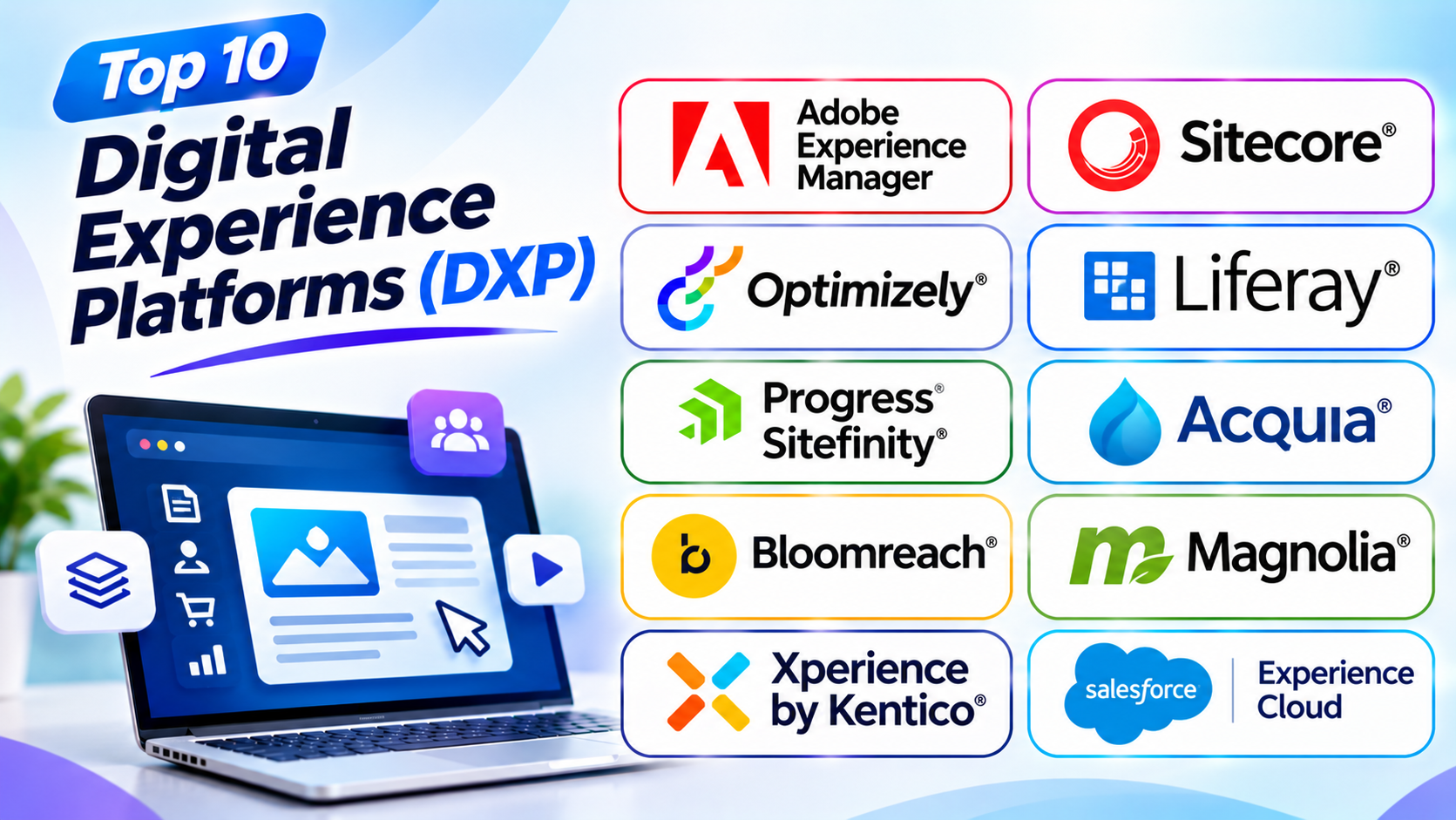
This guide explores ten popular Digital Experience Platforms. It explains their key features, pros, and cons. You will also find a comparison table and helpful answers.
What Is a Digital Experience Platform (DXP)?
A Digital Experience Platform is software that helps businesses create and manage digital customer experiences.
It brings several tools together. These tools may include content management, customer data, personalization, analytics, and marketing.
A DXP helps businesses deliver consistent experiences across different channels. These channels can include websites, mobile apps, online stores, and customer portals.
For example, a customer may visit a company website. Later, that customer may use its mobile app. A DXP can help keep the content and experience connected.
Main Features of a DXP
Most DXP platforms offer a mix of these features:
- Content management: Create, edit, and publish digital content.
- Personalization: Show content based on customer interests.
- Customer data: Organize useful customer information.
- Marketing tools: Manage campaigns and customer communication.
- Analytics: Study how people use digital channels.
- Multichannel delivery: Share content across websites and apps.
- Integration: Connect the platform with other business systems.
- User management: Control access for teams and customers.
Not every DXP includes all these tools in one package. Some platforms connect with separate products.
Top 10 Digital Experience Platforms
1. Adobe Experience Manager
<text> </text>
Adobe Experience Manager (AEM) is an enterprise platform for managing digital content and customer experiences. It helps large businesses manage websites, assets, and digital campaigns.
AEM includes tools for website content management and digital asset management. Digital asset management helps teams store and organize images, videos, documents, and other media.
The platform also supports personalized content and multiple websites. Businesses can manage content for different brands, regions, and customer groups.
AEM works with other Adobe Experience Cloud products. These connections help businesses manage marketing, customer data, and analytics.
Large organizations can use AEM to manage complex digital operations. However, its setup and ongoing costs can be high.
Key Features
- Website content management
- Digital asset management
- Personalized digital experiences
- Multi-site and multilingual support
- Content workflows and approvals
- Integration with Adobe Experience Cloud
- Tools for managing digital campaigns
Pros
- Offers strong enterprise content tools
- Handles many websites and brands
- Supports large media libraries
- Connects with Adobe marketing products
- Offers advanced content management
Cons
- Can require a large budget
- Setup may take time
- Needs skilled technical teams
- Some features require separate Adobe products
- Small businesses may not need its full toolset
2. Sitecore
Sitecore is an enterprise DXP that helps businesses manage content and customer experiences. It supports websites, digital campaigns, and personalized customer journeys.
Its platform brings content management and personalization into the digital experience process. Businesses can create content for different audiences and channels.
Sitecore also offers tools for testing and improving digital experiences. Teams can study customer behavior and adjust content based on their findings.
The platform supports large websites and complex brand operations. It also offers cloud-based products for businesses that want a modern content setup.
Sitecore suits companies with advanced digital marketing needs. However, businesses should plan carefully for licensing, setup, and ongoing management.
Key Features
- Enterprise content management
- Customer experience personalization
- Content testing and optimization
- Multi-site management
- Digital asset management options
- Marketing and analytics connections
- Cloud-based experience tools
Pros
- Supports complex customer journeys
- Offers strong personalization tools
- Helps manage multiple websites
- Supports enterprise content operations
- Offers flexible product options
Cons
- Can be expensive
- Setup may need specialist support
- The product range can feel complex
- Advanced features need planning
- Smaller teams may find it difficult to manage
3. Optimizely
Optimizely helps businesses create, test, and improve digital experiences. It combines content management with tools for experimentation and personalization.
Its CMS helps teams manage website pages and digital content. Businesses can also use its experimentation tools to compare different page versions.
For example, a marketing team can test two page designs. The team can then study which version works better for visitors.
Optimizely also offers products for content marketing and digital commerce. These tools can help teams plan campaigns and improve online experiences.
The platform suits businesses that want to test ideas and improve customer journeys. However, some capabilities come through separate products and plans.
Key Features
- Website content management
- Digital experimentation
- A/B testing
- Content planning and marketing
- Personalization tools
- Digital commerce options
- Analytics and performance insights
Pros
- Offers strong testing tools
- Helps teams improve website content
- Supports data-based decisions
- Combines content and experimentation
- Works well for marketing teams
Cons
- Advanced products may cost more
- Some features need separate licenses
- Setup can take time
- Teams need clear testing goals
- Complex projects may need expert help
4. Liferay DXP
Liferay DXP helps businesses build websites, portals, and connected digital services. It works well for organizations that serve customers, partners, and employees.
The platform offers content management and user access tools. Businesses can create secure portals for different groups.
Liferay also supports personalized experiences. A company can show different information to customers, suppliers, or staff.
Its flexible design helps organizations connect business systems. It also supports cloud and self-managed deployment options.
Liferay suits banks, government bodies, large companies, and service providers. It may need technical support for complex projects.
Key Features
- Website and portal management
- User roles and permissions
- Personalized content
- Employee and customer portals
- Multi-site support
- Business system integration
- Cloud and self-managed options
Pros
- Works well for customer portals
- Supports employee and partner access
- Offers flexible deployment choices
- Provides detailed user controls
- Helps connect business systems
Cons
- Setup can be complex
- Advanced projects need technical skills
- The interface may take time to learn
- Custom changes can require developers
- Small websites may not need its features
5. Progress Sitefinity
Progress Sitefinity is a digital experience platform for businesses that manage websites and customer content. It helps teams create pages, manage media, and deliver digital experiences.
The platform offers content management and marketing tools. Teams can use it to manage websites for different brands and regions.
Sitefinity also supports personalization and customer engagement. Businesses can create content for different audiences.
Its hybrid headless approach gives teams different ways to deliver content. This can help companies that need both visual editing and flexible content delivery.
Sitefinity suits mid-sized and large organizations. It can also help teams that manage several websites.
Key Features
- Website content management
- Visual page editing
- Digital marketing tools
- Content personalization
- Multi-site management
- Multilingual content support
- Cloud and self-hosted options
Pros
- Offers useful content editing tools
- Supports multiple websites
- Helps marketing teams manage content
- Offers flexible content delivery
- Supports different deployment needs
Cons
- Advanced setup may need developers
- Licensing can add to project costs
- Some features need extra planning
- Teams may need training
- Complex customization can take time
6. Acquia Digital Experience Platform
Acquia provides digital experience tools built around Drupal. It helps businesses manage content, websites, digital assets, and customer experiences.
Its platform supports content management for large websites. Teams can manage content across different brands and regions.
Acquia also offers tools for website personalization and digital asset management. These tools help businesses deliver relevant content and organize media.
The platform can support complex publishing needs. It also offers managed cloud services for businesses that need hosting and platform support.
Acquia suits organizations that want Drupal-based content management. However, teams should review the available product packages and services before choosing it.
Key Features
- Drupal-based content management
- Managed cloud services
- Website personalization tools
- Digital asset management options
- Multi-site management
- Content publishing workflows
- Enterprise security options
Pros
- Builds on the Drupal ecosystem
- Supports large websites
- Offers managed hosting choices
- Helps organize digital content
- Provides enterprise-focused services
Cons
- Product choices may feel complex
- Advanced services can cost more
- Drupal knowledge can be useful
- Setup needs careful planning
- Some features come as separate products
7. Bloomreach
Bloomreach focuses on digital commerce and personalized customer experiences. It helps online businesses improve how customers discover and buy products.
The platform offers content management, product discovery, and personalization tools. These tools help businesses create relevant shopping experiences.
Bloomreach also supports product search and merchandising. Merchandising helps online stores decide how products appear to shoppers.
Its tools can help businesses manage product content and customer communication. Companies can use them to improve online shopping journeys.
Bloomreach suits retailers and e-commerce brands. Businesses should check which products they need because its platform includes different services.
Key Features
- Digital commerce experience tools
- Content management
- Product search and discovery
- Product merchandising
- Customer personalization
- Marketing automation options
- Customer data and engagement tools
Pros
- Strong focus on online shopping
- Helps improve product discovery
- Supports personalized experiences
- Connects content with commerce
- Offers useful retail marketing tools
Cons
- Best suited to commerce-focused businesses
- Product setup may need expert help
- Costs can grow with business needs
- Teams may need training
- Some features require separate products
8. Magnolia DXP
Magnolia DXP helps businesses manage content and create digital experiences across many channels. It combines content management with flexible content delivery.
The platform offers visual editing tools. Marketing teams can create and update pages without handling every technical task.
Magnolia also supports headless content delivery. This lets businesses share content with websites, apps, and other digital channels.
Its integration tools help companies connect different business systems. It also supports multi-site and multilingual projects.
Magnolia suits businesses that need both visual editing and flexible content delivery. However, large projects may need specialist support.
Key Features
- Enterprise content management
- Visual page editing
- Headless content delivery
- Multi-site management
- Language support
- System integration tools
- Personalized digital experiences
Pros
- Combines visual editing and headless delivery
- Supports large website networks
- Helps teams reuse content
- Offers flexible integration options
- Works across different digital channels
Cons
- Setup may need technical support
- Advanced features take time to learn
- Licensing needs careful review
- Custom projects can become complex
- Smaller teams may not need every feature
9. Xperience by Kentico
Xperience by Kentico is a digital experience platform for managing content and marketing. It helps businesses manage websites, campaigns, and customer communication.
The platform combines content management with marketing features. Teams can create pages, manage digital content, and plan campaigns.
It also offers customer segmentation and marketing automation. These tools help businesses send relevant messages to different groups.
Kentico supports both content editors and marketing teams. Its tools can help businesses manage several parts of their digital work from one platform.
It suits growing companies that want content and marketing features together. However, businesses should check the plan and deployment options that match their needs.
Key Features
- Website content management
- Digital marketing tools
- Customer segmentation
- Marketing automation
- Email campaign features
- Content personalization
- Cloud and private cloud options
Pros
- Combines content and marketing tools
- Helps teams manage campaigns
- Supports customer segmentation
- Offers useful publishing features
- Suits growing business websites
Cons
- Advanced features may need training
- Some plans can cost more
- Setup needs careful planning
- Custom needs may require technical support
- Smaller websites may not need its full range
10. Salesforce Experience Cloud
Salesforce Experience Cloud helps businesses build connected digital experiences for customers, partners, and employees.
The platform works with Salesforce customer relationship management tools. This connection helps businesses use customer and business information in their portals.
Companies can create customer service portals, partner websites, and online communities. Users can access information and services through a shared digital space.
Experience Cloud also supports personalization and user access controls. Businesses can show useful content based on customer details and account roles.
It suits companies that already use Salesforce. However, businesses outside the Salesforce ecosystem may need extra planning and integration work.
Key Features
- Customer and partner portals
- Employee digital experiences
- Salesforce CRM integration
- User access controls
- Personalized content
- Online communities
- Customer service tools
Pros
- Connects with Salesforce CRM
- Helps build customer portals
- Supports partner communities
- Uses customer information across experiences
- Offers strong business integration
Cons
- Works best with Salesforce products
- Costs can rise with added services
- Setup may need specialist support
- Custom portals need planning
- May not suit businesses with simple website needs
Digital Experience Platforms Comparison Table
| Platform | Best For | Main Strength | Deployment Approach |
|---|---|---|---|
| Adobe Experience Manager | Large enterprises | Content and digital asset management | Cloud and other enterprise options |
| Sitecore | Personalized customer journeys | Content and personalization | Cloud and managed options |
| Optimizely | Marketing and experimentation | Testing and content optimization | SaaS and PaaS options |
| Liferay DXP | Customer and employee portals | Portal management | SaaS, PaaS, and self-managed |
| Progress Sitefinity | Multi-site businesses | Content and marketing tools | Cloud and self-hosted |
| Acquia | Drupal-based enterprise websites | Drupal content management | Managed cloud and other options |
| Bloomreach | Online retailers | Commerce personalization | Managed platform |
| Magnolia DXP | Multi-channel businesses | Visual and headless content delivery | Cloud and other options |
| Xperience by Kentico | Growing marketing teams | Content and marketing features | SaaS and private cloud |
| Salesforce Experience Cloud | Customer and partner portals | Salesforce CRM integration | Cloud |
How to Choose the Right Digital Experience Platform
Choosing a DXP takes careful planning. The right platform should match your business goals and customer needs.
1. Define Your Business Goals
Start by deciding what you want the platform to improve. You may want better website management, customer service, or online sales.
Choose a platform that supports these goals.
2. Understand Your Customer Channels
List the places where customers connect with your business. These may include websites, mobile apps, portals, and online stores.
Make sure the platform supports your main channels.
3. Review Content Management Tools
Your team needs simple ways to create and update content. Check page editing, media storage, publishing, and approval tools.
Also, check whether the platform supports multiple websites.
4. Check Personalization Features
Personalization helps businesses show useful content to different audiences. Look for customer groups, content rules, and targeting tools.
Choose features that match your marketing needs.
5. Review Integration Options
Your DXP may need to connect with CRM, analytics, payment, or support tools. Check how easily it connects with your current systems.
Good integration can reduce repeated work.
6. Compare Security and Access Controls
A DXP may store important business and customer information. Review its user roles, permissions, and security options.
Also, check how the platform supports your compliance needs.
7. Check Ease of Use
Your marketing and content teams should find the platform easy to manage. Ask them to test the editing and publishing process.
A clear interface can save time.
8. Compare Total Cost
Check more than the starting license price. Include setup, hosting, support, training, and future upgrades.
Some platforms sell important features as separate products.
9. Plan for Future Growth
Your business may add more websites, users, and digital channels. Choose a platform that can support these changes.
A flexible platform can reduce future migration work.
Common Mistakes to Avoid When Choosing a DXP
A DXP can support many business needs. But the wrong choice can create extra cost and work.
Avoid these common mistakes:
- Choosing only by brand name: Compare the actual features you need.
- Ignoring business goals: Select a platform that solves real problems.
- Overlooking user experience: Make sure editors can manage content easily.
- Ignoring integration needs: Check connections with your current systems.
- Underestimating costs: Include setup, support, and maintenance.
- Choosing too many features: Avoid paying for tools your team will not use.
- Skipping security checks: Review access controls and data protection.
- Ignoring future growth: Make sure the platform can support new channels.
- Skipping a trial: Test the platform before making a long-term choice.
Questions and Answers About Digital Experience Platforms
1. What is a Digital Experience Platform?
A DXP helps businesses create, manage, and improve digital customer experiences. It can bring content, marketing, customer data, and analytics together.
2. What is the main purpose of a DXP?
A DXP helps businesses provide connected experiences across digital channels. It also helps teams manage content and understand customer behavior.
3. What is the difference between a CMS and a DXP?
A CMS mainly helps users manage website content. A DXP offers a wider set of tools for content, personalization, marketing, and customer experiences.
4. Which DXP is best for large enterprises?
Adobe Experience Manager and Sitecore are strong enterprise options. The right choice depends on business size, content needs, and budget.
5. Which DXP is best for customer portals?
Liferay DXP and Salesforce Experience Cloud are useful choices. Both support portals for customers and other user groups.
6. Can a DXP support multiple websites?
Yes. Many DXP platforms support several websites and brands. They can help teams manage content from one central system.
7. Does a DXP support personalization?
Many DXPs offer personalization tools. These tools help businesses show content based on customer interests, behavior, or user groups.
8. Is a DXP suitable for small businesses?
Some DXPs can suit smaller businesses. However, many enterprise platforms may cost more than a small website needs.
9. Can a DXP connect with a CRM?
Yes. Many platforms connect with customer relationship management systems. These connections help teams use customer information across digital channels.
10. What is a composable DXP?
A composable DXP uses separate digital tools that work together. Businesses can choose the products that match their needs.
11. Does every DXP include analytics?
Not every platform includes the same analytics tools. Some offer built-in reporting, while others connect with separate analytics products.
12. How much does a DXP cost?
Costs depend on the platform, users, features, hosting, and support. Enterprise projects may also need paid setup and specialist services.
Final Thoughts
A Digital Experience Platform can help businesses manage customer experiences across many channels. It brings useful tools into one connected digital setup.
Adobe Experience Manager suits large content operations. Sitecore offers strong personalization options. Optimizely helps teams test and improve digital experiences.
Liferay and Salesforce Experience Cloud support customer and partner portals. Progress Sitefinity and Kentico combine content with marketing tools.
Acquia builds on Drupal. Bloomreach focuses on digital commerce. Magnolia supports visual editing and headless content delivery.
Before choosing, review your goals, budget, and team skills. Also, check how each platform connects with your current systems.
The best DXP is the one that fits your business. It should help your team create better experiences without adding needless complexity.