Introduction
Content now appears in many places. Businesses publish it on websites, mobile apps, online stores, and digital screens.
Managing all these channels can become hard. A traditional website system may not offer enough freedom.
A Headless Content Management System (Headless CMS) offers another way. It stores content in one place. Then, it sends that content to different platforms.
This setup helps teams reuse content across many channels. It also gives developers more freedom over website design.
However, each headless CMS offers different tools. Some focus on easy content editing. Others offer strong control, custom workflows, or enterprise features.
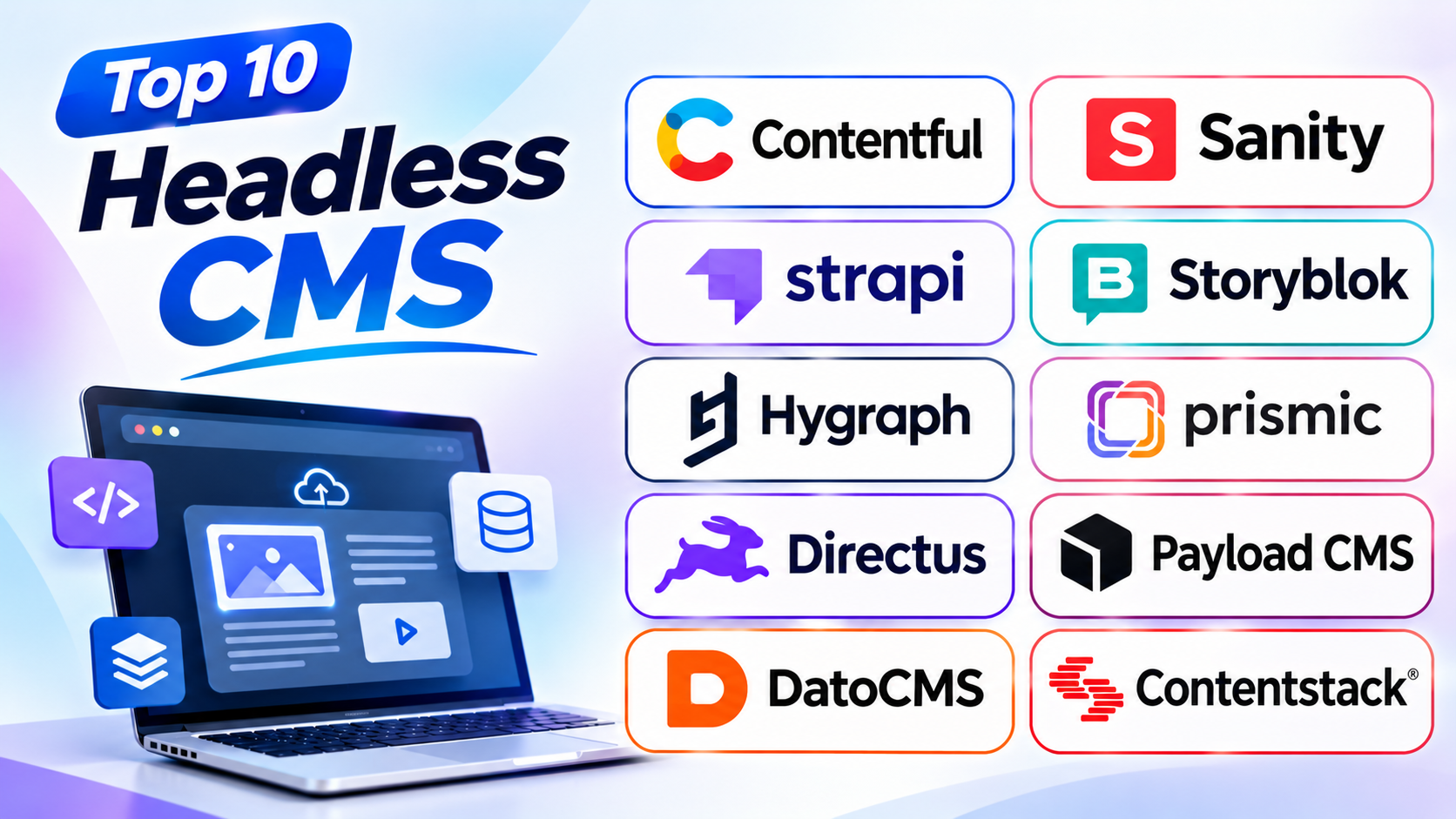
This guide covers ten popular headless CMS platforms. It explains their main features, pros, and cons. It also includes a comparison table and helpful questions.
What Is a Headless CMS?
A Headless CMS is a content system that separates content from website design.
A traditional CMS often manages both content and the website display. A headless CMS focuses on storing and managing content.
It then sends content through APIs. APIs are tools that help different software systems share information.
For example, a business can store one product description in its CMS. The same description can appear on its website and mobile app.
This approach helps teams manage content from one central place.
How Does a Headless CMS Work?
A headless CMS has three main parts:
- Content storage: The system stores text, images, videos, and other details.
- Content management: Editors create, update, review, and publish content.
- Content delivery: The system sends content to websites, apps, and other channels.
This setup keeps content separate from its display. So, teams can change a website design without rebuilding all content.
Who Should Use a Headless CMS?
A headless CMS can help:
- Businesses that manage many websites
- Online stores with several sales channels
- Media and publishing companies
- Mobile app teams
- Marketing teams with large content libraries
- Global brands with many languages
- Developers who need custom digital experiences
A small blog may not need a headless CMS. But growing businesses can gain more control from this setup.
Top 10 Headless CMS Platforms
1. Contentful
Contentful is a popular headless CMS for businesses and large content teams. It helps companies manage content in one central place.
The platform uses structured content models. These models help teams organize articles, product details, images, and other information.
Contentful can deliver content to websites, apps, and digital services. Teams can reuse the same content across many channels.
Its editing tools help content teams create and manage information. It also supports language management, team roles, and publishing workflows.
Contentful works well for businesses with many content needs. Large companies can use it to manage content across brands and regions.
However, teams should review its pricing and plan limits. Some advanced needs may require a higher plan.
Key Features
- Structured content management
- Content delivery across many channels
- Content editing and publishing tools
- Language and region support
- Team roles and access controls
- Content previews
- Connections with other business tools
Pros
- Works well for large content teams
- Supports many digital channels
- Helps teams reuse content
- Offers strong content organization
- Supports global content needs
Cons
- Advanced plans can cost more
- New users may need training
- Setup needs careful planning
- Some features depend on plan limits
- Complex projects may need developer support
2. Sanity
Sanity is a headless CMS built around structured content and team collaboration. It gives businesses control over how they create and manage information.
Its editing workspace is called Sanity Studio. Teams can shape this workspace to match their content needs.
Sanity also supports live collaboration. Team members can work on content together and see changes as they happen.
The platform helps teams manage articles, product details, pages, and other content. It can deliver that information to websites and apps.
Sanity suits teams that need flexible content models. It also works well for projects that need custom editing tools.
However, its setup may require technical help. Teams should also plan their content structure before they begin.
Key Features
- Structured content models
- Custom editing workspace
- Live team collaboration
- Content previews
- Content reuse
- Language support
- Flexible content delivery
Pros
- Offers flexible content management
- Supports real-time teamwork
- Allows custom editing experiences
- Helps teams reuse content
- Works across different digital channels
Cons
- Setup may need developer support
- Custom features can take time
- New users may need training
- Content planning needs care
- Costs can grow with team needs
3. Strapi
Strapi is an open-source headless CMS. It gives teams control over content management and hosting.
Businesses can use Strapi to manage website pages, product details, articles, and other information. Its dashboard helps editors organize and publish content.
Strapi supports content types, media files, and user roles. Teams can also manage who can view or change different content.
The platform offers a self-hosted option. This gives businesses more control over their systems and data.
Strapi also offers a managed cloud service. This can help teams that do not want to manage their own hosting.
Strapi suits developers and businesses that want flexibility. However, self-hosting requires regular care and technical knowledge.
Key Features
- Open-source content management
- Custom content types
- Media library
- User roles and permissions
- Content publishing tools
- REST and GraphQL content delivery options
- Self-hosted and cloud choices
Pros
- Offers an open-source version
- Gives teams hosting control
- Supports custom content structures
- Offers flexible content delivery
- Has a useful editor dashboard
Cons
- Self-hosting needs maintenance
- Setup may require technical skills
- Advanced changes can take time
- Teams must plan updates and backups
- Some cloud features may cost extra
4. Storyblok
Storyblok is a headless CMS with a strong visual editing experience. It helps content teams create and manage website pages.
Its visual editor lets editors see how content looks on a page. This makes content work easier for people who do not build websites.
Storyblok uses reusable content blocks. Teams can arrange these blocks to create different page layouts.
The platform also supports multiple languages and content workflows. Businesses can use it for websites, online stores, and other digital channels.
Storyblok works well for marketing teams and agencies. It gives editors more visual control while keeping the headless setup.
However, teams may need time to set up reusable blocks. The final website also needs a separate front-end experience.
Key Features
- Visual content editor
- Reusable content blocks
- Page and article management
- Language support
- Content workflows
- Live content previews
- Content delivery through APIs
Pros
- Makes content editing more visual
- Helps marketers build pages
- Supports reusable page sections
- Works across different channels
- Helps teams manage multilingual content
Cons
- Setup needs planning
- Custom blocks may need developer help
- Costs can grow with project needs
- Advanced workflows may take time to learn
- Website display needs a separate front end
5. Hygraph
Hygraph is a headless CMS built around GraphQL. It helps teams manage content and bring information from different sources together.
The platform uses structured content models. Editors can manage articles, product details, pages, and other information.
Hygraph also supports content federation. This feature helps teams connect content from different systems.
Its GraphQL approach gives developers a flexible way to request information. Content teams can use the editing tools to manage their work.
Hygraph suits businesses that need connected content from many sources. It can also help companies manage large digital projects.
However, teams may need GraphQL knowledge to use its full value. Smaller websites may not need all its features.
Key Features
- GraphQL-based content delivery
- Structured content models
- Content federation
- Language management
- Content editing and publishing
- Team permissions
- Connections with other data sources
Pros
- Offers flexible content delivery
- Connects information from different sources
- Supports structured content
- Works well for complex projects
- Helps teams manage global content
Cons
- GraphQL may need technical knowledge
- Setup can be complex
- Some features may suit larger teams better
- Custom content models need planning
- Costs can rise with project needs
6. Prismic
Prismic is a headless CMS that helps teams create and manage website content. It is known for its reusable page sections, called Slices.
Slices let teams build pages from ready-made content blocks. Editors can use these blocks to create landing pages and other website sections.
The platform also offers a visual page builder. This helps marketing teams manage page layouts with less developer help.
Prismic supports content previews and language management. It can deliver content to websites through its content tools.
Prismic works well for marketing teams and website projects. It suits businesses that create many landing pages.
However, teams need to plan their page sections. Very complex websites may need more custom work.
Key Features
- Reusable page sections
- Visual page builder
- Content editing tools
- Page previews
- Language support
- Content scheduling
- Content delivery tools
Pros
- Helps teams build pages faster
- Makes landing page work easier
- Supports reusable content sections
- Offers a clear editing experience
- Works well for marketing websites
Cons
- Page layouts depend on prepared sections
- Custom designs may need developer help
- Complex content needs careful planning
- Some features depend on plan limits
- Not every website needs its page builder
7. Directus
Directus is a data-focused content platform. It connects to an existing SQL database and gives teams tools to manage its information.
A SQL database stores information in organized tables. Directus adds a visual workspace for viewing and managing that data.
The platform can create content tools from database tables. Editors can then manage information through a clear dashboard.
Directus also offers user permissions and content delivery options. It supports both REST and GraphQL APIs.
Directus suits businesses with existing databases. It can help teams manage products, records, articles, and other structured information.
However, users need to understand their data structure. Setup may also need help from a database specialist.
Key Features
- Visual data management workspace
- Support for SQL databases
- REST and GraphQL APIs
- User roles and permissions
- Content and file management
- Flexible data relationships
- Self-hosted and cloud options
Pros
- Works with existing databases
- Offers a clear management dashboard
- Supports flexible data structures
- Provides detailed access controls
- Offers different hosting choices
Cons
- Database knowledge can help
- Setup may need technical support
- Complex data needs careful planning
- Self-hosting requires maintenance
- Some businesses may prefer a simpler CMS
8. Payload CMS
Payload CMS is an open-source headless CMS for teams that want control over their content platform. It also offers tools for managing users, media, and website content.
The platform provides a customizable admin panel. Teams can shape content fields and user permissions around their needs.
Payload also works closely with modern website projects. It can serve as both a CMS and an application backend.
Its flexibility makes it useful for custom websites and digital products. Businesses can also choose their hosting setup.
Payload suits teams with developer support. It may not be the easiest choice for users who want a ready-made website editor.
Key Features
- Open-source CMS
- Custom content collections
- Media management
- User roles and access controls
- Customizable admin panel
- REST and GraphQL support
- Flexible hosting options
Pros
- Offers strong customization
- Provides an open-source option
- Gives teams hosting control
- Supports different content types
- Works well for custom projects
Cons
- Needs technical knowledge
- Setup may take time
- Self-hosting needs regular care
- Non-technical users may need training
- Advanced customization needs developer support
9. DatoCMS
DatoCMS is a managed headless CMS for websites and digital products. It helps teams create, organize, and deliver structured content.
The platform offers a clear editing workspace. Content teams can manage pages, articles, product details, images, and other media.
DatoCMS uses GraphQL for content delivery. It also offers tools for managing images and media files.
Its content models help teams keep information organized. Editors can reuse content across websites and other digital channels.
DatoCMS suits agencies, publishers, and businesses with visual content needs. It can help teams manage media-heavy websites.
However, users should review its plan limits and costs. Some projects may need more advanced features than a basic plan offers.
Key Features
- Structured content management
- GraphQL content delivery
- Media library
- Image optimization tools
- Content previews
- Language support
- Team access controls
Pros
- Offers a clean editing workspace
- Helps manage images and media
- Supports reusable content
- Works well for content-rich websites
- Provides managed hosting
Cons
- Some plans have usage limits
- Advanced needs may cost more
- GraphQL may need technical knowledge
- Custom workflows need planning
- Not a full visual website builder
10. Contentstack
Contentstack is an enterprise headless CMS for large organizations. It helps teams manage content across brands, websites, apps, and regions.
The platform offers tools for content modeling, editing, and publishing. Teams can organize content and manage approval steps.
Contentstack also supports personalization and content delivery. These tools help businesses create different experiences for different audiences.
Its workflow features can help large teams work together. Businesses can manage content roles and publishing tasks from one platform.
Contentstack suits companies with complex content operations. It can support global brands that manage many digital channels.
However, smaller teams may find it too complex. Businesses should review its pricing and setup needs before choosing it.
Key Features
- Enterprise content management
- Content modeling tools
- Publishing workflows
- Team roles and permissions
- Content personalization
- Language and region support
- Multi-channel content delivery
Pros
- Works well for large organizations
- Supports complex content workflows
- Helps manage many digital channels
- Offers team access controls
- Supports global content operations
Cons
- May be costly for small teams
- Setup can take time
- Some features need training
- Enterprise projects need careful planning
- May offer more features than small sites need
Headless CMS Comparison Table
| Platform | Best For | CMS Type | Main Strength |
|---|---|---|---|
| Contentful | Large content teams | Hosted headless CMS | Enterprise content management |
| Sanity | Custom content workflows | Hosted headless CMS | Flexible editing workspace |
| Strapi | Teams that want hosting control | Open-source headless CMS | Self-hosting and customization |
| Storyblok | Marketing teams | Hosted headless CMS | Visual editing |
| Hygraph | Connected content sources | Hosted headless CMS | GraphQL and content federation |
| Prismic | Landing pages and marketing sites | Hosted headless CMS | Reusable page sections |
| Directus | Existing database projects | Database-first CMS | Visual data management |
| Payload CMS | Custom digital projects | Open-source headless CMS | Flexible content control |
| DatoCMS | Media-rich websites | Hosted headless CMS | Media management |
| Contentstack | Large enterprises | Hosted headless CMS | Content workflows and personalization |
How to Choose the Right Headless CMS
The right headless CMS depends on your team and website goals. Compare the tools before making a choice.
1. Understand Your Content Needs
First, decide what content you want to manage. You may need blog posts, product details, videos, or many languages.
Choose a platform that supports these content types.
2. Check the Editing Experience
Your content team should find the dashboard easy to use. Look for clear editing tools, previews, and publishing options.
A visual editor can help marketing teams work faster.
3. Review Content Delivery Options
Check how the CMS sends content to websites and apps. Make sure it supports the channels you plan to use.
Also, review the delivery limits in each plan.
4. Consider Developer Support
Some platforms need more technical work than others. Make sure your team can manage setup and future changes.
A flexible platform may not suit a team without developer support.
5. Check Security and User Access
Your CMS should help protect business content. Review its user roles, permissions, and security controls.
Also, check how the platform handles backups and updates.
6. Review Language Support
Global businesses may need content in many languages. Check how each CMS manages translations and regional content.
Choose a platform that supports your publishing needs.
7. Compare Total Costs
Do not look only at the starting price. Check user limits, content limits, API usage, hosting, and extra services.
A low-cost plan may not support a growing project.
8. Plan for Future Growth
Your content needs may change over time. Choose a CMS that can support more users, channels, and content.
This can help you avoid a difficult move later.
Common Mistakes to Avoid When Choosing a Headless CMS
A headless CMS can offer many benefits. But a poor choice can create extra work.
Avoid these common mistakes:
- Choosing only by price: Check features and usage limits too.
- Ignoring editors: Your content team needs a simple workspace.
- Skipping content planning: Organize content before building the system.
- Overlooking technical needs: Some platforms need developer support.
- Ignoring API limits: Check how much content your project can deliver.
- Forgetting security: Review user roles and access controls.
- Ignoring future growth: Make sure the platform can grow with your business.
- Choosing too many features: Pick tools that solve real business needs.
- Skipping a test project: Try the editing and publishing process first.
Questions and Answers About Headless CMS
1. What is a headless CMS?
A headless CMS stores and manages content separately from website design. It sends content to websites, apps, and other digital channels.
2. How is a headless CMS different from a traditional CMS?
A traditional CMS often manages both content and website display. A headless CMS focuses on content storage and delivery.
3. Which headless CMS is best for beginners?
Storyblok and Prismic offer visual editing tools. These can help marketing teams manage content more easily.
4. Is a headless CMS good for SEO?
Yes. A headless CMS can support SEO-friendly websites. However, the website itself must also handle page titles, descriptions, speed, and search-friendly content.
5. Can I use one headless CMS for a website and mobile app?
Yes. A headless CMS can send the same content to different channels. This helps teams manage information from one place.
6. Is Strapi free to use?
Strapi offers an open-source version. Hosting, maintenance, and some managed services may still cost money.
7. What is the difference between Contentful and Sanity?
Contentful focuses on structured content management for many business needs. Sanity offers a flexible editing workspace and strong collaboration tools.
8. What does API mean in a headless CMS?
An API helps software systems share information. A headless CMS uses APIs to send content to websites and apps.
9. Can non-technical users manage a headless CMS?
Yes. Many platforms offer visual dashboards and editing tools. However, the first setup may need developer support.
10. Is a headless CMS suitable for an online store?
Yes. It can manage product descriptions, images, and other store content. The store also needs a separate shopping and payment system.
11. What is content modeling?
Content modeling means planning how information is organized. It helps teams create clear fields for articles, products, pages, and other content.
12. Should every business use a headless CMS?
No. Small websites may work well with a traditional CMS. A headless CMS makes more sense when businesses need several channels or custom experiences.
Final Thoughts
A headless CMS gives businesses more ways to manage content. It helps teams reuse information across websites, apps, and other channels.
Contentful suits large content operations. Sanity offers flexible editing and teamwork. Strapi and Payload give developers more control.
Storyblok and Prismic help marketing teams manage pages. Hygraph supports connected content sources. Directus works with existing databases.
DatoCMS helps manage media-rich content. Contentstack supports large enterprise teams.
Before choosing, think about your content, budget, and team skills. Also, test the editing process and review future costs.
The best headless CMS should make content work easier. It should also support the way your business plans to grow.