Introduction
A slow website can drive visitors away. Long loading times can also hurt sales and user trust. Content Delivery Networks help solve this problem.
A Content Delivery Network, or CDN, stores copies of website content across servers worldwide. When someone visits a website, the CDN sends content from a nearby server. This can reduce delays and improve page speed.
CDNs also help manage heavy traffic. Many offer security tools that protect websites from online attacks. Some also support video delivery, image optimization, and application performance.
This guide covers ten leading CDN platforms. It explains their key features, pros, cons, and best uses. You will also find a comparison table and tips for choosing the right service.
What Is a Content Delivery Network?
A Content Delivery Network is a group of servers placed across different regions. These servers store copies of website content, such as images, videos, files, and web pages.
When someone visits a website, the CDN checks for a nearby server. It then sends the stored content from that location. This can reduce loading time and lower the work on the main website server.
CDNs also offer other useful services. Many provide protection against traffic attacks, secure connections, image delivery, and traffic management.
For example, an online store may use a CDN to deliver product images quickly. A video platform may use one to stream content to viewers worldwide.
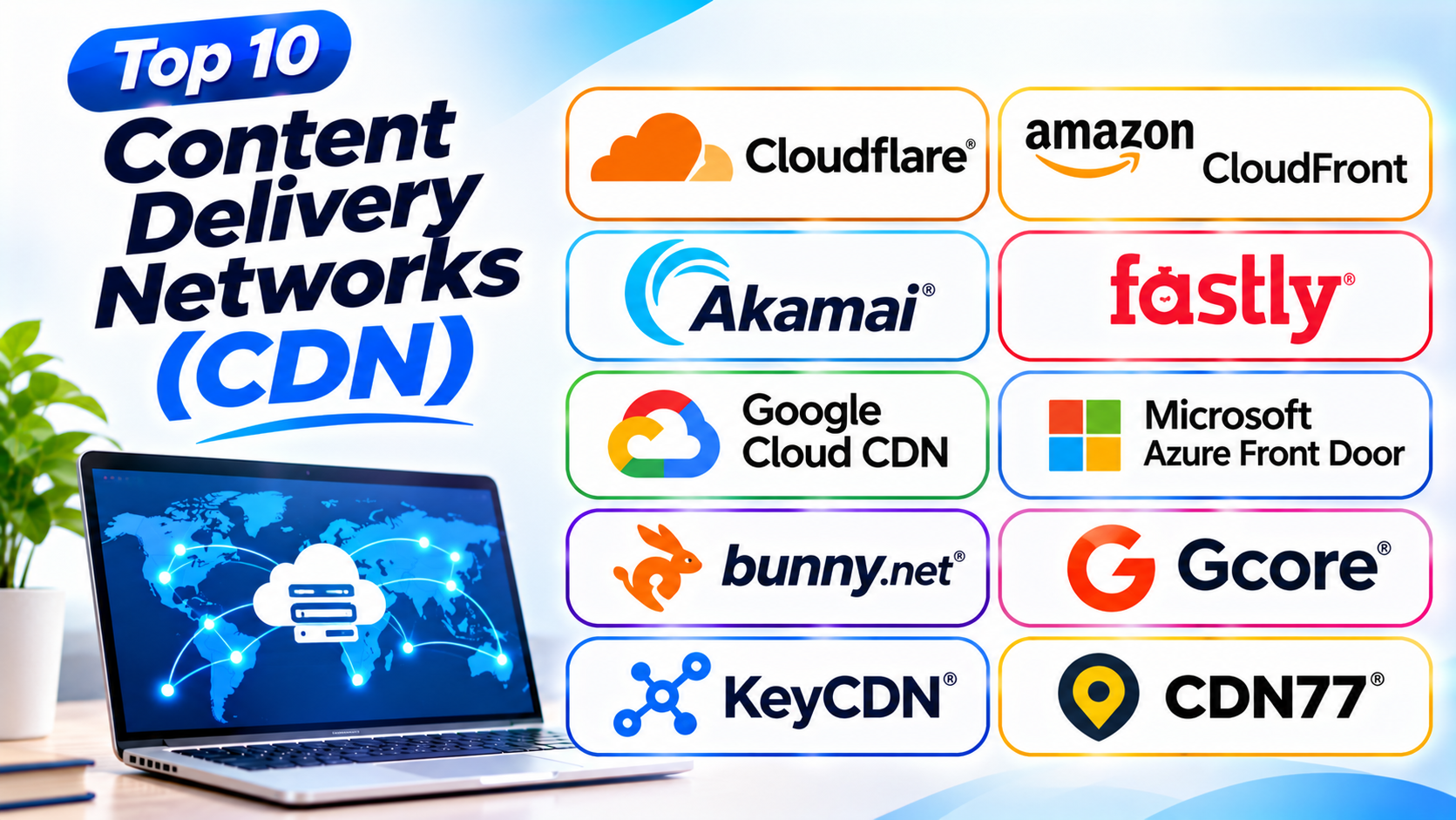
Top 10 Content Delivery Networks
These ten platforms offer different delivery, security, and performance features. Some suit large enterprises, while others work well for smaller websites.
1. Cloudflare CDN
Best for: Websites that need speed, security, and easy setup
<text> </text>
Cloudflare is one of the best-known CDN providers. It helps websites deliver content through a large global network.
The platform caches website content near visitors. This can reduce loading times and lower traffic sent to the main server.
Cloudflare also offers security features. These include DDoS protection, a web application firewall, and bot protection. These tools help protect websites from harmful traffic and common online attacks.
Its dashboard makes many tasks easier for website owners. Users can manage DNS, caching, security rules, and traffic settings from one place.
Cloudflare also offers Workers. This service lets developers run code near visitors. It can support custom website features and faster application responses.
Key Features
- Global content delivery network
- Website caching and optimization
- DDoS protection
- Web application firewall
- Bot management
- DNS services
- SSL and TLS support
- Edge computing with Workers
- Image and video delivery options
Pros
- Offers a free entry plan.
- Combines delivery and security tools.
- Provides a simple dashboard.
- Supports edge computing.
- Works with many website platforms.
Cons
- Advanced settings may confuse beginners.
- Some features require paid plans.
- Complex rules need careful testing.
- Support options depend on the plan.
2. Amazon CloudFront
Best for: Websites and applications built on AWS
Amazon CloudFront is a CDN service from Amazon Web Services. It delivers websites, videos, APIs, and other digital content through a global edge network.
CloudFront works closely with AWS services. Businesses can connect it with Amazon S3, Elastic Load Balancing, and other cloud products.
The service stores copies of content at edge locations. Visitors receive cached content from nearby locations when available.
CloudFront also offers security and access controls. Users can connect it with AWS WAF and AWS Shield. Signed URLs and signed cookies can help restrict access to selected content.
Its settings give developers control over caching, delivery, and traffic behavior. This makes it useful for large applications and media platforms.
Key Features
- Global edge locations
- Website and application delivery
- Video and media delivery
- Integration with Amazon S3
- Custom cache settings
- AWS WAF integration
- DDoS protection through AWS Shield
- Signed URLs and cookies
- Real-time and standard access logs
Pros
- Fits well into AWS environments.
- Supports large traffic volumes.
- Offers detailed cache controls.
- Provides strong access management.
- Supports websites, APIs, and media.
Cons
- Pricing can be difficult to estimate.
- Setup may challenge beginners.
- Advanced use needs AWS knowledge.
- Costs can rise with heavy traffic.
3. Akamai Connected Cloud
Best for: Large enterprises and high-traffic websites
Akamai is a major provider of content delivery and edge services. It helps businesses deliver websites, applications, software, and media worldwide.
Its global network supports large traffic demands. This makes it useful for media companies, online stores, financial services, and other large organizations.
Akamai offers more than content caching. Its services include application security, API protection, bot management, and edge computing.
Its security tools help businesses defend websites and applications. Its delivery services help reduce delays and improve the visitor experience.
Akamai also provides tools for video streaming and large file delivery. Businesses can use its services to support users across many regions.
Key Features
- Global content delivery
- Website and application acceleration
- Video and media delivery
- DDoS protection
- Web application and API protection
- Bot management
- Edge computing
- Traffic monitoring
- Enterprise security services
Pros
- Supports large enterprise workloads.
- Offers broad security services.
- Handles media and large file delivery.
- Provides advanced traffic controls.
- Supports global digital businesses.
Cons
- Pricing may require a custom quote.
- Setup can be complex.
- Smaller websites may not need every feature.
- Advanced management needs skilled teams.
4. Fastly
Best for: Developers and websites with changing content
Fastly provides a programmable CDN for websites and applications. It focuses on fast content delivery and developer control.
Its network can cache content close to users. It also offers tools for handling dynamic content and API traffic.
Fastly gives developers control over caching and delivery rules. Its instant purge features help teams remove outdated content from the cache quickly.
The platform also offers edge computing through Compute. Developers can run selected tasks at the network edge. This can reduce the need to send every request to the main server.
Fastly provides security features such as DDoS protection and web application protection. Its real-time logging tools help teams monitor traffic and performance.
Key Features
- Global content delivery
- Fast cache purging
- Custom cache controls
- Dynamic content acceleration
- API delivery
- Edge computing with Compute
- DDoS protection
- Web application security
- Real-time logging
Pros
- Gives developers strong control.
- Supports fast cache updates.
- Works well for dynamic content.
- Offers edge computing features.
- Provides detailed traffic insights.
Cons
- Advanced setup needs technical skills.
- Pricing can increase with usage.
- Beginners may need extra guidance.
- Complex configurations need testing.
5. Google Cloud CDN
Best for: Businesses that use Google Cloud
Google Cloud CDN helps businesses deliver websites and applications through Google’s global network.
It works with Google Cloud services such as external Application Load Balancers. This lets organizations cache content closer to their visitors.
The service can deliver images, scripts, videos, and other website files. It also helps reduce requests sent to the main server.
Google Cloud CDN supports cache controls and content invalidation. These features help website teams manage stored content and update pages.
It also works with Google Cloud security and monitoring services. This helps teams manage performance and protect their applications.
Google Cloud CDN suits businesses that already use Google Cloud. Teams can manage delivery alongside their other cloud services.
Key Features
- Global content delivery
- Integration with Google Cloud
- Cache management
- Content invalidation
- HTTPS delivery
- Load balancing integration
- Cloud monitoring
- Support for website and media content
Pros
- Fits Google Cloud environments.
- Uses Google’s global network.
- Supports flexible cache settings.
- Works with cloud load balancing.
- Provides monitoring integrations.
Cons
- Best suited to Google Cloud users.
- Setup needs cloud knowledge.
- Pricing depends on usage and location.
- Some configurations need extra services.
6. Microsoft Azure Front Door
Best for: Businesses using Microsoft Azure
Microsoft Azure Front Door is a global application delivery service. It combines content delivery, traffic routing, and security features.
It helps businesses deliver websites and applications to users around the world. The service can route requests to suitable origins based on availability and performance.
Azure Front Door supports caching for static content. It also offers features for handling dynamic application traffic.
Security is another important part of the service. It can work with a web application firewall and DDoS protection features.
Businesses can use it to manage global application access. It also supports custom domains, HTTPS, health checks, and traffic rules.
Azure Front Door is a strong option for organizations that already use Microsoft Azure. It brings delivery and application security into one service.
Key Features
- Global application delivery
- Content caching
- Intelligent traffic routing
- Web application firewall
- HTTPS and custom domains
- Origin health checks
- Application acceleration
- Azure service integration
- Traffic monitoring
Pros
- Fits Microsoft Azure environments.
- Combines delivery and routing.
- Offers built-in security options.
- Supports global applications.
- Provides useful traffic controls.
Cons
- Setup may require Azure expertise.
- Pricing has several parts.
- Advanced rules need careful planning.
- May not suit businesses outside Azure.
7. Bunny.net
Best for: Small businesses, developers, and cost-conscious websites
Bunny.net offers a CDN with a focus on simple setup and flexible usage. It helps websites deliver files, images, videos, and other content.
Its global network supports caching near website visitors. This can improve page loading and reduce pressure on the main server.
Bunny.net also offers products for image processing and video delivery. Its storage service can hold files that the CDN delivers to users.
The platform provides a control panel for managing delivery settings. Users can adjust cache behavior, security options, and other settings.
Bunny.net is worth considering for blogs, online stores, software projects, and media websites. Its usage-based model can suit teams that want control over delivery costs.
Key Features
- Global CDN delivery
- Usage-based billing
- Image optimization
- Video delivery
- Edge storage
- Cache management
- Security controls
- Traffic analytics
- Developer-friendly dashboard
Pros
- Offers flexible usage-based pricing.
- Provides a simple dashboard.
- Supports image and video delivery.
- Works for different website types.
- Offers useful storage options.
Cons
- Costs depend on traffic and regions.
- Advanced use needs configuration.
- Some enterprise needs may require other services.
- Users must monitor usage carefully.
8. Gcore CDN
Best for: Media delivery, gaming, and global businesses
Gcore provides content delivery, cloud, and security services. Its CDN helps businesses deliver websites, applications, games, and media.
The platform uses a global network to bring content closer to users. This can improve performance for visitors in different regions.
Gcore also offers video streaming services. Media companies can use its tools to deliver live and on-demand video.
Its security services include DDoS protection and web application protection. These features help businesses protect their online services.
Gcore also offers edge computing and cloud services. This makes it useful for companies that need more than basic content caching.
Key Features
- Global content delivery
- Video and media streaming
- Gaming content delivery
- DDoS protection
- Web application security
- Image optimization
- Edge computing
- Cloud services
- Traffic analytics
Pros
- Supports media-heavy websites.
- Offers video delivery services.
- Provides security features.
- Supports gaming workloads.
- Combines CDN and cloud services.
Cons
- Advanced features need planning.
- Pricing depends on service and usage.
- Some features may exceed small website needs.
- Businesses should check regional coverage.
9. KeyCDN
Best for: Developers and websites that need simple CDN delivery
KeyCDN is a content delivery service that focuses on performance and simple management. It helps websites deliver files from servers near visitors.
The platform supports common website content. This includes images, scripts, stylesheets, videos, and downloadable files.
KeyCDN offers features such as HTTP/2, image processing, and cache controls. It also provides tools to manage delivery zones and monitor traffic.
Its usage-based pricing can appeal to smaller websites and developers. Users pay based on delivery usage rather than choosing a large fixed package.
KeyCDN suits blogs, business websites, and applications that need straightforward content delivery. Teams should still review its network coverage and feature needs before choosing it.
Key Features
- Global content delivery
- Usage-based pricing
- HTTP/2 support
- Image processing
- Cache controls
- Secure content delivery
- Traffic reports
- Real-time purge options
Pros
- Offers straightforward CDN services.
- Uses usage-based pricing.
- Provides useful cache controls.
- Supports common website content.
- Offers a simple management panel.
Cons
- Advanced security features are more limited.
- Smaller feature set than broad edge platforms.
- Costs depend on traffic volume.
- Large enterprises may need more services.
10. CDN77
Best for: Video streaming and high-volume content delivery
CDN77 focuses on content delivery for websites, media platforms, and large digital services. It helps businesses deliver files and video content to users worldwide.
Its network supports high-volume traffic. This makes it useful for streaming services, software downloads, and media-heavy websites.
CDN77 offers tools for caching and traffic management. It also provides video delivery services for live and on-demand streaming.
Businesses can monitor delivery through its reporting tools. These reports help teams review traffic and performance.
CDN77 suits organizations that need reliable delivery for large amounts of content. Companies should compare its regional reach, support, and pricing with their expected traffic.
Key Features
- Global content delivery
- Video streaming support
- Live and on-demand delivery
- Large file delivery
- Cache management
- Traffic monitoring
- DDoS protection options
- Usage reports
- Enterprise delivery support
Pros
- Supports large content workloads.
- Offers video delivery services.
- Works for media-heavy websites.
- Provides traffic reports.
- Supports high-volume delivery needs.
Cons
- May be more than small sites need.
- Pricing depends on traffic and service needs.
- Advanced delivery may need technical planning.
- Businesses should check regional performance.
Content Delivery Networks Comparison Table
This table gives a quick overview of the ten CDN platforms.
| CDN Platform | Best For | Main Strength | Suitable Users |
|---|---|---|---|
| Cloudflare CDN | Websites and applications | Delivery and security in one platform | Small businesses to enterprises |
| Amazon CloudFront | AWS-based services | Deep AWS integration | Cloud developers and enterprises |
| Akamai Connected Cloud | Large enterprises | Global delivery and security | Large businesses and media firms |
| Fastly | Dynamic websites and APIs | Developer control and fast cache updates | Technical teams |
| Google Cloud CDN | Google Cloud workloads | Google network integration | Google Cloud customers |
| Microsoft Azure Front Door | Azure applications | Global routing and application security | Microsoft Azure users |
| Bunny.net | Affordable content delivery | Flexible usage-based services | Small businesses and developers |
| Gcore CDN | Media and gaming | Content delivery and cloud services | Media and gaming companies |
| KeyCDN | Simple website delivery | Straightforward usage-based CDN | Developers and small websites |
| CDN77 | Video and large file delivery | High-volume media delivery | Streaming and media businesses |
How to Choose the Right CDN Platform
Choosing a CDN requires more than checking its speed. You should also consider your website, visitors, security needs, and budget.
1. Understand Your Website Needs
Start by identifying the content you want to deliver. A blog may need image and page caching. A video website may need streaming support.
Choose a CDN that matches your main content type.
2. Check Global Network Coverage
Your visitors may live in different countries. A CDN should have good coverage in the regions that matter to your business.
Check its network locations and test performance from your target markets.
3. Review Speed and Performance
A CDN should reduce loading time and improve content delivery. Test page speed before and after setup.
Also check how it handles dynamic content and large files.
4. Compare Security Features
Look for DDoS protection, a web application firewall, bot controls, and secure connections.
These features can help protect your website from harmful traffic.
5. Check Cloud and Platform Integration
Your CDN should work well with your current hosting setup. Check support for AWS, Google Cloud, Microsoft Azure, WordPress, and your application platform.
Good integration can make setup and management easier.
6. Understand Pricing
CDN providers use different pricing models. Some charge for data transfer. Others offer plans with bundled services or custom enterprise pricing.
Check bandwidth, requests, storage, security add-ons, and support costs.
7. Review Cache Controls
Good cache controls help you manage stored content. Look for options to set cache times and remove old content quickly.
This matters when your website changes often.
8. Check Monitoring and Support
Choose a service with useful reports and alerts. These tools help you understand traffic and find delivery problems.
Also review support options and response times.
9. Test Before Full Deployment
Start with a test website or a small part of your traffic. Check page speed, image delivery, security, and cache behavior.
A real test can show problems that product descriptions may not reveal.
Common CDN Mistakes to Avoid
A CDN can improve performance, but poor setup can create new problems. Avoid these common mistakes.
- Choosing only by price: A low price does not always mean good value. Compare speed, coverage, security, and support.
- Ignoring visitor locations: A CDN must serve your main audience well. Check performance in the countries where visitors live.
- Using poor cache settings: Wrong settings can show old content. Set cache rules that match your website updates.
- Forgetting security settings: A CDN does not remove every website risk. Configure its security features carefully.
- Ignoring dynamic content: Not every page should use the same cache rules. Review pages that show personal or changing information.
- Skipping performance tests: Do not assume a CDN will improve every page. Test real visitor experiences.
- Overlooking extra charges: Requests, storage, logs, and security features may add costs. Read the pricing details before you start.
- Not monitoring traffic: Traffic patterns can change quickly. Review CDN reports and alerts regularly.
Questions and Answers About Content Delivery Networks
1. What is a Content Delivery Network?
A Content Delivery Network is a group of servers in different locations. It stores and delivers website content from servers closer to visitors.
2. Why do websites use CDNs?
Websites use CDNs to improve loading speed and handle traffic. CDNs can also reduce the workload on the main server and add security features.
3. How does a CDN work?
A CDN stores copies of selected website content. When someone visits a page, the CDN can send that content from a nearby server.
4. Which CDN is best for beginners?
Cloudflare is a popular starting choice. It offers a simple dashboard and a free entry plan. Bunny.net and KeyCDN are also worth considering.
5. Which CDN is best for large businesses?
Akamai, Cloudflare, Amazon CloudFront, and Fastly suit different enterprise needs. The best choice depends on traffic, security, cloud services, and support requirements.
6. Are CDNs useful for small websites?
Yes. A CDN can help small websites deliver images and files faster. Some providers offer free or usage-based options.
7. Does a CDN improve website SEO?
A CDN can help improve page speed and user experience. These factors can support website performance, but a CDN alone does not guarantee better search rankings.
8. Can a CDN protect a website from DDoS attacks?
Many CDNs offer DDoS protection. These services help identify and reduce harmful traffic before it reaches the main website server.
9. What is CDN caching?
CDN caching stores copies of website content on edge servers. It helps visitors receive stored content without requesting every file from the main server.
10. What is the difference between a CDN and web hosting?
Web hosting stores and runs your website. A CDN distributes copies of selected content through servers in different locations.
11. Do CDNs support video streaming?
Yes. Many providers support video delivery. Some also offer services for live and on-demand streaming.
12. How much does a CDN cost?
Costs depend on data transfer, requests, storage, features, and regions. Some providers offer free plans, while others use usage-based or custom pricing.
Final Thoughts
A Content Delivery Network can make websites faster and more reliable. It can also help protect applications and manage heavy traffic.
Cloudflare offers a useful mix of delivery and security. Amazon CloudFront suits businesses that use AWS. Akamai supports large enterprise and media needs. Fastly gives developers more control over content delivery.
Google Cloud CDN and Microsoft Azure Front Door fit their cloud ecosystems. Bunny.net and KeyCDN offer straightforward options for smaller projects. Gcore and CDN77 suit media-heavy workloads.
The best CDN depends on your audience, content, traffic, and budget. Compare network coverage, security, pricing, and support before choosing. Test your shortlist with real website traffic. A well-chosen CDN can help visitors enjoy a faster and smoother experience.