Introduction
Every business creates many records each day. These records include contracts, invoices, reports, emails, employee files, and customer details. Companies must store these records in a safe and organized way.
However, keeping files is not enough. Businesses must also know how long to keep each record. They need clear rules for access, storage, review, and deletion.
Records management and retention tools help teams handle these tasks. They bring records into one system and apply set rules. They can also help businesses find files, manage legal holds, and track important actions.
The right tool can save time and reduce manual work. It can also help teams follow company rules and legal duties.
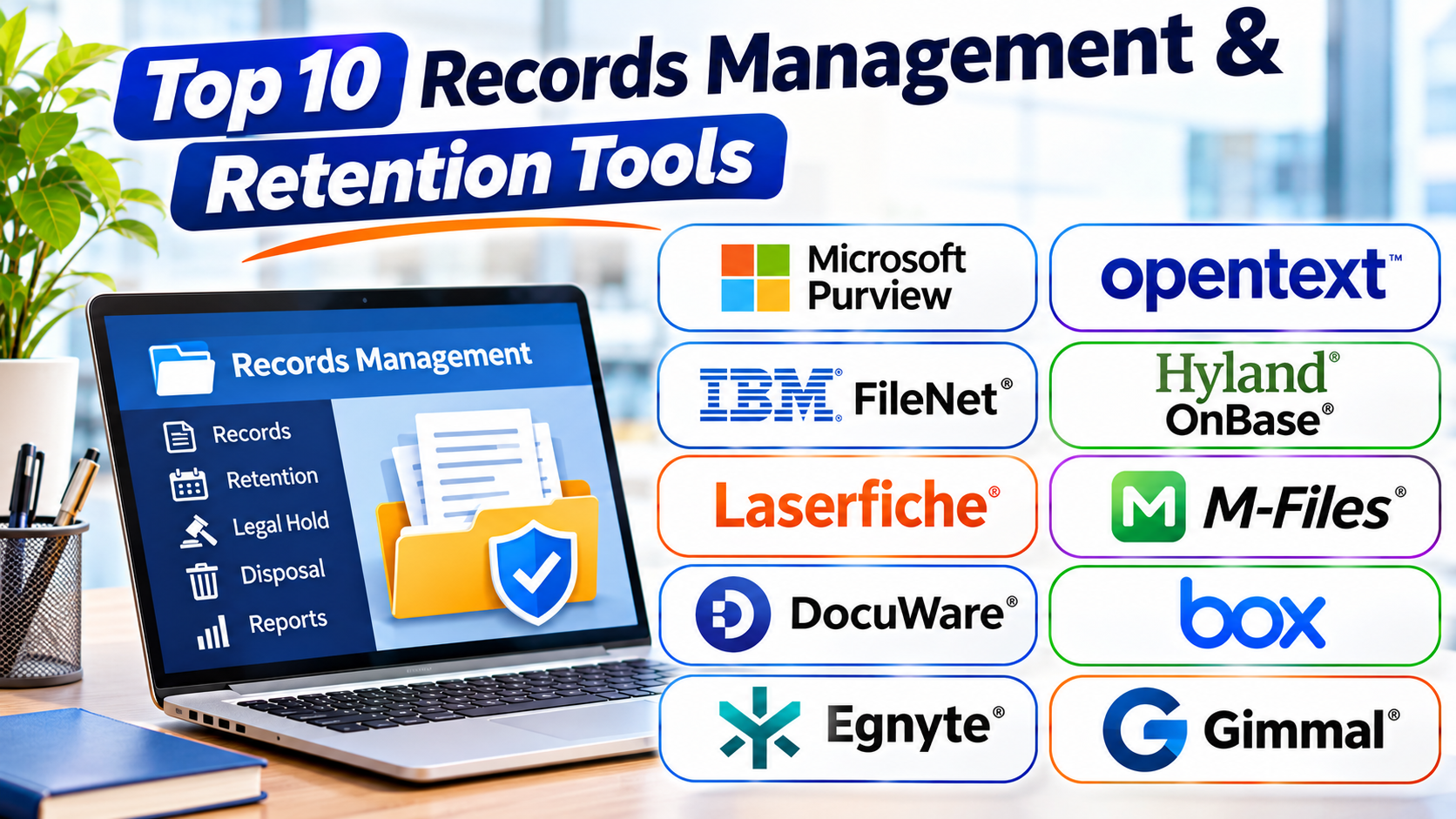
This guide explores ten records management and retention tools. It explains their main features, uses, Pros, and Cons.
What Are Records Management and Retention Tools?
Records management and retention tools help businesses control records throughout their life cycle. They support the creation, capture, storage, use, and final disposal of records.
A record may be a paper file, email, digital form, contract, or report. These tools help teams organize such records in a clear way.
Most platforms offer features such as:
- Central storage: Keep business records in an organized place.
- Record classification: Group records by type, department, or business activity.
- Retention schedules: Set how long teams must keep each record.
- Access controls: Decide who can view, edit, or manage records.
- Legal holds: Stop records from being deleted during legal cases.
- Audit trails: Track actions taken on records.
- Secure disposal: Support approved record deletion after the retention period ends.
- Search tools: Find records through names, dates, tags, and other details.
These features help businesses manage records with more control. However, each platform serves different needs.
Top 10 Records Management and Retention Tools
1. Microsoft Purview Records Management
Microsoft Purview Records Management helps organizations manage records across their Microsoft 365 environment. It supports record labels, retention policies, and rules for handling business information.
The platform works with services such as SharePoint, OneDrive, Exchange, and other Microsoft 365 workloads. This helps teams manage records without moving every file into a separate system.
Administrators can create retention labels for different record types. For example, a company may use one label for employee records and another for financial documents. Each label can follow a suitable retention rule.
Microsoft Purview also supports event-based retention. This lets a retention period begin after a specific event, where the required setup and supported workload allow it.
Legal teams can use retention controls to preserve records. This helps prevent the removal of important information during investigations or legal matters.
The platform suits organizations that already use Microsoft 365. Teams should still plan their labels, policies, permissions, and review process carefully.
Key Features
- Retention labels and policies
- Records management across supported Microsoft 365 services
- Event-based retention options
- Record declaration and disposition review
- Legal hold and compliance support
- Audit and reporting features
Pros
- Works closely with Microsoft 365.
- Offers strong retention policy controls.
- Supports different record types.
- Helps manage records across Microsoft services.
- Provides tools for compliance teams.
Cons
- Works best within the Microsoft ecosystem.
- Policy setup can take time.
- Some features need suitable Microsoft licenses.
- Administrators need training.
- Complex environments may need expert support.
2. OpenText Records Management
OpenText provides enterprise content and records management solutions. Its tools help large organizations manage business information across departments and systems.
OpenText supports the full records life cycle. Teams can capture records, classify them, apply retention rules, and manage final disposal. The platform also helps organizations keep records under clear governance rules.
Businesses can use OpenText to manage contracts, financial files, employee records, customer documents, and other important information. Its enterprise focus makes it useful for organizations with large record collections.
The platform can support structured records processes. Teams can define how records enter the system, who can access them, and when they become eligible for disposal.
OpenText also offers integration options for business applications. This can help companies connect records management with existing work systems.
However, large deployments often need careful planning. Companies should review licensing, setup needs, integrations, and staff training before choosing the solution.
Key Features
- Enterprise records management
- Retention schedules and disposal controls
- Record classification and metadata
- Access and permission management
- Audit trails and governance controls
- Integration with business systems
Pros
- Supports large record collections.
- Offers broad enterprise content controls.
- Helps manage records throughout their life cycle.
- Supports complex business processes.
- Provides governance features for regulated teams.
Cons
- Setup can be complex.
- Costs may be high for smaller businesses.
- Staff may need detailed training.
- Custom projects can take time.
- Administration may require specialist support.
3. IBM FileNet Content Manager
IBM FileNet Content Manager helps large organizations store, manage, and control business content. It supports document workflows, content services, and records-related processes.
The platform can manage many types of business documents. These include contracts, claims, forms, reports, and customer records. Teams can use metadata and classification rules to organize content.
IBM FileNet also supports workflow automation. For example, a business can create a process for reviewing a document before approval. This can reduce manual steps and improve control.
Organizations can connect FileNet with other enterprise applications. This makes it useful for companies with complex systems and large information needs.
Its records management capabilities depend on the wider IBM solution and configuration. Buyers should confirm which records controls, retention features, and integrations their planned setup includes.
IBM FileNet often suits large organizations with demanding content processes. Smaller teams may find its setup and administration too complex.
Key Features
- Enterprise content storage
- Document capture and indexing
- Workflow automation
- Metadata-based organization
- Access and security controls
- Integration with enterprise applications
Pros
- Handles large volumes of content.
- Supports complex document workflows.
- Offers strong enterprise integration options.
- Helps organize content with metadata.
- Fits large and complex business environments.
Cons
- Setup may require technical experts.
- The learning curve can be steep.
- Custom workflows need careful planning.
- Costs may not suit small teams.
- Records features depend on the chosen configuration.
4. Hyland OnBase
Hyland OnBase is an enterprise content services platform. It helps organizations capture, store, manage, and share business information.
OnBase supports document management and workflow automation. Teams can use it to handle records from many departments. Common examples include healthcare files, financial documents, insurance claims, and government records.
The platform can capture documents from different sources. It can then index and route them through business workflows. This helps teams find records and complete tasks with fewer manual steps.
Organizations can build processes for document review, approval, and storage. They can also use access controls to protect sensitive records.
OnBase can support records management as part of a broader content solution. Companies should confirm the exact retention, legal hold, and disposal features available in their chosen setup.
The platform suits organizations that want content management and workflow tools together. Its flexibility can help complex teams, but it may require careful configuration.
Key Features
- Document capture and indexing
- Enterprise content management
- Workflow automation
- Document search and retrieval
- Access permissions
- Records and information governance options
Pros
- Combines content management with workflows.
- Supports many business departments.
- Helps automate document-based tasks.
- Offers flexible process design.
- Can handle large information collections.
Cons
- Setup can take time.
- Advanced configuration may need experts.
- Costs can be high for smaller teams.
- Users may need training.
- Features vary by product setup and licensing.
5. Laserfiche
Laserfiche provides document management, records management, and business process automation tools. It helps organizations organize information and control document-based work.
Teams can capture paper documents and digital files. They can then organize them with folders, metadata, and search tools. This makes it easier to find records when needed.
Laserfiche supports records retention and life-cycle management. Organizations can set rules for keeping records and managing their final disposal. They can also use workflows to move documents through review and approval steps.
The platform can help public agencies, educational institutions, healthcare providers, and businesses. It offers tools for managing forms, records, and daily processes.
Laserfiche also supports automation. For example, a team can create a workflow that sends a document to the right person for approval. This can reduce delays and repeated manual work.
The platform offers many useful features, but organizations must plan their records structure. A clear setup helps teams use the system well.
Key Features
- Document capture and storage
- Records retention management
- Metadata and search
- Workflow automation
- Forms and document routing
- Access and audit controls
Pros
- Combines records and document management.
- Offers useful workflow tools.
- Helps organize digital and paper records.
- Supports automated document processes.
- Fits public and private organizations.
Cons
- Initial setup needs planning.
- Advanced workflows may need training.
- Customization can require technical help.
- Some features may need extra configuration.
- Large deployments can take time.
6. M-Files
M-Files uses a metadata-based approach to document and information management. Instead of relying only on folders, it organizes content through details such as document type, owner, customer, and project.
This approach helps users find records through their information. For example, a team can search for all contracts linked to one customer. They do not need to remember the exact folder location.
M-Files supports document control, version management, workflows, and access permissions. It can also support records and retention processes through suitable configurations and solutions.
Businesses can use it to manage contracts, policies, invoices, employee files, and other records. Its metadata approach can help teams keep information organized across departments.
M-Files also offers integration options for business applications. This can help companies connect their records with daily work.
The platform can suit organizations that want a flexible way to manage information. However, teams must create useful metadata rules and keep them consistent.
Key Features
- Metadata-based document organization
- Document version control
- Workflow automation
- Access permissions
- Search and information discovery
- Records and retention support through suitable configurations
Pros
- Makes records easier to find.
- Reduces dependence on folder structures.
- Supports document version control.
- Offers workflow automation.
- Can connect with business applications.
Cons
- Metadata design needs careful planning.
- Users may need time to learn the system.
- Advanced setup can require expert help.
- Costs depend on the selected solution.
- Poor metadata rules can reduce search quality.
7. DocuWare
DocuWare is a document management and workflow automation platform. It helps businesses capture, store, search, and process digital documents.
Teams can use DocuWare to manage invoices, contracts, employee files, and business forms. The platform supports document indexing and search. This helps users find records through keywords and other details.
DocuWare also offers workflow tools. Businesses can use them to route documents for review, approval, or processing. For example, an invoice can move through an approval process before payment.
The platform supports cloud and on-premises deployment options, depending on the product offering. This gives businesses choices when planning their document systems.
DocuWare can support document retention and compliance processes. However, buyers should check whether its records controls meet their formal records management needs.
It can suit small and medium-sized businesses that want digital document workflows. Larger organizations should review its fit for complex retention schedules and governance needs.
Key Features
- Digital document storage
- Document capture and indexing
- Workflow automation
- Search and retrieval
- Access permissions
- Retention and compliance support
Pros
- Helps reduce paper-based work.
- Offers useful document workflows.
- Makes document search easier.
- Supports cloud and on-premises options.
- Can suit growing businesses.
Cons
- Advanced setup may need support.
- Complex records programs need careful review.
- Some features depend on the selected plan.
- Users need clear document rules.
- Large integrations may take time.
8. Box Governance
Box Governance adds information governance and retention controls to the Box content platform. It helps organizations manage business files stored in Box.
Businesses can use Box to store and share documents across teams. Governance tools help them apply retention rules and manage records. This can help organizations control how long they keep important files.
Box Governance also supports legal holds. These controls help preserve content when a legal matter requires it. Teams can manage access and track important actions.
The platform works well for organizations that already use Box for cloud content management. It can help teams apply governance rules without moving all files to another system.
However, organizations should check which governance features their Box plan includes. They should also review whether the platform meets their records classification and disposal needs.
Key Features
- Cloud content governance
- Retention policies
- Legal hold support
- Access and permission controls
- Content search
- Audit and activity tracking
Pros
- Works within the Box platform.
- Supports cloud-based content governance.
- Offers retention and legal hold tools.
- Helps control shared business files.
- Supports team collaboration.
Cons
- Best suited to Box users.
- Some governance features may need specific plans.
- Complex retention needs require careful setup.
- External integrations may need extra work.
- Organizations must manage permissions well.
9. Egnyte Governance
Egnyte Governance helps organizations control business content across cloud and other storage environments. It combines content management with security and governance features.
Businesses can use Egnyte to organize files, manage access, and apply information controls. Its governance features help teams identify sensitive content and manage information risks.
Organizations can use classification and policy tools to understand what information they hold. They can then apply suitable controls based on business needs.
Egnyte also supports content security and collaboration. This can help teams share files while keeping control over access.
Its governance tools can help businesses manage content across departments. Companies should still review the exact retention, legal hold, and disposal functions available in their chosen plan.
Egnyte can suit businesses that need both file collaboration and information governance. It may be useful for teams that manage content across different storage locations.
Key Features
- Content governance
- Data classification and discovery
- Access and security controls
- File sharing and collaboration
- Information risk management
- Governance policy support
Pros
- Combines content services and governance.
- Helps identify sensitive information.
- Supports secure file collaboration.
- Offers controls across content environments.
- Can help reduce information risks.
Cons
- Full governance needs may require specific plans.
- Policy setup takes careful planning.
- Users need clear file management rules.
- Advanced features may need training.
- Buyers should verify formal retention requirements.
10. Gimmal
Gimmal provides information governance and records management solutions. It helps organizations manage records across business systems and content locations.
The platform focuses on records life-cycle control. Organizations can use it to classify records, apply retention rules, manage legal holds, and support final disposal.
Gimmal can help teams manage records that sit in different systems. This matters for large businesses that store information in many places. A central governance approach can help reduce gaps in records control.
The platform also supports policy-based records processes. Teams can define how records should be handled and track actions during the records life cycle.
Gimmal may suit organizations with formal governance needs. It can be useful in sectors where teams must manage large records collections and follow strict rules.
Companies should review its integrations and deployment needs. They should also confirm how it works with their current content platforms.
Key Features
- Enterprise records management
- Retention policy management
- Legal hold support
- Records classification
- Disposition workflows
- Governance across content systems
Pros
- Focuses on information governance.
- Supports records life-cycle processes.
- Helps manage retention rules.
- Offers legal hold and disposal controls.
- Can support complex enterprise environments.
Cons
- May need careful integration planning.
- Setup can require specialist knowledge.
- Smaller businesses may not need its full feature set.
- Users need training.
- Costs depend on the chosen solution and scope.
Comparison Table: Top 10 Records Management and Retention Tools
| Tool | Best For | Main Strength | Key Consideration |
|---|---|---|---|
| Microsoft Purview Records Management | Microsoft 365 organizations | Retention labels and policies | Licensing and policy setup |
| OpenText Records Management | Large enterprises | Enterprise records governance | Complex deployment |
| IBM FileNet Content Manager | Large organizations | Content workflows and integration | Technical setup |
| Hyland OnBase | Workflow-heavy organizations | Content and process automation | Configuration needs |
| Laserfiche | Public and private organizations | Records and workflow management | Planning and training |
| M-Files | Metadata-based information management | Finding and organizing records | Metadata design |
| DocuWare | Small and medium-sized businesses | Document workflows | Advanced records needs |
| Box Governance | Box users | Cloud content governance | Plan and feature checks |
| Egnyte Governance | Businesses with varied content stores | Content security and governance | Retention feature checks |
| Gimmal | Enterprise information governance | Records life-cycle controls | Integration planning |
How to Choose the Right Records Management Tool
Choosing the right platform takes more than comparing feature lists. Your business should first understand its records and compliance needs.
1. Understand Your Records
List the records your business creates and stores. Include contracts, invoices, reports, emails, and employee files.
This helps you choose a platform that supports your main record types.
2. Check Retention Rules
Different records need different retention periods. Some may need to stay for a few years. Others may need longer storage.
Choose a tool that can support your retention schedules and review process.
3. Review Security Controls
Your records may contain private business or customer details. Check user permissions, access logs, and security controls.
Make sure the platform can limit access to the right people.
4. Check Legal Hold Support
Legal holds help stop records from being deleted during legal matters. Check how the platform applies and tracks these holds.
5. Review Search and Classification
Users should find records without wasting time. Look for strong search, metadata, indexing, and classification tools.
6. Check Integration Options
Your business may already use Microsoft 365, ERP systems, or other content platforms. Choose a tool that works with your current systems.
7. Compare Costs
Review license fees, setup costs, storage needs, support, and training. Do not judge a platform by its starting price alone.
8. Test Before You Buy
Ask vendors for a product demo or trial. Test common tasks with real business examples.
This helps your team understand the platform before making a final choice.
Common Mistakes to Avoid
Businesses can face problems when they set up records management systems without a clear plan.
Avoid these common mistakes:
- Ignoring retention rules: Set clear rules for each record type.
- Giving too much access: Limit sensitive records to approved users.
- Using poor file names: Create clear naming and metadata rules.
- Skipping staff training: Teach employees how to store and find records.
- Keeping records forever: Review records and follow approved disposal rules.
- Deleting records too early: Check retention periods before disposal.
- Ignoring legal holds: Preserve records when a legal matter requires it.
- Choosing only by price: Compare features, support, and long-term needs.
- Skipping system tests: Test workflows before a full launch.
- Failing to review policies: Update records rules when business needs change.
Questions and Answers
1. What is records management software?
Records management software helps businesses store, organize, track, and control important records. It supports the full life cycle of business information.
2. What is records retention?
Records retention means keeping records for a set period. Businesses follow retention rules based on legal, business, and operational needs.
3. Why do businesses need records management tools?
These tools help businesses find records, protect information, follow retention rules, and manage disposal. They also reduce manual record-keeping work.
4. What is a retention schedule?
A retention schedule lists how long an organization must keep each type of record. It may also explain when teams can review or dispose of records.
5. What is a legal hold?
A legal hold stops the deletion or change of records needed for a legal case, investigation, or audit. It helps preserve important information.
6. Which records management tool works with Microsoft 365?
Microsoft Purview Records Management works closely with Microsoft 365 services. It supports retention labels, policies, and other compliance controls.
7. Can small businesses use records management software?
Yes. Small businesses can use tools such as DocuWare, M-Files, or suitable cloud content platforms. The best choice depends on their record volume and needs.
8. What is the difference between document management and records management?
Document management focuses on creating, storing, sharing, and editing documents. Records management adds formal controls for classification, retention, legal holds, and final disposal.
9. Can records management tools automate record disposal?
Many platforms support disposal workflows. However, organizations should set clear approval rules before deleting records.
10. How do I choose the best records management tool?
Start with your record types, retention rules, security needs, and current systems. Then compare features, costs, support, and ease of use.
Final Thoughts
Records management plays an important role in every growing business. It helps teams control information and keep important records safe.
Microsoft Purview suits organizations that use Microsoft 365. OpenText and IBM FileNet support complex enterprise content needs. Hyland OnBase and Laserfiche combine records work with process automation.
M-Files offers a metadata-based way to organize information. DocuWare supports digital document workflows. Box Governance and Egnyte Governance help control cloud content. Gimmal focuses on enterprise information governance.
No single tool fits every organization. The best choice depends on your records, retention rules, budget, and current systems.
Compare the options carefully before making a decision. A well-planned records management system can improve control, save time, and support better business decisions.