Introduction
Signing papers can take a lot of time. People often print documents, sign them, scan them, and send them back.
eSignature software makes this work much easier. It lets people sign documents online from computers, tablets, and phones.
Businesses use these tools to manage contracts, approve forms, and sign agreements. They also help reduce paper use and speed up daily work.
Many platforms offer templates, signing reminders, document tracking, and secure storage. These features help teams manage their documents with less effort.
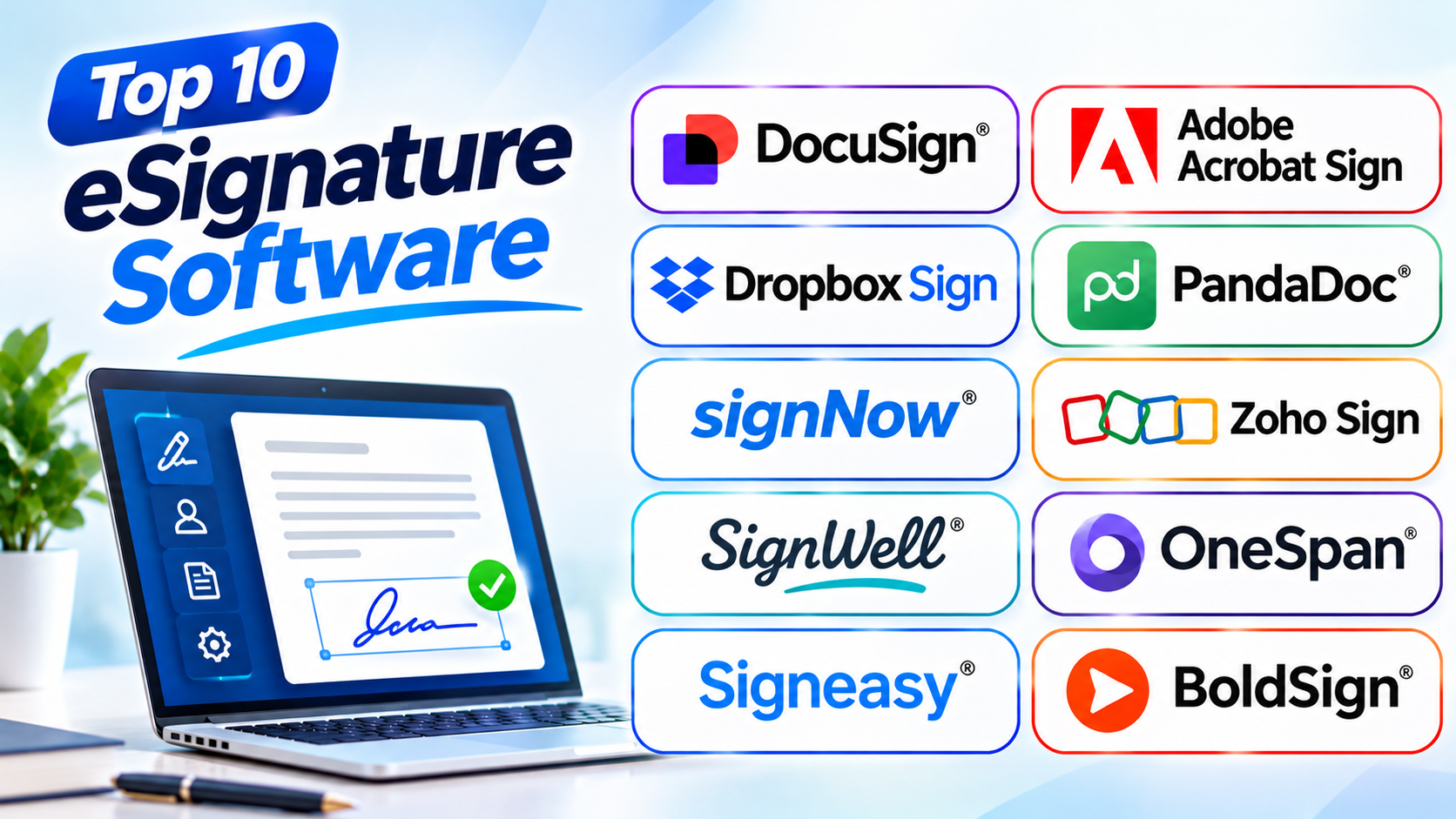
This article explores ten popular eSignature software tools. It explains their features, uses, pros, and cons. You will also find a comparison table and helpful buying tips.
What Is eSignature Software?
eSignature software lets people sign documents electronically. Users can add their signatures without printing or scanning papers.
These tools also help businesses send documents to other people. They can track signing progress and store completed agreements.
Common uses include:
- Signing business contracts.
- Approving sales agreements.
- Completing employee forms.
- Signing customer documents.
- Managing service agreements.
- Approving business requests.
- Handling rental agreements.
- Signing supplier documents.
Most eSignature tools also offer security features. These may include identity checks, access controls, and signing records.
Top 10 eSignature Software
1. DocuSign
DocuSign is a popular electronic signature platform. It helps people and businesses send, sign, and manage digital agreements.
Users can upload documents and add signature fields. They can also add names, dates, and other required details. The platform sends documents to the right people for signing.
DocuSign supports multiple signers. Users can set the order in which people must sign. This helps businesses manage agreements that need several approvals.
The platform also offers reusable templates. Teams can use these templates for contracts, employee forms, sales agreements, and other common documents.
DocuSign provides signing reminders and document tracking. Users can check whether someone has opened or signed a document. It also keeps records of important signing activities.
Businesses can use DocuSign for sales, HR, legal, and finance work. It suits organizations that manage many agreements.
Key Features
- Electronic document signing.
- Reusable document templates.
- Multiple signer support.
- Signing order management.
- Automated email reminders.
- Document status tracking.
- Signing records and security features.
Pros
- Easy to use for common signing tasks.
- Supports complex signing workflows.
- Offers useful document templates.
- Helps teams track signing progress.
- Works for businesses of different sizes.
- Provides strong agreement management features.
Cons
- Advanced features can cost more.
- Some plans include sending limits.
- New users may need time to learn advanced tools.
- Large teams may need higher plans.
2. Adobe Acrobat Sign
Adobe Acrobat Sign combines electronic signatures with PDF document tools. It helps users prepare, send, sign, and manage digital documents.
Users can upload PDF files and add signature fields. They can also include dates, names, and other form details.
The platform allows users to send documents to several people. Businesses can set signing steps and track document progress.
Adobe Acrobat Sign works well with Adobe Acrobat. This makes it useful for people who already create and edit PDF files.
The platform also offers document templates and automatic reminders. These features help teams manage repeated signing tasks.
Businesses can use it for contracts, customer agreements, employee forms, and approvals. It suits teams that work with PDF documents every day.
Key Features
- Electronic PDF signing.
- Signature and form fields.
- Reusable document templates.
- Signing reminders.
- Document status tracking.
- Multiple signer support.
- Integration with Adobe Acrobat.
Pros
- Works well with PDF documents.
- Combines signing and PDF management.
- Offers useful document tools.
- Supports business signing workflows.
- Helps users track documents.
- Suitable for professional teams.
Cons
- Some features require higher plans.
- The full platform may feel complex.
- Advanced tools can increase costs.
- Occasional users may not need every feature.
3. Dropbox Sign
Dropbox Sign helps users collect electronic signatures online. It offers a simple way to send documents and manage signing requests.
Users can upload documents and add signature fields. They can then send the files to customers, employees, or business partners.
The platform supports multiple signers. It also provides templates for documents that people use often.
Dropbox Sign sends notifications about signing progress. Users can see which documents need attention. Automatic reminders can also help reduce delays.
The platform connects with Dropbox and other business tools. This helps teams manage documents within their daily work.
Dropbox Sign suits freelancers, small businesses, and growing teams. It works well for service contracts, customer agreements, and employee documents.
Key Features
- Online electronic signatures.
- Reusable document templates.
- Multiple signer support.
- Signing notifications.
- Automatic reminders.
- Document status tracking.
- Cloud storage connections.
Pros
- Simple signing process.
- Easy for beginners.
- Useful for small businesses.
- Offers reusable templates.
- Helps reduce paper-based work.
- Connects with cloud storage tools.
Cons
- Advanced contract tools are limited.
- Some features require paid plans.
- Complex approval needs may require another platform.
- Plan limits may affect frequent users.
4. PandaDoc
PandaDoc combines electronic signatures with document creation. It helps businesses prepare proposals, quotes, contracts, and agreements.
Users can create documents with text, images, pricing tables, and signature fields. They can also use templates to save time.
PandaDoc helps sales teams manage documents from start to finish. Teams can prepare proposals and send them to customers. They can then track document activity and signing progress.
The platform also supports payment collection on supported plans. This can help businesses manage agreements and payments in one workflow.
PandaDoc offers useful tools for sales and service teams. It suits companies that create and send business documents often.
However, users who only need simple signatures may find the platform more advanced than necessary.
Key Features
- Electronic signatures.
- Proposal and contract creation.
- Document templates.
- Pricing tables.
- Document activity tracking.
- Payment collection options.
- Business application connections.
Pros
- Combines document creation and signing.
- Useful for sales teams.
- Offers many document templates.
- Helps track customer activity.
- Supports business workflows.
- Reduces manual document preparation.
Cons
- Some features need higher plans.
- The platform may feel complex for basic signing.
- Costs can increase as teams grow.
- Template setup may take time.
5. signNow
signNow helps businesses send, sign, and manage digital documents. It offers tools for common signing tasks and business approvals.
Users can upload documents and add signature fields. They can also create templates for repeated agreements.
The platform supports multiple signers. Businesses can set signing orders and send documents through different approval steps.
signNow also offers document routing and mobile signing. These features help employees complete agreements while working remotely.
Teams can use it for sales contracts, HR forms, customer agreements, and internal approvals.
signNow suits small and medium businesses. It can also help larger teams that need regular document signing.
Key Features
- Electronic document signing.
- Reusable document templates.
- Multiple signer support.
- Document routing.
- Approval workflows.
- Mobile signing.
- Signing status tracking.
Pros
- Offers useful business features.
- Supports mobile document signing.
- Helps manage approval steps.
- Provides reusable templates.
- Suitable for growing businesses.
- Reduces manual document handling.
Cons
- Advanced features depend on the plan.
- Some workflows need setup.
- New users may need training.
- Sending limits can affect some teams.
6. Zoho Sign
Zoho Sign is an electronic signature tool from Zoho. It helps businesses sign documents and manage digital agreements.
Users can upload documents and add signature fields. They can send files to several people and set signing orders.
The platform offers templates for repeated documents. These templates help teams prepare common agreements faster.
Zoho Sign also keeps records of signing activities. Users can track document progress and receive updates.
One major benefit is its connection with other Zoho products. Businesses can add electronic signing to their existing work processes.
Zoho Sign suits small and medium businesses. It is especially useful for teams that already use Zoho applications.
Key Features
- Electronic signatures.
- Document templates.
- Multiple signer support.
- Signing order management.
- Automatic reminders.
- Document activity records.
- Integration with Zoho products.
Pros
- Works well with Zoho applications.
- Offers useful signing features.
- Supports document templates.
- Helps track signing activity.
- Suitable for small businesses.
- Provides a simple signing process.
Cons
- Best value often comes with other Zoho tools.
- Some advanced features need paid plans.
- Users outside the Zoho ecosystem may prefer other options.
- Complex workflows may need extra setup.
7. SignWell
SignWell focuses on simple electronic document signing. It helps users send files and collect signatures without a difficult setup.
Users can upload documents and add signature fields. They can also add names, dates, and other required information.
The platform supports several signers. Users can also create templates for documents they send often.
SignWell tracks document progress. It sends reminders when people need to sign. This helps freelancers and small teams manage agreements.
The software suits consultants, service providers, and small businesses. They can use it for client contracts, service agreements, and basic approvals.
SignWell keeps its main focus on electronic signatures. Businesses that need advanced contract management may need a larger platform.
Key Features
- Electronic document signing.
- Reusable document templates.
- Multiple signer support.
- Signing reminders.
- Document status tracking.
- Signing activity records.
- Simple document management.
Pros
- Simple and clear interface.
- Easy to learn.
- Useful for freelancers.
- Offers templates and reminders.
- Helps manage common agreements.
- Good for basic signing tasks.
Cons
- Limited advanced contract management.
- Some features require paid plans.
- Large companies may need more controls.
- Complex approval processes may need other tools.
8. OneSpan Sign
OneSpan Sign focuses on secure electronic signatures. It helps organizations manage agreements that need strong security and identity checks.
The platform supports document signing and approval workflows. Businesses can send documents to several people and track their progress.
OneSpan Sign offers signer authentication options. These features help organizations check who signs a document.
It also provides detailed signing records. These records help businesses review important signing activities.
Organizations can use OneSpan Sign for banking, insurance, government, and other sensitive work.
The platform suits companies with strict security needs. Small teams that only sign basic documents may not need all its features.
Key Features
- Electronic signature workflows.
- Signer identity checks.
- Multiple signer support.
- Document routing.
- Signing activity records.
- Security and access controls.
- Business system connections.
Pros
- Focuses on document security.
- Offers identity verification options.
- Supports complex signing processes.
- Useful for regulated industries.
- Provides detailed signing records.
- Helps manage sensitive agreements.
Cons
- May be too advanced for basic users.
- Setup can take time.
- Costs may suit larger businesses better.
- Users may need training.
9. Signeasy
Signeasy helps people sign documents from computers and mobile devices. It offers a simple way to send and complete digital agreements.
Users can upload documents and add signature fields. They can also sign documents themselves.
The platform supports common document formats. It also offers templates for repeated agreements.
Signeasy provides signing reminders and document tracking. These features help teams follow pending requests.
Its mobile support helps people who work outside the office. Employees can review and sign documents while traveling or working remotely.
Businesses can use Signeasy for sales contracts, employee forms, customer agreements, and approvals.
Key Features
- Electronic signatures on mobile and desktop.
- Document upload and signing.
- Reusable templates.
- Signing reminders.
- Document status tracking.
- Team signing workflows.
- Business application connections.
Pros
- Useful mobile signing experience.
- Simple interface.
- Supports remote teams.
- Offers reusable templates.
- Helps track pending documents.
- Makes document signing easier.
Cons
- Advanced features depend on the plan.
- Complex contract workflows may need other tools.
- Some integrations require setup.
- High-volume teams should review plan limits.
10. BoldSign
BoldSign is an electronic signature platform from Syncfusion. It helps businesses send documents for signing and manage digital agreements.
Users can upload files and create signing requests. They can add signature fields and assign documents to different people.
The platform supports multiple signers and reusable templates. These features help businesses manage repeated signing tasks.
BoldSign also provides document tracking and signing records. Teams can check the status of each document.
Its flexible signing features suit businesses and software teams. Companies can also use its tools to add electronic signing to their own products.
BoldSign is a useful choice for businesses that want flexible signing options. Users should review its available plans and features before making a choice.
Key Features
- Electronic signature requests.
- Document templates.
- Multiple signer workflows.
- Signing activity records.
- Document status tracking.
- Business application connections.
- Embedded signing options.
Pros
- Offers flexible signing features.
- Supports reusable templates.
- Helps manage signing workflows.
- Provides document tracking.
- Useful for business teams.
- Supports custom signing experiences.
Cons
- Some advanced features require paid plans.
- Custom setup may need technical support.
- Users should test complex workflows.
- Some teams may prefer a simpler tool.
Comparison Table of the Top 10 eSignature Software
| Software | Main Strength | Best For | Main Features |
|---|---|---|---|
| DocuSign | Enterprise signing | Large businesses | Templates, tracking, approvals |
| Adobe Acrobat Sign | PDF signing | PDF-focused teams | PDF signing, forms, reminders |
| Dropbox Sign | Simple online signing | Small businesses | Templates, notifications, tracking |
| PandaDoc | Document creation | Sales teams | Proposals, contracts, signatures |
| signNow | Business workflows | Growing businesses | Signing, routing, approvals |
| Zoho Sign | Zoho integration | Zoho users | Templates, signing, tracking |
| SignWell | Simple signing | Freelancers | Signatures, reminders, templates |
| OneSpan Sign | Secure signing | Regulated industries | Identity checks, records, security |
| Signeasy | Mobile signing | Remote teams | Mobile signing, templates, tracking |
| BoldSign | Flexible signing | Business and software teams | Signing, templates, tracking |
How to Choose the Right eSignature Software
Choosing the right tool can save time. It can also help your team manage agreements with fewer mistakes.
Consider these points before making a choice.
1. Understand Your Signing Needs
First, think about the documents you sign most often.
Your business may handle contracts, sales proposals, employee forms, or customer agreements.
Choose software that supports your daily document tasks.
2. Check Security Features
Documents may contain private business or customer details.
Look for access controls, secure storage, and signer identity checks. Also check whether the software keeps records of signing activities.
3. Review Document Templates
Templates save time when you send similar documents often.
Choose a platform that lets you create and reuse templates. This can make repeated signing tasks much easier.
4. Check Multiple Signer Support
Some agreements need signatures from several people.
Choose software that supports multiple signers. Also check whether you can set the signing order.
5. Look for Automatic Reminders
People sometimes forget to sign documents.
Automatic reminders can help reduce delays. They also save staff from sending repeated follow-up messages.
6. Review Mobile Support
Many people work away from their desks.
Choose a tool that works well on phones and tablets. This makes remote signing easier.
7. Compare Pricing
Different platforms offer different plans.
Check the number of users and signing requests included. Also review the cost of advanced features.
8. Test the Software Before Buying
Try a sample document before choosing a platform.
Check how easy it is to upload, prepare, and send a document. Also test the signing process from the recipient’s side.
Common Mistakes to Avoid
- Choosing software only because it costs less.
- Ignoring document security.
- Forgetting to check local signing laws.
- Overlooking monthly signing limits.
- Ignoring mobile signing features.
- Choosing software without useful templates.
- Failing to test the signing process.
- Not checking multiple signer support.
- Ignoring business integration needs.
- Forgetting to train employees.
Questions and Answers About eSignature Software
1. What is eSignature software?
eSignature software lets people sign documents online. It helps users send, sign, track, and store agreements.
2. Why do businesses use electronic signatures?
Businesses use electronic signatures to save time. They also reduce paper use and make document handling easier.
3. Are electronic signatures legally valid?
Many countries recognize electronic signatures under certain laws. Rules can differ by country and document type. Check the laws that apply to your agreement.
4. Which eSignature software is best for businesses?
DocuSign, Adobe Acrobat Sign, PandaDoc, and signNow offer useful business features. The best choice depends on your work and budget.
5. Can I sign documents using a mobile phone?
Yes. Many eSignature platforms support phones and tablets. Users can sign documents through supported apps or web browsers.
6. Can several people sign one document?
Yes. Most business eSignature tools support multiple signers. Some also let users set the signing order.
7. What is an audit trail?
An audit trail records actions during the signing process. It can show when someone opened or signed a document.
8. Is eSignature software safe?
Many platforms offer security tools and access controls. Always review the provider’s security features before choosing a service.
9. Can I create templates for repeated contracts?
Yes. Many eSignature tools support reusable templates. They help users prepare common agreements faster.
10. Can eSignature software send reminders?
Yes. Many platforms send automatic reminders. These messages help signers complete pending documents.
11. Can I use eSignature software for international agreements?
Many platforms support users in different countries. However, legal rules can differ. Check the requirements for each location.
12. What should I check before buying eSignature software?
Check security, pricing, signing limits, templates, mobile support, and ease of use. Test the tool before making your final choice.
Final Thoughts
eSignature software makes document signing faster and easier. It helps people manage agreements without printing or scanning papers.
DocuSign suits businesses with complex signing needs. Adobe Acrobat Sign works well for PDF-focused teams. Dropbox Sign and SignWell offer simple signing. PandaDoc helps sales teams manage proposals and agreements.
signNow and Zoho Sign support everyday business workflows. OneSpan Sign focuses on secure signing. Signeasy helps mobile teams. BoldSign offers flexible signing options.
Before choosing, think about your document needs and budget. Test the platform with real documents. Check security, ease of use, and signing limits.
The best eSignature software should fit your daily work. It should make every signing step clear, simple, and reliable.