Introduction
A good website should help visitors find information quickly. But large websites often contain hundreds or thousands of pages. Visitors may leave when they cannot find what they need.
Site search tools solve this problem. They add a search feature to your website. Visitors can use it to find products, articles, services, and other content.
The right search tool can improve website navigation. It can also help online stores guide shoppers toward useful products.
Modern search tools offer more than basic keyword matching. They support spelling correction, search suggestions, filters, and AI-powered results. Some tools also provide reports about visitor searches.
This guide covers ten popular site search tools. You will learn about their features, pros, cons, and best uses. A comparison table and buying guide will also help you choose.
What Is Site Search Software?
Site search software helps visitors find content on a website. It searches pages, products, articles, and other website information.
A basic search box may only match exact words. Modern tools offer much more. They can correct spelling, suggest searches, filter results, and understand user intent.
For example, a visitor may search for “running shoes.” The tool can show related products, brands, sizes, and prices.
Site search tools also help website owners understand visitor needs. Search reports can show popular terms and searches with no results. This information helps teams improve website content.
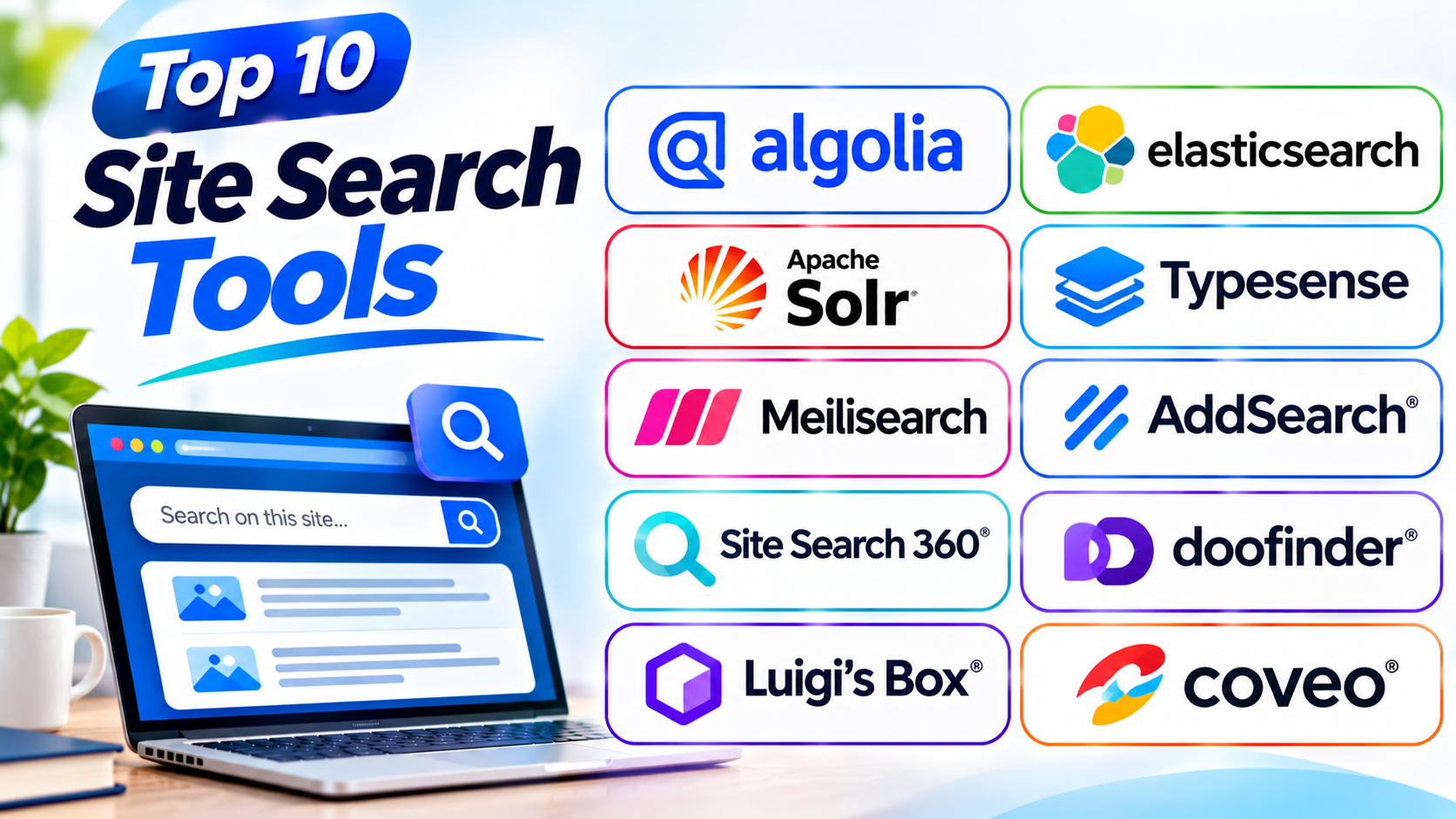
Top 10 Site Search Tools
The following tools serve different website needs. Some focus on online stores, while others suit blogs, business websites, and custom applications.
1. Algolia
Best for: Fast and customizable website search
Algolia is a popular search platform for websites and applications. It helps businesses deliver fast and relevant search results.
Website owners can use Algolia to search products, articles, pages, and other content. Its search tools support autocomplete, filters, and custom result ranking.
Algolia also offers AI-powered search features. Its NeuralSearch technology combines keyword matching with vector search. This helps the platform understand exact terms and meaning.
Businesses can use its dashboard to manage search rules. They can also study visitor search behavior through analytics.
Developers get APIs and tools for custom search experiences. Marketing teams can manage selected search settings without changing the whole website.
Key Features
- Fast search results
- AI-powered search
- Autocomplete and suggestions
- Typo tolerance
- Faceted filters
- Search analytics
- Personalized results
- Search ranking controls
- A/B testing and merchandising
Pros
- Offers fast search experiences.
- Supports advanced search features.
- Provides flexible APIs.
- Helps improve product discovery.
- Includes useful search analytics.
Cons
- Advanced setup may need developers.
- Usage-based costs need monitoring.
- Custom search design takes planning.
- Some features may exceed small website needs.
2. Elasticsearch
Best for: Custom website search and large content collections
Elasticsearch is a powerful search engine from Elastic. It helps businesses build search features for websites and applications.
It can search articles, product records, documents, and other structured information. Developers can control how the platform indexes and ranks content.
Elasticsearch supports full-text, semantic, vector, and hybrid search. Full-text search matches words and phrases. Semantic search looks at meaning. Hybrid search combines different search methods.
Its Open Crawler can collect website content and make it searchable. Teams can also use APIs and other data sources to build custom search systems.
Elasticsearch offers cloud and self-managed deployment options. It suits teams that want control over their search setup.
Key Features
- Full-text search
- Semantic and vector search
- Hybrid search
- Website content crawling
- Search relevance controls
- Filtering and faceting
- Search analytics
- Cloud and self-managed options
Pros
- Offers powerful search capabilities.
- Supports large content collections.
- Provides flexible deployment choices.
- Gives developers detailed control.
- Supports modern AI search features.
Cons
- Requires technical knowledge.
- Setup can take time.
- Search tuning needs ongoing work.
- Hosting and maintenance can add costs.
3. Apache Solr
Best for: Large websites and open-source search projects
Apache Solr is an open-source search platform built on Apache Lucene. It helps organizations create powerful search experiences for websites and applications.
Solr can index many types of content. These include web pages, documents, product records, and business data.
It supports full-text search, filters, faceting, and result highlighting. Faceting helps visitors narrow results by options such as category, brand, or price.
Solr also offers autocomplete and spelling suggestions. These features help visitors find content when they enter incomplete or incorrect words.
Its scalable design suits large websites and high-volume search projects. However, teams need technical skills to install, manage, and tune the platform.
Key Features
- Full-text search
- Faceted navigation
- Search filters
- Autocomplete and suggestions
- Spelling correction
- Result highlighting
- Multilingual text analysis
- Scalable indexing
Pros
- Free and open-source.
- Handles large search collections.
- Offers advanced filtering.
- Supports many content types.
- Provides strong customization options.
Cons
- Needs technical setup.
- Maintenance requires skilled staff.
- Search configuration can become complex.
- Smaller sites may not need its full power.
4. Typesense
Best for: Fast search for websites and online applications
Typesense is an open-source search engine. It helps developers add fast and simple search to websites and applications.
It focuses on speed and ease of use. Its search features include typo tolerance, filters, sorting, and result grouping.
Typesense can also support vector search. This helps developers build search experiences based on meaning and content similarity.
Online stores can use it to help shoppers filter products by brand, price, size, and other details. Content websites can use it to help visitors find articles and pages.
Teams can host Typesense themselves or choose managed hosting. Its simple design makes it useful for developers who want a flexible search engine.
Key Features
- Typo-tolerant search
- Fast search responses
- Faceted filters
- Custom result ranking
- Vector and semantic search
- Search grouping
- Location-based search
- Self-hosted and managed options
Pros
- Offers a free open-source option.
- Easy to understand and use.
- Supports typo correction.
- Offers flexible filtering.
- Provides vector search features.
Cons
- Needs development work.
- Large projects require careful planning.
- Advanced customization needs technical skills.
- Search quality depends on good data.
5. Meilisearch
Best for: Simple, fast search for websites and applications
Meilisearch is a modern search engine built for developers and businesses. It helps websites deliver quick and relevant search results.
Its main strength is ease of use. Teams can add search without building a complex search system from scratch.
Meilisearch supports full-text search and automatic typo tolerance. It also provides filters, sorting, and search suggestions.
Its hybrid search combines keyword matching with semantic search. This helps visitors find useful content even when they do not use exact terms.
Businesses can use Meilisearch for blogs, online stores, documentation sites, and web applications. Teams can choose self-hosted or managed cloud options.
Key Features
- Full-text search
- Automatic typo tolerance
- Faceted search
- Search filters and sorting
- Hybrid search
- Semantic search
- Search suggestions
- Managed cloud and self-hosting
Pros
- Easy to get started.
- Offers a free open-source option.
- Handles common spelling mistakes.
- Supports modern search features.
- Works well for websites and apps.
Cons
- Complex projects need extra planning.
- Advanced setup requires technical skills.
- Large datasets need careful resource planning.
- Some features need more configuration.
6. AddSearch
Best for: Content websites and businesses that want simple setup
AddSearch is a hosted site search platform. It helps website owners add search without building their own search engine.
The platform can crawl website pages and create a searchable index. Website owners can also send content through its indexing API.
AddSearch offers autocomplete, search filters, and customizable search results. Its dashboard helps teams review search performance and visitor behavior.
Its AI features can help visitors find answers from website content. This makes it useful for blogs, business websites, support pages, and content libraries.
AddSearch also supports many content management systems. Teams can use its ready-made search tools or create a more customized experience.
Key Features
- Website content crawler
- Search indexing API
- Autocomplete suggestions
- Search filters
- Custom search design
- Search analytics
- AI-powered answers
- Multiple language support
Pros
- Simple hosted search solution.
- Works with many content systems.
- Offers automatic website crawling.
- Provides useful search reports.
- Supports AI-powered discovery.
Cons
- Advanced customization may need extra work.
- Costs can grow with website needs.
- Search depends on successful indexing.
- Developers may need APIs for complex setups.
7. Site Search 360
Best for: Blogs, content websites, and small businesses
Site Search 360 helps website owners add a custom search experience. It offers a simple way to make website content easier to find.
The platform can index website pages and other supported content. Visitors can search through a search box and receive relevant results.
Site Search 360 supports semantic search and autocomplete. Semantic search helps match a visitor’s meaning rather than only exact words.
Website owners can adjust search design and result order. They can also group content and highlight important pages.
Its analytics tools show what visitors search for. These reports help website owners understand content gaps and improve navigation.
Key Features
- Website content indexing
- Semantic search
- Autocomplete suggestions
- Custom search design
- Search result management
- Content grouping
- Search analytics
- PDF and document indexing on supported plans
Pros
- Easy to add to websites.
- Offers a free entry plan.
- Provides useful search customization.
- Helps visitors find content quickly.
- Includes search analytics.
Cons
- Search limits depend on the plan.
- Advanced features may cost more.
- Large websites may need higher plans.
- Complex search needs may require custom work.
8. Doofinder
Best for: Online stores and ecommerce websites
Doofinder helps online stores improve product search. It makes it easier for shoppers to find products across large catalogs.
The platform supports autocomplete and search suggestions. It can also handle spelling mistakes and related search terms.
Visitors can use filters to narrow product results. They can search by categories, brands, and other product details.
Doofinder also provides search analytics. Store owners can review popular queries and identify searches that fail to return useful products.
Its integrations support popular ecommerce platforms. This helps store owners add better search without building every feature themselves.
Key Features
- Product search
- Autocomplete suggestions
- Typo correction
- Search filters
- Product recommendations
- Search analytics
- Merchandising controls
- Ecommerce platform integrations
Pros
- Focuses on online store search.
- Helps shoppers find products faster.
- Offers useful autocomplete features.
- Supports popular ecommerce platforms.
- Provides search performance reports.
Cons
- Focuses mainly on ecommerce.
- Pricing may depend on catalog size and usage.
- Advanced needs may require setup help.
- Smaller stores may not need every feature.
9. Luigi’s Box
Best for: Ecommerce search and product discovery
Luigi’s Box helps online stores improve product search and browsing. It combines search, recommendations, and analytics in one platform.
Its autocomplete feature suggests products as visitors type. The search system can also recognize synonyms and correct common spelling mistakes.
Dynamic filters help shoppers narrow products by relevant details. For example, a clothing store can show size and color filters. An electronics store can show brand and price filters.
Luigi’s Box also provides product recommendations. Store owners can use ranking and merchandising tools to highlight selected products.
Its analytics help businesses understand how visitors use search. This information can guide changes to product pages and search results.
Key Features
- AI-powered product search
- Search autocomplete
- Typo correction
- Synonym recognition
- Dynamic product filters
- Product recommendations
- Search merchandising
- Search analytics
Pros
- Offers strong ecommerce search features.
- Helps improve product discovery.
- Supports useful search suggestions.
- Provides flexible merchandising controls.
- Includes search analytics.
Cons
- Mainly focuses on ecommerce websites.
- Advanced features may need setup support.
- Costs may not suit every small store.
- Product data needs regular updates.
10. Coveo
Best for: Large websites and enterprise digital experiences
Coveo offers AI-powered search and discovery tools. It helps businesses deliver relevant information across websites and digital platforms.
Organizations can use Coveo for product search, customer support, and content discovery. It can connect information from different systems.
Its AI features help improve search relevance. The platform can also personalize results based on user context and behavior.
Businesses can use search analytics to understand visitor activity. These insights can help teams improve content, product discovery, and customer experiences.
Coveo suits organizations with complex websites and large content collections. Its advanced features may be more than smaller websites need.
Key Features
- AI-powered site search
- Personalized search results
- Search relevance controls
- Product discovery
- Content recommendations
- Search analytics
- Enterprise integrations
- Customer support search
Pros
- Offers advanced AI search.
- Supports large website projects.
- Helps personalize visitor experiences.
- Works across different business needs.
- Provides search analytics.
Cons
- Enterprise setup can be complex.
- Pricing may not suit small businesses.
- Advanced features need careful planning.
- Some projects require technical support.
Site Search Tools Comparison Table
This table gives a quick view of each platform. It helps you compare their main strengths and best uses.
| Tool | Best For | Main Strength | Search Approach |
|---|---|---|---|
| Algolia | Websites and online stores | Fast, customizable search | Hosted and API-based |
| Elasticsearch | Custom search projects | Flexible search engine | Cloud and self-managed |
| Apache Solr | Large websites | Open-source search server | Self-managed |
| Typesense | Websites and applications | Fast, typo-tolerant search | Managed and self-hosted |
| Meilisearch | Blogs and web apps | Simple search setup | Managed and self-hosted |
| AddSearch | Content websites | Hosted website search | Cloud-based |
| Site Search 360 | Small and medium websites | Easy search customization | Cloud-based |
| Doofinder | Online stores | Product search | Cloud-based |
| Luigi’s Box | Ecommerce websites | Product discovery | Cloud-based |
| Coveo | Large businesses | AI-powered search and personalization | Cloud-based |
How to Choose the Right Site Search Tool
The right tool depends on your website and its visitors. Consider these points before making a choice.
1. Understand Your Website Type
First, identify your main website purpose. A blog needs content search. An online store needs product search and filters.
Choose a tool that matches your website.
2. Check Search Speed
Visitors expect quick results. Slow search can make people leave your website.
Test the tool with your actual content and expected traffic.
3. Review Search Accuracy
A good search tool should handle spelling mistakes and related words. It should also show useful results for common questions.
Test real visitor searches before choosing.
4. Look for Autocomplete
Autocomplete suggests results while visitors type. It helps users search faster and discover useful pages.
This feature can improve the experience on large websites.
5. Check Filtering Options
Filters help visitors narrow search results. Online stores may need filters for price, size, brand, and category.
Content websites may need filters for topic, date, and content type.
6. Review Analytics
Search analytics show what visitors want. They can also reveal searches that return no results.
Use this information to improve your content and website structure.
7. Check Integration Options
Make sure the tool works with your website platform. Check support for WordPress, Shopify, Magento, or your custom system.
Also review the setup process.
8. Compare Pricing and Growth Limits
Compare monthly costs, search volume, indexed pages, and extra features. Choose a plan that can support future growth.
Common Mistakes to Avoid
A search tool cannot fix every website problem. Avoid these mistakes when adding site search.
- Ignoring visitor needs: Do not design search only for your team. Test it with real visitors.
- Using poor content titles: Clear titles help search tools find relevant pages. Keep page names useful and accurate.
- Skipping typo correction: Visitors often make spelling mistakes. Choose a tool that handles common errors.
- Showing too many results: Large result lists can confuse visitors. Use filters and clear ranking.
- Ignoring search analytics: Search reports reveal what visitors want. Review them often.
- Forgetting mobile users: Many visitors use phones. Make sure the search box and results work well on small screens.
- Leaving old content indexed: Outdated pages can mislead visitors. Review and update your search index.
- Not testing search quality: A search box may look good but return poor results. Test common and difficult queries before launch.
Questions and Answers About Site Search Tools
1. What is a site search tool?
A site search tool helps visitors find content on a website. It can search pages, products, articles, and other information.
2. Why does a website need site search?
Site search helps visitors find information faster. It also improves navigation and helps businesses understand visitor needs.
3. Which site search tool is best overall?
Algolia is a strong choice for customizable website search. The best option still depends on your website size and needs.
4. Which site search tool is best for ecommerce?
Doofinder and Luigi’s Box focus on product discovery. Algolia and Coveo also support advanced ecommerce search experiences.
5. Are there free site search tools?
Yes. Apache Solr, Elasticsearch, Typesense, and Meilisearch offer open-source options. Some hosted tools also provide free plans or trials.
6. What is autocomplete in site search?
Autocomplete shows suggestions while visitors type. It helps users find products or pages with fewer steps.
7. What is typo tolerance?
Typo tolerance helps search tools understand misspelled words. It can show useful results even when visitors make small typing mistakes.
8. Can site search tools work with WordPress?
Yes. Several tools support WordPress through plugins, integrations, or website scripts. Always check the current setup requirements.
9. What is semantic search?
Semantic search looks at the meaning behind a query. It can find relevant content even when visitors use different words.
10. How can site search improve online sales?
Better product search helps shoppers find suitable items. Filters, suggestions, and recommendations can make product discovery easier.
11. What are site search analytics?
Site search analytics show how visitors use the search box. They can reveal popular terms, clicks, and searches with no results.
12. How do I improve my website search results?
Use clear page titles and updated content. Add useful filters, synonyms, typo correction, and search analytics.
Final Thoughts
Site search helps visitors find useful information without extra effort. It can improve website navigation and support better customer experiences.
Algolia offers powerful and flexible search. Elasticsearch and Apache Solr suit technical teams that need control. Typesense and Meilisearch provide modern search engines for websites and apps.
AddSearch and Site Search 360 suit content-focused websites. Doofinder and Luigi’s Box focus on ecommerce search. Coveo supports larger organizations with advanced search needs.
Before choosing, test each platform with real visitor searches. Check speed, accuracy, filters, integrations, and cost. The best site search tool makes your website easier to explore.