Introduction
Machine learning helps businesses find patterns, predict results, and make better decisions. But building machine learning models can take time. Teams need to prepare data, choose algorithms, train models, and test results.
Automated Machine Learning, or AutoML, makes this work easier. It automates many steps in the machine learning process. Users can build models with less manual coding and technical effort.
AutoML platforms support tasks such as data preparation, feature selection, model training, model evaluation, and deployment. Some offer visual tools for beginners. Others provide advanced controls for data scientists and engineering teams.
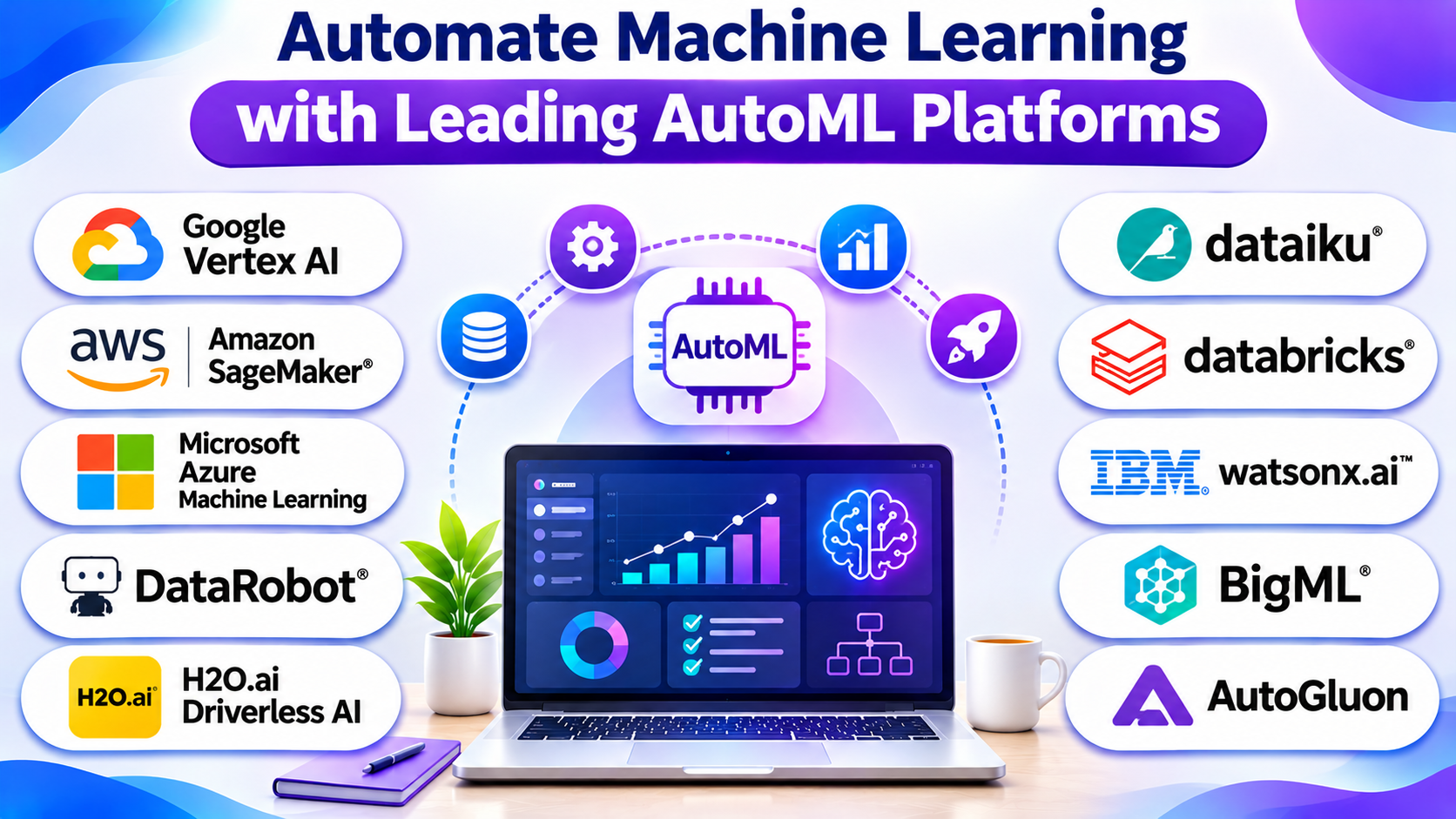
This guide explores ten leading AutoML platforms. It explains their main features, Pros and Cons, and common uses. A comparison table and selection guide will help you find a suitable platform.
Top 10 AutoML Platforms
1. Google Vertex AI AutoML
Google Vertex AI provides managed machine learning services for building and training models. Its AutoML capabilities help teams create models without managing every training step manually.
The platform supports several machine learning tasks. These include classification, regression, and work with image, text, and other data types, depending on the workflow.
Vertex AI automates important tasks such as data preparation, model training, and hyperparameter tuning. It can also help teams compare model results and move suitable models into production.
One major strength is its connection with Google Cloud services. Teams can use its data, computing, and machine learning tools within one cloud environment.
Vertex AI suits businesses that already use Google Cloud. It also helps teams that need managed machine learning workflows and scalable infrastructure.
Key Features
- Managed AutoML workflows.
- Classification and regression support.
- Automated model training.
- Hyperparameter tuning.
- Support for different data types and tasks.
- Model evaluation tools.
- Integration with Google Cloud services.
- Model deployment and lifecycle management.
Pros
- Provides managed machine learning workflows.
- Reduces manual model development work.
- Integrates with Google Cloud services.
- Supports scalable computing.
- Offers tools for model evaluation.
- Helps teams move models toward production.
Cons
- Works best within the Google Cloud ecosystem.
- Cloud computing costs can grow with usage.
- Advanced workflows require technical knowledge.
- Users must understand supported data types and service limits.
2. Amazon SageMaker Autopilot
Amazon SageMaker Autopilot automates important stages of machine learning development. It helps users prepare data, select algorithms, train models, and tune model settings.
The platform examines the supplied dataset and identifies suitable machine learning approaches. It then creates and evaluates model candidates.
Autopilot can also generate notebooks that show parts of the automated process. This gives developers more visibility into data preparation and model selection.
Amazon SageMaker provides deployment options for trained models. Teams can use real-time endpoints or batch inference, depending on their application.
Amazon SageMaker Canvas offers a visual, no-code experience for users who prefer a graphical interface. It supports tasks such as data preparation, model training, and predictions.
This platform suits organizations that already use AWS. It also helps developers who want automated model building with access to deeper technical controls.
Key Features
- Automated data analysis and preparation.
- Algorithm selection.
- Model training and evaluation.
- Hyperparameter optimization.
- Model candidate comparison.
- Generated notebooks for supported workflows.
- Real-time and batch inference options.
- Integration with AWS services.
Pros
- Automates several machine learning tasks.
- Supports both visual and code-based workflows.
- Offers model evaluation reports.
- Integrates with the AWS ecosystem.
- Supports deployment options.
- Provides visibility into parts of model development.
Cons
- AWS knowledge helps users manage the platform.
- Costs depend on computing and storage usage.
- Some workflows need technical configuration.
- The interface and features may vary across SageMaker experiences.
3. Microsoft Azure Automated Machine Learning
Microsoft Azure Automated Machine Learning, also called Azure AutoML, helps users build machine learning models with less manual effort.
The platform tests different algorithms and settings. It creates multiple training pipelines and compares their results.
Azure AutoML supports common tasks such as classification, regression, and forecasting. It also supports certain computer vision and natural language processing workflows.
Users can work through the Azure Machine Learning interface or use Python tools. This gives both business teams and developers ways to manage experiments.
Azure Machine Learning also offers model management, deployment, and responsible AI tools. Teams can use these features to review model behavior and manage machine learning projects.
The platform suits organizations that use Microsoft Azure and related services. It is also useful for teams that want automated model training within a wider machine learning environment.
Key Features
- Automated algorithm selection.
- Automated feature selection.
- Hyperparameter tuning.
- Classification and regression.
- Time-series forecasting.
- Support for selected vision and language tasks.
- Python SDK and visual workflows.
- Model evaluation and deployment tools.
Pros
- Automates repeated model development tasks.
- Supports code-based and visual workflows.
- Integrates with Azure services.
- Provides several machine learning task options.
- Offers tools for model evaluation.
- Supports wider machine learning lifecycle management.
Cons
- Azure experience helps users work efficiently.
- Advanced configuration can take time.
- Cloud costs depend on resource usage.
- Some features have task-specific requirements.
4. DataRobot
DataRobot is an enterprise AI platform with automated machine learning capabilities. It helps organizations build, evaluate, deploy, and manage predictive models.
The platform automates tasks such as data preparation, feature engineering, model selection, and hyperparameter tuning. It can compare several model candidates and help users understand their results.
DataRobot also focuses on model explainability and governance. These features help organizations review how models make predictions and manage risks.
Teams can use the platform for business forecasting, fraud detection, customer analysis, risk assessment, and other predictive tasks.
DataRobot suits organizations that need a managed environment for enterprise machine learning. It can also help teams bring business users and data scientists into shared workflows.
Key Features
- Automated model development.
- Automated feature engineering.
- Model comparison and evaluation.
- Hyperparameter optimization.
- Model explainability.
- Model deployment options.
- Governance and monitoring capabilities.
- Collaboration for data science teams.
Pros
- Automates many model development steps.
- Offers tools for model explanation.
- Supports enterprise machine learning workflows.
- Helps teams compare model candidates.
- Provides model management capabilities.
- Supports collaboration across teams.
Cons
- Enterprise deployments may require a large budget.
- Advanced features need training.
- Integration work may be needed for some systems.
- Users should review deployment and licensing options carefully.
5. H2O.ai Driverless AI
H2O.ai Driverless AI is an automated machine learning platform designed to speed up predictive model development.
It automates several important tasks. These include data visualization, feature engineering, model selection, and hyperparameter tuning.
One of its strengths is automated feature engineering. The platform can create and test new features to help improve model performance.
Driverless AI also provides model documentation and explainability features. These help teams understand the model development process and review prediction factors.
The platform supports business applications such as fraud detection, customer analytics, risk modeling, and forecasting.
Driverless AI suits data science teams that need advanced AutoML capabilities. It is especially useful when teams want automation but still need visibility into model development.
Key Features
- Automated feature engineering.
- Automated model selection.
- Hyperparameter tuning.
- Model evaluation.
- Model explainability.
- Automated model documentation.
- Scoring pipelines.
- Support for enterprise predictive analytics.
Pros
- Automates complex feature engineering tasks.
- Helps compare and tune models.
- Provides model documentation.
- Offers explainability capabilities.
- Supports enterprise predictive modeling.
- Helps reduce manual experimentation.
Cons
- Advanced features may require data science knowledge.
- Infrastructure needs depend on workload size.
- Enterprise licensing can be costly.
- Teams may need time to learn its configuration options.
6. Dataiku
Dataiku is an enterprise data and AI platform with automated machine learning capabilities. It helps teams prepare data, build models, and manage machine learning workflows.
Its visual interface allows users to create data pipelines and machine learning projects. Users can also write code when they need more control.
Dataiku’s AutoML engine can analyze datasets and test different model settings. It helps select features, handle data, compare algorithms, and tune model parameters.
The platform supports collaboration between data scientists, analysts, and business teams. This makes it useful for organizations where several roles contribute to AI projects.
Dataiku suits companies that want a shared environment for data preparation, analytics, and machine learning. It also supports teams that need both visual and code-based development.
Key Features
- Visual data preparation.
- Automated machine learning.
- Feature handling and selection.
- Algorithm selection.
- Hyperparameter optimization.
- Model evaluation.
- Custom model development.
- Team collaboration and governance features.
Pros
- Combines data preparation and machine learning.
- Supports visual and code-based workflows.
- Helps teams collaborate.
- Offers automated model development.
- Provides control over training settings.
- Supports wider data science projects.
Cons
- The platform has many features to learn.
- Large projects need careful workflow management.
- Enterprise deployment may require planning.
- Some advanced features need technical skills.
7. Databricks AutoML
Databricks AutoML helps users build machine learning models using data stored in the Databricks environment.
Users provide a dataset and select a machine learning problem. AutoML then prepares the data, trains models, tunes parameters, and compares results.
It supports common tasks such as classification, regression, and forecasting. The platform can also generate notebooks that show the source code behind supported experiments.
These notebooks help developers review, reproduce, and modify model workflows. This provides more transparency than a fully hidden automated process.
Databricks AutoML works within the wider Databricks machine learning ecosystem. Teams can connect their experiments with data engineering, MLflow, and model lifecycle tools.
It suits organizations that already use the Databricks lakehouse platform. It is also useful for teams that want to build models close to their existing data.
Key Features
- Automated data preparation.
- Automated model selection.
- Hyperparameter tuning.
- Classification and regression.
- Forecasting support.
- Generated trial notebooks.
- Integration with MLflow.
- Connection with Databricks data workflows.
Pros
- Works close to data in Databricks.
- Automates model training and tuning.
- Generates notebooks for review.
- Supports several common machine learning tasks.
- Connects with MLflow workflows.
- Helps teams reuse existing data infrastructure.
Cons
- Works best within the Databricks environment.
- Supported compute settings must be checked.
- Large experiments can use significant resources.
- Users may need Spark and Databricks knowledge.
8. IBM watsonx.ai AutoAI
IBM watsonx.ai AutoAI helps users automate model development and experiment with different machine learning pipelines.
AutoAI analyzes supplied data and tests different algorithms, transformations, and parameter settings. It creates candidate pipelines and ranks them on a leaderboard.
Users can review the results and select a suitable model. This makes it easier to compare different approaches without building every pipeline manually.
AutoAI supports machine learning workflows for structured data. It also connects with the wider IBM watsonx.ai environment for model development and deployment.
Organizations can use it for risk analysis, forecasting, customer insights, and other predictive applications.
IBM watsonx.ai AutoAI suits businesses that want automated machine learning within an enterprise AI environment. It can be useful for teams that value experiment tracking and model comparison.
Key Features
- Automated data analysis.
- Automated pipeline creation.
- Algorithm selection.
- Data transformation.
- Hyperparameter optimization.
- Model candidate leaderboard.
- Experiment comparison.
- Integration with IBM watsonx.ai.
Pros
- Automates several model development steps.
- Creates and ranks candidate pipelines.
- Makes model comparison easier.
- Integrates with IBM’s AI environment.
- Helps reduce repetitive experimentation.
- Supports enterprise machine learning workflows.
Cons
- Users need to understand supported data formats.
- Advanced workflows may require IBM platform knowledge.
- Service limits can affect experiment size.
- Some organizations may need extra integration work.
9. BigML
BigML is a machine learning platform that helps users build predictive models through visual tools and APIs.
The platform supports a range of machine learning tasks. These include classification, regression, clustering, anomaly detection, and time-series forecasting.
BigML provides guided workflows for preparing data and creating models. Its visual interface helps users explore datasets and understand model results.
Users can also work with the platform through APIs. This makes it useful for developers who want to connect machine learning models with applications.
BigML supports model evaluation and prediction workflows. Teams can use it for customer analysis, business forecasting, risk prediction, and operational analytics.
It suits small businesses, analysts, and developers who want an accessible way to explore machine learning without building every model from scratch.
Key Features
- Visual machine learning workflows.
- Classification and regression.
- Clustering and anomaly detection.
- Time-series forecasting.
- Model evaluation.
- Data visualization.
- API access.
- Predictive model deployment options.
Pros
- Offers an approachable visual interface.
- Supports several machine learning tasks.
- Provides API access for developers.
- Helps users explore data and predictions.
- Supports quick model experiments.
- Can serve both analysts and technical users.
Cons
- Advanced users may need more customization.
- Large projects require careful resource planning.
- Some workflows may need API knowledge.
- Teams should review current pricing and usage limits.
10. AutoGluon
AutoGluon is an open-source AutoML toolkit developed by Amazon. It helps developers train accurate machine learning models with relatively little code.
The toolkit supports tabular, image, text, multimodal, and time-series data through its different modules.
AutoGluon can automatically train and compare several models. It also uses model ensembling, which combines predictions from multiple models to improve results.
Developers can use its Python interface to build machine learning workflows. They can also choose presets to balance training time, model quality, and computing needs.
AutoGluon is especially useful for developers and data scientists who want open-source AutoML tools. It offers more control than many visual-only platforms, but users need Python skills.
Key Features
- Automated model training.
- Tabular data modeling.
- Image and text support.
- Time-series forecasting.
- Model ensembling.
- Automated model selection.
- Python API.
- Configurable training presets.
Pros
- Open-source toolkit.
- Supports several data types.
- Offers automated model selection.
- Uses model ensembling.
- Provides flexible Python workflows.
- Helps developers build models quickly.
Cons
- Requires Python programming knowledge.
- Computing needs depend on dataset and model size.
- Advanced customization takes technical skill.
- Some model options require extra dependencies.
Comparison of the Top 10 AutoML Platforms
| Platform | Best For | Main Strength | Technical Level |
|---|---|---|---|
| Google Vertex AI AutoML | Google Cloud users | Managed AutoML workflows | Beginner to Advanced |
| Amazon SageMaker Autopilot | AWS users | Automated model building and deployment | Intermediate |
| Azure Automated ML | Microsoft ecosystem users | Automated experiments and Azure integration | Beginner to Advanced |
| DataRobot | Enterprise AI teams | Automated modeling and governance | Beginner to Advanced |
| H2O.ai Driverless AI | Advanced predictive modeling | Automated feature engineering | Intermediate to Advanced |
| Dataiku | Collaborative data science teams | Visual and code-based workflows | Beginner to Advanced |
| Databricks AutoML | Lakehouse and data engineering teams | Model development close to data | Intermediate |
| IBM watsonx.ai AutoAI | Enterprise AI projects | Automated pipeline generation and ranking | Intermediate |
| BigML | Analysts and smaller teams | Visual machine learning workflows | Beginner to Intermediate |
| AutoGluon | Python developers and data scientists | Open-source automated modeling | Intermediate |
Important Features to Look for in an AutoML Platform
1. Automated Data Preparation
Data preparation can take a large part of a machine learning project. Look for tools that help handle missing values, clean data, and prepare features.
2. Feature Engineering
Feature engineering creates useful inputs for machine learning models. Good AutoML platforms can automate some of this work and help users test different features.
3. Algorithm Selection
Different algorithms suit different problems. Choose a platform that can test suitable algorithms and compare their results.
4. Hyperparameter Optimization
Hyperparameters control how a model learns. AutoML tools can test different settings and help find useful configurations.
5. Model Evaluation
A platform should provide clear evaluation metrics. Look for support for accuracy, precision, recall, F1 score, and other relevant measures.
6. Model Explainability
Model explainability helps users understand why a model makes certain predictions. This matters in areas such as finance, healthcare, and risk management.
7. Model Deployment
Building a model is only one part of the process. Check whether the platform supports APIs, batch predictions, or real-time deployment.
8. Model Monitoring
Models can lose accuracy when real-world data changes. Look for tools that help track performance, data drift, and prediction quality.
9. Integration Options
Your AutoML platform should work with your data sources and business systems. Check support for databases, cloud storage, APIs, and analytics tools.
10. Security and Governance
Business models may use sensitive data. Review access controls, encryption, audit logs, data handling, and model governance features.
Benefits of Using AutoML Platforms
Faster Model Development
AutoML automates repeated tasks such as algorithm selection and parameter tuning. This helps teams build models faster.
Less Manual Coding
Visual interfaces and automated workflows reduce the need to write every step manually. This can help analysts and business users participate in machine learning projects.
Better Experimentation
AutoML can test several model candidates. Teams can compare results and select a model that meets their needs.
Improved Productivity
Data scientists can spend more time on business problems and model review. Automation can reduce time spent on repetitive tasks.
Support for More Users
Some platforms offer no-code or low-code interfaces. These tools help more people explore machine learning.
Consistent Workflows
Automated processes can help teams follow repeatable steps. This makes experiments easier to review and reproduce.
Easier Model Comparison
AutoML platforms often provide leaderboards and evaluation reports. These features help users compare candidate models.
Scalable Machine Learning
Cloud-based platforms can provide computing resources for larger workloads. Teams can scale experiments based on their needs.
Common Challenges of AutoML Platforms
1. Poor Data Quality
AutoML cannot fix every data problem. Incorrect labels, missing values, and biased data can affect model results.
How to address it: Review and clean datasets before training. Check data quality throughout the project.
2. Limited Customization
Some platforms restrict access to advanced model settings. This can affect projects with unusual requirements.
How to address it: Choose a platform that supports custom code and manual configuration when needed.
3. High Computing Costs
Automated experiments may train many models. This can increase cloud and infrastructure costs.
How to address it: Set experiment limits. Track resource use and stop unnecessary training jobs.
4. Model Explainability
Some automated models can be difficult to understand. This can create problems in regulated or high-risk applications.
How to address it: Choose tools with explainability reports. Review model behavior before using predictions.
5. Overfitting
A model may perform well on training data but poorly on new data.
How to address it: Use proper validation methods and test models on unseen data.
6. Vendor Lock-In
Some AutoML platforms connect deeply with one cloud provider. Moving models and workflows elsewhere may take extra effort.
How to address it: Review model export options, APIs, and deployment flexibility before choosing.
7. Skill Gaps
AutoML reduces manual work but does not remove the need for machine learning knowledge.
How to address it: Train teams in data quality, evaluation metrics, model risks, and deployment practices.
How to Choose the Right AutoML Platform
Step 1: Define Your Business Goal
Decide what you want to predict or automate. Examples include customer churn, sales forecasting, fraud detection, and demand planning.
Step 2: Understand Your Data
Check whether your data is tabular, text, image, audio, or time-series data. Select a platform that supports your data type.
Step 3: Review Your Team’s Skills
Some platforms offer visual interfaces. Others require Python, SQL, or cloud knowledge.
Choose a tool that matches your team’s skills and learning goals.
Step 4: Check Automation Features
Compare data preparation, feature engineering, algorithm selection, and hyperparameter tuning. Make sure the platform automates the steps your team needs.
Step 5: Review Model Explainability
Check whether the platform explains predictions and provides useful reports. This is important for projects that affect customers or business decisions.
Step 6: Evaluate Deployment Options
Find out how the platform moves models into production. Check support for APIs, batch predictions, and cloud deployment.
Step 7: Check Integrations
Review compatibility with your databases, cloud services, analytics tools, and business applications.
Step 8: Compare Security Features
Check user permissions, data protection, audit logs, and governance controls. Make sure the platform meets your organization’s requirements.
Step 9: Estimate Total Costs
Consider licenses, computing, storage, deployment, and support costs. Run a small test to understand likely resource use.
Step 10: Test Before Buying
Use a real business dataset for a pilot project. Compare model quality, ease of use, speed, and deployment effort before making a decision.
Best Practices for Using AutoML Platforms
- Start with a clear business problem.
- Use clean and relevant datasets.
- Check data quality before training.
- Select evaluation metrics that match the business goal.
- Compare several model candidates.
- Review model explanations.
- Test models with unseen data.
- Track experiments and model versions.
- Set limits for computing resources.
- Protect sensitive business information.
- Monitor deployed models.
- Review model performance regularly.
- Document important decisions.
- Keep human experts involved in high-risk decisions.
- Retrain models when data patterns change.
Frequently Asked Questions
1. What is an AutoML platform?
An AutoML platform automates parts of machine learning development. It helps users prepare data, select algorithms, train models, tune settings, and evaluate results.
2. What does AutoML stand for?
AutoML stands for Automated Machine Learning. It uses automation to reduce repetitive work in building machine learning models.
3. Which AutoML platform is best?
The best platform depends on your needs. Vertex AI suits Google Cloud users. SageMaker Autopilot fits AWS workflows. Azure AutoML supports Microsoft environments. DataRobot and H2O.ai offer strong enterprise modeling capabilities.
4. Can beginners use AutoML platforms?
Yes. Many platforms offer visual interfaces and guided workflows. Beginners can build basic models without writing large amounts of code.
5. Does AutoML replace data scientists?
No. AutoML automates repetitive tasks, but data scientists still need to review data, select business metrics, evaluate results, and manage model risks.
6. What tasks can AutoML automate?
AutoML can automate data preparation, feature selection, algorithm selection, model training, hyperparameter tuning, and model evaluation. The exact features depend on the platform.
7. Is AutoML useful for small businesses?
Yes. AutoML can help small businesses explore forecasting, customer analysis, and other predictive tasks. They should compare platform costs and technical requirements.
8. What is the difference between AutoML and traditional machine learning?
Traditional machine learning often requires users to handle more steps manually. AutoML automates many of these tasks while still allowing human review and control.
9. Can AutoML work with large datasets?
Yes. Many cloud-based AutoML platforms support large datasets. However, data limits and computing needs vary by product and workflow.
10. Is AutoML suitable for deep learning?
Some AutoML platforms support deep learning and advanced neural network tasks. Others focus mainly on tabular data and traditional machine learning algorithms.
11. Can AutoML models be deployed into production?
Yes. Many platforms provide deployment options such as APIs, endpoints, and batch prediction workflows. Teams should test models before production use.
12. Is AutoML free?
Some open-source tools, such as AutoGluon, are free to use. Commercial platforms may charge for licenses, cloud resources, storage, or model training.
13. What is the difference between AutoML and MLOps?
AutoML automates parts of model development. MLOps manages the wider machine learning lifecycle, including deployment, monitoring, versioning, and ongoing maintenance.
14. Can AutoML prevent model bias?
No platform can guarantee unbiased results. Some tools provide bias checks and explainability features, but teams must review data and model outcomes carefully.
15. What should businesses check before selecting an AutoML tool?
Businesses should review data support, automation features, model quality, explainability, security, deployment, integrations, and total cost.
Final Thoughts
AutoML platforms make machine learning easier to build and manage. They reduce repetitive work and help teams test different models with less manual effort.
Google Vertex AI, Amazon SageMaker Autopilot, and Azure Automated ML offer managed cloud workflows. DataRobot and H2O.ai Driverless AI focus on advanced predictive modeling. Dataiku and Databricks help teams connect machine learning with wider data workflows.
IBM watsonx.ai AutoAI provides automated pipeline creation. BigML offers visual machine learning tools, while AutoGluon gives Python developers an open-source option.
No single platform suits every organization. Compare your data, team skills, budget, security needs, and deployment goals before making a choice.
Start with a small pilot project. Test the platform with real data and review its results. The right AutoML solution should help your team build useful models while keeping people involved in important decisions.