Introduction
Businesses depend on accurate data to make good decisions. They use customer, product, supplier, employee, and location records every day.
But this information often lives in many different systems. One system may show an old address, while another stores a new one. Teams may also create duplicate customer or product records.
These problems can lead to poor reports, delayed work, and unhappy customers.
Master Data Management (MDM) tools help solve these issues. They bring important business records together and create a trusted view of each entity. This trusted record is often called a golden record.
MDM platforms also help teams clean data, remove duplicates, manage changes, and share approved records across business systems.
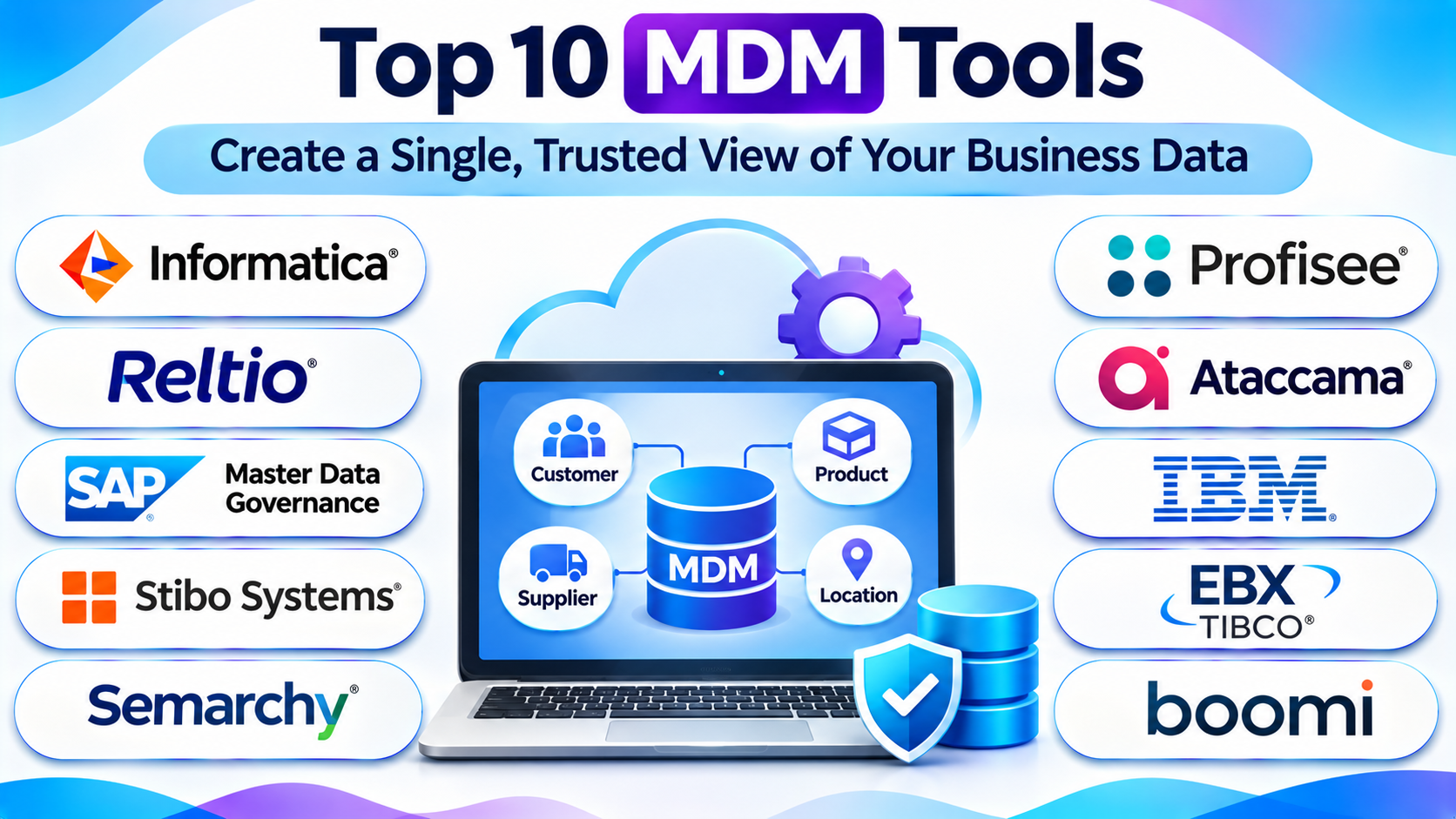
This guide explores ten MDM tools. It covers their main features, Pros and Cons, and the types of organizations they support.
Top 10 Master Data Management Tools
1. Informatica Master Data Management
Best for: Large organizations that manage data across many business areas
Informatica Master Data Management helps large businesses create and manage trusted master records. It supports important data areas such as customers, products, suppliers, and other business entities.
The platform brings information together from different applications and databases. It helps teams match records, identify duplicates, and create reliable golden records.
Informatica also offers data quality, governance, and metadata capabilities. These features help teams check data accuracy and understand how information moves across systems.
Its matching and merging features help identify records that refer to the same person, product, or organization. Teams can then apply rules to decide which values should appear in the trusted record.
Data stewards can review records, correct problems, and manage approval workflows. This helps businesses maintain consistent information across departments.
Informatica suits enterprises with complex data environments and large MDM programs. Its broad feature set can support several business domains within one data management strategy.
Key Features
- Multi-domain master data management.
- Customer and supplier data management.
- Product data management.
- Record matching and merging.
- Golden record creation.
- Data quality management.
- Data governance workflows.
- Data stewardship tools.
- Data integration.
- Metadata management.
Pros
- Supports several master data domains.
- Offers broad data quality capabilities.
- Helps create trusted golden records.
- Supports complex enterprise environments.
- Connects data management with governance.
- Provides extensive integration options.
Cons
- Implementation can take time.
- Advanced configuration may need specialists.
- Licensing can be costly.
- Large deployments require careful planning.
2. Reltio Data Cloud
Best for: Cloud-first businesses that need connected customer and business data
Reltio Data Cloud provides a cloud-native approach to master data management. It helps organizations connect information from different applications and build trusted records.
The platform supports customer, product, supplier, and other business data. It uses matching, merging, and data quality capabilities to identify related records and reduce duplication.
Reltio also provides relationship views. These help teams understand connections between customers, companies, products, and other entities.
Its real-time data capabilities help businesses keep information updated across connected systems. This can support customer service, sales, marketing, and analytics teams.
Reltio is useful for organizations that want a shared view of business entities across cloud applications. It can also help teams make better use of connected data.
Key Features
- Cloud-native MDM.
- Multi-domain data management.
- Customer 360 capabilities.
- Entity matching and merging.
- Golden record management.
- Relationship visualization.
- Real-time data integration.
- Data quality management.
- Data governance.
- API-based connectivity.
Pros
- Designed for cloud environments.
- Connects data from many systems.
- Supports multiple data domains.
- Provides useful relationship views.
- Helps reduce duplicate records.
- Supports real-time data sharing.
Cons
- Cloud-first design may not suit every deployment.
- Complex integrations need planning.
- Advanced features may require training.
- Costs depend on the required scale and services.
3. SAP Master Data Governance
Best for: Organizations that run SAP business applications
SAP Master Data Governance helps organizations manage important business information across SAP systems and connected applications.
It supports data domains such as business partners, products, suppliers, customers, and financial information. Teams can define rules for creating, changing, and approving master records.
The platform provides workflows for data requests and approvals. This helps organizations control who can create or update important information.
SAP MDG also supports data validation and consolidation. These features help teams find inconsistencies and maintain reliable records.
Organizations that already use SAP ERP or SAP S/4HANA may find it easier to connect SAP MDG with their existing processes.
It is especially useful for companies that want to manage master data through established business workflows.
Key Features
- Centralized master data governance.
- Customer and supplier data management.
- Product data management.
- Financial master data management.
- Data validation rules.
- Approval workflows.
- Data consolidation.
- Duplicate detection.
- Change request management.
- SAP system integration.
Pros
- Strong fit for SAP environments.
- Supports controlled approval workflows.
- Covers important business data domains.
- Helps standardize master records.
- Supports data validation.
- Connects governance with business processes.
Cons
- Works best within SAP-focused environments.
- Implementation can be complex.
- Configuration may require SAP specialists.
- Non-SAP integrations need planning.
4. Stibo Systems STEP
Best for: Retailers, manufacturers, and businesses with complex product data
Stibo Systems STEP is a master data management platform with strong product information management capabilities.
It helps organizations manage product, supplier, customer, and other business information. Teams can create consistent records and share approved information across connected systems.
STEP supports product hierarchies, relationships, classifications, and data workflows. These capabilities help businesses organize large product catalogs.
For example, a retailer can manage product names, descriptions, sizes, images, and supplier details in one controlled environment. Teams can then share consistent product information with websites, stores, and sales channels.
The platform also supports data quality and governance processes. These features help teams maintain accurate information as products and business needs change.
Stibo Systems suits organizations with large product catalogs and complex data relationships.
Key Features
- Multi-domain master data management.
- Product information management.
- Supplier data management.
- Product hierarchies and classifications.
- Data validation.
- Workflow management.
- Data quality controls.
- Data relationship management.
- Multi-channel data distribution.
- Governance capabilities.
Pros
- Strong product data capabilities.
- Supports complex product catalogs.
- Helps manage supplier information.
- Provides flexible data models.
- Supports business workflows.
- Helps distribute consistent product data.
Cons
- Advanced setup can be demanding.
- Large implementations need planning.
- Users may need training.
- Costs may be high for smaller businesses.
5. Semarchy Data Platform
Best for: Organizations that want flexible multi-domain MDM
Semarchy provides master data management and data integration capabilities through its data platform.
Its MDM capabilities help organizations manage customer, product, supplier, and other business records. Teams can combine information from different sources and create trusted golden records.
Semarchy supports data matching, merging, validation, and enrichment. These features help improve the quality of master data.
The platform also provides workflows for data stewardship. Users can review records, correct information, and approve changes through controlled processes.
Organizations can choose deployment options that fit their technical environment. This flexibility can help businesses with cloud, hybrid, or self-managed requirements.
Semarchy suits teams that want to build an MDM solution around their own data models and business rules.
Key Features
- Multi-domain MDM.
- Data integration.
- Record matching and merging.
- Golden record management.
- Data quality controls.
- Data enrichment.
- Data stewardship workflows.
- Flexible data modeling.
- Data governance.
- Cloud and self-managed deployment options.
Pros
- Supports flexible data models.
- Covers multiple business domains.
- Combines integration and MDM capabilities.
- Helps manage golden records.
- Offers stewardship workflows.
- Provides deployment flexibility.
Cons
- Complex models need careful design.
- Implementation requires planning.
- Advanced features may need training.
- Integration work can take time.
6. Profisee Master Data Management
Best for: Microsoft-focused organizations
Profisee provides master data management for organizations that use Microsoft technologies and cloud services.
It helps teams connect data from different systems and create consistent master records. The platform supports customer, product, supplier, location, and other business domains.
Profisee includes matching and merging features. These help teams identify duplicate records and combine information into trusted records.
Its data stewardship tools help users review and approve changes. Teams can also apply data quality rules to improve record accuracy.
Profisee works with Microsoft-focused data environments, including Azure and Microsoft Fabric-related services. This makes it a useful option for organizations that want MDM within their wider Microsoft data strategy.
Key Features
- Multi-domain MDM.
- Golden record management.
- Data matching and merging.
- Data quality rules.
- Data stewardship workflows.
- Data governance.
- Microsoft ecosystem integration.
- Data relationship management.
- Workflow automation.
- API connectivity.
Pros
- Strong fit for Microsoft environments.
- Supports multiple data domains.
- Helps create trusted records.
- Provides useful stewardship tools.
- Supports data quality controls.
- Connects with wider data platforms.
Cons
- Microsoft-focused organizations may gain the most value.
- Complex projects need planning.
- Integration needs vary by source system.
- Enterprise features may require specialist support.
7. Ataccama ONE
Best for: Businesses that want MDM and data quality together
Ataccama ONE combines data management, data quality, governance, and master data management capabilities.
Its MDM features help organizations bring records together and create trusted master data. Teams can manage customers, products, suppliers, and other business entities.
Ataccama supports data profiling, validation, matching, and merging. These features help teams identify incomplete, incorrect, and duplicate records.
The platform also connects master data with data quality rules. This helps organizations check information before they use or share it.
Its governance capabilities support data ownership, policies, and stewardship. Teams can use these features to maintain consistent data practices across departments.
Ataccama ONE suits businesses that want a connected approach to data quality and MDM.
Key Features
- Master data management.
- Data quality management.
- Data profiling.
- Record matching and merging.
- Golden record creation.
- Data governance.
- Data stewardship.
- Data enrichment.
- Data validation.
- Integration with enterprise data systems.
Pros
- Combines MDM and data quality.
- Helps identify poor-quality records.
- Supports data governance.
- Provides matching and merging features.
- Supports several data domains.
- Helps teams maintain consistent data.
Cons
- Broad capabilities can require training.
- Implementation needs careful planning.
- Complex data models may need specialist skills.
- Costs depend on the required platform scope.
8. IBM Master Data Management
Best for: Large enterprises with complex and regulated data needs
IBM Master Data Management helps organizations manage important business records across different systems.
It supports master data domains such as customers, suppliers, products, and other business entities. Teams can use matching and merging capabilities to identify duplicate information.
IBM MDM helps build trusted records and manage relationships between entities. This can give teams a more complete view of customers and business partners.
The platform also supports data governance and stewardship processes. These features help organizations control how teams create, update, and use master data.
IBM’s wider data and AI ecosystem can help organizations connect MDM with analytics and other enterprise data services.
IBM MDM suits businesses that need flexible data management across complex technology environments.
Key Features
- Enterprise master data management.
- Customer and party data management.
- Multi-domain data support.
- Record matching and merging.
- Golden record management.
- Data relationship management.
- Data governance.
- Data stewardship.
- Integration capabilities.
- Cloud and hybrid deployment options.
Pros
- Supports complex enterprise environments.
- Helps manage important business entities.
- Provides matching and merging capabilities.
- Supports governance processes.
- Offers flexible deployment choices.
- Fits large data management programs.
Cons
- Implementation can be demanding.
- Technical configuration may need specialists.
- Licensing and support costs require review.
- Large deployments need ongoing maintenance.
9. TIBCO EBX (ON EBX)
Best for: Organizations that need flexible data models and governance
EBX is a master data management and data governance platform known for its model-driven approach.
It helps organizations manage master data, reference data, and metadata. Teams can define data models that reflect their business structures and relationships.
EBX supports workflows for data creation, review, approval, and change management. These features help organizations control how important records change over time.
The platform can manage several data domains within one environment. It also supports hierarchies and relationships that help teams organize complex business information.
EBX suits organizations that need flexible data models and controlled governance processes. Its current product and ownership arrangements should be checked during procurement.
Key Features
- Multi-domain master data management.
- Reference data management.
- Metadata management.
- Flexible data modeling.
- Data hierarchies.
- Workflow automation.
- Data validation.
- Data governance.
- Change management.
- Data relationship management.
Pros
- Supports flexible data models.
- Manages master and reference data.
- Provides workflow capabilities.
- Supports complex hierarchies.
- Helps control data changes.
- Fits varied business requirements.
Cons
- Model design requires planning.
- Advanced configuration may need specialists.
- Large projects can take time.
- Users may need training.
10. Boomi Data Hub
Best for: Businesses that want to connect master data with application integration
Boomi Data Hub helps organizations create and manage trusted data across connected applications.
It supports master data management by bringing records together from different systems. Teams can identify duplicates, apply matching rules, and create consistent records.
Boomi also connects MDM with its broader integration platform. This helps organizations move approved master data between applications and business services.
Data stewardship features allow users to review records and manage changes. This helps keep information consistent across connected systems.
Boomi Data Hub suits organizations that already use Boomi for application integration or want MDM closely connected with integration workflows.
Key Features
- Master data management.
- Data matching and merging.
- Golden record management.
- Data stewardship.
- Application integration.
- Data synchronization.
- Data quality controls.
- Record management.
- Workflow support.
- API-based connectivity.
Pros
- Connects MDM with integration workflows.
- Helps synchronize data across applications.
- Supports record matching.
- Provides stewardship capabilities.
- Helps reduce duplicate records.
- Fits connected application environments.
Cons
- Best fit may depend on Boomi adoption.
- Complex integrations need planning.
- Data models require careful design.
- Costs depend on platform usage and requirements.
Comparison of the Top 10 MDM Tools
| Tool | Best For | Main Strength |
|---|---|---|
| Informatica MDM | Large enterprises | Multi-domain data management |
| Reltio Data Cloud | Cloud-first businesses | Connected, real-time master data |
| SAP Master Data Governance | SAP users | Enterprise data governance |
| Stibo Systems STEP | Retail and manufacturing | Product and supplier data |
| Semarchy Data Platform | Flexible MDM projects | Custom data models and workflows |
| Profisee | Microsoft environments | Multi-domain MDM and stewardship |
| Ataccama ONE | Data quality programs | MDM with data quality |
| IBM Master Data Management | Complex enterprises | Enterprise data management |
| TIBCO EBX (ON EBX) | Flexible governance | Master, reference, and metadata management |
| Boomi Data Hub | Connected applications | MDM and application integration |
Important Features to Look for in MDM Tools
1. Golden Record Management
A golden record provides one trusted version of an important business entity. The platform combines information from different sources and applies rules to select reliable values.
2. Data Matching and Deduplication
Matching identifies records that may describe the same customer, supplier, or product. Deduplication helps remove repeated records and reduce confusion.
3. Data Quality Management
Data quality features check whether records contain correct, complete, and consistent information. They can identify missing fields, invalid values, and formatting problems.
4. Data Stewardship
Data stewards review records and manage corrections. Good stewardship tools provide clear tasks, approval steps, and ownership details.
5. Data Governance
Governance features help organizations define data policies, responsibilities, and approval rules. They also help teams maintain consistent data practices.
6. Multi-Domain Support
Businesses may need to manage customers, products, suppliers, locations, and employees. A multi-domain platform supports several types of master data in one environment.
7. Data Integration
MDM tools should connect with important business systems. These may include ERP, CRM, databases, warehouses, and e-commerce platforms.
8. Data Synchronization
Synchronization sends approved master data to connected systems. It helps departments work with consistent information.
9. Hierarchy and Relationship Management
Some business records have complex relationships. For example, a company may have many branches, suppliers, and business units. Hierarchy features help teams manage these connections.
10. Security and Audit Trails
MDM platforms should protect sensitive records. Access controls and audit logs help organizations track changes and manage data responsibly.
Benefits of Master Data Management Tools
Better Data Accuracy
MDM tools help teams find incorrect and incomplete records. They also apply rules to improve data quality.
Fewer Duplicate Records
Matching and merging features help identify repeated customer, supplier, and product information. This reduces confusion across business systems.
One Trusted Business View
Golden records provide a consistent view of important business entities. Teams can use reliable information across departments.
Improved Business Decisions
Accurate data helps managers create better reports and make informed decisions. It also improves the quality of business analysis.
Better Customer Experiences
Consistent customer information helps service and sales teams understand customer needs. It can also reduce repeated requests for information.
Stronger Data Governance
MDM tools help organizations assign data ownership and manage approval processes. This improves accountability.
Easier System Integration
Centralized master data helps connected applications share consistent records. This can reduce manual updates and data conflicts.
Improved Operational Efficiency
Teams spend less time correcting duplicate records and searching for missing information. They can focus more on important business work.
Common Challenges in Master Data Management
1. Poor Source Data
MDM tools cannot automatically solve every problem in the original data. Incorrect source records can affect the quality of golden records.
How to address it: Review source data before implementation. Set clear rules for data validation and correction.
2. Duplicate Records
Different systems may store the same entity with different names or details. This can make matching difficult.
How to address it: Define matching rules and test them with real business records. Let data stewards review uncertain matches.
3. Complex Integrations
Organizations often use many applications and databases. Connecting all these systems can take time.
How to address it: Start with important systems. Add other integrations in planned stages.
4. Lack of Data Ownership
Teams may disagree about who should manage a record. This can delay corrections and approvals.
How to address it: Assign data owners and stewards for each important domain.
5. Resistance to Change
Employees may prefer their existing tools and processes. They may also find new approval steps difficult.
How to address it: Explain the benefits of MDM and provide practical training. Involve users early in the project.
6. Complex Data Models
Different departments may use different definitions for the same business entity. This can create confusion during implementation.
How to address it: Agree on common definitions and data models before building the MDM environment.
7. High Implementation Costs
MDM projects may require software, integrations, consulting, infrastructure, and ongoing support.
How to address it: Set a clear budget and start with the most valuable data domain. Measure results before expanding.
How to Choose the Right MDM Tool
Step 1: Identify Your Business Data
List the important data your organization needs to manage. This may include customers, products, suppliers, employees, or locations.
Step 2: Define Your Main Problems
Identify issues such as duplicate records, inconsistent details, missing information, or poor data ownership.
Step 3: Choose Your MDM Approach
Decide whether you need centralized, consolidated, registry-based, or coexistence MDM. Each approach handles data storage and synchronization differently.
Step 4: Check Multi-Domain Support
Choose a platform that supports your current data needs. Also consider the domains you may add later.
Step 5: Review Matching Capabilities
Check how the tool identifies duplicate records. Test its matching rules with real data from your organization.
Step 6: Evaluate Data Quality Features
Look for validation, profiling, standardization, and enrichment capabilities. These features help maintain reliable master records.
Step 7: Check Integration Support
Confirm that the platform connects with your ERP, CRM, databases, and analytics systems.
Step 8: Review Governance and Stewardship
Check whether users can assign owners, manage approvals, and track changes. These features help maintain control over important records.
Step 9: Compare Deployment Options
Consider cloud, on-premises, and hybrid deployment needs. Choose an option that fits your security and infrastructure requirements.
Step 10: Calculate Total Cost
Review licensing, implementation, integration, training, and maintenance costs. Compare the full cost rather than only the software price.
Step 11: Run a Pilot Project
Test the platform with one important data domain. Measure matching accuracy, data quality, integration effort, and user experience.
Best Practices for Successful MDM Implementation
- Set clear goals before starting.
- Choose the most important data domain first.
- Assign owners to critical data.
- Create shared data definitions.
- Clean source records before migration.
- Set clear matching and merging rules.
- Define golden record standards.
- Use suitable data quality checks.
- Create simple approval workflows.
- Limit access to sensitive information.
- Connect important business applications.
- Train data stewards and business users.
- Monitor duplicate records.
- Review data quality regularly.
- Keep audit records of important changes.
- Document data models and policies.
- Test integrations before deployment.
- Measure business results.
- Expand to other data domains gradually.
- Review the MDM strategy as needs change.
Frequently Asked Questions
1. What is Master Data Management (MDM)?
Master Data Management is a process for managing important business information. It helps organizations create consistent records for customers, products, suppliers, employees, and other entities.
2. What do MDM tools do?
MDM tools collect, match, clean, manage, and distribute master data. They help businesses maintain trusted records across different systems.
3. What is a golden record in MDM?
A golden record is a trusted version of a business entity. It combines reliable information from different source records.
4. Why is MDM important for businesses?
MDM helps reduce duplicate records and improve data accuracy. It also supports better reporting, governance, and business decisions.
5. What are the main types of MDM?
Common MDM approaches include centralized, consolidated, registry, and coexistence models. Each approach handles master data differently.
6. Which MDM tool is best for large enterprises?
Informatica, IBM, SAP, and Stibo Systems are worth evaluating for complex enterprise needs. The right choice depends on data domains, integrations, governance, and deployment requirements.
7. Which MDM tool is best for Microsoft users?
Profisee is a strong option for organizations that use Microsoft technologies. Teams should also review its integration with their Azure and Microsoft Fabric environments.
8. What is the difference between MDM and data governance?
MDM manages trusted business records. Data governance defines the rules, ownership, responsibilities, and policies for managing information.
9. What is the difference between MDM and PIM?
MDM manages several types of business data. Product Information Management (PIM) focuses on product details, descriptions, attributes, and related content.
10. Can MDM tools remove duplicate records?
Yes. Many MDM platforms use matching and merging features to identify duplicates. Data stewards can review uncertain matches before combining records.
11. Does MDM improve data quality?
Yes. MDM tools often include validation, standardization, and matching features. These capabilities help organizations maintain accurate records.
12. Can small businesses use MDM tools?
Yes. Smaller businesses can use MDM platforms when they have important data management needs. They should choose a solution that matches their budget and technical resources.
13. How long does MDM implementation take?
The timeline depends on data volume, system complexity, integrations, and governance needs. A focused project may take less time than a large multi-domain deployment.
14. Is cloud-based MDM better than on-premises MDM?
Neither option is best for every organization. Cloud MDM can simplify infrastructure management, while on-premises deployment may suit specific control and security needs.
15. How do organizations measure MDM success?
Organizations can track duplicate rates, data accuracy, record completeness, approval times, and system adoption. These measures help show whether MDM improves business data.
Final Thoughts
Master Data Management tools help businesses build a trusted foundation for their information. They reduce duplicate records, improve data quality, and create consistent views across systems.
Informatica and IBM support complex enterprise needs. Reltio suits cloud-first data environments. SAP MDG fits organizations that rely on SAP applications.
Stibo Systems offers strong product data capabilities. Semarchy provides flexible data models, while Profisee suits Microsoft-focused teams. Ataccama combines MDM with data quality. EBX supports flexible governance, and Boomi connects master data with application integration.
The best platform depends on your data domains, existing systems, budget, and governance needs. Compare the tools carefully and test them with real business records.
Start with one important data domain. Set clear ownership and quality rules. Then expand your MDM program as your organization grows.