Introduction
Businesses collect data from many sources. They store customer, sales, product, and marketing information in data warehouses.
But teams often need this information inside their daily business applications. Sales teams need customer details in CRM systems. Marketing teams need audience data in campaign tools. Support teams need useful customer insights in service platforms.
Reverse ETL solves this problem. It moves prepared data from a data warehouse into business applications.
Unlike traditional ETL, Reverse ETL starts with data that already sits in a warehouse. It sends selected records and fields to tools that business teams use every day.
Reverse ETL platforms help organizations activate data across sales, marketing, support, and other teams. They can also support scheduled updates, audience syncing, and operational workflows.
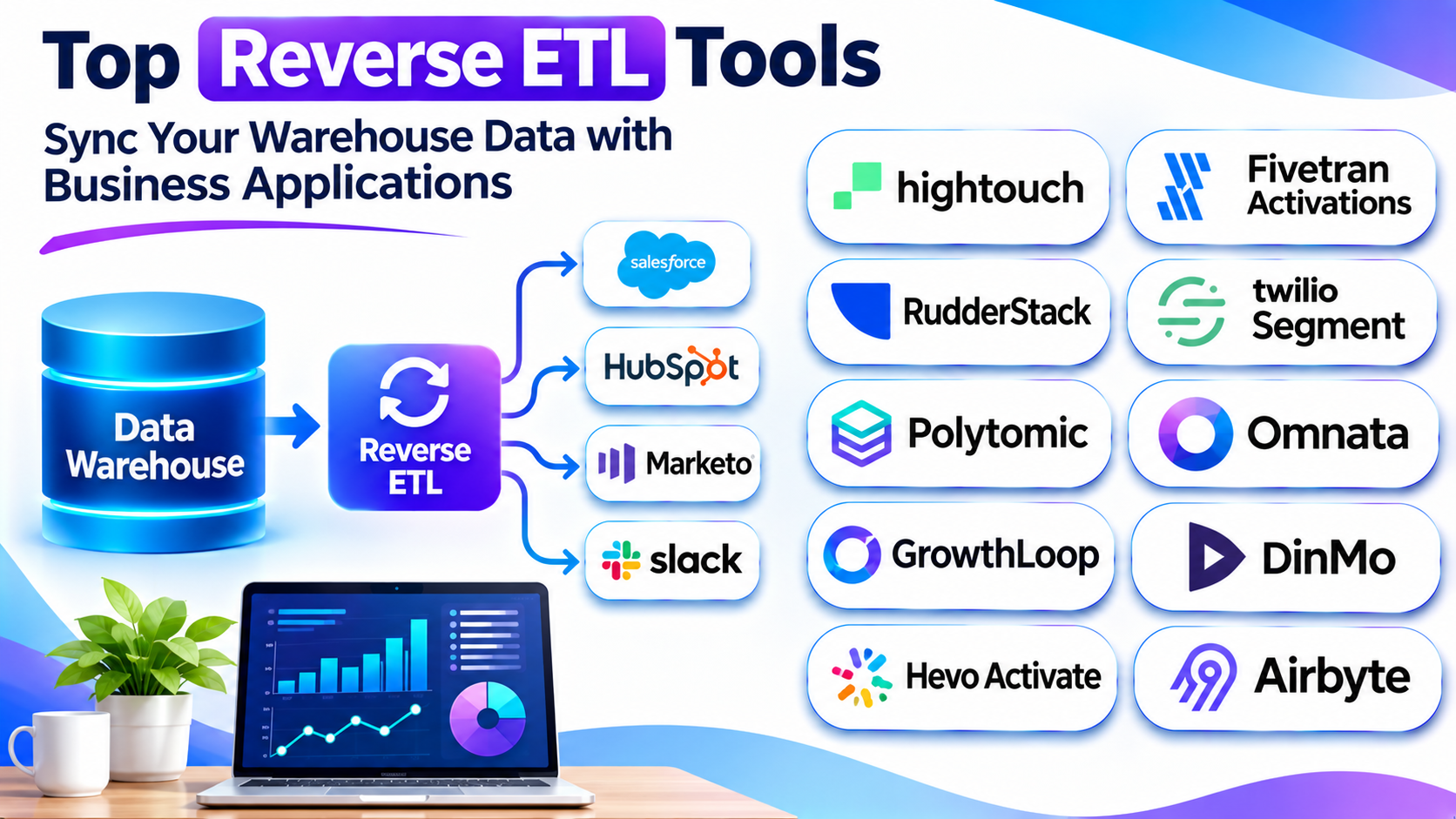
This guide covers ten leading Reverse ETL tools. It explains their main features, Pros and Cons, and best use cases. It also includes a comparison table and practical tips for choosing the right platform.
Top 10 Reverse ETL Tools
1. Hightouch
Best for: Warehouse data activation and marketing audiences
Hightouch helps businesses send warehouse data into the applications their teams use. It connects data warehouses with CRM, marketing, advertising, and customer support platforms.
Teams can use Hightouch to sync customer records, account details, lead scores, and audience lists. Its visual tools also help business users create audiences without writing complex SQL queries.
Hightouch supports warehouse-based workflows. This lets teams use prepared data models as the source for their syncs. It also offers controls for managing data access and monitoring sync activity.
The platform has expanded beyond basic Reverse ETL. Its wider customer data capabilities can help teams manage audiences and activate customer information across channels.
Key Features
- Warehouse-to-application data syncs.
- Visual audience building.
- SQL-based data modeling.
- CRM and marketing integrations.
- Customer data activation.
- Scheduled and event-driven sync options.
- Sync monitoring and error handling.
- Data access and governance controls.
- Audience management.
- Support for modern cloud data warehouses.
Pros
- Offers a user-friendly interface.
- Supports marketing and sales activation.
- Helps business teams build audiences.
- Works with warehouse-based data models.
- Provides useful sync management features.
- Supports a broad range of destinations.
Cons
- Advanced use may require SQL knowledge.
- Usage-based pricing needs careful planning.
- Complex data models require preparation.
- Teams must manage destination API limits.
2. Fivetran Activations (formerly Census)
Best for: Teams already using Fivetran
Fivetran Activations helps businesses move prepared warehouse data into operational applications. It builds on the Reverse ETL capabilities of Census, which Fivetran acquired and incorporated into its data movement platform.
Teams can use it to send customer records, product details, and business metrics to tools such as CRM and marketing platforms. This helps business users work with data from a central warehouse.
The platform supports data modeling and sync workflows. It also fits into wider Fivetran data pipelines, which can simplify operations for teams that already use its ingestion services.
Its main appeal is a connected data movement environment. Businesses can manage data ingestion and activation within a broader platform rather than maintaining separate systems.
Key Features
- Warehouse-to-application syncs.
- Reverse ETL workflows.
- Data model-based activation.
- CRM and marketing destinations.
- Integration with Fivetran data pipelines.
- Sync scheduling.
- Data mapping.
- Monitoring and error handling.
- Data governance features.
- Support for cloud data warehouses.
Pros
- Fits well with existing Fivetran workflows.
- Connects warehouse data to business applications.
- Supports reusable data models.
- Helps centralize data movement operations.
- Reduces the need for manual exports.
- Supports business data activation.
Cons
- May be less attractive to teams outside the Fivetran ecosystem.
- Pricing depends on usage and plan details.
- Advanced workflows need data engineering skills.
- Teams should review the current product packaging before choosing.
3. RudderStack
Best for: Developer-led customer data pipelines
RudderStack combines customer data infrastructure with data activation features. It helps businesses collect event data, send it to warehouses, and use prepared information in other systems.
Its Reverse ETL capabilities let teams sync warehouse data into business applications. This can include customer profiles, product activity, account information, and audience segments.
RudderStack suits engineering teams that want control over their data pipelines. It offers cloud and self-hosted options, depending on the product and deployment needs.
The platform can also connect event collection and warehouse activation. This makes it useful for organizations that want to manage more of their customer data workflow in one environment.
Key Features
- Reverse ETL data syncs.
- Customer data collection.
- Event streaming.
- Warehouse integrations.
- Cloud and self-hosted options.
- Destination connectors.
- Customer profile activation.
- Data transformation support.
- Pipeline monitoring.
- Developer-focused controls.
Pros
- Combines customer data collection and activation.
- Offers deployment flexibility.
- Fits engineering-led teams.
- Supports event-based data workflows.
- Helps connect warehouse data with business tools.
- Provides control over data pipelines.
Cons
- Requires technical knowledge for advanced workflows.
- Setup can take time.
- Teams must understand event and warehouse data models.
- Some capabilities depend on the selected plan.
4. Twilio Segment
Best for: Customer data collection and activation
Twilio Segment is a customer data platform that helps businesses collect, organize, and share customer information. Its warehouse-related features can help teams activate prepared data across connected applications.
Businesses can use Segment to collect customer events from websites, mobile apps, and other sources. They can then build customer profiles and send information to marketing, analytics, and other destinations.
Segment is broader than a dedicated Reverse ETL product. It combines customer data collection, identity-related features, and activation workflows.
It can suit organizations that already use Segment for customer data collection. These teams may prefer to extend their existing setup rather than add another platform.
Key Features
- Customer data collection.
- Event tracking.
- Customer profile management.
- Data warehouse integrations.
- Data activation workflows.
- Destination connections.
- Audience and profile synchronization.
- Data routing.
- Tracking controls.
- Customer data management.
Pros
- Combines customer data collection and activation.
- Fits existing Segment environments.
- Supports multiple business destinations.
- Helps create unified customer profiles.
- Offers tools for event management.
- Supports marketing and analytics workflows.
Cons
- Broader CDP features may add complexity.
- Pricing can grow with usage.
- Some capabilities require additional products.
- It may be more than a small team needs for simple warehouse syncs.
5. Polytomic
Best for: Flexible data synchronization between systems
Polytomic helps businesses sync data between databases, warehouses, and business applications. It supports Reverse ETL workflows as well as other forms of data synchronization.
Teams can use it to move customer records, account details, and operational information between systems. Its visual mapping tools help users define how fields should match across sources and destinations.
Polytomic can be useful when a business needs more than warehouse-to-application syncs. It also supports workflows involving databases and SaaS applications.
This flexibility can help teams connect systems without building every integration from scratch. However, users should check the connector list and sync behavior for their exact requirements.
Key Features
- Reverse ETL workflows.
- Database-to-application syncs.
- SaaS application connections.
- Visual field mapping.
- Data synchronization.
- Scheduled updates.
- Data transformation options.
- Two-way sync workflows where supported.
- Pipeline monitoring.
- Integration management.
Pros
- Supports different data synchronization patterns.
- Offers visual mapping tools.
- Can connect databases and SaaS applications.
- Helps reduce custom integration work.
- Supports operational data workflows.
- Suits teams with varied integration needs.
Cons
- Connector support varies by system.
- Complex mappings need careful testing.
- Pricing may not suit every small business.
- Teams should verify two-way sync behavior for each connector.
6. Omnata
Best for: Snowflake-centered data activation
Omnata focuses on connecting data stored in Snowflake with business applications. It helps organizations use warehouse information inside operational systems.
Teams can sync customer, account, and business data from Snowflake to connected destinations. This can reduce the need to create separate data copies and custom integration services.
Its Snowflake-centered approach may appeal to organizations that want to keep data workflows close to their warehouse environment. This can also help teams apply existing warehouse permissions and governance practices.
Omnata is especially relevant to businesses that use Snowflake as a central data platform. Organizations with other warehouse systems should check its supported environment before choosing it.
Key Features
- Snowflake-centered data activation.
- Warehouse-to-application syncs.
- Business application connections.
- Data mapping.
- Data synchronization workflows.
- Access and governance alignment.
- Operational data activation.
- Support for Snowflake-based architectures.
Pros
- Designed around Snowflake workflows.
- Helps connect warehouse data with business applications.
- Can fit existing Snowflake governance practices.
- Reduces some custom integration work.
- Suits Snowflake-focused organizations.
Cons
- Its Snowflake focus may limit its fit elsewhere.
- Destination coverage needs review.
- Complex workflows require careful planning.
- Teams should test performance with their own data.
7. GrowthLoop
Best for: Marketing teams and audience activation
GrowthLoop helps marketing teams use warehouse data to create and activate customer audiences. It connects customer data with marketing and engagement platforms.
Teams can use customer attributes, purchase history, engagement activity, and other data to build audience segments. They can then send those segments to supported destinations for campaigns and customer journeys.
GrowthLoop focuses on helping marketing teams work with data without depending on engineers for every audience request. It also supports collaboration between marketing and data teams.
The platform may suit organizations that want to connect warehouse data with marketing execution. Businesses should review its available destinations and campaign workflows before making a decision.
Key Features
- Warehouse-based audience building.
- Customer segmentation.
- Marketing data activation.
- Audience synchronization.
- Marketing destination connections.
- Customer data modeling.
- Campaign workflow support.
- Team collaboration.
- Audience management.
- Data-driven marketing operations.
Pros
- Focuses on marketing activation.
- Helps teams build customer audiences.
- Connects warehouse data with campaign tools.
- Supports collaboration between marketing and data teams.
- Reduces manual audience exports.
- Helps use customer data in campaigns.
Cons
- Its marketing focus may not suit every use case.
- Advanced data modeling may need technical support.
- Destination availability should be checked.
- Costs depend on the selected plan and usage.
8. DinMo
Best for: Customer data activation and marketing audiences
DinMo helps businesses activate customer data from their warehouses. It gives marketing and data teams tools to build audiences and send them to connected applications.
Teams can use customer profiles, transaction records, and behavioral information to create useful segments. They can then sync these audiences to advertising, CRM, and marketing platforms.
DinMo focuses on making customer data more accessible to business teams. This can help marketers use trusted warehouse information without relying on manual exports.
Its features may be useful for organizations that want to improve audience management and campaign activation. Teams should check supported destinations and warehouse compatibility for their needs.
Key Features
- Customer data activation.
- Warehouse-based audience building.
- Audience segmentation.
- Marketing destination syncs.
- Customer profile management.
- Data synchronization.
- Marketing workflow support.
- Audience management tools.
- Data access controls.
- Customer data use across channels.
Pros
- Focuses on customer audience activation.
- Helps marketing teams use warehouse data.
- Reduces manual data exports.
- Supports data-driven campaigns.
- Helps connect customer information across tools.
- Offers a business-friendly approach.
Cons
- May focus more on marketing than general operational syncs.
- Destination coverage needs checking.
- Complex warehouse models may need engineering support.
- Suitability depends on the team’s marketing stack.
9. Hevo Activate
Best for: Teams using Hevo for data pipelines
Hevo provides data integration and pipeline services. Hevo Activate extends this environment by helping teams send prepared data into business applications.
Businesses can use it to move customer and operational information from data warehouses to tools used by sales, marketing, and support teams.
Hevo’s wider platform supports data ingestion and transformation workflows. This can help teams manage data movement and activation in a connected environment.
Hevo Activate may suit organizations that want to reduce the number of separate tools in their data stack. Teams should confirm the exact destinations, sync options, and product availability for their requirements.
Key Features
- Reverse ETL workflows.
- Warehouse-to-application syncs.
- Data pipeline integration.
- Data transformation support.
- Application connectors.
- Scheduled data updates.
- Data mapping.
- Pipeline monitoring.
- Error handling.
- Integration with Hevo’s data platform.
Pros
- Fits teams already using Hevo.
- Connects data pipelines with activation workflows.
- Helps reduce manual data transfers.
- Supports business application integrations.
- Can simplify data movement management.
- Offers a connected data workflow.
Cons
- The best fit may be existing Hevo users.
- Connector availability needs review.
- Advanced workflows may require technical skills.
- Teams should verify current product packaging and pricing.
10. Airbyte Data Activation
Best for: Flexible data connectivity and self-hosted workflows
Airbyte is known for data integration and connector development. Its data activation capabilities also help teams move warehouse data into selected business applications.
Organizations can use Airbyte to connect databases, warehouses, APIs, and SaaS tools. Its connector ecosystem helps teams build data movement workflows across different environments.
Airbyte offers open-source and managed options. This gives technical teams flexibility when choosing how to deploy and manage their data infrastructure.
Airbyte may suit businesses that want ingestion and activation capabilities within a broader data integration platform. Teams should confirm that the required destination connectors and activation features meet their use case.
Key Features
- Data connectivity platform.
- Data activation capabilities.
- Warehouse-to-application syncs.
- Open-source and managed options.
- Connector development.
- Database and API integrations.
- Cloud and self-hosted deployment options.
- Pipeline scheduling.
- Data movement monitoring.
- Integration with modern data stacks.
Pros
- Offers open-source flexibility.
- Supports a wide connector ecosystem.
- Provides cloud and self-hosted choices.
- Fits technical data teams.
- Helps manage broader data movement workflows.
- Supports custom connector development.
Cons
- Reverse ETL capabilities may differ by connector.
- Self-hosting requires maintenance.
- Advanced workflows need technical skills.
- Teams should verify destination support before deployment.
Comparison of the Top 10 Reverse ETL Tools
| Tool | Best For | Main Strength |
|---|---|---|
| Hightouch | Warehouse data activation | Audience building and destination syncs |
| Fivetran Activations | Fivetran users | Connected data movement workflows |
| RudderStack | Developer-led teams | Customer data pipelines and activation |
| Twilio Segment | Customer data platforms | Event collection and customer profiles |
| Polytomic | Flexible integrations | Database and SaaS synchronization |
| Omnata | Snowflake users | Snowflake-centered activation |
| GrowthLoop | Marketing teams | Audience creation and campaign activation |
| DinMo | Customer marketing | Warehouse-based audience activation |
| Hevo Activate | Hevo users | Data pipelines and activation |
| Airbyte Data Activation | Technical teams | Open-source connectivity and flexible deployment |
Capabilities, connector availability, deployment options, and product packaging can change. Check each vendor’s current documentation before selecting a platform.
What Is Reverse ETL?
Reverse ETL is the process of moving prepared data from a data warehouse into business applications.
Traditional ETL moves data from operational systems into a warehouse. Reverse ETL moves selected data in the opposite direction.
For example, a company may store customer details in a warehouse. Its data team may calculate customer lifetime value and churn risk. Reverse ETL can send those results to a CRM system.
Sales teams can then use this information when they contact customers. Marketing teams can use it to build targeted campaigns.
Common Reverse ETL destinations include:
- Customer relationship management systems.
- Marketing automation platforms.
- Advertising platforms.
- Customer support applications.
- Sales engagement tools.
- Customer success platforms.
- Business communication tools.
- Product analytics applications.
How Does Reverse ETL Work?
Reverse ETL usually follows a simple workflow.
1. Store Data in a Warehouse
The business collects information from its applications, websites, databases, and other systems. It stores this information in a central data warehouse.
2. Prepare and Model the Data
Data teams clean, combine, and organize the information. They may create customer profiles, lead scores, account health scores, or audience lists.
3. Select the Data to Sync
The team chooses the tables, fields, and records that business applications need. It also defines the destination and field mapping.
4. Send Data to Business Applications
The Reverse ETL platform sends the selected information to connected tools. It may run on a schedule or use supported change-based updates.
5. Monitor and Maintain Syncs
Teams review sync status, errors, and data changes. They fix mapping issues and manage destination limits when needed.
Reverse ETL vs ETL vs ELT
These three methods support different parts of a modern data workflow.
| Feature | ETL | ELT | Reverse ETL |
|---|---|---|---|
| Full Form | Extract, Transform, Load | Extract, Load, Transform | Reverse Extract, Transform, Load |
| Main Direction | Source to target | Source to target | Warehouse to operational tools |
| Main Purpose | Prepare and move data | Load raw data before transformation | Activate prepared data |
| Common Destination | Data warehouse | Cloud warehouse or lakehouse | CRM, marketing, and business apps |
| Main Users | Data engineers | Data engineers and analysts | Data, sales, and marketing teams |
| Example | Load sales data into a warehouse | Load raw events into Snowflake | Send customer scores to a CRM |
ETL and ELT bring data into analytical systems. Reverse ETL sends useful results back to the tools where teams take action.
Important Features to Look for in Reverse ETL Tools
1. Warehouse Connectivity
The platform should connect with your data warehouse. Check support for systems such as Snowflake, BigQuery, Redshift, and Databricks.
2. Destination Integrations
Review the applications your teams use. Make sure the tool supports your CRM, marketing, advertising, and support systems.
3. Data Mapping
Field mapping connects warehouse columns with destination fields. Good mapping tools help reduce errors and simplify setup.
4. Sync Frequency
Some teams need updates every few hours. Others need faster updates. Choose a platform that supports the frequency your workflows require.
5. Incremental Syncs
Incremental syncs send changed records instead of copying all data each time. This can reduce processing and API usage.
6. Audience Building
Marketing teams may need to create customer segments from warehouse data. Visual audience tools can make this work easier.
7. Data Governance
Look for access controls, audit logs, permissions, and clear data ownership. These features help protect sensitive information.
8. Error Handling
A good platform should report failed syncs and help teams identify problems. Retry options can also improve reliability.
9. Monitoring and Alerts
Monitoring helps teams track sync status and data delivery. Alerts can notify users when a workflow needs attention.
10. Cost Management
Review pricing based on active rows, records, sync volume, destinations, users, or other billing measures. Estimate costs using real workloads.
Benefits of Reverse ETL Tools
Better Access to Business Data
Reverse ETL sends trusted warehouse information into the tools employees already use. Teams do not need to switch between systems to find important details.
Improved Sales Workflows
Sales teams can receive lead scores, customer value, and account information inside their CRM. This helps them plan their outreach.
More Relevant Marketing Campaigns
Marketing teams can build audiences from purchase history and customer behavior. This helps them create more focused campaigns.
Less Manual Data Work
Automated syncs reduce repeated exports and spreadsheet uploads. Teams can spend more time on useful business tasks.
Consistent Customer Information
Reverse ETL helps share selected warehouse data across business applications. This can reduce differences between separate teams and systems.
Faster Business Actions
Teams can use data insights inside their daily applications. They can respond to customer needs without waiting for manual reports.
Better Team Collaboration
Sales, marketing, support, and data teams can work with shared information. This can improve communication and coordination.
Common Challenges of Reverse ETL
1. Poor Data Quality
Reverse ETL cannot fix incorrect source data by itself. Teams should clean and validate warehouse models before syncing them.
2. Complex Field Mapping
Different applications may use different field names and formats. Teams must map these fields correctly.
3. API Rate Limits
Destination applications often limit how many requests they accept. Large syncs may need careful scheduling and batching.
4. Data Privacy Risks
Customer records may contain sensitive information. Teams should only sync fields that each application needs.
5. Sync Failures
Network issues, expired credentials, and schema changes can interrupt data movement. Monitoring and retry controls help teams respond.
6. Rising Costs
High sync volumes and many destinations can increase platform costs. Teams should track usage and remove unnecessary syncs.
7. Duplicate or Conflicting Records
Poor matching rules can create duplicate records or overwrite useful values. Teams should define clear record identifiers and update rules.
How to Choose the Right Reverse ETL Tool
Step 1: Identify Your Business Goals
Decide what teams need from warehouse data. You may want to improve sales outreach, build marketing audiences, or update customer support records.
Step 2: Review Your Data Warehouse
Check your warehouse, data models, and transformation workflows. The platform should work well with your existing data environment.
Step 3: List Required Destinations
Write down the applications that need warehouse data. Confirm that the tool supports the required connectors and fields.
Step 4: Check Sync Requirements
Decide how often each destination needs updates. Check whether the platform supports scheduled, incremental, or faster sync options.
Step 5: Review Data Governance
Check permissions, audit logs, encryption, and access controls. Make sure the platform supports your privacy requirements.
Step 6: Test Field Mapping
Use sample records to test the mapping process. Confirm that each field reaches the correct destination.
Step 7: Compare Pricing
Review the pricing model and estimate costs. Include sync volume, destinations, usage, and support.
Step 8: Evaluate Monitoring
Test error reports, alerts, and retry behavior. Teams need clear ways to identify and fix failed syncs.
Step 9: Run a Pilot Project
Start with one warehouse model and one destination. Test data accuracy and sync reliability before expanding.
Step 10: Plan for Growth
Choose a platform that can support more records, destinations, and business teams as your needs grow.
Reverse ETL Best Practices
- Keep warehouse models clean and reliable.
- Define clear data ownership.
- Sync only the fields each application needs.
- Use stable record identifiers.
- Set clear field mapping rules.
- Choose suitable sync schedules.
- Use incremental updates when possible.
- Monitor sync performance.
- Set alerts for failed workflows.
- Review destination API limits.
- Protect sensitive customer information.
- Apply role-based access controls.
- Test schema changes before deployment.
- Track usage and platform costs.
- Remove unused syncs.
- Document data workflows.
- Review destination records regularly.
- Create a recovery plan for failed syncs.
- Test changes in a safe environment.
- Review integrations as business needs change.
Frequently Asked Questions
1. What is a Reverse ETL tool?
A Reverse ETL tool sends prepared data from a warehouse into business applications. It helps teams use warehouse insights in their daily workflows.
2. How is Reverse ETL different from traditional ETL?
Traditional ETL moves data into a target system, often a warehouse. Reverse ETL sends prepared warehouse data back to operational applications.
3. Why do businesses use Reverse ETL?
Businesses use it to share trusted data with sales, marketing, support, and other teams. It also reduces manual data exports.
4. Which Reverse ETL tool is best?
Hightouch is worth evaluating for warehouse activation and audience building. Fivetran Activations suits teams using Fivetran, while RudderStack fits developer-led customer data workflows. The right choice depends on your systems and goals.
5. Can Reverse ETL work with Snowflake?
Yes. Several Reverse ETL platforms support Snowflake. Check the vendor’s current connector list and sync capabilities.
6. Can Reverse ETL connect to CRM systems?
Yes. Reverse ETL platforms can send selected warehouse data to supported CRM systems. This can include customer details, lead scores, and account information.
7. Does Reverse ETL support real-time data?
Some platforms support frequent or change-based syncs. Actual update speed depends on the platform, source warehouse, destination, and configuration.
8. Is Reverse ETL useful for marketing teams?
Yes. Marketing teams can use warehouse data to build customer segments and sync them to supported campaign and advertising tools.
9. Does Reverse ETL replace ETL tools?
No. ETL and ELT tools bring data into analytical systems. Reverse ETL sends prepared data from those systems to operational applications.
10. What is a warehouse-native Reverse ETL tool?
A warehouse-native tool uses the data warehouse as its main source for activation. It sends selected warehouse records to connected business applications.
11. Is Reverse ETL suitable for small businesses?
Yes. Small businesses can use it when they need to share warehouse data across business applications. They should compare setup effort, connector support, and pricing.
12. What is data activation?
Data activation means using prepared data to support actions in business systems. Examples include updating CRM records and sending customer audiences to marketing platforms.
13. Does Reverse ETL need SQL knowledge?
Some tools use SQL-based data models. Others offer visual builders for mapping and audience creation. Technical needs depend on the platform and workflow.
14. How does Reverse ETL improve customer experience?
It helps teams use consistent customer information across applications. Sales and support teams can then respond with more relevant information.
15. What should teams check before selecting a Reverse ETL platform?
Check warehouse support, destination connectors, sync frequency, data mapping, governance, monitoring, pricing, and scalability.
Final Thoughts
Reverse ETL helps businesses turn warehouse insights into useful actions. It sends prepared data into the applications that sales, marketing, and support teams use every day.
Hightouch offers warehouse activation and audience-building features. Fivetran Activations suits teams already using Fivetran. RudderStack and Segment combine activation with broader customer data capabilities.
Polytomic supports flexible synchronization, while Omnata focuses on Snowflake-centered workflows. GrowthLoop and DinMo focus on customer and marketing activation. Hevo Activate and Airbyte offer activation within broader data integration environments.
No single platform fits every organization. Review your warehouse, destination applications, data quality, security needs, and budget.
Start with one useful workflow. Test the data and monitor each sync. A well-planned Reverse ETL setup can help teams act on trusted data with less manual work.