Introduction
Digital Adoption Platforms help people use software with ease. They guide users through apps, websites, and business tools. They also reduce confusion during software training.
Many companies use several software tools every day. However, employees may struggle to learn new systems. Customers may also need help using online products.
A Digital Adoption Platform solves these problems with step-by-step guidance. It can show users what to do while they work. This helps people learn without leaving the software.
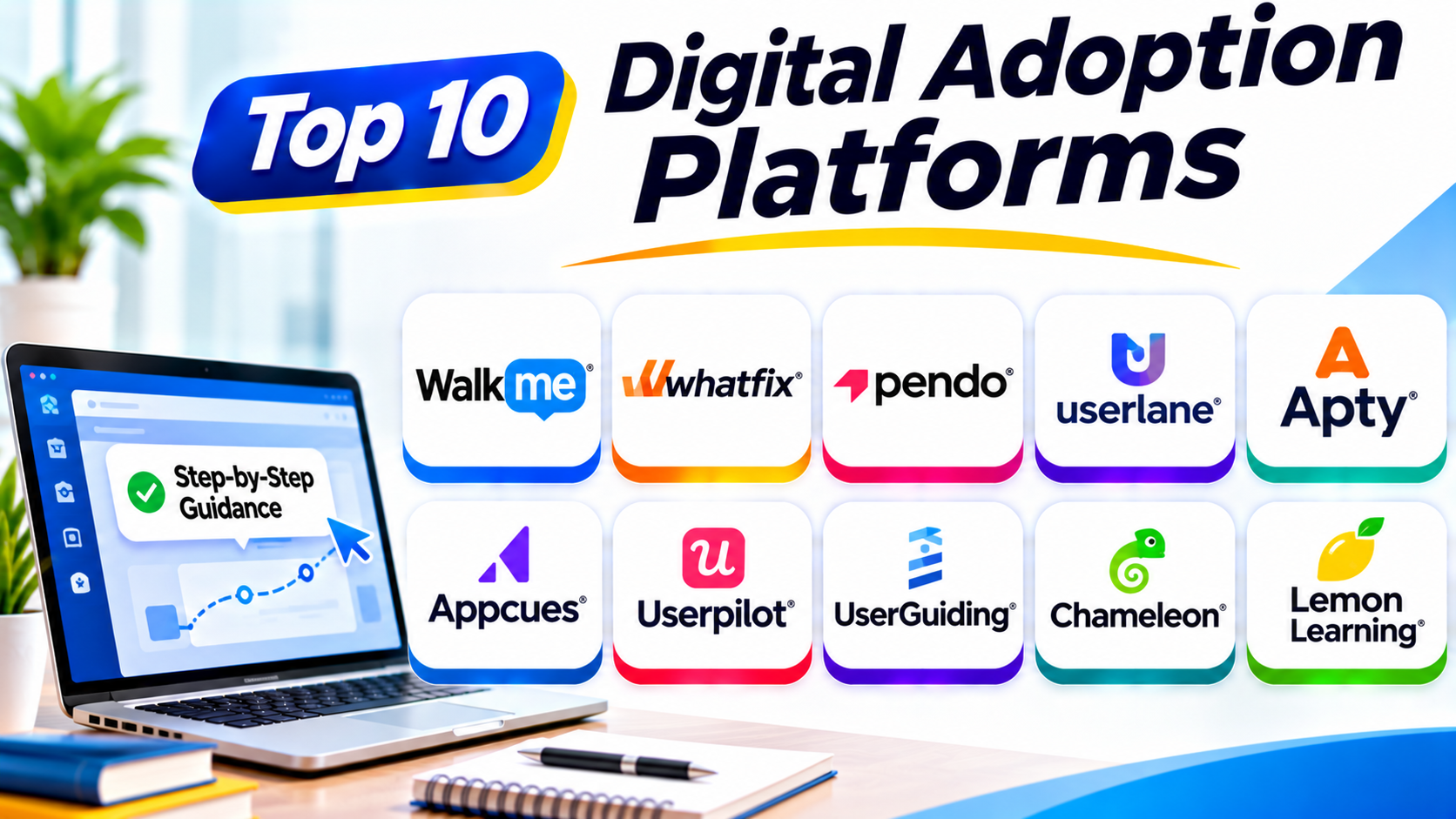
This guide explores ten popular Digital Adoption Platforms. It compares their features, Pros, Cons, and best uses. It also explains how to choose the right platform.
What Is a Digital Adoption Platform?
A Digital Adoption Platform, or DAP, helps users learn software inside the software itself.
It adds helpful guides to websites and business applications. These guides can include:
- Step-by-step walkthroughs
- Helpful pop-up messages
- Tooltips that explain buttons
- Checklists for important tasks
- Searchable help content
- Product tours for new users
- Usage reports and adoption data
For example, a new employee may need to use a CRM system. A DAP can guide that employee through each step. The employee can learn while completing real tasks.
DAPs serve two main groups. Some help employees learn business software. Others help customers learn a company’s digital product. Some platforms support both needs. Gartner Peer Insights+1
Why Do Businesses Use Digital Adoption Platforms?
Businesses invest in many digital tools. But buying software does not ensure that people use it well.
A DAP helps teams get more value from these tools.
Common reasons include:
- Simpler software training: Users learn through clear, step-by-step guides.
- Faster onboarding: New employees and customers learn key tasks sooner.
- Fewer support requests: Users can find answers while they work.
- Better software usage: Helpful prompts encourage users to explore useful features.
- Fewer mistakes: Instructions help users follow the right steps.
- Better user experience: People can complete tasks with less confusion.
- Useful adoption reports: Managers can see where users need more help.
Top 10 Digital Adoption Platforms
The following platforms serve different business needs. Some focus on employee software training. Others focus on customer onboarding and product adoption.
1. WalkMe
WalkMe is a digital adoption platform for large businesses. It helps employees use complex business applications with confidence.
The platform places helpful guidance over existing software. Employees can follow instructions without leaving their current screen. This makes daily work easier.
WalkMe supports software training, task guidance, workflow automation, and adoption analysis. Managers can also study how employees use business applications. These insights help teams find problems and improve software usage.
Key Features
- Interactive walkthroughs
- Smart in-app guidance
- Workflow automation
- Employee onboarding support
- Software usage analytics
- Context-based assistance
Pros
- Supports complex business applications.
- Offers detailed adoption insights.
- Helps guide users through daily tasks.
- Supports large enterprise environments.
Cons
- Setup may take time.
- New users may need training.
- Pricing may not suit small businesses.
- Advanced features can require expert support.
Best For: Large companies that need employee guidance across many business applications.
2. Whatfix
Whatfix helps employees and customers understand digital products. It provides guidance while users work inside software.
The platform offers walkthroughs, tooltips, task lists, and in-app support. These tools help people complete tasks with fewer questions. Businesses can also create learning content for software training.
Whatfix includes analytics that show how users interact with applications. Teams can use these reports to find difficult steps. They can then improve instructions and training.
Key Features
- In-app walkthroughs
- Smart tips and tooltips
- Interactive task lists
- Digital training content
- User behavior analytics
- Practice and simulation tools
Pros
- Offers several types of user guidance.
- Supports employee training.
- Helps reduce repeated support questions.
- Provides useful adoption reports.
Cons
- Some features need careful setup.
- Large deployments may need technical support.
- Pricing may challenge smaller teams.
- Content needs regular updates.
Best For: Businesses that want to train employees and improve software adoption.
3. Pendo
Pendo combines product analytics with in-app guidance. It helps product teams understand how people use their applications.
Teams can study user behavior and see which features receive attention. They can also identify areas where users struggle. This information helps them improve the product experience.
Pendo also offers guides, surveys, and in-app messages. These tools help businesses introduce features and support new users. Its analytics make it useful for teams that want data and guidance together.
Key Features
- Product usage analytics
- In-app guides
- User feedback collection
- Feature adoption tracking
- Product engagement reports
- User segmentation
Pros
- Combines analytics and guidance.
- Helps teams understand user behavior.
- Supports product improvement.
- Offers useful feedback tools.
Cons
- Advanced features may require higher plans.
- Large data sets can need careful analysis.
- Setup may take time.
- Some teams may need extra training.
Best For: Product teams that want to study user behavior and improve feature adoption.
4. Userlane
Userlane helps businesses guide employees through workplace applications. It focuses on making software easier to learn and use.
The platform provides step-by-step instructions inside applications. Employees can follow these guides while completing real tasks. This reduces the need for separate training sessions.
Userlane also offers application usage insights. Businesses can see how people use their software. These insights can help teams find adoption gaps and improve training plans.
Key Features
- Interactive software guides
- In-app employee training
- Application usage insights
- Contextual help
- Adoption measurement
- User progress tracking
Pros
- Makes software training easier.
- Offers guidance inside applications.
- Helps teams find adoption problems.
- Supports employee learning.
Cons
- Businesses should check application compatibility.
- Advanced deployments may need planning.
- Some features may need expert setup.
- Pricing may not fit every budget.
Best For: Businesses that want to improve employee adoption across workplace applications.
5. Apty
Apty helps organizations guide employees through important business processes. It focuses on software adoption, process completion, and data quality.
The platform provides instructions inside business applications. It can guide users through forms and workflows. It also helps businesses check whether employees follow required steps.
Apty can support teams that use systems such as CRM and ERP software. Its process guidance helps reduce mistakes. It also gives managers useful information about user activity.
Key Features
- In-app process guidance
- Interactive walkthroughs
- Process compliance support
- Data validation
- User behavior analytics
- Application adoption reports
Pros
- Helps improve process consistency.
- Supports guided business workflows.
- Can reduce common user mistakes.
- Offers useful adoption insights.
Cons
- Setup needs careful planning.
- Complex processes may need more work.
- Businesses should test application support.
- Smaller teams may not need every feature.
Best For: Organizations that need guided workflows and better process control.
6. Appcues
Appcues helps software companies create better product onboarding experiences. It lets teams guide customers through web applications without heavy coding.
Product teams can create welcome messages, walkthroughs, and feature announcements. They can also build checklists that help new users complete important tasks.
Appcues supports user segmentation and product engagement. Teams can show different messages to different user groups. This helps businesses deliver more useful onboarding experiences.
Key Features
- No-code product tours
- In-app announcements
- User onboarding checklists
- Tooltips and walkthroughs
- User segmentation
- Product engagement tracking
Pros
- Offers a visual content builder.
- Helps improve customer onboarding.
- Supports targeted user messages.
- Reduces the need for custom development.
Cons
- Focuses mainly on digital products.
- Advanced customization may need technical help.
- Pricing can increase with usage.
- Teams must maintain their onboarding content.
Best For: SaaS companies that want to improve customer onboarding and product engagement.
7. Userpilot
Userpilot helps SaaS businesses improve product adoption. It combines onboarding tools, user engagement, and product analytics.
Teams can create interactive product tours and helpful in-app messages. They can also build checklists and collect customer feedback.
Userpilot helps product teams understand how people use their applications. They can track important actions and identify adoption problems. This makes it easier to improve the customer journey.
Key Features
- Product onboarding flows
- Interactive walkthroughs
- In-app surveys
- Feature adoption tracking
- User segmentation
- Product analytics
Pros
- Combines onboarding and analytics.
- Offers useful customer feedback tools.
- Supports targeted product experiences.
- Helps teams study user activity.
Cons
- Some advanced features need higher plans.
- Teams need clear goals before setup.
- Complex tracking may need technical support.
- Pricing can grow with user numbers.
Best For: SaaS businesses that want better onboarding and stronger feature adoption.
8. UserGuiding
UserGuiding helps businesses create simple product tours and onboarding guides. It focuses on helping users understand digital products.
Teams can create walkthroughs, tooltips, checklists, and announcements. These tools help new customers learn important features. They can also guide existing users through product updates.
UserGuiding offers a visual editor for building guidance. This helps teams create onboarding content without much coding. Its analytics also help teams review user engagement.
Key Features
- Interactive product tours
- Onboarding checklists
- Tooltips and hotspots
- In-app announcements
- Resource centers
- User engagement analytics
Pros
- Easy-to-use visual editor.
- Helps teams create onboarding guides.
- Supports several guidance formats.
- Useful for small and growing businesses.
Cons
- Advanced needs may require other tools.
- Custom designs may have limits.
- Analytics may not cover every business need.
- Teams must keep guides updated.
Best For: Small and medium SaaS companies that need simple product onboarding.
9. Chameleon
Chameleon helps software companies create tailored in-product experiences. It gives product teams tools to guide users through important features.
Teams can create product tours, tooltips, banners, and launchers. They can also use surveys to collect feedback. These tools help users discover features without leaving the application.
Chameleon offers design controls for creating branded experiences. Teams can also target messages based on user behavior. This helps businesses deliver relevant guidance at the right time.
Key Features
- Product tours
- In-app tooltips
- Banners and launchers
- User surveys
- Targeted user experiences
- Custom design options
Pros
- Offers flexible design controls.
- Supports targeted in-app guidance.
- Helps collect user feedback.
- Useful for product-led growth teams.
Cons
- Advanced customization may need technical skills.
- Teams need time to plan user journeys.
- Some features may require higher plans.
- It mainly serves customer-facing products.
Best For: SaaS product teams that want branded and targeted onboarding experiences.
10. Lemon Learning
Lemon Learning helps businesses train employees inside their workplace software. It offers guidance for web applications and desktop environments.
The platform provides step-by-step tutorials and contextual help. Employees can access instructions while performing daily tasks. This makes software training more practical.
Businesses can create learning content for different applications. They can also share guidance across teams. This helps employees learn new systems and follow common processes.
Key Features
- In-app software tutorials
- Step-by-step guidance
- Contextual help
- Employee learning support
- Training content management
- Adoption analytics
Pros
- Supports employee software training.
- Offers guidance during real tasks.
- Helps share learning content.
- Can support complex workplace environments.
Cons
- Businesses should check application compatibility.
- Content creation needs planning.
- Large rollouts may need expert support.
- Pricing may not suit smaller organizations.
Best For: Organizations that need employee training across different business applications.
Digital Adoption Platforms Comparison Table
| Platform | Main Strength | Best For |
|---|---|---|
| WalkMe | Enterprise guidance and automation | Large enterprises |
| Whatfix | Software training and walkthroughs | Employee adoption |
| Pendo | Product analytics and guidance | Product teams |
| Userlane | Employee software guidance | Business applications |
| Apty | Process guidance and data quality | Process-driven teams |
| Appcues | No-code onboarding | SaaS companies |
| Userpilot | Onboarding and product analytics | Growing SaaS teams |
| UserGuiding | Simple product tours | Small and medium businesses |
| Chameleon | Custom in-app experiences | Product-led companies |
| Lemon Learning | Employee software tutorials | Enterprise training teams |
How to Choose the Right Digital Adoption Platform
The right platform depends on your users and business goals. Start by understanding what you want to improve.
Consider these points before making a choice.
1. Identify Your Main Users
Decide who needs help with software.
Do you want to train employees? Or do you want to guide customers through your product?
WalkMe, Whatfix, Userlane, and Apty focus strongly on employee adoption. Appcues, Userpilot, UserGuiding, and Chameleon focus on customer onboarding.
Pendo supports product analytics and guidance. Check each platform’s current capabilities before choosing.
2. Check Software Compatibility
Your DAP must work with your existing applications.
Check support for web apps, desktop software, and mobile apps. Also check important systems such as CRM and ERP tools.
Ask vendors to show how their platform works with your software.
3. Review Guidance Features
Different teams need different guidance tools.
Some need simple tooltips. Others need full walkthroughs and task lists.
Choose a platform that supports your most important learning needs.
4. Study Analytics and Reports
Analytics help teams understand user behavior.
Look for reports about feature usage, task completion, and user engagement. These reports can show where people need more help.
5. Consider Ease of Use
Your team should create and update guidance without too much effort.
A simple editor can save time. It can also help non-technical teams manage content.
6. Check Pricing and Growth Needs
DAP pricing can depend on users, applications, features, and usage.
Some vendors offer public plans. Others provide custom quotes.
Ask about setup costs, support fees, and renewal terms. Also check how costs may change as your business grows.
7. Test the Platform Before Buying
Ask vendors for a demo or trial.
Test one real workflow with actual users. Check whether the guidance makes the task easier.
Collect feedback before making a final decision.
Common Uses of Digital Adoption Platforms
Businesses use DAPs in many departments. Here are some common examples.
Employee Onboarding
New employees need to learn company software. A DAP guides them through important tasks. This helps them become comfortable with workplace systems.
Customer Onboarding
New customers may struggle with a digital product. Product tours and checklists help them understand key features.
CRM Training
Sales teams use CRM systems to manage customers and deals. A DAP can guide them through data entry and sales tasks.
ERP Software Training
ERP systems manage business activities such as finance and inventory. In-app guidance helps employees follow the right steps.
Software Updates
Businesses often add new features to their applications. A DAP can introduce these features through helpful messages.
Process Improvement
Managers can study user activity and task completion. They can then find steps that cause delays or mistakes.
Benefits of Digital Adoption Platforms
Digital Adoption Platforms can help businesses improve software usage. Their benefits depend on good setup and useful content.
Important benefits include:
- Faster learning: Users learn software while completing real tasks.
- Better productivity: Clear instructions help people finish work.
- Lower training effort: Teams can reuse guides for common tasks.
- Fewer support requests: Users can find help inside applications.
- Improved software adoption: Guidance helps users discover useful features.
- Better customer experience: New customers can understand products more easily.
- Useful insights: Analytics help teams find areas for improvement.
- Consistent processes: Employees can follow the same instructions.
Challenges of Digital Adoption Platforms
DAPs also come with some challenges. Businesses should plan for them before starting.
- Initial setup: Teams need time to configure the platform.
- Content updates: Software changes can make old guides incorrect.
- User acceptance: Some users may ignore guidance messages.
- Integration needs: Certain applications may need extra technical work.
- Cost: Enterprise platforms may require a large budget.
- Content planning: Poor instructions can confuse users.
- Privacy concerns: Teams must handle user activity data responsibly.
Questions and Answers About Digital Adoption Platforms
1. What is a Digital Adoption Platform?
A Digital Adoption Platform helps people learn software while they use it. It adds walkthroughs, tooltips, checklists, and other guidance. This helps users complete tasks with less confusion.
2. How does a Digital Adoption Platform work?
A DAP adds guidance to a digital application. Users see instructions while they perform tasks. The platform may also collect usage data and show adoption reports.
3. Who uses Digital Adoption Platforms?
Businesses, software companies, IT teams, HR teams, and product teams use DAPs. Employees use them to learn workplace software. Customers use them to understand digital products.
4. What are the main features of a DAP?
Common features include product tours, walkthroughs, tooltips, checklists, surveys, and analytics. Some platforms also offer workflow automation and employee training tools.
5. Can small businesses use Digital Adoption Platforms?
Yes. Small businesses can use DAPs to improve customer onboarding and employee training. They should choose a platform that fits their budget and needs.
6. What is the difference between a DAP and an LMS?
A DAP guides users inside the software they use. A Learning Management System manages courses and training programs. Both support learning, but they serve different purposes.
7. Do Digital Adoption Platforms require coding?
Many DAPs offer visual editors and no-code tools. These tools help teams create guides without writing code. Some advanced integrations may still need technical support.
8. Can a DAP improve customer onboarding?
Yes. A DAP can show customers how to use important features. Product tours and checklists help users understand a product. This can improve the onboarding experience.
9. How much does a Digital Adoption Platform cost?
Prices depend on the vendor, user count, features, and applications. Some platforms publish plan prices. Enterprise platforms often provide custom quotes.
10. How do I select the best DAP?
Start with your users and business goals. Check software compatibility, guidance features, analytics, ease of use, and pricing. Test the platform before making a final choice.
Final Thoughts
Digital Adoption Platforms help people use software with greater confidence. They make training easier and improve the user experience.
WalkMe and Whatfix suit many large enterprise needs. Pendo helps product teams combine analytics with guidance. Userlane and Apty support employee software adoption.
Appcues, Userpilot, UserGuiding, and Chameleon help SaaS teams improve onboarding. Lemon Learning supports employee training across workplace applications.
No single platform fits every business. Choose one that matches your users, software, and goals. Test it with real tasks before you commit.
A good DAP does more than explain software. It helps people get real value from the tools they use every day.