Introduction
Every website needs a way to reach its visitors. A web server makes this possible. It receives requests from browsers and sends back website content.
Web servers help websites load pages, images, files, and other data. They also support security, traffic control, and application delivery.
But each web server offers different features. Some focus on speed. Others offer easy management, strong compatibility, or better control.
Choosing the right server can improve website performance. It can also make daily website management easier.
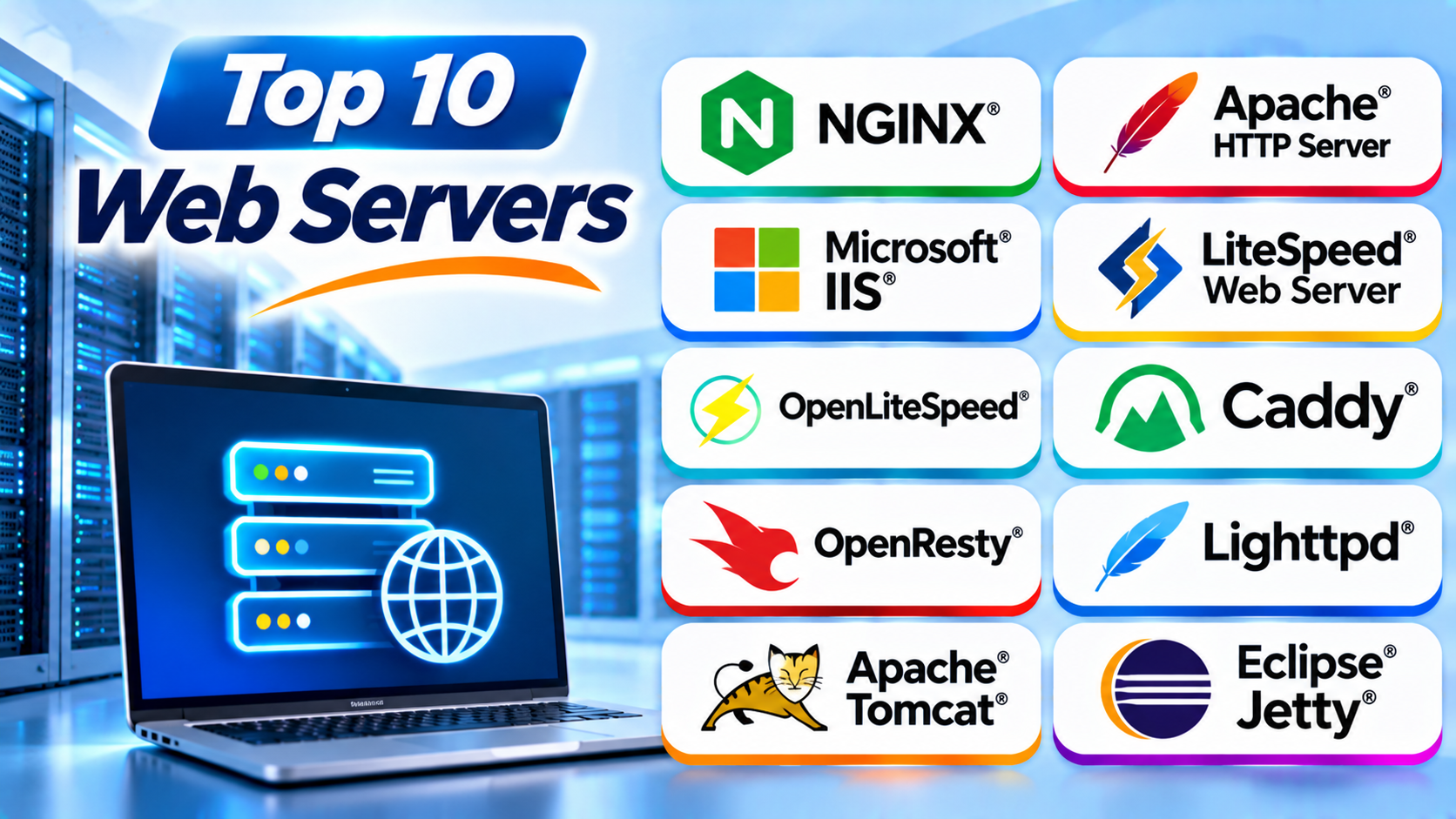
This guide explores ten popular web servers. You will learn their features, Pros, Cons, and best uses.
What Is a Web Server?
A web server is software that sends website content to visitors. It listens for requests from web browsers. Then it finds the requested content and sends it back.
For example, imagine someone opens your website. Their browser sends a request to your server. The server processes that request and returns the page.
A web server can also work with other software. It may connect to databases, application frameworks, and content management systems.
Most web servers support HTTP and HTTPS. HTTPS protects data as it travels between the browser and server.
Top 10 Web Servers
1. NGINX
NGINX is a popular web server known for speed and efficient traffic handling. It can serve website files and manage requests from many visitors.
Many businesses use NGINX for websites, APIs, and cloud applications. It can also work as a reverse proxy. A reverse proxy receives requests and sends them to the correct application server.
NGINX uses an event-driven design. This helps it manage many connections without creating a separate process for every request.
It also supports caching and load balancing. These features help teams manage busy websites.
Key Features
- Serves static website files.
- Works as a reverse proxy.
- Supports load balancing.
- Provides caching options.
- Handles many connections.
- Supports secure HTTPS connections.
- Works with several application platforms.
Pros
- Handles high traffic well.
- Uses system resources efficiently.
- Offers strong reverse proxy features.
- Supports flexible traffic management.
- Has a large user community.
Cons
- Its configuration can challenge beginners.
- Some advanced features need extra setup.
- It does not use Apache-style .htaccess files.
- Complex configurations need careful testing.
Best For: High-traffic websites, APIs, cloud applications, and reverse proxy systems.
2. Apache HTTP Server
Apache HTTP Server is one of the best-known web server platforms. Many hosting companies and website owners use it.
Apache offers a modular design. This means users can add or remove features through modules. These modules support tasks such as security, URL rewriting, and content handling.
Apache also supports virtual hosts. This feature lets one server host multiple websites.
Another useful feature is .htaccess. Website owners can use this file to control settings within specific directories. Many PHP websites and hosting platforms rely on this approach.
Apache works on several operating systems. It also supports many programming languages through suitable application tools.
Key Features
- Modular software design.
- Virtual host support.
- Directory-level configuration through .htaccess.
- URL rewriting.
- SSL and TLS support.
- Wide operating system support.
- Large module ecosystem.
Pros
- Offers broad compatibility.
- Provides many useful modules.
- Has strong community support.
- Works with many hosting control panels.
- Supports flexible website settings.
Cons
- Some configurations can become complex.
- High traffic may need careful tuning.
- Module choices can increase maintenance work.
- Resource use depends on its process and thread settings.
Best For: Shared hosting, PHP websites, traditional websites, and flexible server environments.
3. Microsoft Internet Information Services (IIS)
Microsoft Internet Information Services, also called IIS, is a web server from Microsoft. It runs on Windows Server.
IIS works well with Microsoft technologies. These include ASP.NET and other .NET applications. Businesses often use it for internal websites and business systems.
IIS includes a graphical management tool. Administrators can use this tool to manage websites, application pools, security, and server settings.
Application pools help separate websites and applications. This can reduce the effect of problems in one application.
IIS also supports HTTPS, authentication, logging, and request filtering. These features help administrators manage business websites.
Key Features
- Runs on Windows Server.
- Supports ASP.NET and .NET applications.
- Provides a graphical management console.
- Supports application pools.
- Offers HTTPS and authentication features.
- Includes request filtering.
- Provides website logging and monitoring options.
Pros
- Works well with Microsoft technologies.
- Offers a visual management interface.
- Supports application isolation.
- Fits many Windows-based business systems.
- Integrates with other Microsoft services.
Cons
- Requires a Windows-based environment.
- Licensing and infrastructure can add costs.
- It may not suit Linux-focused teams.
- Advanced administration requires Windows knowledge.
Best For: Windows-based businesses, ASP.NET websites, and Microsoft application environments.
4. LiteSpeed Web Server
LiteSpeed Web Server is a commercial web server built for performance and efficient website delivery. Many hosting providers use it for busy websites.
One important feature is its compatibility with Apache configurations. It can work with many Apache rules and .htaccess files. This can make migration easier for existing hosting environments.
LiteSpeed also offers server-level caching. Its LSCache technology can improve page delivery when websites use supported integrations.
WordPress users often consider LiteSpeed because of its caching features. However, the results depend on website settings, plugins, and hosting resources.
LiteSpeed supports modern web protocols and secure connections. It also provides tools for managing website traffic.
Key Features
- Apache configuration compatibility.
- LSCache support.
- Efficient request handling.
- HTTPS support.
- HTTP/2 and HTTP/3 support, depending on setup.
- Web hosting control panel integration.
- Security and traffic management features.
Pros
- Offers strong website performance.
- Supports many Apache hosting configurations.
- Provides useful caching features.
- Works well with supported WordPress setups.
- Fits many professional hosting environments.
Cons
- Commercial licensing can add costs.
- Some features depend on the selected plan.
- Users need to understand cache settings.
- Results vary across websites and hosting setups.
Best For: Managed hosting, WordPress websites, and businesses that need server-level caching.
5. OpenLiteSpeed
OpenLiteSpeed is the open-source version of the LiteSpeed web server family. It provides a high-performance option for people who prefer open-source software.
It supports modern web protocols and offers a web-based administration interface. Administrators can use this interface to manage server settings and virtual hosts.
OpenLiteSpeed also works with LSCache. This makes it useful for supported content management systems and websites.
However, OpenLiteSpeed and commercial LiteSpeed Web Server do not offer exactly the same features. Users should check compatibility before choosing between them.
The platform can suit developers, hosting teams, and website owners who want more control over their server setup.
Key Features
- Open-source server software.
- Web-based administration interface.
- Virtual host management.
- LSCache support.
- HTTPS support.
- Modern web protocol support.
- PHP application support.
Pros
- Offers an open-source option.
- Provides useful caching features.
- Includes a visual management interface.
- Can serve dynamic and static content.
- Fits several Linux hosting environments.
Cons
- Configuration may take time to learn.
- Some commercial features are not included.
- Apache compatibility is not complete in every case.
- Users must check control panel support.
Best For: Linux hosting, WordPress websites, and users who want an open-source LiteSpeed-based server.
6. Caddy
Caddy is a modern web server known for simple configuration and automatic HTTPS. It helps website owners set up secure websites with less manual work.
One of its main strengths is automatic certificate management. Caddy can obtain and renew TLS certificates for supported public domain names.
Caddy also works as a reverse proxy. It can send requests to backend applications and services.
Its configuration file uses a readable format called the Caddyfile. This makes many common tasks easier to understand.
Caddy is written in Go. It also supports modules that can extend its features.
Key Features
- Automatic HTTPS certificate management.
- Reverse proxy support.
- Simple Caddyfile configuration.
- Static file serving.
- Load balancing options.
- Modular architecture.
- Cross-platform support.
Pros
- Makes HTTPS setup easier.
- Uses a readable configuration style.
- Offers useful reverse proxy features.
- Supports modern deployment needs.
- Works across several operating systems.
Cons
- Some advanced tasks need extra configuration.
- Its module ecosystem is smaller than Apache’s.
- Large deployments need careful planning.
- Some teams may need time to learn its approach.
Best For: Small and medium websites, developers, APIs, and teams that want simple HTTPS management.
7. OpenResty
OpenResty is a web platform built around NGINX. It adds LuaJIT and other components to support programmable web applications.
Lua is a lightweight programming language. Developers can use it to add custom logic to web request handling.
OpenResty can handle tasks such as request filtering, API processing, and traffic control. It is useful when a standard reverse proxy does not offer enough flexibility.
Developers can write custom rules without building a separate service for every task. This can help teams create flexible web gateways.
However, OpenResty requires knowledge of NGINX and Lua. Beginners may find its advanced features difficult.
Key Features
- NGINX-based architecture.
- Lua scripting support.
- High-performance request handling.
- Reverse proxy features.
- Custom request processing.
- API gateway development support.
- Extensible module system.
Pros
- Supports flexible custom logic.
- Builds on NGINX technology.
- Works well for API traffic.
- Offers strong request control.
- Supports advanced gateway designs.
Cons
- Requires Lua programming knowledge.
- Advanced setups can become complex.
- Debugging custom logic takes skill.
- It may be too much for simple websites.
Best For: API gateways, programmable proxies, and applications that need custom request processing.
8. Lighttpd
Lighttpd is a lightweight web server designed for efficient resource use. It can suit systems that need a small server footprint.
It uses an event-driven design to manage many connections. This helps it serve content without using large amounts of memory.
Lighttpd supports features such as virtual hosting, URL rewriting, and secure connections. It can also work with external application processes.
Developers may choose Lighttpd for embedded systems and smaller server environments. It can also support websites that do not need a large server platform.
However, its ecosystem is smaller than those of Apache and NGINX. Teams should check module support before using it for complex projects.
Key Features
- Lightweight architecture.
- Event-driven connection handling.
- Virtual hosting.
- URL rewriting.
- HTTPS support.
- FastCGI support.
- Low resource requirements.
Pros
- Uses limited system resources.
- Works well on smaller systems.
- Offers useful core web server features.
- Supports common web protocols.
- Can serve static content efficiently.
Cons
- Has a smaller ecosystem than major alternatives.
- Some advanced integrations need extra work.
- Fewer hosting providers may support it.
- Large projects may prefer broader platform support.
Best For: Embedded systems, smaller servers, and resource-limited environments.
9. Apache Tomcat
Apache Tomcat is a Java application server and servlet container. It runs Java web applications that use technologies such as Jakarta Servlet and Jakarta Server Pages.
Tomcat is different from a general-purpose static web server. It focuses on running Java applications and handling their web requests.
Developers often use Tomcat with Java-based business applications. It can also work behind NGINX or Apache HTTP Server.
This setup lets a front-end web server handle public traffic. Tomcat then runs the Java application behind it.
Tomcat supports application deployment, session management, and security settings. It also offers tools for managing Java web applications.
Key Features
- Java Servlet support.
- Jakarta Server Pages support.
- Java web application deployment.
- Session management.
- Application configuration.
- Security controls.
- Integration with front-end web servers.
Pros
- Strong support for Java web applications.
- Open-source software.
- Works with many Java development tools.
- Offers useful application management features.
- Has a large developer community.
Cons
- Focuses mainly on Java applications.
- Needs Java runtime knowledge.
- Requires careful memory and thread tuning.
- It is not a direct replacement for every general web server.
Best For: Java web applications, enterprise systems, and servlet-based projects.
10. Eclipse Jetty
Eclipse Jetty is a Java-based web server and servlet container. Developers use it to run Java web applications and services.
Jetty has a small and flexible design. It can run as a standalone server or work inside another Java application.
It supports HTTP, WebSocket, and Java web application technologies. This makes it useful for web services and applications that need embedded server features.
Jetty can also support modern application deployments. Developers can use it in testing environments, production systems, and embedded projects.
Like Tomcat, Jetty serves a different role from a traditional static web server. Teams should compare their Java application needs before choosing either platform.
Key Features
- Java-based server architecture.
- Servlet container support.
- WebSocket support.
- Embedded server options.
- HTTP protocol support.
- Flexible deployment choices.
- Integration with Java applications.
Pros
- Offers a lightweight design.
- Can run inside Java applications.
- Supports web application development.
- Fits testing and production environments.
- Provides flexible deployment options.
Cons
- Requires Java knowledge.
- Configuration can challenge beginners.
- Its main use cases focus on Java applications.
- Teams must manage application resources carefully.
Best For: Java developers, embedded web servers, WebSocket applications, and lightweight Java services.
Comparison Table of the Top 10 Web Servers
| Web Server | Main Strength | Best For | Software Type |
|---|---|---|---|
| NGINX | Traffic handling and reverse proxying | High-traffic websites and APIs | Open-source and commercial editions |
| Apache HTTP Server | Modules and compatibility | Shared hosting and PHP websites | Open-source |
| Microsoft IIS | Windows and .NET integration | Windows business applications | Microsoft platform |
| LiteSpeed Web Server | Performance and caching | Managed hosting and WordPress | Commercial |
| OpenLiteSpeed | Open-source LiteSpeed technology | Linux and WordPress hosting | Open-source |
| Caddy | Automatic HTTPS | Simple secure deployments | Open-source |
| OpenResty | Programmable request handling | API gateways and custom proxies | Open-source |
| Lighttpd | Low resource use | Smaller and embedded systems | Open-source |
| Apache Tomcat | Java application support | Java web applications | Open-source |
| Eclipse Jetty | Embedded Java server | Java services and WebSocket apps | Open-source |
How to Choose the Right Web Server
The best web server depends on your website and technical needs. Think about these points before making a choice.
1. Understand Your Website Type
Start by identifying the type of website you want to host.
A simple website may only need static file delivery. A large online store may need caching, traffic control, and application support.
A Java application may need Tomcat or Jetty. A Windows-based .NET application may work well with IIS.
2. Check Performance Needs
Think about how many visitors your website may receive. Also consider how many requests it must handle at once.
NGINX, LiteSpeed, and OpenLiteSpeed offer useful options for busy websites. Lighttpd may suit systems with limited resources.
Always test performance with your own application and server setup.
3. Review Operating System Support
Some web servers work across several operating systems. Others focus on one platform.
IIS requires a Windows Server environment. Many other options support Linux or other operating systems.
Choose a server that fits your current infrastructure and team skills.
4. Compare Security Features
Security should play a major role in your decision.
Look for HTTPS support, access controls, secure configuration options, and regular updates. Also check how the server handles logs and security events.
Keep the server and its modules updated. Remove features that your website does not need.
5. Consider Ease of Management
Some servers offer graphical management tools. Others rely mainly on configuration files and command-line tools.
IIS offers a visual management console. OpenLiteSpeed also provides a web-based interface.
NGINX and Apache offer strong control, but administrators need to learn their configuration systems.
6. Check Application Compatibility
Your web server must work with your website’s software.
Check support for PHP, Python, Java, .NET, or other technologies you use. Also review your database, caching, and hosting tools.
Do not choose a server only because it has a strong reputation. Confirm that it supports your full application setup.
7. Review Total Cost
Some web servers are free and open source. Others offer paid licenses and commercial support.
Consider more than the initial software cost. Include hosting, maintenance, support, training, and server resources.
A free server may still need skilled administrators. A paid option may reduce some management work.
Benefits of Using the Right Web Server
A suitable web server can improve website operations in many ways.
Better Website Performance: A well-configured server can deliver pages and files efficiently.
Improved Security: HTTPS, access controls, and security settings help protect websites and visitors.
Traffic Management: Reverse proxies and load balancing help distribute incoming requests.
Application Support: Web servers connect websites with programming languages and application platforms.
Easier Maintenance: Good management tools and clear settings can simplify daily tasks.
Scalability: The right server can support growth as website traffic increases.
Better Resource Use: Efficient server software can help reduce unnecessary CPU and memory use.
Common Challenges When Using Web Servers
Web servers also bring some challenges. Teams should prepare for them before deployment.
Complex Configuration: Advanced settings can confuse new administrators. Learn the basic configuration before changing production systems.
Security Risks: Weak passwords, old software, and poor access rules can expose websites.
Performance Problems: Poor caching or incorrect settings can slow down a website.
Compatibility Issues: Some applications depend on specific modules or server features.
Maintenance Work: Administrators must review logs, apply updates, and check server health.
Unexpected Traffic: A sudden increase in visitors can overload a small server.
Best Practices for Web Server Management
Follow these practices to keep your web server stable and secure.
- Keep the web server and operating system updated.
- Use HTTPS for public websites.
- Remove unused modules and services.
- Use strong passwords and access controls.
- Monitor CPU, memory, storage, and network use.
- Review server logs for errors and unusual activity.
- Back up configuration files and website data.
- Test configuration changes before deployment.
- Use caching when it suits your website.
- Prepare a recovery plan for server failures.
Questions and Answers About Web Servers
1. What is a web server?
A web server receives browser requests and sends website content back to visitors. It can deliver pages, images, files, and application responses.
2. Which web server is best overall?
NGINX and Apache HTTP Server are strong general-purpose choices. The best option depends on your application, traffic, and technical needs.
3. Is NGINX better than Apache?
NGINX is popular for reverse proxying and high connection volumes. Apache offers broad module support and flexible directory-level settings. Neither is best for every project.
4. Is Apache HTTP Server free?
Yes. Apache HTTP Server is open-source software. Users can download and use it under its license terms.
5. What is the difference between LiteSpeed and OpenLiteSpeed?
LiteSpeed Web Server is the commercial product. OpenLiteSpeed is its open-source counterpart. They share technology, but their features and management options differ.
6. Which web server works best with WordPress?
Apache, NGINX, LiteSpeed, and OpenLiteSpeed can all support WordPress. Your hosting setup, caching tools, and technical needs should guide the choice.
7. Can one server host multiple websites?
Yes. Many web servers support virtual hosting. This feature lets one machine serve several websites.
8. What is the difference between a web server and an application server?
A web server mainly handles web requests and delivers content. An application server runs application logic. Some platforms support both roles, while others focus on one.
9. Do web servers support HTTPS?
Most modern web servers support HTTPS. They use TLS certificates to protect data between visitors and websites.
10. How can I improve web server performance?
Use suitable caching, monitor server resources, update the software, and tune its settings. Also test the website under realistic traffic conditions.
Final Thoughts
Web servers play a key role in website delivery. They help websites serve pages, manage visitors, and connect with applications.
NGINX offers strong traffic handling and reverse proxy features. Apache provides broad compatibility and flexible modules. IIS fits Windows-based business systems.
LiteSpeed and OpenLiteSpeed offer useful hosting and caching options. Caddy makes HTTPS management easier. OpenResty supports custom request logic.
Lighttpd suits smaller systems. Tomcat and Jetty serve Java application needs.
Before choosing, review your website type, traffic, security needs, and budget. Test your preferred server with your real application. This will help you find a solution that fits your work and future growth.