Introduction
Kubernetes helps teams run apps inside containers. It can manage apps across many servers. However, running Kubernetes clusters takes time and skill.
Teams must create clusters, manage updates, check health, and control access. They must also handle security, storage, networking, and costs.
Kubernetes management platforms make these tasks easier. They provide tools to manage one cluster or many clusters. Some platforms also help teams build new clusters.
Different tools solve different problems. Some focus on enterprise control. Others offer simple dashboards or multi-cloud management.
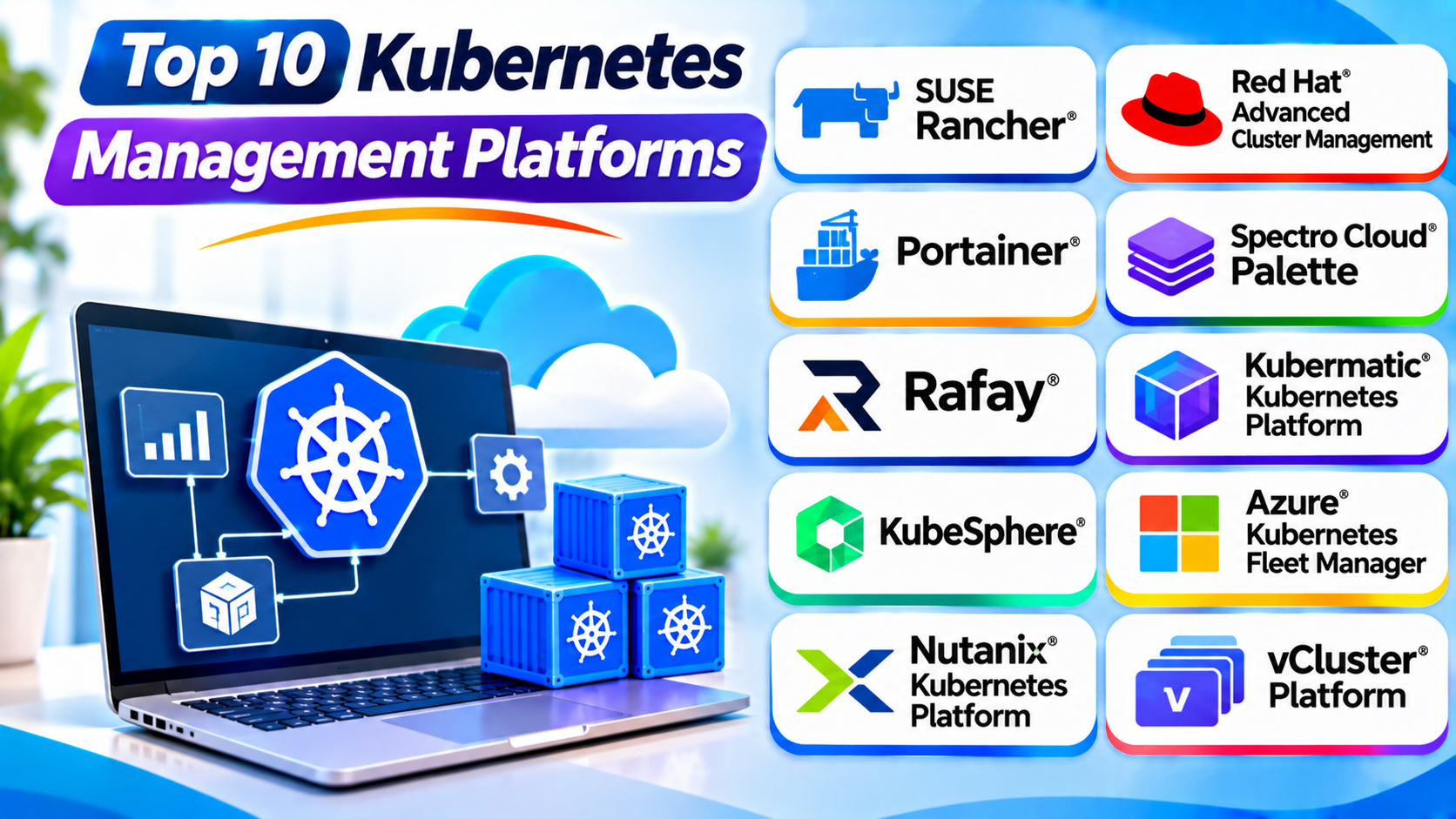
This guide explores ten Kubernetes management platforms. It explains their features, Pros, Cons, and best uses. It also includes a comparison table and selection tips.
What Is a Kubernetes Management Platform?
A Kubernetes management platform helps teams operate Kubernetes clusters. It gives administrators tools to control cluster setup, daily tasks, and application workloads.
A platform may offer these features:
- Cluster provisioning: Create new Kubernetes clusters.
- Cluster monitoring: Check cluster health and resource use.
- Multi-cluster management: Manage several clusters from one place.
- Access control: Decide who can use clusters and resources.
- Policy management: Apply common rules across clusters.
- Upgrade management: Plan Kubernetes and node updates.
- Workload management: Deploy and control applications.
- Security management: Apply security settings and checks.
- Cost visibility: Track resource use and spending.
- Automation: Reduce repeated manual tasks.
Not every platform includes all these features. Some focus on cluster operations. Others focus on application teams or enterprise governance.
How Do Kubernetes Management Platforms Work?
Kubernetes management platforms connect administrators with one or more Kubernetes clusters. They use dashboards, APIs, command-line tools, or automation.
A common workflow looks like this:
- An administrator connects an existing cluster or creates a new one.
- The platform collects cluster details and health information.
- Administrators set access rules and policies.
- Teams deploy applications and services.
- The platform helps manage updates and configuration.
- Monitoring tools track cluster and workload health.
- Administrators review alerts and fix problems.
Some platforms manage the full cluster lifecycle. Others provide a central view while the underlying Kubernetes clusters continue to run separately.
Types of Kubernetes Management Platforms
Multi-Cluster Management Platforms
These tools help teams manage several Kubernetes clusters. They often support different clouds and private data centers.
Examples include SUSE Rancher and Kubermatic Kubernetes Platform.
Enterprise Kubernetes Management Platforms
These tools add business-focused features. They may include security policies, governance, automation, and enterprise support.
Red Hat Advanced Cluster Management is one example.
Visual Kubernetes Management Tools
These tools provide dashboards and visual controls. They help users inspect clusters and manage resources without relying only on command-line tools.
Portainer and KubeSphere offer this type of experience.
Kubernetes Lifecycle Management Platforms
These tools help create, configure, upgrade, and maintain clusters. They can support cloud, private data center, and edge environments.
Spectro Cloud Palette and Rafay are examples.
Cloud-Based Fleet Management Tools
These tools manage Kubernetes clusters through a cloud provider’s services. They often work best with that provider’s infrastructure.
Azure Kubernetes Fleet Manager is one example.
Top 10 Kubernetes Management Platforms
The following platforms serve different Kubernetes management needs. This list includes cluster lifecycle tools, fleet management systems, enterprise platforms, and visual dashboards.
1. SUSE Rancher
SUSE Rancher is a Kubernetes management platform. It helps teams manage multiple Kubernetes clusters through one central interface.
Organizations can use Rancher to manage clusters across cloud providers and private data centers. It supports different Kubernetes distributions and infrastructure choices.
Rancher provides tools for cluster provisioning, access control, and policy management. It also helps administrators view and manage cluster operations.
Teams can use its web interface for many daily tasks. They can also use command-line tools and APIs.
Rancher works well for organizations with many clusters. It helps create a common management process across different environments.
However, Rancher does not remove the need for Kubernetes skills. Administrators must still understand cluster networking, storage, security, and upgrades.
Key Features
- Centralized multi-cluster management.
- Support for different Kubernetes distributions.
- Cluster provisioning and lifecycle tools.
- User and role management.
- Policy and security controls.
- Monitoring integrations.
- Support for cloud and on-premises environments.
- Management options for lightweight Kubernetes clusters.
Pros
- Offers a central view of multiple clusters.
- Supports different infrastructure environments.
- Helps standardize cluster operations.
- Provides useful access controls.
- Supports open-source Kubernetes options.
- Works for hybrid and multi-cloud setups.
Cons
- Requires Kubernetes knowledge.
- Adds another management layer.
- Large deployments need careful planning.
- Some tasks need extra configuration.
- Teams must maintain the Rancher environment.
Best For: Organizations that manage Kubernetes clusters across different environments.
2. Red Hat Advanced Cluster Management for Kubernetes
Red Hat Advanced Cluster Management for Kubernetes helps businesses manage Kubernetes clusters at scale. It extends the Red Hat OpenShift environment with fleet management and governance tools.
Administrators can use one console to view and manage clusters. They can also deploy applications and apply policies across different environments.
The platform supports clusters across data centers, public clouds, and edge locations. It helps teams keep cluster settings and policies consistent.
Advanced Cluster Management can help large IT teams control many clusters. It also supports application placement and policy-based management.
However, organizations should understand its connection with the Red Hat ecosystem. It may also require more planning than a simple cluster dashboard.
Key Features
- Centralized multi-cluster management.
- Cluster lifecycle management.
- Policy-based governance.
- Application deployment across clusters.
- Cluster visibility and monitoring.
- Support for cloud, data center, and edge environments.
- Role-based access controls.
- Integration with Red Hat OpenShift.
Pros
- Offers strong enterprise management features.
- Helps apply policies across clusters.
- Provides centralized cluster visibility.
- Supports hybrid environments.
- Fits well with OpenShift deployments.
Cons
- May cost more than basic open-source tools.
- Works best in the Red Hat ecosystem.
- Needs trained administrators.
- Can add complexity to smaller environments.
- Requires planning for large cluster fleets.
Best For: Enterprises that use OpenShift and need centralized Kubernetes governance.
3. Portainer
Portainer is a visual management platform for container environments. It helps teams manage Kubernetes clusters through a web-based interface.
Users can view workloads, services, nodes, storage, and other Kubernetes resources. This can reduce the need for frequent command-line tasks.
Portainer also supports Docker and other container environments. This makes it useful for teams that manage different container technologies.
Administrators can control user access and manage environments from a central interface. Teams can also use its tools to deploy applications and inspect resource status.
Portainer can help new Kubernetes users understand their environments. However, it does not replace Kubernetes itself. The underlying cluster still needs a suitable Kubernetes distribution.
Key Features
- Web-based Kubernetes management interface.
- Centralized environment management.
- Workload and resource visibility.
- User and team access controls.
- Application deployment tools.
- Support for Docker and other container environments.
- Cluster resource monitoring views.
- Role-based management options.
Pros
- Offers a clear visual interface.
- Reduces routine command-line work.
- Supports different container environments.
- Helps teams manage access.
- Useful for small and large teams.
- Makes common tasks easier to understand.
Cons
- Does not replace the Kubernetes control plane.
- Some advanced features need paid editions.
- Users still need platform knowledge.
- Large environments need access planning.
- Features can vary by edition and environment.
Best For: Teams that want a visual interface for managing Kubernetes and container environments.
4. Spectro Cloud Palette
Spectro Cloud Palette is a Kubernetes management platform. It helps teams build, deploy, and manage Kubernetes clusters across different environments.
Palette uses declarative cluster profiles. These profiles describe the software and settings that a cluster should use.
Teams can manage Kubernetes clusters across public clouds, private data centers, virtual machines, and edge locations. The platform also supports existing clusters.
Palette helps automate cluster lifecycle tasks. These tasks include deployment, updates, configuration, and security checks.
Its approach can help organizations maintain consistent cluster setups. However, teams need time to learn its profile-based management model.
Key Features
- Full Kubernetes lifecycle management.
- Declarative cluster profiles.
- Multi-cloud and hybrid support.
- Cluster deployment and updates.
- Configuration management.
- Monitoring and logging integrations.
- Role-based access controls.
- Support for edge and private infrastructure.
Pros
- Supports many infrastructure environments.
- Helps keep cluster configurations consistent.
- Automates important lifecycle tasks.
- Supports existing Kubernetes clusters.
- Offers centralized management.
- Supports edge and hybrid deployments.
Cons
- May need time to learn.
- Advanced setups require planning.
- Enterprise features may need a paid plan.
- Teams must understand cluster profiles.
- Some integrations need extra configuration.
Best For: Organizations that need consistent Kubernetes lifecycle management across different environments.
5. Rafay Kubernetes Operations Platform
Rafay Kubernetes Operations Platform helps organizations manage Kubernetes clusters at scale. It provides a central control layer for cluster operations.
Platform teams can use Rafay to create self-service workflows. Developers can request clusters or application environments through approved processes.
Rafay supports cluster lifecycle management, policy controls, and team isolation. It can also connect with existing development and automation systems.
The platform can help organizations standardize Kubernetes operations across clouds. It also supports monitoring, troubleshooting, and cost management workflows.
However, Rafay may be more than small teams need. Organizations should review its features and pricing before choosing it.
Key Features
- Multi-cluster lifecycle management.
- Centralized Kubernetes operations.
- Self-service cluster provisioning.
- Team and tenant isolation.
- Policy and governance controls.
- Add-on and configuration management.
- Monitoring and troubleshooting support.
- Integration with CI/CD and GitOps workflows.
Pros
- Helps manage large Kubernetes fleets.
- Supports self-service workflows.
- Offers centralized policy controls.
- Helps standardize cluster settings.
- Connects with existing automation tools.
- Supports hybrid environments.
Cons
- May be complex for small teams.
- Commercial pricing requires evaluation.
- Needs planning for large deployments.
- Teams must learn its workflows.
- Advanced integrations may need setup.
Best For: Enterprise platform teams that manage many Kubernetes clusters.
6. Kubermatic Kubernetes Platform
Kubermatic Kubernetes Platform, also called KKP, helps organizations create and manage Kubernetes clusters. It supports cloud, private data center, and edge environments.
The platform provides a central control plane for cluster operations. Teams can use it to provision, scale, update, and manage clusters.
KKP can also import existing clusters from cloud services. This helps teams manage different Kubernetes environments through one interface.
Its multi-cluster features support large organizations and service providers. It can also help businesses offer Kubernetes as a service to internal teams.
However, KKP needs careful setup and administration. Teams should check infrastructure support and operational requirements before deployment.
Key Features
- Centralized Kubernetes cluster management.
- Cluster provisioning and scaling.
- Multi-cloud and hybrid support.
- Import and management of existing clusters.
- Cluster lifecycle automation.
- Policy and configuration management.
- Multi-cluster monitoring.
- Support for Kubernetes as a service.
Pros
- Supports large cluster fleets.
- Works across many infrastructure types.
- Helps automate cluster lifecycle tasks.
- Supports existing managed clusters.
- Offers centralized policy management.
- Useful for service providers.
Cons
- Requires technical expertise.
- Setup can take time.
- Large environments need careful planning.
- Some features require extra integration.
- Teams must maintain the management platform.
Best For: Organizations that need self-managed Kubernetes across cloud, private, and edge environments.
7. KubeSphere
KubeSphere is an open-source platform for managing Kubernetes and cloud-native applications. It provides a web-based console with tools for cluster and application operations.
Teams can use KubeSphere to manage workloads, projects, users, and resources. It also supports a plug-in approach for adding more capabilities.
KubeSphere aims to make Kubernetes easier to use. Its dashboard helps users view applications and infrastructure without relying only on command-line tools.
The platform can support development teams and operations teams. It also offers features for multi-cluster management.
However, users should review the current version and plug-in support before deployment. Some advanced capabilities may need extra setup.
Key Features
- Web-based Kubernetes management console.
- Multi-cluster management options.
- Application and workload management.
- Project and user management.
- Role-based access controls.
- Plug-in architecture.
- Monitoring and logging options.
- Support for cloud-native applications.
Pros
- Offers an open-source option.
- Provides a visual management interface.
- Helps organize users and projects.
- Supports cloud-native application management.
- Offers an extensible plug-in model.
- Can simplify common Kubernetes tasks.
Cons
- Some features need extra configuration.
- Plug-in compatibility needs checking.
- Advanced environments need Kubernetes skills.
- Large deployments require careful planning.
- Teams must maintain the platform.
Best For: Teams that want an open-source Kubernetes dashboard with application management features.
8. Azure Kubernetes Fleet Manager
Azure Kubernetes Fleet Manager is a Microsoft service for managing multiple Kubernetes clusters. It helps administrators control clusters across Azure regions and subscriptions.
Teams can group clusters into a fleet. They can then manage updates and place Kubernetes resources across selected clusters.
Fleet Manager supports safe update workflows. Administrators can control the order and timing of cluster upgrades.
It also offers centralized monitoring data and fleet-level resource placement. Its integration with Azure makes it useful for organizations that already use Microsoft cloud services.
However, its strongest fit is Azure-based Kubernetes management. Teams with mixed cloud environments should check the supported cluster types and features.
Key Features
- Multi-cluster fleet management.
- Cluster grouping and organization.
- Safe Kubernetes version updates.
- Node image update workflows.
- Resource placement across clusters.
- Centralized monitoring data.
- Integration with Azure Kubernetes Service.
- Support for selected Arc-enabled clusters.
Pros
- Fits well with Azure environments.
- Helps manage updates across clusters.
- Offers central fleet-level control.
- Supports resource placement.
- Reduces repeated administration tasks.
- Connects with Azure services.
Cons
- Best suited to Azure-centered environments.
- Some capabilities depend on supported cluster types.
- Requires Azure knowledge.
- Advanced fleet setups need planning.
- Does not replace every Kubernetes management tool.
Best For: Organizations that manage multiple AKS clusters across Azure regions and subscriptions.
9. Nutanix Kubernetes Platform
Nutanix Kubernetes Platform, or NKP, helps organizations deploy and manage Kubernetes environments. It supports enterprise and hybrid infrastructure needs.
The platform builds on Nutanix’s infrastructure and cloud management experience. It helps teams manage Kubernetes clusters across supported environments.
NKP can support application teams that need a consistent way to run container workloads. It also helps infrastructure teams manage cluster operations.
Organizations using Nutanix infrastructure may find it useful. They should review supported integrations and deployment choices before selecting it.
As with other enterprise platforms, NKP needs careful planning. Teams should consider infrastructure requirements, training, and support costs.
Key Features
- Kubernetes cluster lifecycle management.
- Enterprise cluster operations.
- Support for hybrid infrastructure.
- Integration with Nutanix environments.
- Centralized cluster management.
- Application platform support.
- Infrastructure management options.
- Enterprise deployment capabilities.
Pros
- Fits organizations using Nutanix infrastructure.
- Supports enterprise Kubernetes operations.
- Helps standardize cluster management.
- Supports hybrid infrastructure needs.
- Offers an enterprise-focused platform.
Cons
- May suit Nutanix users best.
- Requires infrastructure planning.
- Can add licensing costs.
- Needs trained administrators.
- Teams should check integration requirements.
Best For: Enterprises that use Nutanix infrastructure and need Kubernetes management.
10. vCluster Platform
vCluster Platform helps teams create and manage virtual Kubernetes clusters. It provides a management layer for tenant cluster environments.
A virtual cluster gives a team or tenant its own Kubernetes API and control plane experience. The platform runs these virtual clusters on underlying host infrastructure.
Teams can use vCluster Platform to provide self-service Kubernetes environments. Administrators can manage access, resources, and tenant settings from a central place.
This approach can help platform teams support many development teams. It can also reduce the need to create a separate physical cluster for every team.
However, virtual clusters share underlying infrastructure in some deployment models. Teams should review isolation settings and resource controls before using them for sensitive workloads.
Key Features
- Virtual Kubernetes cluster management.
- Self-service tenant environments.
- Centralized tenant management.
- Access and resource controls.
- Cluster lifecycle automation.
- Web interface, CLI, and API.
- Multi-tenant operations.
- Support for developer platform workflows.
Pros
- Helps provide isolated tenant environments.
- Supports self-service cluster access.
- Can improve infrastructure use.
- Offers central tenant management.
- Provides web, CLI, and API workflows.
- Useful for internal developer platforms.
Cons
- Needs understanding of virtual clusters.
- Isolation depends on deployment choices.
- Requires careful resource planning.
- Adds another management layer.
- May not fit every cluster architecture.
Best For: Platform teams that provide self-service Kubernetes environments to multiple teams or tenants.
Kubernetes Management Platforms Comparison Table
| Platform | Main Purpose | Deployment Focus | Best For |
|---|---|---|---|
| SUSE Rancher | Multi-cluster management | Cloud and on-premises | Hybrid Kubernetes fleets |
| Red Hat Advanced Cluster Management | Enterprise governance | OpenShift and Kubernetes environments | Enterprise IT teams |
| Portainer | Visual cluster management | Supported container environments | Teams that prefer a web interface |
| Spectro Cloud Palette | Cluster lifecycle management | Cloud, data center, and edge | Consistent cluster operations |
| Rafay Kubernetes Operations Platform | Enterprise Kubernetes operations | Hybrid and multi-cloud | Large platform teams |
| Kubermatic Kubernetes Platform | Cluster provisioning and lifecycle | Cloud, private, and edge | Large self-managed fleets |
| KubeSphere | Open-source Kubernetes management | Kubernetes environments | Teams that want a visual console |
| Azure Kubernetes Fleet Manager | Azure fleet management | Azure and supported connected clusters | AKS users |
| Nutanix Kubernetes Platform | Enterprise Kubernetes management | Nutanix and supported environments | Nutanix customers |
| vCluster Platform | Virtual cluster management | Tenant and developer environments | Multi-tenant platforms |
How to Choose the Right Kubernetes Management Platform
Choosing the right platform depends on your infrastructure and team needs. Review these points before making a decision.
1. Check Your Number of Clusters
Start by counting the clusters you manage. A single cluster may need only a simple dashboard.
A large environment may need centralized fleet management. Rancher, Rafay, and Kubermatic can help with multi-cluster operations.
2. Review Your Infrastructure
Check where your Kubernetes clusters run. You may use public clouds, private data centers, or edge systems.
Choose a platform that supports your current infrastructure. Also check whether it can support future changes.
3. Understand Your Team’s Skills
Some platforms need strong Kubernetes knowledge. Others offer visual tools that make daily tasks easier.
Portainer and KubeSphere provide web-based management. Rancher and OpenShift support broader operations.
4. Compare Security and Access Controls
Review user roles, permissions, policies, and tenant isolation. Make sure the platform supports your security needs.
Also check how it handles cluster updates and configuration changes.
5. Check Automation Features
Look for tools that reduce repeated work. Cluster provisioning, updates, policy deployment, and backup workflows can save time.
Choose features that solve real problems for your team.
6. Review Monitoring and Troubleshooting
A good management platform should help teams understand cluster health. Check its monitoring views and integration options.
Also review how it handles alerts and troubleshooting.
7. Understand the Total Cost
Consider licensing, infrastructure, support, and staff time. Some tools offer open-source options. Others require commercial subscriptions.
Compare the full cost before making a decision.
8. Test Before You Commit
Run a small test with a real cluster. Try common tasks such as deployment, upgrades, and access management.
This helps your team understand the platform before a larger rollout.
Common Uses of Kubernetes Management Platforms
Managing Multi-Cloud Clusters
Organizations may run Kubernetes across different cloud providers. A management platform can provide a common view and shared policies.
Enterprise Governance
Large companies need clear rules for cluster access and application deployment. Management platforms can help apply these rules.
Developer Self-Service
Platform teams can let developers request approved environments. This reduces manual requests and speeds up development.
Cluster Lifecycle Management
Teams need to create, update, scale, and retire clusters. Lifecycle tools help manage these tasks.
Edge Kubernetes Management
Some organizations run Kubernetes at remote sites. Central management can help keep these clusters consistent.
Application Deployment
Management platforms can help teams deploy and manage workloads across clusters. Some also connect with GitOps and CI/CD tools.
Benefits of Kubernetes Management Platforms
Centralized Control
Teams can manage many clusters from one place. This makes daily administration easier.
Better Consistency
Shared policies and configuration settings help keep clusters aligned. This reduces differences between environments.
Faster Operations
Automation can reduce repeated manual tasks. Teams can spend more time improving applications.
Improved Visibility
Dashboards and monitoring integrations help teams review cluster health. They can also find problems sooner.
Stronger Governance
Access controls and policies help organizations manage who can change cluster resources.
Easier Growth
Management platforms can help teams add clusters as their needs grow. This supports larger cloud-native environments.
Challenges of Kubernetes Management
Complex Infrastructure
Kubernetes environments can include many connected services. Teams must understand networking, storage, and security.
Learning Requirements
Administrators need training. They must understand both Kubernetes and the management platform.
Cost Control
Large clusters can use many computing resources. Teams need to track usage and remove unused resources.
Security Management
Poor access settings can create risks. Teams must apply strong permissions and regular security checks.
Upgrade Planning
Kubernetes upgrades can affect workloads. Teams should test updates and plan safe rollout steps.
Tool Integration
Management platforms may need to connect with monitoring, backup, and deployment tools. Teams should check compatibility before rollout.
Best Practices for Kubernetes Management
- Keep Kubernetes clusters and components updated.
- Use role-based access controls.
- Apply consistent policies across clusters.
- Monitor cluster and application health.
- Set resource requests and limits.
- Back up important application data.
- Test upgrades before production use.
- Use trusted container images.
- Track infrastructure costs regularly.
- Document cluster settings and recovery steps.
- Review user permissions often.
- Test new management tools with a small cluster first.
Frequently Asked Questions
1. What is a Kubernetes management platform?
A Kubernetes management platform helps teams create, monitor, secure, and manage Kubernetes clusters. It may also support automation and multi-cluster operations.
2. What is the best Kubernetes management platform?
The best choice depends on your needs. Rancher suits multi-cluster management. Portainer offers visual controls. Red Hat Advanced Cluster Management supports enterprise governance.
3. What is the difference between Kubernetes and Rancher?
Kubernetes runs and manages containerized workloads. Rancher provides tools to manage Kubernetes clusters and their operations.
4. Can I manage multiple Kubernetes clusters from one dashboard?
Yes. Several platforms support multi-cluster management. Examples include Rancher, Red Hat Advanced Cluster Management, Rafay, and Kubermatic Kubernetes Platform.
5. Is Portainer useful for Kubernetes management?
Yes. Portainer provides a web interface for viewing and managing supported Kubernetes environments. It can make common tasks easier for users.
6. Are Kubernetes management platforms free?
Some platforms offer open-source versions. Rancher and KubeSphere are examples.
Other platforms offer commercial subscriptions or managed services. Check the current product terms before choosing one.
7. What is the difference between Kubernetes management and Kubernetes monitoring?
Management covers tasks such as cluster setup, access, policies, and upgrades. Monitoring focuses on health, performance, logs, and resource use.
Some platforms provide both types of features.
8. Can Kubernetes management platforms work across multiple clouds?
Yes. Some platforms support clusters across public clouds and private data centers. Always check the supported providers and cluster types.
9. What is a virtual Kubernetes cluster?
A virtual Kubernetes cluster provides a separate Kubernetes control plane experience on shared underlying infrastructure. It can help teams create isolated environments for different users.
10. How do I choose a Kubernetes management platform?
Review your cluster count, infrastructure, security needs, automation goals, and budget. Test your preferred platform with a real workload before full deployment.
Final Thoughts
Kubernetes management platforms help teams control complex cluster environments. They support daily operations, security, automation, and multi-cluster management.
Rancher offers flexible cluster management. Red Hat Advanced Cluster Management supports enterprise governance. Portainer and KubeSphere provide visual tools. Palette, Rafay, and Kubermatic help manage cluster lifecycles.
Azure Kubernetes Fleet Manager serves Azure users. Nutanix Kubernetes Platform fits Nutanix environments. vCluster Platform helps teams provide virtual clusters.
No single platform works best for every organization. Your choice should match your infrastructure, team skills, and business goals.
Start with your main management problem. Test a platform with a small cluster. Then expand when your team feels ready.