Introduction
Modern applications need more than a place to store files. They need software that can run code, manage requests, and connect different services.
An application server helps with this work. It runs application code and supports tasks such as security, data access, and user sessions.
Many businesses use application servers for online stores, banking systems, business software, and web applications. Developers also use them to build and test new services.
Some application servers support complete enterprise Java applications. Others focus on smaller Java web applications. This difference matters when you choose a platform.
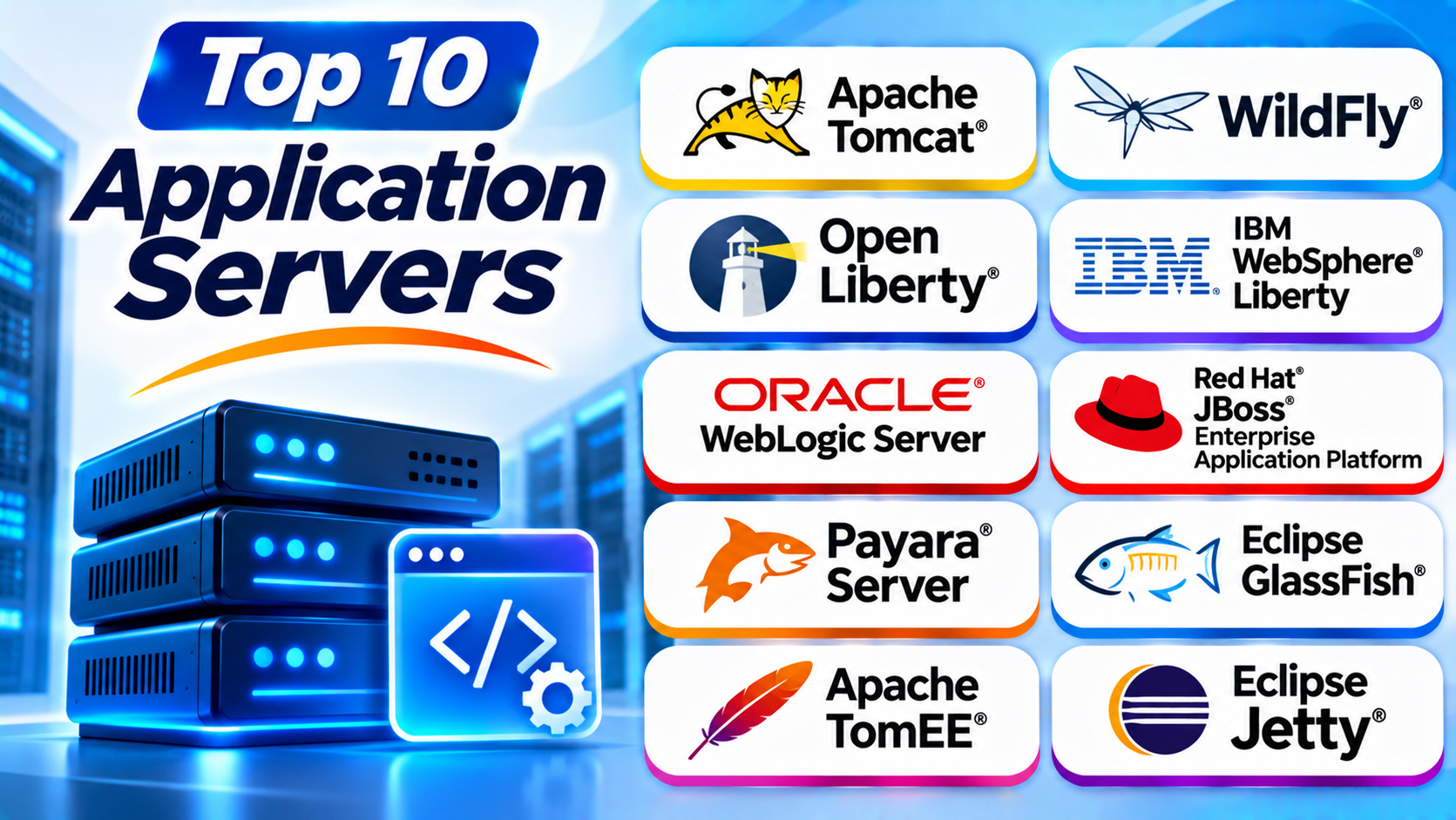
This guide explores ten popular application server platforms. You will learn their features, Pros, Cons, and best uses.
What Is an Application Server?
An application server is software that runs application code. It receives requests and processes the work behind an application.
For example, imagine someone logs in to an online store. The application server checks the login details. It may also retrieve account data and process the request.
Application servers can provide several services:
- Run application code.
- Manage user sessions.
- Connect applications to databases.
- Support security and user access.
- Handle business rules.
- Manage transactions.
- Connect different software services.
- Support application deployment.
Some platforms provide a complete enterprise application environment. Others offer a smaller runtime for specific programming needs.
Top 10 Application Servers
1. Apache Tomcat
<text>Apache Tomcat is a popular open-source platform for running Java web applications. It provides a servlet container and supports Jakarta Servlet and Jakarta Server Pages technologies.</text>
Tomcat works well for applications that use Java web technologies. Developers often use it for websites, business portals, and backend services.
It has a simple deployment process. Teams can package applications and deploy them to a Tomcat server.
Tomcat does not provide every feature of a full Jakarta EE application server. However, many web applications do not need those extra services.
Its large community also makes it easier to find guides and support.
Key Features
- Supports Jakarta Servlet.
- Supports Jakarta Server Pages.
- Runs Java web applications.
- Provides session management.
- Supports application deployment.
- Offers security configuration.
- Works across major operating systems.
Pros
- Free and open-source.
- Easy to start with.
- Has a large developer community.
- Works with many Java frameworks.
- Uses a focused and lightweight design.
Cons
- Does not provide the full Jakarta EE platform.
- Some enterprise features need extra tools.
- Advanced tuning requires Java knowledge.
- Large deployments need careful planning.
Best For: Java web applications, business websites, and developers who need a focused servlet container.
2. WildFly
WildFly is an open-source application server maintained by the WildFly community. It supports Jakarta EE technologies and provides a broad environment for enterprise Java applications.
Developers use WildFly to build and run business applications. It includes services for security, messaging, transactions, and application management.
WildFly also supports modular server features. Administrators can configure the services their applications need.
The platform supports command-line management and configuration files. These options help teams automate server setup.
WildFly is also the community project behind Red Hat JBoss Enterprise Application Platform.
Key Features
- Supports Jakarta EE.
- Provides enterprise application services.
- Includes transaction management.
- Supports messaging services.
- Offers security features.
- Provides command-line management.
- Supports container-based deployment.
Pros
- Free and open-source.
- Offers broad enterprise Java support.
- Provides flexible server configuration.
- Supports modern deployment methods.
- Has an active development community.
Cons
- Configuration can challenge beginners.
- Enterprise deployments need careful tuning.
- Teams need Java administration skills.
- Community support differs from paid vendor support.
Best For: Enterprise Java development, business applications, and teams that want an open-source application server.
3. Open Liberty
Open Liberty is an open-source Java application runtime from IBM. It helps developers build and run modern Java applications.
Its modular design lets teams enable only the features they need. This can help keep application deployments smaller and simpler.
Open Liberty supports Jakarta EE and MicroProfile technologies. MicroProfile provides tools for building cloud-ready Java services.
Developers can use its development mode to make code changes and test applications quickly. It also supports container-based deployment.
Open Liberty forms the open-source foundation of IBM WebSphere Liberty.
Key Features
- Supports Jakarta EE technologies.
- Supports MicroProfile.
- Uses a modular feature system.
- Offers development mode.
- Supports container deployment.
- Provides application monitoring options.
- Supports modern Java runtimes.
Pros
- Free and open-source.
- Supports modern Java development.
- Offers a flexible feature system.
- Works well with containers.
- Helps teams build cloud-ready applications.
Cons
- Some advanced features need extra learning.
- Enterprise management may need additional products.
- Teams need Java and container knowledge.
- Migration from older servers needs testing.
Best For: Cloud-native Java applications, microservices, and teams that want a flexible runtime.
4. IBM WebSphere Liberty
IBM WebSphere Liberty is a commercial Java application runtime. It supports enterprise application development and deployment.
The platform uses a modular design. Administrators can enable the features that their applications require.
WebSphere Liberty supports Jakarta EE and MicroProfile technologies. It also offers tools for monitoring and managing applications.
Businesses may use it for modern applications and existing enterprise systems. Its deployment options support traditional servers and container environments.
IBM provides commercial support and enterprise services for organizations that need vendor assistance.
Key Features
- Supports enterprise Java applications.
- Offers modular server features.
- Supports Jakarta EE and MicroProfile.
- Provides monitoring and management tools.
- Supports container deployment.
- Integrates with IBM technologies.
- Offers commercial support options.
Pros
- Supports enterprise application needs.
- Offers flexible configuration.
- Works with modern Java technologies.
- Provides professional vendor support.
- Supports different deployment environments.
Cons
- Commercial licensing may increase costs.
- Advanced management needs trained staff.
- Some deployments require careful migration.
- Smaller teams may not need its full feature set.
Best For: Large businesses, enterprise Java systems, and organizations that need IBM support.
5. Oracle WebLogic Server
Oracle WebLogic Server is an enterprise application server from Oracle. It helps businesses run large Java applications.
WebLogic provides services for transactions, messaging, security, and application management. These features support complex business systems.
Many organizations use it for financial applications, enterprise portals, and Oracle-based systems.
It also offers clustering and high-availability features. These tools help businesses keep important applications running.
WebLogic can work with Oracle databases and other enterprise products. However, teams should check version and application compatibility before deployment.
Key Features
- Supports enterprise Java applications.
- Provides transaction services.
- Includes messaging features.
- Supports clustering and high availability.
- Offers application security tools.
- Provides centralized administration.
- Integrates with Oracle technologies.
Pros
- Supports complex business applications.
- Offers enterprise management features.
- Provides clustering options.
- Works with Oracle products.
- Includes commercial vendor support.
Cons
- Licensing can be expensive.
- Administration requires specialist knowledge.
- Configuration may take time.
- It may be too complex for small applications.
Best For: Large enterprises, Oracle-based systems, and mission-critical business applications.
6. Red Hat JBoss Enterprise Application Platform
Red Hat JBoss Enterprise Application Platform, also called JBoss EAP, is a commercial enterprise Java application server.
It provides a supported platform for building and running business applications. It is based on the WildFly project but follows a separate enterprise release and support model.
JBoss EAP includes services for security, transactions, messaging, and application management.
Businesses can use it for traditional enterprise applications and modern container-based deployments. Red Hat also provides professional support and product guidance.
This makes it useful for organizations that need a supported Java platform.
Key Features
- Supports Jakarta EE.
- Provides enterprise Java services.
- Includes transaction management.
- Offers security and messaging features.
- Supports application clustering.
- Works with container platforms.
- Provides Red Hat support options.
Pros
- Offers enterprise support.
- Supports complex Java applications.
- Provides strong management features.
- Builds on WildFly technology.
- Supports modern deployment environments.
Cons
- Requires a commercial subscription.
- Administration needs trained staff.
- Some deployments need detailed configuration.
- Licensing and support costs need planning.
Best For: Enterprises that need supported Java application hosting and long-term maintenance.
7. Payara Server
Payara Server is an application server designed for Jakarta EE applications. It continues the GlassFish application server tradition and offers community and commercial options.
Developers use Payara to run business applications built with Java enterprise technologies.
The platform includes services for security, transactions, messaging, and application management. It also supports clustering and monitoring features.
Payara offers tools for cloud and container deployments. These features help teams move Java applications into modern hosting environments.
Businesses can choose its community edition or explore commercial support options.
Key Features
- Supports Jakarta EE.
- Provides enterprise application services.
- Offers security and transaction management.
- Supports clustering.
- Includes monitoring tools.
- Supports container deployment.
- Offers community and commercial editions.
Pros
- Provides a familiar Java enterprise environment.
- Offers useful management features.
- Supports modern deployment methods.
- Has community and commercial options.
- Helps teams run business applications.
Cons
- Advanced administration needs experience.
- Commercial support can add costs.
- Some migrations need compatibility checks.
- Smaller teams may not need every feature.
Best For: Jakarta EE applications, enterprise Java projects, and teams moving from GlassFish.
8. Eclipse GlassFish
Eclipse GlassFish is an open-source application server. It provides an implementation of Jakarta EE specifications.
Developers use GlassFish to build, test, and run enterprise Java applications. It supports common enterprise services and application deployment.
GlassFish also provides an administration interface. This helps users manage server settings and deployed applications.
It can suit learning, development, testing, and some production environments. Organizations should review their support and maintenance needs before using it for critical systems.
Key Features
- Supports Jakarta EE.
- Provides enterprise Java services.
- Includes application deployment tools.
- Offers server administration features.
- Supports security configuration.
- Provides web-based management.
- Runs across supported operating systems.
Pros
- Free and open-source.
- Useful for Jakarta EE development.
- Provides a standards-based environment.
- Helps developers test enterprise applications.
- Offers familiar Java server features.
Cons
- Production support needs careful planning.
- Some deployments may need extra administration.
- Large systems require performance testing.
- Teams must check compatibility between versions.
Best For: Java developers, Jakarta EE learning, and standards-based application testing.
9. Apache TomEE
Apache TomEE combines Apache Tomcat with additional Jakarta EE technologies. It gives developers more enterprise features than a basic Tomcat setup.
TomEE supports technologies used in Java business applications. These include Enterprise JavaBeans, Jakarta Persistence, and other enterprise services.
It can help teams run applications that need more than servlet support. Developers may also find migration easier when they already use Tomcat.
TomEE comes in different distributions. Each distribution provides a different set of features.
Teams should review the selected distribution before deploying applications.
Key Features
- Builds on Apache Tomcat.
- Supports Jakarta EE technologies.
- Provides enterprise application services.
- Supports application deployment.
- Includes persistence and messaging options.
- Offers different distributions.
- Supports Java development workflows.
Pros
- Extends the familiar Tomcat platform.
- Provides more enterprise features.
- Offers an open-source option.
- Can help with some Tomcat migrations.
- Supports Java business applications.
Cons
- Feature coverage depends on the distribution.
- Advanced configuration needs Java knowledge.
- It has a smaller ecosystem than some major enterprise servers.
- Teams must check application compatibility.
Best For: Java teams that want Tomcat with additional enterprise application features.
10. Eclipse Jetty
Eclipse Jetty is a Java-based web server and servlet container. Developers often use it to run Java web applications and embed server features inside other applications.
Jetty supports servlet technologies and WebSocket connections. WebSockets allow applications to exchange data in real time.
Its flexible design suits microservices, embedded systems, and lightweight Java applications.
Jetty can run as a standalone server. Developers can also include it inside a Java application.
Like Tomcat, Jetty does not provide every service found in a full Jakarta EE application server. Teams should check whether its servlet-focused features meet their needs.
Key Features
- Supports Java web applications.
- Provides servlet container features.
- Supports WebSocket connections.
- Offers embedded server options.
- Supports HTTP services.
- Provides flexible deployment choices.
- Integrates with Java applications.
Pros
- Offers a flexible design.
- Supports embedded use.
- Works well for lightweight Java services.
- Supports real-time WebSocket applications.
- Provides an open-source platform.
Cons
- Does not provide the full Jakarta EE platform.
- Advanced setup needs Java knowledge.
- Some enterprise features need other services.
- Large deployments need careful tuning.
Best For: Java microservices, embedded applications, and WebSocket-based systems.
Comparison Table of the Top 10 Application Servers
| Application Server | Main Strength | Best For | License or Model |
|---|---|---|---|
| Apache Tomcat | Java web application hosting | Servlet-based applications | Open-source |
| WildFly | Enterprise Java features | Business Java applications | Open-source |
| Open Liberty | Modular cloud-ready runtime | Cloud-native Java apps | Open-source |
| IBM WebSphere Liberty | Enterprise Java support | Large business systems | Commercial |
| Oracle WebLogic Server | Enterprise management and clustering | Mission-critical applications | Commercial |
| Red Hat JBoss EAP | Supported enterprise Java platform | Enterprise deployments | Commercial subscription |
| Payara Server | Jakarta EE application hosting | Enterprise Java projects | Community and commercial |
| Eclipse GlassFish | Jakarta EE implementation | Development and testing | Open-source |
| Apache TomEE | Tomcat with enterprise features | Java business applications | Open-source |
| Eclipse Jetty | Lightweight and embedded Java server | Microservices and WebSockets | Open-source |
How to Choose the Right Application Server
The best application server depends on your software, team, and business needs. Review these points before choosing one.
1. Identify Your Application Type
Start by checking the programming language and framework behind your application.
A Java servlet application may work well with Tomcat or Jetty. A full Jakarta EE application may need WildFly, Payara, WebLogic, or another enterprise platform.
Choose a server that supports the technologies your application uses.
2. Check Required Features
List the services your application needs.
Does it need transaction management? Does it need messaging or clustering? Does it need advanced security features?
A smaller runtime may be enough for simple applications. Large business systems may need a broader platform.
3. Review Performance Needs
Think about the number of users and requests your application must handle.
Also consider startup time, memory use, and response speed. Test the server with your own application before making a final choice.
Do not depend only on general performance claims.
4. Consider Deployment Options
Some application servers work well with traditional servers. Others offer strong support for containers and cloud environments.
Check compatibility with your current infrastructure. Also review your plans for future growth.
5. Review Security Features
Security matters for every business application.
Look for user authentication, access controls, secure connections, and update support. Also check how the server manages secrets and application permissions.
Keep your server software updated and remove unused services.
6. Compare Support Options
Open-source platforms often rely on community support. Commercial products may offer vendor assistance and service agreements.
Think about how quickly your team must solve problems. Critical business applications may need professional support.
7. Calculate the Total Cost
Compare licensing, hosting, training, support, and maintenance costs.
A free server may still need skilled administrators. A commercial server may offer support that reduces some internal work.
Choose a platform that fits both your budget and technical needs.
Benefits of Using an Application Server
Application servers help businesses run and manage software. They offer several useful benefits.
Centralized Application Management: Teams can manage application settings and deployments from a shared platform.
Better Security: Application servers offer tools for authentication, permissions, and secure connections.
Transaction Support: Some servers help applications complete business transactions safely.
Database Connectivity: Applications can connect to databases through server services and supported tools.
Session Management: Servers can manage user sessions across application requests.
Scalability: Clustering and deployment options can help applications support more users.
Developer Productivity: Ready-made services can reduce the need to build every feature from scratch.
Common Challenges of Application Servers
Application servers also bring some challenges. Teams should understand them before deployment.
Complex Configuration: Enterprise servers may have many settings. Administrators need training and clear documentation.
High Resource Use: Some platforms need significant memory and processing power.
Licensing Costs: Commercial products may require subscriptions or other license fees.
Security Maintenance: Teams must apply updates and review access settings.
Compatibility Issues: Older applications may depend on specific Java or platform versions.
Performance Tuning: Poor settings can slow down applications. Regular testing can help find problems.
Best Practices for Application Server Management
Use these practices to keep your application server stable and secure.
- Choose a server that supports your application framework.
- Keep the server and runtime updated.
- Use strong authentication and access controls.
- Remove unused services and features.
- Monitor memory, CPU, and application response times.
- Review logs and investigate errors.
- Back up application data and configuration files.
- Test updates before production deployment.
- Use secure connections for application traffic.
- Prepare a recovery plan for server failures.
Questions and Answers About Application Servers
1. What is an application server?
An application server runs application code and handles requests. It can also provide services such as security, transactions, and session management.
2. What is the difference between a web server and an application server?
A web server mainly delivers web content and handles HTTP requests. An application server runs application logic and may provide extra services. Some platforms support both roles.
3. Which application server is best overall?
There is no single best choice for every project. Tomcat suits Java web applications, while WildFly and Open Liberty offer broader enterprise Java features.
4. Is Apache Tomcat a full application server?
Tomcat is mainly a servlet container. It supports Java web applications but does not provide the full Jakarta EE platform.
5. What is the difference between WildFly and JBoss EAP?
WildFly is an open-source community project. JBoss EAP is a commercially supported enterprise product based on WildFly technology.
6. Is Open Liberty free?
Yes. Open Liberty is an open-source project. IBM WebSphere Liberty offers commercial enterprise options.
7. Which application server is suitable for enterprise applications?
WildFly, JBoss EAP, WebLogic, WebSphere Liberty, and Payara can support enterprise Java applications. The right choice depends on required features and support needs.
8. Can application servers run in containers?
Yes. Many modern application servers support container deployment. Teams can use containers to package and run applications consistently.
9. Do application servers support databases?
Many application servers provide database connection features. Applications use these connections to read and write information.
10. How can I improve application server performance?
Monitor resource use, tune memory settings, review database connections, and test application workloads. Also remove unused services and keep software updated.
Final Thoughts
Application servers help developers run the software behind modern applications. They provide tools for application hosting, security, and business logic.
Apache Tomcat offers a focused option for Java web applications. WildFly and Open Liberty provide flexible enterprise Java runtimes. WebLogic and WebSphere Liberty suit organizations with larger business needs.
JBoss EAP offers commercial support. Payara and GlassFish support Jakarta EE projects. TomEE extends Tomcat with more enterprise features, while Jetty suits lightweight and embedded Java applications.
Before choosing, check your application requirements, budget, support needs, and deployment plans. Test your shortlisted platforms with real workloads. This helps you choose a server that supports your applications today and as they grow.