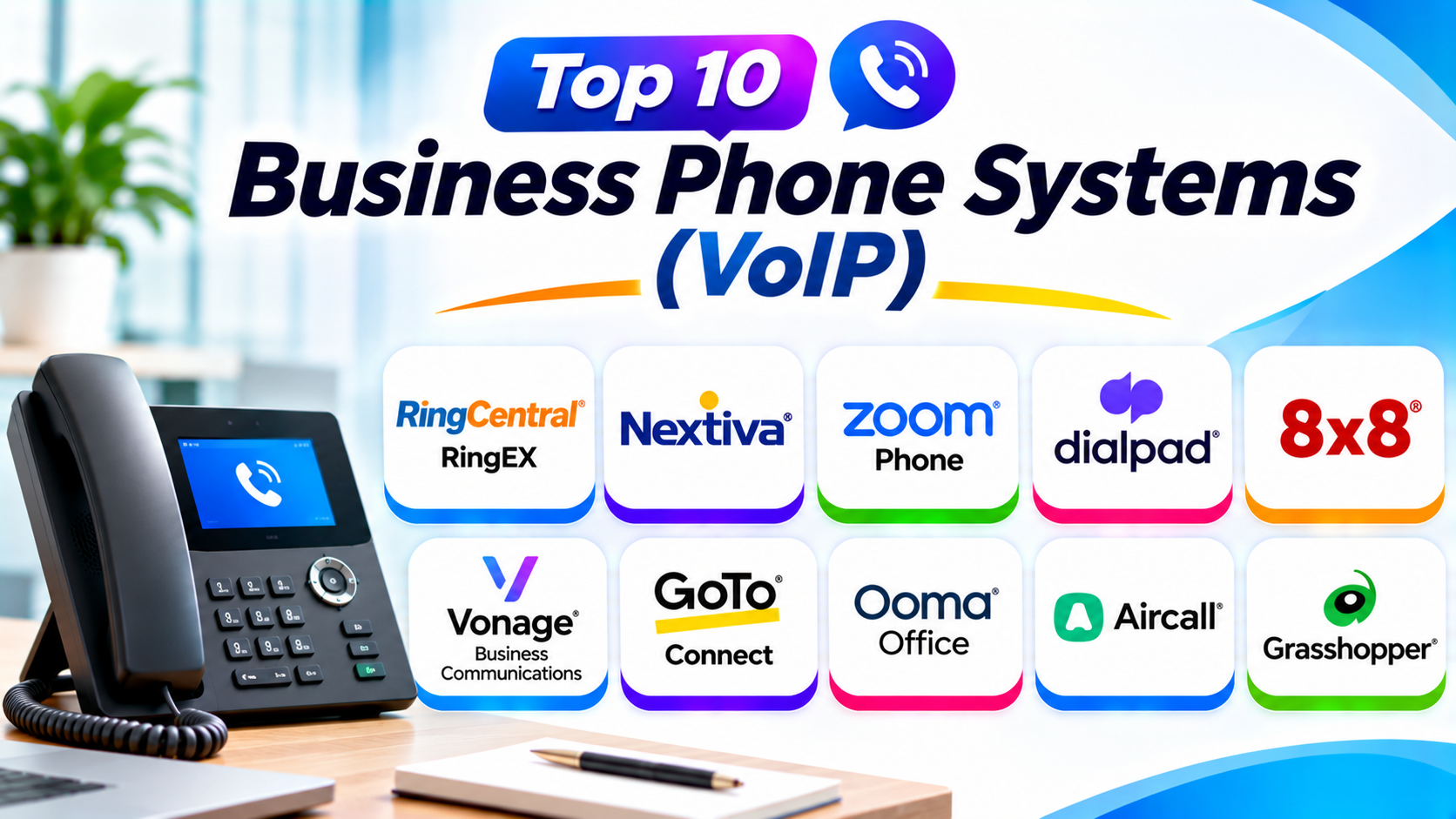
Introduction
Business phone systems help companies stay connected with customers and teams. Modern VoIP systems use the internet to make and receive calls. VoIP means Voice over Internet Protocol.
These systems offer more than regular phone calls. They can include call routing, voicemail, video meetings, call recording, and team messaging.
Businesses use VoIP to manage calls across offices and remote teams. They can also reduce the need for traditional phone equipment.
However, each provider offers different features and plans. This guide explores ten popular business phone systems. It compares their features, Pros, Cons, and best uses.
What Is a Business Phone System (VoIP)?
A business VoIP phone system uses the internet for voice calls. It replaces many traditional telephone services with internet-based calling.
Employees can make calls through desk phones, computers, and mobile apps. They can also use one business number across different devices.
Most VoIP platforms offer call management features. These include voicemail, call forwarding, call queues, and automated greetings.
Some providers also include video meetings and team messaging. Others focus on sales calls and customer support.
Why Do Businesses Use VoIP Phone Systems?
Businesses need reliable ways to communicate with customers. They also need simple ways to manage employee calls.
VoIP systems help companies manage these tasks. They offer several useful benefits.
- Lower phone costs: Internet calling can reduce some traditional phone expenses.
- Remote access: Employees can answer business calls from different locations.
- Better call management: Teams can route calls to the right employees.
- Business identity: Companies can use professional business numbers.
- Flexible growth: Businesses can add users as their teams grow.
- Customer support: Call queues help manage incoming customer calls.
- Team communication: Some platforms combine calling, messaging, and meetings.
- Call tracking: Managers can review call activity and performance.
Top 10 Business Phone Systems (VoIP)
1. RingCentral RingEX
RingCentral RingEX offers cloud-based business calling and communication. It combines phone services with messaging and video meetings.
Businesses can manage calls through desktop and mobile apps. Employees can also use compatible desk phones.
The platform includes tools for call routing and voicemail. It also supports integrations with many business applications.
RingCentral suits companies that need one communication platform. Its wider features can support growing teams and multiple offices.
Key Features
- Cloud-based business phone service.
- Business SMS and team messaging options.
- Video meetings and collaboration.
- Call forwarding and call routing.
- Auto attendants and call queues.
- Voicemail and call management.
- Business application integrations.
- Analytics and administration controls.
Pros
- Combines several communication tools.
- Supports growing businesses.
- Offers useful call management features.
- Provides desktop and mobile access.
- Supports many business integrations.
Cons
- Advanced features may need higher plans.
- The platform can feel complex to new users.
- Extra services may increase costs.
- Some businesses may not need every feature.
Best For: Growing businesses that need calling, messaging, meetings, and advanced communication tools.
2. Nextiva
Nextiva provides cloud-based phone services and customer communication tools. It helps businesses manage conversations across different channels.
Companies can use Nextiva for customer calls and internal communication. Its platform also offers features for customer experience management.
The system supports call routing and voicemail. It can also connect with business applications and customer records.
Nextiva suits companies that handle many customer conversations. It can help teams organize calls and improve customer communication.
Key Features
- Cloud-based business phone service.
- Call forwarding and call routing.
- Auto attendants and voicemail.
- Business messaging options.
- Customer communication tools.
- Call analytics and reporting.
- CRM integrations.
- Desktop and mobile applications.
Pros
- Offers business-focused communication tools.
- Supports customer service teams.
- Provides useful call management features.
- Helps organize customer conversations.
- Supports different business sizes.
Cons
- Some features depend on the selected plan.
- Advanced tools may increase costs.
- The full platform may feel large for small teams.
- Integration options vary by subscription.
Best For: Businesses that focus on customer communication, support, and sales.
3. Zoom Phone
Zoom Phone brings cloud-based calling into the Zoom communication platform. It helps businesses manage calls through computers and mobile devices.
Companies can use it alongside Zoom Meetings. This can help teams manage calls and online meetings in one workspace.
The system supports call routing and voicemail. It also provides business phone controls and administration tools.
Zoom Phone works well for organizations already using Zoom. It offers a familiar environment for employees.
Key Features
- Cloud-based business calling.
- Call forwarding and transfer.
- Auto attendants and call queues.
- Voicemail and call recording options.
- Desktop and mobile phone apps.
- Business SMS on supported plans.
- Zoom Meetings integration.
- Call management and administration.
Pros
- Works with the wider Zoom platform.
- Offers familiar communication tools.
- Supports remote employees.
- Provides useful call management features.
- Offers flexible calling plans.
Cons
- Some advanced features need extra licenses.
- Features vary across calling plans.
- Businesses may need separate services for some needs.
- Internet quality affects call performance.
Best For: Remote teams and businesses already using Zoom for online meetings.
4. Dialpad
Dialpad offers cloud-based business phone services with AI-powered communication features. It helps teams manage calls and review conversations.
The platform can provide call transcription and summaries. These tools help employees review important details after conversations.
Dialpad also supports call routing and business messaging. Sales and support teams can use its tools to manage customer calls.
Its AI features make it useful for businesses that handle frequent conversations. However, feature access depends on the selected plan.
Key Features
- Cloud-based business calling.
- AI-powered call transcription.
- Call summaries on supported plans.
- Call routing and forwarding.
- Business messaging.
- Call recording options.
- Desktop and mobile applications.
- Business application integrations.
Pros
- Offers useful AI communication features.
- Helps teams review conversations.
- Supports sales and support workflows.
- Provides desktop and mobile access.
- Includes business integrations.
Cons
- Some AI features need higher plans.
- Advanced options may increase costs.
- Users may need time to learn all features.
- Call quality depends on internet performance.
Best For: Sales teams, customer support departments, and businesses that want AI-assisted calling.
5. 8×8
8×8 provides cloud-based business phone and communication services. It supports companies with employees across different locations.
The platform offers voice calling and team collaboration. Some solutions also support contact center operations.
Businesses can use call routing and analytics tools. These features help managers organize calls and review communication activity.
8×8 can suit companies with international communication needs. Businesses should check country coverage and calling terms before selecting a plan.
Key Features
- Cloud-based business phone service.
- Business voice calling.
- Call routing and forwarding.
- Auto attendants and call queues.
- Team messaging and meetings.
- Contact center options.
- Call analytics and reporting.
- Business application integrations.
Pros
- Supports distributed teams.
- Offers business communication features.
- Provides contact center options.
- Helps manage calls across locations.
- Supports wider communication needs.
Cons
- Plan choices can feel complex.
- Pricing may require a custom quote.
- Some features depend on the selected package.
- Setup may need technical support.
Best For: Businesses with multiple locations and international communication requirements.
6. Vonage Business Communications
Vonage Business Communications offers cloud-based business phone services. It supports calls through desk phones, computers, and mobile devices.
Businesses can use it for daily customer calls. It also offers messaging and communication features.
Vonage provides tools for call forwarding and voicemail. Its wider communications products also include APIs for developers.
These APIs let businesses add communication features to their own applications. This makes Vonage useful for companies with custom communication needs.
Key Features
- Cloud-based business phone service.
- Mobile and desktop calling.
- Call forwarding and transfer.
- Voicemail and call management.
- Business messaging options.
- Video meeting options.
- CRM integrations.
- Communications APIs.
Pros
- Offers flexible communication options.
- Supports desk phones and mobile devices.
- Provides useful call management tools.
- Offers APIs for custom projects.
- Supports business integrations.
Cons
- Some features require additional services.
- Pricing depends on the selected package.
- Advanced setup may need technical knowledge.
- Extra services can increase total costs.
Best For: Businesses that need flexible phone services and custom communication integrations.
7. GoTo Connect
GoTo Connect combines business phone services with communication tools. It helps teams manage calls across offices and remote locations.
The platform offers call routing and automated attendants. Businesses can use these features to direct callers to the right departments.
GoTo Connect also supports video meetings and team messaging. This makes it useful for companies that want several communication tools together.
Its call management features can support businesses with many incoming calls. Teams can also manage communication through desktop and mobile apps.
Key Features
- Cloud-based business calling.
- Auto attendants and call routing.
- Call queues and extensions.
- Voicemail and call forwarding.
- Video meetings.
- Team messaging.
- Desktop and mobile applications.
- Business communication management.
Pros
- Combines calling and collaboration.
- Offers flexible call routing.
- Supports remote teams.
- Helps manage multiple locations.
- Provides useful business communication tools.
Cons
- Some plans require custom pricing.
- Advanced features may need setup support.
- The platform may offer more than small teams need.
- Features depend on the selected package.
Best For: Businesses that need flexible call routing and communication across multiple locations.
8. Ooma Office
Ooma Office provides business phone services for small and medium businesses. It offers cloud-based calling with practical phone management features.
Businesses can use desk phones and mobile apps. This helps employees answer calls from the office or other locations.
The platform supports virtual receptionists and call forwarding. It also offers voicemail and business phone extensions.
Ooma Office focuses on straightforward business communication. It can suit companies that want a professional phone system without a large communication suite.
Key Features
- Cloud-based business phone service.
- Virtual receptionist.
- Call forwarding and transfer.
- Voicemail and extensions.
- Business phone numbers.
- Mobile and desktop applications.
- Call management tools.
- Desk phone support.
Pros
- Easy to understand for many small businesses.
- Offers useful everyday phone features.
- Supports desk phones and mobile apps.
- Provides virtual receptionist options.
- Helps separate business and personal calls.
Cons
- Advanced communication features vary by plan.
- Some businesses may need extra services.
- Large organizations may need more advanced tools.
- Feature availability can depend on the subscription.
Best For: Small offices, local businesses, and companies that need straightforward business calling.
9. Aircall
Aircall is a cloud-based phone system built for sales and customer support teams. It helps businesses manage customer calls through a shared workspace.
The platform offers call routing and team collaboration features. Employees can also review call history and customer details.
Aircall connects with CRM and help desk applications. This helps sales and support teams keep customer information organized.
Its tools focus on customer conversations rather than general office communication. It can be useful for teams that make and receive many calls.
Key Features
- Cloud-based business calling.
- Shared call management.
- Call routing and queues.
- Call recording and monitoring options.
- CRM and help desk integrations.
- Call analytics.
- Team collaboration features.
- Desktop and mobile applications.
Pros
- Designed for sales and support teams.
- Offers useful CRM integrations.
- Helps teams manage customer calls.
- Provides call monitoring features.
- Supports team collaboration.
Cons
- May cost more than basic phone services.
- Some integrations require higher plans.
- Not every business needs its contact center features.
- Pricing can grow as teams add users.
Best For: Sales departments, customer support teams, and businesses with high call volumes.
10. Grasshopper
Grasshopper offers virtual business phone services for small companies and independent professionals. It helps users create a separate business phone identity.
Users can manage business calls through mobile and desktop applications. They can also use extensions to organize incoming calls.
Grasshopper supports business numbers and professional greetings. These features help small businesses present a professional image.
It focuses on simple calling and business number management. It does not offer the same wide collaboration features as larger VoIP suites.
Key Features
- Virtual business phone numbers.
- Call forwarding.
- Business extensions.
- Voicemail and greetings.
- Business texting options.
- Mobile and desktop applications.
- Call management.
- Separate business and personal communication.
Pros
- Simple for small businesses.
- Helps create a professional business identity.
- Supports business numbers and extensions.
- Requires less phone equipment.
- Useful for independent professionals.
Cons
- Fewer advanced collaboration features.
- Not designed for large contact centers.
- Some businesses may need more detailed call analytics.
- Features depend on the selected plan.
Best For: Freelancers, startups, solo business owners, and small service companies.
Comparison Table of the Top 10 Business Phone Systems
| Phone System | Best For | Main Strength |
|---|---|---|
| RingCentral RingEX | Growing businesses | Unified business communication |
| Nextiva | Customer communication | Customer experience tools |
| Zoom Phone | Remote teams | Zoom platform integration |
| Dialpad | Sales and support | AI-powered calling features |
| 8×8 | Distributed businesses | Global communication options |
| Vonage Business Communications | Flexible business calling | Communication APIs |
| GoTo Connect | Multi-location companies | Call routing and collaboration |
| Ooma Office | Small businesses | Straightforward phone service |
| Aircall | Sales and support teams | Customer call management |
| Grasshopper | Freelancers and startups | Virtual business phone numbers |
How to Choose the Right Business Phone System
Choosing a VoIP system requires more than comparing monthly prices. Businesses should review their communication needs and future plans.
1. Understand Your Business Needs
Start by checking how your company handles phone calls. Consider the number of employees and daily calls.
A small office may need basic calling features. A large support team may need call queues and monitoring.
2. Check Call Quality and Reliability
Clear calls help businesses communicate with customers. Poor sound can damage customer experiences.
Look for providers that offer reliable service. Test call quality with your business internet connection.
3. Review Call Management Features
Call management helps businesses handle incoming calls. It also helps customers reach the right department.
Look for auto attendants, call forwarding, and call queues. These tools can improve daily phone operations.
4. Check Mobile and Desktop Support
Employees may work from different locations. They need access to business calls outside the office.
Choose a system with suitable mobile and desktop apps. Check whether employees can use business numbers across devices.
5. Review Integration Options
Your business may already use CRM and help desk software. Phone integrations can connect calls with customer records.
Check whether the provider supports your existing applications. Good integrations can reduce manual work.
6. Compare Security and Privacy
Business calls may include private customer information. Security should remain an important part of your decision.
Review account controls and available security features. Also check how the provider handles call recordings and stored information.
7. Understand Emergency Calling
VoIP emergency calling works differently across providers and locations. Check local emergency calling support before switching.
Make sure employees understand how to contact emergency services. Keep a backup communication method available when needed.
8. Compare the Full Cost
Do not compare plans using the monthly price alone. Check setup fees, taxes, hardware, and paid add-ons.
Some providers require annual contracts or minimum users. Review the complete cost before signing an agreement.
Common Uses of Business VoIP Phone Systems
VoIP systems support many business activities. Companies use them to manage both internal and customer communication.
- Customer service: Support teams answer questions and solve customer problems.
- Sales calls: Sales representatives contact leads and existing customers.
- Remote work: Employees answer business calls from different locations.
- Office communication: Staff can call coworkers across departments.
- Appointment booking: Service teams manage customer appointments.
- Call centers: Support teams handle large numbers of incoming calls.
- Business expansion: Companies can connect new offices to one phone system.
- International communication: Businesses can contact customers in supported countries.
- Call monitoring: Managers can review call activity and team performance.
- Customer follow-up: Employees can return missed calls and track conversations.
Benefits of Business Phone Systems (VoIP)
VoIP systems offer several benefits for modern businesses. They help companies manage communication with more flexibility.
Lower Communication Costs: Internet calling may reduce some traditional phone expenses.
Flexible Working: Employees can answer calls from supported devices and locations.
Easy Expansion: Businesses can add users and extensions as they grow.
Better Call Management: Automated attendants and call queues help organize incoming calls.
Professional Business Identity: Companies can use business numbers and custom greetings.
Useful Reporting: Call reports help managers understand communication activity.
Application Integration: Some systems connect calls with CRM and customer support software.
Less Office Equipment: Cloud phone systems can reduce the need for traditional phone hardware.
Challenges of Business VoIP Phone Systems
VoIP offers many useful features, but businesses should understand its limits.
Internet Dependence: Poor internet connections can affect call quality.
Power Outages: Office power problems can interrupt network equipment and desk phones.
Setup Requirements: Some systems need network changes and employee training.
Security Risks: Weak passwords and poor settings can expose business accounts.
Extra Costs: Hardware, licenses, and advanced features can increase expenses.
Emergency Calling: Emergency calling support and location handling can vary by provider.
Provider Differences: Features and service quality differ across companies and plans.
Questions and Answers About Business Phone Systems (VoIP)
1. What is a business VoIP phone system?
A business VoIP phone system uses the internet to make and receive calls. It can also offer voicemail, call routing, and business messaging.
2. How does VoIP work for businesses?
VoIP converts voice into digital data and sends it through an internet connection. The receiving system converts that data back into sound.
3. Which business VoIP system is best overall?
RingCentral and Nextiva are strong options for many businesses. The best choice depends on team size and communication needs.
4. Is VoIP cheaper than a traditional business phone system?
VoIP can reduce some phone and equipment costs. However, the total cost depends on licenses, internet service, hardware, and extra features.
5. Can employees use VoIP systems on mobile phones?
Yes, many providers offer mobile applications. Employees can use these apps to manage business calls from supported devices.
6. Can I keep my existing business phone number?
Many providers support phone number porting. However, availability depends on the country, number type, and provider.
7. Do VoIP systems support call recording?
Many business VoIP platforms offer call recording. Recording access and storage depend on the provider and plan.
8. Are business VoIP systems secure?
Many providers offer security and account controls. Businesses should also use strong passwords and suitable network security.
9. Does VoIP work without an internet connection?
VoIP needs an internet connection to make online calls. Businesses should prepare backup internet or another phone option.
10. What features should I check before buying a VoIP system?
Review call quality, routing, voicemail, mobile apps, integrations, and security. Also check emergency calling, support, and total costs.
Final Thoughts
Business phone systems help companies manage calls and customer communication. VoIP platforms make business calling more flexible through internet-based services.
RingCentral RingEX suits growing businesses that need unified communication. Nextiva helps companies manage customer conversations. Zoom Phone works well for teams already using Zoom.
Dialpad offers useful AI calling features. 8×8 supports businesses with distributed teams. Vonage provides flexible communication options and APIs.
GoTo Connect helps manage calls across locations. Ooma Office offers practical tools for small businesses. Aircall supports sales and customer service teams. Grasshopper provides simple business numbers for independent professionals.
Before choosing a system, review your daily call needs. Compare features, security, support, and total costs. Select a platform that supports your team today and your business as it grows.