Introduction
Mobile devices help teams work from almost anywhere. But managing many phones, tablets, and laptops can become hard.
Businesses need a simple way to control devices. They also need to protect company data and keep devices safe.
Mobile Device Management (MDM) software helps solve these problems. It lets IT teams manage devices from one central place.
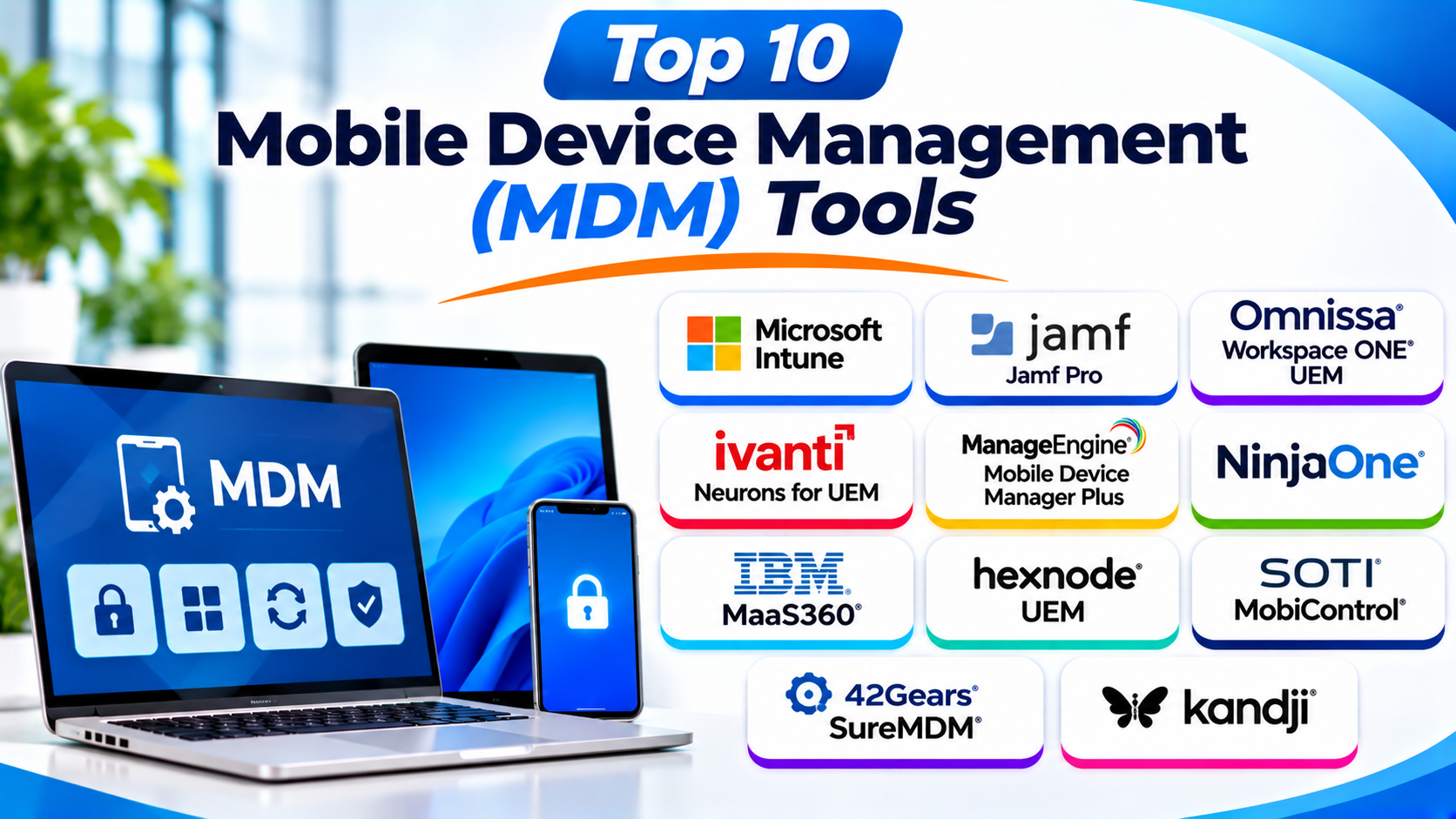
This guide explores ten popular MDM tools. You can compare their features, Pros, Cons, and best uses. It will also help you choose the right platform.
What Is Mobile Device Management (MDM)?
Mobile Device Management (MDM) is software that helps businesses manage mobile devices. IT teams use it to control company-owned and personal devices.
An MDM platform connects devices to a central management system. IT staff can then set rules, install apps, and check device health.
For example, a company may give phones to its sales team. The IT team can use MDM to set passwords and install work apps.
MDM can also protect company data. IT staff can lock or erase a lost device when needed.
Why Do Businesses Need MDM Software?
Businesses use MDM tools for many reasons.
- Device control: Manage phones, tablets, and other supported devices.
- Data protection: Keep business files and work apps safe.
- App management: Install, update, and remove apps from devices.
- Policy control: Set rules for passwords, screen locks, and device use.
- Remote support: Help workers fix device problems from a distance.
- Device tracking: Check device details and management status.
- Lost device response: Lock or wipe devices when needed.
- Better IT work: Manage many devices from one central dashboard.
Top 10 Mobile Device Management (MDM) Tools
The following tools serve different business needs. Some focus on Apple devices. Others support many device types and operating systems.
1. Microsoft Intune
Best for businesses using Microsoft services and Windows devices
Microsoft Intune is a cloud-based endpoint management platform. It helps IT teams manage devices, apps, and company data.
It supports Windows, Android, iOS, iPadOS, and macOS. This makes it useful for businesses with different device types.
Intune works closely with Microsoft Entra ID and Microsoft 365. These services help companies manage user access and protect business information.
IT teams can create device rules for workers. They can also control which apps users can access.
Intune supports both company-owned and personal devices. This helps businesses manage remote work and bring-your-own-device programs.
Key Features
- Manage Windows, Android, iOS, iPadOS, and macOS devices.
- Set device security and access rules.
- Deploy and manage business apps.
- Support personal and company-owned devices.
- Control access to company resources.
- Connect with Microsoft security services.
- View device compliance and management status.
Pros
- Works well with Microsoft 365.
- Supports several major operating systems.
- Offers strong policy and app controls.
- Helps manage remote and hybrid teams.
- Supports company-owned and personal devices.
Cons
- Some features need careful setup.
- The admin experience can feel complex.
- Advanced functions may require extra planning.
- Best value often comes from the wider Microsoft ecosystem.
Best For: Businesses that use Microsoft 365 and need central device management.
2. Jamf Pro
Best for organizations that manage Apple devices
Jamf Pro focuses on Apple device management. It helps IT teams manage Mac computers, iPhones, and iPads.
The platform gives administrators tools to set device rules. They can also install apps, manage updates, and control device settings.
Jamf Pro supports Apple-focused workflows. This makes it useful for schools, offices, and businesses with large Apple fleets.
IT teams can prepare devices before workers receive them. They can also manage devices after deployment.
Jamf Pro offers detailed control over Apple devices. However, organizations with many Android or Windows devices may need another tool.
Key Features
- Manage Mac, iPhone, and iPad devices.
- Deploy apps and configuration profiles.
- Set security rules for Apple devices.
- Manage operating system updates.
- Automate device setup and enrollment.
- Track device information.
- Support Apple-focused business workflows.
Pros
- Built for Apple device management.
- Offers detailed Mac and iOS controls.
- Supports large Apple device fleets.
- Helps automate device setup.
- Provides useful tools for IT teams.
Cons
- Focuses mainly on Apple devices.
- Requires training for advanced tasks.
- May not suit mixed-device environments alone.
- Some workflows need technical knowledge.
Best For: Schools and businesses that use many Apple devices.
3. Omnissa Workspace ONE UEM
Best for large businesses with mixed device environments
Omnissa Workspace ONE UEM helps organizations manage devices across different operating systems. It supports mobile devices and computers.
IT teams can use one platform to manage many endpoints. They can also apply security rules and control business apps.
The platform supports device enrollment and app delivery. It also helps companies manage employee access to work resources.
Workspace ONE UEM can support complex business environments. Large companies can use it to manage devices across teams and locations.
Its wide range of features may require planning. IT teams should review their needs before setup.
Key Features
- Manage Android, iOS, Windows, and macOS devices.
- Enroll and configure devices.
- Deploy and manage business apps.
- Apply device security rules.
- Support employee access controls.
- Manage device updates.
- View device status and compliance.
Pros
- Supports many device types.
- Offers broad enterprise management features.
- Helps manage large device fleets.
- Combines device and app management.
- Supports different work environments.
Cons
- Setup can take time.
- Some features need technical skills.
- Large deployments may need expert planning.
- The wide feature set can feel complex.
Best For: Large organizations that manage different device types across many locations.
4. Ivanti Neurons for UEM
Best for organizations that need unified endpoint management
Ivanti Neurons for UEM helps IT teams manage and secure different devices. It brings device management and endpoint controls into one platform.
Businesses can use it to manage mobile devices and computers. IT teams can also apply rules across their device fleets.
The platform supports app management and device configuration. It helps administrators check device status and manage security settings.
Ivanti also offers wider IT and security products. Businesses can explore these tools when they need more control across their IT systems.
Key Features
- Manage supported mobile and desktop devices.
- Apply device configuration rules.
- Manage business apps.
- Monitor device status.
- Support device enrollment.
- Set security and compliance policies.
- Connect with other Ivanti products.
Pros
- Supports unified endpoint management.
- Helps manage mixed device environments.
- Offers security and policy controls.
- Fits wider Ivanti IT workflows.
- Supports enterprise management needs.
Cons
- Setup may require technical planning.
- Some features depend on the chosen package.
- The platform can feel complex for small teams.
- Administrators may need training.
Best For: Medium and large businesses that need broad endpoint management.
5. ManageEngine Mobile Device Manager Plus
Best for small and medium-sized businesses
ManageEngine Mobile Device Manager Plus helps businesses manage mobile devices from one console. It supports Android, iOS, iPadOS, and other supported platforms.
IT teams can enroll devices and apply security rules. They can also install apps and manage device settings.
The platform supports company-owned and personal devices. This helps organizations manage different work styles.
ManageEngine also offers tools for IT service management and endpoint control. Businesses can explore these products as their needs grow.
Key Features
- Manage Android, iOS, and iPadOS devices.
- Enroll company and personal devices.
- Deploy and manage mobile apps.
- Set passwords and device restrictions.
- Configure Wi-Fi and email settings.
- Lock or wipe lost devices.
- View device inventory and status.
Pros
- Offers a broad set of MDM features.
- Supports several mobile platforms.
- Provides tools for app management.
- Can suit small and medium-sized teams.
- Offers cloud and on-premises deployment options.
Cons
- Some advanced settings need technical knowledge.
- The interface may take time to learn.
- Large deployments need careful planning.
- Some integrations depend on other ManageEngine products.
Best For: Small and medium-sized businesses that need practical mobile device control.
6. IBM MaaS360
Best for businesses that need mobile security and device management
IBM MaaS360 is a cloud-based unified endpoint management platform. It helps businesses manage mobile devices, apps, and security policies.
IT teams can use MaaS360 to manage different device types. They can also set rules for company data and employee access.
The platform offers tools for device monitoring and threat protection. It can help administrators respond to security risks.
MaaS360 suits organizations that want mobile management and security together. Its wider capabilities can help businesses manage a distributed workforce.
Key Features
- Manage supported Android, iOS, Windows, and macOS devices.
- Enroll and configure mobile devices.
- Manage business applications.
- Apply device security policies.
- Monitor device compliance.
- Support mobile threat protection features.
- Manage access to company data.
Pros
- Combines device management with security features.
- Supports several operating systems.
- Helps protect business information.
- Supports remote device management.
- Offers enterprise-focused controls.
Cons
- Some features may need extra configuration.
- Advanced options can take time to learn.
- Pricing and package choices need review.
- Smaller teams may not need every feature.
Best For: Businesses that want mobile device management with added security controls.
7. Hexnode UEM
Best for businesses that want flexible device management
Hexnode UEM helps organizations manage mobile devices, computers, and other supported endpoints. It provides a central dashboard for device control.
IT teams can use Hexnode to manage Android, Apple, Windows, and other supported devices. They can also set rules for apps and device use.
The platform supports device enrollment and remote management. Businesses can use it to manage office devices, remote workers, and shared devices.
Hexnode offers different management options. This can help organizations choose features that match their needs.
Key Features
- Manage Android, iOS, iPadOS, Windows, and macOS devices.
- Enroll and configure devices.
- Deploy and manage applications.
- Set device restrictions.
- Apply security policies.
- Support remote device actions.
- Manage shared and kiosk devices.
Pros
- Supports many device types.
- Offers a range of device controls.
- Helps manage shared devices.
- Provides app and policy management.
- Works for different business sizes.
Cons
- Some advanced features need setup.
- Administrators may need time to learn the platform.
- Feature access can vary by plan.
- Large environments need careful policy design.
Best For: Businesses that need flexible device management across different platforms.
8. SOTI MobiControl
Best for frontline workers and rugged devices
SOTI MobiControl helps businesses manage mobile devices in the field. It is useful for industries that rely on handheld devices and rugged hardware.
Companies can use it to manage Android, Windows, and other supported devices. It helps IT teams control devices used in warehouses, transport, retail, and logistics.
The platform offers remote support and device control. Administrators can also deploy apps and manage device settings.
SOTI MobiControl works well in environments where devices support daily operations. It can help reduce device downtime and improve IT support.
Key Features
- Manage supported mobile and rugged devices.
- Deploy and update business apps.
- Apply device security policies.
- Support remote troubleshooting.
- Manage device settings.
- Monitor device status.
- Support frontline and field workflows.
Pros
- Strong focus on rugged device management.
- Useful for field-based teams.
- Offers remote support tools.
- Helps manage business-critical devices.
- Supports industry-specific workflows.
Cons
- May offer more features than office teams need.
- Setup can require technical knowledge.
- Some environments need specialist configuration.
- Businesses should check device compatibility.
Best For: Logistics, transport, retail, manufacturing, and field service teams.
9. 42Gears SureMDM
Best for businesses managing mobile and dedicated devices
42Gears SureMDM helps businesses manage mobile devices from a central platform. It supports many common business device types.
IT teams can use SureMDM to control device settings. They can also deploy apps and manage devices used for specific tasks.
The platform supports kiosk mode. This lets businesses limit devices to approved apps or functions.
SureMDM can help organizations manage tablets, phones, handheld devices, and other supported endpoints. It is useful for companies that use devices for daily business tasks.
Key Features
- Manage supported Android, iOS, Windows, and other devices.
- Enroll and configure devices.
- Deploy and manage apps.
- Set kiosk mode restrictions.
- Monitor device status.
- Support remote troubleshooting.
- Manage dedicated business devices.
Pros
- Supports different device types.
- Offers kiosk management features.
- Helps control dedicated devices.
- Supports remote device actions.
- Useful for frontline business operations.
Cons
- Some advanced features need configuration.
- The interface may take time to learn.
- Device support can vary by platform.
- Businesses should test key workflows before rollout.
Best For: Retail, healthcare, logistics, and businesses with dedicated mobile devices.
10. Kandji
Best for businesses that manage Apple devices in the cloud
Kandji focuses on managing and securing Apple devices. It helps IT teams control Mac computers, iPhones, iPads, and other supported Apple devices.
The platform offers tools for device enrollment and configuration. It can also help businesses apply security settings across their Apple fleet.
Kandji supports automated device management. This helps IT teams reduce manual work when setting up devices.
Its Apple-focused approach makes it a strong choice for companies that use Apple hardware. Businesses with many Windows or Android devices may need another MDM platform.
Key Features
- Manage supported Apple devices.
- Automate device enrollment.
- Apply security settings and policies.
- Deploy and manage applications.
- Support device configuration.
- Monitor device compliance.
- Automate common IT tasks.
Pros
- Focuses on Apple device management.
- Helps automate device setup.
- Offers security and compliance controls.
- Supports cloud-based management.
- Useful for growing Apple device fleets.
Cons
- Focuses mainly on Apple devices.
- May not suit mixed-device fleets alone.
- Some workflows need planning.
- Advanced management may require training.
Best For: Businesses that use Mac, iPhone, and iPad devices across their teams.
Comparison Table of the Top 10 MDM Tools
The table below gives a quick view of the ten platforms. Always check each vendor’s current device and feature support before buying.
| MDM Tool | Main Strength | Device Focus | Best For |
|---|---|---|---|
| Microsoft Intune | Microsoft integration | Windows and mobile | Microsoft-based businesses |
| Jamf Pro | Apple management | Mac, iPhone, iPad | Apple-focused organizations |
| Omnissa Workspace ONE UEM | Enterprise UEM | Mixed devices | Large businesses |
| Ivanti Neurons for UEM | Unified endpoint control | Mixed devices | Medium and large businesses |
| ManageEngine MDM Plus | Practical MDM features | Mobile devices | Small and medium businesses |
| IBM MaaS360 | Mobile security | Mixed devices | Security-focused businesses |
| Hexnode UEM | Flexible device control | Mixed devices | Businesses of different sizes |
| SOTI MobiControl | Rugged device support | Field and mobile devices | Frontline teams |
| 42Gears SureMDM | Kiosk and dedicated devices | Mobile and business devices | Retail and logistics |
| Kandji | Apple automation | Apple devices | Apple-focused businesses |
How to Choose the Right MDM Software
Choosing an MDM platform takes more than comparing feature lists. You should first understand your devices, users, and security needs.
1. Check Device Compatibility
List the devices your company uses. Check whether the MDM platform supports them.
Some tools focus on Apple devices. Others support Android, Windows, and macOS.
2. Review Security Features
Look for strong device security controls. These may include password rules, encryption settings, and remote wipe options.
Also check how the platform handles lost or stolen devices.
3. Understand App Management
Your team may need business apps on every device. Choose a tool that makes app installation and updates easy.
Check whether it supports private app distribution. Also review how it handles app removal.
4. Check Remote Management
Remote workers need reliable device support. Choose a platform that lets IT teams manage devices from different locations.
Remote lock, wipe, and troubleshooting tools can help.
5. Review Deployment Options
Some businesses prefer cloud-based management. Others need on-premises systems or special deployment choices.
Check which options each vendor provides.
6. Compare Pricing and Licensing
MDM costs can depend on users, devices, and features. Ask vendors for clear pricing details.
Check for extra costs related to support, integrations, and advanced security features.
7. Test the Platform
Use a trial or product demonstration when possible. Test the platform with real devices.
Check how easily your IT team can enroll, manage, and secure devices.
Common Uses of Mobile Device Management Software
MDM software supports many business activities.
- Employee phones: Manage phones that workers use for business.
- Remote teams: Control devices used outside the office.
- Schools: Manage tablets and computers used by students and teachers.
- Healthcare: Help protect devices that access work information.
- Retail: Manage tablets and handheld devices used in stores.
- Warehouses: Control scanners and rugged mobile devices.
- Transport: Manage devices used by drivers and field teams.
- Kiosk systems: Limit devices to approved apps and tasks.
- BYOD programs: Manage personal devices that access company resources.
- Device security: Apply rules that help protect company data.
Benefits of Mobile Device Management Tools
MDM software can improve device control and security. It can also reduce manual work for IT teams.
Central Device Control
IT teams can manage many devices from one dashboard. They do not need to configure every device separately.
Better Data Protection
MDM tools help apply security rules. They can also support remote lock and wipe actions.
Easier App Deployment
Administrators can install approved apps across managed devices. This saves time during setup and updates.
Support for Remote Work
Workers can use managed devices outside the office. IT teams can still apply rules and provide support.
Less Manual Work
Automation can handle common setup and management tasks. This helps IT staff focus on other work.
Better Device Visibility
MDM dashboards show useful device details. Teams can check enrollment, status, and compliance.
Challenges of Using MDM Software
MDM tools offer many benefits. However, businesses should plan for a few challenges.
Initial Setup
A large device rollout can take time. IT teams must plan enrollment, policies, and user access.
Employee Privacy
Personal devices can create privacy concerns. Businesses should explain what they manage and what they can see.
Device Compatibility
Not every tool supports every device or feature. Companies should test their important device types first.
User Training
Workers need to understand device rules. Clear instructions can reduce confusion and support requests.
Ongoing Management
Devices and business needs change over time. IT teams must review policies and update settings regularly.
Questions and Answers About Mobile Device Management (MDM)
1. What is Mobile Device Management (MDM)?
Mobile Device Management is software for controlling and securing mobile devices. IT teams use it to manage apps, settings, and device policies.
2. Why do companies use MDM software?
Companies use MDM to protect business data and manage devices. It also helps with app deployment, remote support, and security rules.
3. Which devices can MDM software manage?
MDM tools can manage phones, tablets, and some computers. Support depends on the platform and vendor.
4. Can MDM manage Android and iOS devices?
Yes. Many MDM platforms support both Android and iOS. Check each product’s supported versions and features.
5. Can MDM manage personal employee devices?
Yes. Many tools support bring-your-own-device programs. Businesses should explain their privacy rules before enrollment.
6. Can MDM erase a lost phone remotely?
Many MDM platforms support remote wipe actions. The available options depend on device ownership and platform rules.
7. Is MDM software useful for small businesses?
Yes. Small businesses can use MDM to manage phones and tablets. It can also help protect company data.
8. What is the difference between MDM and UEM?
MDM focuses mainly on mobile device management. Unified Endpoint Management (UEM) covers a wider range of devices, such as computers and mobile devices.
9. Is cloud-based MDM better than on-premises MDM?
Cloud-based MDM can make remote management easier. On-premises systems may suit businesses with specific control needs. The best choice depends on company requirements.
10. How do I choose the best MDM tool?
Start with device support, security, app management, and pricing. Then test the platform with your real devices and workflows.
Final Thoughts
Mobile Device Management tools help businesses control their devices. They also help protect company data and support remote workers.
Microsoft Intune suits businesses that use Microsoft services. Jamf Pro and Kandji focus on Apple devices. SOTI MobiControl and SureMDM support specialized business workflows.
Meanwhile, Workspace ONE UEM, Ivanti, and Hexnode offer broad device management. ManageEngine and IBM MaaS360 also provide useful options for business teams.
The best MDM software depends on your devices and work needs. Compare the features, test the tools, and review the total cost.
A well-planned MDM setup can make device management easier. It can also help your team work with greater confidence.