Introduction
Businesses create huge amounts of data every day. This data comes from websites, apps, business systems, sensors, and many other sources.
Storing all this information can be hard. Traditional databases may not suit every data type or workload. A data lake offers a flexible way to store large amounts of raw and processed data.
A data lake can hold structured, semi-structured, and unstructured information. Teams can use it for data engineering, reporting, machine learning, and advanced analytics.
Modern data lake platforms also offer cloud storage, security, data catalogs, governance, and processing tools. These features help businesses manage data across different systems.
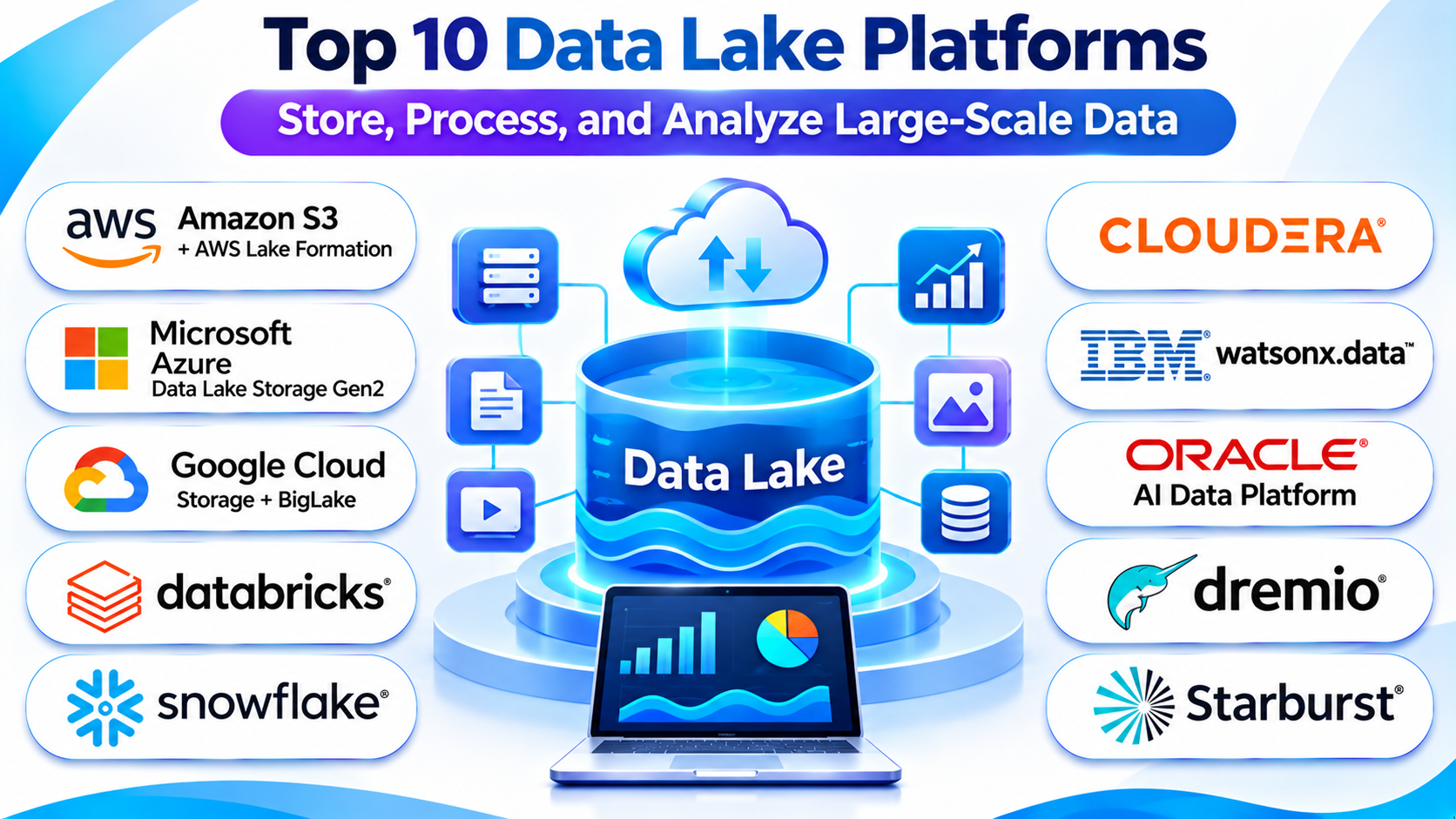
This guide explores ten leading data lake platforms. It compares their features, Pros and Cons, and best use cases. It also explains how to choose and manage the right platform for your organization.
Top 10 Data Lake Platforms
1. Amazon S3 and AWS Lake Formation
Amazon S3 provides the storage foundation for data lakes on AWS. It helps organizations store large amounts of structured, semi-structured, and unstructured data.
Businesses can keep data in its original format. They can later process it with different AWS analytics services.
AWS Lake Formation adds data lake management and governance. It helps administrators control access to data and manage permissions from a central location.
AWS Glue supports data discovery, cataloging, and data integration. Amazon Athena lets users query data in S3 with SQL. Amazon EMR supports large-scale data processing.
Together, these services provide a flexible data lake environment for analytics and machine learning.
Key Features
- Scalable Amazon S3 object storage.
- Support for different data formats.
- Centralized permissions through AWS Lake Formation.
- Data catalog features through AWS Glue.
- SQL queries with Amazon Athena.
- Large-scale processing through Amazon EMR.
- Batch and streaming data workflows.
- Integration with AWS analytics services.
- Encryption and access management.
- Storage lifecycle management.
Pros
- Handles very large data volumes.
- Offers flexible storage choices.
- Connects with many AWS services.
- Supports different analytical workloads.
- Provides centralized data permissions.
- Allows teams to use data without changing its original format.
Cons
- Requires knowledge of several AWS services.
- Service costs can become difficult to track.
- Architecture design needs careful planning.
- Advanced governance requires configuration.
Best For: Organizations that use AWS and need scalable storage with integrated data processing and governance.
2. Microsoft Azure Data Lake Storage Gen2
Azure Data Lake Storage Gen2 is Microsoft’s cloud storage solution for big data analytics. It builds on Azure Blob Storage and adds features for data lake workloads.
Its hierarchical namespace organizes files into directories and subdirectories. This structure helps analytics applications manage large datasets efficiently.
The platform supports structured, semi-structured, and unstructured information. Teams can store raw data and prepare it for later analysis.
Azure Data Lake Storage Gen2 works with services such as Azure Databricks, Azure Data Factory, and Microsoft Fabric. This makes it useful for organizations that already use Microsoft cloud services.
It also provides access controls, storage tiers, and security features for enterprise data environments.
Key Features
- Cloud-based data lake storage.
- Hierarchical namespace.
- Hadoop-compatible access.
- Support for large datasets.
- File and directory management.
- Integration with Azure Data Factory.
- Compatibility with Apache Spark.
- Access control and security features.
- Storage lifecycle management.
- Integration with Microsoft analytics services.
Pros
- Designed for big data analytics.
- Supports large-scale storage.
- Provides a familiar directory structure.
- Works with Spark and Hadoop tools.
- Integrates with Microsoft services.
- Offers security and storage management features.
Cons
- Best suited to Azure-based environments.
- Advanced setup needs cloud knowledge.
- Costs depend on storage and transactions.
- Some features require careful configuration.
Best For: Organizations that use Microsoft Azure and need secure, scalable storage for analytics workloads.
3. Google Cloud Storage and BigLake
Google Cloud Storage provides object storage for data lakes on Google Cloud. It allows businesses to store large amounts of data in different formats.
Teams can keep raw files, processed datasets, media, logs, and analytical information in one storage environment.
Google BigLake adds data lake management and access capabilities. It helps organizations work with data stored in open formats and connect it with analytical engines.
BigQuery provides SQL-based analytics. Google Cloud also offers data processing and machine learning services that can use lake data.
This combination helps businesses build data environments for analytics, data science, and AI.
Key Features
- Scalable Google Cloud Storage.
- Support for structured and unstructured data.
- BigLake data access and management.
- Apache Iceberg support through relevant services.
- Integration with BigQuery.
- Data processing with Google Cloud services.
- Data governance and access controls.
- Storage lifecycle policies.
- Support for machine learning workloads.
- Cloud-based infrastructure.
Pros
- Strong integration with Google Cloud.
- Supports large data volumes.
- Connects storage with SQL analytics.
- Supports open data formats.
- Works with AI and machine learning services.
- Offers flexible storage management.
Cons
- Best suited to Google Cloud users.
- Costs require monitoring across services.
- Advanced architecture needs technical knowledge.
- Different services require careful integration.
Best For: Organizations that want a Google Cloud data lake for analytics, machine learning, and large-scale data processing.
4. Databricks Data Intelligence Platform
Databricks provides a data platform built around its lakehouse architecture. It helps organizations store, process, analyze, and manage large datasets.
The platform uses Apache Spark for distributed data processing. Delta Lake adds features such as transactions, schema enforcement, and data versioning.
Databricks supports batch processing, streaming, SQL analytics, and machine learning. Teams can use notebooks and collaborative tools to build data pipelines.
Unity Catalog provides governance across data and AI assets. It helps organizations manage permissions, discover information, and track data lineage.
Although Databricks is broader than a traditional data lake storage service, it provides a complete environment for working with data lake storage and analytics.
Key Features
- Apache Spark data processing.
- Delta Lake storage layer.
- Batch and streaming support.
- Databricks SQL.
- Unity Catalog governance.
- Data engineering workflows.
- Machine learning and AI tools.
- Data pipeline development.
- Support for cloud storage.
- Collaboration notebooks.
Pros
- Combines data engineering and analytics.
- Supports large-scale processing.
- Offers strong data management features.
- Supports batch and streaming workloads.
- Connects data with AI development.
- Works with major cloud providers.
Cons
- Advanced features require technical skills.
- Costs need workload monitoring.
- Spark knowledge helps with complex tasks.
- Platform setup can take time.
Best For: Data teams that need data lake processing, analytics, and machine learning in one environment.
5. Snowflake AI Data Cloud
Snowflake provides a cloud data platform that supports data storage, processing, sharing, and analytics. Its capabilities also support data lake architectures.
Snowflake supports structured and semi-structured data. It can also work with unstructured data and external storage through its platform features.
Its Apache Iceberg support helps organizations work with open table formats. This gives teams more flexibility when they manage data across different systems.
Snowflake separates storage and computing resources. This allows organizations to scale workloads based on demand.
The platform also provides data sharing, governance, and data engineering features. These capabilities help businesses manage data across departments and partners.
Key Features
- Cloud-based data storage.
- Separate storage and compute resources.
- Apache Iceberg table support.
- SQL analytics.
- Support for semi-structured data.
- Data sharing and collaboration.
- Data engineering tools.
- Governance and access controls.
- Multi-cloud availability.
- AI and machine learning capabilities.
Pros
- Reduces infrastructure management.
- Offers flexible computing resources.
- Supports open table formats.
- Provides secure data sharing.
- Works with different data types.
- Supports enterprise analytics.
Cons
- Usage-based costs need attention.
- Advanced workloads can become expensive.
- Teams need to understand its architecture.
- Some features depend on configuration and cloud availability.
Best For: Businesses that want managed cloud data storage, sharing, and analytics with lakehouse capabilities.
6. Cloudera Data Platform
Cloudera Data Platform helps organizations manage data across cloud, on-premises, and hybrid environments. It supports data storage, processing, governance, and analytics.
The platform uses open-source data technologies and enterprise management tools. It can help businesses manage data across distributed environments.
Cloudera supports large-scale data processing and data engineering. Its governance capabilities help organizations control access and track information.
It is useful for businesses that cannot move all their data to one public cloud. Organizations can maintain control over data in different locations.
Cloudera also supports open lakehouse approaches based on technologies such as Apache Iceberg.
Key Features
- Hybrid and multi-cloud data management.
- Enterprise data lake capabilities.
- Open data technologies.
- Apache Iceberg support in its lakehouse offerings.
- Data processing and engineering tools.
- Security and governance.
- Data lineage and metadata management.
- Integration with enterprise systems.
- Analytics and machine learning support.
- Centralized platform management.
Pros
- Supports cloud and on-premises environments.
- Offers enterprise governance features.
- Uses open data technologies.
- Handles complex data environments.
- Supports different analytical workloads.
- Helps manage distributed data.
Cons
- Deployment can be complex.
- Administration may require specialist skills.
- Costs depend on services and infrastructure.
- Integration planning takes time.
Best For: Enterprises that need a governed data lake across cloud and on-premises systems.
7. IBM watsonx.data
IBM watsonx.data is an open, hybrid data lakehouse platform for analytics and AI. It helps organizations access data across different storage environments.
The platform supports multiple processing engines. These include Presto and Spark for querying and data processing.
It supports open data formats and can work with data stored in different locations. This helps reduce unnecessary data movement.
IBM watsonx.data also offers governance and access controls. Organizations can use it to prepare data for business intelligence, machine learning, and AI applications.
Its hybrid approach suits enterprises that need to work across cloud and on-premises infrastructure.
Key Features
- Open data lakehouse architecture.
- Presto and Spark engines.
- Support for open data formats.
- Hybrid deployment options.
- Data access across different storage systems.
- Data governance and access controls.
- Data processing and analytics.
- AI and machine learning integration.
- Data catalog and management capabilities.
- Enterprise security features.
Pros
- Supports open data architecture.
- Offers multiple query engines.
- Works across hybrid environments.
- Connects data with AI workloads.
- Helps reduce data duplication.
- Provides governance capabilities.
Cons
- Advanced deployment needs technical knowledge.
- Multiple components require planning.
- Integration can take time.
- Costs depend on the selected configuration.
Best For: Enterprises that need open data access, analytics, and AI across hybrid environments.
8. Oracle AI Data Platform
Oracle AI Data Platform brings data management, analytics, and AI capabilities into the Oracle ecosystem. It supports organizations that need to manage data across cloud and enterprise systems.
Oracle Cloud Infrastructure provides storage and data services for building data lake environments. Oracle Object Storage can hold large datasets and different file types.
Oracle’s data catalog and governance capabilities help teams discover and manage information. The platform also supports analytical and AI workloads through connected Oracle services.
Organizations can use it to connect enterprise data with analytics and AI applications. Its features can be useful for businesses that already depend on Oracle databases and applications.
Key Features
- Oracle Cloud data services.
- Object storage for data lake workloads.
- Data catalog and discovery.
- Enterprise data governance.
- Integration with Oracle databases.
- SQL and analytical capabilities.
- AI and machine learning services.
- Security and access controls.
- Support for open data approaches.
- Integration with enterprise applications.
Pros
- Fits Oracle-based environments.
- Connects data with AI services.
- Offers enterprise governance capabilities.
- Supports analytical workloads.
- Helps manage business data.
- Integrates with Oracle Cloud services.
Cons
- Best fit may depend on Oracle adoption.
- Product components require evaluation.
- Advanced deployments need planning.
- Costs depend on selected services.
Best For: Organizations that use Oracle technology and need enterprise data storage, analytics, and AI capabilities.
9. Dremio Lakehouse Platform
Dremio provides an open lakehouse platform for querying data stored in data lakes. It helps users analyze data without moving everything into a traditional warehouse.
The platform uses Apache Iceberg to support open table management. Its SQL engine allows analysts to query data from different sources.
Dremio also offers query acceleration and a semantic layer. These features help improve query performance and make data easier to understand.
Organizations can connect Dremio with cloud storage and business intelligence tools. This makes it useful for teams that want open data access and SQL analytics.
Dremio is more focused on data access and query processing than on being a basic object storage service.
Key Features
- Apache Iceberg support.
- SQL query engine.
- Open lakehouse architecture.
- Query acceleration.
- Semantic layer.
- Data source connectivity.
- BI tool integration.
- Data catalog capabilities.
- Cloud and self-managed options.
- Data governance features.
Pros
- Supports open data formats.
- Provides SQL access to data lakes.
- Reduces unnecessary data movement.
- Offers query acceleration.
- Works with BI tools.
- Supports flexible deployment.
Cons
- Teams need to understand Iceberg.
- Query performance depends on data design.
- Complex environments need planning.
- It may need separate storage and ingestion services.
Best For: Organizations that want SQL analytics and open access to data lake storage.
10. Starburst Data Platform
Starburst provides a distributed SQL analytics platform built around Trino. It helps organizations query data across data lakes, databases, and cloud storage.
Instead of moving all information into one warehouse, teams can query data where it already exists. This approach can reduce unnecessary data copies.
Starburst supports open table formats such as Apache Iceberg. It also offers data access and governance features for distributed environments.
The platform can connect with multiple data sources and business intelligence tools. This makes it useful for organizations that manage data across different systems.
Starburst is primarily an analytics and data access platform. It works with data lake storage rather than replacing the underlying storage layer.
Key Features
- Trino-based distributed SQL engine.
- Federated data queries.
- Apache Iceberg support.
- Multiple data source connectors.
- Data access management.
- Query optimization.
- BI tool integration.
- Cloud and self-managed options.
- Distributed analytical processing.
- Data governance features.
Pros
- Queries data across multiple sources.
- Supports open data formats.
- Uses familiar SQL.
- Reduces unnecessary data movement.
- Offers flexible deployment choices.
- Supports distributed analytics.
Cons
- Query speed depends on source systems.
- Complex queries need tuning.
- Teams need SQL and Trino knowledge.
- It requires separate storage services.
Best For: Organizations that need SQL access across multiple data lakes, databases, and cloud environments.
Comparison of the Top 10 Data Lake Platforms
| Platform | Main Strength | Deployment | Best Use Case |
|---|---|---|---|
| Amazon S3 and AWS Lake Formation | Scalable storage and AWS governance | AWS Cloud | AWS-based data lakes |
| Azure Data Lake Storage Gen2 | Hierarchical storage and analytics access | Azure Cloud | Microsoft-based data environments |
| Google Cloud Storage and BigLake | Cloud storage and open data access | Google Cloud | Google Cloud analytics |
| Databricks | Data processing and engineering | Multi-cloud | Data engineering and AI |
| Snowflake | Managed storage and analytics | Multi-cloud | Cloud data management |
| Cloudera | Hybrid data management | Cloud and on-premises | Enterprise data lakes |
| IBM watsonx.data | Open hybrid data access | Cloud and hybrid | Analytics and AI |
| Oracle AI Data Platform | Enterprise data and AI integration | Oracle Cloud | Oracle-based businesses |
| Dremio | SQL queries on open data | Cloud and self-managed | Open lake analytics |
| Starburst | Distributed SQL and data federation | Cloud and self-managed | Analytics across data sources |
These platforms do not all serve the same role. Some provide core storage, while others focus on governance, processing, or querying data stored elsewhere.
What Is a Data Lake?
A data lake is a central storage system for large amounts of information. It can store data in its original format before teams decide how to process it.
Unlike a traditional database, a data lake does not require every dataset to follow the same structure before storage.
For example, a company can store:
- Customer records.
- Sales transactions.
- Website activity.
- Application logs.
- Images and videos.
- Documents and reports.
- IoT sensor readings.
- Machine learning datasets.
- Audio and video files.
- Historical business information.
Teams can later use data processing and analytics tools to turn this information into useful insights.
How Does a Data Lake Work?
A typical data lake follows several stages.
1. Data Collection
The platform collects information from applications, databases, websites, sensors, and external sources.
2. Data Ingestion
Data enters the lake through batch or streaming pipelines. It may arrive in its original format.
3. Data Storage
The platform stores files in cloud object storage or another suitable storage system.
4. Data Organization
Teams organize information into folders, zones, or logical areas. They may separate raw, cleaned, and prepared data.
5. Data Cataloging
A catalog records information about datasets, formats, owners, and locations. This helps users discover the data they need.
6. Data Processing
Processing engines clean, transform, and prepare information for analysis.
7. Data Analytics
SQL engines, BI tools, and machine learning systems use the stored information.
8. Data Governance
Security and governance tools manage access, data quality, and compliance requirements.
Important Features to Look for in Data Lake Platforms
1. Scalable Storage
A data lake should handle growing volumes of information. Check storage limits, durability, and expansion options.
2. Support for Different Data Formats
The platform should support common formats such as CSV, JSON, Parquet, Avro, and images.
3. Data Integration
Look for connectors and pipelines that bring data from different applications and databases.
4. Data Processing
Check support for tools such as Apache Spark, Hadoop, and SQL engines.
5. Data Catalog
A catalog helps users find datasets and understand their structure. It also supports better data management.
6. Security and Access Control
Look for encryption, authentication, permissions, and audit logs. These features protect sensitive information.
7. Data Governance
Governance tools help manage data ownership, quality, lineage, and compliance.
8. Batch and Streaming Support
Some workloads process data at scheduled times. Others need continuous ingestion. Choose a platform that supports your requirements.
9. Analytics Integration
Check whether the platform connects with BI tools, SQL engines, and machine learning services.
10. Cost Management
Review storage, transactions, processing, data transfer, and support costs. Monitor usage to avoid unexpected bills.
Benefits of Data Lake Platforms
Centralized Data Storage
A data lake brings information from many sources into one environment. Teams can access different datasets more easily.
Flexible Data Management
Businesses can store data in different formats. They do not need to define every structure before storing information.
Support for Big Data
Data lakes can handle large volumes of information. This makes them useful for businesses with growing data needs.
Better Analytics
Teams can use stored information for reports, dashboards, and deeper analysis.
Support for Machine Learning
Data scientists can access large datasets for model training and testing.
Reduced Storage Costs
Object storage and tiered storage options can help manage large datasets at different cost levels.
Improved Collaboration
Different teams can work with shared datasets. This helps reduce separate data copies and isolated systems.
Historical Data Analysis
Businesses can keep historical information and study changes over time.
Common Challenges of Data Lake Platforms
1. Data Quality Problems
Raw data may contain errors, duplicates, or missing values. Teams need cleaning and validation processes.
2. Poor Data Organization
Without clear naming and folder rules, users may struggle to find information.
3. Security Risks
A data lake may contain sensitive business information. Weak access controls can expose important records.
4. Governance Complexity
Managing ownership, permissions, and data lineage across large environments can become difficult.
5. Query Performance
Large datasets may require suitable file formats, partitions, and query engines.
6. Cost Management
Storage, processing, requests, and data transfer can increase costs. Teams should monitor usage regularly.
7. Integration Difficulties
Connecting many applications and data sources may require custom pipelines and specialist skills.
8. Lack of Technical Skills
Data lake projects may require cloud, SQL, data engineering, and security knowledge.
How to Choose the Right Data Lake Platform
Follow these steps before making your decision.
Step 1: Define Your Business Goals
Decide whether you need data storage, analytics, machine learning, reporting, or all these capabilities.
Step 2: Review Your Data Sources
List the databases, applications, files, and external systems that provide your data.
Step 3: Estimate Storage Requirements
Calculate your current data volume and expected growth. Include backup and retention needs.
Step 4: Check Data Format Support
Make sure the platform supports the formats your teams use.
Step 5: Evaluate Processing Tools
Check support for Spark, SQL, streaming, and other processing technologies.
Step 6: Review Security Features
Evaluate encryption, permissions, identity management, auditing, and governance.
Step 7: Check Cloud Compatibility
Choose a platform that fits your current cloud environment and future plans.
Step 8: Compare Integration Options
Test connections with your databases, applications, BI tools, and data pipelines.
Step 9: Understand Total Costs
Include storage, processing, transactions, data transfer, licensing, and support.
Step 10: Run a Pilot Project
Test the platform with real data. Check performance, security, integration, and operating costs before full deployment.
Data Lake Best Practices
Use these practices to build a reliable data lake.
- Define clear business goals.
- Create a suitable data architecture.
- Organize data into clear zones.
- Use consistent file naming rules.
- Document data sources and ownership.
- Maintain a central data catalog.
- Apply access controls.
- Encrypt sensitive information.
- Validate data during ingestion.
- Monitor data quality.
- Use suitable file formats.
- Optimize partitioning.
- Set data retention policies.
- Monitor storage and processing costs.
- Track data lineage.
- Test backup and recovery plans.
- Review security permissions.
- Monitor pipeline failures.
- Train data engineers and analysts.
- Review governance rules regularly.
Frequently Asked Questions
1. What is a data lake platform?
A data lake platform provides tools to store, manage, process, and analyze large amounts of data in different formats.
2. What are data lakes used for?
Businesses use data lakes for big data analytics, machine learning, reporting, data science, IoT processing, and historical analysis.
3. Which data lake platform is best overall?
Amazon S3, Azure Data Lake Storage Gen2, and Google Cloud Storage are strong storage foundations. Databricks, Cloudera, and other platforms add processing and management capabilities. The best choice depends on your needs.
4. What is the difference between a data lake and a data warehouse?
A data lake stores raw and processed data in many formats. A data warehouse focuses on organized data for reporting and analytical queries.
5. What is the difference between a data lake and a database?
A database usually manages structured records for specific applications. A data lake stores many types of information for broader processing and analysis.
6. Is Amazon S3 a data lake?
Amazon S3 is object storage that provides the foundation for AWS data lakes. AWS services such as Lake Formation, Glue, and Athena add governance, integration, and query capabilities.
7. Is Azure Data Lake Storage Gen2 suitable for big data?
Yes. It supports large-scale storage and analytics workloads. It also works with Hadoop-compatible tools and Apache Spark.
8. Can a data lake store unstructured data?
Yes. A data lake can store images, videos, documents, audio, logs, and other unstructured information.
9. What is a data lake catalog?
A data lake catalog stores information about datasets, schemas, locations, and ownership. It helps users discover and manage data.
10. What is data ingestion?
Data ingestion is the process of bringing information from different sources into a storage or processing system.
11. What is the difference between batch and streaming data?
Batch processing handles data in groups at scheduled times. Streaming processing handles data continuously as it arrives.
12. Can a data lake support machine learning?
Yes. Data lakes can store large datasets for model training, testing, and analytics. Processing tools help prepare the information.
13. What is a data lakehouse?
A data lakehouse combines flexible data lake storage with warehouse-style management and analytical features.
14. Are data lakes suitable for small businesses?
Yes. Small businesses can start with cloud storage and add processing tools as their needs grow. They should monitor costs and security.
15. How much does a data lake platform cost?
Costs depend on storage volume, processing, data requests, transfers, licensing, and support. Compare the pricing model with your expected workload.
16. What is Apache Spark used for in a data lake?
Apache Spark processes large datasets across computing resources. Teams use it for data cleaning, transformation, analytics, and machine learning.
17. How do businesses secure a data lake?
They use encryption, identity controls, access permissions, auditing, data classification, and governance policies.
18. Can different teams use the same data lake?
Yes. Access controls and data catalogs help different teams discover and use shared datasets while protecting sensitive information.
Final Thoughts
Data lake platforms help businesses store and manage information from many sources. They support flexible storage, big data processing, analytics, and machine learning.
Amazon S3, Azure Data Lake Storage Gen2, and Google Cloud Storage provide strong cloud storage foundations. Databricks, Snowflake, and Cloudera offer broader data management and analytics capabilities.
IBM watsonx.data and Oracle support enterprise data environments. Dremio and Starburst help teams query and access data across different systems.
No single platform fits every business. Your choice should depend on data volume, cloud environment, security needs, technical skills, and budget.
Start with a small project and test real workloads. A well-designed data lake can help your organization turn large amounts of information into useful business insights.