Introduction
Modern applications often handle large amounts of data. Some store customer profiles, product details, website activity, messages, and real-time events. Not all this information fits neatly into fixed tables.
NoSQL databases offer flexible ways to store and manage this data. They support different data models, including documents, key-value pairs, wide-column tables, and graphs.
These platforms help developers build applications that need flexible data structures, fast access, and horizontal scaling. Many also support cloud deployment, replication, and distributed data processing.
However, each NoSQL platform serves different needs. Some work well for application development. Others focus on caching, large-scale analytics, or connected data.
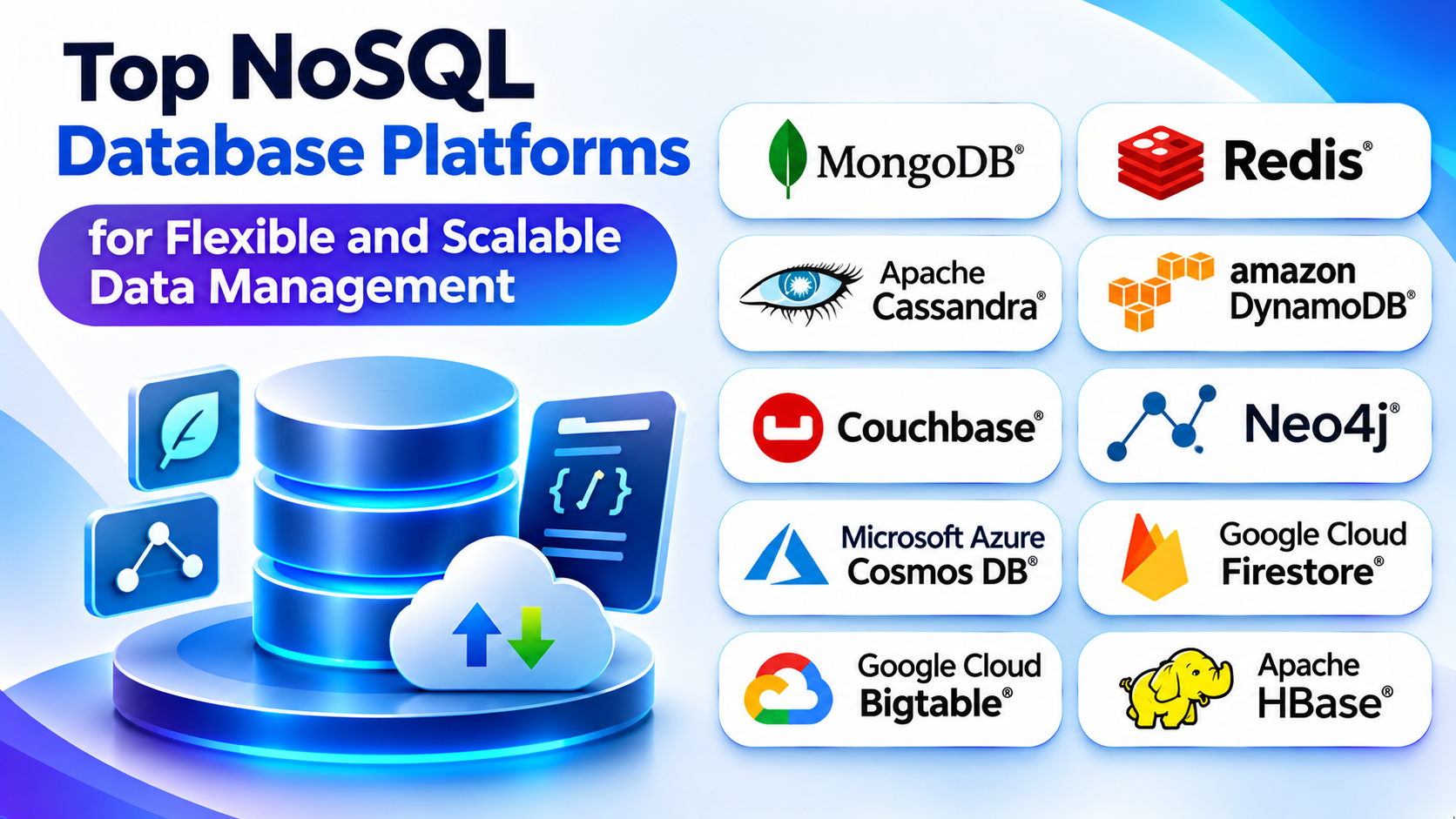
This guide explores ten leading NoSQL database platforms. It compares their features, Pros and Cons, common uses, and key selection factors.
Top 10 NoSQL Database Platforms
NoSQL databases support different ways to store and retrieve information. Understanding their data models helps teams choose the right platform.
1. MongoDB
MongoDB is a popular document-oriented NoSQL database. It stores information in flexible BSON documents, which use a JSON-like structure.
Unlike traditional relational databases, MongoDB does not require every record to follow one fixed table structure. This makes it useful for applications with changing data requirements.
Developers can store customer profiles, product details, website content, and application records as documents. Collections group related documents together.
MongoDB supports indexing, aggregation pipelines, transactions, replication, and sharding. These features help developers build applications that need flexible data storage and scalable database operations.
MongoDB Atlas provides a managed cloud database service. Organizations can also run MongoDB in self-managed environments.
Key Features
- Flexible document-based data storage.
- BSON document format.
- Collections and document management.
- Indexing and aggregation pipelines.
- Replication through replica sets.
- Horizontal scaling through sharding.
- Multi-document transactions.
- Search and analytics capabilities.
- MongoDB Atlas cloud service.
- Drivers for popular programming languages.
Pros
- Flexible document structure.
- Supports changing application requirements.
- Offers useful query and aggregation features.
- Provides replication and sharding.
- Has a large developer ecosystem.
- Offers managed cloud deployment.
Cons
- Poor document design can create duplicated data.
- Large documents need careful planning.
- Sharding requires thoughtful data modeling.
- Cloud costs can grow with usage.
- Teams need to understand indexing and query patterns.
Best For: Developers and businesses building web applications, content platforms, product catalogs, and applications with flexible data structures.
2. Redis
Redis is an in-memory data store that supports key-value operations and several data structures. It is widely used for caching, real-time applications, and fast data access.
Redis can store strings, hashes, lists, sets, sorted sets, streams, and other data structures. Applications can use these structures for sessions, counters, leaderboards, queues, and temporary information.
Its in-memory design helps deliver very low-latency operations. Redis also offers persistence options that can save data to disk.
Teams can use Redis as a cache or as a data store for selected workloads. It also supports replication and clustering for larger deployments.
Redis is not a direct replacement for every database. Its memory requirements and data durability settings should match the application’s needs.
Key Features
- In-memory key-value storage.
- Strings, hashes, lists, and sets.
- Sorted sets and streams.
- Fast read and write operations.
- Persistence options.
- Replication.
- Redis Cluster.
- Pub/Sub messaging.
- Lua scripting.
- Caching and session management.
Pros
- Delivers very fast data access.
- Supports multiple data structures.
- Works well for caching.
- Offers useful real-time features.
- Supports replication and clustering.
- Has broad language and framework support.
Cons
- Memory costs can increase with large datasets.
- Persistence needs careful configuration.
- Not ideal for every complex query workload.
- Eviction settings can affect stored data.
- Teams must understand its data and durability model.
Best For: Applications that need fast caching, session storage, counters, leaderboards, queues, and real-time data access.
3. Apache Cassandra
Apache Cassandra is an open-source wide-column NoSQL database. It is designed to manage large datasets across multiple servers.
Cassandra uses a distributed architecture without a single master node. This design helps avoid a central point of failure and supports high availability.
The database organizes information into keyspaces, tables, rows, and columns. Its wide-column model works well for applications with predictable query patterns and large write volumes.
Cassandra supports replication across data centers. It also offers tunable consistency, which lets teams choose suitable consistency levels for different operations.
However, Cassandra requires careful data modeling. Developers should design tables around the queries their applications need rather than expecting flexible relational-style joins.
Key Features
- Distributed wide-column storage.
- Peer-to-peer architecture.
- No single master node.
- Horizontal scaling.
- Multi-data-center replication.
- Tunable consistency.
- High write throughput.
- Fault-tolerant architecture.
- Cassandra Query Language (CQL).
- Open-source Apache license.
Pros
- Supports large distributed workloads.
- Offers strong availability options.
- Scales across multiple nodes.
- Handles high write volumes.
- Supports multi-data-center deployments.
- Open-source and widely supported.
Cons
- Data modeling requires careful planning.
- Does not provide traditional relational joins.
- Operations can become complex.
- Query flexibility is limited by table design.
- Storage and compaction need regular management.
Best For: Large applications that need distributed storage, high write throughput, and availability across multiple servers or data centers.
4. Amazon DynamoDB
Amazon DynamoDB is a fully managed NoSQL database service from Amazon Web Services. It supports key-value and document data models.
DynamoDB removes much of the work involved in managing database servers. AWS handles infrastructure tasks such as hardware provisioning, replication, and maintenance.
Applications can access records through primary keys and secondary indexes. DynamoDB also supports transactions, streams, backups, and point-in-time recovery.
Its on-demand and provisioned capacity options help organizations manage different traffic patterns. Global tables support multi-Region replication for applications that need geographic distribution.
DynamoDB works especially well with other AWS services. However, developers should design tables around their access patterns because the service does not work like a general-purpose relational database.
Key Features
- Fully managed NoSQL service.
- Key-value and document data models.
- Partition and sort keys.
- Global and local secondary indexes.
- On-demand and provisioned capacity.
- Transactions.
- DynamoDB Streams.
- Global tables.
- Backup and point-in-time recovery.
- Integration with AWS services.
Pros
- Reduces database infrastructure work.
- Supports automatic scaling options.
- Offers high availability.
- Provides global replication features.
- Integrates with the AWS ecosystem.
- Supports serverless application designs.
Cons
- Ties applications closely to AWS.
- Query patterns need careful planning.
- Costs depend on usage and data design.
- Complex ad hoc queries can be difficult.
- Teams must understand partition keys and indexes.
Best For: AWS-based applications, serverless systems, shopping platforms, gaming services, and applications that need managed key-value or document storage.
5. Couchbase
Couchbase is a distributed NoSQL database platform that combines document storage with key-value access. It helps applications manage flexible JSON data and support low-latency operations.
Couchbase stores information as JSON documents. Developers can use SQL++ to query and work with document data through a SQL-like language.
The platform supports indexing, full-text search, analytics, and eventing features. It also provides replication and clustering options for distributed applications.
Couchbase Mobile supports mobile and edge use cases. Its synchronization capabilities help applications work with data across devices and servers.
Couchbase Capella provides a managed cloud database service. Organizations can also explore self-managed deployment options.
Key Features
- JSON document database.
- Key-value data access.
- SQL++ query language.
- Indexing and full-text search.
- Analytics services.
- Eventing capabilities.
- Distributed clustering.
- Replication and synchronization.
- Mobile and edge support.
- Managed cloud deployment through Capella.
Pros
- Combines document and key-value models.
- Supports SQL-like queries.
- Offers useful search features.
- Provides mobile synchronization options.
- Supports distributed deployments.
- Offers managed and self-managed choices.
Cons
- Cluster design requires planning.
- Advanced features can increase complexity.
- Licensing and cloud costs need review.
- Teams need to understand its services and architecture.
- It may be more than small applications require.
Best For: Businesses building interactive applications, mobile services, content platforms, and systems that need fast access to JSON documents.
6. Neo4j
Neo4j is a graph database platform. It stores information as nodes, relationships, and properties rather than relying mainly on documents or key-value pairs.
This model makes Neo4j useful when relationships matter as much as the data itself. For example, a fraud detection system may need to identify connections between accounts, devices, transactions, and people.
Neo4j uses Cypher, a query language designed for graph data. Users can explore connected information and find patterns across relationships.
The platform supports transactions, indexing, clustering options, and graph analytics capabilities. Neo4j Aura provides a managed cloud database service.
Neo4j is a specialized platform. It is not always the best choice for applications that only need simple key-value or document storage.
Key Features
- Native graph database.
- Nodes and relationship storage.
- Cypher query language.
- Property graph model.
- Graph traversal.
- Indexing and constraints.
- Transaction support.
- Graph data science tools.
- Clustering and availability options.
- Managed cloud service through Aura.
Pros
- Excellent for relationship-heavy data.
- Makes connected data easier to explore.
- Supports powerful graph queries.
- Useful for fraud and recommendation systems.
- Offers graph analytics tools.
- Provides managed cloud options.
Cons
- Not ideal for every data model.
- Graph design requires planning.
- Large graph workloads need careful tuning.
- Teams must learn graph concepts and Cypher.
- Some advanced capabilities depend on product editions.
Best For: Fraud detection, recommendation engines, identity networks, knowledge graphs, and applications that analyze complex relationships.
7. Microsoft Azure Cosmos DB
Azure Cosmos DB is a globally distributed NoSQL database service from Microsoft. It supports applications that need low-latency data access across different regions.
The platform provides several APIs and data models. These include NoSQL document access, MongoDB-compatible interfaces, Cassandra-compatible interfaces, and other options.
Cosmos DB supports automatic indexing and configurable consistency levels. Its multi-region capabilities help applications serve users across geographic locations.
The service also integrates with Azure identity, monitoring, analytics, and application services. Teams can use it to build cloud-native systems that need global distribution.
Organizations should select the correct API before development. Different APIs offer different compatibility and feature sets.
Key Features
- Fully managed cloud database.
- Multiple APIs and data models.
- Global data distribution.
- Configurable consistency levels.
- Automatic indexing.
- Partitioning.
- Change feed.
- Backup and recovery options.
- Integration with Azure services.
- Serverless and provisioned throughput options.
Pros
- Supports globally distributed applications.
- Reduces database server management.
- Offers several API choices.
- Provides configurable consistency.
- Integrates with Microsoft Azure.
- Supports flexible scaling options.
Cons
- Pricing and request units need careful planning.
- API compatibility varies.
- Partition key design affects performance.
- Cloud dependency can limit portability.
- Complex workloads may require cost optimization.
Best For: Azure-based applications, global customer platforms, IoT systems, and services that need managed NoSQL storage across regions.
8. Google Cloud Firestore
Google Cloud Firestore is a managed document database for web and mobile applications. It stores information in collections and documents.
Firestore is part of the Google Cloud and Firebase ecosystems. It supports real-time data updates and offline access features for supported client applications.
Developers can use Firestore to build chat apps, collaborative tools, mobile services, and interactive websites. Its client libraries simplify data access from supported platforms.
Firestore provides automatic scaling and managed infrastructure. It also includes security rules that help control access to application data.
The platform uses a document model rather than traditional relational tables. Developers should plan document structures and indexes around their application’s query needs.
Key Features
- Managed document database.
- Collections and documents.
- Real-time data updates.
- Offline support for supported clients.
- Automatic scaling.
- Security rules.
- Automatic indexing.
- Transactions and batched writes.
- Firebase and Google Cloud integration.
- Backup and recovery options.
Pros
- Easy to connect with Firebase applications.
- Offers real-time updates.
- Reduces server management work.
- Supports mobile and web development.
- Provides offline capabilities.
- Integrates with Google Cloud services.
Cons
- Query options differ from SQL databases.
- Indexing needs careful management.
- Costs depend on reads, writes, and storage.
- Complex data relationships can be difficult.
- Applications can become tied to the Firebase ecosystem.
Best For: Mobile apps, web applications, collaborative tools, and real-time services built with Firebase or Google Cloud.
9. Google Cloud Bigtable
Google Cloud Bigtable is a managed wide-column NoSQL database service. It is designed for large datasets and high-throughput workloads.
Bigtable organizes information into rows and column families. Each row uses a unique key, and its design supports fast access to data through those keys.
The platform is useful for time-series data, IoT records, financial data, and large operational datasets. It can also support analytical workloads when paired with other Google Cloud services.
Bigtable separates storage from compute in its architecture. This gives organizations options for scaling and managing database resources.
It is not a general-purpose document database. Teams should design row keys and access patterns carefully to get good results.
Key Features
- Managed wide-column database.
- High-throughput data access.
- Large-scale storage.
- Row-key-based data organization.
- Column families.
- Replication options.
- Integration with Google Cloud services.
- Support for time-series workloads.
- Monitoring and performance tools.
- Scalable storage and compute options.
Pros
- Handles very large datasets.
- Supports high-throughput workloads.
- Offers managed infrastructure.
- Works well for time-series data.
- Integrates with Google Cloud.
- Supports scalable database deployments.
Cons
- Requires careful row-key design.
- Not suited to every query pattern.
- Can be costly for small workloads.
- Relational joins are not its purpose.
- Teams need experience with wide-column databases.
Best For: IoT platforms, time-series systems, large operational datasets, and applications that need high-throughput key-based access.
10. Apache HBase
Apache HBase is an open-source, distributed, wide-column NoSQL database. It runs on top of the Hadoop Distributed File System and supports large-scale data storage.
HBase organizes information into tables, rows, and column families. It supports sparse data, which means rows do not need to contain values for every possible column.
The platform is designed for large datasets that need random, real-time read and write access. It is often used in big data environments.
HBase supports automatic partitioning through regions. It also relies on Hadoop ecosystem components for storage and coordination.
HBase can be powerful for large distributed systems, but it requires careful deployment and maintenance. It is usually more suitable for teams with experience in Hadoop-based infrastructure.
Key Features
- Open-source wide-column database.
- Distributed storage architecture.
- Hadoop ecosystem integration.
- Sparse data support.
- Automatic table region splitting.
- Strongly consistent row operations.
- Random read and write access.
- Scalable storage across clusters.
- Java API and other client options.
- Integration with big data tools.
Pros
- Handles very large datasets.
- Offers distributed storage.
- Supports random data access.
- Integrates with Hadoop.
- Open source.
- Supports sparse data structures.
Cons
- Deployment can be complex.
- Requires Hadoop ecosystem knowledge.
- Cluster maintenance needs technical expertise.
- Not designed for relational joins.
- Small applications may not need its infrastructure.
Best For: Big data teams, large-scale data platforms, and organizations that already use Hadoop infrastructure.
Comparison of the Top 10 NoSQL Database Platforms
Each platform uses a different data model and serves different workloads. The following table helps compare their main strengths.
| Platform | Database Type | Best For | Deployment |
|---|---|---|---|
| MongoDB | Document | Flexible application data | Self-managed and cloud |
| Redis | Key-value and in-memory | Caching and real-time access | Self-managed and managed services |
| Apache Cassandra | Wide-column | Distributed, write-heavy systems | Self-managed and managed services |
| Amazon DynamoDB | Key-value and document | AWS applications | Fully managed AWS service |
| Couchbase | Document and key-value | Interactive and mobile applications | Self-managed and cloud |
| Neo4j | Graph | Relationship-based applications | Self-managed and cloud |
| Azure Cosmos DB | Multi-model and API-based | Globally distributed Azure apps | Managed Azure service |
| Google Cloud Firestore | Document | Mobile and web applications | Managed Google Cloud service |
| Google Cloud Bigtable | Wide-column | Large-scale time-series and key-based workloads | Managed Google Cloud service |
| Apache HBase | Wide-column | Hadoop-based big data systems | Self-managed and cloud-based deployments |
Types of NoSQL Databases
NoSQL is not one database model. It includes several types of systems that organize data in different ways.
1. Document Databases
Document databases store information as documents. These documents often use JSON-like formats.
They work well when application records have flexible structures. MongoDB, Couchbase, and Firestore are common examples.
2. Key-Value Databases
Key-value databases store each value under a unique key. Applications use the key to retrieve or update the related value.
They are useful for caching, sessions, counters, and quick lookups. Redis and Amazon DynamoDB support key-value workloads.
3. Wide-Column Databases
Wide-column databases organize information into rows and column families. They can handle large datasets across distributed servers.
They often suit high-volume write workloads and time-series data. Apache Cassandra, Google Cloud Bigtable, and Apache HBase are examples.
4. Graph Databases
Graph databases focus on relationships between data points. They represent information through nodes and connections.
They help applications explore connected information. Neo4j is a leading example.
5. Multi-Model Databases
Multi-model databases support more than one way to store or access data. They can provide different APIs or models within one platform.
Azure Cosmos DB offers several API options for different application needs.
Important Features to Look for in a NoSQL Database
Choosing a NoSQL platform requires more than checking its storage model. You should understand how it handles application access, scale, consistency, and security.
1. Data Model
Start by understanding how your application stores information. Document, key-value, wide-column, and graph databases solve different problems.
Choose the model that matches your data and queries.
2. Scalability
Check how the database handles growing workloads. Some platforms support automatic scaling, while others require cluster planning and manual configuration.
3. Performance
Review expected read and write patterns. Test the database with realistic data and application requests.
Avoid relying only on general speed claims.
4. Consistency
Some applications need every user to see the latest data immediately. Others can accept a short delay between updates.
Review the database’s consistency options and transaction support.
5. Availability
Check how the platform handles server failures and network interruptions. Replication, clustering, and failover can help keep applications available.
6. Security
Look for authentication, access controls, encryption, audit logs, and secure connections.
Also check how the platform integrates with your identity provider.
7. Backup and Recovery
Review automated backups, recovery options, and data export features. Test restoration before using the platform for critical applications.
8. Query Capabilities
Understand how applications search and update information. Some databases support SQL-like languages, while others use APIs or specialized query languages.
9. Cloud and Deployment Options
Decide whether you need a self-managed database or a managed cloud service. Consider data location, network access, and cloud dependency.
10. Cost and Licensing
Compare storage, compute, request, network, support, and licensing costs. A database that looks affordable at small scale may cost more as usage grows.
Benefits of Using NoSQL Database Platforms
NoSQL platforms help developers manage data that may not fit traditional relational structures. They also support different application designs.
Flexible Data Structures
Document databases allow records to use different fields. This helps developers handle changing application requirements.
Horizontal Scaling
Many NoSQL platforms can spread data across multiple servers. This can help applications handle growing traffic and storage needs.
Fast Data Access
Key-value and in-memory databases support quick lookups. They can help applications respond faster to frequent requests.
Support for Large Datasets
Wide-column systems can handle large volumes of distributed data. They are useful for IoT, time-series, and large operational workloads.
Real-Time Application Support
Some NoSQL platforms offer real-time updates and messaging features. These help developers build chat systems, collaborative tools, and live dashboards.
Cloud Integration
Managed NoSQL services reduce the need to maintain database infrastructure. They also connect with cloud identity, monitoring, and application services.
Specialized Data Models
Graph databases help analyze relationships. Document databases manage flexible records, while key-value stores support simple and fast access.
Faster Application Development
Flexible data models can help developers adapt database structures as applications change. They can reduce the need for complex schema changes in some projects.
Common Challenges of NoSQL Databases
NoSQL databases offer flexibility, but they also introduce design and operational challenges.
Data Modeling
Each database type needs a suitable data model. Poor design can lead to slow queries, duplicated records, or unnecessary complexity.
Consistency Requirements
Some distributed systems offer different consistency choices. Developers must understand how these choices affect application behavior.
Limited Query Flexibility
Some NoSQL platforms do not support traditional SQL joins. Developers may need to design data around specific access patterns.
Data Duplication
Document and key-value designs may store the same information in multiple places. This can make updates harder to manage.
Vendor Dependency
Managed cloud databases may use provider-specific APIs and features. Moving to another platform can require application changes.
Operational Complexity
Self-managed clusters need monitoring, maintenance, backups, and upgrades. Large distributed systems require skilled teams.
Cost Management
Cloud databases can charge for requests, storage, throughput, and data transfer. Poor data design can increase these costs.
Security Management
Flexible data access does not remove the need for strong security. Teams must configure permissions, encryption, and network controls carefully.
How to Choose the Right NoSQL Database Platform
The right database depends on your application and its data access patterns. Follow these steps before making a decision.
Step 1: Understand Your Data
List the information your application needs to store. Identify whether it uses documents, simple key-value pairs, wide-column records, or complex relationships.
Step 2: Identify Application Queries
Write down the main queries your application will run. Choose a platform that handles those queries efficiently.
Step 3: Estimate Data Size and Traffic
Estimate storage needs, user activity, read requests, and write requests. Include expected growth and peak demand.
Step 4: Review Consistency Needs
Decide whether your application needs immediate consistency or can accept some delay. Check transaction and consistency options.
Step 5: Choose a Deployment Model
Decide whether to use a managed cloud database or operate your own servers. Consider maintenance, security, and data location.
Step 6: Check Developer Support
Review programming language drivers, SDKs, APIs, documentation, and community support.
Step 7: Compare Security Features
Check authentication, permissions, encryption, auditing, and backup protection.
Step 8: Calculate Total Cost
Include storage, compute, requests, network usage, support, and administration. Compare costs at both current and expected future scale.
Step 9: Test Performance
Build a small proof of concept. Test real application queries with realistic data and traffic.
Step 10: Plan for Growth
Review replication, backup, recovery, and scaling options. Choose a platform that can support future application needs.
NoSQL Database Best Practices
Good database practices help teams build reliable and secure applications.
- Choose a database model that matches your data.
- Design around common application queries.
- Use suitable indexes.
- Avoid unnecessary data duplication.
- Set clear data validation rules.
- Apply least-privilege access.
- Encrypt sensitive information.
- Use secure network connections.
- Create regular backups.
- Test recovery procedures.
- Monitor database performance.
- Review storage and request costs.
- Plan for replication and availability.
- Test scaling before major traffic increases.
- Keep database software updated.
- Document data structures and access patterns.
- Separate development and production environments.
- Review database permissions regularly.
- Use realistic data in performance tests.
- Plan for data export and migration.
Frequently Asked Questions
1. What is a NoSQL database?
A NoSQL database is a non-relational database that stores data using models such as documents, key-value pairs, wide columns, or graphs. It supports applications with different data structures and access needs.
2. What does NoSQL mean?
NoSQL commonly means “Not Only SQL.” It describes database systems that use data models beyond traditional relational tables. Some NoSQL platforms also support SQL-like query languages.
3. What are the main types of NoSQL databases?
The main types are document, key-value, wide-column, and graph databases. Some platforms also support multiple models or APIs.
4. Which NoSQL database is best overall?
MongoDB is a strong general-purpose option for document-based applications. However, Redis, Cassandra, DynamoDB, Couchbase, and Neo4j serve different workloads. The best choice depends on your application.
5. Which NoSQL database is best for web applications?
MongoDB and Couchbase are useful for many web applications. Firestore is also a strong option for applications that use Firebase and need real-time updates.
6. Which NoSQL database is best for high-speed caching?
Redis is a popular choice for caching and low-latency data access. Its in-memory design supports fast operations.
7. Which NoSQL database is best for large distributed systems?
Apache Cassandra is a strong option for distributed workloads with high write volumes. Google Cloud Bigtable and Apache HBase also support large-scale wide-column data.
8. What is the difference between SQL and NoSQL databases?
SQL databases usually organize data into related tables with defined schemas. NoSQL databases use other data models, such as documents, key-value pairs, wide columns, and graphs.
9. Are NoSQL databases scalable?
Many NoSQL databases support horizontal scaling. They can distribute data across multiple servers, although the exact method depends on the platform.
10. Are NoSQL databases secure?
Yes. Many NoSQL platforms provide authentication, access controls, encryption, and auditing. Administrators must configure these features correctly.
11. Can NoSQL databases handle transactions?
Some NoSQL databases support transactions. The scope and behavior vary by platform. Check transaction requirements before selecting a database.
12. Is MongoDB better than MySQL?
Neither database is better for every project. MongoDB suits flexible document data, while MySQL uses relational tables. Choose based on data structure and application requirements.
13. Is Redis a database or a cache?
Redis is an in-memory data store. Many teams use it as a cache, but it can also store data for selected application workloads.
14. What is a graph database used for?
A graph database manages data and relationships. It is useful for fraud detection, recommendation systems, identity networks, and knowledge graphs.
15. What is the difference between MongoDB and Cassandra?
MongoDB stores flexible documents. Cassandra uses a distributed wide-column model. MongoDB suits many general application workloads, while Cassandra focuses on large distributed workloads and high write throughput.
16. Can NoSQL databases replace relational databases?
NoSQL databases can replace relational databases for some applications. However, relational systems remain useful for structured data, complex joins, and transaction-heavy workloads.
17. Are NoSQL databases free?
Some NoSQL databases offer open-source editions, including Apache Cassandra and Apache HBase. Others provide free tiers or paid managed services. Always review current licensing and usage terms.
18. What is a managed NoSQL database?
A managed NoSQL database is operated by a cloud provider or service vendor. The provider handles many infrastructure tasks, such as provisioning, maintenance, and backups.
Final Thoughts
NoSQL database platforms give developers flexible ways to store and manage modern application data. They support different data models, distributed systems, real-time services, and large workloads.
MongoDB and Couchbase suit many document-based applications. Redis supports fast caching and real-time access. Cassandra handles distributed write-heavy workloads, while DynamoDB fits many AWS applications.
Neo4j helps teams explore connected data. Azure Cosmos DB supports globally distributed cloud applications. Firestore works well with mobile and web apps. Bigtable and HBase support large-scale wide-column workloads.
No single NoSQL platform fits every project. Review your data model, query patterns, consistency needs, security requirements, and budget before choosing.
The right platform can help your team build flexible applications, manage growing data, and support reliable digital services.