Introduction
Modern applications often need to understand how people, products, places, and events connect. Traditional databases can store these records, but complex relationship queries can become difficult to manage.
Graph databases solve this problem by storing data as nodes, edges, and properties. Nodes represent things. Edges show how those things connect. Properties add details about each node or relationship.
For example, a social network can store people as nodes and friendships as connections. A fraud detection system can use graphs to find suspicious links between accounts, devices, and transactions.
Graph databases support many use cases, including recommendation engines, fraud detection, knowledge graphs, identity management, and network analysis.
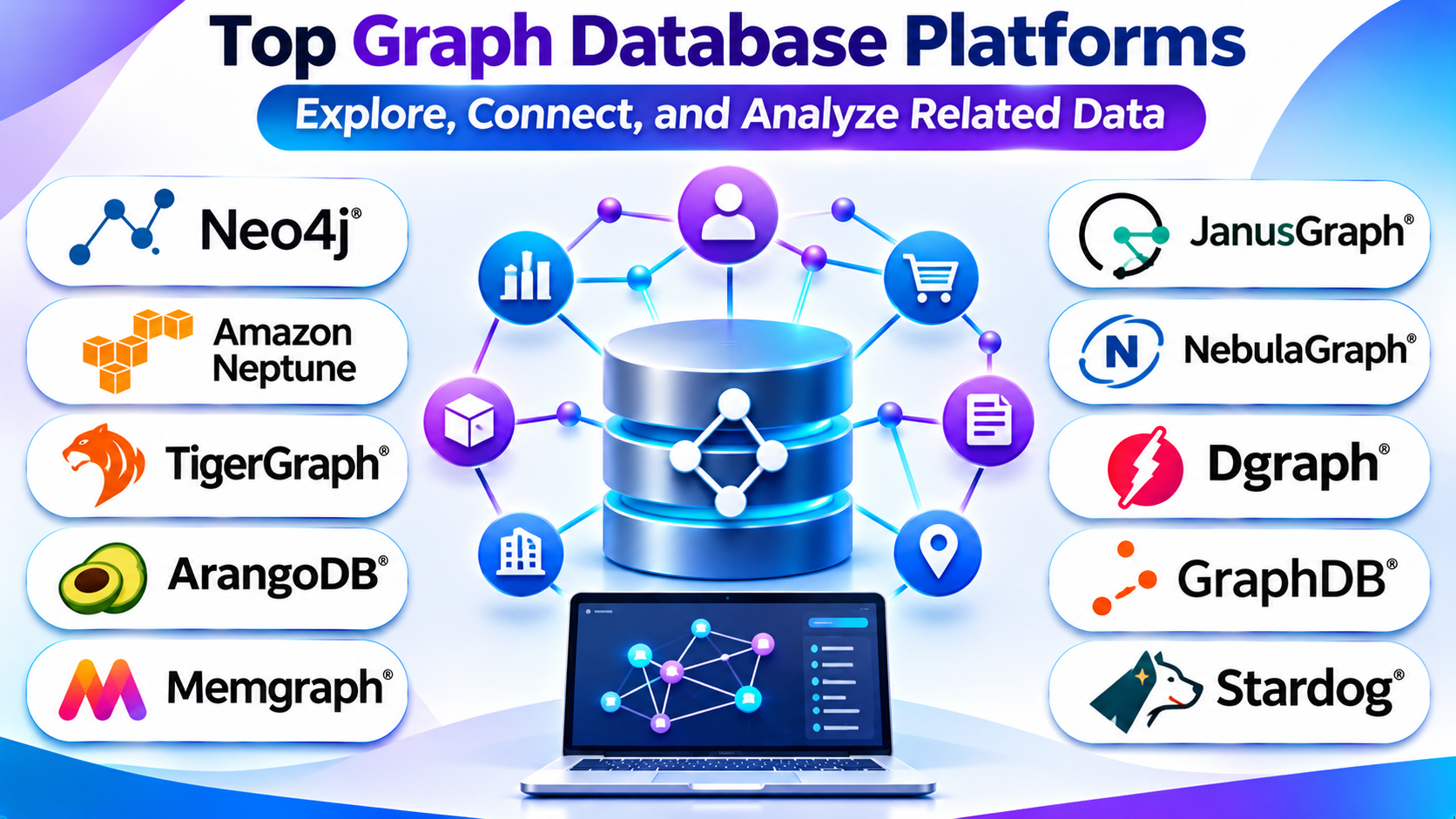
This guide explores ten graph database platforms. It compares their key features, Pros and Cons, deployment options, and best use cases.
Top 10 Graph Database Platforms
1. Neo4j
Neo4j is a popular native graph database. It stores information as nodes, relationships, and properties. This structure makes it useful for applications that need to explore connected data.
Neo4j uses Cypher as its main query language. Cypher lets developers describe patterns and relationships in a readable way. They can use it to find connections, explore networks, and analyze complex data.
The platform supports transaction processing, graph algorithms, and data visualization tools. Neo4j Aura also provides a managed cloud option. Teams can use Neo4j for fraud detection, recommendation systems, knowledge graphs, and identity management.
Key Features
- Native property graph model.
- Cypher query language.
- Graph traversal and pattern matching.
- Transaction support.
- Graph Data Science capabilities.
- Data visualization tools.
- Managed cloud service through Neo4j Aura.
- Integration with popular programming languages.
- Role-based access and security controls.
- Support for AI and knowledge graph applications.
Pros
- Mature graph database ecosystem.
- Readable and expressive query language.
- Strong graph visualization options.
- Useful graph analytics capabilities.
- Supports many application types.
- Offers managed and self-managed deployment options.
Cons
- Advanced features may require paid editions.
- Large deployments need careful capacity planning.
- Teams must learn graph modeling and Cypher.
- Licensing and deployment choices need review.
Best For: Businesses and developers that need a mature graph database for connected data, graph analytics, and knowledge graph applications.
2. Amazon Neptune
Amazon Neptune is a fully managed graph database service from Amazon Web Services. It helps teams build applications that work with highly connected data.
Neptune supports both property graph and RDF data models. Developers can use openCypher and Gremlin for property graph queries. They can use SPARQL for RDF data.
The service manages much of the database infrastructure. It also integrates with other AWS services for security, monitoring, storage, and application development.
Amazon Neptune works well for knowledge graphs, fraud detection, identity graphs, and recommendation systems. Neptune Analytics also provides graph analytics capabilities for supported workloads.
Key Features
- Managed graph database service.
- Property graph and RDF support.
- openCypher query support.
- Gremlin query support.
- SPARQL query support.
- Integration with AWS services.
- Managed backups and recovery options.
- Security through AWS identity and access tools.
- Graph analytics through Neptune Analytics.
- Support for connected-data applications.
Pros
- Reduces database infrastructure management.
- Supports multiple graph query languages.
- Offers property graph and RDF models.
- Integrates with the AWS ecosystem.
- Useful for enterprise graph applications.
- Provides managed service capabilities.
Cons
- Works within the AWS ecosystem.
- Costs depend on selected resources and usage.
- Advanced configuration may need AWS expertise.
- Teams must understand its supported graph models and query languages.
Best For: Organizations that use AWS and need a managed graph database for enterprise applications.
3. TigerGraph
TigerGraph is a graph database platform designed for connected data analytics. It helps organizations explore complex relationships across large datasets.
The platform uses a property graph model and supports GSQL as its query language. GSQL helps developers define graph patterns and perform multi-step relationship analysis.
TigerGraph focuses on graph analytics and distributed processing. It supports use cases such as fraud detection, customer intelligence, supply chain analysis, and recommendation systems.
Its platform also includes tools for graph visualization and application development. Teams can use cloud or self-managed deployment options based on their needs.
Key Features
- Native property graph model.
- GSQL query language.
- Distributed graph processing.
- Parallel graph analytics.
- Graph visualization tools.
- Real-time relationship analysis.
- Data loading and integration tools.
- Machine learning integration.
- Cloud and self-managed deployment options.
- Enterprise security capabilities.
Pros
- Designed for complex graph analytics.
- Supports large connected datasets.
- Provides parallel processing capabilities.
- Useful for fraud and risk analysis.
- Includes graph visualization tools.
- Supports enterprise use cases.
Cons
- GSQL requires learning.
- Platform architecture can take time to understand.
- Deployment and tuning need technical expertise.
- Costs and licensing need careful evaluation.
Best For: Enterprises that need deep graph analytics across large and highly connected datasets.
4. ArangoDB
ArangoDB is a multi-model database that supports graph, document, and key-value data. It helps teams manage different data models within one platform.
The database uses ArangoDB Query Language, known as AQL. Developers can use AQL to work with documents, graph relationships, and other stored data.
ArangoDB supports graph traversal and relationship queries. It can help applications explore networks, build recommendations, and manage connected business information.
Its multi-model approach can reduce the need to operate separate databases for different data types. Teams should still evaluate whether one platform can meet all their workload requirements.
Key Features
- Multi-model database architecture.
- Property graph capabilities.
- Document and key-value storage.
- AQL query language.
- Graph traversal operations.
- Search capabilities.
- Replication and clustering options.
- Flexible data modeling.
- Cloud and self-managed deployment options.
- Integration with application development tools.
Pros
- Supports multiple data models.
- Combines documents and graph relationships.
- Uses one query language across data models.
- Offers flexible data modeling.
- Useful for connected application data.
- Can simplify some database architectures.
Cons
- Multi-model features require learning.
- Complex workloads need careful design.
- Scaling and tuning require planning.
- Teams may not need every supported data model.
Best For: Developers who want graph, document, and key-value capabilities within one database platform.
5. Memgraph
Memgraph is a graph database designed for real-time data processing and relationship analysis. It uses an in-memory architecture to support fast graph operations.
The platform supports the Cypher query language. This makes it familiar to developers who already work with Neo4j or other Cypher-based systems.
Memgraph can process streaming data and analyze relationships as information changes. Its ecosystem includes MAGE, a collection of graph algorithms and query modules.
Organizations can use Memgraph for fraud detection, network monitoring, recommendation systems, and real-time analytics. Teams should evaluate memory requirements when planning larger deployments.
Key Features
- In-memory graph database architecture.
- Cypher query language.
- Real-time graph processing.
- Streaming data support.
- Graph algorithms through MAGE.
- Graph traversal and pattern matching.
- Replication and high-availability options.
- Integration with data pipelines.
- Developer tools and visualization support.
- Cloud and self-managed deployment options.
Pros
- Designed for fast graph operations.
- Supports real-time analytics.
- Uses a familiar query language.
- Offers graph algorithm modules.
- Useful for streaming data.
- Supports several deployment approaches.
Cons
- Memory use needs careful planning.
- Large datasets may increase infrastructure costs.
- Advanced deployments require tuning.
- Teams must review enterprise features and licensing.
Best For: Applications that need real-time graph queries, streaming analysis, and fast relationship discovery.
6. JanusGraph
JanusGraph is an open-source distributed graph database. It helps teams store and query large graphs across distributed storage systems.
The platform uses Apache TinkerPop and supports Gremlin for graph traversal. It can work with storage backends such as Apache Cassandra, Apache HBase, and other supported systems.
JanusGraph separates graph processing from storage. This design gives teams flexibility when building distributed graph infrastructure.
It is useful for knowledge graphs, network analysis, identity relationships, and large connected datasets. However, teams need experience with distributed systems to manage it well.
Key Features
- Open-source graph database.
- Distributed graph architecture.
- Apache TinkerPop integration.
- Gremlin query language.
- Pluggable storage backends.
- Support for large graph datasets.
- Indexing backend integration.
- Horizontal scaling through supported infrastructure.
- Transaction and consistency options.
- Integration with the wider Apache ecosystem.
Pros
- Open-source platform.
- Supports distributed graph storage.
- Offers flexible backend choices.
- Uses the Gremlin traversal language.
- Can handle large connected datasets.
- Provides control over infrastructure.
Cons
- Setup can be complex.
- Requires management of storage backends.
- Distributed operations need expertise.
- Performance depends on backend configuration.
- May be too complex for small applications.
Best For: Engineering teams that need an open-source distributed graph database and control over their storage architecture.
7. NebulaGraph
NebulaGraph is an open-source distributed graph database designed for large-scale connected data. It uses a shared-nothing architecture to distribute graph storage and processing.
The platform uses nGQL as its query language. Developers can use it to explore relationships and perform graph queries.
NebulaGraph supports graph traversal, indexing, and distributed deployment. It is designed for applications that need to manage large networks and complex relationships.
Common use cases include fraud detection, social networks, recommendation systems, and knowledge graphs. Teams should review its cluster requirements and operational needs before deployment.
Key Features
- Open-source distributed graph database.
- Shared-nothing architecture.
- nGQL query language.
- Graph traversal and relationship queries.
- Distributed storage and processing.
- Indexing support.
- High-availability architecture options.
- Graph visualization tools.
- Data import and integration tools.
- Support for large connected datasets.
Pros
- Supports distributed graph workloads.
- Open-source community edition.
- Designed for large graph datasets.
- Provides graph query capabilities.
- Useful for relationship-heavy applications.
- Offers deployment flexibility.
Cons
- Cluster setup requires expertise.
- nGQL requires learning.
- Infrastructure planning is important.
- Large deployments need ongoing monitoring.
Best For: Organizations that need distributed graph storage and analysis for large connected datasets.
8. Dgraph
Dgraph is a distributed graph database designed for applications that need scalable relationship queries. It stores connected data and supports GraphQL-style development workflows.
Dgraph uses DQL for graph queries and supports GraphQL APIs. This can help developers build applications that work with connected data without creating every query layer from scratch.
The platform supports distributed deployment and graph traversal. It can serve applications such as knowledge graphs, content relationships, and recommendation systems.
Its data model and query options make it worth considering for teams that prefer graph-based application development. Evaluate current product support, licensing, and deployment choices before adopting it.
Key Features
- Distributed graph database architecture.
- GraphQL API support.
- DQL query language.
- Graph traversal.
- Relationship-based data modeling.
- Distributed storage and processing.
- Schema support.
- Indexing capabilities.
- Developer-focused APIs.
- Support for connected application data.
Pros
- Supports graph-oriented application development.
- Offers GraphQL APIs.
- Provides distributed architecture.
- Useful for relationship-heavy data.
- Supports flexible graph queries.
- Can simplify some application data access patterns.
Cons
- DQL requires learning.
- Distributed deployments need planning.
- Teams should review current product and licensing details.
- Advanced operations require technical knowledge.
Best For: Developers building graph-based applications that benefit from GraphQL APIs and distributed data storage.
9. GraphDB by Ontotext
GraphDB is an RDF graph database designed for semantic data and knowledge graph applications. It helps organizations connect information using shared meanings, identifiers, and relationships.
Unlike property graph databases, GraphDB focuses on RDF data. RDF represents information as subject-predicate-object statements. This structure helps systems describe relationships between different entities.
GraphDB supports SPARQL queries and semantic reasoning. Reasoning helps applications infer additional relationships from existing facts and rules.
The platform is useful for knowledge management, data integration, linked data, and enterprise knowledge graphs. It can help organizations connect information from different systems.
Key Features
- RDF graph database.
- SPARQL query support.
- Semantic reasoning.
- Knowledge graph management.
- Ontology support.
- Data integration capabilities.
- RDF data storage.
- Search and exploration tools.
- Enterprise deployment options.
- Support for linked data applications.
Pros
- Strong RDF and semantic web support.
- Supports SPARQL queries.
- Provides reasoning capabilities.
- Useful for knowledge graphs.
- Helps connect data from different sources.
- Supports ontology-based information models.
Cons
- RDF concepts require learning.
- Semantic modeling can take time.
- Advanced reasoning needs careful configuration.
- May not suit applications built around property graph models.
Best For: Organizations that build semantic knowledge graphs, linked data systems, and ontology-driven applications.
10. Stardog
Stardog is an enterprise knowledge graph platform. It connects data from different sources and helps organizations query information as a unified knowledge graph.
The platform supports RDF, SPARQL, and semantic reasoning. It can help users combine information without moving every source into one physical database.
Stardog also offers data virtualization and knowledge graph management capabilities. These features can help organizations build a connected view of business information.
Common applications include enterprise knowledge management, data integration, regulatory analysis, and AI knowledge systems.
Key Features
- Enterprise knowledge graph platform.
- RDF data model.
- SPARQL query language.
- Semantic reasoning.
- Data virtualization.
- Knowledge graph management.
- Data integration capabilities.
- Support for ontologies.
- Enterprise governance features.
- AI and GraphRAG-related capabilities.
Pros
- Connects data across multiple sources.
- Supports semantic reasoning.
- Useful for enterprise knowledge graphs.
- Offers data virtualization.
- Supports standards-based RDF queries.
- Helps create a unified view of business data.
Cons
- Enterprise setup requires planning.
- RDF and SPARQL require specialist knowledge.
- Advanced features may increase costs.
- Data integration projects can take time.
Best For: Enterprises that need semantic knowledge graphs, data virtualization, and connected information across business systems.
Comparison of the Top 10 Graph Database Platforms
| Platform | Database Model | Query Language | Main Strength | Best Use Case |
|---|---|---|---|---|
| Neo4j | Property graph | Cypher | Graph ecosystem and analytics | Recommendations and fraud detection |
| Amazon Neptune | Property graph and RDF | Gremlin, openCypher, SPARQL | Managed AWS service | Cloud graph applications |
| TigerGraph | Property graph | GSQL | Distributed graph analytics | Large-scale relationship analysis |
| ArangoDB | Multi-model graph and document | AQL | Multiple data models | Connected application data |
| Memgraph | Property graph | Cypher | Real-time graph processing | Streaming analytics |
| JanusGraph | Property graph | Gremlin | Distributed storage flexibility | Large distributed graphs |
| NebulaGraph | Property graph | nGQL | Distributed graph architecture | Large connected datasets |
| Dgraph | Property graph | DQL and GraphQL | Graph-based application development | GraphQL applications |
| GraphDB | RDF graph | SPARQL | Semantic reasoning | Knowledge graphs |
| Stardog | RDF knowledge graph | SPARQL | Data integration and virtualization | Enterprise knowledge management |
What Is a Graph Database?
A graph database stores information based on connections between data points. It uses three main elements.
- Nodes: Represent people, products, places, accounts, or other entities.
- Edges: Represent relationships between nodes.
- Properties: Store details about nodes and relationships.
For example, an online shopping platform can connect customers, products, orders, and reviews. A graph database can help find customers who purchased similar products or identify relationships between accounts.
Types of Graph Databases
Graph databases use different data models. Understanding these models helps you choose the right platform.
1. Property Graph Databases
Property graph databases use nodes and relationships. Both can contain properties that describe their data.
Neo4j, TigerGraph, Memgraph, and NebulaGraph are examples of property graph platforms.
They work well for relationship-heavy applications, such as fraud detection, social networks, and recommendation systems.
2. RDF Graph Databases
RDF databases store information as subject-predicate-object statements. These statements describe entities and their relationships.
GraphDB and Stardog are examples of RDF-focused platforms.
They are useful for semantic search, knowledge graphs, linked data, and ontology-based applications.
3. Multi-Model Graph Databases
Multi-model databases support graph data alongside other data models. Some also support document and key-value storage.
ArangoDB is an example of this approach. Amazon Neptune supports both property graph and RDF models.
These platforms can help teams manage different types of connected data within one database environment.
Benefits of Graph Database Platforms
Graph databases offer several benefits for applications that rely on relationships.
1. Better Relationship Analysis
Graph databases make it easier to explore connections between entities. Applications can follow relationships across multiple levels.
2. Flexible Data Modeling
Teams can add new nodes, relationships, and properties as requirements change. This helps support evolving applications.
3. Fraud Detection
Financial organizations can connect accounts, devices, customers, and transactions. These connections can reveal suspicious activity.
4. Personalized Recommendations
Recommendation systems can explore connections between users, products, and interests. This helps suggest relevant products or content.
5. Knowledge Management
Knowledge graphs connect information from different sources. They help users understand how facts and entities relate.
6. Network Analysis
Graph databases can represent computer networks, supply chains, communication systems, and social relationships.
7. Identity Management
Organizations can connect users, devices, accounts, roles, and permissions. This can help identify unusual access patterns.
Common Challenges of Graph Databases
Graph databases provide useful features, but they also introduce some challenges.
1. Data Modeling Complexity
Teams must understand how entities and relationships should connect. Poor graph design can make queries harder to manage.
2. Learning New Query Languages
Different platforms use Cypher, Gremlin, SPARQL, GSQL, AQL, or other query languages. Developers may need extra training.
3. Scaling Requirements
Large graphs can require significant storage and processing resources. Distributed deployments need careful planning.
4. Integration Challenges
Organizations may need to connect graph databases with existing applications, relational databases, and data pipelines.
5. Performance Tuning
Query patterns, indexes, graph structure, and deployment settings can affect performance. Teams should test real workloads.
6. Operational Management
Self-hosted platforms require monitoring, backups, security updates, and recovery planning.
7. Cost Management
Managed services and enterprise editions can involve licensing and infrastructure costs. Teams should review the full cost before choosing a platform.
How to Choose the Right Graph Database Platform
Use these steps to select a suitable platform for your project.
Step 1: Define Your Use Case
Decide whether you need fraud detection, recommendations, knowledge graphs, network analysis, or data integration.
Step 2: Choose a Graph Model
Select a property graph model for relationship-focused applications. Consider RDF when you need semantic data, linked information, or ontology support.
Step 3: Review Query Languages
Check whether your team can work with Cypher, Gremlin, SPARQL, GSQL, or another supported query language.
Step 4: Estimate Data Size
Estimate the number of nodes, relationships, and properties. Also consider how quickly your graph may grow.
Step 5: Select a Deployment Model
Choose between managed cloud services, self-hosted infrastructure, and distributed deployments.
Step 6: Check Analytics Features
Review graph algorithms, traversal tools, visualization, and real-time processing capabilities.
Step 7: Evaluate Security
Check authentication, access control, encryption, auditing, and data protection features.
Step 8: Review Integration Options
Confirm that the platform works with your programming languages, applications, and existing data systems.
Step 9: Compare Costs
Review licensing, cloud resources, storage, maintenance, and support costs.
Step 10: Test With Real Data
Build a small pilot project. Test query performance, data modeling, scalability, and ease of use before making a final decision.
Graph Database Best Practices
Follow these practices to build reliable graph database applications.
- Design a clear graph model before loading data.
- Use meaningful node and relationship names.
- Add properties that support important queries.
- Create indexes for frequently searched properties.
- Avoid unnecessary relationships.
- Choose the right graph query language.
- Test queries with realistic datasets.
- Monitor query performance.
- Plan for graph growth.
- Use suitable backup and recovery methods.
- Apply role-based access controls.
- Encrypt sensitive data.
- Keep database software updated.
- Monitor storage and processing resources.
- Document graph structures and data rules.
- Review access permissions regularly.
- Test disaster recovery procedures.
- Check integration performance.
- Review licensing and infrastructure costs.
- Evaluate security and compliance needs.
Frequently Asked Questions
1. What is a graph database?
A graph database stores data as nodes, relationships, and properties. It helps applications explore connections between different entities.
2. What are graph databases used for?
They support fraud detection, recommendation systems, social networks, knowledge graphs, identity management, and network analysis.
3. Which graph database is best overall?
Neo4j is a strong general-purpose choice because of its graph model, Cypher language, and ecosystem. However, the best option depends on your workload and technical needs.
4. What is the difference between a graph database and a relational database?
Relational databases organize data into tables. Graph databases organize data around entities and relationships. Graph databases can make complex relationship queries easier to express.
5. What is a property graph?
A property graph stores entities as nodes and connections as edges. Both can contain properties that describe their information.
6. What is an RDF graph database?
An RDF database stores information as subject-predicate-object statements. It supports semantic data and linked information.
7. Which graph database is best for enterprise applications?
Neo4j, Amazon Neptune, TigerGraph, and Stardog are worth evaluating. Your choice should depend on data models, scale, security, integration, and budget.
8. Are graph databases open source?
Some graph databases offer open-source editions or projects. Examples include Neo4j Community Edition, JanusGraph, NebulaGraph, and Memgraph. Check each product’s current licensing terms.
9. What is Cypher?
Cypher is a query language used by Neo4j and other compatible graph systems. It helps developers describe nodes, relationships, and graph patterns.
10. What is Gremlin?
Gremlin is a graph traversal language from Apache TinkerPop. It helps developers explore and manipulate graph structures.
11. What is SPARQL?
SPARQL is a query language for RDF data. It helps users retrieve information from semantic graph databases.
12. Can graph databases handle large datasets?
Yes. Several platforms support distributed storage and processing. Performance depends on graph design, infrastructure, query patterns, and workload size.
13. Are graph databases useful for fraud detection?
Yes. They can connect accounts, transactions, devices, and users. These relationships can help identify suspicious patterns and hidden connections.
14. Can graph databases support AI applications?
Yes. Knowledge graphs can provide connected information for AI applications. They can also support GraphRAG systems that retrieve relevant relationships and facts.
15. What is the difference between Neo4j and Amazon Neptune?
Neo4j is a native graph database with its own ecosystem and Cypher language. Amazon Neptune is a managed AWS service that supports property graph and RDF models.
16. Is ArangoDB a graph database?
Yes. ArangoDB supports graph data along with document and key-value models. It uses AQL to query its data.
17. What is a knowledge graph?
A knowledge graph connects facts, entities, and relationships. It helps applications understand how information relates across different sources.
18. How do I improve graph database performance?
Use a suitable graph model, create useful indexes, optimize queries, and monitor resource usage. Test your design with realistic data.
Final Thoughts
Graph database platforms help organizations understand relationships that traditional data structures may struggle to represent clearly. They support applications that need to connect people, products, transactions, devices, and information.
Neo4j offers a mature option for general graph applications. Amazon Neptune suits AWS-based teams. TigerGraph focuses on large-scale graph analytics, while ArangoDB combines graph and document capabilities.
Memgraph supports real-time graph workloads. JanusGraph and NebulaGraph offer distributed approaches. Dgraph supports graph-oriented application development, while GraphDB and Stardog focus on semantic knowledge graphs.
The right platform depends on your data model, query needs, infrastructure, and team skills. Compare these factors and test your workload before making a decision.
A well-designed graph database can help your organization discover hidden connections, improve data analysis, and build smarter applications.