Introduction
Businesses collect data from many sources. These include websites, mobile apps, business software, sensors, and cloud services.
Managing all this data can become difficult. Traditional data warehouses work well with structured data. Data lakes can store many data types, but they may need extra tools for reliable analytics.
A lakehouse combines useful features from both systems. It supports large-scale data storage, data processing, SQL analytics, and machine learning. It also helps teams work with structured, semi-structured, and unstructured data.
Lakehouse platforms help organizations build one shared data environment. Teams can use this environment for reporting, data engineering, AI, and business intelligence.
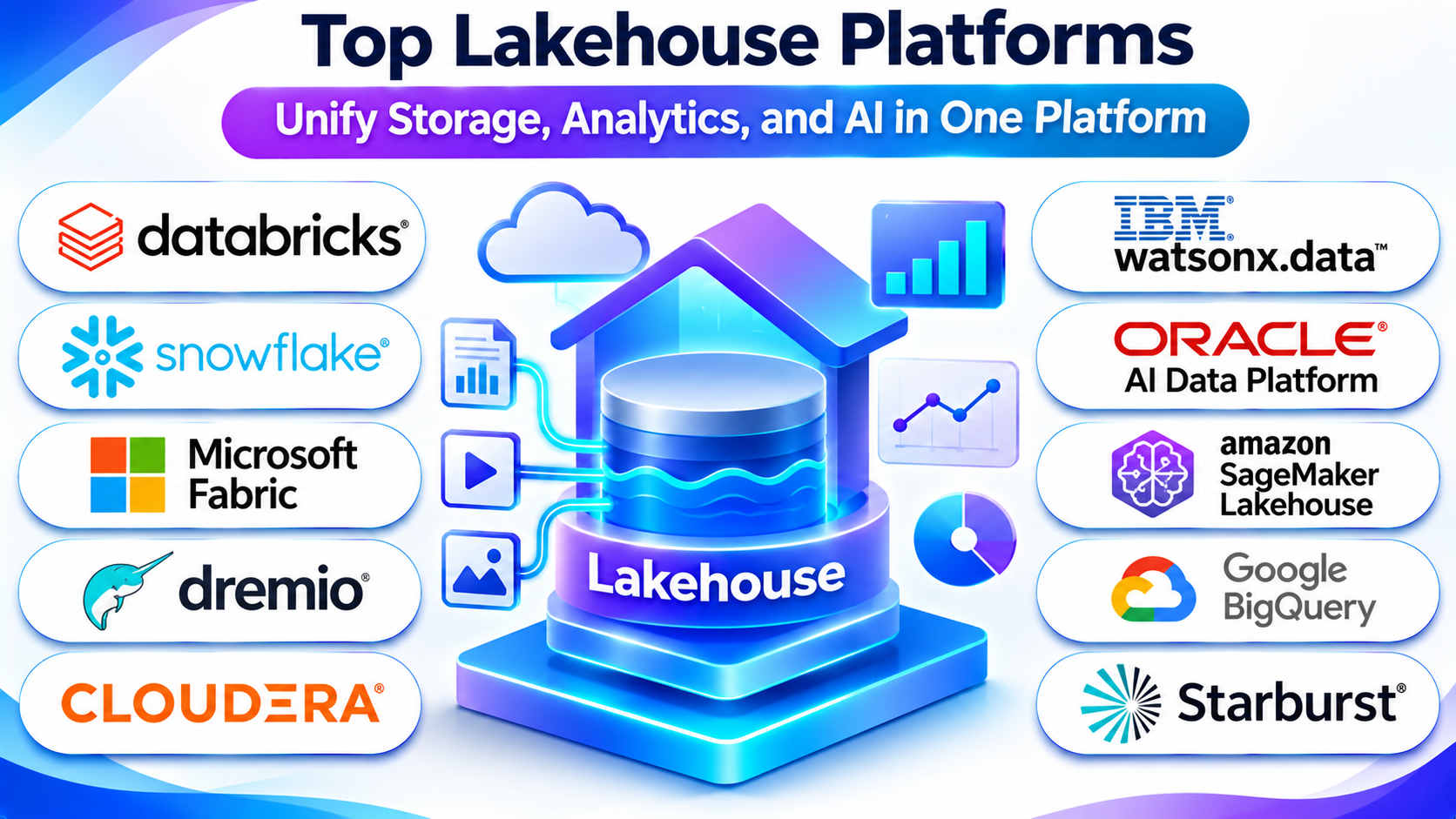
This guide explores ten leading lakehouse platforms. It explains their main features, Pros and Cons, and best use cases. It also includes a comparison table and practical tips to help you choose the right platform.
Top 10 Lakehouse Platforms
1. Databricks Lakehouse Platform
Databricks provides a unified platform for data engineering, analytics, and AI. Its lakehouse architecture combines data lake flexibility with warehouse-style management.
The platform uses Apache Spark for large-scale data processing. Delta Lake adds features such as ACID transactions, schema enforcement, and time travel. These features help teams manage reliable data tables.
Unity Catalog provides governance across data and AI assets. Teams can manage access, discover data, and track lineage from one place.
Databricks supports batch processing, streaming, SQL analytics, and machine learning. This makes it useful for organizations that want to bring several data workloads together.
Key Features
- Lakehouse architecture built around Delta Lake.
- Apache Spark data processing.
- Databricks SQL for analytical queries.
- Unity Catalog for governance.
- Batch and streaming data support.
- Data engineering and transformation tools.
- Machine learning and AI workflows.
- Data sharing and collaboration.
- Support for open data formats.
- Cloud deployment options.
Pros
- Combines engineering, analytics, and AI.
- Supports large-scale data processing.
- Provides strong governance features.
- Supports batch and streaming workloads.
- Offers flexible data processing options.
- Works with open data technologies.
Cons
- Advanced features require technical skills.
- Costs need careful workload management.
- Platform setup can take time.
- Teams may need Spark and SQL expertise.
Best For: Organizations that need one platform for data engineering, analytics, machine learning, and AI.
2. Snowflake AI Data Cloud
Snowflake provides a cloud data platform with lakehouse capabilities. It helps organizations store, process, share, and analyze data across different workloads.
The platform separates storage and computing resources. Teams can scale these resources based on their workload needs.
Snowflake supports structured, semi-structured, and unstructured data. Its support for Apache Iceberg tables also helps teams work with open table formats and external storage.
Snowflake offers data sharing, governance, and application development features. These tools help organizations connect teams and manage data across business systems.
Key Features
- Cloud-based data platform.
- Separate storage and compute resources.
- Apache Iceberg table support.
- SQL analytics.
- Structured and semi-structured data support.
- Data sharing and collaboration.
- Data engineering capabilities.
- Governance and access controls.
- Support for AI and machine learning workloads.
- Multi-cloud availability.
Pros
- Reduces infrastructure management.
- Offers flexible computing resources.
- Supports open table formats.
- Provides secure data sharing.
- Handles different data types.
- Supports analytics and data applications.
Cons
- Usage-based costs need monitoring.
- Advanced workloads can become expensive.
- Teams need to understand its architecture.
- Some features depend on cloud and product configuration.
Best For: Businesses that want managed cloud analytics, data sharing, and lakehouse capabilities.
3. Microsoft Fabric Lakehouse
Microsoft Fabric brings data engineering, data warehousing, real-time analytics, and business intelligence into one platform.
Its Lakehouse experience uses OneLake as a shared data foundation. Teams can store data and work with it across different Fabric workloads.
Fabric supports Spark-based data engineering and SQL analytics. It also connects with Power BI, which helps users create reports and dashboards.
The platform uses open data formats and supports Delta tables. This helps teams manage data for reporting, engineering, and analytics in one environment.
Key Features
- OneLake shared storage.
- Lakehouse and warehouse experiences.
- Delta table support.
- Spark-based data engineering.
- SQL analytics.
- Integration with Power BI.
- Data pipelines and orchestration.
- Real-time analytics capabilities.
- Centralized workspace management.
- Governance through Microsoft ecosystem tools.
Pros
- Combines several analytics workloads.
- Works closely with Power BI.
- Offers shared storage through OneLake.
- Supports SQL and Spark workflows.
- Helps reduce separate data systems.
- Fits Microsoft-based organizations.
Cons
- Capacity planning requires attention.
- Teams need to learn the Fabric environment.
- Advanced workloads may need specialist skills.
- Costs depend on capacity and usage.
Best For: Organizations that use Microsoft services and want integrated data engineering, analytics, and reporting.
4. Dremio Lakehouse Platform
Dremio is an open lakehouse platform built around Apache Iceberg. It helps teams query data stored in data lakes without moving everything into a traditional warehouse.
Its SQL engine supports analytical queries across lakehouse data. Dremio also offers data catalog and semantic capabilities that help users find and understand information.
The platform can connect with data sources and query engines. This helps organizations build a more open data architecture.
Dremio is useful for teams that want SQL access to data in open formats. It can support business intelligence, data exploration, and AI-related analytics.
Key Features
- Apache Iceberg-focused architecture.
- SQL query engine.
- Data lakehouse catalog capabilities.
- Semantic layer for data access.
- Query acceleration features.
- Data source connectivity.
- BI tool integration.
- Support for open data formats.
- Cloud and self-managed options.
- Data governance capabilities.
Pros
- Supports open lakehouse architecture.
- Provides SQL access to data lakes.
- Reduces unnecessary data movement.
- Works with Apache Iceberg.
- Supports business intelligence tools.
- Offers flexible deployment choices.
Cons
- Teams need to understand Iceberg concepts.
- Performance depends on data layout and query design.
- Complex environments need careful setup.
- Advanced governance may require planning.
Best For: Organizations that want an open, SQL-based lakehouse built around Apache Iceberg.
5. Cloudera Open Data Lakehouse
Cloudera provides a data platform for organizations that manage information across cloud and on-premises environments. Its Open Data Lakehouse approach uses open technologies to support data storage, processing, and analytics.
The platform supports Apache Iceberg and connects data engineering with analytical workloads. It also offers security, governance, and data management capabilities.
Cloudera can help organizations maintain control over data across different infrastructure environments. This is useful for businesses with strict data location or compliance needs.
Teams can use it for data engineering, SQL analytics, machine learning, and large-scale data processing.
Key Features
- Open lakehouse architecture.
- Apache Iceberg support.
- Hybrid and multi-cloud deployment options.
- Data engineering tools.
- Data processing and analytics.
- Security and governance features.
- Data catalog and lineage capabilities.
- Integration with enterprise systems.
- Machine learning support.
- Centralized data management.
Pros
- Supports hybrid environments.
- Uses open data technologies.
- Offers enterprise governance features.
- Helps manage distributed data.
- Supports different analytical workloads.
- Suits organizations with complex infrastructure.
Cons
- Platform setup can be complex.
- Administration may need specialist skills.
- Costs depend on deployment and services.
- Teams need to plan integrations carefully.
Best For: Enterprises that need a governed lakehouse across cloud and on-premises environments.
6. IBM watsonx.data
IBM watsonx.data is an open data lakehouse designed for analytics and AI workloads. It helps organizations query and manage data across different storage environments.
The platform supports open data formats and multiple query engines. This gives teams flexibility when they work with different data sources and analytical tools.
IBM watsonx.data also connects with IBM’s broader AI and data ecosystem. Organizations can use it to prepare information for analytics, machine learning, and generative AI applications.
Its hybrid capabilities can suit businesses that need to manage data across cloud and on-premises systems.
Key Features
- Open data lakehouse architecture.
- Support for open table formats.
- Multiple query engine options.
- Data catalog and governance capabilities.
- Hybrid cloud support.
- SQL analytics.
- Data access across different sources.
- AI and machine learning integration.
- Data management tools.
- Enterprise security features.
Pros
- Supports open data architecture.
- Offers multiple query engine choices.
- Connects with IBM data and AI services.
- Supports hybrid environments.
- Helps prepare data for AI workloads.
- Provides enterprise governance options.
Cons
- Platform components require planning.
- Advanced use may need IBM expertise.
- Integration work can take time.
- Costs depend on the selected configuration.
Best For: Enterprises that need an open lakehouse for analytics and AI across hybrid environments.
7. Oracle AI Data Platform
Oracle AI Data Platform brings data management, analytics, and AI capabilities into the Oracle ecosystem. It supports lakehouse-style data access and helps organizations work with data across different environments.
The platform connects with Oracle Cloud Infrastructure and Oracle database services. It can also support open data approaches, depending on the chosen services and architecture.
Organizations can use Oracle’s data and AI services to prepare information for analytics and intelligent applications. Governance and security features help manage access to enterprise data.
Teams already using Oracle applications may find it easier to connect business data with analytical workloads.
Key Features
- Enterprise data and AI platform.
- Lakehouse-oriented data capabilities.
- Integration with Oracle Cloud Infrastructure.
- Support for analytical workloads.
- Data management and governance.
- SQL-based analytics options.
- AI and machine learning services.
- Enterprise security controls.
- Integration with Oracle databases.
- Support for business data workflows.
Pros
- Fits Oracle-based environments.
- Connects data management with AI services.
- Offers enterprise security capabilities.
- Supports analytical workloads.
- Helps connect business data and applications.
- Provides access to Oracle cloud services.
Cons
- Best fit may depend on Oracle adoption.
- Product components require evaluation.
- Advanced deployments need architecture planning.
- Costs depend on selected cloud services.
Best For: Organizations that use Oracle technology and want connected data, analytics, and AI capabilities.
8. Amazon SageMaker Lakehouse
Amazon SageMaker Lakehouse helps organizations unify data across Amazon S3 data lakes and Amazon Redshift data warehouses. It supports a shared approach to accessing and managing analytical data.
The platform uses open data standards, including Apache Iceberg. This helps different tools work with shared tables and reduces the need to maintain separate copies of data.
It connects with AWS data services and supports analytics and AI workflows. Teams can use it to access data for reporting, data engineering, and machine learning.
Organizations already using AWS may find it useful for building a connected data environment.
Key Features
- Unified access to S3 data lakes and Redshift warehouses.
- Apache Iceberg support.
- Integration with AWS data services.
- Shared data access and management.
- Data governance capabilities.
- Support for analytical workloads.
- Integration with machine learning workflows.
- Open data access options.
- AWS security and permissions.
- Cloud-based infrastructure.
Pros
- Fits AWS-based environments.
- Connects data lakes and warehouses.
- Supports open table formats.
- Helps reduce data duplication.
- Connects analytics with AI workflows.
- Uses AWS security and governance services.
Cons
- Best suited to AWS users.
- Requires knowledge of AWS services.
- Architecture planning is important.
- Costs depend on the connected services and usage.
Best For: AWS users who want unified access to data lakes, warehouses, analytics, and machine learning.
9. Google BigQuery and BigLake
Google Cloud provides lakehouse capabilities through its BigQuery and BigLake services. Together, these services help teams analyze data across warehouse storage and open data lake environments.
BigQuery offers serverless SQL analytics. BigLake helps connect analytical services with data stored in open formats and external storage systems.
This approach allows organizations to work with data without always moving it into a traditional warehouse. It also supports governance and access management across connected data.
Google’s platform can suit teams that already use Google Cloud for analytics, machine learning, and data processing.
Key Features
- BigQuery serverless analytics.
- BigLake data access capabilities.
- Support for Apache Iceberg and open formats, depending on service configuration.
- SQL query support.
- Integration with Google Cloud services.
- Data governance and access controls.
- Data processing and transformation.
- Machine learning integration.
- BI tool connectivity.
- Managed cloud infrastructure.
Pros
- Strong Google Cloud integration.
- Supports serverless analytics.
- Connects warehouse and lake data.
- Offers SQL-based analysis.
- Supports machine learning workflows.
- Reduces infrastructure management.
Cons
- Cloud usage costs need monitoring.
- Advanced services require Google Cloud knowledge.
- Feature availability can vary by configuration.
- Large queries need cost and performance planning.
Best For: Organizations that use Google Cloud and need managed analytics across warehouse and lake data.
10. Starburst Data Lakehouse
Starburst provides a data lakehouse and analytics platform built around Trino. It helps organizations query data across different sources without moving everything into one storage system.
The platform supports federated queries. This means teams can analyze data across databases, data lakes, and cloud storage through a common query layer.
Starburst also supports open table formats such as Apache Iceberg. Its governance and access controls help organizations manage data access across different systems.
Teams can use Starburst for business intelligence, data exploration, and distributed analytics.
Key Features
- Trino-based query engine.
- Federated data access.
- Apache Iceberg support.
- SQL analytics.
- Data source connectivity.
- Data governance and access controls.
- Query optimization.
- Cloud and self-managed deployment options.
- BI tool integration.
- Distributed analytical processing.
Pros
- Queries data across many sources.
- Supports open lakehouse formats.
- Uses SQL for analytics.
- Reduces unnecessary data movement.
- Offers flexible deployment options.
- Supports distributed data environments.
Cons
- Query performance depends on source systems.
- Complex federated queries need tuning.
- Teams need Trino and SQL knowledge.
- Governance across many sources requires planning.
Best For: Organizations that need federated SQL analytics across multiple data lakes, databases, and cloud environments.
Comparison of the Top 10 Lakehouse Platforms
| Platform | Main Technology or Approach | Deployment | Best Use Case |
|---|---|---|---|
| Databricks | Delta Lake and Apache Spark | Cloud | Data engineering, analytics, and AI |
| Snowflake | Cloud data platform and Iceberg support | Multi-cloud | Managed analytics and data sharing |
| Microsoft Fabric | OneLake and Delta tables | Cloud | Microsoft-based analytics |
| Dremio | Apache Iceberg and SQL engine | Cloud and self-managed | Open lakehouse analytics |
| Cloudera | Open data lakehouse | Cloud and on-premises | Hybrid enterprise data |
| IBM watsonx.data | Open lakehouse and multiple query engines | Cloud and hybrid | Analytics and AI |
| Oracle AI Data Platform | Oracle data and AI services | Oracle Cloud | Enterprise data and AI |
| Amazon SageMaker Lakehouse | S3, Redshift, and Iceberg | AWS Cloud | AWS analytics and machine learning |
| Google BigQuery and BigLake | Serverless analytics and open data access | Google Cloud | Cloud data analytics |
| Starburst | Trino and federated SQL | Cloud and self-managed | Analytics across different data sources |
These platforms use different architectures. Some provide complete lakehouse environments, while others focus on query engines, data access, or integrated cloud services.
What Is a Lakehouse Platform?
A lakehouse platform combines features of a data lake and a data warehouse.
A data lake can store large amounts of raw data. It supports many formats, including structured, semi-structured, and unstructured data.
A data warehouse organizes data for reporting and analytics. It provides features for reliable queries, data management, and business intelligence.
A lakehouse brings these ideas together. It aims to provide flexible storage with better data management and analytical capabilities.
Common lakehouse technologies include:
- Delta Lake: An open storage layer that adds transaction support and data management features.
- Apache Iceberg: An open table format for large analytical datasets.
- Apache Hudi: An open data lake framework that supports data changes and incremental processing.
- Apache Spark: A processing engine for large-scale data workloads.
- Trino: A distributed SQL query engine for accessing data across different sources.
How Does a Lakehouse Platform Work?
A lakehouse usually combines several components.
1. Data Collection
The platform collects information from databases, applications, websites, sensors, and business systems.
2. Data Storage
It stores data in cloud object storage or compatible storage systems. This helps organizations manage large datasets.
3. Table Management
Table formats such as Delta Lake and Apache Iceberg help manage records, schemas, and transactions.
4. Data Processing
Processing engines clean, transform, and organize information. Teams can use batch or streaming workflows.
5. Data Querying
SQL engines help users explore data and create reports. Some platforms also support distributed queries across multiple sources.
6. Data Governance
Governance tools manage access, permissions, metadata, and data lineage.
7. Analytics and AI
Teams use prepared data for dashboards, business intelligence, machine learning, and AI applications.
Lakehouse vs Data Lake vs Data Warehouse
| Feature | Data Lake | Data Warehouse | Lakehouse |
|---|---|---|---|
| Main Purpose | Store large amounts of data | Business reporting and analytics | Unified storage and analytics |
| Data Types | Structured and unstructured | Mainly structured | Structured and unstructured |
| Storage | Object storage or distributed storage | Managed warehouse storage | Often object storage |
| Data Processing | Flexible processing tools | Warehouse processing | Multiple processing engines |
| Governance | Depends on added tools | Usually strong built-in controls | Depends on platform |
| SQL Analytics | Often needs query engines | Core capability | Supported by query engines |
| Machine Learning | Flexible | Often uses integrations | Designed to support analytics and AI |
| Data Formats | Many file formats | Often platform-managed | Open table formats are common |
Important Features to Look for in Lakehouse Platforms
1. Open Table Format Support
Check whether the platform supports Delta Lake, Apache Iceberg, or Apache Hudi. Open formats can improve data access across different tools.
2. Scalable Storage
The platform should handle growing data volumes. Check its storage options and expected costs.
3. Flexible Computing
Different workloads need different computing resources. Look for options that support SQL, Spark, and other processing engines.
4. ACID Transactions
ACID transactions help maintain reliable data changes. They reduce the risk of inconsistent records during updates.
5. Data Governance
Check access controls, data catalogs, lineage, and auditing. These features help teams manage data responsibly.
6. Data Integration
The platform should connect with databases, applications, cloud storage, and data pipelines.
7. Batch and Streaming Support
Some applications process data in batches. Others need continuous updates. Choose a platform that supports your data flow.
8. SQL and BI Integration
Analysts need familiar query tools. Check SQL support and connections to dashboards and reporting software.
9. AI and Machine Learning Support
Look for tools that support model training, data preparation, and AI workflows if these are part of your plans.
10. Cost Management
Review storage, compute, data transfer, licensing, and support costs. Monitor resource use to avoid unexpected bills.
Benefits of Lakehouse Platforms
Unified Data Management
A lakehouse helps teams work with data through a shared environment. This can reduce separate storage and processing systems.
Flexible Data Storage
Organizations can store different data types. This helps support many business and technical workloads.
Better Analytics
SQL engines and analytical tools help users study large datasets. Teams can create reports and discover useful patterns.
Support for AI and Machine Learning
Data engineers can prepare information for machine learning and AI applications. This can reduce the need to move data between separate systems.
Improved Data Governance
Catalogs and access controls help teams manage data. They can also improve data discovery and tracking.
Reduced Data Duplication
Open table formats and shared storage can help different tools access the same data. This may reduce unnecessary copies.
Scalable Infrastructure
Cloud-based platforms can adjust computing resources based on workload needs. This helps organizations manage changing demand.
Common Challenges of Lakehouse Platforms
1. Complex Architecture
Lakehouse systems combine storage, table formats, query engines, and governance tools. Teams need to understand how these components work together.
2. Data Governance
Managing permissions across many systems can be difficult. Organizations need clear ownership and access rules.
3. Performance Tuning
Large queries may need suitable partitioning, file sizes, and data layouts. Poor design can increase query time and costs.
4. Vendor Dependence
Some platforms use proprietary services around open storage formats. Check which parts of the system you can move or replace.
5. Integration Work
Connecting many data sources can take time. Teams may need connectors, pipelines, and custom development.
6. Cost Control
Storage may be affordable, but compute and data movement can become expensive. Monitor usage across workloads.
7. Skills and Training
Lakehouse projects may require SQL, Spark, cloud, and data engineering knowledge. Training helps teams use the platform effectively.
How to Choose the Right Lakehouse Platform
Follow these steps before selecting a platform.
Step 1: Define Your Business Goals
Decide whether you need reporting, data engineering, AI, machine learning, or all these workloads.
Step 2: Review Your Existing Infrastructure
Check your cloud provider, databases, storage systems, and business applications. Choose a platform that fits your environment.
Step 3: Check Open Table Format Support
Review support for Delta Lake, Apache Iceberg, and Apache Hudi. Select formats that match your long-term architecture.
Step 4: Estimate Data Volume
Calculate current storage needs and expected growth. Include daily data ingestion and future processing requirements.
Step 5: Evaluate Query Performance
Test common SQL queries with realistic datasets. Check how the platform handles large tables and multiple users.
Step 6: Review Governance
Check permissions, catalog features, lineage, and auditing. Make sure the platform meets your security requirements.
Step 7: Compare Integration Options
Test connections to your existing data sources, BI tools, and applications.
Step 8: Understand Deployment Choices
Decide whether you need a managed cloud platform, a hybrid environment, or self-managed infrastructure.
Step 9: Compare Total Costs
Include storage, computing, data transfer, licensing, and support. Estimate costs for both normal and peak workloads.
Step 10: Run a Pilot Project
Start with a small but realistic workload. Test ingestion, analytics, governance, and AI requirements before full deployment.
Lakehouse Platform Best Practices
Use these practices to build a reliable lakehouse environment.
- Define clear data architecture goals.
- Choose suitable open table formats.
- Organize data into useful structures.
- Use consistent naming rules.
- Apply schema management.
- Set access permissions carefully.
- Maintain data catalogs.
- Track data lineage.
- Optimize file sizes and partitions.
- Monitor query performance.
- Use suitable storage policies.
- Avoid unnecessary data copies.
- Monitor cloud resource costs.
- Protect sensitive information.
- Test batch and streaming pipelines.
- Maintain backup and recovery plans.
- Document data ownership.
- Review governance policies.
- Train data engineers and analysts.
- Test platform updates before production.
Frequently Asked Questions
1. What is a lakehouse platform?
A lakehouse platform combines data lake storage with data warehouse management and analytics features. It supports different data types and analytical workloads.
2. What are lakehouse platforms used for?
Businesses use them for data engineering, SQL analytics, reporting, machine learning, AI, and large-scale data processing.
3. Which lakehouse platform is best overall?
Databricks is a strong option for unified engineering, analytics, and AI. Microsoft Fabric suits Microsoft users, while Snowflake offers managed cloud analytics. The best choice depends on your requirements.
4. What is the difference between a lakehouse and a data warehouse?
A data warehouse mainly focuses on structured data and analytical queries. A lakehouse combines these capabilities with flexible data lake storage.
5. What is the difference between a lakehouse and a data lake?
A data lake stores many types of raw and processed data. A lakehouse adds table management, transaction support, governance, and analytical features.
6. Is Databricks a lakehouse platform?
Yes. Databricks offers a lakehouse platform for data engineering, analytics, and AI. It uses technologies such as Delta Lake and Apache Spark.
7. Is Snowflake a lakehouse platform?
Snowflake provides lakehouse capabilities through its cloud data platform and support for open table formats such as Apache Iceberg.
8. What is Apache Iceberg?
Apache Iceberg is an open table format for large analytical datasets. It helps manage tables, schema changes, and reliable data operations.
9. What is Delta Lake?
Delta Lake is an open storage layer that adds transaction support and data management features to data lakes.
10. What is Apache Hudi?
Apache Hudi is an open data lake framework. It supports data updates, incremental processing, and record-level changes.
11. Can a lakehouse support AI and machine learning?
Yes. Lakehouse platforms can provide data storage and processing for machine learning and AI workloads. Some also offer integrated model development tools.
12. Which lakehouse platform is best for AWS?
Amazon SageMaker Lakehouse is a relevant option for AWS users. Organizations should also review their existing S3, Redshift, and AWS analytics architecture.
13. Which lakehouse platform is best for Microsoft users?
Microsoft Fabric Lakehouse is a natural option for organizations that use OneLake, Power BI, and other Microsoft services.
14. Can a lakehouse replace a data warehouse?
It can replace some warehouse workloads. However, organizations should test performance, governance, cost, and business requirements before moving everything.
15. Are lakehouse platforms suitable for small businesses?
Yes. Small businesses can use managed services and start with limited workloads. They should select a platform that matches their budget and technical skills.
16. What is a lakehouse catalog?
A lakehouse catalog stores information about tables, schemas, permissions, and data locations. It helps users discover and manage data.
17. What is data federation in a lakehouse?
Data federation lets users query information across different sources without moving all the data into one system.
18. How much does a lakehouse platform cost?
Costs depend on storage, compute, data transfer, licensing, and support. Most platforms use pricing based on their services and usage.
Final Thoughts
Lakehouse platforms help businesses manage data across engineering, analytics, and AI workloads. They combine flexible storage with tools for reliable data access and processing.
Databricks offers a broad lakehouse environment. Snowflake provides managed cloud analytics, while Microsoft Fabric connects data engineering with Power BI. Dremio and Starburst focus on open data access and SQL analytics.
Cloudera and IBM watsonx.data suit organizations with complex enterprise needs. Oracle, Amazon, and Google offer lakehouse capabilities within their cloud ecosystems.
The right platform depends on your data sources, cloud environment, open format needs, security rules, and budget. Compare these factors before making a decision.
Start with a pilot project and test real workloads. A well-planned lakehouse can help your teams build trusted data products and make better decisions.