Introduction
Artificial intelligence applications need more than traditional keyword searches. They often need to understand the meaning and context behind information.
Vector databases help solve this problem. They store and search numerical representations of data called vectors. These vectors can represent text, images, audio, videos, and other content.
AI models create these representations through a process called embedding. A vector database then finds items with similar meanings or features. This helps power semantic search, recommendation systems, retrieval-augmented generation (RAG), and AI assistants.
Vector databases differ in their design, performance, scaling options, filtering features, and deployment models. Some focus on managed cloud services. Others offer open-source tools or vector search inside broader database platforms.
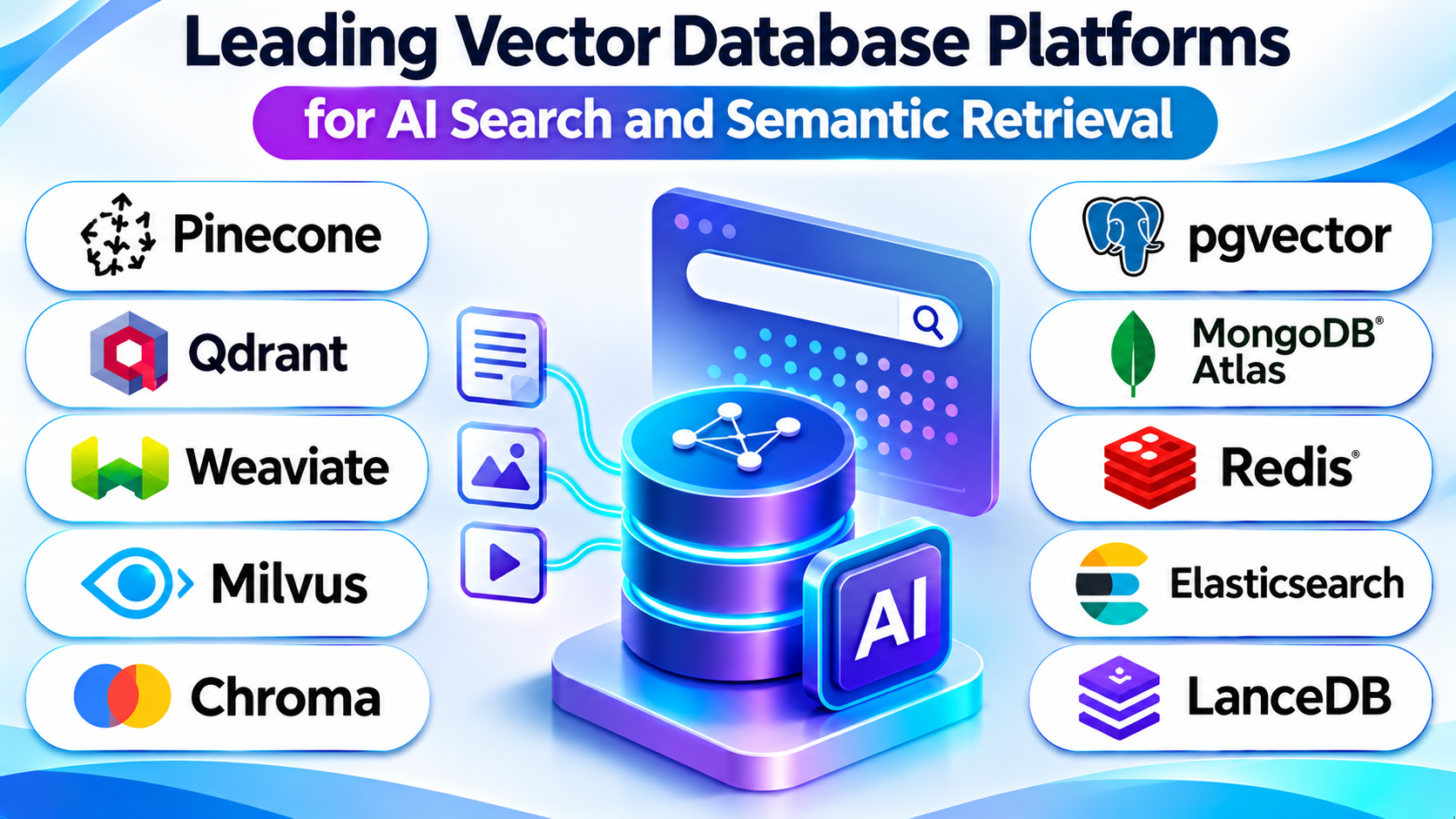
This guide explores ten notable vector database platforms. It explains their features, Pros and Cons, use cases, and key selection factors.
Top 10 Vector Database Platforms
1. Pinecone
Pinecone is a managed vector database built for AI applications. It helps developers store, index, and search vector embeddings without managing database infrastructure.
The platform supports semantic search, recommendation systems, and retrieval-augmented generation. Developers can connect Pinecone with embedding models and large language models to build AI-powered applications.
Pinecone provides vector search, metadata filtering, and namespace support. These features help teams organize information and retrieve relevant results from large collections.
Its managed approach makes it useful for teams that want to focus on application development instead of database operations. However, organizations should review usage costs and service requirements before choosing it.
Key Features
- Managed vector database service.
- Dense and sparse vector support.
- Similarity search.
- Metadata filtering.
- Namespace-based data organization.
- Index management.
- Support for AI and RAG applications.
- Integration with popular AI frameworks.
- Scalable cloud infrastructure.
- Developer APIs and SDKs.
Pros
- Easy to start without managing servers.
- Designed for AI search workloads.
- Supports metadata filtering.
- Offers useful developer integrations.
- Helps build RAG applications.
- Reduces database maintenance work.
Cons
- Managed service creates vendor dependency.
- Usage costs need careful monitoring.
- Less infrastructure control than self-hosted options.
- Advanced workloads may need careful index planning.
Best For: Teams building production AI applications that need managed vector search and minimal database maintenance.
2. Qdrant
Qdrant is an open-source vector search engine built for AI-powered applications. It stores vectors alongside payload data, which contains useful information about each record.
The platform supports similarity search and metadata filtering. Developers can combine vector searches with conditions such as product category, location, user type, or document status.
Qdrant uses an efficient search architecture and supports different deployment options. Teams can run it locally, host it on their own infrastructure, or use Qdrant Cloud.
It works well for semantic search, recommendation engines, image retrieval, and RAG systems. Its filtering capabilities make it useful for applications that need more than simple nearest-neighbor searches.
Key Features
- Open-source vector database.
- Dense and sparse vector support.
- Similarity search.
- Metadata filtering.
- Payload storage.
- HNSW vector indexing.
- Quantization options.
- Distributed deployment capabilities.
- REST and gRPC APIs.
- Managed cloud service.
Pros
- Offers an open-source option.
- Supports powerful metadata filtering.
- Provides flexible deployment choices.
- Works well with AI applications.
- Supports dense and sparse vectors.
- Offers useful performance optimization features.
Cons
- Self-hosting requires infrastructure management.
- Index settings need careful planning.
- Large deployments require monitoring.
- Teams must understand vector search concepts.
Best For: Developers who need flexible vector search, strong metadata filtering, and control over deployment.
3. Weaviate
Weaviate is an open-source vector database that combines vector search with structured data storage. It helps applications retrieve information based on meaning and additional data conditions.
The platform stores objects and their vector representations. Developers can search these objects using similarity queries and filters.
Weaviate supports hybrid search. This combines vector search with keyword-based search to improve retrieval results. It can help applications find relevant information even when exact words matter.
The platform also offers modules and integrations for working with machine learning models and embedding services. Teams can use its self-hosted edition or managed cloud service.
Key Features
- Open-source vector database.
- Vector and object storage.
- Semantic similarity search.
- Hybrid keyword and vector search.
- Metadata filtering.
- Multi-tenancy support.
- HNSW indexing.
- Model and embedding integrations.
- GraphQL and REST APIs.
- Managed cloud deployment.
Pros
- Combines structured data and vectors.
- Supports hybrid search.
- Offers flexible deployment.
- Provides useful AI integrations.
- Supports multi-tenant applications.
- Has a broad developer ecosystem.
Cons
- Configuration can take time.
- Advanced deployments need careful planning.
- Resource usage depends on data and index settings.
- Teams need to learn its schema and query model.
Best For: AI applications that need hybrid search, structured metadata, and flexible data organization.
4. Milvus
Milvus is an open-source vector database designed for large-scale similarity search. It helps applications manage and search large collections of vector embeddings.
The platform supports several index types and distance metrics. Developers can choose suitable options based on their data size, accuracy needs, and performance goals.
Milvus supports distributed deployments for workloads that need to scale across multiple machines. It also offers Milvus Lite for lightweight development and testing.
Zilliz Cloud provides a managed service based on Milvus. This gives teams another option when they want vector search without operating the full database infrastructure.
Milvus is useful for image search, video retrieval, recommendation systems, and large RAG applications.
Key Features
- Open-source vector database.
- Large-scale vector storage.
- Multiple indexing methods.
- Similarity search.
- Metadata filtering.
- Distributed architecture.
- GPU-based search options.
- Multiple distance metrics.
- Milvus Lite for lightweight use.
- Managed deployment through Zilliz Cloud.
Pros
- Supports large vector collections.
- Offers multiple index choices.
- Provides distributed deployment.
- Supports different data types and workloads.
- Has an active open-source ecosystem.
- Offers managed cloud options.
Cons
- Distributed deployment can be complex.
- Infrastructure needs careful planning.
- Performance tuning requires expertise.
- Small applications may not need its full capabilities.
Best For: Enterprises and engineering teams building large-scale AI search and retrieval systems.
5. Chroma
Chroma is an open-source database designed for AI applications that use embeddings. It helps developers store documents, vectors, and metadata in one system.
The platform focuses on making vector search easy to use. Developers can add text or other data, generate embeddings, and retrieve similar records.
Chroma supports local development and server-based deployment. This makes it useful for experiments, prototypes, and smaller AI applications.
It also integrates with popular AI development tools and frameworks. Developers can use it to build RAG systems, document search tools, and AI assistants.
Chroma offers a simple starting point, but teams should test its deployment and scaling options before using it for demanding production workloads.
Key Features
- Open-source vector database.
- Document and embedding storage.
- Metadata filtering.
- Similarity search.
- Local development support.
- Client-server deployment.
- Collection management.
- Integration with AI frameworks.
- Python and JavaScript support.
- Managed cloud options.
Pros
- Easy for developers to learn.
- Useful for AI prototypes.
- Supports local development.
- Stores documents and metadata.
- Integrates with popular AI tools.
- Reduces setup effort for smaller projects.
Cons
- Large deployments need careful evaluation.
- Advanced operations may require extra planning.
- Performance depends on data size and configuration.
- Some features differ across deployment options.
Best For: Developers, learners, and teams creating RAG prototypes or smaller AI-powered applications.
6. pgvector
pgvector is an open-source extension that adds vector search capabilities to PostgreSQL. It allows developers to store and search embeddings inside an existing relational database.
This approach can reduce the need to operate a separate vector database. Teams can keep application records, metadata, and vector embeddings within PostgreSQL.
pgvector supports exact and approximate nearest-neighbor searches. It provides indexing options such as HNSW and IVFFlat to help improve search performance.
Developers can use SQL to combine vector searches with relational queries. This is useful when applications need vector similarity and structured database operations together.
However, performance depends on database size, hardware, indexing, and query design. Teams should test realistic workloads before making a final decision.
Key Features
- PostgreSQL vector extension.
- Vector data types.
- Exact nearest-neighbor search.
- Approximate nearest-neighbor search.
- HNSW indexing.
- IVFFlat indexing.
- Multiple distance operators.
- SQL-based filtering.
- Relational and vector data in one system.
- PostgreSQL ecosystem integration.
Pros
- Adds vector search to PostgreSQL.
- Keeps application data in one database.
- Uses familiar SQL queries.
- Open source.
- Supports exact and approximate search.
- Works with existing PostgreSQL tools.
Cons
- Performance depends on PostgreSQL configuration.
- Large vector workloads need careful tuning.
- Database resources are shared with other workloads.
- Advanced scaling may require additional infrastructure.
Best For: Teams already using PostgreSQL that want to add vector search without introducing another database system.
7. MongoDB Atlas Vector Search
MongoDB Atlas Vector Search adds semantic search capabilities to MongoDB Atlas. It allows developers to store embeddings alongside application documents.
This approach helps teams avoid moving data between separate document and vector databases. Applications can search vectors and apply filters within the MongoDB environment.
The platform supports approximate nearest-neighbor search and integrates with MongoDB aggregation pipelines. Developers can combine vector retrieval with other data operations.
MongoDB Atlas Vector Search is useful for product discovery, content recommendations, document search, and RAG applications.
It works especially well for teams that already use MongoDB. Organizations should review their Atlas architecture and pricing before adding vector workloads.
Key Features
- Vector search inside MongoDB Atlas.
- Document-based data storage.
- Vector indexing.
- Approximate nearest-neighbor search.
- Metadata filtering.
- Aggregation pipeline integration.
- Hybrid search capabilities.
- Managed cloud infrastructure.
- Developer tools and drivers.
- Integration with AI frameworks.
Pros
- Keeps vectors near application documents.
- Reduces separate database management.
- Integrates with MongoDB applications.
- Supports metadata filtering.
- Combines vector search with document queries.
- Offers managed infrastructure.
Cons
- Requires MongoDB Atlas.
- Costs depend on the wider Atlas deployment.
- Index design affects performance.
- May not suit teams seeking a dedicated vector engine.
Best For: MongoDB users who want to add semantic search and AI retrieval to existing applications.
8. Redis
Redis is an in-memory data platform that supports vector search through its search capabilities. It allows applications to store vectors alongside traditional Redis data structures.
Developers can use Redis for similarity search, metadata filtering, and hybrid retrieval. This makes it useful for applications that need fast access to both traditional and vector data.
Redis can also support caching, session storage, real-time analytics, and messaging. Teams may use these features alongside AI retrieval in one technology stack.
Redis offers self-managed and managed deployment options. However, memory use, data persistence, and deployment costs need careful review.
Key Features
- In-memory data storage.
- Vector similarity search.
- Vector indexing.
- Metadata filtering.
- Hybrid search capabilities.
- HNSW and FLAT indexing options.
- Key-value data structures.
- Caching and session management.
- Real-time data operations.
- Managed cloud options.
Pros
- Provides fast data access.
- Combines caching and vector search.
- Supports multiple data structures.
- Useful for real-time applications.
- Offers flexible deployment choices.
- Can reduce the need for separate caching systems.
Cons
- Memory requirements can increase costs.
- Large vector collections need planning.
- Configuration affects performance.
- Licensing and product editions need review.
Best For: Applications that already use Redis and need fast vector retrieval alongside caching or real-time data operations.
9. Elasticsearch
Elasticsearch is a distributed search and analytics engine that also supports vector search. It helps organizations search structured, unstructured, and vector-based information.
The platform can combine traditional keyword queries with vector similarity searches. This makes it useful for hybrid search applications.
Elasticsearch supports approximate nearest-neighbor search and filtering. Teams can use it to build product search, document discovery, recommendation, and AI retrieval systems.
Its broader search capabilities make it attractive to organizations that already use Elastic for logs, observability, or enterprise search.
However, teams should understand its indexing, cluster management, and resource requirements before adding large vector workloads.
Key Features
- Distributed search engine.
- Dense vector fields.
- Approximate nearest-neighbor search.
- Hybrid keyword and vector search.
- Metadata filtering.
- Full-text search.
- Distributed indexing.
- Search analytics.
- REST APIs.
- Managed cloud deployment options.
Pros
- Combines keyword and vector search.
- Supports full-text search.
- Useful for enterprise search.
- Integrates with the Elastic ecosystem.
- Offers distributed deployment.
- Supports analytics and filtering.
Cons
- Cluster management can be complex.
- Vector workloads require resource planning.
- Indexing and tuning need expertise.
- Licensing and deployment options require review.
Best For: Organizations that already use Elasticsearch and want to add semantic search to their existing search infrastructure.
10. LanceDB
LanceDB is a vector database designed for AI applications and multimodal data. It uses the Lance data format to manage data such as vectors, images, text, and other content.
The platform supports vector search and filtering. It also focuses on efficient data storage and retrieval for AI workloads.
LanceDB offers embedded development options, which can help developers build applications without operating a separate database server. It also provides cloud and enterprise options for larger deployments.
Its approach is useful for applications that work with large datasets, machine learning pipelines, and multimodal retrieval.
Teams should evaluate its deployment model and workload requirements before choosing it for production systems.
Key Features
- Open-source vector database.
- Embedded database architecture.
- Vector similarity search.
- Metadata filtering.
- Multimodal data support.
- Lance columnar data format.
- Integration with AI and machine learning tools.
- Local development support.
- Cloud deployment options.
- Data management for AI workloads.
Pros
- Supports multimodal AI data.
- Offers embedded deployment.
- Useful for local development.
- Integrates with machine learning workflows.
- Supports vector search and filtering.
- Provides flexible storage options.
Cons
- Teams may need to learn the Lance data format.
- Deployment choices require evaluation.
- Large production workloads need testing.
- It may not suit teams that need a fully managed service only.
Best For: Developers building multimodal AI applications, local-first systems, and machine learning data pipelines.
Comparison of the Top 10 Vector Database Platforms
| Platform | Platform Type | Deployment Options | Main Strength | Best Use Case |
|---|---|---|---|---|
| Pinecone | Dedicated vector database | Managed cloud | Managed vector search | Production RAG |
| Qdrant | Dedicated vector database | Self-hosted and cloud | Metadata filtering | Semantic search |
| Weaviate | Dedicated vector database | Self-hosted and cloud | Hybrid search | AI retrieval |
| Milvus | Dedicated vector database | Self-hosted and managed | Large-scale vector search | Enterprise AI |
| Chroma | AI-focused vector database | Local, server, and cloud | Simple development | Prototyping |
| pgvector | PostgreSQL extension | Self-hosted and managed PostgreSQL | SQL and vector search | Existing PostgreSQL apps |
| MongoDB Atlas Vector Search | Document database vector search | Managed Atlas | Vector search with documents | MongoDB applications |
| Redis | In-memory data platform | Self-hosted and managed | Fast access | Real-time applications |
| Elasticsearch | Search and analytics engine | Self-hosted and cloud | Keyword and vector search | Enterprise search |
| LanceDB | Embedded vector database | Embedded and cloud | Multimodal data | AI data pipelines |
What Is a Vector Database?
A vector database stores numerical data called vectors. These vectors represent the meaning or features of information.
For example, an AI model can convert a paragraph into a list of numbers. The database stores that list and helps find other vectors with similar patterns.
A vector database uses similarity measures to compare vectors. Common methods include cosine similarity, Euclidean distance, and dot product.
This process helps applications find related content even when users do not type the exact words stored in the database.
How Vector Databases Work
A typical vector search system follows several steps.
1. Data Collection
The application collects information such as documents, product details, images, or audio files.
2. Embedding Creation
An embedding model converts the information into numerical vectors. Each vector captures useful features of the original content.
3. Vector Storage
The application sends the vectors and related metadata to the database.
4. Index Creation
The database creates an index to make similarity searches faster. Different platforms support different indexing methods.
5. User Query
A user enters a question, phrase, or search request. An embedding model converts the query into a vector.
6. Similarity Search
The database compares the query vector with stored vectors. It returns records that appear most similar.
7. Result Processing
The application uses the retrieved information to show search results or provide context to an AI model.
Important Features to Look for in a Vector Database
Choosing a vector database requires more than comparing search speed. Review these features before making a decision.
1. Search Accuracy
Check how well the database finds relevant results. Test it with real queries and representative data.
2. Search Performance
Review query latency and throughput. Test performance with realistic data sizes and user traffic.
3. Indexing Methods
Look for indexing options such as HNSW, IVF, or other supported methods. Different indexes balance speed, memory use, and search accuracy.
4. Metadata Filtering
Metadata filters help narrow search results. They can use fields such as category, date, location, access level, or document type.
5. Hybrid Search
Hybrid search combines keyword matching with vector similarity. It can improve results when exact terms and semantic meaning both matter.
6. Scalability
Check how the platform handles growing vector collections and higher query volumes. Review its partitioning, replication, and distributed deployment options.
7. Data Security
Look for access controls, encryption, authentication, and audit features. Protect sensitive information throughout the data pipeline.
8. Integration Support
Check whether the platform works with your programming languages, embedding models, AI frameworks, and cloud environment.
9. Backup and Recovery
Review backup options, recovery procedures, and data export features. Test restoration before using the platform for critical applications.
10. Cost Management
Compare storage, compute, memory, network, and request costs. Include infrastructure and maintenance expenses for self-hosted systems.
Benefits of Using Vector Database Platforms
Vector databases support many modern AI and search applications.
Semantic Search
They help users find information by meaning instead of exact words. This can improve document discovery and website search.
Retrieval-Augmented Generation
RAG systems retrieve relevant information before sending context to a language model. Vector databases help find useful content for these systems.
Recommendation Systems
Applications can compare product, user, or content vectors. This helps recommend similar items based on patterns and preferences.
Image and Video Search
Vector databases can store embeddings from images and video frames. Applications can use them to find visually similar content.
Personalized Experiences
Systems can compare user interests with content vectors. This can help provide more relevant recommendations.
Knowledge Discovery
Vector search can reveal related documents and information that keyword searches may miss.
AI Assistant Memory
AI applications can store and retrieve useful information from earlier interactions. This can help assistants provide more relevant responses.
Common Challenges of Vector Databases
Vector databases offer useful capabilities, but teams must plan their systems carefully.
Embedding Quality
Poor embeddings can produce poor search results. Teams should select suitable models and test them with real data.
Index Configuration
Indexes affect search speed, accuracy, and memory use. Incorrect settings can increase costs or reduce result quality.
Data Updates
Applications need a clear process for adding, changing, and deleting embeddings. They must keep vector records aligned with their source data.
Storage Requirements
Large vector collections can use significant storage and memory. Compression and quantization may help, but teams should test their effect on accuracy.
Search Relevance
The closest vector is not always the most useful result. Applications may need metadata filters, keyword search, reranking, or other methods.
Infrastructure Costs
Managed services and self-hosted systems both have costs. Teams should estimate usage before moving to production.
Security and Privacy
Embeddings may still reveal information about their source data. Organizations should apply suitable access controls and data protection measures.
How to Choose the Right Vector Database Platform
Use these steps to select a platform that fits your application.
Step 1: Define Your Application
Identify whether you are building semantic search, a RAG chatbot, a recommendation engine, or a multimodal search system.
Step 2: Estimate Vector Volume
Estimate how many vectors you need to store now and in the future. Also estimate how often users will search.
Step 3: Review Your Existing Technology
If you already use PostgreSQL, consider pgvector. MongoDB teams can review Atlas Vector Search. Existing Elastic or Redis users may also benefit from built-in vector capabilities.
Step 4: Choose a Deployment Model
Decide whether you want a managed cloud service, self-hosted database, or embedded database.
Step 5: Check Search Requirements
Review vector dimensions, distance metrics, indexing, filtering, and hybrid search requirements.
Step 6: Test Search Quality
Use real queries and expected answers. Measure whether the database returns useful results.
Step 7: Review Security
Check authentication, permissions, encryption, data location, and audit requirements.
Step 8: Compare Total Cost
Include storage, compute, memory, requests, network usage, and maintenance.
Step 9: Test Integrations
Connect the database to your embedding model, application framework, and AI pipeline.
Step 10: Run a Pilot Project
Test a small but realistic workload before making a large commitment. Review performance, accuracy, reliability, and cost.
Vector Database Best Practices
Follow these practices to build reliable vector search applications.
- Choose an embedding model that fits your data.
- Keep embedding models consistent across related records.
- Store useful metadata with each vector.
- Select suitable distance metrics.
- Test indexing methods with real workloads.
- Use metadata filters where needed.
- Combine keyword and vector search when useful.
- Monitor query latency and accuracy.
- Remove outdated embeddings.
- Keep source records and vectors synchronized.
- Protect sensitive data.
- Apply role-based access controls.
- Encrypt data in transit and at rest.
- Create regular backups.
- Test recovery procedures.
- Monitor storage and memory use.
- Review cloud and infrastructure costs.
- Evaluate search quality regularly.
- Document data and indexing decisions.
- Test before scaling to production.
Frequently Asked Questions
1. What is a vector database?
A vector database stores numerical representations of information called vectors. It helps applications find similar content through similarity searches.
2. What are vector databases used for?
They support semantic search, RAG systems, recommendation engines, image retrieval, document discovery, and AI assistant memory.
3. How is a vector database different from a traditional database?
Traditional databases usually focus on structured records and exact queries. Vector databases focus on similarity searches across numerical representations of data.
4. Which vector database is best overall?
There is no single best platform for every application. Pinecone suits managed deployments, Qdrant offers flexible open-source vector search, and pgvector works well for PostgreSQL users.
5. Which vector database is best for RAG?
Pinecone, Qdrant, Weaviate, Milvus, and pgvector can all support RAG applications. The right choice depends on data size, search needs, deployment, and budget.
6. Are vector databases open source?
Some are open source, including Qdrant, Milvus, Chroma, and pgvector. Other platforms offer managed commercial services or different licensing models.
7. What is an embedding?
An embedding is a numerical representation of information. AI models create embeddings from text, images, audio, or other content.
8. What is similarity search?
Similarity search finds vectors that are close to a query vector. It helps applications retrieve content with related meaning or features.
9. What is hybrid search?
Hybrid search combines vector similarity with keyword-based search. It helps applications find results based on both meaning and exact terms.
10. Can PostgreSQL work as a vector database?
Yes. The pgvector extension adds vector storage and similarity search to PostgreSQL. It allows teams to combine vector queries with SQL operations.
11. What is the difference between Pinecone and Qdrant?
Pinecone focuses on managed vector database services. Qdrant offers an open-source engine with self-hosted and managed deployment options.
12. Is MongoDB a vector database?
MongoDB is a document database with Atlas Vector Search capabilities. It lets applications search vector embeddings stored alongside document data.
13. Can vector databases store images?
They can store image embeddings and related metadata. Applications usually store the original image separately or use an associated object storage service.
14. Are vector databases suitable for small projects?
Yes. Chroma, pgvector, and embedded options such as LanceDB can suit smaller projects. Choose based on your development needs and future plans.
15. What is RAG?
Retrieval-augmented generation is an AI method that retrieves relevant information before a language model creates an answer. Vector databases often help with the retrieval step.
16. Do vector databases replace relational databases?
Not always. Many applications use both. A relational database can manage transactions and structured records, while a vector database handles semantic retrieval.
17. What is HNSW?
HNSW is an approximate nearest-neighbor indexing method. It helps databases search large vector collections without comparing every vector.
18. How do I improve vector search results?
Use suitable embedding models, clean data, good metadata, suitable indexes, and meaningful filters. Test results with real user queries and improve the retrieval process.
Final Thoughts
Vector database platforms play an important role in modern AI applications. They help systems find related information based on meaning, context, and content features.
Pinecone offers a managed path for production AI search. Qdrant and Weaviate provide flexible vector search capabilities. Milvus supports large-scale workloads, while Chroma helps developers start quickly.
pgvector works well for teams already using PostgreSQL. MongoDB Atlas Vector Search brings vector retrieval into document applications. Redis adds fast vector search to an in-memory data platform. Elasticsearch supports hybrid search, while LanceDB offers an approach suited to multimodal and embedded workloads.
The best platform depends on your data, application, scale, security needs, and budget. Test your real workload before choosing.
A well-designed vector database can improve search relevance and help your AI applications deliver more useful results.