Introduction
Businesses use many systems to store and manage data. They may use customer platforms, databases, websites, finance software, and cloud services.
But this data often stays in separate places. Teams then struggle to combine it, clean it, and use it for reports.
Data integration tools solve this problem. They connect different systems and move information between them. ETL tools also help extract, transform, and load data into a target system.
Modern platforms support cloud applications, databases, real-time pipelines, and large data workloads. Many also offer low-code tools, automation, data quality checks, and monitoring.
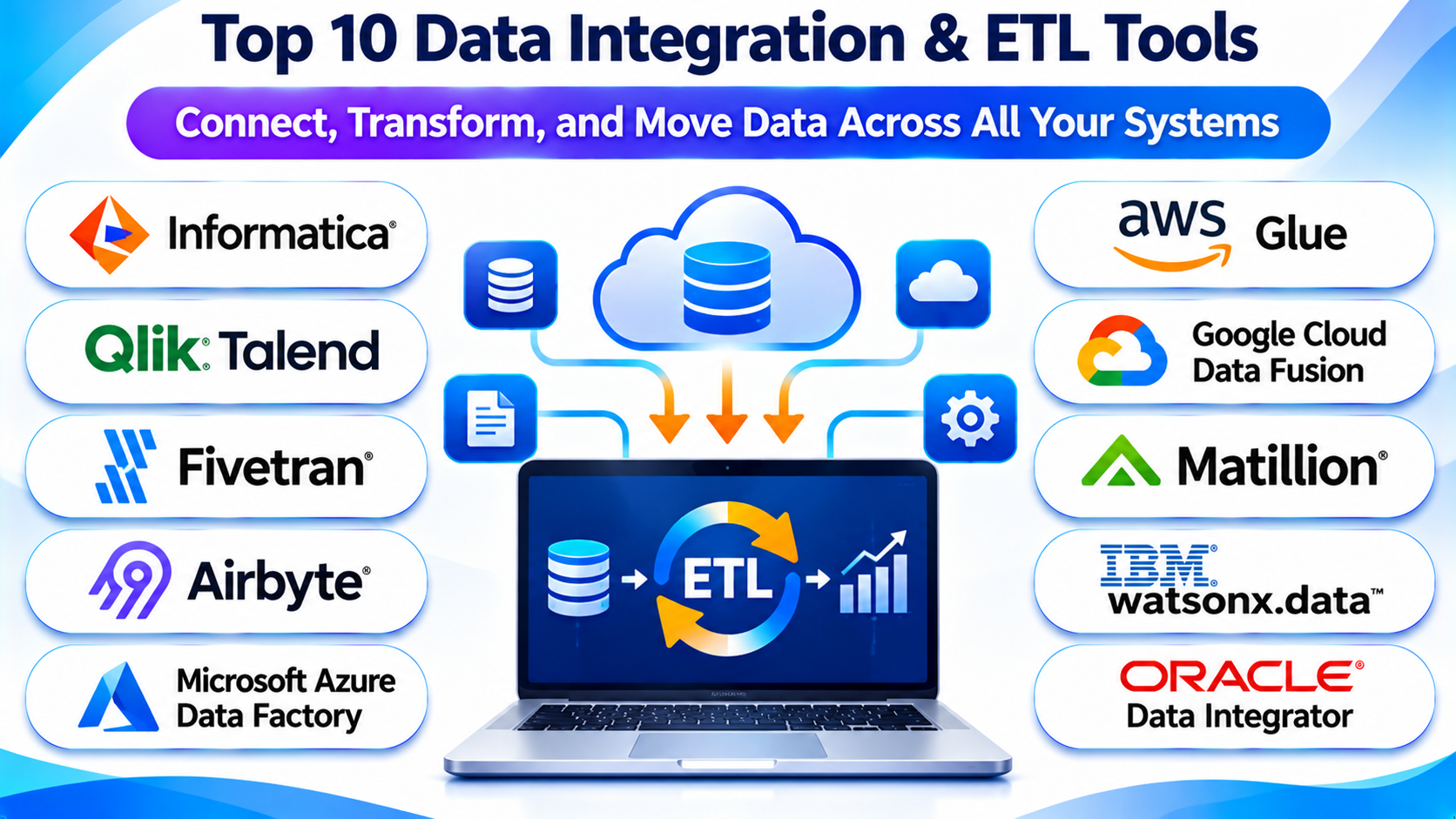
This guide covers ten leading data integration and ETL tools. It explains their features, Pros and Cons, and best use cases. It also includes a comparison table and tips for choosing the right platform.
Top 10 Data Integration & ETL Tools
1. Informatica Intelligent Data Management Cloud (IDMC)
Best for: Enterprise data integration and governance
Informatica IDMC is a cloud-based data management platform. It helps businesses connect applications, databases, cloud services, and other data sources.
Its Cloud Data Integration service supports ETL and ELT workflows. Teams can extract information, transform it, and load it into target systems.
The platform also offers data quality, cataloging, governance, and master data management capabilities. These features help organizations manage information across complex environments.
Informatica uses automation and AI-assisted features to help teams build and manage data pipelines. It can support cloud, hybrid, and enterprise data environments.
Key Features
- Cloud and hybrid data integration.
- ETL and ELT pipeline development.
- Application and database connectivity.
- Data quality and validation.
- Data catalog and discovery.
- Metadata and lineage management.
- Workflow automation.
- Master data management.
- AI-assisted data management.
- Enterprise security and governance.
Pros
- Offers broad enterprise data management features.
- Combines integration with data quality and governance.
- Supports complex data environments.
- Provides automation for pipeline development.
- Connects many types of data sources.
- Supports hybrid integration needs.
Cons
- Can require specialist skills.
- Pricing may not suit small businesses.
- Large implementations need careful planning.
- The broad feature set can take time to learn.
2. Qlik Talend Cloud
Best for: Data integration, quality, and trusted data pipelines
Qlik Talend Cloud combines data integration and data quality capabilities. It helps organizations move information from different sources into cloud and analytical environments.
The platform supports data pipelines, replication, transformation, and data preparation. Teams can use it to connect databases, applications, and other business systems.
Its data quality features help identify errors and improve consistency. This matters when businesses combine information from many departments.
Qlik Talend Cloud also supports change data capture in suitable integration workflows. This lets teams capture changes from source systems and deliver updated information to target environments.
Key Features
- Cloud-based data integration.
- ETL and ELT workflows.
- Data quality and cleansing.
- Data replication and change data capture.
- Database and application connectors.
- Data transformation.
- Pipeline monitoring.
- Data governance support.
- Metadata management.
- Cloud data warehouse integration.
Pros
- Combines integration and data quality.
- Supports different data sources.
- Helps build reusable data pipelines.
- Offers data replication capabilities.
- Supports enterprise data environments.
- Helps improve data consistency.
Cons
- Advanced features may require training.
- Pricing depends on business requirements.
- Complex pipelines need planning.
- Some capabilities vary by product and deployment.
3. Fivetran
Best for: Fully managed ELT pipelines
Fivetran focuses on moving data from source systems into warehouses and other destinations. It automates much of the work involved in maintaining data connectors and pipelines.
The platform supports many business applications, databases, and cloud services. Teams can use ready-made connectors instead of building every integration from scratch.
Fivetran follows an ELT approach for many workflows. It extracts and loads data first, then allows teams to transform it in the destination environment.
Its automated pipeline management helps reduce manual maintenance. This makes it useful for analytics teams that want reliable data movement without managing every pipeline component.
Key Features
- Managed ELT pipelines.
- Prebuilt source connectors.
- Automated data synchronization.
- Database replication.
- Change data capture for supported sources.
- Warehouse and lake destinations.
- Pipeline monitoring.
- Schema change handling.
- Data transformation integrations.
- Managed connector maintenance.
Pros
- Reduces manual pipeline maintenance.
- Offers many ready-made connectors.
- Simplifies data movement.
- Supports popular cloud data warehouses.
- Helps teams automate regular data updates.
- Reduces the need to build custom connectors.
Cons
- Usage-based pricing needs close monitoring.
- Advanced transformations may need other tools.
- Custom source support may require extra work.
- Less control than fully self-managed pipelines.
4. Airbyte
Best for: Open-source data integration and flexible connectors
Airbyte is a data integration platform that helps teams move information between sources and destinations. It offers an open-source edition and managed cloud options.
The platform uses connectors to extract information from databases, applications, APIs, and other sources. Teams can load this information into warehouses, data lakes, and analytical systems.
Airbyte supports ELT workflows. It can load raw data into a destination, where teams can transform it with SQL or other processing tools.
Its connector development options also help technical teams build integrations for sources that lack ready-made connectors.
Key Features
- Open-source data integration.
- Managed cloud service.
- Source and destination connectors.
- Database replication.
- ELT pipeline support.
- Custom connector development.
- API data extraction.
- Pipeline scheduling.
- Sync monitoring.
- Cloud and self-hosted deployment options.
Pros
- Offers an open-source option.
- Supports flexible deployment.
- Helps teams build custom connectors.
- Works with many data destinations.
- Supports modern ELT workflows.
- Gives technical teams more control.
Cons
- Self-hosting requires maintenance.
- Connector quality can vary.
- Complex deployments need technical skills.
- Teams must monitor pipeline reliability.
5. Microsoft Azure Data Factory
Best for: Microsoft Azure data pipelines
Azure Data Factory is a cloud-based data integration service. It helps businesses create, schedule, and manage data movement workflows.
Teams can connect to databases, files, cloud services, and on-premises systems. They can then move and transform information through visual pipeline tools.
Azure Data Factory supports ETL and ELT workflows. Its mapping data flows allow users to build transformations without writing every operation as code.
The platform also supports hybrid data movement through its self-hosted integration runtime. This helps organizations connect cloud services with systems inside their own networks.
Key Features
- Visual pipeline development.
- ETL and ELT workflows.
- Data movement and transformation.
- Built-in connectors.
- Scheduling and orchestration.
- Mapping data flows.
- Self-hosted integration runtime.
- Azure service integration.
- Pipeline monitoring.
- Support for hybrid data environments.
Pros
- Integrates well with Microsoft Azure.
- Offers visual pipeline development.
- Supports cloud and on-premises sources.
- Provides workflow scheduling.
- Supports large data movement tasks.
- Connects with many Microsoft services.
Cons
- Best suited to Azure-centered environments.
- Pricing can be difficult to estimate.
- Complex transformations may require extra skills.
- Pipeline design needs careful testing.
6. AWS Glue
Best for: Serverless ETL on Amazon Web Services
AWS Glue is a managed data integration service. It helps users discover, prepare, transform, and move data across different systems.
The platform includes tools for building and running ETL jobs. It can process information stored in Amazon S3 and connect with databases and other AWS services.
AWS Glue Data Catalog stores metadata about datasets. This helps analytics services discover tables and understand data structures.
AWS Glue also supports Apache Spark-based processing. Its serverless design reduces the need to manage the underlying infrastructure for many workloads.
Key Features
- Managed ETL service.
- Serverless data processing.
- AWS Glue Data Catalog.
- Data discovery and classification.
- Apache Spark support.
- Visual job development options.
- Data transformation.
- Workflow scheduling.
- Integration with Amazon S3.
- Connections to AWS analytics services.
Pros
- Works closely with AWS services.
- Reduces infrastructure management.
- Supports large data processing jobs.
- Provides a central data catalog.
- Supports automated data discovery.
- Fits cloud-based analytics environments.
Cons
- Best suited to AWS users.
- Costs depend on processing and usage.
- Spark jobs may need tuning.
- Complex workflows require AWS knowledge.
7. Google Cloud Data Fusion
Best for: Visual data integration on Google Cloud
Google Cloud Data Fusion is a managed data integration service. It helps teams build and manage data pipelines through a visual interface.
Users can connect different data sources and create workflows without writing every integration step manually. The platform supports data extraction, transformation, and loading.
Data Fusion uses a visual design approach. This helps teams create pipelines by connecting data sources, transformation steps, and destinations.
It integrates with Google Cloud services such as BigQuery and Cloud Storage. This makes it useful for organizations that build analytics systems on Google Cloud.
Key Features
- Visual pipeline development.
- Managed data integration.
- ETL workflow creation.
- Data source connectors.
- Data transformation.
- Pipeline scheduling.
- Integration with BigQuery.
- Cloud Storage connectivity.
- Pipeline monitoring.
- Reusable pipeline designs.
Pros
- Provides a visual development experience.
- Integrates with Google Cloud services.
- Helps reduce manual coding.
- Supports different data sources.
- Makes pipeline design easier to understand.
- Supports cloud analytics workflows.
Cons
- Best suited to Google Cloud environments.
- Complex pipelines may need technical skills.
- Costs depend on resource usage.
- Teams must understand its service architecture.
8. Matillion
Best for: Cloud data warehouse transformation
Matillion provides cloud-based data integration and transformation tools. It helps teams build data pipelines for cloud data platforms.
The platform focuses on ELT workflows. It can load information into a cloud warehouse and use the warehouse’s computing resources for transformations.
Matillion supports destinations such as Snowflake, Databricks, Amazon Redshift, and Google BigQuery. This makes it useful for teams that already use modern cloud data platforms.
Its visual interface helps data engineers design pipelines. It also supports reusable components, orchestration, and automation.
Key Features
- Cloud data pipeline development.
- ELT workflows.
- Visual transformation design.
- Cloud warehouse integration.
- Data orchestration.
- Reusable pipeline components.
- Data loading and transformation.
- Pipeline monitoring.
- Automation features.
- AI-assisted development capabilities.
Pros
- Designed for cloud data environments.
- Supports visual pipeline development.
- Uses warehouse computing for transformations.
- Connects with popular cloud platforms.
- Helps organize complex workflows.
- Supports reusable pipeline components.
Cons
- Best suited to cloud analytics environments.
- Pricing needs careful review.
- Advanced workflows require data engineering skills.
- Transformation costs may depend on the target warehouse.
9. IBM watsonx.data integration (DataStage)
Best for: Enterprise ETL and complex data processing
IBM watsonx.data integration brings enterprise data integration capabilities into IBM’s data and AI environment. IBM DataStage is a key part of this technology area.
DataStage helps organizations build data pipelines for large and complex workloads. It supports data extraction, transformation, and loading across different systems.
The platform offers parallel processing capabilities. These help teams handle large datasets and demanding integration tasks.
It can connect data sources across enterprise environments. Organizations can use it for data migration, warehouse loading, and information preparation.
Key Features
- Enterprise ETL pipelines.
- Parallel data processing.
- Data transformation.
- Database and application connectivity.
- Pipeline development tools.
- Workflow scheduling.
- Data quality support through connected services.
- Hybrid data integration.
- Enterprise workload management.
- Integration with IBM data services.
Pros
- Supports complex enterprise workloads.
- Offers parallel processing.
- Handles large data volumes.
- Fits established IBM environments.
- Supports multiple data sources.
- Provides tools for pipeline development.
Cons
- May require specialist knowledge.
- Enterprise deployments need planning.
- Administration can be complex.
- Costs depend on licensing and deployment needs.
10. Oracle Data Integrator (ODI)
Best for: Oracle-focused enterprise data integration
Oracle Data Integrator is an enterprise data integration platform. It helps businesses move and transform information across databases, applications, and data warehouses.
ODI supports an ELT approach for many workloads. It can use the processing power of the target database to perform transformations.
The platform offers graphical tools for designing integration workflows. Developers can create mappings, packages, procedures, and scheduled jobs.
Oracle Data Integrator works closely with Oracle databases and other Oracle technologies. It can also connect with selected non-Oracle systems.
Key Features
- Enterprise data integration.
- ELT and data transformation.
- Graphical mapping tools.
- Database connectivity.
- Workflow scheduling.
- Data warehouse loading.
- Reusable integration components.
- Oracle ecosystem integration.
- Metadata management.
- Support for complex data workflows.
Pros
- Strong fit for Oracle environments.
- Supports large data integration projects.
- Uses target database processing.
- Provides reusable workflow components.
- Offers graphical development tools.
- Supports enterprise data warehousing.
Cons
- Advanced use requires technical skills.
- Oracle-focused environments may get the most value.
- Setup and maintenance can be complex.
- Licensing and infrastructure costs need review.
Comparison of the Top 10 Data Integration & ETL Tools
| Tool | Main Approach | Deployment | Best Use Case |
|---|---|---|---|
| Informatica IDMC | ETL and enterprise integration | Cloud and hybrid | Enterprise data management |
| Qlik Talend Cloud | ETL, ELT, and data quality | Cloud | Trusted data pipelines |
| Fivetran | Managed ELT | Cloud and supported hybrid options | Automated warehouse loading |
| Airbyte | Open-source ELT | Cloud and self-hosted | Flexible connectors |
| Azure Data Factory | ETL, ELT, and orchestration | Azure and hybrid | Microsoft data pipelines |
| AWS Glue | Serverless ETL | AWS Cloud | AWS data processing |
| Google Cloud Data Fusion | Visual ETL | Google Cloud | Visual cloud integration |
| Matillion | Cloud ELT | Cloud | Warehouse transformations |
| IBM watsonx.data integration | Enterprise ETL | Cloud and hybrid options | Large enterprise workloads |
| Oracle Data Integrator | Enterprise ELT | On-premises and Oracle Cloud environments | Oracle-based data systems |
These products do not all perform the same role. Some focus on enterprise ETL, while others specialize in managed ELT, cloud-native pipelines, or data quality.
What Is Data Integration?
Data integration combines information from different sources. It makes that information easier to access, manage, and analyze.
For example, a business may store customer details in a CRM system. It may keep sales records in a database and website activity in analytics software.
A data integration tool can bring these records together. Teams can then create reports and study customer behavior from a shared view.
Common data integration tasks include:
- Connecting databases and applications.
- Moving data between systems.
- Combining information from multiple sources.
- Cleaning and validating records.
- Transforming data into useful formats.
- Synchronizing updated information.
- Preparing data for reporting.
- Loading data into warehouses and lakes.
- Automating recurring workflows.
- Supporting analytics and AI projects.
What Is ETL?
ETL stands for Extract, Transform, and Load. It is a process for moving data from source systems into a target system.
1. Extract
The tool collects information from databases, applications, files, APIs, and other sources.
2. Transform
The tool cleans and changes the information. It may remove duplicates, standardize values, combine records, or apply business rules.
3. Load
The tool sends the prepared information into a target system. This may be a database, data warehouse, or data lake.
ETL vs ELT: What Is the Difference?
ETL and ELT both move data between systems. Their main difference is when transformation happens.
| Feature | ETL | ELT |
|---|---|---|
| Full Form | Extract, Transform, Load | Extract, Load, Transform |
| Transformation | Before loading | After loading |
| Processing Location | Often an integration engine | Often the target platform |
| Common Destination | Database or warehouse | Cloud warehouse or lakehouse |
| Main Benefit | Data arrives in a prepared form | Uses destination computing resources |
| Common Use | Traditional warehouse workflows | Modern cloud analytics |
ETL works well when teams need to prepare data before loading it. ELT suits many cloud environments where the destination can handle large transformations.
Some platforms support both approaches.
Important Features to Look for in Data Integration & ETL Tools
1. Connector Support
Check whether the tool connects with your databases, applications, cloud services, and APIs. Good connector coverage can reduce custom development.
2. ETL and ELT Support
Choose a platform that supports the data workflow your team needs. Some projects need traditional ETL, while others work better with ELT.
3. Data Transformation
Look for tools that clean, combine, filter, and standardize information. These features help prepare reliable data.
4. Real-Time Data Integration
Some businesses need updates as soon as information changes. Check support for streaming and change data capture.
5. Workflow Scheduling
Scheduling helps teams run pipelines at planned times. It also reduces repetitive manual work.
6. Data Quality
Data quality features can detect duplicates, missing values, invalid records, and inconsistent formats.
7. Monitoring and Alerts
Pipeline monitoring helps teams identify failed jobs and slow processes. Alerts can help reduce downtime.
8. Security and Governance
Check encryption, access controls, audit logs, and data lineage. These features help protect sensitive information.
9. Scalability
The tool should handle growing data volumes and more complex workflows. Review its performance and scaling options.
10. Cost Management
Compare licensing, usage, compute, storage, and support costs. Estimate costs using realistic workloads.
Benefits of Data Integration & ETL Tools
Centralized Data Access
Integration tools bring information from different systems together. This helps teams work with a more complete view of business activity.
Better Data Quality
Transformation and validation features help identify errors. They also make records more consistent.
Less Manual Work
Automated pipelines reduce repeated file exports and manual transfers. Teams can spend more time on analysis.
Faster Business Reporting
Integrated data helps analysts prepare reports more quickly. It can also reduce delays caused by separate data systems.
Improved Decision-Making
Teams can study information from several departments. This helps them understand business performance.
Support for Cloud Migration
Integration tools can move data from older systems into cloud databases and warehouses. This helps organizations modernize their infrastructure.
Reliable Data Synchronization
Some platforms capture changes and update target systems. This helps keep information current.
Better Data Governance
Metadata, lineage, and access controls help organizations understand and protect their information.
Common Challenges of Data Integration & ETL Tools
1. Different Data Formats
Source systems may use different formats and structures. Teams need transformation rules to make the information consistent.
2. Data Quality Issues
Missing values, duplicates, and incorrect records can affect reports. Data validation helps reduce these problems.
3. Complex Integrations
Large organizations may use hundreds of applications and databases. Connecting them requires planning and testing.
4. Pipeline Failures
A source system may become unavailable or change its data structure. Monitoring and recovery plans help teams respond.
5. Security Risks
Data movement can expose sensitive information. Encryption and access controls help reduce this risk.
6. High Operating Costs
Large pipelines may use significant computing resources. Teams should monitor processing and transfer costs.
7. Skill Requirements
Some tools require knowledge of SQL, Python, cloud services, or data engineering. Training can help teams manage them effectively.
How to Choose the Right Data Integration & ETL Tool
Step 1: Define Your Requirements
List the data sources, destinations, and business goals. Decide whether you need ETL, ELT, replication, or real-time integration.
Step 2: Review Your Existing Systems
Check your databases, applications, cloud services, and data warehouses. Choose a tool that fits your current environment.
Step 3: Check Connector Availability
Make sure the platform supports your important data sources. Test connectors before selecting a long-term solution.
Step 4: Decide Between Cloud and Self-Hosted
Cloud services reduce infrastructure work. Self-hosted options may provide more control over data and deployment.
Step 5: Evaluate Transformation Features
Check whether the platform supports your required cleaning, mapping, and transformation rules.
Step 6: Review Real-Time Capabilities
If your business needs frequent updates, check streaming and change data capture support.
Step 7: Check Security and Compliance
Review encryption, permissions, auditing, and data governance. Make sure the platform meets your organization’s requirements.
Step 8: Test Performance
Run sample pipelines with realistic data volumes. Measure processing time, reliability, and resource usage.
Step 9: Compare Total Costs
Include licenses, usage, compute, storage, data transfer, maintenance, and support.
Step 10: Run a Pilot Project
Start with a small but useful integration. Test the full process before moving critical business data.
Data Integration & ETL Best Practices
- Define clear data integration goals.
- Document every important data source.
- Use consistent naming rules.
- Select suitable ETL or ELT workflows.
- Validate data during ingestion.
- Remove duplicate records.
- Apply consistent transformation rules.
- Protect sensitive information.
- Use encryption during data transfer.
- Set suitable access permissions.
- Monitor pipeline performance.
- Create alerts for failed jobs.
- Track data lineage.
- Maintain pipeline documentation.
- Test schema changes.
- Plan for error recovery.
- Review operating costs.
- Use reusable pipeline components.
- Schedule regular quality checks.
- Test changes before production.
Frequently Asked Questions
1. What are data integration tools?
Data integration tools connect different data sources. They move, combine, transform, and synchronize information between systems.
2. What are ETL tools?
ETL tools extract data from sources, transform it into a useful format, and load it into a target system.
3. What is the difference between ETL and ELT?
ETL transforms data before loading it. ELT loads data first and transforms it inside the target system.
4. Which data integration tool is best overall?
Informatica suits complex enterprise data programs. Fivetran works well for managed ELT, while Airbyte offers flexible connector options. The best choice depends on your data sources, budget, and technical needs.
5. Which ETL tool is best for beginners?
Visual tools such as Azure Data Factory, Google Cloud Data Fusion, and Matillion can help users build pipelines with less coding. Beginners still need to learn basic data concepts.
6. Are data integration tools suitable for small businesses?
Yes. Small businesses can use managed platforms or open-source options. They should choose a tool that matches their data volume and budget.
7. Can ETL tools connect to cloud databases?
Yes. Many ETL tools connect to cloud databases, data warehouses, and object storage services.
8. What is change data capture?
Change data capture, or CDC, identifies changes in a source database. It sends those changes to another system without copying every record again.
9. What is a data pipeline?
A data pipeline is a series of steps that moves and processes information. It may include extraction, transformation, validation, and loading.
10. What is data transformation?
Data transformation changes information into a useful structure or format. It may include cleaning, filtering, joining, and standardizing records.
11. Can ETL tools support real-time data integration?
Some platforms support streaming and CDC workflows. These features help move updates with low delay, depending on the source and configuration.
12. What is a data connector?
A data connector links a source system with an integration platform. It allows the platform to read or write information.
13. What is data replication?
Data replication copies information from one system to another. It helps keep databases and analytical systems updated.
14. Do ETL tools require coding?
Not always. Many platforms offer visual pipeline builders. Complex transformations may still require SQL, Python, or other programming skills.
15. Can data integration tools improve data quality?
Yes. Some tools provide validation, cleansing, deduplication, and standardization features. These features help improve data accuracy.
16. How much do ETL tools cost?
Costs depend on licensing, data volume, processing time, connectors, deployment, and support. Some tools offer open-source options, while enterprise platforms often use custom pricing.
17. What is the difference between data integration and data migration?
Data integration connects and synchronizes systems on an ongoing basis. Data migration moves data from one system or environment to another, often as part of a planned project.
18. How do I select an ETL tool for a data warehouse?
Check connector support, transformation features, warehouse compatibility, pipeline monitoring, security, and total cost. Test the tool with your real data before making a decision.
Final Thoughts
Data integration and ETL tools help businesses connect information across different systems. They make data easier to move, clean, manage, and analyze.
Informatica and Qlik Talend Cloud offer broad enterprise integration features. Fivetran and Airbyte help teams build modern data movement pipelines. Azure Data Factory, AWS Glue, and Google Cloud Data Fusion suit organizations working within their cloud ecosystems.
Matillion focuses on cloud warehouse transformation. IBM watsonx.data integration supports complex enterprise workloads, while Oracle Data Integrator fits Oracle-centered environments.
No single tool works best for every business. Compare your data sources, transformation needs, deployment choices, security requirements, and budget.
Start with a pilot project. Test real data and monitor pipeline performance. The right platform can reduce manual work and help your teams make better use of business information.