Introduction
Good business decisions depend on good data. But poor data can lead to wrong reports, missed opportunities, and costly mistakes.
Data quality tools help businesses find and fix these problems. They check data for errors, missing values, duplicates, invalid formats, and inconsistent records.
These tools also help teams set data rules and monitor data health. Some offer data profiling, cleansing, validation, and automated monitoring. Others focus on governance, observability, or enterprise data management.
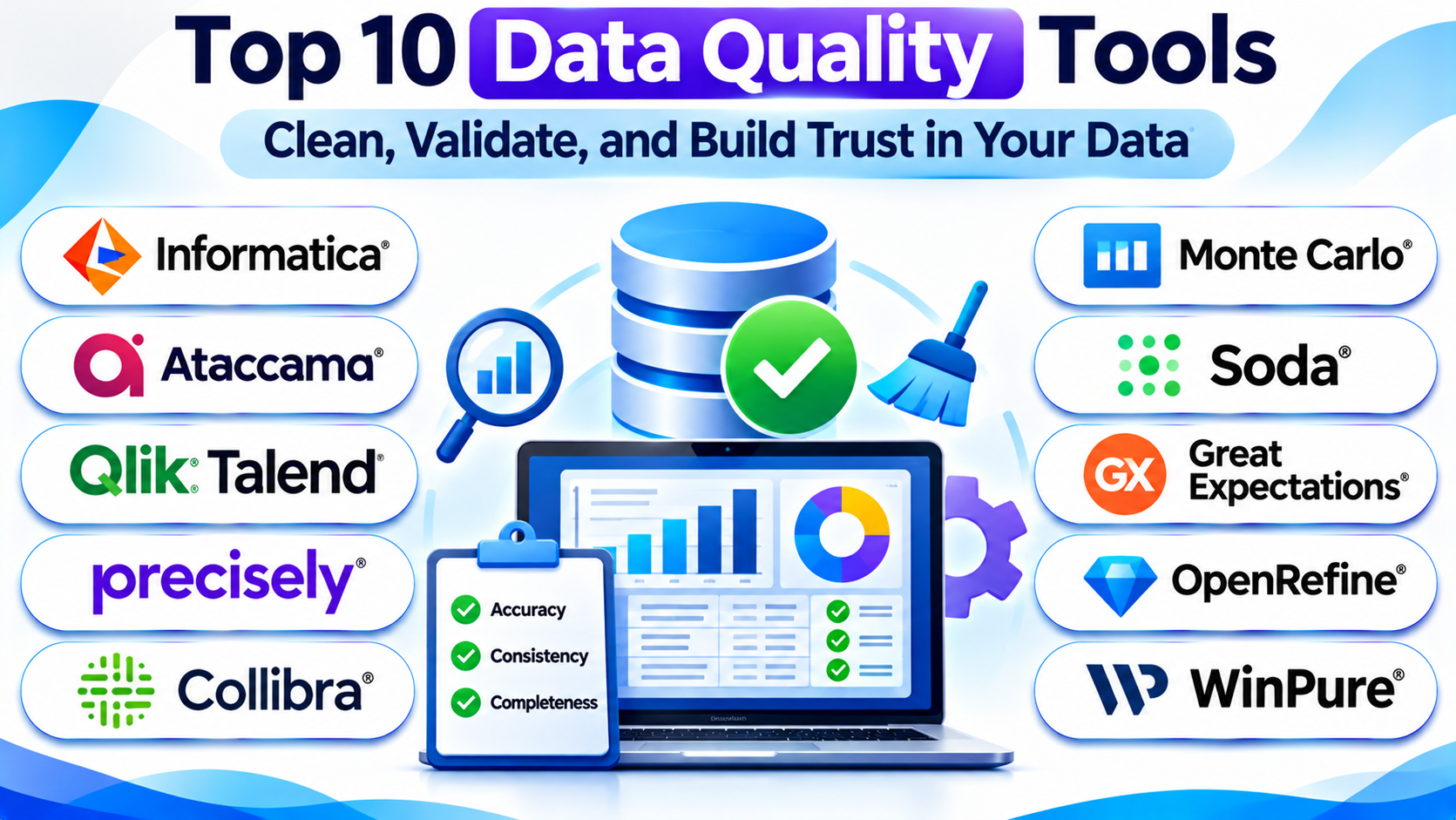
Choosing the right platform depends on your data sources, team skills, business needs, and budget. This guide explores ten leading data quality tools, their features, Pros and Cons, and the tasks they support.
Top 10 Data Quality Tools
The following tools cover different parts of data quality management. Some focus on cleansing and deduplication. Others help teams test, monitor, and govern data across large systems.
The list includes enterprise platforms, developer tools, and free options. It is a practical comparison, not a claim that every tool offers the same features.
Top 10 Data Quality Tools to Improve Data Accuracy, Consistency, and Reliability
1. Informatica Data Quality
Best for: Large enterprises with complex data environments
Informatica Data Quality helps organizations improve data across different systems. It supports data profiling, cleansing, validation, standardization, and matching.
The platform helps teams identify incomplete records, incorrect values, duplicate entries, and inconsistent formats. They can create rules to check data and apply corrections across business workflows.
Informatica also offers AI-assisted capabilities through its CLAIRE technology. These capabilities can help teams discover data issues and improve quality management.
Organizations can use Informatica Data Quality with cloud, hybrid, and enterprise data environments. It suits businesses that manage large amounts of customer, financial, product, and operational data.
Key Features
- Automated data profiling.
- Data cleansing and standardization.
- Data validation rules.
- Duplicate detection and matching.
- Data enrichment.
- AI-assisted recommendations.
- Data quality monitoring.
- Enterprise data integration.
- Reusable quality rules.
- Data governance support.
Pros
- Offers broad data quality capabilities.
- Supports complex enterprise environments.
- Helps manage large datasets.
- Provides reusable data quality rules.
- Supports profiling and cleansing workflows.
- Connects quality management with wider data processes.
Cons
- Can require a significant investment.
- Setup may take time.
- Advanced features need trained users.
- Large deployments may need dedicated data teams.
2. Ataccama ONE
Best for: Unified data quality, governance, and master data management
Ataccama ONE combines data quality, data governance, data cataloging, and master data management. It helps businesses create a trusted view of information across their systems.
The platform can profile datasets and identify missing, duplicate, inconsistent, or invalid values. Teams can create quality rules and monitor data against business requirements.
Ataccama also supports data stewardship and governance workflows. This helps teams assign ownership, manage issues, and improve data reliability.
Its AI-assisted features can help users discover data issues and develop quality rules. The platform suits organizations that want to manage data quality as part of a wider data management strategy.
Key Features
- Automated data profiling.
- Data quality rules.
- Data cleansing and validation.
- Data matching and deduplication.
- Master data management.
- Data cataloging.
- Data governance workflows.
- Quality scorecards.
- AI-assisted data discovery.
- Data monitoring and remediation.
Pros
- Combines several data management functions.
- Supports enterprise data governance.
- Helps manage data quality across systems.
- Offers data profiling and cleansing.
- Supports master data management.
- Provides tools for data stewardship.
Cons
- May require specialist knowledge.
- Implementation can be complex.
- Enterprise deployments need careful planning.
- Smaller businesses may not need its full feature set.
3. Qlik Talend Cloud
Best for: Data quality within integration and transformation workflows
Qlik Talend Cloud brings data integration and quality capabilities into a connected platform. It helps organizations move, prepare, validate, and manage information across different systems.
Its data quality capabilities support profiling, cleansing, standardization, and validation. Teams can identify inconsistent values and apply rules during data preparation.
The platform can help businesses improve information before it reaches warehouses, analytics systems, and business applications. This reduces the risk of poor-quality data moving through important pipelines.
Qlik Talend Cloud suits teams that want data integration and quality features in one environment. It can also help organizations manage data workflows across cloud and hybrid systems.
Key Features
- Data profiling.
- Data cleansing.
- Data standardization.
- Data validation.
- Data integration workflows.
- Data transformation.
- Data quality rules.
- Duplicate detection.
- Pipeline management.
- Data governance support.
Pros
- Combines integration and quality capabilities.
- Supports data preparation workflows.
- Helps improve data before loading.
- Offers visual tools for data tasks.
- Supports different data sources.
- Fits teams using the Qlik and Talend ecosystem.
Cons
- Product packaging can take time to understand.
- Advanced workflows may need technical skills.
- Some capabilities depend on the selected edition.
- Complex integrations require careful setup.
4. Precisely Data Integrity Suite
Best for: Enterprise data accuracy, enrichment, and validation
Precisely Data Integrity Suite helps organizations improve the accuracy and reliability of business information. It brings together capabilities for data quality, integration, enrichment, and governance.
Businesses can use its tools to standardize records, validate information, identify duplicates, and improve data consistency. Its data enrichment capabilities can also add useful context to existing records.
Precisely supports organizations that work with customer, location, address, and operational data. These capabilities can help businesses improve customer records and make information more useful across departments.
The platform is suitable for enterprises that need a broad data integrity approach. Teams should review the individual services and capabilities that match their data requirements.
Key Features
- Data profiling and quality checks.
- Data cleansing.
- Data standardization.
- Address validation.
- Data enrichment.
- Data matching.
- Data integration.
- Data governance support.
- Data quality monitoring.
- Enterprise data management.
Pros
- Covers several data integrity needs.
- Supports data enrichment.
- Helps improve address and location data.
- Offers enterprise data capabilities.
- Supports data quality workflows.
- Can help improve customer and business records.
Cons
- The full suite may be complex.
- Costs depend on selected products and services.
- Some features require separate configuration.
- Teams should evaluate the exact modules they need.
5. Collibra Data Quality & Observability
Best for: Governance-led data quality management
Collibra helps organizations manage data governance, cataloging, and quality. Its Data Quality & Observability capabilities help teams understand whether important data meets expected standards.
Businesses can use quality rules and monitoring to identify missing values, unusual patterns, and other data problems. Teams can also connect quality issues with ownership and governance workflows.
Collibra helps users understand where data comes from and how teams use it. This context can make it easier to investigate problems and decide who should fix them.
The platform suits organizations that want to connect data quality with governance and stewardship. It is especially useful when teams need clear ownership and shared data policies.
Key Features
- Data quality monitoring.
- Data profiling.
- Quality rules and scorecards.
- Data cataloging.
- Data lineage.
- Data governance workflows.
- Data ownership management.
- Issue tracking.
- Data observability.
- Stewardship support.
Pros
- Connects quality with governance.
- Helps establish data ownership.
- Supports data discovery and lineage.
- Provides quality monitoring capabilities.
- Helps teams manage data issues.
- Suits enterprise governance programs.
Cons
- May require an existing governance strategy.
- Implementation can take time.
- Advanced use needs trained teams.
- It may be more than smaller organizations require.
6. Monte Carlo
Best for: Data observability and automated issue detection
Monte Carlo focuses on data observability. It helps teams monitor data pipelines and identify problems that can affect analytics and business decisions.
The platform can detect unusual changes in data freshness, volume, schema, and distribution. These signals help teams identify issues before they spread across reports and applications.
Monte Carlo also supports data lineage and incident management. Teams can investigate where a problem started and understand which downstream assets may be affected.
It is important to understand its role. Monte Carlo mainly detects and helps manage data reliability problems. It does not replace a dedicated data cleansing platform.
Key Features
- Automated data observability.
- Data freshness monitoring.
- Volume anomaly detection.
- Schema change detection.
- Distribution monitoring.
- Data lineage.
- Incident management.
- Pipeline monitoring.
- Alerts and notifications.
- Data reliability reporting.
Pros
- Helps detect data issues early.
- Supports automated anomaly detection.
- Provides pipeline visibility.
- Helps investigate incidents.
- Offers lineage information.
- Supports data reliability programs.
Cons
- Focuses more on detection than direct cleansing.
- Requires integration with data systems.
- Alert tuning may need attention.
- Pricing may be challenging for smaller teams.
7. Soda
Best for: Data quality testing and monitoring in modern data stacks
Soda helps data teams define, run, and monitor data quality checks. It supports a testing-based approach to data reliability.
Teams can create checks for missing values, duplicate records, invalid values, and other conditions. They can use these checks to confirm that datasets meet expected standards.
Soda also supports data contracts and monitoring workflows. These capabilities help teams set clear expectations for data producers and consumers.
Its open-source components make it useful for technical teams that want control over data quality checks. Paid cloud capabilities can support broader collaboration and management needs.
Key Features
- Data quality checks.
- Automated data testing.
- Data monitoring.
- Data contracts.
- Anomaly detection.
- Data quality reporting.
- Pipeline integration.
- SQL-based checks.
- Alerts and notifications.
- Team collaboration features.
Pros
- Supports automated quality testing.
- Offers open-source components.
- Fits modern data engineering workflows.
- Helps monitor data over time.
- Supports reusable quality checks.
- Can connect quality rules with pipelines.
Cons
- Requires technical knowledge for advanced use.
- Teams must define suitable checks.
- Monitoring does not automatically correct every issue.
- Some collaboration features require paid services.
8. Great Expectations
Best for: Developer-led data validation and testing
Great Expectations is an open-source data validation framework. It helps data teams define expectations about how their datasets should look and behave.
For example, a team can expect customer IDs to be unique. It can also require email fields to follow a valid format or order values to stay within an expected range.
The framework runs these checks against data. It reports whether the dataset meets the defined expectations.
Great Expectations can support validation in data pipelines and testing workflows. Its core framework suits Python-oriented teams that want to manage data quality through code.
It does not act as a full data cleansing platform. Teams usually need separate tools or pipeline steps to correct the problems that validation finds.
Key Features
- Data validation rules.
- Reusable expectations.
- Automated data tests.
- Pipeline integration.
- Validation results.
- Data documentation.
- Python-based workflows.
- Checkpoint-based validation.
- Schema and value checks.
- Developer-friendly controls.
Pros
- Offers an open-source core.
- Gives developers control over validation.
- Supports automated testing.
- Fits data pipeline workflows.
- Helps document data expectations.
- Can catch issues before data reaches reports.
Cons
- Requires programming skills.
- Does not provide complete data cleansing.
- Teams must maintain validation rules.
- Setup may be difficult for nontechnical users.
9. OpenRefine
Best for: Free and interactive data cleaning
OpenRefine is an open-source tool for exploring and cleaning messy datasets. It helps users find inconsistent values, correct errors, and organize information.
Its faceting features let users examine groups of values in a column. Clustering can help identify similar entries that use different spellings or formats.
For example, a dataset may contain several versions of the same company name. OpenRefine can help users find these variations and standardize them.
The tool works well for spreadsheet-like datasets and one-time cleanup projects. It is useful for researchers, analysts, and small teams that need hands-on data preparation.
OpenRefine is not a full enterprise data quality platform. It focuses on interactive exploration and cleaning rather than continuous pipeline monitoring.
Key Features
- Interactive data cleaning.
- Data exploration.
- Faceting and filtering.
- Value clustering.
- Duplicate identification.
- Data transformation.
- Reconciliation with external services.
- Import and export support.
- Operation history.
- Open-source availability.
Pros
- Free and open source.
- Easy to explore messy datasets.
- Offers useful clustering features.
- Helps standardize inconsistent values.
- Supports several data formats.
- Useful for small and medium-sized cleanup tasks.
Cons
- Not designed for enterprise-wide monitoring.
- Large datasets may need careful handling.
- Users must review changes before applying them.
- It lacks some advanced governance features.
10. WinPure Clean & Match
Best for: Data cleansing, matching, and deduplication
WinPure Clean & Match helps businesses improve the quality of customer, contact, and business records. It focuses on profiling, standardization, matching, and duplicate removal.
The platform can identify similar records even when names or other fields contain small differences. This helps teams find duplicate customer or company entries that exact matching may miss.
Users can apply cleansing rules to improve consistency. They can also review matching results and decide how to handle records before merging them.
WinPure suits teams that want a focused data cleansing and matching solution. It can be useful for CRM cleanup, customer database maintenance, and contact management.
Key Features
- Data profiling.
- Data cleansing.
- Fuzzy matching.
- Duplicate detection.
- Record standardization.
- Data matching.
- Customer record cleanup.
- Data consolidation.
- Matching review workflows.
- Data export options.
Pros
- Focuses on practical data cleansing.
- Supports fuzzy matching.
- Helps find duplicate records.
- Useful for customer database cleanup.
- Offers tools for standardization.
- Can help improve CRM data quality.
Cons
- May not replace a complete data governance platform.
- Advanced matching needs careful review.
- Teams should test results before merging records.
- Suitability depends on data volume and deployment needs.
Comparison of the Top 10 Data Quality Tools
| Tool | Best For | Main Strength |
|---|---|---|
| Informatica Data Quality | Large enterprises | Profiling, cleansing, and validation |
| Ataccama ONE | Unified data management | Quality, governance, and MDM |
| Qlik Talend Cloud | Integration teams | Quality within data pipelines |
| Precisely Data Integrity Suite | Enterprise data integrity | Enrichment and standardization |
| Collibra Data Quality & Observability | Governance teams | Quality monitoring and ownership |
| Monte Carlo | Data engineering teams | Automated data observability |
| Soda | Modern data stacks | Data testing and monitoring |
| Great Expectations | Developers | Code-based data validation |
| OpenRefine | Analysts and researchers | Interactive data cleaning |
| WinPure Clean & Match | CRM and contact data | Matching and deduplication |
Important Features to Look for in Data Quality Tools
1. Data Profiling
Data profiling examines datasets to understand their structure and condition. It helps find missing values, unusual patterns, incorrect formats, and duplicate records.
2. Data Cleansing
Data cleansing helps correct errors and improve consistency. It can standardize names, addresses, dates, phone numbers, and other fields.
3. Data Validation
Validation checks whether data follows defined rules. It can confirm that required fields exist and values meet business requirements.
4. Duplicate Detection
Duplicate detection finds records that refer to the same person, product, or organization. Strong matching features can identify records with small spelling differences.
5. Data Standardization
Standardization converts inconsistent values into a common format. This helps different systems use information in a consistent way.
6. Data Monitoring
Monitoring checks data quality over time. It helps teams identify problems when data changes or pipelines stop working as expected.
7. Data Lineage
Data lineage shows where data comes from and where it goes. It helps teams understand how a quality issue may affect reports and applications.
8. Automated Alerts
Alerts notify teams when data fails a rule or shows unusual behavior. This helps users respond before problems become larger.
9. Integration Support
The platform should connect with your databases, warehouses, applications, and data pipelines. Good integration support reduces manual work.
10. Governance and Security
Data quality tools should support access controls, ownership, audit records, and suitable security practices. These features help protect sensitive information.
Benefits of Data Quality Tools
More Accurate Business Decisions
Reliable data helps teams create reports and make better decisions. It reduces the risk of acting on incorrect information.
Better Customer Information
Clean customer records help businesses understand their customers. They also reduce duplicate contacts and inconsistent details.
Improved Reporting
Data quality tools help improve the information behind dashboards and reports. This gives managers more confidence in business results.
Lower Operational Costs
Poor data can create repeated work and manual corrections. Automated quality checks help reduce these tasks.
Stronger Data Governance
These tools help teams define data rules and assign ownership. This makes it easier to manage information across departments.
Better Compliance Support
Accurate and well-managed data can help organizations meet internal and external requirements. Audit trails and quality reports also support reviews.
More Reliable Data Pipelines
Testing and monitoring help teams identify pipeline issues. This can reduce the risk of incorrect information reaching downstream systems.
Common Challenges in Data Quality Management
1. Incomplete Data
Some records may lack important fields. Teams need rules to identify missing information and decide how to handle it.
2. Duplicate Records
Different systems may store the same customer or product more than once. Matching tools help find these records.
3. Inconsistent Formats
Dates, names, addresses, and phone numbers may follow different formats. Standardization helps make them consistent.
4. Changing Data Sources
Applications and databases may change their structure. Teams must update quality rules when fields or formats change.
5. Poor Data Ownership
Some organizations do not assign clear responsibility for data quality. This can delay issue resolution.
6. Complex Data Environments
Large businesses often use many databases, applications, and warehouses. Connecting them can make quality management difficult.
7. High Implementation Costs
Enterprise platforms may require licenses, setup, training, and ongoing support. Businesses should plan the full cost before purchasing.
How to Choose the Right Data Quality Tool
Step 1: Identify Your Main Data Problems
Decide whether you need profiling, cleansing, validation, matching, or monitoring. Choose a tool that solves your most important problems.
Step 2: Understand Your Data Sources
List your databases, warehouses, spreadsheets, applications, and pipelines. Check whether the platform supports them.
Step 3: Check Your Team’s Skills
Some tools use visual interfaces. Others require SQL, Python, or engineering knowledge. Select a platform your team can manage.
Step 4: Review Data Quality Features
Compare profiling, cleansing, validation, deduplication, and monitoring features. Do not assume every platform provides all of them.
Step 5: Evaluate Scalability
Consider your current data volume and future growth. Make sure the platform can support your expected workloads.
Step 6: Check Integration Options
Review connectors, APIs, and deployment choices. Confirm that the platform works with your existing systems.
Step 7: Review Security and Governance
Check user permissions, audit logs, encryption, and data access controls. Make sure the platform supports your business requirements.
Step 8: Compare Total Costs
Consider licenses, usage, implementation, training, and maintenance. Look beyond the starting subscription price.
Step 9: Test With Real Data
Run a pilot using representative datasets. Check how well the tool finds and handles actual data problems.
Step 10: Plan Long-Term Management
Define data owners, quality rules, review schedules, and reporting needs. A clear process helps maintain quality after implementation.
Best Practices for Better Data Quality
- Set clear data quality standards.
- Assign owners to important datasets.
- Profile data before using it.
- Validate data at important pipeline stages.
- Standardize formats across systems.
- Remove duplicates carefully.
- Monitor important data fields.
- Create alerts for serious quality issues.
- Document business rules.
- Review failed validation checks.
- Protect sensitive information.
- Test changes before deployment.
- Track quality metrics over time.
- Train employees who manage data.
- Review data sources regularly.
- Keep data definitions consistent.
- Automate repeatable quality checks.
- Maintain clear audit records.
- Fix root causes instead of only correcting symptoms.
- Review quality rules as business needs change.
Frequently Asked Questions
1. What are data quality tools?
Data quality tools are software platforms that help businesses profile, clean, validate, standardize, and monitor data. They help improve data accuracy and reliability.
2. Why are data quality tools important?
They help organizations find errors, missing values, and duplicate records. Better data quality supports reliable reports and business decisions.
3. Which data quality tool is best?
Informatica and Ataccama ONE suit organizations with broad enterprise needs. Soda and Great Expectations suit technical teams focused on testing. OpenRefine is useful for free, hands-on data cleaning.
4. What is data profiling?
Data profiling examines a dataset to understand its structure, values, and quality. It helps identify missing values, unusual patterns, and inconsistent records.
5. What is data cleansing?
Data cleansing means finding and correcting inaccurate, incomplete, duplicate, or inconsistent information. It helps make data more reliable.
6. What is data validation?
Data validation checks whether information follows defined rules. For example, it can check required fields, valid dates, and unique customer IDs.
7. What is the difference between data quality and data observability?
Data quality focuses on whether data meets defined standards. Data observability monitors data systems and detects unusual changes that may affect reliability.
8. Can data quality tools remove duplicate records?
Yes. Many platforms offer duplicate detection and matching. Some also support record merging and consolidation.
9. Are there free data quality tools?
Yes. OpenRefine and the open-source core of Great Expectations are examples. Soda also offers open-source components.
10. Do data quality tools require coding?
Not always. Some offer visual interfaces and no-code workflows. Developer-focused tools may require SQL, Python, or other technical skills.
11. How do data quality tools help with compliance?
They can support validation, audit records, data ownership, and consistent data management. Organizations must still define suitable policies and controls.
12. Can data quality tools work with cloud data warehouses?
Many platforms connect with cloud warehouses and modern data systems. Always check support for your specific warehouse and deployment.
13. What is data deduplication?
Data deduplication identifies repeated records and helps remove or merge them. It improves consistency and reduces confusion across systems.
14. How often should businesses check data quality?
The right schedule depends on how often data changes and how important it is. Critical pipelines may need checks during every run or frequent monitoring.
15. How can a business measure data quality?
Businesses can track accuracy, completeness, consistency, validity, uniqueness, and timeliness. They can use these measures to create data quality scorecards.
Final Thoughts
Data quality plays a major role in reliable business operations. Poor information can affect reports, customer records, analytics, and daily decisions.
The right tool helps teams find problems and improve the information they use. Informatica, Ataccama, Qlik Talend, and Precisely offer broad data management capabilities. Collibra and Monte Carlo focus on governance and observability. Soda and Great Expectations support automated validation. OpenRefine and WinPure help with hands-on data cleanup and matching.
No single platform suits every business. Start by identifying your main data problems. Then compare features, integrations, technical needs, security, and cost.
A strong data quality process needs more than software. It also needs clear rules, responsible data owners, and regular monitoring. When teams combine these practices with the right platform, they can build greater trust in their data.