Introduction
Businesses collect data from databases, applications, cloud platforms, and many other sources. But finding the right information can become difficult as data grows.
Teams may not know where data comes from, who owns it, or whether they can trust it. They may also struggle to understand how reports use different datasets.
Data catalog and metadata management tools help solve these problems. They organize information about business data and make it easier to find, understand, manage, and use.
A data catalog works like a searchable library for business data. Metadata means information that describes other data. It can include names, formats, owners, definitions, sources, and update times.
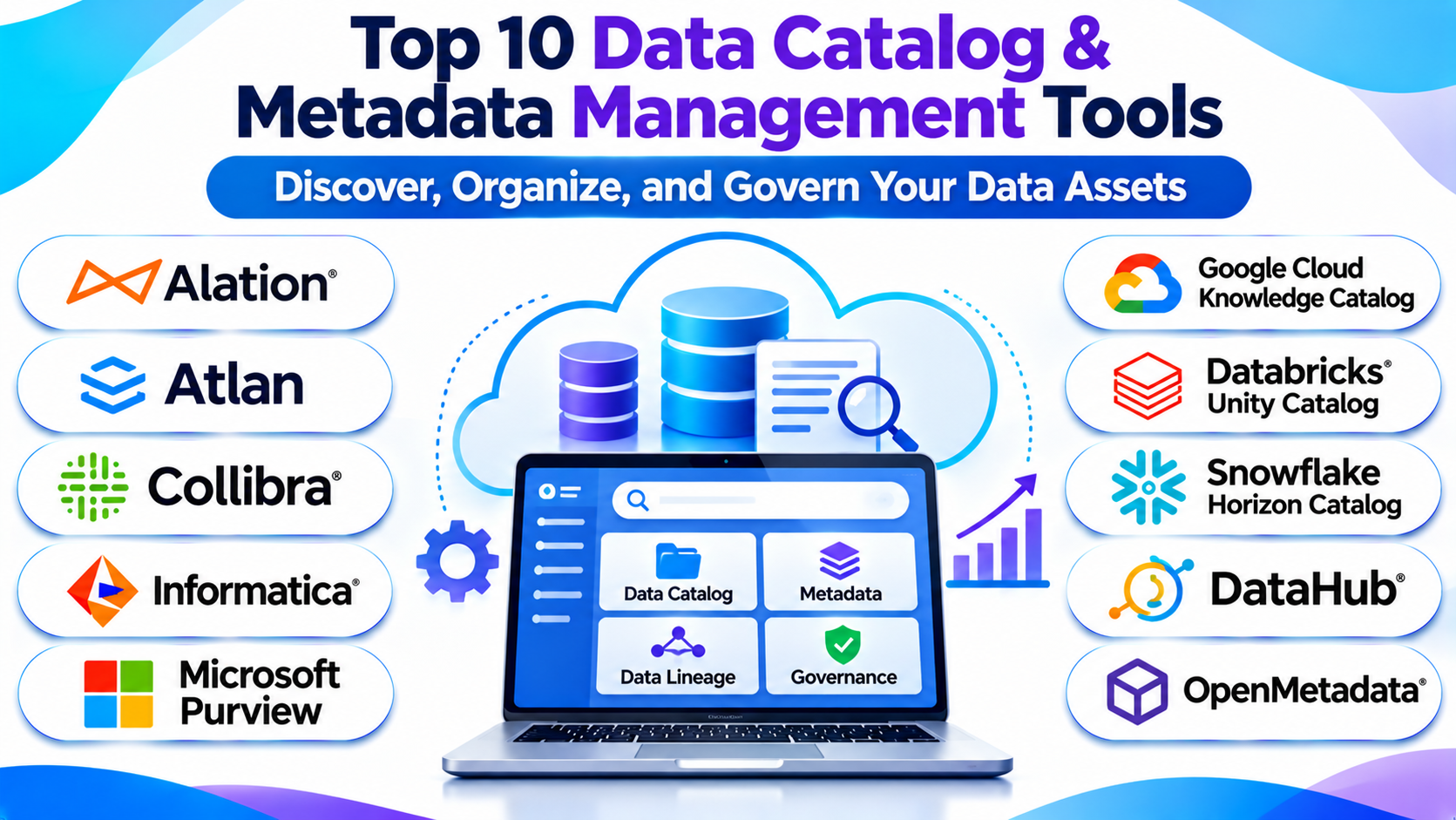
These tools help data teams improve discovery, governance, lineage, and collaboration. This guide explores ten popular platforms, their features, Pros and Cons, and the needs they support.
Top 10 Data Catalog and Metadata Management Tools
These platforms take different approaches to cataloging. Some focus on enterprise governance and business discovery. Others provide catalog features within cloud data platforms or offer open-source options.
The best choice depends on where your data lives and how your teams manage it.
Top 10 Data Catalog and Metadata Management Tools to Organize, Discover, and Govern Business Data
Introduction
Businesses collect data from databases, applications, cloud platforms, and many other sources. But finding the right information can become difficult as data grows.
Teams may not know where data comes from, who owns it, or whether they can trust it. They may also struggle to understand how reports use different datasets.
Data catalog and metadata management tools help solve these problems. They organize information about business data and make it easier to find, understand, manage, and use.
A data catalog works like a searchable library for business data. Metadata means information that describes other data. It can include names, formats, owners, definitions, sources, and update times.
These tools help data teams improve discovery, governance, lineage, and collaboration. This guide explores ten popular platforms, their features, Pros and Cons, and the needs they support.
Top 10 Data Catalog and Metadata Management Tools
1. Alation Data Catalog
Best for: Enterprise data discovery and business-user collaboration
Alation Data Catalog helps businesses discover, understand, and manage data across different systems. It creates a searchable inventory of data assets and gives users useful context about each asset.
Teams can use Alation to find tables, reports, dashboards, and other data resources. They can also view business definitions, data owners, usage details, and lineage information.
One of its strengths is its focus on collaboration. Data users can share knowledge, add descriptions, and help other employees understand important datasets.
Alation also supports data governance and stewardship workflows. These features help organizations create trusted data practices across departments.
It suits businesses that want analysts and business users to find reliable information without depending on data engineers for every request.
Key Features
- Searchable enterprise data catalog.
- Automated metadata discovery.
- Data lineage and impact analysis.
- Business glossary management.
- Data ownership and stewardship.
- Data classification.
- Data quality context.
- Collaboration and documentation.
- Usage-based data discovery.
- Governance workflows.
Pros
- Makes data discovery easier.
- Supports business and technical users.
- Encourages collaboration between teams.
- Provides useful data context.
- Helps users understand data lineage.
- Supports enterprise governance programs.
Cons
- Enterprise pricing may be expensive.
- Setup requires planning.
- Some features need technical configuration.
- Users must maintain descriptions and ownership information.
2. Atlan
Best for: Modern data teams and active metadata management
Atlan is a modern data catalog and active metadata platform. It helps teams discover, understand, govern, and collaborate around data assets.
The platform connects with data warehouses, transformation tools, business intelligence systems, and other parts of the modern data stack.
Atlan brings metadata into everyday data workflows. Users can explore datasets, view ownership details, understand lineage, and find relevant business definitions.
Its collaboration features help data producers and consumers work together. Teams can document datasets, discuss changes, and manage data products.
Atlan also supports AI-assisted discovery and metadata management. These capabilities help users work with data context more easily.
It suits organizations that use cloud data platforms and want a connected catalog for technical and business teams.
Key Features
- Automated metadata collection.
- Data discovery and search.
- Active metadata management.
- Data lineage.
- Business glossary.
- Data ownership management.
- Data product management.
- Collaboration workflows.
- AI-assisted discovery.
- Integrations with modern data tools.
Pros
- Supports modern data environments.
- Connects metadata across tools.
- Offers useful collaboration features.
- Helps improve data discovery.
- Supports data product management.
- Provides lineage and business context.
Cons
- Requires integration planning.
- Advanced features may need training.
- Pricing may not suit small teams.
- Metadata quality depends on connected sources and team practices.
3. Collibra Data Catalog
Best for: Enterprise data governance and stewardship
Collibra Data Catalog helps organizations organize and govern data assets across their business. It connects technical metadata with business definitions, ownership, policies, and governance processes.
Users can search for data assets and understand their meaning. They can also view relationships between datasets and learn how information moves through business systems.
Collibra supports business glossaries and data stewardship workflows. These features help organizations define common terms and assign responsibility for important data.
Its governance capabilities make it useful for businesses with formal data policies and compliance requirements.
The platform suits large organizations that need clear ownership, consistent definitions, and structured data management.
Key Features
- Enterprise data catalog.
- Automated metadata discovery.
- Data lineage.
- Business glossary.
- Data stewardship workflows.
- Data ownership management.
- Data governance policies.
- Data classification.
- Data asset documentation.
- Governance reporting.
Pros
- Strong governance capabilities.
- Supports enterprise data management.
- Helps establish clear ownership.
- Connects business and technical metadata.
- Supports glossary and stewardship workflows.
- Useful for complex organizations.
Cons
- Implementation can take time.
- The platform may feel complex to new users.
- Advanced workflows need planning.
- Costs may be high for smaller businesses.
4. Informatica Cloud Data Governance and Catalog
Best for: Large organizations with complex data environments
Informatica provides metadata management and data catalog capabilities through its Intelligent Data Management Cloud platform.
Its Cloud Data Governance and Catalog capabilities help businesses discover, organize, and govern data assets. Teams can collect metadata from different systems and create a shared view of enterprise information.
The platform supports data lineage, classification, business glossaries, and governance workflows. These features help users understand where data comes from and how different systems use it.
Informatica also offers AI-assisted capabilities through its CLAIRE technology. These capabilities can help with metadata discovery and data management tasks.
It suits organizations that manage data across many databases, applications, warehouses, and cloud environments.
Key Features
- Enterprise metadata management.
- Automated metadata discovery.
- Data cataloging.
- Technical and business lineage.
- Business glossary.
- Data classification.
- Data governance workflows.
- Metadata relationship management.
- AI-assisted metadata capabilities.
- Integration with wider data management services.
Pros
- Supports complex data environments.
- Offers broad metadata capabilities.
- Connects cataloging with governance.
- Supports lineage and classification.
- Fits large enterprise data programs.
- Provides AI-assisted features.
Cons
- Can require specialist knowledge.
- Implementation may be complex.
- Pricing can be significant.
- The full platform may exceed smaller teams’ needs.
5. Microsoft Purview
Best for: Microsoft, Azure, and Microsoft 365 environments
Microsoft Purview helps organizations discover, govern, and protect data across their environments. Its catalog and governance capabilities help teams understand business data and manage its use.
Users can discover data assets, organize them into business domains, and document important information. The platform also supports data lineage and classification.
Microsoft Purview works with several Microsoft services. This makes it a useful option for businesses that already use Azure, Power BI, and Microsoft data platforms.
Its governance features help organizations manage data ownership and policies. Its broader information protection capabilities also support data security and compliance work.
It suits businesses that want data cataloging within the Microsoft ecosystem.
Key Features
- Unified data catalog.
- Data discovery.
- Metadata collection.
- Data lineage.
- Business glossary.
- Data classification.
- Data governance domains.
- Data product management.
- Sensitive data discovery.
- Integration with Microsoft services.
Pros
- Fits Microsoft-focused environments.
- Connects with Azure data services.
- Supports data discovery and governance.
- Provides classification capabilities.
- Helps organize business data assets.
- Works with broader Microsoft security services.
Cons
- Works best within supported Microsoft environments.
- Costs can depend on usage and capacity.
- Some integrations need configuration.
- Non-Microsoft environments may require extra planning.
6. Google Cloud Knowledge Catalog
Best for: Google Cloud data discovery and governance
Google Cloud Knowledge Catalog helps organizations discover, organize, and govern data assets across supported environments.
It provides a central way to understand information stored in Google Cloud data services. Teams can use catalog features to manage metadata, business context, and data relationships.
The platform supports metadata discovery, data classification, lineage, and governance capabilities. These features help users understand datasets and manage how teams use them.
Its integration with Google Cloud services makes it useful for businesses that use BigQuery and other Google Cloud data products.
It also supports a broader approach to organizing data for analytics and AI workflows.
Key Features
- Data asset discovery.
- Metadata management.
- Data cataloging.
- Business glossary capabilities.
- Data lineage.
- Data classification.
- Data governance.
- Integration with Google Cloud services.
- Data organization and search.
- Support for analytics and AI data workflows.
Pros
- Fits Google Cloud environments.
- Helps organize cloud data assets.
- Supports metadata discovery.
- Connects with Google data services.
- Helps improve data governance.
- Supports analytics and AI workflows.
Cons
- Best suited to Google Cloud users.
- Teams may need extra work for other platforms.
- Capabilities depend on supported services.
- Cloud usage can affect costs.
7. Databricks Unity Catalog
Best for: Lakehouse data and AI governance
Databricks Unity Catalog provides centralized governance for data and AI assets in the Databricks environment.
It helps organizations organize tables, files, models, functions, and other resources. Teams can use catalogs, schemas, and permissions to manage these assets.
Unity Catalog supports data discovery and lineage. It helps users understand how data moves through notebooks, queries, pipelines, and other supported workflows.
It also offers access controls and governance features. These capabilities help businesses manage who can view or use different data assets.
The platform is especially useful for organizations that use Databricks for data engineering, analytics, machine learning, and AI.
Key Features
- Centralized data catalog.
- Data and AI asset management.
- Data discovery.
- Data lineage.
- Access controls and permissions.
- Data classification and tagging.
- Data auditing.
- Governance for machine learning models.
- Integration with Databricks workspaces.
- Data sharing capabilities.
Pros
- Provides governance within Databricks.
- Supports data and AI assets.
- Helps manage access permissions.
- Offers lineage capabilities.
- Supports large lakehouse environments.
- Connects with Databricks workflows.
Cons
- Best suited to Databricks environments.
- External integrations need evaluation.
- Advanced governance needs planning.
- Users need familiarity with Databricks concepts.
8. Snowflake Horizon Catalog
Best for: Snowflake data discovery and governance
Snowflake Horizon Catalog provides catalog and governance capabilities within the Snowflake data platform.
It helps organizations discover and understand data assets stored in Snowflake. Users can work with metadata, object descriptions, tags, and other information.
Horizon also connects catalog capabilities with security and governance features. These include data classification, access controls, and policy management.
This helps organizations manage data across their Snowflake environment. Teams can understand their data assets while applying suitable protection rules.
Horizon is a natural option for businesses that already use Snowflake as a central data platform.
Key Features
- Data catalog capabilities.
- Metadata discovery.
- Object tagging.
- Data classification.
- Data governance.
- Access policies.
- Data lineage capabilities.
- Sensitive data management.
- Data sharing controls.
- Integration with Snowflake services.
Pros
- Works directly within Snowflake.
- Helps discover Snowflake data assets.
- Connects cataloging with governance.
- Supports data classification.
- Offers access policy capabilities.
- Reduces the need for a separate catalog in some Snowflake environments.
Cons
- Best suited to Snowflake users.
- Cross-platform needs may require additional tools.
- Some capabilities depend on Snowflake services and editions.
- Organizations should review external metadata coverage.
9. DataHub
Best for: Open-source metadata management and engineering teams
DataHub is an open-source metadata platform. It helps organizations collect, organize, search, and manage metadata across different data systems.
It can connect with data warehouses, databases, transformation tools, and business intelligence platforms. This helps teams create a shared view of their data environment.
DataHub supports data discovery, lineage, ownership, documentation, and governance workflows. Users can explore datasets and understand how different assets relate to one another.
Its extensible metadata model makes it useful for technical teams that want to customize their catalog. Organizations can use the open-source project or evaluate managed offerings.
DataHub suits engineering teams that want flexibility and control over metadata management.
Key Features
- Open-source metadata platform.
- Metadata ingestion.
- Data discovery and search.
- Data lineage.
- Data ownership.
- Dataset documentation.
- Metadata relationships.
- Data governance workflows.
- Integrations with data tools.
- Extensible metadata model.
Pros
- Offers an open-source core.
- Supports many data integrations.
- Provides flexible metadata management.
- Helps teams understand data lineage.
- Supports technical customization.
- Encourages community development.
Cons
- Self-hosting needs technical skills.
- Teams must manage infrastructure.
- Customization can require development work.
- Maintenance needs ongoing attention.
10. OpenMetadata
Best for: Open-source data cataloging and metadata discovery
OpenMetadata is an open-source platform for data discovery, metadata management, and governance.
It brings information from different data systems into a central catalog. Users can search for tables, dashboards, pipelines, and other data assets.
The platform supports metadata ingestion, data lineage, ownership, and collaboration. It also provides a common place for teams to document data and understand its relationships.
OpenMetadata can help organizations build a shared view of their data environment. Its open-source approach gives technical teams more control over deployment and customization.
It suits businesses that want an open platform for data discovery and metadata management.
Key Features
- Open-source data catalog.
- Automated metadata ingestion.
- Data discovery and search.
- Data lineage.
- Data ownership.
- Business glossary.
- Data quality integration.
- Collaboration features.
- Metadata management.
- API-based integrations.
Pros
- Offers an open-source option.
- Supports data discovery.
- Provides lineage capabilities.
- Helps teams document data assets.
- Offers integration options.
- Supports technical customization.
Cons
- Self-hosting needs technical resources.
- Teams must maintain infrastructure.
- Advanced customization may require development.
- Large deployments need careful planning.
Comparison of the Top 10 Data Catalog and Metadata Management Tools
| Tool | Best For | Main Strength |
|---|---|---|
| Alation | Enterprise data discovery | Search and collaboration |
| Atlan | Modern data teams | Active metadata management |
| Collibra | Enterprise governance | Stewardship and business context |
| Informatica | Complex data environments | Enterprise metadata management |
| Microsoft Purview | Microsoft ecosystems | Data discovery and governance |
| Google Cloud Knowledge Catalog | Google Cloud users | Cloud data cataloging |
| Databricks Unity Catalog | Databricks users | Lakehouse and AI governance |
| Snowflake Horizon Catalog | Snowflake users | Platform-native catalog and governance |
| DataHub | Engineering teams | Open-source metadata management |
| OpenMetadata | Open-source catalog users | Discovery, lineage, and documentation |
Important Features to Look for in Data Catalog and Metadata Management Tools
1. Automated Metadata Collection
Automated metadata collection scans connected systems and gathers information about their data assets. This reduces manual cataloging work.
2. Data Discovery and Search
Search helps users find datasets, tables, reports, dashboards, and other resources. Good search features make data easier to access.
3. Business Glossary
A business glossary stores shared definitions for important business terms. It helps departments use the same language when discussing data.
4. Data Lineage
Data lineage shows where data comes from and how it moves between systems. It helps teams understand dependencies and investigate problems.
5. Data Ownership
Ownership features identify the people or teams responsible for data assets. This makes it easier to ask questions and resolve issues.
6. Data Classification
Classification groups data based on its type or sensitivity. It helps organizations identify personal, confidential, financial, and other important information.
7. Data Governance
Governance features help organizations manage policies, roles, approvals, and responsibilities. They support consistent data management practices.
8. Data Quality Information
Some catalogs connect with data quality tools or display quality indicators. This helps users understand whether a dataset meets expected standards.
9. Integration Support
The tool should connect with your databases, warehouses, business intelligence systems, and data pipelines. Strong integration support improves metadata coverage.
10. Collaboration and Documentation
Users should be able to add descriptions, share knowledge, and communicate about data assets. This keeps the catalog useful and up to date.
Benefits of Data Catalog and Metadata Management Tools
Easier Data Discovery
Employees can search for data without asking several teams. This saves time and improves access to useful information.
Better Data Understanding
Metadata explains what a dataset contains and how teams should use it. This helps users avoid confusion.
Improved Data Governance
Catalogs help organizations assign ownership and document policies. This supports consistent data management.
Greater Data Trust
Users can review definitions, lineage, and quality information. This helps them choose suitable datasets for their work.
Faster Analytics Projects
Analysts can find existing datasets and understand their structure. They can spend less time searching for information.
Better Collaboration
Business and technical teams can share definitions and documentation. This helps everyone understand important data assets.
Stronger Compliance Support
Metadata and governance workflows can support audits and internal reviews. They help organizations document how they manage information.
Better AI and Analytics Readiness
AI and analytics systems need clear, trusted data context. A well-managed catalog helps teams understand which assets are suitable for these uses.
Common Challenges in Metadata Management
1. Incomplete Metadata
Some datasets may lack descriptions, owners, or business definitions. Teams must create processes to fill these gaps.
2. Outdated Information
Data systems change over time. Catalogs need regular updates to keep metadata accurate.
3. Complex Integrations
Large organizations use many different platforms. Connecting every source can require technical planning.
4. Poor Data Ownership
Some organizations do not assign clear owners to datasets. This can make it difficult to maintain metadata.
5. Low User Adoption
Employees may avoid a catalog if it feels difficult to use. Training and simple search features can improve adoption.
6. Duplicate Metadata
Different systems may describe the same data asset in different ways. Teams need common definitions and clear naming rules.
7. High Implementation Costs
Enterprise platforms may require licenses, infrastructure, integration work, and training. Businesses should estimate the total cost before selecting a product.
How to Choose the Right Data Catalog Tool
Step 1: Understand Your Data Environment
List your databases, cloud warehouses, applications, dashboards, and data pipelines. This helps you understand the systems the catalog must support.
Step 2: Define Your Main Goals
Decide whether you need data discovery, governance, lineage, classification, or metadata management. Prioritize the problems that matter most.
Step 3: Review Integration Support
Check whether the platform connects with your current data systems. Confirm that it can collect the metadata you need.
Step 4: Evaluate Search and Discovery
Test how easily users can find datasets. Review filters, descriptions, business terms, and search results.
Step 5: Check Governance Features
Review ownership, stewardship, policies, approvals, and access controls. Choose a platform that supports your governance needs.
Step 6: Review Data Lineage
Check whether the platform provides table-level or column-level lineage where required. Test how it tracks data across your systems.
Step 7: Consider Your Team’s Skills
Some tools need technical setup and maintenance. Others offer more business-friendly interfaces. Choose a platform your team can manage.
Step 8: Compare Pricing
Review licensing, usage charges, deployment, support, and maintenance costs. Include future growth in your estimate.
Step 9: Run a Pilot Project
Connect a few important data sources and test the catalog. Ask both technical and business users to evaluate it.
Step 10: Plan Long-Term Management
Assign metadata owners and define update processes. A catalog needs regular care to remain useful.
Best Practices for Effective Metadata Management
- Create clear metadata standards.
- Use consistent naming rules.
- Assign owners to important datasets.
- Automate metadata collection where possible.
- Maintain a shared business glossary.
- Document important data assets.
- Review lineage information regularly.
- Classify sensitive information.
- Set clear governance responsibilities.
- Remove outdated catalog entries.
- Connect quality information with metadata.
- Train employees to use the catalog.
- Encourage teams to share data knowledge.
- Review metadata completeness.
- Monitor integration failures.
- Protect sensitive metadata.
- Define access permissions.
- Track catalog usage and adoption.
- Update business definitions when processes change.
- Review governance rules regularly.
Frequently Asked Questions
1. What is a data catalog?
A data catalog is a searchable inventory of business data assets. It helps users find datasets and understand their meaning, ownership, and relationships.
2. What is metadata management?
Metadata management is the process of collecting, organizing, maintaining, and governing information about data. It helps people understand and manage data assets.
3. What is the difference between a data catalog and metadata management?
A data catalog is a tool that stores and displays information about data assets. Metadata management is the wider process of maintaining that information.
4. Which data catalog tool is best?
Alation is worth evaluating for enterprise discovery. Collibra suits formal governance programs, while Atlan supports modern data teams. DataHub and OpenMetadata are useful open-source options.
5. Why do businesses need data catalog tools?
Businesses use data catalogs to find information, understand data assets, manage ownership, and improve governance. They also help reduce time spent searching for data.
6. What is data lineage in a data catalog?
Data lineage shows where data comes from and how it moves through systems. It helps users understand data dependencies and trace changes.
7. Can data catalog tools improve data governance?
Yes. They can support ownership, business definitions, classification, policies, and stewardship workflows. These features help organizations manage data more consistently.
8. Are there open-source data catalog tools?
Yes. DataHub and OpenMetadata are examples of open-source metadata platforms. They offer technical flexibility but require suitable setup and maintenance.
9. Can a data catalog connect to cloud platforms?
Many catalogs connect with cloud databases, warehouses, and analytics services. Always check the connector support for your specific environment.
10. What is a business glossary?
A business glossary stores agreed definitions for business terms. It helps employees use consistent language across departments.
11. How does a data catalog help data analysts?
It helps analysts find suitable datasets and understand their structure. They can also review definitions, ownership, and lineage before using data.
12. What is active metadata?
Active metadata uses metadata to support automated actions and workflows. It can help trigger notifications, improve discovery, and support governance processes.
13. Does a data catalog improve data quality?
A catalog can display quality information and connect users with quality rules or monitoring tools. It does not automatically fix every data quality problem.
14. What is automated metadata harvesting?
Automated metadata harvesting collects information from connected data systems. It can gather details about tables, columns, dashboards, and other assets.
15. How often should organizations update metadata?
Organizations should update metadata whenever important data structures or business definitions change. Automated collection can help keep technical metadata current.
Final Thoughts
Data catalog and metadata management tools help businesses understand and organize their growing data environments. They make it easier to discover information, track its origin, and manage ownership.
Alation, Atlan, and Collibra offer strong options for enterprise discovery and governance. Informatica supports complex data environments, while Microsoft Purview and Google Cloud Knowledge Catalog suit their cloud ecosystems.
Databricks Unity Catalog and Snowflake Horizon Catalog provide governance within their respective data platforms. DataHub and OpenMetadata offer flexible open-source choices.
No single tool fits every organization. Review your data systems, governance needs, integration requirements, and budget before making a decision.
Start with a small group of important data assets. Assign clear owners and create useful descriptions. Then expand the catalog as more teams adopt it.
A well-maintained catalog can turn scattered information into data that people can find, understand, and trust.