Introduction
Businesses use data from many sources. They collect information from databases, cloud platforms, applications, reports, and data pipelines.
But knowing where data comes from can be difficult. Teams may not know how someone changed a dataset or which reports depend on it.
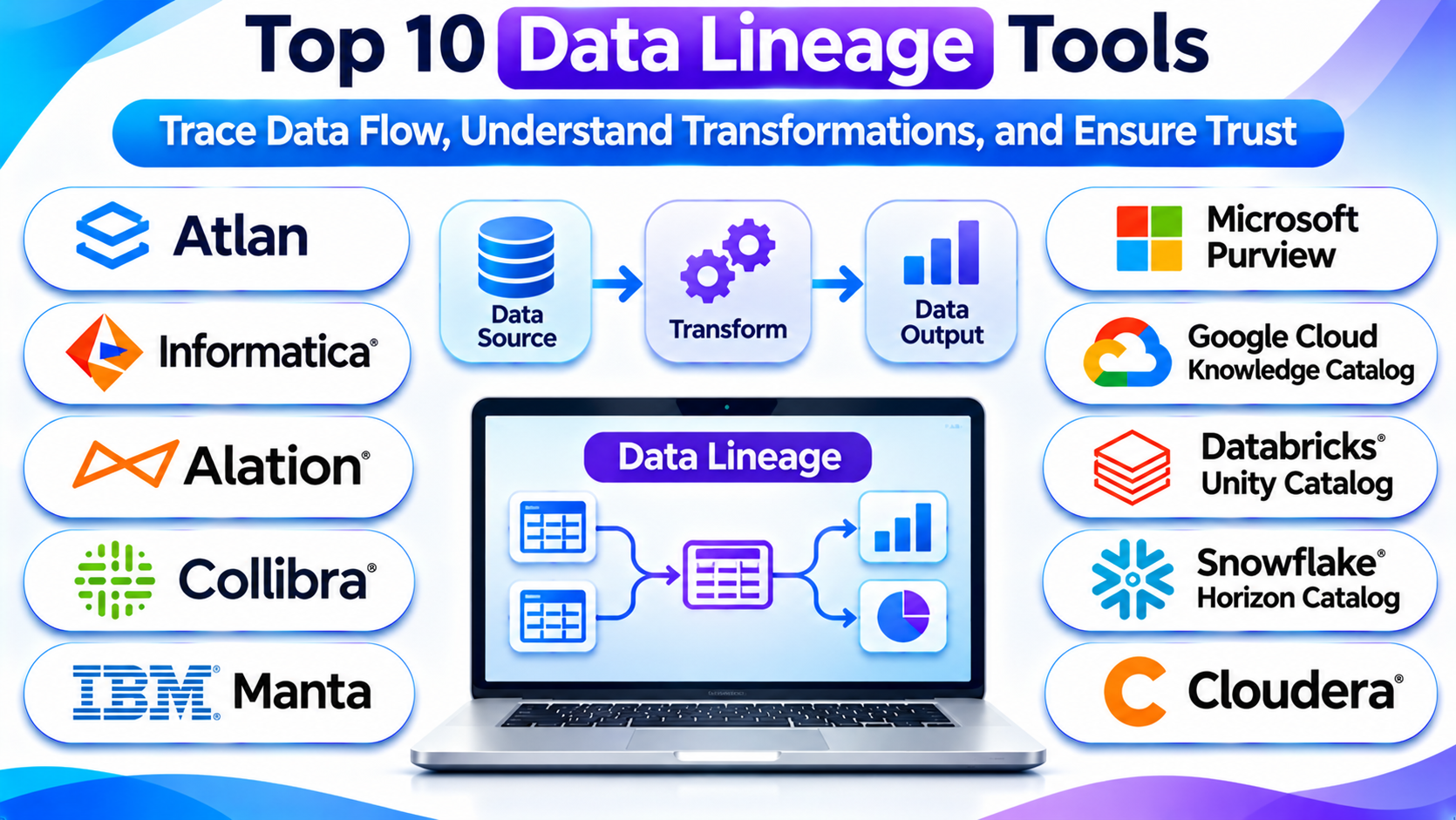
Data lineage tools help solve this problem. They show how data moves from its source to its final destination. They also explain how teams transform, combine, and use information.
Think of data lineage as a map for your data. It shows where information starts, which paths it follows, and where it ends.
These tools help data engineers, analysts, and business teams understand data flows. They also support impact analysis, troubleshooting, audits, and data governance.
This guide covers ten data lineage tools. It explains their features, Pros and Cons, and the types of organizations they support.
Top 10 Data Lineage Tools
1. Atlan
Best for: Modern data teams that need automated lineage and collaboration
Atlan is a modern data catalog and active metadata platform. It helps teams discover data and understand how information moves across their systems.
The platform connects with data warehouses, transformation tools, business intelligence systems, and other data services. It collects metadata and uses it to build a connected view of the data environment.
Atlan supports table-level and column-level lineage across supported sources. Column-level lineage helps users trace individual fields through transformations. This makes it easier to understand where a specific value came from.
Teams can also use Atlan to explore data assets, view owners, read business definitions, and understand relationships. Its collaboration features help technical and business users share useful context.
Atlan works well for organizations that use modern cloud data platforms. It is especially useful when teams want cataloging, lineage, and collaboration in one place.
Key Features
- Automated metadata collection.
- Table-level and column-level lineage.
- Data discovery and search.
- Data asset documentation.
- Business glossary management.
- Data ownership information.
- Impact analysis.
- Data product management.
- Collaboration workflows.
- Integrations with modern data tools.
Pros
- Combines cataloging and lineage.
- Helps users trace data across connected systems.
- Supports technical and business teams.
- Provides useful search and discovery features.
- Encourages shared data knowledge.
- Supports modern data environments.
Cons
- Advanced features may need training.
- Integration setup requires planning.
- Pricing may not suit small teams.
- Lineage coverage depends on connected sources.
2. Informatica Cloud Data Governance and Catalog
Best for: Large organizations with complex data environments
Informatica provides enterprise data governance and metadata management through its Intelligent Data Management Cloud platform.
Its Cloud Data Governance and Catalog capabilities help organizations collect metadata and understand relationships between data assets. Teams can use these capabilities to trace information across databases, applications, pipelines, and other systems.
Informatica supports technical and business lineage. Technical lineage shows how data moves through systems and transformations. Business lineage connects that information with business terms and processes.
Its CLAIRE technology supports AI-assisted metadata discovery and data management tasks. This can help teams understand large data environments and reduce manual work.
The platform also supports data classification, business glossaries, and governance workflows. These features help organizations manage information and understand how different teams use it.
Informatica suits large businesses with hybrid environments, complex integrations, and formal governance needs.
Key Features
- Enterprise metadata management.
- Automated metadata discovery.
- Technical and business data lineage.
- Column-level lineage for supported sources.
- Data classification.
- Business glossary.
- Data governance workflows.
- Impact analysis.
- Metadata relationship management.
- CLAIRE AI-assisted capabilities.
Pros
- Supports complex enterprise environments.
- Connects lineage with governance.
- Provides broad metadata capabilities.
- Helps trace data across systems.
- Supports business and technical views.
- Offers AI-assisted metadata features.
Cons
- Implementation can take time.
- Advanced features may require specialist skills.
- Pricing may be high for smaller businesses.
- Connector coverage should be checked before purchase.
3. Alation Data Lineage
Best for: Enterprise data discovery and self-service analytics
Alation helps organizations discover, understand, and govern business data. Its data catalog connects technical information with business knowledge.
The platform provides lineage views that help users understand how data moves between sources, transformations, and reports. It can help teams trace important datasets and investigate how changes affect downstream assets.
Alation also supports data search, business definitions, ownership, and documentation. These features make it easier for users to find the right information.
Its collaboration features allow employees to share knowledge about datasets. Teams can add descriptions, document important assets, and help others understand how to use data.
Alation suits organizations that want to improve data discovery while making lineage more accessible to business users.
Key Features
- Data lineage visualization.
- Data discovery and search.
- Metadata collection.
- Data asset documentation.
- Business glossary.
- Data ownership.
- Impact analysis.
- Data usage insights.
- Data stewardship.
- Integrations with data platforms.
Pros
- Connects lineage with data discovery.
- Helps business users understand data.
- Supports collaboration and documentation.
- Makes data assets easier to find.
- Provides useful governance context.
- Supports enterprise data environments.
Cons
- Lineage depth varies by connector.
- Some sources may need extra configuration.
- Advanced governance may need additional planning.
- Large deployments can require training.
4. Collibra Data Lineage
Best for: Enterprise data governance and regulatory needs
Collibra provides data intelligence and governance capabilities for large organizations. Its data lineage features help users understand how information moves across business systems.
The platform connects technical lineage with business context. Users can explore data assets, review relationships, and understand how information supports reports and business processes.
Collibra also supports business glossaries, data ownership, policies, and stewardship workflows. These capabilities help organizations assign responsibility and maintain consistent data definitions.
Its lineage features can help teams investigate data problems and understand the impact of changes. They can also support audit and compliance work by showing how important information flows through systems.
Collibra suits organizations that need strong governance processes alongside data lineage.
Key Features
- Technical data lineage.
- Business context and glossary.
- Metadata management.
- Data ownership.
- Data stewardship workflows.
- Impact analysis.
- Data governance policies.
- Data classification.
- Data asset relationships.
- Compliance support.
Pros
- Strong governance capabilities.
- Connects technical and business information.
- Helps teams understand data relationships.
- Supports ownership and stewardship.
- Useful for complex organizations.
- Helps document data flows for reviews.
Cons
- Implementation can be complex.
- Some lineage capabilities may require separate modules.
- Licensing can increase total costs.
- Users may need training to manage workflows.
5. IBM Manta Data Lineage
Best for: Complex systems, legacy applications, and code-level lineage
IBM Manta Data Lineage helps organizations understand how data moves through complex technology environments.
It analyzes supported code, scripts, database objects, and data processes to build lineage maps. This helps technical teams see how information moves between systems and transformations.
One of its important strengths is code-level analysis. It can help teams trace data through SQL, stored procedures, ETL processes, and other supported technologies.
This is useful for organizations with older applications and large data environments. Teams can use lineage maps to investigate dependencies and understand how a code change may affect downstream systems.
IBM Manta Data Lineage suits organizations that need deeper technical visibility across complex environments.
Key Features
- Automated data lineage discovery.
- Code and SQL analysis.
- Column-level lineage for supported technologies.
- ETL process analysis.
- Database dependency mapping.
- Impact analysis.
- Technical lineage visualization.
- Support for complex environments.
- Metadata relationships.
- Integration with data governance workflows.
Pros
- Provides detailed technical lineage.
- Helps analyze complex data flows.
- Supports code and SQL analysis.
- Useful for legacy environments.
- Helps identify downstream dependencies.
- Supports change impact reviews.
Cons
- Setup may require technical expertise.
- Large environments need careful configuration.
- Coverage depends on supported technologies.
- Technical lineage may be difficult for business users to read.
6. Microsoft Purview
Best for: Microsoft, Azure, and Power BI environments
Microsoft Purview helps organizations discover, manage, and govern data across supported systems.
Its lineage capabilities show relationships between data sources, processes, and destinations. Users can understand how data moves through supported Microsoft services and connected platforms.
For example, teams can use lineage information to understand relationships between data pipelines, datasets, and Power BI reports. This helps them investigate issues and assess the impact of changes.
Microsoft Purview also supports data discovery, classification, governance, and access management. These capabilities connect lineage with broader data protection needs.
It is a strong option for organizations that already use Azure, Microsoft Fabric, and Power BI. Teams should check the exact lineage coverage for each source and service before choosing it.
Key Features
- Data lineage visualization.
- Data discovery.
- Metadata collection.
- Data classification.
- Data governance.
- Business data organization.
- Integration with Microsoft Fabric.
- Power BI lineage support.
- Data asset search.
- Sensitive data management.
Pros
- Fits Microsoft-focused environments.
- Connects lineage with governance.
- Supports Power BI workflows.
- Helps users discover data assets.
- Provides classification capabilities.
- Works with broader Microsoft services.
Cons
- Works best with supported Microsoft services.
- Some external sources need extra setup.
- Lineage coverage varies by integration.
- Teams should review licensing and capacity needs.
7. DataHub
Best for: Engineering teams that want open-source metadata management
DataHub is an open-source metadata platform. It helps organizations collect and manage information about datasets, pipelines, dashboards, and other data assets.
The platform builds relationships between data assets. Users can explore lineage maps to understand how information moves through systems.
DataHub supports metadata ingestion from different sources. It can also work with OpenLineage events to capture information about data jobs and pipeline runs.
Its features include data discovery, ownership, documentation, and governance. Teams can use these capabilities to create a shared view of their data environment.
DataHub suits engineering-led organizations that want flexibility and control over metadata management.
Key Features
- Open-source metadata platform.
- Data lineage visualization.
- Metadata ingestion.
- OpenLineage support.
- Data discovery and search.
- Data ownership.
- Dataset documentation.
- Pipeline and dashboard relationships.
- Impact analysis.
- Extensible metadata model.
Pros
- Offers an open-source foundation.
- Supports many data integrations.
- Helps teams explore data relationships.
- Supports automated metadata collection.
- Allows technical customization.
- Reduces dependence on a single commercial catalog.
Cons
- Self-hosting needs technical resources.
- Infrastructure requires maintenance.
- Advanced customization may need development work.
- Large deployments need careful planning.
8. OpenMetadata
Best for: Open-source data lineage and cataloging
OpenMetadata is an open-source platform for data discovery, metadata management, and governance.
It connects with databases, warehouses, dashboards, and data pipelines. The platform collects metadata and creates relationships between connected assets.
Users can explore lineage views to understand how data moves through their environment. They can also trace dependencies between tables, pipelines, and dashboards.
OpenMetadata supports ownership, business glossaries, data quality information, and collaboration. These features help teams manage data assets and share useful context.
Its open-source approach gives organizations control over deployment and customization. However, teams must plan for hosting, upgrades, and ongoing maintenance.
OpenMetadata suits organizations that want a flexible catalog with lineage features.
Key Features
- Open-source data catalog.
- Automated metadata ingestion.
- Data lineage visualization.
- Table and column relationships.
- Data discovery and search.
- Business glossary.
- Data ownership.
- Data quality integration.
- Pipeline metadata.
- API-based integrations.
Pros
- Offers an open-source option.
- Supports data discovery and lineage.
- Provides many integration options.
- Helps document data assets.
- Supports technical customization.
- Connects lineage with governance features.
Cons
- Self-hosting requires technical skills.
- Teams must maintain the platform.
- Some integrations need configuration.
- Large environments need infrastructure planning.
9. OpenLineage
Best for: Open standards and automated pipeline lineage
OpenLineage is an open standard for collecting and sharing metadata about data pipeline runs.
It provides a common format that data tools can use to report information about jobs, datasets, and runs. This helps organizations capture lineage across different pipeline technologies.
OpenLineage does not work like a complete enterprise data catalog. It focuses on the standard and event model for describing lineage. Teams usually connect it with a compatible backend or metadata platform to store, explore, and display the information.
It supports integrations with tools such as Apache Airflow and Spark through suitable integrations and emitters. This helps teams capture lineage as jobs run.
OpenLineage suits engineering teams that want a vendor-neutral way to collect pipeline metadata.
Key Features
- Open lineage specification.
- Job and dataset metadata.
- Pipeline run events.
- Runtime lineage capture.
- Integration with supported data tools.
- Support for metadata events.
- Vendor-neutral approach.
- Backend integration options.
- Pipeline tracking.
- Extensible event model.
Pros
- Provides an open standard.
- Helps reduce vendor dependence.
- Supports different pipeline tools.
- Captures information from job runs.
- Works with compatible metadata platforms.
- Gives engineering teams flexibility.
Cons
- It is not a complete data catalog.
- Teams need a backend to store and display lineage.
- Integration requires technical work.
- Coverage depends on emitters and connected tools.
10. Cloudera Data Lineage
Best for: Hybrid data environments and enterprise ETL systems
Cloudera Data Lineage helps organizations understand data movement across complex data environments.
It supports lineage discovery across connected data systems and processing workflows. Teams can use lineage maps to understand how information moves through pipelines and transformations.
The platform is useful for organizations that manage both cloud and on-premises data. It can help technical teams explore dependencies and understand how changes affect connected assets.
Cloudera’s lineage capabilities are relevant to organizations that use its data platform and need visibility across their wider data environment.
Teams should review current product packaging and connector support before selecting it, especially if they have a mixed technology estate.
Key Features
- Data lineage discovery.
- Data flow visualization.
- Metadata management.
- Data dependency tracking.
- Impact analysis.
- Support for connected data systems.
- Technical lineage views.
- Hybrid environment support.
- Data governance integration.
- Enterprise data visibility.
Pros
- Supports complex data environments.
- Helps teams understand data movement.
- Useful for hybrid deployments.
- Supports dependency analysis.
- Connects lineage with data management.
- Can help investigate data issues.
Cons
- Coverage depends on supported connectors.
- Setup may require technical expertise.
- Teams should verify current product packaging.
- Advanced use may need specialist training.
Comparison of the Top 10 Data Lineage Tools
| Tool | Best For | Main Strength |
|---|---|---|
| Atlan | Modern data teams | Automated lineage and collaboration |
| Informatica Cloud Data Governance and Catalog | Large enterprises | Broad metadata and governance |
| Alation Data Lineage | Enterprise discovery | Search and business context |
| Collibra Data Lineage | Governance programs | Stewardship and policy workflows |
| IBM Manta Data Lineage | Complex and legacy systems | Code-level lineage analysis |
| Microsoft Purview | Microsoft environments | Lineage with Microsoft data services |
| DataHub | Engineering teams | Open-source metadata management |
| OpenMetadata | Open-source catalog users | Discovery and lineage |
| OpenLineage | Data pipeline teams | Open lineage event standard |
| Cloudera Data Lineage | Hybrid data environments | Enterprise data flow visibility |
Important Features to Look for in Data Lineage Tools
1. Automated Lineage Discovery
Automated discovery collects information from connected data systems. It helps teams build lineage maps without documenting every relationship by hand.
2. Column-Level Lineage
Column-level lineage tracks individual fields through data transformations. It helps users find the source of a value and understand how changes affect it.
3. Table-Level Lineage
Table-level lineage shows relationships between tables and other data assets. It gives teams a useful view of data movement.
4. Data Flow Visualization
Visual maps make data relationships easier to understand. Users can follow information from source systems to reports and dashboards.
5. Impact Analysis
Impact analysis shows which assets may change when a dataset, pipeline, or field changes. It helps teams plan updates and avoid unexpected problems.
6. Integration Support
The tool should connect with your databases, warehouses, ETL tools, transformation systems, and BI platforms. Strong integrations improve lineage coverage.
7. Business Lineage
Business lineage connects technical data flows with business terms, reports, and processes. It helps non-technical users understand how information supports decisions.
8. Metadata Management
Metadata explains data assets through names, owners, descriptions, formats, and other details. Good metadata helps users understand lineage maps.
9. Data Governance
Governance features help teams manage ownership, policies, definitions, and access. They connect data lineage with wider data management practices.
10. Historical Tracking
Historical lineage helps teams understand how data flows and dependencies changed over time. This can support audits and problem investigations.
Benefits of Data Lineage Tools
Better Data Understanding
Lineage maps show where information comes from and how teams transform it. This helps users understand data before using it.
Faster Troubleshooting
Teams can trace data problems through connected systems. They can identify where an issue started and which assets it affects.
Safer System Changes
Impact analysis helps teams understand the possible effects of changing a table, column, or pipeline. This reduces unexpected problems.
Improved Data Governance
Lineage gives governance teams a clearer view of data movement. It also supports ownership, documentation, and policy reviews.
Stronger Compliance Support
Organizations can use lineage records to explain how important information moves through systems. This can help during audits and internal reviews.
Better Data Quality Management
Lineage helps teams trace incorrect values to their sources. They can then investigate the systems or transformations that caused the issue.
More Trust in Reports
Users can trace report data back to its source. This helps them understand how dashboards and business metrics are created.
Better Team Collaboration
Technical and business teams can share a common view of data flows. This reduces confusion and improves communication.
Common Challenges in Data Lineage Management
1. Incomplete Data Coverage
A lineage tool may not support every system in your environment. This can leave gaps in the lineage map.
How to address it: Review connector coverage before choosing a platform. Test important systems during a pilot.
2. Complex Data Environments
Large organizations often use many databases, pipelines, and applications. Connecting them can take time.
How to address it: Start with important data flows. Expand coverage as the team gains experience.
3. Missing Metadata
Lineage tools need useful metadata to explain data relationships. Missing descriptions and ownership details can make maps harder to understand.
How to address it: Create clear documentation rules and assign owners to important assets.
4. Changing Pipelines
Data pipelines change as teams add or remove steps. Old lineage information can become inaccurate.
How to address it: Use automated metadata collection and regular scans where supported.
5. Limited Column-Level Lineage
Some tools only show relationships between tables. They may not trace every field through complex transformations.
How to address it: Check column-level support for your most important sources and transformation tools.
6. High Implementation Effort
Enterprise platforms may need connectors, infrastructure, permissions, and specialist setup.
How to address it: Create an implementation plan and test the tool with a small group of data sources.
7. Difficult Visual Maps
Large lineage graphs can become hard to read. Users may struggle to find the relationships that matter.
How to address it: Use filters, clear naming rules, and focused views for important data flows.
How to Choose the Right Data Lineage Tool
Step 1: Identify Your Data Sources
List your databases, warehouses, applications, ETL tools, and BI platforms. This helps you understand which systems need lineage support.
Step 2: Define Your Main Goals
Decide whether you need troubleshooting, impact analysis, compliance support, or data discovery. Choose a tool that addresses your main problems.
Step 3: Check Column-Level Support
If your business needs to trace individual fields, check column-level lineage carefully. Do not assume every connector offers the same level of detail.
Step 4: Review Integration Coverage
Confirm that the tool supports your current technology stack. Test important connectors instead of relying only on general product claims.
Step 5: Evaluate Automation
Check how the platform collects lineage. It may use query logs, code parsing, metadata scans, or events from running pipelines.
Step 6: Consider Your Users
Technical teams may need detailed code-level views. Business teams may prefer simple maps connected to reports and business terms.
Step 7: Review Governance Features
Check whether you also need data ownership, business glossaries, classification, and policy workflows.
Step 8: Compare Deployment Options
Some tools are cloud-based. Others support self-hosted or hybrid deployment. Choose an option that fits your security and infrastructure needs.
Step 9: Calculate Total Cost
Review licensing, infrastructure, integration, training, and support costs. Include the effort needed to maintain the platform.
Step 10: Run a Pilot Project
Connect a few important data sources. Test lineage accuracy, column-level detail, impact analysis, and ease of use before making a final decision.
Best Practices for Effective Data Lineage Management
- Start with important business data flows.
- Connect the systems that matter most.
- Automate lineage collection where possible.
- Review connector coverage regularly.
- Use clear dataset and column names.
- Assign owners to important data assets.
- Maintain useful metadata descriptions.
- Check column-level lineage where needed.
- Review data dependencies before major changes.
- Keep pipeline information up to date.
- Connect lineage with data quality checks.
- Document manual transformations.
- Train users to read lineage maps.
- Review lineage gaps regularly.
- Protect sensitive metadata.
- Monitor failed metadata collection jobs.
- Keep historical records when required.
- Include business users in governance work.
- Test lineage after system changes.
- Review the platform as your data environment grows.
Frequently Asked Questions
1. What is data lineage?
Data lineage shows where data comes from, how it changes, and where it goes. It helps users understand the full path of information.
2. What do data lineage tools do?
They collect metadata and show relationships between data sources, pipelines, tables, columns, and reports. They help teams track data movement and transformations.
3. Why is data lineage important?
Data lineage helps organizations understand data flows, investigate errors, plan changes, and support governance. It also helps users trust reports and analytics.
4. What is column-level data lineage?
Column-level lineage tracks individual fields from their source through transformations and destinations. It helps users understand how a specific value was created.
5. What is the difference between data lineage and data mapping?
Data lineage explains how data moves and changes across systems. Data mapping describes how fields in one system connect to fields in another.
6. Which data lineage tool is best?
Atlan is worth considering for modern data teams. Informatica and Collibra suit enterprise governance needs. IBM Manta supports deep technical analysis, while DataHub and OpenMetadata offer open-source options.
7. Are there open-source data lineage tools?
Yes. DataHub and OpenMetadata provide open-source metadata platforms with lineage features. OpenLineage offers an open standard for sharing pipeline lineage events.
8. What is automated data lineage?
Automated data lineage collects information from connected systems and builds lineage relationships. It reduces the need for manual diagrams and documentation.
9. What is data lineage impact analysis?
Impact analysis shows which tables, reports, pipelines, or other assets may be affected by a proposed change. It helps teams reduce risk before making updates.
10. Can data lineage tools track data in cloud platforms?
Yes. Many tools connect with cloud warehouses, databases, and data pipelines. Coverage depends on the platform and its available integrations.
11. What is business data lineage?
Business data lineage connects technical data flows with business terms, reports, and processes. It helps business users understand how information supports their work.
12. How does data lineage support compliance?
It helps organizations explain where important data comes from and how teams use it. This information can support audits and internal reviews.
13. Does data lineage improve data quality?
It helps teams trace incorrect data to its source and identify affected systems. It supports data quality work but does not fix every problem automatically.
14. What is OpenLineage?
OpenLineage is an open standard for sharing metadata about data jobs, datasets, and pipeline runs. Teams can connect it to compatible tools that store and display lineage.
15. How often should teams review data lineage?
Teams should review lineage whenever important pipelines, tables, or systems change. Automated collection can help keep lineage information current.
Final Thoughts
Data lineage tools help organizations understand how information moves across their systems. They show where data starts, how teams transform it, and which reports or applications use it.
Atlan, Alation, and Collibra connect lineage with data discovery and governance. Informatica and IBM Manta support complex enterprise environments. Microsoft Purview fits organizations that use Microsoft data services.
DataHub and OpenMetadata offer flexible open-source options. OpenLineage provides a shared standard for pipeline metadata, while Cloudera supports organizations with connected enterprise data environments.
The right choice depends on your data sources, required lineage depth, integration needs, and budget. Check column-level support and connector coverage before making a decision.
Start with your most important data flows. Build clear ownership and metadata practices. Then expand lineage across more systems.
A reliable data lineage process helps teams understand their information, reduce risks, and make better decisions.