Introduction
Digital advertising has changed how businesses reach customers. Brands now use websites, mobile apps, videos, social media, and streaming services to promote products.
But managing ads across these channels can become difficult. Businesses need tools to plan campaigns, find audiences, buy ad space, and measure results.
AdTech platforms help solve these problems. AdTech means advertising technology. It includes software that helps businesses create, deliver, manage, and measure digital ads.
Some platforms help advertisers buy ad space automatically. Others help publishers sell their available ad space. Some focus on campaign tracking, audience targeting, or ad quality.
Choosing the right platform can improve campaign control and reduce wasted spending. It can also help businesses reach the right people.
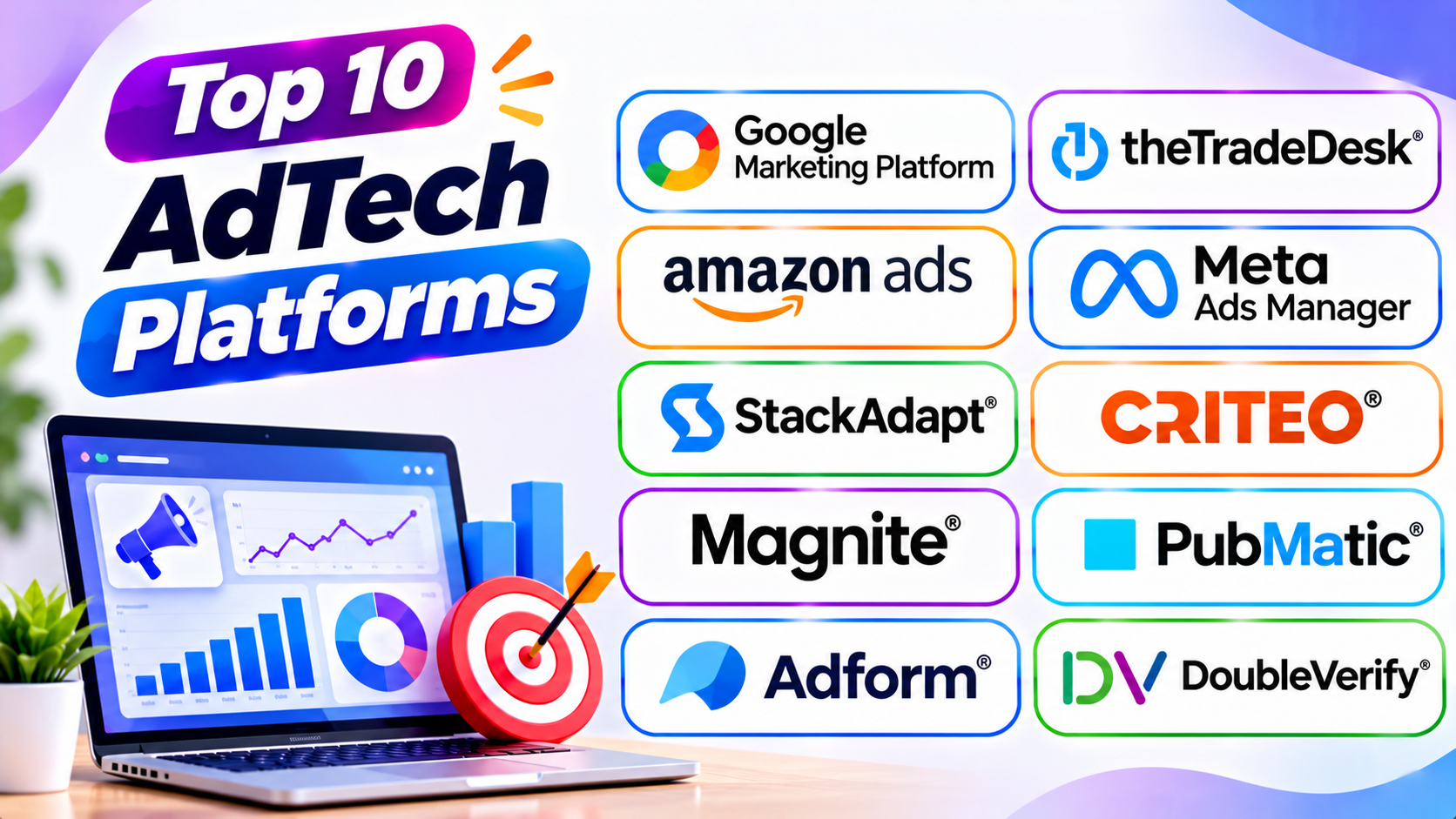
This guide explores ten popular AdTech platforms. It explains their features, strengths, and drawbacks. You will also find a comparison table, a buying guide, and useful answers to common questions.
What Are AdTech Platforms?
AdTech platforms are software systems that support digital advertising. They help advertisers, publishers, agencies, and marketing teams manage online ads.
These platforms handle different parts of the advertising process. Some help brands buy ad space. Others help website owners sell ad space and earn revenue.
For example, a business may want to show ads to people interested in travel. An AdTech platform can help the business select an audience, choose ad placements, set a budget, and track campaign results.
AdTech platforms can help businesses:
- Plan and manage digital ad campaigns.
- Buy advertising space across websites and apps.
- Find and target relevant audiences.
- Automate ad buying and selling.
- Manage display, video, and mobile ads.
- Track clicks, views, and conversions.
- Improve campaign performance.
- Protect brands from unsafe ad placements.
- Measure advertising results.
- Help publishers earn money from ad space.
Different platforms serve different roles. Therefore, businesses should understand their needs before choosing one.
Main Types of AdTech Platforms
The AdTech industry includes several types of platforms. Each type supports a different part of digital advertising.
1. Demand-Side Platforms (DSPs)
A demand-side platform helps advertisers buy digital ad space. It lets them manage bids, audiences, budgets, and campaigns.
The Trade Desk and Display & Video 360 are examples.
2. Supply-Side Platforms (SSPs)
A supply-side platform helps publishers sell their available ad space. It connects publishers with advertisers through automated auctions.
Magnite and PubMatic are examples.
3. Ad Servers
Ad servers manage and deliver advertisements. They help decide which ad appears in a particular placement.
Google Ad Manager and Campaign Manager 360 support important ad-serving tasks.
4. Social Advertising Platforms
These platforms help businesses create and manage ads on social networks. They offer audience targeting and campaign measurement.
Meta Ads Manager is a popular example.
5. Advertising Measurement Platforms
These tools help businesses measure ad quality and campaign results. They can check viewability, fraud, and brand safety.
DoubleVerify is one example.
Top 10 AdTech Platforms
1. Google Marketing Platform
Google Marketing Platform brings together advertising and analytics products. It helps businesses plan, buy, measure, and improve digital advertising campaigns.
Its key products include Display & Video 360, Campaign Manager 360, and Search Ads 360. Google Analytics also supports wider measurement and analysis.
Display & Video 360 helps advertisers buy digital media across supported channels. Campaign Manager 360 supports ad serving, tracking, and campaign management.
The platform can help businesses manage complex advertising work. It also connects with other Google advertising and measurement products.
Key Features
- Programmatic advertising through Display & Video 360.
- Campaign management with Campaign Manager 360.
- Search campaign management through Search Ads 360.
- Advertising measurement and reporting.
- Audience targeting and campaign planning.
- Creative and ad delivery workflows.
- Connections with other Google marketing products.
- Support for large advertising campaigns.
Pros
- Offers several connected advertising products.
- Supports large digital campaigns.
- Provides detailed measurement options.
- Connects with Google’s advertising ecosystem.
- Supports multiple digital media channels.
Cons
- The product range can feel complex.
- Some enterprise features need training.
- Costs can grow with campaign activity.
- Businesses may need several products for full workflows.
Best For: Large brands, advertising agencies, and businesses managing complex digital campaigns.
2. The Trade Desk
The Trade Desk is an independent demand-side platform. It helps advertisers buy digital advertising across the open internet.
Advertisers can use it to purchase display, video, audio, mobile, and connected TV advertising. Connected TV means internet-based television services and streaming apps.
The platform supports audience targeting and automated media buying. It also provides reporting tools to help teams review campaign results.
The Trade Desk can help advertisers manage campaigns across different publishers and channels. Its tools support businesses that want more control over programmatic advertising.
Key Features
- Programmatic media buying.
- Display and video advertising.
- Connected TV advertising.
- Digital audio campaigns.
- Audience targeting.
- Real-time bidding.
- Campaign reporting and analytics.
- Advertising data marketplace.
Pros
- Offers broad open-internet access.
- Supports several advertising channels.
- Provides detailed campaign controls.
- Helps manage connected TV campaigns.
- Offers strong programmatic buying features.
Cons
- May be complex for beginners.
- Requires advertising knowledge.
- Access and costs may not suit small businesses.
- Campaign setup can need specialist support.
Best For: Large advertisers, media agencies, and brands running programmatic campaigns across many channels.
3. Amazon Ads
Amazon Ads helps businesses promote products and brands across Amazon properties and other supported advertising channels.
Its advertising products include sponsored ads, display ads, video ads, and Amazon DSP. These options help businesses reach shoppers at different stages of their buying journey.
Amazon Ads can use shopping and product-related signals to support audience targeting. This makes it useful for businesses that want to reach people with shopping interests.
Brands can also review campaign performance through reporting tools. These reports help advertisers understand ad activity and product sales.
Key Features
- Sponsored product advertising.
- Sponsored brand campaigns.
- Display advertising.
- Video advertising.
- Amazon DSP.
- Retail media advertising.
- Audience targeting.
- Campaign reporting and measurement.
Pros
- Offers access to shopping-focused audiences.
- Supports several ad formats.
- Helps brands promote products.
- Provides useful campaign reports.
- Supports retail media strategies.
Cons
- Works best for businesses with relevant products or audiences.
- Some features require specialist knowledge.
- Advertising costs can rise in competitive categories.
- Access to certain tools may depend on eligibility.
Best For: Ecommerce brands, sellers, retailers, and businesses that want to reach shoppers.
4. Meta Ads Manager
Meta Ads Manager helps businesses create and manage advertising campaigns across Meta platforms. These include Facebook, Instagram, Messenger, and supported placements.
The platform offers tools for audience selection, budget planning, ad creation, and campaign reporting.
Advertisers can use different formats, such as images, videos, carousels, and stories. They can also test different ads to learn which messages work best.
Meta Ads Manager provides campaign performance data. Businesses can review results and adjust their campaigns.
Key Features
- Facebook and Instagram advertising.
- Audience targeting.
- Image and video ad creation.
- Campaign budget management.
- A/B testing.
- Conversion tracking.
- Campaign reporting.
- Automated campaign optimization options.
Pros
- Offers broad social advertising reach.
- Supports several creative formats.
- Provides detailed audience controls.
- Helps businesses manage campaigns in one place.
- Offers useful performance reports.
Cons
- Campaign settings can confuse new users.
- Results depend on creative quality.
- Ad costs can change with competition.
- Privacy changes can affect measurement.
Best For: Small businesses, ecommerce brands, agencies, and companies focused on social media advertising.
5. StackAdapt
StackAdapt is a programmatic advertising platform. It helps marketers plan and manage campaigns across several digital channels.
The platform supports native, display, video, audio, and connected TV advertising. Native advertising matches the look and feel of the surrounding content.
StackAdapt also offers audience targeting and campaign optimization. These features help advertisers reach relevant audiences and improve campaign performance.
Its reporting tools help teams review delivery and results. The platform can suit agencies and brands that need flexible programmatic advertising.
Key Features
- Programmatic advertising.
- Native ad campaigns.
- Display and video advertising.
- Connected TV campaigns.
- Digital audio advertising.
- Audience targeting.
- Campaign optimization.
- Performance reporting.
Pros
- Supports several advertising formats.
- Offers native advertising features.
- Provides campaign optimization tools.
- Helps manage cross-channel campaigns.
- Offers useful reporting features.
Cons
- Advanced campaigns need planning.
- Some features require advertising experience.
- Costs depend on campaign requirements.
- Data and inventory options vary by market.
Best For: Advertising agencies, growing brands, and marketers running multi-channel campaigns.
6. Criteo
Criteo is an AdTech company focused on commerce media and performance advertising. It helps brands and retailers connect advertising with shopping activity.
The platform offers tools for retail media, audience targeting, and campaign measurement. Businesses can use it to reach shoppers across supported digital channels.
Criteo also provides solutions for retailers that want to create advertising opportunities. These solutions can help retailers earn revenue from their digital audiences.
Its commerce-focused tools can support product promotion and sales campaigns. This makes Criteo useful for businesses that want advertising linked to shopping activity.
Key Features
- Commerce media advertising.
- Retail media solutions.
- Audience targeting.
- Product advertising.
- Campaign optimization.
- Performance measurement.
- Retailer advertising tools.
- Cross-channel campaign support.
Pros
- Strong focus on commerce advertising.
- Supports retail media programs.
- Helps connect ads with shopping activity.
- Offers campaign measurement features.
- Supports brands and retailers.
Cons
- Some products may require specialist knowledge.
- Best features may depend on business type.
- Platform options can feel complex.
- Access and pricing vary by solution.
Best For: Retailers, ecommerce businesses, and brands focused on commerce-driven advertising.
7. Magnite
Magnite is a supply-side advertising platform. It helps publishers sell digital ad space to advertisers.
The platform supports programmatic advertising across video, connected TV, display, and other digital formats.
Magnite connects publishers with buyers through automated advertising systems. This can help publishers manage inventory and improve their ad revenue.
Its tools also support private marketplace deals and programmatic transactions. These options give publishers more ways to sell their advertising space.
Key Features
- Supply-side advertising technology.
- Connected TV advertising.
- Online video advertising.
- Display ad inventory management.
- Programmatic auctions.
- Private marketplace support.
- Publisher revenue tools.
- Advertising transaction reporting.
Pros
- Supports publisher monetization.
- Offers connected TV advertising features.
- Supports different ad formats.
- Connects publishers with advertisers.
- Provides programmatic selling tools.
Cons
- Mainly serves publishers and media owners.
- Not a general campaign tool for small advertisers.
- Technical setup may require specialist teams.
- Revenue depends on demand and inventory quality.
Best For: Digital publishers, streaming services, and media companies that sell advertising space.
8. PubMatic
PubMatic provides programmatic advertising technology for publishers, advertisers, and agencies. Its platform helps publishers manage and sell digital ad inventory.
The company offers supply-side platform services and advertising infrastructure. These tools support display, video, mobile, and connected TV advertising.
PubMatic also helps publishers connect with advertising buyers. Its technology supports automated auctions and inventory management.
Advertisers and agencies can use its solutions to access publisher inventory through supported buying channels.
Key Features
- Supply-side platform technology.
- Programmatic ad auctions.
- Display and video advertising.
- Mobile advertising support.
- Connected TV solutions.
- Publisher inventory management.
- Audience and data solutions.
- Advertising performance reporting.
Pros
- Offers publisher-focused technology.
- Supports multiple ad formats.
- Helps manage advertising inventory.
- Connects publishers with buyers.
- Supports programmatic advertising workflows.
Cons
- More suitable for publishers and media companies.
- Setup may require technical knowledge.
- Results depend on inventory and buyer demand.
- Some solutions may not suit small websites.
Best For: Publishers, app developers, media owners, and advertising businesses.
9. Adform
Adform is an independent AdTech platform with tools for media buying, ad serving, and campaign management.
It offers solutions that help advertisers plan and run digital campaigns. Businesses can use its demand-side platform to buy advertising across supported channels.
Adform also provides ad-serving and creative management features. These tools help teams manage advertising materials and track campaign delivery.
Its connected technology can support advertisers that want several campaign tasks within one platform. It is particularly relevant to businesses working across European and international markets.
Key Features
- Demand-side advertising platform.
- Ad serving.
- Campaign management.
- Creative management.
- Programmatic media buying.
- Audience targeting.
- Campaign measurement.
- Advertising data and identity tools.
Pros
- Combines several AdTech functions.
- Supports programmatic media buying.
- Offers ad-serving features.
- Helps manage campaign workflows.
- Serves international advertising needs.
Cons
- Some features may require training.
- Setup can be complex.
- Availability and support may vary by market.
- Smaller teams may not need the full platform.
Best For: Agencies, advertisers, and businesses that need integrated programmatic advertising tools.
10. DoubleVerify
DoubleVerify is a digital media measurement and verification platform. It helps advertisers check the quality and safety of their digital campaigns.
The platform supports brand safety, fraud protection, viewability, and suitability measurement. These tools help advertisers understand where their ads appear and whether people can see them.
DoubleVerify also offers campaign measurement across supported digital channels. Businesses can use its reports to review advertising quality and reduce waste.
Its services help advertisers protect brand reputation. They also support better decisions about campaign spending.
Key Features
- Ad viewability measurement.
- Invalid traffic detection.
- Brand safety verification.
- Brand suitability controls.
- Campaign measurement.
- Fraud prevention tools.
- Digital media quality reports.
- Support for multiple advertising channels.
Pros
- Helps protect brand reputation.
- Offers ad quality measurement.
- Supports fraud detection.
- Helps measure viewability.
- Provides useful campaign verification reports.
Cons
- Focuses on verification rather than media buying.
- May require integration with other AdTech tools.
- Advanced reports can need specialist knowledge.
- Costs may not suit smaller advertisers.
Best For: Large advertisers, agencies, and brands that need independent ad quality and brand safety checks.
Comparison Table: Top 10 AdTech Platforms
| Platform | Main Category | Main Strength | Best For |
|---|---|---|---|
| Google Marketing Platform | Advertising and analytics suite | Connected campaign tools | Large advertisers and agencies |
| The Trade Desk | DSP | Open-internet programmatic buying | Large brands and agencies |
| Amazon Ads | Retail and digital advertising | Shopping-focused advertising | Ecommerce brands and sellers |
| Meta Ads Manager | Social advertising | Facebook and Instagram campaigns | Businesses and social marketers |
| StackAdapt | DSP | Multi-channel programmatic campaigns | Agencies and growing brands |
| Criteo | Commerce media | Retail and shopping advertising | Retailers and ecommerce brands |
| Magnite | SSP | Publisher monetization | Publishers and streaming services |
| PubMatic | SSP | Programmatic infrastructure | Publishers and media owners |
| Adform | Integrated AdTech | Media buying and ad serving | Agencies and advertisers |
| DoubleVerify | Ad verification | Brand safety and media quality | Large advertisers and agencies |
How to Choose the Right AdTech Platform
Choosing an AdTech platform depends on your business goals. Some businesses want to buy ads, while others want to sell ad space.
Use these points to compare your options.
1. Define Your Advertising Goals
Start by deciding what you want to achieve.
You may want more website visits, product sales, brand awareness, or advertising revenue. Choose a platform that supports your main goal.
2. Understand the Platform Type
Check whether you need a DSP, SSP, ad server, or measurement tool.
A DSP helps advertisers buy media. An SSP helps publishers sell ad space. A verification platform checks ad quality.
Choosing the right type prevents wasted time and money.
3. Check Advertising Channels
Different platforms support different ad formats. These may include display, video, mobile, audio, social media, and connected TV.
Choose a platform that supports the channels your audience uses.
4. Review Audience Targeting
Audience targeting helps businesses reach relevant people. Check the platform’s targeting options and available data sources.
Also review its privacy and consent features.
5. Compare Campaign Reporting
Good reporting helps teams understand campaign performance. Look for clear information about impressions, clicks, conversions, and costs.
Choose a platform that makes important results easy to review.
6. Check Integration Options
Your AdTech platform may need to connect with analytics, customer data, or ecommerce systems.
Review available integrations before making a decision.
7. Consider Brand Safety
Your ads should appear in suitable places. Look for tools that help prevent fraud and unsafe placements.
Independent verification can also help improve campaign quality.
8. Review Pricing and Fees
Some platforms use managed pricing, while others charge based on advertising spend or usage.
Check minimum budgets, service fees, and other costs before signing up.
9. Consider Ease of Use
A platform should support your team’s skills and workflow. Test its dashboard and campaign tools before making a long-term choice.
10. Check Support and Training
Large advertising platforms can take time to learn. Look for useful training, customer support, and setup help.
Common Mistakes to Avoid When Using AdTech Platforms
AdTech platforms offer many useful features. However, poor planning can still lead to weak campaign results.
1. Choosing a Platform Without a Clear Goal
Do not select a platform just because it offers many features. Decide what you want to achieve first.
2. Confusing DSPs and SSPs
DSPs help advertisers buy ad space. SSPs help publishers sell it.
Choosing the wrong type can create problems during setup.
3. Ignoring Audience Quality
Large audience numbers do not always mean better results. Check audience relevance and targeting options.
4. Setting Poor Campaign Budgets
A budget that is too small may limit campaign testing. A budget that is too large may waste money.
Set a clear budget and review spending often.
5. Ignoring Ad Creative Quality
Good targeting cannot fix weak advertising content. Use clear messages, strong images, and relevant offers.
Test different versions to find what works.
6. Overlooking Brand Safety
Ads may appear beside content that does not suit your brand. Use available safety controls and review placement reports.
7. Measuring Only Clicks
Clicks do not show the full campaign result. Also review conversions, sales, cost, and other business goals.
8. Ignoring Data Privacy
Advertising data must follow relevant privacy rules. Review consent, data use, and platform policies before launching campaigns.
9. Using Too Many Platforms
Too many tools can create extra work. Choose platforms that support your needs and connect well with your existing systems.
10. Failing to Review Campaign Results
Regular reporting helps teams find problems and improve campaigns. Review results and make changes based on useful data.
Questions and Answers About AdTech Platforms
1. What are AdTech platforms?
AdTech platforms are software systems for digital advertising. They help businesses buy, sell, deliver, manage, and measure online ads.
2. What does AdTech mean?
AdTech means advertising technology. It includes tools that support digital ad campaigns and advertising operations.
3. What is a demand-side platform?
A demand-side platform, or DSP, helps advertisers buy digital ad space. It supports bidding, audience targeting, and campaign management.
4. What is a supply-side platform?
A supply-side platform, or SSP, helps publishers sell advertising space. It connects their available inventory with advertisers and ad buyers.
5. What is the difference between AdTech and MarTech?
AdTech focuses on buying, selling, delivering, and measuring ads. MarTech supports wider marketing work, such as email campaigns, customer data, and marketing automation.
6. Which AdTech platform is best for large businesses?
Google Marketing Platform and The Trade Desk offer tools for large advertising programs. The best choice depends on campaign channels and business needs.
7. Which AdTech platform is best for ecommerce businesses?
Amazon Ads and Criteo offer useful commerce-focused advertising solutions. Meta Ads Manager can also help ecommerce brands reach social audiences.
8. Are AdTech platforms useful for small businesses?
Yes. Platforms such as Meta Ads Manager can support smaller advertising budgets. Businesses should check minimum spending and feature access.
9. What is programmatic advertising?
Programmatic advertising uses software to buy and sell digital ad space. It can use automated auctions to select ad placements in real time.
10. What is real-time bidding?
Real-time bidding is an automated auction for digital ad impressions. Advertisers compete for an opportunity to show an ad to a user.
11. What is ad verification?
Ad verification checks whether digital ads meet certain quality standards. It can measure viewability, fraud, and brand safety.
12. What is retail media advertising?
Retail media advertising lets brands promote products through retailer advertising channels. It often uses shopping-related data to reach relevant audiences.
13. Can AdTech platforms track campaign performance?
Yes. Many platforms offer reports on impressions, clicks, conversions, and costs. Measurement features vary by platform.
14. Are AdTech platforms expensive?
Costs vary by platform, service, and campaign size. Some tools have self-service options, while others focus on enterprise customers.
15. How can businesses choose the right AdTech platform?
Start with your advertising goals and required platform type. Then compare channels, targeting, reporting, pricing, integrations, and support.
Final Thoughts
AdTech plays an important role in modern digital advertising. It helps businesses reach audiences and manage campaigns across many channels.
Google Marketing Platform offers connected advertising tools. The Trade Desk and StackAdapt support programmatic buying. Amazon Ads and Meta Ads Manager help brands reach shoppers and social audiences.
Criteo focuses on commerce media. Magnite and PubMatic help publishers sell ad space. Adform offers integrated advertising technology, while DoubleVerify helps protect ad quality.
Each platform serves a different purpose. No single solution fits every business.
Before choosing one, define your goals and understand the type of technology you need. Compare features, costs, reporting, and support.
The right AdTech platform can help your team manage campaigns with greater control. It can also support better advertising decisions and stronger business results.