Introduction
Email remains one of the best ways for businesses to reach customers. It helps brands share news, promote products, and build trust. It also gives businesses a direct way to contact their audience.
However, managing email campaigns by hand takes time. Teams must create messages, manage contact lists, plan schedules, and check results. Email marketing software makes these tasks easier.
These tools help businesses design emails and send them to selected groups. They can also automate follow-ups and track customer actions. Some platforms focus on simple newsletters. Others offer advanced tools for sales, ecommerce, and customer journeys.
Choosing the right software can improve your email marketing work. It can help you save time and send more useful messages.
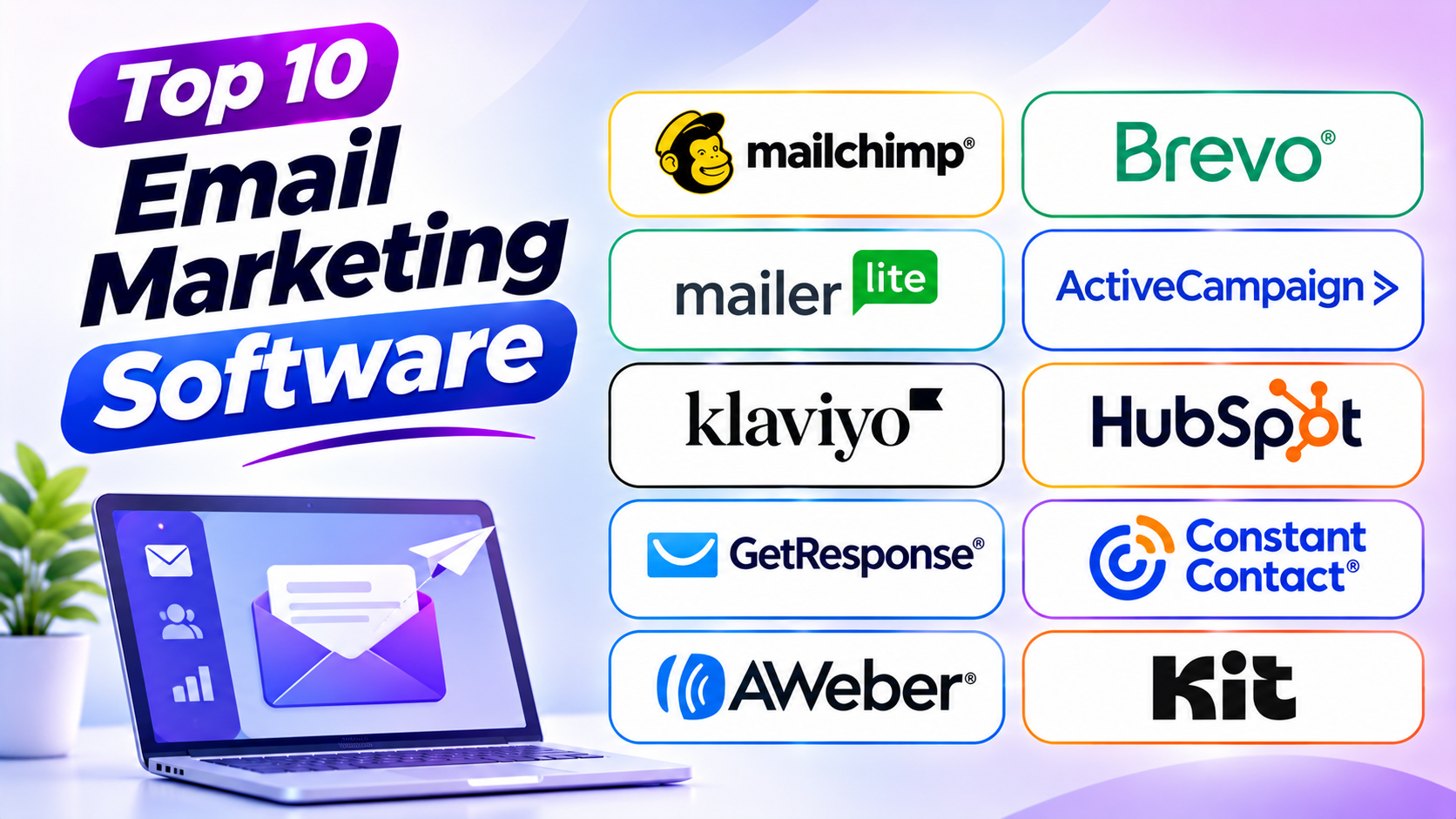
This guide explores ten popular email marketing tools. You will learn about their features, main uses, pros, and cons. You will also find a comparison table, buying tips, common mistakes, and useful questions.
What Is Email Marketing Software?
Email marketing software helps businesses create, send, and manage email campaigns. It gives teams tools to reach subscribers and customers through email.
For example, a business may want to share a new product. It can design an email and send it to interested customers. The software can also track how many people open or click that email.
Many tools offer more than basic email sending. They include contact management, automation, templates, reports, and customer groups.
Common uses include:
- Sending newsletters and company updates.
- Sharing new products and special offers.
- Welcoming new subscribers.
- Sending order and service updates.
- Following up with interested customers.
- Promoting events and online sessions.
- Collecting customer feedback.
- Tracking clicks, opens, and conversions.
- Building long-term customer relationships.
These features help businesses manage email campaigns in one place.
Top 10 Email Marketing Software
Each email marketing platform offers a different set of tools. Some suit beginners and small businesses. Others support large contact lists and advanced campaigns.
1. Mailchimp
Mailchimp is a popular email marketing platform for businesses of many sizes. It helps users create email campaigns, manage subscribers, and track results. Its visual editor makes email design easier.
The platform offers ready-made templates and simple editing tools. Users can add text, images, buttons, and other content. They can also create signup forms and landing pages to collect new contacts.
Mailchimp supports automated customer journeys. A business can send a welcome email after someone joins its list. It can also send follow-up messages based on selected customer actions.
Mailchimp works well for businesses that want email marketing and basic automation together. It also connects with many ecommerce and business tools.
Key Features
- Email Campaign Builder: Create emails with a visual editor.
- Email Templates: Use ready-made designs for different campaigns.
- Marketing Automation: Send messages after selected customer actions.
- Audience Management: Organize subscribers and customer details.
- Signup Forms: Collect email addresses from website visitors.
- Landing Pages: Create pages for lead collection and promotions.
- Campaign Reports: Track opens, clicks, and other activity.
- A/B Testing: Compare email versions to find better results.
Pros
- Offers an easy-to-use email editor.
- Provides many ready-made email templates.
- Helps beginners create professional campaigns.
- Includes contact management tools.
- Supports email automation.
- Connects with many business services.
- Provides campaign reports and testing tools.
Cons
- Advanced features may require higher plans.
- Costs can rise as contact lists grow.
- Some automation options may not suit complex needs.
- The full range of features can take time to learn.
2. Brevo
Brevo is a marketing platform that supports email and other customer communication channels. It helps businesses create campaigns, manage contacts, and automate messages.
The platform offers a visual email editor. Users can build messages with text, images, buttons, and other content. They can also use templates to save design time.
Brevo supports more than email. Depending on the plan, businesses can use SMS and WhatsApp tools. This helps teams reach customers through channels they already use.
Its automation tools can send messages after a customer takes an action. For example, a new subscriber can receive a welcome email. A customer may also receive a follow-up message after a purchase.
Brevo can suit small and growing businesses that want several communication tools together.
Key Features
- Email Campaigns: Design and send marketing emails.
- Drag-and-Drop Editor: Build emails with simple editing tools.
- Email Automation: Send messages based on customer actions.
- Contact Management: Store and organize subscriber details.
- SMS Marketing: Reach customers through text messages.
- WhatsApp Campaigns: Support communication through WhatsApp.
- Signup Forms: Collect new contacts.
- Campaign Reports: Review clicks, opens, and campaign activity.
Pros
- Combines email with other communication channels.
- Offers useful tools for small businesses.
- Supports automated email campaigns.
- Includes contact management features.
- Provides a visual email editor.
- Helps teams manage different campaigns in one place.
Cons
- Some advanced features require paid plans.
- Complex workflows may need careful setup.
- The full range of tools can take time to explore.
- Reporting needs may vary across business types.
3. MailerLite
MailerLite focuses on simple email marketing and audience growth. It helps businesses create newsletters, manage subscribers, and build landing pages.
The platform offers a clean interface. Users can create emails with a drag-and-drop editor. They can add images, text, buttons, and other content without advanced design skills.
MailerLite also supports automation workflows. Businesses can send welcome emails and follow-up messages. They can group subscribers based on their interests and actions.
Its website and landing page tools give users more ways to collect leads. This makes it useful for creators, small businesses, and service providers.
MailerLite is a good option for teams that want simple email tools. It offers a clear set of features without making the process feel too complex.
Key Features
- Newsletter Builder: Create and send email newsletters.
- Drag-and-Drop Editor: Design emails with simple controls.
- Automation Workflows: Send planned messages automatically.
- Subscriber Management: Organize contacts and subscriber groups.
- Landing Pages: Build pages to collect email addresses.
- Website Builder: Create simple business websites.
- Signup Forms: Add forms to websites and landing pages.
- Campaign Analytics: Track email performance.
Pros
- Offers a clean and simple interface.
- Helps beginners build email campaigns.
- Includes landing page tools.
- Supports automated email sequences.
- Provides useful subscriber management features.
- Offers website-building options.
- Works well for newsletters and small campaigns.
Cons
- Advanced automation may not suit every business.
- Some features depend on the selected plan.
- Large teams may need more advanced controls.
- Complex marketing needs may require extra tools.
4. ActiveCampaign
ActiveCampaign combines email marketing, automation, and customer relationship tools. It helps businesses send targeted messages and manage customer communication.
The platform stands out for its automation builder. Users can create workflows based on customer actions. For example, a person who clicks a product link can receive a related email later.
ActiveCampaign also offers contact tagging and audience segmentation. These tools help businesses group people based on their interests and behavior. Teams can then send messages that match each group’s needs.
Its CRM features can support sales teams as well. Businesses can manage deals and automate parts of the sales process.
ActiveCampaign suits companies that need more than basic newsletters. It can help teams build detailed email journeys and manage customer relationships.
Key Features
- Marketing Automation: Build multi-step email workflows.
- Email Campaign Builder: Create targeted marketing emails.
- Audience Segmentation: Group contacts by interests and actions.
- Contact Tagging: Add labels to organize subscribers.
- CRM Tools: Manage sales contacts and deals.
- Lead Scoring: Rate contacts based on their engagement.
- Behavioral Tracking: Use customer actions to guide campaigns.
- Campaign Reporting: Review email and automation results.
Pros
- Offers flexible automation workflows.
- Supports detailed audience segmentation.
- Combines email marketing with CRM tools.
- Helps automate sales follow-ups.
- Tracks customer actions.
- Supports targeted customer communication.
Cons
- New users may need time to learn the platform.
- Advanced workflows can become complex.
- Pricing can rise as contact lists grow.
- Some features may be more than small teams need.
5. Klaviyo
Klaviyo is an email and SMS marketing platform with a strong focus on ecommerce. It helps online stores use customer and shopping data in their campaigns.
The platform can connect with ecommerce systems. This lets businesses use details such as purchases, browsing activity, and product interests. Teams can use this information to send more relevant messages.
Klaviyo supports automated campaigns for common shopping actions. An online store can send a cart reminder when a shopper leaves without buying. It can also send product updates or messages after a purchase.
Its customer profiles help businesses understand shopping habits. This can support better audience groups and product suggestions.
Klaviyo is useful for online stores that want email campaigns linked to customer activity and sales.
Key Features
- Email Marketing: Create and send campaigns to shoppers.
- SMS Marketing: Reach customers through text messages.
- Customer Profiles: Store useful shopping and contact details.
- Ecommerce Automation: Send messages after shopping actions.
- Cart Recovery: Remind shoppers about unfinished orders.
- Audience Segmentation: Group customers by purchases and behavior.
- Product Recommendations: Suggest products based on customer data.
- Revenue Reporting: Track sales linked to marketing campaigns.
Pros
- Focuses on ecommerce marketing needs.
- Connects customer data with campaigns.
- Supports email and SMS marketing.
- Helps recover abandoned shopping carts.
- Offers detailed customer segmentation.
- Tracks campaign-related sales activity.
Cons
- May not suit every B2B business.
- Costs can grow as active profiles increase.
- Some features need accurate customer data.
- New users may need time to build workflows.
6. HubSpot Marketing Hub
HubSpot Marketing Hub is part of the wider HubSpot platform. It combines email marketing with CRM and other marketing tools. This helps businesses manage customer details and campaigns in one system.
Users can create emails with a visual editor. They can also build forms, landing pages, and automated workflows. The platform connects campaign activity with customer records.
HubSpot helps teams understand how people interact with their brand. They can track website visits, email clicks, and other actions. These details can guide future campaigns.
Its CRM connection makes it useful for businesses that want marketing and sales teams to share information. Teams can see customer activity and plan follow-ups.
HubSpot Marketing Hub suits businesses that want email marketing as part of a wider customer management system.
Key Features
- Email Marketing: Create and send targeted email campaigns.
- CRM Integration: Connect emails with customer records.
- Marketing Automation: Build workflows for customer actions.
- Landing Pages: Create pages for lead collection.
- Forms: Capture details from website visitors.
- Audience Segmentation: Group contacts based on their data.
- Campaign Analytics: Track campaign activity and results.
- Lead Management: Organize and follow up with potential customers.
Pros
- Connects email campaigns with CRM data.
- Offers several marketing tools in one platform.
- Supports automated customer journeys.
- Helps sales and marketing teams share information.
- Includes landing pages and forms.
- Provides useful campaign tracking.
Cons
- Advanced features can cost more.
- The platform may feel complex to beginners.
- Some tools require higher plans.
- Businesses may need training to use it well.
7. GetResponse
GetResponse is an email marketing platform with tools for automation, landing pages, and online campaigns. It helps businesses grow subscriber lists and manage customer communication.
The platform offers an email editor and ready-made templates. Users can create newsletters and promotional messages. They can also build automated email sequences for new subscribers.
GetResponse includes landing page and webinar features. These tools can help businesses collect leads and promote online events. Its automation features can connect different steps in a customer journey.
The platform can suit businesses that want email marketing with extra lead-generation tools. It can also support creators, service providers, and online businesses.
Key Features
- Email Campaign Builder: Create and send marketing emails.
- Email Templates: Use ready-made designs.
- Automation Builder: Create workflows based on customer actions.
- Landing Pages: Build pages for lead collection.
- Signup Forms: Collect subscriber information.
- Webinar Tools: Host and promote online sessions.
- Audience Segmentation: Group contacts by selected details.
- Campaign Reports: Track clicks and email activity.
Pros
- Combines email marketing with lead-generation tools.
- Offers landing page features.
- Supports automated email sequences.
- Includes webinar tools.
- Provides ready-made email templates.
- Helps businesses manage subscriber lists.
Cons
- Some advanced tools require higher plans.
- The wide feature set may take time to learn.
- Complex workflows need careful planning.
- Some businesses may not need its extra tools.
8. Constant Contact
Constant Contact is an email marketing platform designed for small businesses and organizations. It helps users create newsletters, share updates, and promote events.
The platform offers ready-made email templates. Users can edit these designs and add their own text, images, and buttons. This makes it easier to create branded emails.
Constant Contact also offers contact management and campaign reporting. Businesses can organize subscribers and track campaign activity. Some plans also include event and social marketing tools.
The platform can suit local businesses, nonprofits, and teams that want straightforward email marketing. It can help users share regular updates without complex setup.
Key Features
- Email Campaign Builder: Create and send email newsletters.
- Email Templates: Use ready-made campaign designs.
- Contact Management: Organize subscriber lists.
- Signup Forms: Collect new email subscribers.
- Marketing Automation: Send selected follow-up messages.
- Event Marketing: Promote and manage events.
- Social Marketing: Support social media promotion.
- Campaign Reports: Track email engagement.
Pros
- Offers an approachable email editor.
- Provides ready-made templates.
- Helps small businesses manage contacts.
- Supports event promotion.
- Includes useful campaign reports.
- Offers tools for regular customer updates.
Cons
- Advanced automation may feel limited.
- Costs can increase with contact numbers.
- Some features depend on the selected plan.
- Large businesses may need more advanced tools.
9. AWeber
AWeber is an email marketing platform for small businesses, creators, and entrepreneurs. It helps users build subscriber lists and send regular email campaigns.
The platform offers email templates and a visual editor. Users can create newsletters and promotional emails. They can also build signup forms to collect new subscribers.
AWeber supports automated email sequences. A business can send a welcome message to new subscribers. It can then send a series of planned emails over time.
The platform also offers subscriber tagging and campaign reports. These features help users organize their audience and understand email performance.
AWeber can suit users who want traditional email marketing tools with simple automation features.
Key Features
- Email Campaigns: Create and send newsletters.
- Email Templates: Use ready-made email designs.
- Automation: Build email sequences for subscribers.
- Signup Forms: Collect email addresses.
- Subscriber Tags: Organize contacts by selected interests.
- Landing Pages: Create pages for lead collection.
- Email Analytics: Track campaign engagement.
- Ecommerce Tools: Support selected product and sales activities.
Pros
- Offers a long-standing set of email marketing tools.
- Provides ready-made templates.
- Supports subscriber tagging.
- Includes automated email sequences.
- Helps users create signup forms.
- Suits small businesses and creators.
Cons
- Some design features may feel less modern.
- Advanced automation may not match specialist tools.
- Larger businesses may need more detailed controls.
- Some features depend on the plan.
10. Kit
Kit, formerly known as ConvertKit, is an email marketing platform built for creators. It helps writers, bloggers, educators, and online creators grow their audiences.
The platform focuses on newsletters, subscriber forms, and email automation. Creators can collect subscribers through forms and landing pages. They can then send regular newsletters and planned email sequences.
Kit also offers tagging and audience segmentation. These tools help creators group subscribers based on interests and actions. This makes it easier to send content that fits each reader.
The platform also supports creator-focused sales tools. Depending on the plan and available features, users can sell digital products and paid subscriptions.
Kit is a useful choice for creators who want to build an audience through email.
Key Features
- Newsletter Builder: Create and send newsletters.
- Email Automation: Build sequences for new subscribers.
- Signup Forms: Collect email addresses from readers.
- Landing Pages: Create pages to grow an audience.
- Subscriber Tagging: Organize contacts by interests.
- Audience Segmentation: Send messages to selected groups.
- Creator Sales Tools: Support digital product sales.
- Subscriber Analytics: Track audience growth and engagement.
Pros
- Built with creators in mind.
- Offers useful newsletter tools.
- Supports subscriber tagging and segmentation.
- Helps automate welcome emails.
- Includes forms and landing pages.
- Supports selected digital product sales.
Cons
- May not suit large enterprise marketing teams.
- Some advanced features require paid plans.
- Businesses may need a separate CRM.
- Ecommerce features may not match specialist store platforms.
Email Marketing Software Comparison Table
The following table gives a quick overview of all ten tools. It compares their main users, strengths, and key features.
| Software | Best For | Main Strength | Key Features |
|---|---|---|---|
| Mailchimp | Small and growing businesses | Easy campaign creation | Templates, automation, reports |
| Brevo | Small businesses | Multi-channel communication | Email, SMS, contact management |
| MailerLite | Beginners and creators | Simple email marketing | Newsletters, landing pages, automation |
| ActiveCampaign | Growing businesses | Advanced automation | Workflows, CRM, segmentation |
| Klaviyo | Ecommerce stores | Shopping-based campaigns | Email, SMS, customer profiles |
| HubSpot Marketing Hub | CRM-focused teams | Connected marketing and sales | CRM, email, forms, automation |
| GetResponse | Online businesses | Email and lead generation | Email, landing pages, webinars |
| Constant Contact | Local businesses and nonprofits | Simple campaign management | Templates, events, reports |
| AWeber | Small businesses and creators | Traditional email marketing | Newsletters, forms, automation |
| Kit | Bloggers and creators | Audience growth | Newsletters, tagging, creator tools |
How to Choose the Right Email Marketing Software
The right email marketing software depends on your goals. A small business may need a simple newsletter tool. An online store may need purchase-based campaigns.
Think about these points before you choose.
1. Identify Your Marketing Goals
Start by deciding what you want to achieve. You may want more subscribers or better customer engagement. You may also want to promote products or send regular newsletters.
Your goals will help you find the right features. They can also prevent you from paying for tools you do not need.
2. Understand Your Audience Size
Check how many subscribers you have now. Then think about how your list may grow.
Some platforms charge based on contact numbers. Others also consider email volume. Compare the pricing rules before you choose.
3. Check Email Design Tools
A good editor should make email design simple. Look for drag-and-drop controls and ready-made templates.
Also, check whether the emails work well on mobile devices. Many people read emails on phones and tablets.
4. Review Automation Features
Automation helps businesses send messages without manual work. Check whether the platform supports welcome emails, follow-ups, and customer journeys.
Choose a tool that matches the level of automation you need. A small newsletter may not need complex workflows.
5. Check Contact Management
Your platform should help you organize subscribers. Look for contact tags, groups, and audience segmentation.
These tools help you send messages to the right people. They can also improve the value of your campaigns.
6. Review Reporting Tools
Campaign reports help you understand email performance. Look for reports on clicks, conversions, and subscriber activity.
Do not focus only on email opens. Track actions that matter to your business, such as purchases or signups.
7. Check Integrations
Your email software should connect with the tools you already use. These may include your website, online store, CRM, or payment system.
Good integrations help teams share information. They also reduce manual work.
8. Compare Pricing and Sending Limits
Check the full cost of each platform. Review contact limits, monthly email limits, user limits, and paid features.
A low starting price may not stay low as your list grows. Compare costs based on your expected usage.
9. Test Ease of Use
Try a free plan or trial when available. Create a sample email and test the editor.
Also, build a simple automation workflow. This will help you understand whether the platform suits your team.
Common Mistakes to Avoid When Using Email Marketing Software
Email marketing software can make campaigns easier. But poor planning can still harm results. Avoid these common mistakes.
1. Sending Emails Without Permission
Do not add people to marketing lists without proper permission. Use clear signup forms and explain what subscribers will receive.
Follow the privacy and marketing rules that apply to your business. Also, provide a clear way to unsubscribe.
2. Sending Too Many Emails
Too many messages can annoy subscribers. People may stop opening your emails or leave your list.
Create a clear sending schedule. Focus on useful updates instead of sending messages every day without a reason.
3. Ignoring Mobile Users
Many people read emails on mobile devices. A design that looks good on a computer may not work well on a phone.
Use mobile-friendly templates. Test your emails on different screen sizes before sending them.
4. Using Poor Subject Lines
A confusing subject line may cause people to ignore your email. Write clear subject lines that explain the message.
Avoid false promises and misleading claims. Keep the subject short and relevant.
5. Ignoring Audience Segmentation
Not every subscriber wants the same information. A single message may not suit every customer.
Group contacts by useful details and interests. Then send messages that match each group.
6. Forgetting to Test Emails
Small mistakes can affect your campaign. A broken link or wrong image can reduce trust.
Send a test email before launching a campaign. Check the text, links, images, and layout.
7. Tracking Only Opens
Email opens do not tell the full story. A campaign may receive many opens but few clicks or sales.
Track clicks, signups, purchases, and other useful actions. Compare these results with your campaign goals.
8. Ignoring Email Deliverability
Email deliverability means getting your messages into inboxes. Poor list quality and spam complaints can hurt delivery.
Use proper sender authentication. Remove invalid addresses and avoid sending unwanted messages.
9. Buying Email Lists
Purchased lists may contain people who never asked to hear from you. These contacts may report your messages as spam.
Build your list through clear signup forms. Focus on people who want your content.
10. Never Updating Your Email Strategy
Customer needs can change over time. Old campaigns may stop getting useful results.
Review your reports often. Test new subject lines, content, and sending times.
Questions and Answers About Email Marketing Software
1. What is email marketing software?
Email marketing software helps businesses create and send email campaigns. It also manages subscribers, automates messages, and tracks campaign results.
2. Which email marketing software is best for beginners?
MailerLite, Mailchimp, and Brevo can suit beginners. They offer tools for creating emails and managing subscribers. The best choice depends on your needs and budget.
3. Which email marketing tool is best for small businesses?
MailerLite, Brevo, Mailchimp, and Constant Contact are options for small businesses. Compare their contact limits, features, and pricing before choosing.
4. Which platform is best for ecommerce email marketing?
Klaviyo and Omnisend are popular ecommerce-focused options. They support shopping-based campaigns and customer activity tracking.
5. Can email marketing software send automatic emails?
Yes, many platforms support email automation. They can send welcome emails, reminders, and follow-up messages after selected actions.
6. What is email segmentation?
Email segmentation means dividing subscribers into smaller groups. Businesses can use interests, location, purchases, and other details to create groups.
7. What is email automation?
Email automation sends planned messages after a chosen action. For example, a new subscriber can receive a welcome email automatically.
8. Is free email marketing software available?
Yes, several platforms offer free plans. However, free plans may limit contacts, monthly sends, features, or branding options.
9. How do I measure email marketing success?
Track clicks, conversions, sales, signups, and unsubscribe rates. Choose measures that match your campaign goals.
10. Can I use email marketing software for newsletters?
Yes, most email marketing platforms support newsletters. They help users design, schedule, and send regular updates.
11. What is an email bounce?
An email bounce happens when a message cannot reach its intended address. A hard bounce often means the address does not work. A soft bounce may happen because of a temporary issue.
12. What is email deliverability?
Email deliverability means the ability to reach a recipient’s inbox. Good list quality and proper sender setup can help improve it.
13. Does email marketing software connect with CRM tools?
Many platforms connect with CRM systems. This helps businesses link email activity with customer records and sales work.
14. How often should businesses send marketing emails?
The right schedule depends on the audience and content. Send emails often enough to stay useful, but avoid overwhelming subscribers.
15. What should I check before choosing email marketing software?
Check ease of use, automation, templates, contact limits, pricing, integrations, and reports. Also, test the platform before making a long-term choice.
Final Thoughts
Email marketing software helps businesses build stronger customer relationships. It makes campaign creation, contact management, and reporting easier.
The best tool depends on your business model. Mailchimp offers familiar tools for general email marketing. Brevo supports email and other communication channels. MailerLite gives beginners a simple way to build newsletters.
ActiveCampaign suits businesses that need advanced automation. Klaviyo focuses on ecommerce campaigns. HubSpot connects email marketing with CRM tools. GetResponse adds landing pages and webinar features.
Constant Contact and AWeber support regular email campaigns. Kit helps creators grow their audiences through newsletters and automated messages.
Before choosing, think about your goals and budget. Check the features you will use most. Also, test the editor, automation tools, and contact limits.
The right email marketing software should save time. It should also help you send useful messages and understand your audience better.