Introduction
Every business collects customer data from many places. This may include websites, mobile apps, online stores, and marketing campaigns.
But customer information often stays in separate systems. This makes it hard to understand each customer.
A Customer Data Platform (CDP) helps solve this problem. It brings customer information together in one place. It helps businesses build a clearer view of each customer.
With a CDP, teams can study customer behavior and improve marketing. They can also create more personal experiences across different channels.
However, each CDP offers different features. Some focus on customer data collection. Others offer audience building, analytics, and marketing tools.
This guide explores ten leading Customer Data Platforms. It covers their main features, uses, pros, and cons. It also includes a comparison table and a simple buying guide.
What Is a Customer Data Platform (CDP)?
A Customer Data Platform collects customer information from different sources. It brings that information together to create a clear customer profile.
For example, one customer may visit a website, use an app, and buy from a store. Each activity creates useful information.
A CDP can connect these details to one customer profile. This helps teams understand customer needs and interests.
Most CDPs support several important tasks:
- Data collection: Gather customer details from websites, apps, stores, and other systems.
- Identity resolution: Connect records that belong to the same customer.
- Profile unification: Bring customer information into one shared profile.
- Audience segmentation: Group customers by shared traits or actions.
- Data activation: Share useful customer data with marketing and business tools.
- Privacy management: Help teams manage consent and customer data choices.
- Customer analytics: Study customer behavior and activity.
A CDP is not the same as a Customer Relationship Management (CRM) system. A CRM mainly helps teams manage customer relationships and sales activity. A CDP focuses on collecting and connecting customer data from many sources.
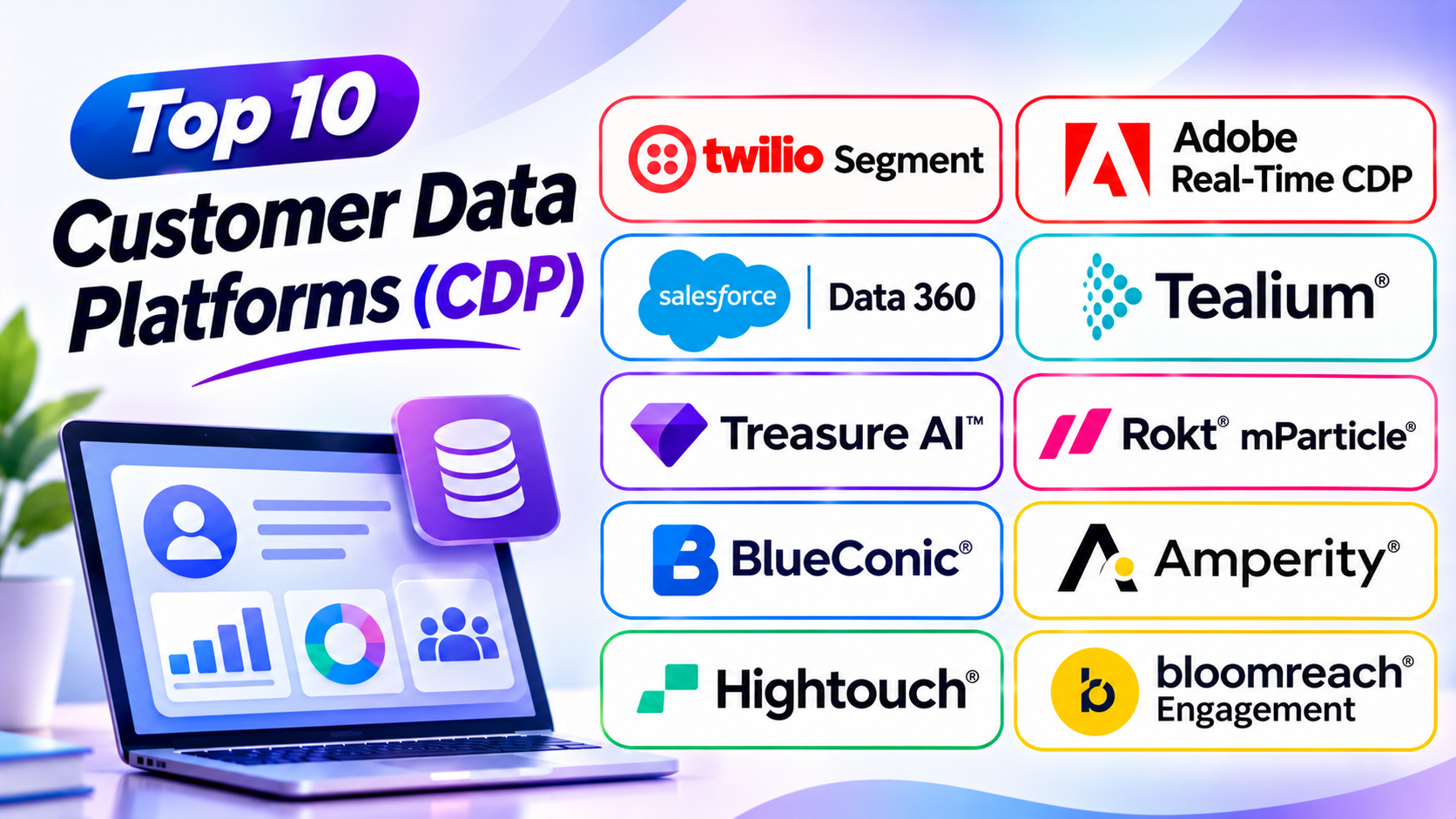
Top 10 Customer Data Platforms
1. Twilio Segment
Twilio Segment helps businesses collect and manage customer data. It brings information from websites, mobile apps, and other systems into one platform.
Segment helps teams create unified customer profiles. These profiles can include browsing activity, purchases, and customer interactions.
The platform also helps businesses share data with their other tools. Marketing, analytics, and customer support teams can use the same customer information.
Segment offers tools for customer data collection and audience management. It also supports data quality and privacy controls.
Segment suits businesses that use many digital tools. It is especially useful for teams that need a central place for customer data.
Key Features
- Customer data collection
- Unified customer profiles
- Identity resolution
- Audience creation
- Data integration
- Real-time data collection and sharing
- Data quality controls
- Privacy and consent management
Pros
- Connects data from many sources.
- Offers a wide range of integrations.
- Helps teams share customer information.
- Supports real-time data collection.
- Works with different marketing tools.
Cons
- Advanced features may need training.
- Large data volumes can increase costs.
- Setup may require technical support.
- Teams need clear data rules.
2. Adobe Real-Time CDP
Adobe Real-Time CDP helps large businesses collect and connect customer data. It creates unified profiles that teams can use for marketing and personalization.
The platform brings information from online and offline sources together. Businesses can use it to understand customer behavior across different channels.
Adobe Real-Time CDP supports audience creation and data activation. Teams can build customer groups and share them with marketing tools.
The platform also offers real-time data processing. This helps businesses respond to customer actions with more relevant experiences.
It works with other Adobe Experience Platform products. This makes it useful for companies that already use Adobe marketing and analytics tools.
Adobe Real-Time CDP suits large businesses with complex customer data needs. It can support both business-to-consumer and business-to-business marketing.
Key Features
- Customer profile unification
- Real-time customer data processing
- Identity resolution
- Audience segmentation
- Data activation
- Privacy and consent controls
- Customer journey support
- Adobe Experience Cloud integration
Pros
- Supports large customer data projects.
- Connects with Adobe products.
- Helps create unified profiles.
- Supports real-time audience activation.
- Offers advanced data management features.
Cons
- Can be complex for new users.
- Setup may take considerable time.
- Requires careful data planning.
- Pricing may not suit small businesses.
3. Salesforce Data 360
Salesforce Data 360, formerly known as Salesforce Data Cloud, helps businesses connect customer information. It brings data from different systems into a shared customer view.
The platform connects customer data with Salesforce products. This helps sales, service, marketing, and other teams work with better customer information.
Businesses can use Data 360 to create unified customer profiles. They can also build audiences and support personalized customer experiences.
Its data features help teams connect information from different sources. This can include customer records, purchases, website activity, and service interactions.
Salesforce Data 360 also supports AI-powered business experiences. It can provide customer context for Salesforce applications and AI tools.
It suits companies that already use Salesforce products. Businesses that need connected sales, marketing, and service data may find it useful.
Key Features
- Customer data unification
- Unified customer profiles
- Identity resolution
- Audience segmentation
- Data activation
- Real-time data access
- AI-supported customer insights
- Salesforce ecosystem integration
Pros
- Works closely with Salesforce products.
- Connects customer information across teams.
- Supports personalized customer experiences.
- Helps improve customer data access.
- Offers features for large businesses.
Cons
- Works best within the Salesforce ecosystem.
- Setup can be complex.
- Costs may grow with usage.
- Teams may need Salesforce specialists.
4. Tealium Customer Data Hub
Tealium Customer Data Hub helps businesses collect, manage, and activate customer data. It offers tools for data collection, audience management, and privacy controls.
Its AudienceStream CDP helps create customer profiles. It connects information from different customer touchpoints.
Businesses can use Tealium to understand visitor activity. They can also create audience groups and share useful data with other platforms.
Tealium supports real-time data collection and activation. This helps businesses respond to customer actions across different channels.
The platform also focuses on consent and data governance. These features help companies manage customer privacy choices.
Tealium suits businesses with complex data needs. It is useful for companies that want strong control over customer data collection and privacy.
Key Features
- Customer data collection
- AudienceStream customer profiles
- Identity stitching
- Audience segmentation
- Real-time data activation
- Consent management
- Data governance
- Marketing platform integrations
Pros
- Offers strong data collection tools.
- Supports real-time customer profiles.
- Provides privacy management features.
- Connects with many business tools.
- Helps manage customer audiences.
Cons
- Advanced features need training.
- Setup may require technical support.
- Large projects need careful planning.
- Pricing may suit enterprise teams better.
5. Treasure AI (Formerly Treasure Data)
Treasure AI provides an enterprise platform built around customer data. Its CDP helps businesses collect, connect, analyze, and activate customer information.
The platform brings customer data from many sources together. It helps companies create unified profiles and understand customer behavior.
Businesses can use its tools to build audience groups. They can also support personalized campaigns and customer journeys.
Treasure AI offers data integration and identity resolution features. These help companies connect customer records across different systems.
Its platform also includes analytics, machine learning, and AI features. These tools help teams study customer activity and make better decisions.
Treasure AI suits large businesses with complex data needs. It can support companies that manage many brands, markets, and customer channels.
Key Features
- Customer data collection
- Unified customer profiles
- Identity resolution
- Audience segmentation
- Customer journey management
- Data analytics and reporting
- Machine learning and AI tools
- Real-time and batch data processing
Pros
- Supports large customer data volumes.
- Offers broad data integration features.
- Helps unify customer profiles.
- Supports audience activation.
- Provides analytics and AI capabilities.
Cons
- May feel complex for small teams.
- Setup can require expert support.
- Large projects need careful planning.
- Costs may suit enterprise businesses better.
6. Rokt mParticle
Rokt mParticle helps businesses collect and manage customer data. It focuses on data from mobile apps, websites, and other digital channels.
The platform helps companies connect customer activity across devices. This can create a clearer view of each customer’s behavior.
Businesses can use mParticle to collect events and organize customer information. They can also send useful data to analytics and marketing tools.
Its identity features help connect customer records. This supports better audience creation and customer engagement.
Rokt mParticle suits businesses that depend on mobile apps and digital products. It can help product and marketing teams work with connected customer data.
Key Features
- Customer data collection
- Mobile app data management
- Identity resolution
- Customer profile management
- Audience segmentation
- Data integration
- Data quality controls
- Marketing and analytics connections
Pros
- Supports mobile-first businesses.
- Connects data across digital channels.
- Helps manage customer events.
- Offers identity management features.
- Supports marketing and analytics tools.
Cons
- Setup may need technical knowledge.
- Advanced features require planning.
- Large data volumes need monitoring.
- Costs depend on business needs.
7. BlueConic
BlueConic helps businesses collect and connect customer data. It creates unified customer profiles that teams can use for marketing and customer experiences.
The platform gathers information from different sources. These may include websites, mobile apps, and customer systems.
BlueConic helps businesses build audience groups. Teams can use these groups to create more relevant campaigns and customer experiences.
It also supports data activation. This helps businesses share customer information with marketing and other business tools.
BlueConic gives teams control over customer profiles and data use. It suits companies that want to improve personalization and customer engagement.
Key Features
- Unified customer profiles
- Customer data collection
- Identity resolution
- Audience segmentation
- Data activation
- Customer journey support
- Privacy and consent management
- Marketing platform integrations
Pros
- Helps connect customer information.
- Supports detailed audience groups.
- Offers flexible profile management.
- Helps improve marketing personalization.
- Supports data activation across tools.
Cons
- Advanced features may need training.
- Setup requires clear data planning.
- Some projects need technical support.
- Pricing may not suit smaller companies.
8. Amperity
Amperity helps large businesses connect customer records. It focuses on customer identity resolution and data unification.
Many companies store customer information across different systems. These records may contain different names, emails, addresses, or purchase details.
Amperity helps connect records that belong to the same person. It uses AI and data matching methods to create more complete customer profiles.
Businesses can use these profiles to understand customer behavior. They can also build audiences and support marketing campaigns.
Amperity works well for companies with large amounts of customer data. It is especially useful for retailers and brands with complex customer records.
Key Features
- Customer identity resolution
- Unified customer profiles
- Customer data integration
- AI-powered data matching
- Audience segmentation
- Customer analytics
- Data activation
- Marketing platform connections
Pros
- Focuses on complex identity matching.
- Helps connect scattered customer records.
- Supports large customer data sets.
- Improves customer profile quality.
- Helps businesses build useful audiences.
Cons
- Best suited to larger businesses.
- Setup may take time.
- Advanced use needs data expertise.
- Pricing may be high for small companies.
9. Hightouch
Hightouch offers a composable Customer Data Platform. A composable CDP uses a company’s existing data warehouse instead of keeping all customer data in a separate system.
This approach helps businesses use customer data where it already lives. It can reduce the need to copy information into another platform.
Hightouch helps teams create audiences and share customer data with business tools. It also supports customer data activation across marketing and sales platforms.
The platform suits companies that already use a modern data warehouse. It can help data teams and marketers work with the same customer information.
Hightouch also offers tools for customer data management and activation. This makes it useful for businesses that want more control over their data setup.
Key Features
- Composable CDP approach
- Warehouse-based customer data
- Audience creation
- Customer data activation
- Data synchronization
- Marketing platform connections
- Customer journey support
- Data team collaboration
Pros
- Works with existing data warehouses.
- Helps reduce data duplication.
- Supports flexible audience creation.
- Connects data with business tools.
- Gives teams control over data models.
Cons
- Works best with a strong data warehouse.
- May need data engineering support.
- Setup requires careful planning.
- Less suitable for teams without data skills.
10. Bloomreach Engagement
Bloomreach Engagement helps businesses use customer data for marketing and personalization. It combines customer data, audience management, and campaign tools.
The platform brings customer information from different channels together. It helps businesses understand customer behavior and interests.
Teams can create audience groups based on customer activity. They can also build personalized campaigns across different channels.
Bloomreach Engagement supports email, mobile, web, and other customer touchpoints. This helps businesses create more connected customer journeys.
The platform is especially useful for ecommerce companies. Retailers can use customer data to improve product discovery, marketing, and customer retention.
Key Features
- Customer data collection
- Unified customer profiles
- Audience segmentation
- Customer journey management
- Personalized marketing campaigns
- Product recommendations
- Cross-channel engagement
- Marketing performance reports
Pros
- Combines customer data and marketing tools.
- Supports ecommerce businesses.
- Helps create personalized campaigns.
- Offers customer journey features.
- Supports several marketing channels.
Cons
- Large feature sets need training.
- Setup may require expert help.
- Smaller companies may not need every feature.
- Pricing may depend on business requirements.
Comparison Table of the Top 10 Customer Data Platforms
| Platform | Best For | Main Strength | Ideal Users |
|---|---|---|---|
| Twilio Segment | Customer data collection | Data connections and integrations | Digital businesses |
| Adobe Real-Time CDP | Enterprise personalization | Unified profiles and audience activation | Large enterprises |
| Salesforce Data 360 | Salesforce-based businesses | Connected customer information | Salesforce users |
| Tealium Customer Data Hub | Data governance | Data collection and consent management | Enterprise teams |
| Treasure AI | Large-scale customer data | Data unification and AI features | Global businesses |
| Rokt mParticle | Mobile-first businesses | Mobile and digital data collection | App-based companies |
| BlueConic | Customer engagement | Unified profiles and audience management | Marketing teams |
| Amperity | Complex customer records | Identity resolution | Large retailers and brands |
| Hightouch | Warehouse-based data | Composable CDP and data activation | Data-driven businesses |
| Bloomreach Engagement | Ecommerce marketing | Customer data and campaign management | Online retailers |
Packaged CDP vs. Composable CDP
Not every Customer Data Platform manages information in the same way. Two common approaches are packaged CDPs and composable CDPs.
What Is a Packaged CDP?
A packaged CDP collects customer information and stores unified profiles within its own platform.
It often includes tools for data collection, identity resolution, audience building, and activation.
This approach can suit marketing teams that want a managed platform. It may also reduce the need to build every data process from scratch.
Examples include Adobe Real-Time CDP, Tealium, BlueConic, and Treasure AI.
What Is a Composable CDP?
A composable CDP works with customer data stored in an existing data warehouse.
It adds features for audience creation and data activation. The company can keep its main customer data within its current data system.
This approach can suit businesses with strong data teams. It also gives them more control over how they manage customer information.
Hightouch is a well-known example of this approach.
Main Differences
| Area | Packaged CDP | Composable CDP |
|---|---|---|
| Data storage | Stores unified profiles in its platform | Uses an existing data warehouse |
| Setup | Often provides managed features | Depends on the current data setup |
| Data control | Uses the vendor’s platform structure | Offers more control through the warehouse |
| Technical needs | Varies by platform | Often needs data team support |
| Best for | Marketing-led teams | Data-led teams |
| Main benefit | Ready-made customer data tools | Flexible warehouse-based data use |
Neither approach suits every business. Choose based on your current systems, team skills, and customer data goals.
How to Choose the Right Customer Data Platform
Choosing a CDP needs careful planning. The right platform should match your business goals and data needs.
Consider these points before making a decision.
1. Define Your Business Goals
First, decide why your business needs a CDP.
You may want to connect customer records. You may also need better audience groups or personalized marketing.
Choose a platform that supports your main goals. Avoid paying for features that your team will not use.
2. Check Data Collection Features
Your CDP should collect information from the sources your business uses.
These may include websites, mobile apps, online stores, and customer systems.
Check whether the platform supports your current data sources. Also, review how easily it connects with new systems.
3. Review Identity Resolution
Identity resolution helps connect records that belong to the same customer.
This feature matters when customer details appear in different systems. A strong identity process can create more complete customer profiles.
Ask how the platform handles duplicate records and missing details.
4. Understand Audience Segmentation
Audience segmentation helps businesses group customers by shared traits and actions.
For example, a store may create groups for new buyers and repeat customers.
Choose a platform that makes audience creation simple. Also, check whether teams can update groups as customer behavior changes.
5. Check Data Activation Options
A CDP should help teams use customer data. It should connect with the marketing and business tools your company already uses.
Check its support for email platforms, advertising tools, analytics, and customer service systems.
6. Review Real-Time Features
Some businesses need customer information as soon as an action happens. Others can work with data that updates less often.
Check how quickly the platform collects and shares data. Choose a speed that matches your customer experience goals.
7. Check Privacy and Security
Customer data needs careful protection. Review the platform’s privacy, consent, and security features.
Make sure it supports the rules that apply to your business. Also, check how it manages customer data requests and access controls.
8. Consider Your Team’s Skills
Some CDPs offer simple tools for marketing teams. Others need data engineers and technical experts.
Choose a platform that matches your team’s skills. Also, consider the training and support it may need.
9. Understand the Total Cost
Do not compare only the starting price. Check data volume, user limits, integrations, setup, and support costs.
Ask vendors for a clear price estimate. Also, understand how costs may change as your business grows.
10. Test Before You Buy
Ask for a demo or trial when available. Test the platform with a real business use case.
Check its ease of use and data quality features. Make sure it can support your planned customer journeys.
Common Mistakes to Avoid When Using a CDP
A Customer Data Platform can improve data management. But poor planning can create new problems.
Avoid these common mistakes:
- Starting without clear goals: Decide what your business wants to achieve.
- Collecting too much data: Gather information that supports useful business needs.
- Ignoring data quality: Clean incorrect and duplicate records.
- Skipping identity checks: Make sure customer records connect correctly.
- Ignoring privacy rules: Respect customer consent and data choices.
- Choosing too many integrations: Start with the systems your team needs most.
- Ignoring team training: Help staff understand how to use the platform.
- Expecting instant results: Give teams time to connect and organize data.
- Ignoring data ownership: Set clear rules for who can access customer information.
- Failing to measure results: Review data quality, audience use, and business outcomes.
Questions and Answers About Customer Data Platforms
1. What is a Customer Data Platform (CDP)?
A CDP collects customer information from different sources. It connects that information into unified customer profiles.
2. Why do businesses use Customer Data Platforms?
Businesses use CDPs to connect customer information. They also use them to improve marketing, personalization, and customer experiences.
3. How does a CDP work?
A CDP collects information from different systems. It connects customer records and creates unified profiles. Teams can then use those profiles for analysis and marketing.
4. What is the difference between a CDP and a CRM?
A CRM mainly helps manage customer relationships and sales activity. A CDP collects and connects customer data from many sources.
5. What is identity resolution in a CDP?
Identity resolution connects records that belong to the same person. It helps create a more complete customer profile.
6. Can small businesses use a CDP?
Yes. Small businesses can use CDPs to organize customer information. They should choose a platform that matches their budget and data needs.
7. What is a composable CDP?
A composable CDP works with data stored in an existing data warehouse. It adds tools for audience creation and customer data activation.
8. What is a packaged CDP?
A packaged CDP collects and stores unified customer profiles within its own platform. It often includes data collection, segmentation, and activation features.
9. Do CDPs support real-time data?
Many CDPs support real-time data collection and activation. However, the available speed and features vary by platform.
10. Are CDPs useful for ecommerce businesses?
Yes. Ecommerce businesses can use CDPs to connect customer activity and purchase records. They can also improve product suggestions and marketing campaigns.
11. What data can a CDP collect?
A CDP may collect website activity, app usage, purchases, customer details, and campaign interactions. The exact data depends on the connected systems.
12. Can a CDP improve customer personalization?
Yes. A CDP can help businesses understand customer interests and behavior. Teams can use this information to create more relevant experiences.
13. Are Customer Data Platforms expensive?
Costs vary by platform, data volume, and business needs. Enterprise platforms often use custom pricing.
14. What should businesses check before choosing a CDP?
Businesses should review data collection, identity resolution, integrations, privacy, pricing, and ease of use. They should also test the platform before buying.
15. Which Customer Data Platform is best?
There is no single best platform for every business. Segment, Adobe, Salesforce, Tealium, and Treasure AI suit different data needs and business systems.
Final Thoughts
Customer Data Platforms help businesses connect customer information. They create a clearer view of each customer across different channels.
Twilio Segment suits businesses that need strong data collection and integrations. Adobe Real-Time CDP supports large companies with complex marketing needs. Salesforce Data 360 works well for businesses that use Salesforce products.
Tealium offers strong data collection and privacy features. Treasure AI supports large-scale customer data management. Rokt mParticle focuses on mobile and digital customer activity.
BlueConic helps teams manage customer profiles and audiences. Amperity focuses on complex identity resolution. Hightouch supports businesses that prefer warehouse-based data management. Bloomreach Engagement combines customer data with marketing tools.
Every platform has different strengths. So, compare data needs, integrations, privacy controls, costs, and team skills before choosing.
Start with a clear business goal. Test the platform with real customer data. Then measure how well it helps your teams understand and serve customers.
The right CDP can turn scattered customer information into useful business knowledge. It can also help create better customer experiences across every channel.