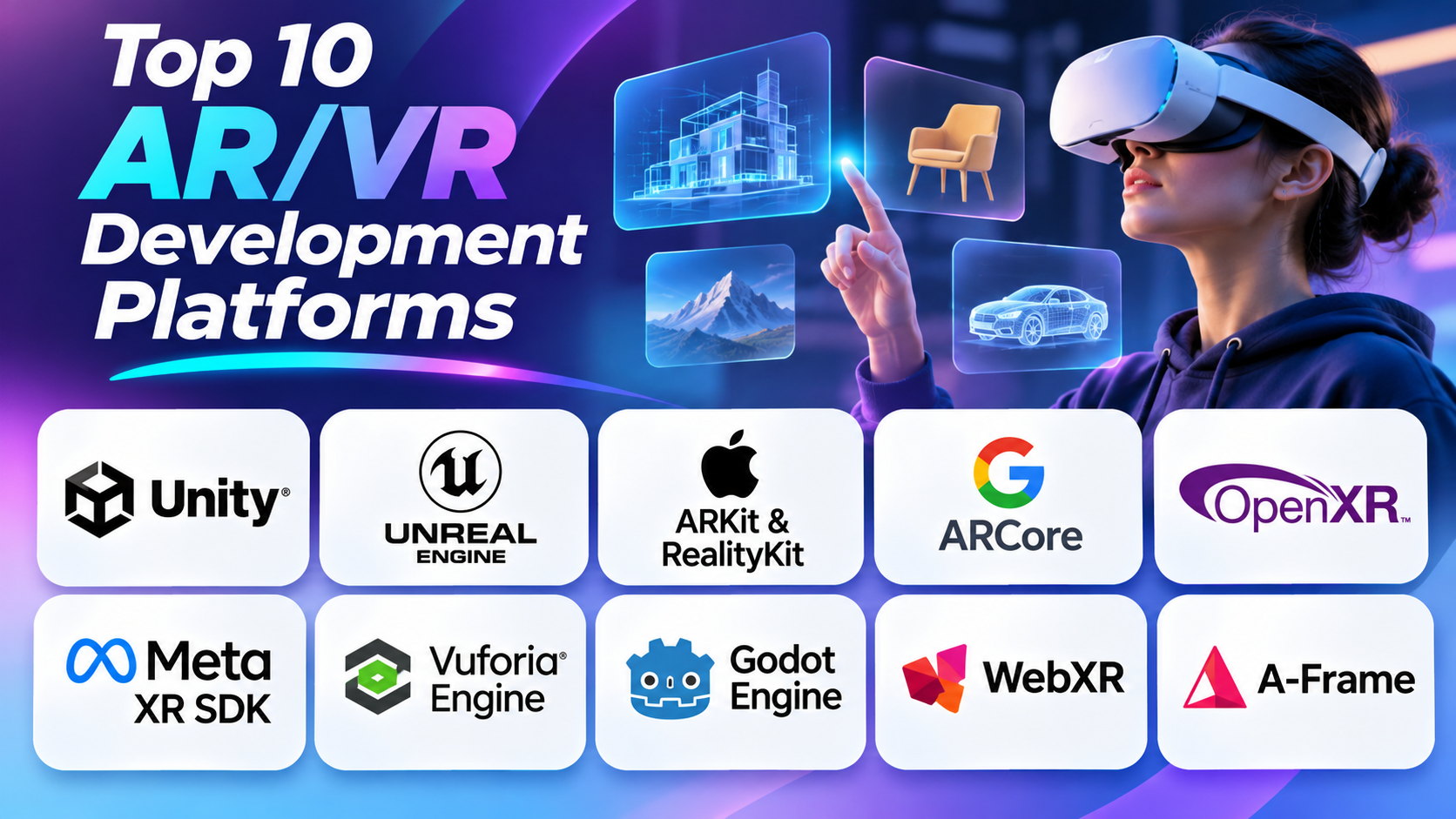
Introduction
Augmented reality and virtual reality are changing how people use digital technology. AR adds digital objects to the real world. VR takes users into computer-created environments. Both technologies support gaming, education, healthcare training, product design, tourism, and business.
However, creating these experiences requires more than attractive 3D graphics. Developers must manage movement, tracking, sound, lighting, user controls, and device performance. They also need tools that work with their target phones, computers, and headsets.
Some platforms provide complete 3D development environments. Others focus on mobile AR, headset connections, or browser-based experiences. Each option has a different purpose.
This guide explores ten AR/VR development platforms. It explains their main tools, development features, practical uses, advantages, and limitations.
1. Unity
Best for: Cross-platform AR, VR, and mixed reality development
Unity is one of the widely used engines for creating interactive 2D and 3D applications. Developers use it to build games, virtual training systems, product demonstrations, and educational experiences.
Unity provides a visual editor where developers can create scenes. A scene contains objects, lights, cameras, sounds, and other elements. Developers can arrange these elements through the editor instead of building everything through code.
Unity mainly uses C# for scripting. Developers use scripts to control object movement, user actions, animations, and application behavior. For example, a developer can write a script that lets users pick up a virtual object or open a digital menu.
Important AR and VR development tools
AR Foundation: This package helps developers build AR applications for supported platforms. It provides common interfaces for features such as plane detection, image tracking, anchors, and object tracking. Developers can use it to create AR apps for supported Android and Apple devices.
XR Interaction Toolkit: This package helps developers create interactions in AR, VR, and mixed reality. It includes tools for grabbing objects, pressing virtual buttons, moving through virtual spaces, and interacting with menus.
XR Plug-in Management: This tool helps developers manage the device plug-ins used by an XR project. Teams can select the providers needed for their target devices.
XR Hands: This package provides access to hand-tracking data from supported devices. Developers can use hand movements to control virtual objects and menus.
What can developers build with Unity?
Unity supports many types of immersive applications.
- AR shopping apps that show virtual furniture inside rooms.
- VR training systems for workplace learning.
- Virtual classrooms with interactive 3D lessons.
- Product demonstrations with rotating 3D models.
- VR games with controller and hand interactions.
- Mixed reality apps that combine physical and digital spaces.
Unity also offers an asset ecosystem. Developers can find 3D models, materials, animations, sounds, and other project resources. These assets can reduce the work needed to create a project.
Pros
- Supports many AR and VR development workflows.
- Provides tools for mobile and headset projects.
- Uses C# for application scripting.
- Offers a large learning community.
- Includes ready-made interaction components.
- Supports reusable assets and development packages.
Cons
- Complex projects need careful optimization.
- Some device features require extra packages.
- Large scenes can demand powerful hardware.
- Teams must manage package compatibility.
- Licensing terms need review before commercial use.
Our view: Unity is a strong choice for teams that want flexibility. It works well for mobile AR, VR games, and business training applications. It also suits developers who want to build for several device types.
2. Unreal Engine
Best for: High-quality graphics, realistic simulations, and immersive environments
Unreal Engine is a real-time 3D development engine from Epic Games. It helps developers create detailed virtual environments and interactive applications. Many teams use it for games, simulation, architecture, product visualization, and virtual production.
The engine offers a powerful rendering system. Rendering turns 3D models, materials, lighting, and effects into the images users see. Unreal Engine provides tools for realistic lighting, shadows, reflections, and surface details.
This makes it useful for projects where visual quality matters. For example, an architecture team can create a virtual building tour. Users can walk through rooms and inspect materials before construction begins.
Important development tools
Blueprints: Blueprints provide a visual scripting system. Developers connect nodes to create application logic. They can control object movement, user actions, animations, and other functions without writing every line of C++ code.
C++ programming: Unreal Engine also supports C++. Developers can use it to create custom systems and control complex application behavior. It is useful when a project needs deeper technical control.
OpenXR support: Unreal Engine supports OpenXR for compatible head-mounted devices. This helps developers build applications for supported XR runtimes through a common standard.
Materials and lighting tools: Unreal Engine includes tools for creating realistic surfaces and lighting. Developers can adjust metal, glass, fabric, and other materials.
XR input tools: Developers can add controller input, hand tracking, and other supported input methods. These tools help users interact with virtual objects.
What can developers build with Unreal Engine?
Unreal Engine works well for applications that need detailed environments.
- Realistic VR training simulations.
- Virtual architecture and interior design tours.
- Industrial safety training.
- High-quality VR games.
- Interactive product demonstrations.
- Virtual production environments.
- Engineering and design visualization.
For example, a factory can create a virtual training environment. Workers can practice tasks before using real equipment. The company can show machines, controls, and safety steps in a controlled space.
Pros
- Delivers detailed real-time graphics.
- Offers visual scripting through Blueprints.
- Supports C++ development.
- Provides tools for immersive simulations.
- Supports OpenXR development.
- Helps create realistic virtual environments.
Cons
- Advanced projects need experienced developers.
- Detailed graphics can increase hardware demands.
- Performance tuning can take significant time.
- The editor may feel complex to beginners.
- Small mobile devices may need simplified scenes.
Our view: Unreal Engine is a strong option when visual quality and realism matter. It suits advanced VR training, architecture, and simulation projects. Smaller projects may find its tools more complex than necessary.
3. Apple ARKit and RealityKit
Best for: Augmented reality and spatial apps across Apple’s ecosystem
Apple ARKit and RealityKit help developers create AR applications for Apple devices. ARKit provides tools that help apps understand the physical environment. RealityKit handles 3D content and interactive digital objects.
ARKit uses information from device cameras and sensors. It can track device movement and identify parts of the surrounding environment. Developers can use this information to place digital objects in suitable positions.
For example, a furniture app can show a virtual sofa inside a room. The user can move the phone and view the sofa from different angles. The app can keep the object in place as the user moves.
Important development tools
World tracking: ARKit tracks the device’s position and movement. This helps digital objects stay in their intended locations.
Plane detection: This feature helps identify surfaces such as floors and tables. Developers can use detected surfaces to place virtual objects.
Image tracking: Apps can recognize selected images and use them as reference points. A printed image can trigger an animation or digital product display.
RealityKit rendering: RealityKit handles 3D objects, materials, animations, and lighting. It helps developers create digital content that fits into an AR scene.
Spatial audio: Developers can place sounds within a 3D environment. Users may hear a sound from a particular direction or position.
Swift and SwiftUI integration: Developers can use Apple’s programming tools to build app features and user interfaces. SwiftUI helps create the normal app controls around an AR experience.
What can developers build with ARKit and RealityKit?
These tools support many Apple-focused experiences.
- Virtual furniture placement apps.
- AR learning and educational tools.
- Interactive product displays.
- Interior design applications.
- Spatial interfaces.
- Product visualization experiences.
- Immersive applications for Apple Vision Pro.
Developers can also create spatial applications that use digital objects within a user’s surroundings. These experiences can support learning, design reviews, and workplace tasks.
Pros
- Strong integration with Apple devices.
- Provides native AR development features.
- Supports detailed 3D objects and animations.
- Works with Apple’s development environment.
- Supports spatial experiences.
- Offers tools for realistic object placement.
Cons
- Focuses on Apple’s device ecosystem.
- Requires Apple development tools.
- Teams need suitable Apple devices for testing.
- Does not provide broad Android support.
- Developers must learn Apple’s frameworks.
Our view: ARKit and RealityKit suit teams that target iPhone, iPad, and Apple Vision Pro users. They are useful for shopping, education, design, and spatial applications. Teams that need Android support should consider another development path.
4. Google ARCore
Best for: Android augmented reality applications
Google ARCore is an AR development platform for compatible mobile devices. It helps apps understand the physical world through cameras and device sensors. Developers can use this information to place virtual content in real surroundings.
ARCore provides several important features. Motion tracking follows the phone’s position. Environmental understanding helps identify surfaces. Light estimation helps virtual objects match the lighting around them.
These features make ARCore useful for mobile applications. A shopping app can show a virtual table in a room. An education app can display a 3D model of the human body. A travel app can add digital information to selected locations.
Important development tools
Motion tracking: ARCore tracks device movement. It uses camera images and sensor information to understand how the phone moves.
Environmental understanding: This feature helps identify surfaces and suitable places for virtual objects. Developers can use it to support object placement.
Light estimation: ARCore estimates lighting conditions. Apps can use this information to make digital objects look more natural.
Depth features: Supported devices can provide depth information. Developers can use this data to improve object placement and understand distances.
Geospatial features: These tools can connect AR content with real-world locations. They can support location-based games, tourism, and outdoor experiences.
Development integrations: Developers can work with ARCore through Android development tools and supported engines such as Unity and Unreal Engine.
What can developers build with ARCore?
ARCore supports practical mobile experiences.
- Virtual furniture placement.
- AR product previews.
- Interactive learning applications.
- Location-based games.
- Outdoor navigation experiences.
- Digital product instructions.
- Educational 3D demonstrations.
For example, a home improvement company can use ARCore in a mobile app. Customers can view virtual cabinets or tables inside their homes before making a purchase.
Pros
- Strong choice for Android AR development.
- Provides useful tracking features.
- Supports several development workflows.
- Works with compatible Android devices.
- Offers tools for location-based experiences.
- Supports realistic digital object placement.
Cons
- Device support can vary.
- Some features need compatible hardware.
- Tracking can struggle in poor lighting.
- Developers must test different phone models.
- It does not replace a complete 3D engine.
Our view: ARCore is a practical option for Android-focused AR applications. It works well for shopping, education, tourism, and location-based projects. Developers should check device compatibility before planning advanced features.
5. OpenXR
Best for: Developing XR applications across compatible headsets
OpenXR is an open standard for AR, VR, and mixed reality development. It gives applications a shared way to communicate with supported XR devices.
It is important to understand that OpenXR is not a complete game engine. It does not provide a full scene editor like Unity or Unreal Engine. Instead, it provides a common interface for accessing XR hardware and runtime features.
Without a shared standard, developers may need separate code for different headset systems. OpenXR helps reduce this work. It can make applications easier to adapt across supported devices.
Important development features
Device communication: OpenXR provides a standard interface between an application and an XR runtime. This helps applications access supported device features.
Head tracking: Applications can receive information about headset position and direction. This helps keep the virtual view aligned with the user’s movement.
Controller input: OpenXR supports input from compatible controllers. Developers can use this data for object selection, movement, and other interactions.
Hand tracking extensions: Supported devices and runtimes can provide hand-tracking features through extensions. Developers can use these features for natural interactions.
Eye tracking extensions: Some supported systems provide eye-tracking features. Developers must check device and runtime support before using them.
Engine integration: Unity, Unreal Engine, and Godot can use OpenXR through their development workflows.
What can developers build with OpenXR?
OpenXR can support many types of headset applications.
- VR training applications.
- Virtual product demonstrations.
- Interactive learning environments.
- Multi-device VR applications.
- Mixed reality experiences.
- Custom XR applications.
- Industrial visualization systems.
For example, a developer can build a VR training application using an engine that supports OpenXR. The application can then target compatible headsets without relying entirely on one headset-specific interface.
Pros
- Provides a shared XR development standard.
- Helps reduce device-specific code.
- Works with major development engines.
- Supports compatible headsets and runtimes.
- Uses an open, royalty-free standard.
- Helps teams plan for device flexibility.
Cons
- Does not provide a complete development environment.
- Device features can still differ.
- Some functions require vendor extensions.
- Developers need a separate engine or framework.
- Hardware testing remains important.
Our view: OpenXR is valuable for teams that want broader headset compatibility. It works best with a full development engine or custom application framework. It is not a replacement for Unity or Unreal Engine.
6. Meta XR SDK
Best for: Meta Quest applications and mixed reality experiences
Meta XR SDK provides tools for developers building applications for Meta’s XR devices. It supports development workflows through engines such as Unity and Unreal Engine.
The SDK includes tools for tracking, user input, mixed reality, and spatial interaction. Developers can use these features to create virtual games, workplace training, social experiences, and interactive learning apps.
One important area is natural interaction. Users may control an application through controllers or supported hand-tracking features. Developers can create menus, buttons, and objects that respond to these actions.
Important development tools
Meta XR Core SDK: This package provides core features and resources for building applications for Meta devices. It helps developers connect their projects with the device environment.
Interaction SDK: This toolkit provides components for user interaction. Developers can create object grabbing, button pressing, hand gestures, and other actions.
Hand tracking: Supported devices can track the user’s hands. Developers can use hand movement to control objects without relying only on controllers.
Scene understanding: Supported features help applications understand parts of the physical environment. This can support mixed reality experiences that respond to rooms and surfaces.
Spatial audio: Developers can position sounds within virtual spaces. This helps users understand where sounds come from.
Movement tools: Supported SDK features can provide body, face, and eye-related tracking data. Availability depends on the device and application setup.
What can developers build with Meta XR SDK?
Meta XR SDK can support several types of applications.
- Meta Quest VR games.
- Workplace training systems.
- Mixed reality product demos.
- Virtual classrooms.
- Social VR applications.
- Hand-tracking experiences.
- Interactive virtual environments.
For example, a company can create a virtual equipment training app. Workers can use controllers or supported hand interactions to learn how to operate virtual equipment.
Pros
- Provides tools for Meta XR devices.
- Supports hand and controller interactions.
- Includes mixed reality development features.
- Offers ready-made interaction components.
- Supports Unity and Unreal workflows.
- Helps speed up headset-focused development.
Cons
- Many features focus on Meta devices.
- Some functions depend on specific hardware.
- Teams must manage SDK compatibility.
- Extra packages can increase setup work.
- Cross-device projects need careful planning.
Our view: Meta XR SDK is a strong choice for teams building for Meta Quest. It is especially useful for mixed reality, training, and interactive VR applications. Teams targeting several headset brands should also consider OpenXR.
7. Vuforia Engine
Best for: Image recognition, object tracking, and industrial AR
Vuforia Engine is an AR development platform. It helps applications recognize selected images and physical objects. Developers can use these targets to place digital content in the real world.
This approach is useful when an app must connect digital instructions with a physical product. For example, a user can point a phone at a machine. The app can recognize a selected part and show related information.
Vuforia offers several tracking methods. Each method suits a different type of AR project. Developers should choose the tracking method that matches the target object and environment.
Important development tools
Image Targets: These targets help apps recognize selected images. Developers can use printed pictures, labels, or product packaging to trigger digital content.
Model Targets: These tools help apps recognize supported physical objects through their shapes. They can support equipment guides and product demonstrations.
Multi Targets: These targets combine several image surfaces. They can work with objects such as boxes or products that have multiple visible sides.
Object tracking: Supported tracking features help applications follow selected physical objects. This can keep digital information connected to a target.
Area Targets: These tools support tracking larger physical spaces. They can help developers create AR experiences inside selected environments.
Unity integration: Vuforia can work with Unity development workflows. This helps teams combine tracking features with 3D objects, animations, and application logic.
What can developers build with Vuforia?
Vuforia can support practical AR applications.
- Product instruction applications.
- Industrial maintenance guides.
- Equipment training systems.
- Interactive product packaging.
- Educational AR experiences.
- Product demonstrations.
- Object-based learning tools.
For example, a manufacturer can create a repair guide for a machine. A technician points a device at a selected part. The app can display labels, instructions, or a 3D explanation.
Pros
- Supports image-based AR.
- Provides different tracking methods.
- Useful for product and equipment guides.
- Can support industrial applications.
- Integrates with common 3D workflows.
- Helps connect digital content with physical objects.
Cons
- Tracking depends on target quality.
- Lighting and viewing angles can affect recognition.
- Teams must prepare suitable targets.
- Some features may require specific licensing.
- It is not a complete VR game engine.
Our view: Vuforia suits projects that depend on recognizing physical objects or images. It is especially useful for product instructions, industrial training, and interactive packaging. Developers should test target recognition in the actual working environment.
8. Godot Engine
Best for: Open-source 3D development and independent XR projects
Godot is an open-source game engine for creating 2D and 3D applications. Developers use it for games, simulations, interactive environments, and custom software.
Godot provides a visual editor for building scenes. Developers can add objects, cameras, lights, materials, and other elements. They can then control these elements through scripts.
Godot supports GDScript, a scripting language designed for the engine. It also supports C# in suitable configurations. This gives developers different ways to create application logic.
For XR development, Godot offers OpenXR integration. This helps developers build applications for compatible XR devices.
Important development tools
Scene system: Godot uses scenes to organize application content. A scene can contain a complete level, object, menu, or reusable component.
Node system: Nodes are the building blocks of a project. Developers combine nodes to create objects, cameras, lights, and other features.
GDScript: This language helps developers control application behavior. It is designed to work closely with Godot’s scene and node systems.
OpenXR support: Godot can connect XR projects with compatible runtimes through OpenXR. Developers can build headset-based experiences with supported features.
Animation tools: Godot includes tools for creating object movement and animation. These features can support interactive learning and virtual environments.
Physics system: Developers can use physics tools to simulate movement, collisions, and object behavior.
What can developers build with Godot?
Godot supports a range of projects.
- Small VR applications.
- Interactive 3D learning tools.
- Independent VR games.
- Virtual demonstrations.
- Custom simulations.
- Experimental XR applications.
- Educational projects.
For example, a small development team can create a virtual science classroom. Students can inspect 3D objects and interact with selected learning activities.
Pros
- Open-source development model.
- No traditional engine subscription fee.
- Supports 2D and 3D projects.
- Offers OpenXR integration.
- Provides a flexible scene system.
- Gives developers access to source code.
Cons
- Smaller XR ecosystem than major engines.
- Some device features may need extra work.
- Advanced projects may require custom development.
- Teams must check hardware compatibility.
- Fewer ready-made commercial XR resources may be available.
Our view: Godot is a useful choice for independent developers and teams that prefer open-source tools. It works well for learning and smaller XR projects. Large commercial projects should test its device support and development needs first.
9. WebXR
Best for: Browser-based AR and VR experiences
WebXR is a web standard that allows compatible browsers to access AR and VR features. It helps developers create immersive experiences with web technologies.
A major benefit is browser access. Users may open an experience without installing a separate application. This can make product demos, virtual tours, and learning activities easier to share.
Developers often use JavaScript and web-based 3D libraries. They can create 3D scenes, add objects, and connect supported XR devices. The browser handles the connection between the web application and the XR environment.
Important development features
Immersive sessions: WebXR can start supported AR or VR sessions through a compatible browser. Developers can create experiences that use the user’s phone or headset.
Device tracking: Supported devices can provide position and movement information. Applications use this data to update the view.
Controller input: Compatible controllers can provide input for selecting objects and moving through scenes.
Web-based 3D graphics: Developers can use web graphics tools to create objects, environments, and animations.
Browser delivery: Users can access compatible experiences through a web page. Developers can update the experience without asking users to install a new app version.
JavaScript development: Developers can use familiar web programming skills to build interactive features.
What can developers build with WebXR?
WebXR supports browser-based immersive projects.
- Virtual property tours.
- Online product demonstrations.
- Interactive learning experiences.
- Virtual exhibitions.
- Browser-based VR games.
- Immersive training demos.
- Web-based 3D presentations.
For example, a property company can create a virtual tour. A visitor can open the website and explore a compatible immersive view.
Pros
- Supports browser-based access.
- Can reduce app installation needs.
- Uses common web development skills.
- Makes sharing experiences easier.
- Helps developers update web content.
- Works with supported AR and VR devices.
Cons
- Browser support varies.
- Device support can be limited.
- Performance depends on the browser and hardware.
- Some native features may not be available.
- Complex projects may need native development.
Our view: WebXR is a useful option for teams that want to share immersive content through websites. It suits virtual tours, product previews, and simple learning experiences. Developers must check browser support before building the full project.
10. A-Frame
Best for: Creating web-based 3D scenes and VR experiences
A-Frame is an open-source web framework for building 3D and VR experiences. It uses an HTML-style structure. This makes it approachable for developers who already understand web development.
Developers can create scenes by adding elements such as cameras, lights, objects, and animations. They can also use JavaScript to add custom behavior.
A-Frame works with WebXR for compatible immersive experiences. Developers can create a 3D scene that runs in a browser. Users with supported devices can enter an immersive view.
Important development tools
Entity-component system: A-Frame uses entities and components to organize 3D scenes. An entity represents an object. Components add features such as position, color, movement, and behavior.
HTML-style scene creation: Developers can describe many parts of a scene using familiar HTML-like elements. This makes basic 3D work easier for web developers.
Built-in components: A-Frame provides components for cameras, lights, geometry, materials, and other scene features.
JavaScript extensions: Developers can write custom components and interactions. This helps them build features beyond the standard scene tools.
WebXR support: A-Frame can connect browser-based scenes with supported immersive devices.
Asset handling: Developers can add images, models, and other resources to a scene. These assets help create more detailed environments.
What can developers build with A-Frame?
A-Frame works well for smaller browser-based experiences.
- Virtual tours.
- Online exhibitions.
- Educational 3D scenes.
- Interactive product displays.
- Browser-based VR demos.
- Simple immersive games.
- Virtual learning environments.
For example, a museum can create a virtual exhibition. Visitors can explore 3D objects and move between different display areas through a browser.
Pros
- Uses an HTML-style development approach.
- Open-source framework.
- Useful for browser-based 3D content.
- Supports WebXR experiences.
- Works with JavaScript.
- Helps web developers begin 3D development.
Cons
- It is not a complete game engine.
- Complex scenes need extra development.
- Advanced interactions require JavaScript skills.
- Performance depends on the browser and device.
- Large projects may need additional tools.
Our view: A-Frame is a practical choice for web developers who want to create 3D and VR content. It works well for virtual tours, exhibitions, and browser-based demonstrations. Developers who need complex simulations may prefer a full 3D engine.
Comparing the Top 10 AR/VR Development Platforms
| Platform | Main purpose | Best use |
|---|---|---|
| Unity | Real-time 3D engine | Cross-platform AR and VR apps |
| Unreal Engine | Real-time 3D engine | Realistic graphics and simulations |
| Apple ARKit and RealityKit | AR frameworks | Apple AR and spatial apps |
| Google ARCore | AR development SDK | Android AR apps |
| OpenXR | XR development standard | Compatible headset development |
| Meta XR SDK | Device development SDK | Meta Quest applications |
| Vuforia Engine | AR development platform | Image and object recognition |
| Godot Engine | Open-source 3D engine | Independent XR projects |
| WebXR | Web standard | Browser-based AR and VR |
| A-Frame | Web framework | Web-based 3D and VR scenes |
How to Choose the Right AR/VR Development Platform
Choosing a platform becomes easier when you understand your project needs. Start with the following points.
1. Identify your target devices
Decide where users will experience your application. You may target Android phones, Apple devices, Meta Quest headsets, or browser-based systems.
This choice affects the tools you need. ARCore suits compatible Android devices. ARKit suits Apple devices. OpenXR can help with supported headsets.
2. Understand your project type
Different projects need different features.
- Choose Unity for flexible AR and VR applications.
- Choose Unreal Engine for realistic graphics.
- Choose ARKit for Apple AR experiences.
- Choose ARCore for Android AR applications.
- Choose Vuforia for image and object recognition.
- Choose WebXR for browser-based immersive content.
3. Review your team’s skills
Your developers should feel comfortable with the platform’s tools.
Unity mainly uses C#. Unreal Engine supports C++ and Blueprints. Godot offers GDScript and C# options. WebXR and A-Frame use web development skills.
A familiar development environment can reduce learning time.
4. Check device compatibility
Do not assume every feature works on every headset or phone. Check supported devices, operating systems, and hardware features.
Also test the application on the devices your users will actually use.
5. Review performance needs
AR and VR applications need smooth performance. Slow movement or delayed responses can harm the user experience.
Test graphics, tracking, loading time, and input response. Reduce unnecessary effects when the target device has limited power.
6. Consider cost and licensing
Review the platform’s licence before starting a commercial project. Also consider costs for development hardware, plugins, assets, testing, and maintenance.
A free engine may still need paid services or extra development work.
7. Build a small prototype
Create a basic version before building the full application. Test the main feature first.
For example, test object placement before building an entire AR shopping app. Test headset movement before creating a large VR training environment.
This helps you find technical problems early.
Frequently Asked Questions About AR/VR Development Platforms
1. What are AR and VR development platforms?
AR and VR development platforms help developers create immersive digital experiences. AR adds digital objects to the real world. VR creates a fully digital world that users can explore.
2. What is the difference between AR and VR?
AR adds digital content to the real world. For example, AR can show virtual furniture inside a real room. VR places users inside a computer-made environment through a headset.
3. Which AR/VR development platform is best for beginners?
Unity is a good choice for beginners. It offers learning tools, tutorials, and a large developer community. Godot can also suit developers who want a free, open-source engine.
4. Is Unity good for AR and VR development?
Yes. Unity supports many AR and VR projects. Developers can use it to build mobile AR apps, VR games, training tools, and interactive experiences.
5. What makes Unreal Engine useful for VR development?
Unreal Engine offers strong graphics and visual tools. It helps developers create detailed virtual worlds. It also supports advanced lighting and realistic scenes.
6. What is the difference between ARKit and ARCore?
Apple ARKit helps developers build AR apps for Apple devices. Google ARCore supports AR apps on compatible Android devices. Both help apps understand and interact with real spaces.
7. What is OpenXR used for?
OpenXR helps developers build XR apps for different devices. It provides a shared way to connect apps with supported headsets. This can reduce the need for separate device-specific code.
8. Can developers create AR apps without coding?
Yes. Some platforms offer visual tools and ready-made features. However, advanced AR apps may still need coding skills. The right choice depends on the project’s needs.
9. Which industries use AR and VR technology?
Many industries use AR and VR. These include gaming, education, healthcare, real estate, manufacturing, retail, and training. These tools help people learn, explore, and practice tasks.
10. How do you choose the right AR/VR development platform?
Start by checking your project goals and target devices. Then compare ease of use, features, cost, and device support. Also, check the platform’s learning resources and community support.
Final Thoughts
AR and VR development requires tools that match the project’s goals. Unity and Unreal Engine offer broad 3D development features. ARKit and ARCore focus on mobile AR. OpenXR helps developers work with compatible headsets. Meta XR SDK and Vuforia support more focused development needs.
Godot offers an open-source path. WebXR and A-Frame help developers create browser-based immersive experiences.
No single platform works best for every project. Your choice should depend on target devices, team skills, required features, and budget.
Start with a small prototype and test it on real hardware. Check performance and compatibility before expanding the project. This approach can save time and help you choose the right development platform.