Introduction
Every great video game starts with an idea. But turning that idea into a working game takes the right tools. Game engines help developers build worlds, design characters, add sounds, create animations, and control gameplay.
A game engine is software that provides the main systems needed to create a video game. It can handle graphics, physics, sound, movement, lighting, and player input. Developers can focus more on the game itself instead of building every system from the beginning.
Some engines focus on realistic 3D worlds. Others make 2D games easier to create. A few also help beginners build games with little or no coding.
Choosing the right engine depends on your project. You should think about the type of game, your coding skills, target devices, team size, and budget.
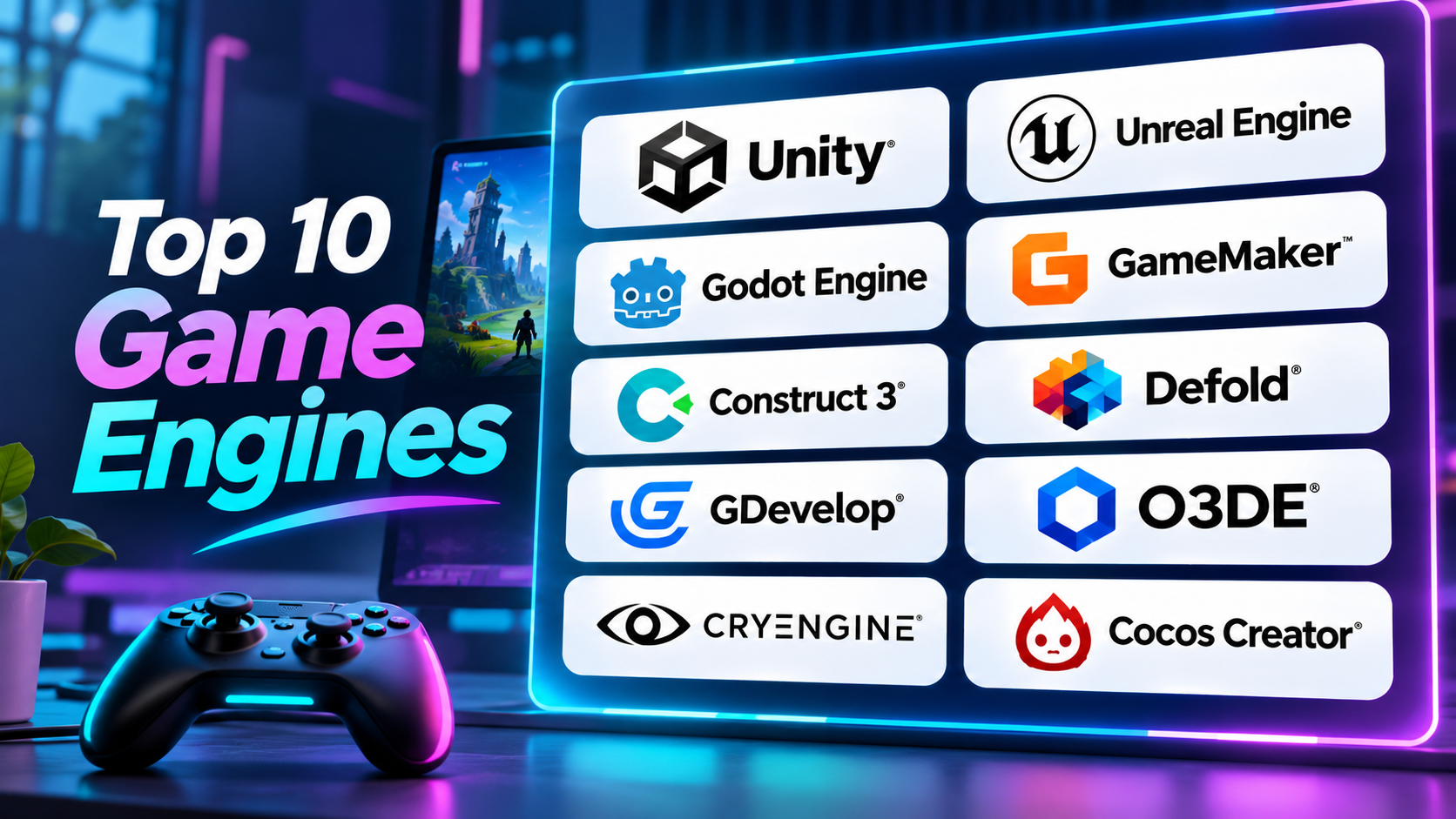
This guide explores ten useful game engines. It explains their main features, strengths, limits, and ideal uses. You will also find a comparison table and answers to common questions.
1. Unity
Unity is a popular game engine for building 2D and 3D games. It supports many game styles, from simple mobile games to detailed interactive worlds. Developers use it for projects across desktop, mobile, console, and other supported platforms.
Unity uses C# as its main scripting language. This gives developers control over game rules, character movement, menus, objects, and other systems. Its editor also offers visual tools for building scenes and arranging game objects.
One major strength is its large development ecosystem. Developers can find assets, plugins, tutorials, sample projects, and learning resources. These resources can help teams save time and solve common problems.
Unity also provides tools for animation, lighting, sound, physics, and performance checks. Developers can use its rendering options to create different visual styles. They can also use profiling tools to find slow parts of a game.
Unity works well for teams that want one engine for several types of projects. It can support mobile games, 2D platformers, 3D adventures, simulations, and interactive experiences.
However, beginners may need time to understand its editor and project systems. Large projects also need good planning. Developers must manage assets, memory, graphics settings, and build size with care.
Key strengths
- Supports both 2D and 3D game development.
- Uses C# for game programming.
- Offers a large asset and plugin ecosystem.
- Provides tools for animation, physics, lighting, and sound.
- Supports many target platforms.
Limitations
- The editor can feel complex to new users.
- Large projects need careful performance work.
- Some advanced tools require extra learning.
- Subscription terms and licensing should be checked before commercial use.
Best suited for: Indie studios, mobile game developers, small teams, and developers who need broad platform support.
2. Unreal Engine
Unreal Engine is a powerful game engine known for its advanced 3D graphics. It helps developers create detailed worlds, realistic lighting, lifelike characters, and cinematic scenes.
The engine offers two main ways to create gameplay logic. Developers can write code with C++. They can also use Blueprints, a visual scripting system. Blueprints let users connect nodes to build game rules without writing every line of code.
Unreal Engine includes tools for lighting, materials, animation, physics, sound, and world building. Its rendering systems can create highly detailed environments. This makes it useful for action games, open-world projects, racing games, and visual experiences.
The engine also supports large production workflows. Teams can work on characters, levels, animations, and gameplay systems within one environment. Its tools can help artists and programmers work together.
Unreal Engine offers strong tools for real-time rendering. Developers can use features such as Nanite and Lumen in supported projects. Nanite helps manage detailed geometry. Lumen provides dynamic lighting and reflections.
However, Unreal Engine can demand powerful hardware. Its many tools may also feel difficult for beginners. Large projects need skilled developers and careful performance planning.
It may also be more than a small 2D project needs. A simple puzzle game may not require such a large development environment.
Key strengths
- Strong tools for high-quality 3D graphics.
- Supports C++ and visual scripting through Blueprints.
- Includes advanced lighting and rendering systems.
- Offers tools for animation, physics, and world building.
- Supports large and complex game projects.
Limitations
- Requires time to learn.
- Large projects can need powerful computers.
- Its broad feature set may feel excessive for simple games.
- Developers must understand its licensing terms before release.
Best suited for: 3D game studios, action game developers, simulation teams, and projects that need detailed graphics.
3. Godot Engine
Godot Engine is a free and open-source game engine. It supports both 2D and 3D game development. Its open-source nature gives developers access to the engine’s source code.
Godot uses a scene-based system. Developers build games by combining scenes and nodes. A node is a small building block that performs a task. For example, one node may display a character, while another handles movement.
This structure helps developers organize their projects. They can create reusable scenes for characters, enemies, menus, and levels. This can make larger projects easier to manage.
Godot offers GDScript as its main scripting language. GDScript has a simple style that many beginners find easy to read. The engine also supports C# in suitable builds and workflows.
Godot has dedicated tools for 2D game development. Developers can work with sprites, tilemaps, animation, physics, and camera systems. It also supports 3D scenes, materials, lighting, and physics.
Its open-source license makes it attractive to independent creators. Developers can use the engine without a standard engine subscription or revenue royalty. They should still review the license and any third-party assets used in their games.
Godot may not offer the same ready-made production ecosystem as larger commercial engines. Some advanced workflows may need plugins or custom development. Console publishing may also require extra steps or outside support.
Key strengths
- Free and open-source software.
- Supports 2D and 3D games.
- Uses a clear scene and node system.
- Offers GDScript and other programming options.
- Gives developers access to its source code.
Limitations
- Some advanced workflows need extra setup.
- Its asset ecosystem is smaller than Unity’s.
- Console publishing can require additional support.
- Large commercial teams may need to build custom tools.
Best suited for: Indie developers, hobby creators, students, and teams that want an open-source engine.
4. GameMaker
GameMaker focuses mainly on 2D game development. It gives creators tools to build platform games, puzzle games, arcade games, role-playing games, and other 2D projects.
Its editor brings several parts of game creation into one workspace. Developers can manage sprites, objects, rooms, sounds, animations, and scripts. The room editor helps them arrange game levels and place objects.
GameMaker uses GameMaker Language, also known as GML. Developers can write code with GML or use visual tools. This gives beginners a way to start with simple logic before moving into deeper programming.
The engine includes systems for collisions, movement, animation, input, and game events. These features help developers create common 2D mechanics without building everything from scratch.
GameMaker also supports exports to several platforms. Available targets depend on the current plan and platform requirements. Developers should check the current export options before choosing it for a commercial project.
Its focused design can help creators work quickly on 2D games. The editor avoids some of the extra complexity found in broad 3D engines.
However, GameMaker is not the best fit for every project. Its main strength lies in 2D development. Teams planning a large 3D game may prefer a different engine.
Key strengths
- Strong focus on 2D game development.
- Offers GML code and visual tools.
- Includes sprite and room editors.
- Supports common 2D gameplay systems.
- Provides export options for several platforms.
Limitations
- Its main focus is 2D rather than advanced 3D.
- Complex projects may need deeper GML knowledge.
- Some export options depend on the chosen plan.
- Developers may need other tools for advanced 3D work.
Best suited for: Indie creators, 2D platform game developers, arcade game makers, and small studios.
5. Construct 3
Construct 3 is a game development tool that focuses on 2D games. It uses a visual event system to help users create gameplay without writing traditional code.
The event system lets developers define what happens when a player performs an action. For example, a user can make a character jump when someone presses a key. They can also create rules for scores, enemies, collisions, and level changes.
Construct 3 runs in a web browser. This makes it easy to open projects on supported devices without a traditional desktop installation. Users can work through its editor and test games during development.
The tool includes editors for layouts, animations, objects, and game logic. Developers can also use JavaScript or TypeScript when they need more control. This gives experienced users a way to extend visual workflows with code.
Construct 3 can help teachers introduce game design. Students can learn basic logic by building small games. Independent creators can also use it to make browser games and simple mobile projects.
Its visual approach can speed up early development. However, large or highly customized projects may need more programming control. Developers should also check its subscription terms and export options before choosing it.
Key strengths
- Visual event system for game logic.
- Beginner-friendly 2D development workflow.
- Runs in a web browser.
- Supports JavaScript and TypeScript.
- Useful for learning and quick prototypes.
Limitations
- Focuses mainly on 2D games.
- Advanced projects may need custom code.
- Subscription costs may matter to long-term users.
- Some workflows may offer less control than code-first engines.
Best suited for: Beginners, teachers, students, and creators building browser-based 2D games.
6. Defold
Defold is a lightweight game engine for creating 2D and 3D games. It combines an editor, runtime, scripting tools, build system, and deployment workflow.
The engine uses Lua for game logic. Lua is a lightweight scripting language that developers can learn and use to control game objects, events, and systems.
Defold uses a component-based structure. Developers combine game objects with components to create characters, effects, interfaces, and other parts of a game. This can help teams keep projects organized.
The engine has a strong focus on efficient development. Its lightweight approach can suit games that need to run across different devices. It supports desktop, mobile, and web development, with other targets subject to its current platform support.
Defold also includes tools for animation, particles, sound, physics, and user interfaces. Developers can extend its features through native extensions. This gives experienced teams more control over their projects.
Its focused workflow can help small teams avoid unnecessary complexity. The engine is also free to use, with source code available under its stated license.
However, Defold has a smaller community and asset marketplace than some larger engines. Developers who need a broad selection of ready-made plugins may find fewer choices.
Key strengths
- Free game engine with source code access.
- Supports 2D and 3D development.
- Uses Lua for scripting.
- Includes editor, debugger, and build tools.
- Offers a lightweight development workflow.
Limitations
- Uses Lua rather than C# or C++ as its main scripting language.
- Has a smaller asset ecosystem than major engines.
- Some advanced needs require native extensions.
- Developers may find fewer third-party learning resources.
Best suited for: Small studios, mobile developers, 2D creators, and teams that value lightweight tools.
7. GDevelop
GDevelop is an open-source game creation tool that helps users build games with visual logic. It supports 2D and 3D projects and aims to make game development easier for beginners.
Its event system lets users create game rules through conditions and actions. For example, a developer can set a rule that makes an enemy move when the player enters a certain area. This approach reduces the need for traditional coding.
GDevelop includes ready-made behaviors for common game tasks. Users can add movement, pathfinding, health systems, and other features to objects. These tools can speed up early development.
The engine also includes tools for scenes, sprites, effects, sound, physics, and user interfaces. Developers can add JavaScript when they need more control. This creates a path from visual development to custom programming.
GDevelop supports publishing to web, desktop, and mobile targets. Its export options and services can depend on the current plan and platform rules.
The tool can help new creators build small games without a deep programming background. It can also help experienced developers create prototypes quickly.
However, developers may reach limits when they need highly customized systems. Large projects may also need careful planning and testing. Teams should check the available export and service terms before release.
Key strengths
- Open-source game creation tool.
- Visual event system.
- Supports 2D and 3D projects.
- Offers reusable behaviors.
- Allows JavaScript for custom logic.
Limitations
- Complex projects may need custom code.
- Some services and export features depend on plan terms.
- Advanced 3D workflows may need more specialized tools.
- Developers must test performance on target devices.
Best suited for: Beginners, educators, hobby creators, and developers who want to build prototypes quickly.
8. Open 3D Engine (O3DE)
Open 3D Engine, also known as O3DE, is an open-source engine for real-time 3D games and interactive experiences. It also supports simulations and other visual projects.
O3DE uses a modular design. Its systems come in packages called Gems. Developers can add the modules they need and customize parts of the engine. This gives technical teams more control over their development setup.
The engine includes the Atom renderer. This system supports physically based rendering and several graphics features. Developers can use it to create detailed scenes with lighting, materials, and reflections.
O3DE also offers visual scripting through Script Canvas. Developers can build logic by connecting nodes in a graph. The engine also supports Lua scripting for users who prefer code.
Its tools cover physics, animation, networking, asset processing, and level design. Teams can use these systems to create complex 3D projects. They can also extend the engine to match specific workflows.
O3DE’s open-source model can appeal to teams that want to inspect and change the engine. But this flexibility comes with responsibility. Developers may need strong technical skills to set up, maintain, and customize their projects.
The engine can also require more setup than simpler tools. Small teams should consider whether they need its modular depth before choosing it.
Key strengths
- Open-source and modular architecture.
- Built for real-time 3D projects.
- Includes the Atom renderer.
- Supports Lua and visual scripting.
- Offers physics, networking, and asset tools.
Limitations
- Can be complex for new developers.
- Customization may require technical expertise.
- Teams may need to manage more of their own tooling.
- Smaller communities can mean fewer ready-made resources.
Best suited for: Technical teams, simulation developers, and studios that need an open and customizable 3D engine.
9. CRYENGINE
CRYENGINE is a real-time 3D game engine known for its visual and world-building tools. It helps developers create detailed environments, realistic lighting, and interactive scenes.
The engine includes the Sandbox editor. Developers can use it to build levels, arrange objects, edit materials, and create game environments. Its visual workflow helps teams see changes while they work.
CRYENGINE offers tools for rendering, physics, animation, audio, and artificial intelligence. Its rendering systems support detailed lighting and materials. Developers can use these tools to create natural environments and large outdoor scenes.
The engine also includes a visual scripting system called Flow Graph. It lets developers connect logic blocks to create interactions and game events. This can help designers build some systems without writing all the code themselves.
CRYENGINE can suit projects that need detailed 3D environments. However, teams should study its development workflow before choosing it. They should also check current platform support, documentation, licensing, and community resources.
Its ecosystem is smaller than Unity’s and Unreal Engine’s. This may affect the number of plugins, tutorials, and outside specialists available to a team.
Key strengths
- Strong real-time 3D rendering tools.
- Sandbox editor for level design.
- Includes physics and animation systems.
- Supports visual logic through Flow Graph.
- Useful for detailed outdoor environments.
Limitations
- Smaller ecosystem than some leading engines.
- May require experienced 3D developers.
- Teams should check current platform support.
- Learning resources may be harder to find for some workflows.
Best suited for: Developers creating detailed 3D environments and teams with experience in real-time graphics.
10. Cocos Creator
Cocos Creator is a cross-platform game development engine for 2D and 3D projects. It combines a visual editor with tools for creating interactive content.
The editor helps developers arrange scenes, add objects, manage assets, and build game interfaces. Artists and designers can use its visual tools to work on game layouts. Programmers can add scripts and custom systems.
Cocos Creator supports 2D and 3D development. It can suit mobile games, browser games, and other interactive projects. Its lightweight approach can be useful when developers want to target mobile devices.
The engine offers tools for animation, graphics, physics, and asset management. Developers can use its plugin system to extend the editor and add more features. Its cross-platform workflow can also help teams manage projects for different devices.
Cocos has a strong presence in mobile game development. It can be a useful choice for teams that focus on mobile performance and broad device reach.
However, developers should check its current export support and target platform requirements. They should also review its documentation and community resources before starting a large project.
Key strengths
- Supports 2D and 3D game development.
- Offers a visual editor.
- Designed for cross-platform projects.
- Includes animation and asset tools.
- Supports plugins and custom workflows.
Limitations
- Some workflows may require technical setup.
- The learning experience can differ from larger engines.
- Developers should verify target platform support.
- Advanced projects may need custom development.
Best suited for: Mobile game studios, browser game developers, and teams building cross-platform interactive projects.
Comparison Table: 10 Game Engines
| Game Engine | Main Focus | Coding Options | 2D Support | 3D Support | Best Use |
|---|---|---|---|---|---|
| Unity | General game development | C# | Yes | Yes | Cross-platform games |
| Unreal Engine | High-quality 3D games | C++, Blueprints | Available | Yes | Realistic 3D games |
| Godot Engine | Open-source game development | GDScript, C# | Strong | Yes | Indie and open-source projects |
| GameMaker | 2D game development | GML, visual tools | Strong | Limited focus | 2D platform and arcade games |
| Construct 3 | Visual 2D development | Event system, JavaScript | Strong | Limited | Browser games and learning |
| Defold | Lightweight game development | Lua | Strong | Yes | Efficient cross-platform games |
| GDevelop | Visual game creation | Events, JavaScript | Yes | Yes | Beginner projects and prototypes |
| Open 3D Engine | Customizable real-time 3D | Lua, Script Canvas | Limited focus | Strong | 3D games and simulations |
| CRYENGINE | Real-time 3D graphics | C++, Flow Graph | Limited focus | Strong | Detailed 3D environments |
| Cocos Creator | Cross-platform games | TypeScript and scripting tools | Yes | Yes | Mobile and browser games |
Frequently Asked Questions About Game Engines
1. What is a game engine?
A game engine is software used to create video games. It provides tools for graphics, sound, physics, animation, and gameplay. Developers use it to build and test games.
2. Which game engine is best for beginners?
Godot, GDevelop, and Construct 3 can be good starting points. Godot helps beginners learn coding. GDevelop and Construct 3 offer visual ways to create game logic.
3. Which game engine is best for 2D games?
GameMaker, Godot, Construct 3, and Defold are useful choices for 2D games. The right option depends on your coding skills, project size, and target devices.
4. Which game engine is best for realistic 3D games?
Unreal Engine is a strong choice for projects that need detailed 3D graphics. Unity, CRYENGINE, and O3DE also offer tools for real-time 3D development.
5. Can I make a game without coding?
Yes. GDevelop and Construct 3 offer visual systems for creating game logic. These tools can help beginners build games without writing traditional code. Advanced projects may still need programming.
6. Are free game engines good for commercial games?
Yes. Several free engines support commercial development. However, each engine has its own license and rules. Always review those terms before selling or publishing your game.
7. What is the difference between Unity and Unreal Engine?
Unity supports many types of 2D and 3D projects. It uses C# and has a large asset ecosystem. Unreal Engine focuses strongly on advanced 3D graphics and offers C++ and Blueprints.
8. Can I create mobile games with these engines?
Yes. Unity, Godot, GameMaker, Defold, GDevelop, and Cocos Creator support mobile development in suitable workflows. Check each engine’s export options before starting.
9. Do I need a powerful computer to use a game engine?
Not always. Lightweight engines can run on many standard computers. High-end 3D projects often need stronger processors, more memory, and capable graphics hardware.
10. How do I choose the right game engine?
Start with your game idea and target platform. Then compare coding options, 2D or 3D support, learning resources, hardware needs, and licensing. Build a small test project before making your final choice.
Final Thoughts
The right game engine can make game development easier. But no single tool fits every project.
Unity offers flexibility for many types of games. Unreal Engine suits projects that need advanced 3D visuals. Godot gives developers an open-source option. GameMaker and Construct 3 focus on 2D creation. Defold offers a lightweight workflow. GDevelop helps beginners use visual logic. O3DE gives technical teams room to customize. CRYENGINE focuses on detailed 3D worlds, while Cocos Creator supports cross-platform game development.
Before choosing, think about the game you want to build. Check your team’s skills, target devices, budget, and support needs. Then create a small prototype with your preferred engine.
A short test can reveal more than a long feature list. Choose the tool that helps your team finish and improve the game.