Introduction
Time tracking software helps people record how they spend their work hours. It also helps businesses manage projects, review workloads, and understand labor costs.
The best tool depends on how your team works. Some tools focus on simple timers. Others connect time tracking with project management, billing, and reports.
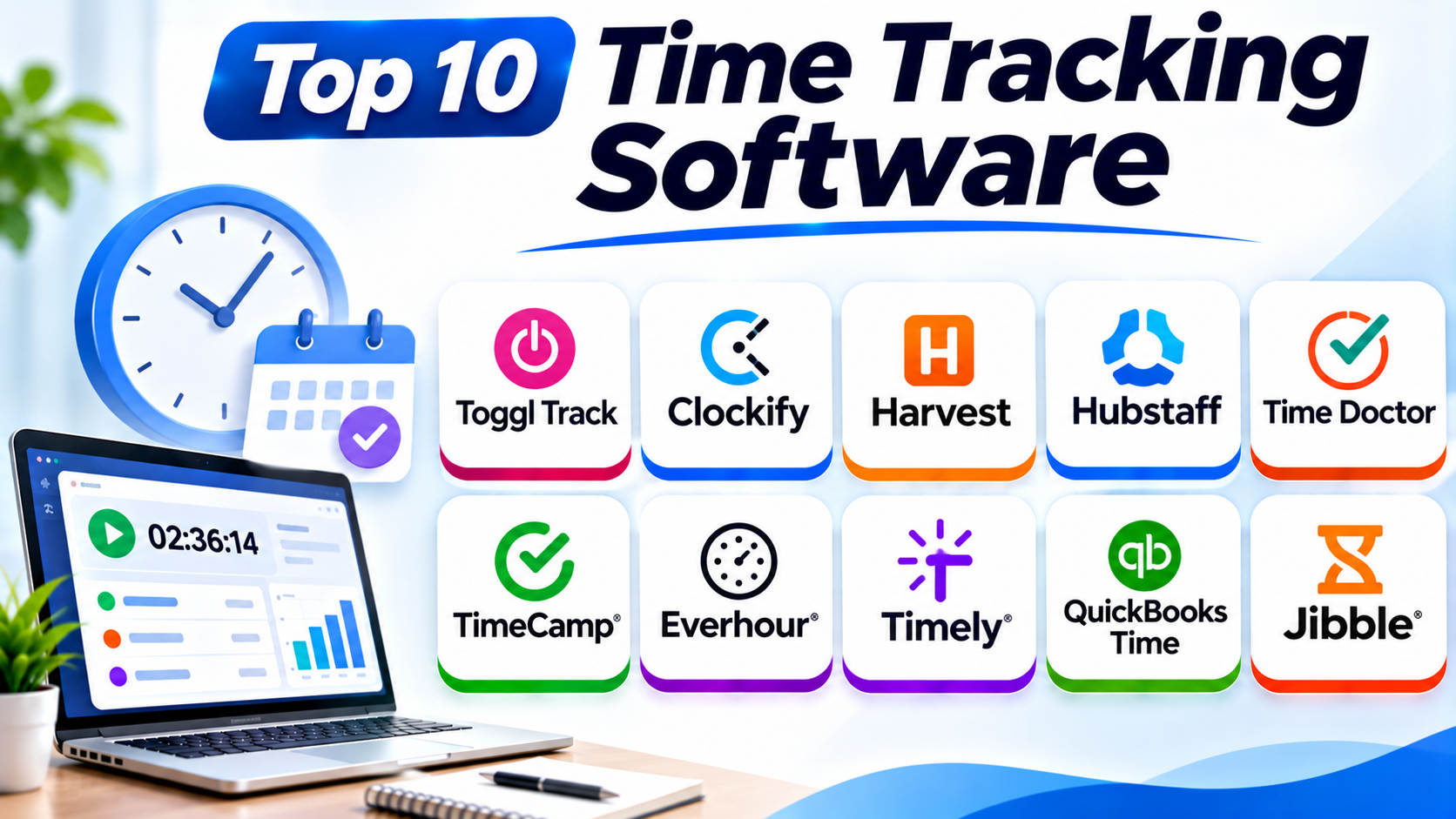
This guide compares ten popular options. It covers their main features, Pros, Cons, and best uses.
What Is Time Tracking Software?
Time tracking software records the time people spend on tasks, projects, and other work. Users can start timers, enter hours, or let some apps record activity automatically.
Managers can use these records to review work hours and project costs. Freelancers can use them to prepare accurate client invoices. Businesses can also use timesheets for payroll and attendance.
Not every tool works in the same way. Some focus on simple timers, while others offer billing, GPS, or employee activity reports.
Why Do Businesses Use Time Tracking Software?
Time tracking helps teams understand where their time goes. It also gives managers useful data for better planning.
Common benefits include:
- Accurate work records: Keep clear records of hours and tasks.
- Better project budgets: Compare planned hours with actual time.
- Client billing: Turn billable hours into invoices.
- Workload planning: Understand how teams spend their time.
- Payroll support: Prepare work-hour records for payroll.
- Productivity insights: Find tasks that take more time than expected.
- Clear reporting: Review time by person, project, or client.
Top 10 Time Tracking Software
1. Toggl Track
Toggl Track is a popular time tracking platform for individuals and teams. It helps users record work hours with simple timers and manual entries.
Users can track time by project, client, and task. They can also review reports to understand how they spend their workday.
Toggl Track focuses on simple time tracking. It suits teams that want clear records without heavy employee monitoring.
Key Features
- One-click time tracking.
- Manual time entries.
- Project and client tracking.
- Billable hour tracking.
- Team time reports.
- Timesheet approvals.
- Calendar and productivity integrations.
Pros
- Clean and simple interface.
- Easy timer controls.
- Useful project reports.
- Supports freelancers and teams.
- Offers a free plan with limits.
Cons
- Some advanced reports need paid plans.
- Large teams may need extra admin features.
- It offers fewer workforce monitoring features than some competitors.
Best For: Freelancers, consultants, and teams that want simple time tracking.
2. Clockify
Clockify is a time tracking platform for individuals and businesses. It helps users record hours across projects, clients, and tasks.
Users can track time with a timer or enter hours manually. Managers can also review timesheets and create reports.
Clockify offers several useful tools in one platform. These include attendance tracking, team reports, project tracking, and billing features.
Its free plan makes it a useful option for teams with limited budgets.
Key Features
- Timer and manual time entries.
- Project and task tracking.
- Timesheets.
- Team attendance tracking.
- Billable hour tracking.
- Reports and dashboards.
- Kiosk clock-in options.
Pros
- Offers a useful free plan.
- Easy time entry.
- Supports team tracking.
- Provides detailed reports.
- Works across different devices.
Cons
- Some advanced features need paid plans.
- New users may need time to explore all features.
- Large reports may require extra setup.
Best For: Small businesses, freelancers, and teams that need affordable time tracking.
3. Harvest
Harvest combines time tracking with invoicing and expense management. It helps service businesses turn recorded hours into client bills.
Users can track time against projects and tasks. They can also record expenses and review project budgets.
Managers can check how much time a project uses. They can compare costs with budgets and spot problems early.
Harvest works well for businesses that charge clients by the hour. It also helps teams manage project finances.
Key Features
- Time tracking.
- Project and task budgets.
- Billable hour tracking.
- Expense tracking.
- Invoice creation.
- Payment management.
- Project reports.
Pros
- Connects time tracking with invoicing.
- Helps manage project budgets.
- Supports expense records.
- Useful for client-based businesses.
- Provides clear project reports.
Cons
- Advanced features may need paid plans.
- It may not suit businesses that need detailed employee monitoring.
- Large teams may need more advanced workforce tools.
Best For: Freelancers, agencies, consultants, and service businesses that bill clients.
4. Hubstaff
Hubstaff combines time tracking with workforce management features. It helps businesses manage remote, office, and field teams.
Employees can record work hours through timers. Depending on the plan and settings, managers can also review activity levels, screenshots, and location data.
Hubstaff offers payroll and productivity reports. These tools help businesses review work hours and manage distributed teams.
However, companies should set clear rules before using monitoring features. They should explain what data they collect and why.
Key Features
- Automatic and manual time tracking.
- Timesheets.
- Employee activity reports.
- Optional screenshots.
- GPS and location tracking.
- Payroll support.
- Project and budget reports.
Pros
- Offers several workforce tools.
- Supports remote and field teams.
- Includes GPS features.
- Helps manage work hours.
- Provides detailed reports.
Cons
- Monitoring features may feel intrusive.
- Some features depend on the selected plan.
- Teams need clear privacy rules.
- It may offer more features than small teams need.
Best For: Remote teams, field workers, and businesses that need workforce visibility.
5. Time Doctor
Time Doctor is a time tracking and workforce analytics platform. It helps businesses record work hours and review team activity.
Users can track time against tasks and projects. Managers can review timesheets, productivity reports, and work patterns.
The platform also offers optional monitoring features. These may include screenshots and activity reports, depending on the plan and settings.
Time Doctor can help managers understand how teams spend their working hours. Businesses should use its monitoring tools with clear policies and employee awareness.
Key Features
- Time tracking.
- Task and project tracking.
- Timesheets.
- Productivity reports.
- Optional screenshots.
- Attendance tracking.
- Payroll and billing integrations.
Pros
- Offers detailed time reports.
- Supports remote teams.
- Tracks work across projects.
- Provides attendance features.
- Connects with other business tools.
Cons
- Monitoring features may raise privacy concerns.
- Some users may find the interface complex.
- Advanced reports may need higher plans.
- It may not suit teams that only need basic timers.
Best For: Remote teams, outsourcing companies, and businesses that need detailed work-hour reports.
6. TimeCamp
TimeCamp is a time tracking platform with manual and automatic tracking options. It helps teams record work hours and review project performance.
The platform can connect time records with tasks and projects. It also supports billable hours, budgets, and reporting.
Its automatic tracking features can reduce the need for manual timers. Users can review recorded activity and assign time to the right work.
TimeCamp can help businesses understand project costs. It also supports teams that need regular timesheet reports.
Key Features
- Automatic time tracking.
- Manual time entries.
- Project and task tracking.
- Timesheets.
- Billable hours.
- Budget tracking.
- Productivity and attendance reports.
Pros
- Offers automatic tracking options.
- Supports project budgets.
- Provides useful reports.
- Helps manage billable hours.
- Offers a free plan.
Cons
- Automatic tracking may need careful setup.
- Some advanced features require paid plans.
- Users may need time to learn its reporting tools.
Best For: Businesses that want automatic time tracking and project cost reports.
7. Everhour
Everhour is a time tracking platform that connects with project management tools. It helps teams track hours without leaving their usual workspaces.
Users can track time against tasks and projects. Managers can also review budgets, billable hours, and team workloads.
Everhour works with tools such as Asana, Jira, Trello, and ClickUp. This makes it useful for teams that already manage work in those platforms.
Its reports help businesses understand how much time projects consume. Teams can also compare tracked hours with project budgets.
Key Features
- Task-based time tracking.
- Project budgets.
- Billable hour tracking.
- Timesheet approvals.
- Team workload reports.
- Project cost tracking.
- Project management integrations.
Pros
- Connects with popular project tools.
- Makes task-level tracking easier.
- Supports project budgets.
- Helps track billable hours.
- Offers useful team reports.
Cons
- Its value depends on supported integrations.
- Some plans may have seat requirements.
- It may not suit teams that need advanced payroll tools.
Best For: Agencies and project teams that use tools such as Asana, Jira, Trello, or ClickUp.
8. Timely
Timely is an automatic time tracking platform. It helps users record work activity without starting a timer for every task.
The platform captures activity in the background. Users can review their records and create timesheets from that information.
Timely helps people who often forget to start or stop timers. It can also help teams understand how much time projects need.
Its approach focuses on personal time records. Managers should review its sharing and privacy settings before using it across a team.
Key Features
- Automatic activity tracking.
- Suggested timesheets.
- Project and task tracking.
- Team planning.
- Billable hour tracking.
- Time reports.
- Project budgeting features.
Pros
- Reduces manual timer use.
- Helps capture work activity.
- Supports project reports.
- Useful for consultants and agencies.
- Helps improve timesheet accuracy.
Cons
- Automatic records may need manual review.
- Some teams may prefer manual timers.
- Advanced features may cost more.
- Users should understand its privacy settings.
Best For: Consultants, freelancers, and teams that want automatic time tracking.
9. QuickBooks Time
QuickBooks Time helps businesses track employee work hours. It connects time records with the wider QuickBooks accounting environment.
Employees can clock in and out through supported devices. Managers can review timesheets, schedules, and attendance records.
The platform also supports mobile and GPS-based features. These can help businesses manage employees who work outside the office.
QuickBooks Time can reduce manual work for payroll teams. It suits businesses that already use QuickBooks for accounting.
Key Features
- Employee time tracking.
- Mobile clock-in and clock-out.
- Timesheets.
- Scheduling.
- GPS and location features.
- Payroll and accounting connections.
- Time reports.
Pros
- Connects with QuickBooks products.
- Helps prepare payroll records.
- Supports mobile employees.
- Offers scheduling features.
- Provides useful time reports.
Cons
- It works best within the QuickBooks environment.
- Pricing may depend on the wider subscription.
- Some advanced features may require extra setup.
- It may not suit businesses using other accounting systems.
Best For: Small and medium businesses that use QuickBooks for accounting and payroll.
10. Jibble
Jibble is a time tracking and attendance platform. It helps businesses record employee work hours and manage attendance.
Employees can clock in and out using supported devices. Businesses can also use features such as GPS tracking and attendance records.
Jibble offers timesheets and reports for managers. These tools help companies review working hours and prepare payroll information.
Its features can support office teams, remote workers, and field staff. Businesses should choose the tracking settings that fit their work policies.
Key Features
- Employee clock-in and clock-out.
- Attendance tracking.
- Timesheets.
- GPS location tracking.
- Facial recognition options.
- Overtime tracking.
- Payroll reports.
Pros
- Offers a free plan.
- Supports attendance management.
- Useful for field teams.
- Provides timesheet reports.
- Offers mobile tracking features.
Cons
- Some advanced features need paid plans.
- Teams may need setup and training.
- Location and identity features require clear privacy rules.
Best For: Businesses that need employee attendance, shift tracking, and work-hour records.
Time Tracking Software Comparison Table
| Software | Main Strength | Best For | Key Features |
|---|---|---|---|
| Toggl Track | Simple time tracking | Freelancers and small teams | Timers, reports, project tracking |
| Clockify | Affordable team tracking | Budget-conscious businesses | Timesheets, attendance, reports |
| Harvest | Invoicing and billing | Agencies and consultants | Time, expenses, invoices |
| Hubstaff | Workforce management | Remote and field teams | GPS, activity reports, timesheets |
| Time Doctor | Productivity reporting | Distributed teams | Time tracking, screenshots, reports |
| TimeCamp | Automatic tracking | Project-based businesses | Automatic tracking, budgets, reports |
| Everhour | Project tool integration | Agencies and project teams | Task timers, budgets, integrations |
| Timely | Automatic time capture | Consultants and freelancers | Activity tracking, suggested timesheets |
| QuickBooks Time | Payroll connection | QuickBooks users | Employee hours, scheduling, GPS |
| Jibble | Attendance tracking | Office and field teams | Clock-ins, timesheets, GPS |
How to Choose the Best Time Tracking Software
The right tool depends on your team and business goals. Use these points to compare your options.
1. Identify Your Main Need
First, decide why you need time tracking. Some businesses only need work-hour records.
Others need client billing, payroll, attendance, or project reports. Choose a tool that supports your main goal.
2. Check Timer Options
Look for simple timers and manual time entry. Automatic tracking may help people who forget to start timers.
Make sure employees can correct mistakes. This keeps timesheets accurate.
3. Review Project Tracking
If your team works on many projects, check project and task tracking. The software should show how much time each project uses.
This helps managers understand costs and deadlines. It also helps teams plan future work.
4. Compare Reports
Reports help managers understand work patterns. Check whether the tool can show hours by person, task, client, and project.
Also review export options. Your business may need reports for payroll or accounting.
5. Check Billing and Payroll Features
Freelancers and agencies may need invoices from tracked hours. Businesses with employees may need payroll connections.
Choose software that supports your billing process. Check whether it connects with your current accounting system.
6. Review Privacy and Monitoring
Some tools offer screenshots, activity levels, or GPS tracking. These features can help with certain work needs.
However, monitoring can affect employee trust. Explain what the software records and set clear rules.
7. Compare Pricing and Integrations
Compare the total cost for your team. Check user limits, paid features, and extra charges.
Also review integrations with your current tools. Good connections can reduce manual work.
Common Uses of Time Tracking Software
Businesses use time tracking software for many tasks.
- Employee attendance: Record when employees start and finish work.
- Project tracking: Measure time spent on each project.
- Client billing: Calculate billable hours for invoices.
- Payroll preparation: Prepare work-hour records for payroll.
- Freelance work: Record time spent on client tasks.
- Remote team management: Review work hours across locations.
- Budget control: Compare project hours with planned budgets.
- Productivity reports: Understand how people spend their time.
- Shift tracking: Record employee shifts and overtime.
- Business planning: Use past records to estimate future work.
Benefits of Time Tracking Software
Time tracking tools offer several benefits to businesses and workers.
- Accurate records: Keep work-hour information in one place.
- Better billing: Charge clients based on recorded time.
- Improved planning: Understand how long tasks take.
- Clear project costs: Compare time with project budgets.
- Payroll support: Prepare timesheets for payroll teams.
- Better reports: Review work patterns and project results.
- Less manual work: Use timers and automatic records.
- More accountability: Keep clear records of assigned work.
Challenges of Time Tracking Software
Time tracking software can help teams, but it also brings some challenges.
- User adoption: Employees may forget to track their time.
- Wrong entries: Manual mistakes can affect reports.
- Privacy concerns: Monitoring features may feel intrusive.
- Training needs: Teams may need help learning the system.
- Extra costs: Advanced plans can increase software spending.
- Integration issues: Some tools may not connect with current systems.
Businesses can reduce these problems with clear rules and training. They should also choose a tool that fits their daily work.
Questions and Answers About Time Tracking Software
1. What is time tracking software?
Time tracking software records the time people spend on tasks and projects. It helps businesses manage work hours, billing, attendance, and reports.
2. Why do businesses use time tracking software?
Businesses use it to record work hours and manage project costs. It also helps with billing, payroll, and workload planning.
3. Which time tracking software is best for freelancers?
Toggl Track and Harvest are useful choices for freelancers. Toggl Track offers simple timers, while Harvest connects time tracking with invoicing.
4. Which time tracking software offers a free plan?
Clockify, Jibble, Toggl Track, and TimeCamp offer free options. Always check their current user limits and feature restrictions.
5. Can time tracking software create invoices?
Some platforms can turn billable hours into invoices. Harvest offers time tracking, expense management, and invoicing features.
6. Can time tracking software track remote employees?
Yes. Some tools offer remote time tracking and attendance reports. Hubstaff and Time Doctor also provide optional monitoring features.
7. What is automatic time tracking?
Automatic time tracking records work activity in the background. Tools such as Timely and TimeCamp offer automatic tracking features.
8. Can time tracking software help with payroll?
Yes. Some tools provide timesheets and payroll integrations. QuickBooks Time connects with the QuickBooks environment.
9. Is employee monitoring necessary for time tracking?
No. Many businesses only need timers and timesheets. Monitoring features should match real business needs and clear privacy rules.
10. How do I choose the right time tracking tool?
Start with your main needs and budget. Then compare timers, reports, billing, payroll, integrations, and privacy controls.
Final Thoughts
Time tracking software helps businesses understand how they use working hours. It also supports better billing, planning, and project control.
Each tool in this guide serves a different need. Toggl Track offers simple timers, while Clockify provides budget-friendly tracking. Harvest connects tracked hours with client invoices.
Hubstaff and Time Doctor offer workforce monitoring features. TimeCamp and Timely support automatic time capture. Everhour connects tracking with project management tools.
QuickBooks Time supports businesses that use QuickBooks. Jibble focuses on employee attendance and time records.
Before choosing a platform, understand your team’s daily needs. Compare features, privacy settings, integrations, and total costs.
The right tool should make time tracking simple and useful. It should help people work with better records, not create extra stress.