Introduction
Customers want quick answers when they call a business. They do not want long waits or confusing phone menus.
IVR and voice bot platforms help businesses handle these calls. They answer common questions, collect information, and route callers.
Traditional IVR systems use recorded messages and keypad options. Voice bots let callers speak in natural language. Some platforms combine both methods.
These tools can help businesses manage busy phone lines. They can also reduce repeated tasks for support agents.
However, each platform offers different features. Some focus on large contact centers. Others help developers build custom voice assistants.
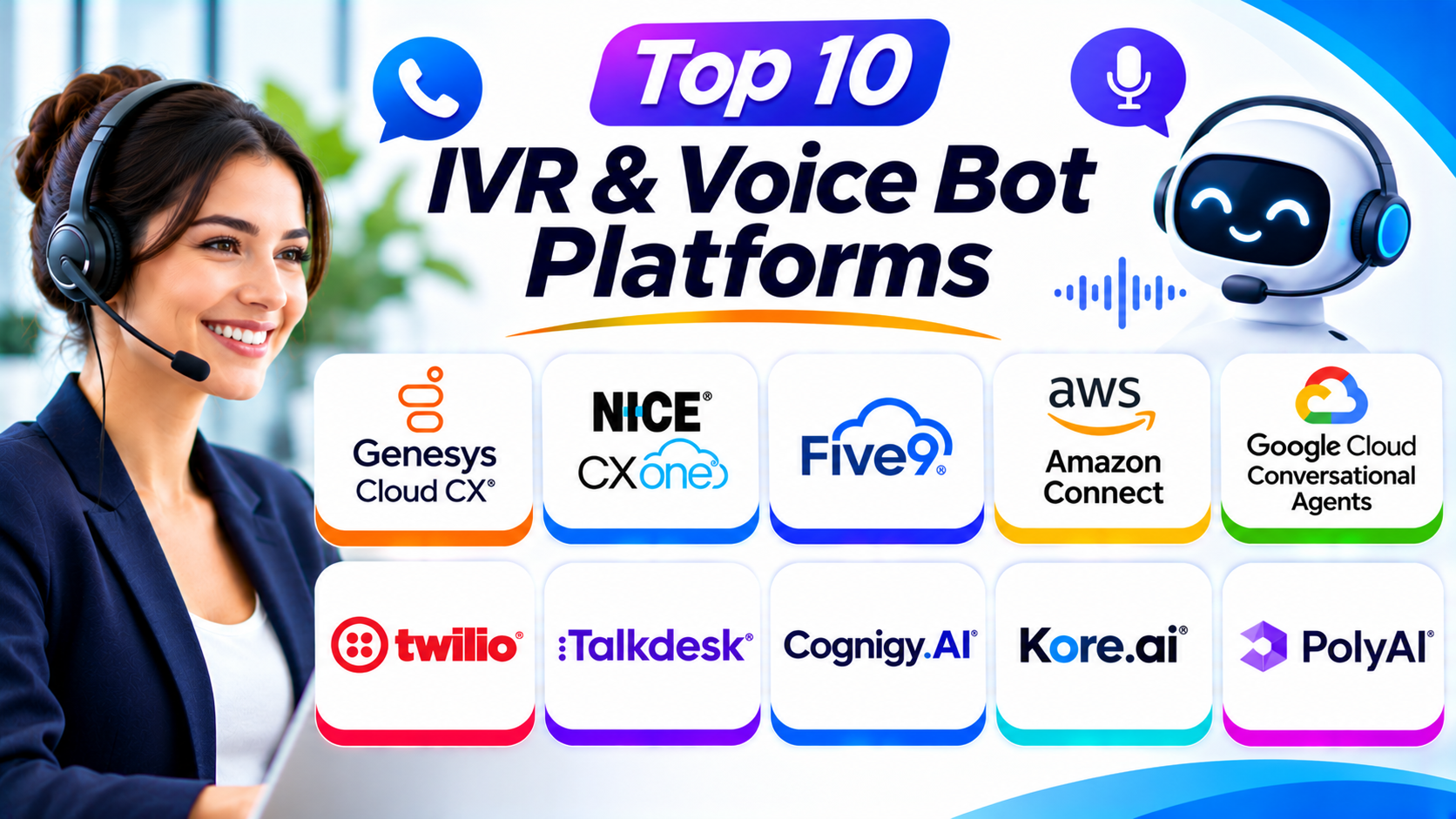
This guide explores ten IVR and voice bot platforms. It explains their features, Pros, Cons, and best uses. You will also find a comparison table and buying tips.
What Are IVR and Voice Bot Platforms?
IVR stands for Interactive Voice Response. It lets callers interact with an automated phone system.
A caller may hear a message such as, “Press 1 for sales.” The system then sends the call to the selected department.
Voice bots use speech technology to understand spoken requests. A caller can say, “I want to check my order.” The bot can understand the request and provide an answer.
Some voice bots use artificial intelligence. They can understand different ways of asking the same question.
Modern platforms may also connect with customer databases. This helps bots check orders, book appointments, and update records.
IVR vs Voice Bots: What Is the Difference?
| Area | Traditional IVR | AI Voice Bot |
|---|---|---|
| Input | Keypad or menu choices | Natural spoken language |
| Conversation | Fixed menu paths | More flexible conversations |
| Setup | Menu and routing design | Speech and conversation design |
| Best For | Simple call routing | Questions and automated tasks |
| Customer Experience | Follows menu instructions | Can understand spoken requests |
| Complexity | Usually simpler | Often needs more testing |
Traditional IVR works well for simple tasks. Voice bots suit calls that need more flexible conversations.
Many businesses use both. A caller may first hear an IVR menu. An AI voice bot can then handle the selected request.
Top 10 IVR & Voice Bot Platforms
1. Genesys Cloud CX
Genesys Cloud CX is a cloud contact center platform. It helps businesses manage customer calls and digital conversations.
Its IVR tools help companies create automated call flows. Businesses can route callers based on their choices, needs, or customer details.
The platform also supports virtual agents and AI-powered customer service. These tools can answer common questions and guide callers through tasks.
Genesys Cloud CX includes reporting and workforce management features. Managers can review customer interactions and agent performance.
The platform suits large businesses with complex customer service needs. It can connect automated conversations with live agent support.
Key Features
- Visual IVR flow design
- Automated call routing
- Virtual agents and voice bots
- Speech recognition support
- Natural language interactions
- Omnichannel customer engagement
- Call recording and analytics
- CRM integrations
- Workforce management tools
Pros
- Offers a broad contact center platform.
- Supports complex call flows.
- Connects automated and human support.
- Provides useful reporting tools.
- Supports voice and digital channels.
Cons
- Setup may require technical planning.
- Advanced features can take time to learn.
- Costs may not suit small businesses.
- Complex workflows need regular testing.
Best For: Large businesses that need advanced IVR, voice automation, and omnichannel customer support.
2. NICE CXone
NICE CXone is a cloud contact center platform. It combines customer service, automation, analytics, and workforce tools.
Its IVR features help businesses create automated call journeys. Customers can use phone menus or automated conversations to find answers.
The platform also supports AI-powered virtual agents. These agents can handle common requests and transfer complex cases to human agents.
NICE CXone provides tools for call recording and quality management. Managers can use these tools to review customer interactions.
The platform suits companies with large support teams. It can help businesses manage high call volumes and improve service quality.
Key Features
- Automated IVR call flows
- AI-powered virtual agents
- Intelligent call routing
- Voice and digital communication
- Speech and text analytics
- Call recording
- Workforce management
- Quality management
- Customer experience reporting
Pros
- Offers strong contact center tools.
- Supports automated customer conversations.
- Provides workforce management features.
- Helps managers review call quality.
- Supports large customer service operations.
Cons
- The platform may feel complex.
- Implementation can require planning.
- Pricing may not suit small teams.
- Some advanced tools need staff training.
Best For: Large contact centers that need IVR, AI automation, workforce management, and quality monitoring.
3. Five9
Five9 provides cloud contact center software. It helps businesses manage inbound and outbound customer calls.
Its Intelligent Virtual Agent tools support automated customer conversations. Businesses can use them to answer common questions and guide callers.
Five9 also offers IVR design and call routing features. Companies can create call flows that direct customers to suitable services.
The platform supports call recording and performance reports. Managers can review how customers use automated services.
Five9 works well for businesses that need both automated and human support. It can connect voice bots with live contact center agents.
Key Features
- Intelligent Virtual Agent
- IVR call flow design
- Automated call routing
- Speech recognition
- Natural language interactions
- Agent handoff
- Call recording and monitoring
- CRM integrations
- Contact center analytics
Pros
- Combines IVR with contact center services.
- Supports automated customer conversations.
- Helps manage large call volumes.
- Offers useful call monitoring tools.
- Connects bots with live agents.
Cons
- Setup can require specialist help.
- Advanced features may increase costs.
- Complex call flows need careful testing.
- Smaller businesses may not need the full platform.
Best For: Medium and large contact centers that want IVR and AI voice automation together.
4. Amazon Connect
Amazon Connect is a cloud contact center service from Amazon Web Services. It helps businesses manage customer calls and automate service workflows.
Its contact flow designer lets teams create automated call journeys. Businesses can use menus, prompts, routing rules, and customer information.
Amazon Lex can add conversational voice and chat experiences. It helps bots understand spoken requests and respond to customers.
Amazon Connect also works with other AWS services. Companies can build custom solutions for order checks, appointment changes, and account questions.
The platform suits businesses already using AWS. It also works well for teams that want flexible cloud-based contact center systems.
Key Features
- Visual contact flow designer
- IVR menus and call routing
- Amazon Lex integration
- Speech recognition
- Text-to-speech support
- Customer data integration
- Call recording
- Contact center analytics
- AWS service integrations
Pros
- Connects with the wider AWS ecosystem.
- Supports flexible call flow design.
- Offers conversational bot integration.
- Can scale with changing call volumes.
- Provides usage-based service options.
Cons
- Setup may require AWS knowledge.
- Custom solutions can need developers.
- Costs depend on service usage.
- Businesses must manage integrations carefully.
Best For: AWS users and technical teams that want flexible IVR and voice bot solutions.
5. Google Cloud Conversational Agents
Google Cloud Conversational Agents helps businesses build AI-powered virtual agents. Teams can use it to create voice and chat conversations.
The platform uses natural language understanding to identify what callers want. It can manage multi-step conversations and respond to customer requests.
Its visual flow tools help developers design conversation paths. Teams can also create more flexible interactions with generative AI features.
Businesses can connect these agents to phone systems and contact center platforms. This lets customers use voice bots during phone calls.
The platform suits organizations that need advanced conversational AI. It also works well for developers building custom voice experiences.
Key Features
- AI-powered conversational agents
- Visual conversation flow design
- Natural language understanding
- Speech recognition support
- Voice and chat experiences
- Multi-step conversation handling
- Generative AI capabilities
- API integrations
- Conversation testing and analytics
Pros
- Offers advanced language understanding.
- Supports flexible conversation design.
- Works across voice and chat channels.
- Provides developer tools and APIs.
- Supports complex customer interactions.
Cons
- Developers may need technical skills.
- Telephony may require a separate connection.
- Complex bots need careful testing.
- Usage costs can vary with traffic.
Best For: Developers and businesses that want advanced AI voice agents and custom conversational experiences.
6. Twilio Voice and Studio
Twilio provides programmable communication tools. Businesses can use its voice services to build custom phone systems and IVR applications.
Twilio Studio offers a visual builder for communication workflows. Teams can create call menus, collect keypad input, and route callers.
Developers can also use Twilio APIs to build custom voice experiences. They can connect speech services, databases, and AI models.
Twilio gives businesses control over their call flows. However, complex voice bots may need extra development and AI services.
It suits companies that want to build their own communication systems. It also works well for software teams that need flexible voice APIs.
Key Features
- Programmable voice APIs
- Visual workflow builder
- IVR call menus
- Keypad input collection
- Call routing
- Text-to-speech support
- Speech recognition integrations
- Webhook and API connections
- Custom voice bot development
Pros
- Offers flexible voice development tools.
- Supports custom IVR workflows.
- Provides a visual workflow builder.
- Connects with many external services.
- Gives developers control over call experiences.
Cons
- Complex solutions need development skills.
- Advanced voice bots may need extra services.
- Usage-based costs need monitoring.
- Teams must test and maintain their workflows.
Best For: Developers and businesses that want programmable IVR and custom voice bot solutions.
7. Talkdesk
Talkdesk is a cloud contact center platform. It helps businesses manage customer conversations through voice and digital channels.
Its IVR tools let companies design automated call journeys. Teams can route callers and collect information before an agent answers.
Talkdesk also offers AI-powered virtual agents. These tools can help customers complete common tasks without waiting for an agent.
The platform includes analytics and agent support features. Managers can review customer interactions and improve service workflows.
Talkdesk suits businesses that want contact center tools with built-in automation. It can support companies across different industries.
Key Features
- Visual IVR flow design
- AI-powered virtual agents
- Automated call routing
- Natural language support
- Voice and digital communication
- CRM integrations
- Call recording
- Agent assistance tools
- Contact center analytics
Pros
- Offers a modern cloud platform.
- Combines IVR with AI automation.
- Supports voice and digital channels.
- Provides useful reporting tools.
- Offers industry-focused solutions.
Cons
- Advanced features may increase costs.
- Some workflows need careful setup.
- Teams may need training.
- Smaller companies may not need every feature.
Best For: Businesses that want cloud contact center software with IVR and AI-powered customer service.
8. Cognigy.AI
Cognigy.AI is a conversational AI platform. It helps businesses build virtual agents for voice and digital channels.
The platform supports natural language conversations. Customers can ask questions without following fixed phone menus.
Businesses can use Cognigy.AI to automate tasks such as appointment changes and service requests. It can also connect customers with human agents when needed.
Its visual design tools help teams build conversation flows. Developers can also connect the platform with business systems.
Cognigy.AI suits large organizations with advanced automation needs. It can support complex customer service journeys across many channels.
Key Features
- AI-powered voice bots
- Conversational flow design
- Natural language understanding
- Voice and chat automation
- Agent handoff
- Business system integrations
- Multilingual conversation support
- Analytics and reporting
- Custom workflow development
Pros
- Supports advanced conversational automation.
- Works across voice and digital channels.
- Helps manage multi-step conversations.
- Offers visual design tools.
- Connects with business applications.
Cons
- Advanced projects need planning.
- Teams may need AI development skills.
- Complex bots require ongoing testing.
- Enterprise features may not suit small businesses.
Best For: Large businesses that need advanced conversational AI and automated customer journeys.
9. Kore.ai
Kore.ai provides conversational AI tools for businesses. It helps organizations build voice bots and virtual assistants.
The platform can understand customer requests through natural language. Businesses can use it to automate common support tasks and service questions.
Kore.ai also supports multi-step conversations. A bot can collect information, check a connected system, and guide the caller through a process.
The platform offers tools for designing, testing, and managing virtual agents. Businesses can connect these agents with contact center systems and other applications.
Kore.ai suits organizations that want to automate customer and employee conversations. It can support complex workflows across different industries.
Key Features
- AI-powered voice bots
- Natural language understanding
- Visual bot design tools
- Multi-step conversation handling
- Voice and digital channels
- Enterprise application integrations
- Agent handoff
- Bot testing and analytics
- Workflow automation
Pros
- Supports complex virtual assistants.
- Offers visual bot development tools.
- Works across different channels.
- Helps automate repeated tasks.
- Connects with business systems.
Cons
- Advanced projects can be complex.
- Bot design needs careful planning.
- Teams may need technical training.
- Pricing may not suit smaller businesses.
Best For: Enterprises that want conversational AI for customer service and internal support.
10. PolyAI
PolyAI focuses on voice assistants for customer service. Its platform helps businesses automate phone conversations.
The voice assistants can understand spoken customer requests. They can answer common questions and help callers complete service tasks.
PolyAI focuses on natural voice conversations. This can help businesses move beyond fixed keypad menus.
Companies can connect its voice assistants with contact center and business systems. The bots can also transfer conversations to human agents when needed.
PolyAI suits organizations with high phone call volumes. It can help businesses automate routine calls while keeping human support available.
Key Features
- AI-powered voice assistants
- Natural language conversations
- Automated customer support
- Call routing and transfers
- Business system integrations
- Multi-step task handling
- Voice interaction analytics
- Contact center connections
- Human agent handoff
Pros
- Focuses on natural voice conversations.
- Helps automate routine phone calls.
- Supports human agent transfers.
- Suits high-volume call operations.
- Can improve phone self-service.
Cons
- Focuses mainly on voice automation.
- Integration work may be required.
- Businesses need to test bot accuracy.
- Enterprise solutions may not suit small teams.
Best For: Large businesses that want natural-sounding voice assistants for customer service calls.
IVR & Voice Bot Platforms Comparison Table
| Platform | Main Strength | Best For | Platform Type |
|---|---|---|---|
| Genesys Cloud CX | Omnichannel IVR and virtual agents | Large enterprises | Contact center suite |
| NICE CXone | IVR and workforce tools | Large contact centers | Contact center suite |
| Five9 | Intelligent Virtual Agent | Inbound and outbound teams | Contact center suite |
| Amazon Connect | AWS-based call automation | AWS users | Cloud contact center |
| Google Cloud Conversational Agents | Advanced language understanding | Developers and enterprises | Conversational AI |
| Twilio Voice and Studio | Programmable IVR | Custom voice applications | Developer platform |
| Talkdesk | Cloud IVR and AI automation | Modern contact centers | Contact center suite |
| Cognigy.AI | Complex conversational automation | Large enterprises | Conversational AI |
| Kore.ai | Multi-step virtual assistants | Enterprise automation | Conversational AI |
| PolyAI | Natural voice conversations | High-volume customer service | Voice AI platform |
How to Choose the Best IVR & Voice Bot Platform
The right platform should match your call volume and customer needs. It should also fit your technical skills and budget.
1. Understand Your Customer Needs
Start by reviewing the calls your business receives. Find the questions customers ask most often.
Some businesses only need call routing. Others need bots that can check orders, book appointments, or answer account questions.
Choose a platform that supports your main customer tasks.
2. Choose Between IVR and AI Voice Bots
Traditional IVR works well for simple menus. AI voice bots suit callers who want to speak naturally.
Some businesses need both options. Choose a platform that can support the experience you want to build.
3. Check Speech Recognition Quality
Voice bots must understand what callers say. Poor recognition can lead to wrong answers and repeated questions.
Test the system with different accents and speaking styles. Check how it handles background noise and unclear speech.
4. Review Call Flow Design
Call flow tools help teams build automated phone journeys. Some platforms offer visual builders. Others require code.
Choose a design method that matches your team. A simple visual builder may suit business users. Developer tools may suit custom projects.
5. Check Human Agent Handoff
Some callers need human support. A good platform should transfer them without losing useful information.
Check whether the system can share the caller’s details and conversation history. This can help agents continue the conversation smoothly.
6. Review Business Integrations
Your IVR or voice bot may need access to customer records. It may also need to connect with booking, payment, or order systems.
Check support for your CRM and other business applications. Review API options when you need custom connections.
7. Check Language Support
Businesses may serve customers who speak different languages. Choose a platform that supports the languages your callers use.
Test pronunciation and understanding with real examples. Do not rely only on a vendor’s language list.
8. Compare Costs
Review setup fees, usage charges, licenses, and support costs. Some platforms charge based on call minutes or interactions.
AI services may also have separate usage charges. Ask vendors for a full cost estimate.
9. Review Security and Privacy
Voice systems may collect names, phone numbers, account details, and other private information.
Check access controls, data protection, recording settings, and retention policies. Also review the rules that apply to your industry and location.
10. Test Before You Buy
Request a demo or trial when available. Build a sample call flow and test common customer questions.
Check bot accuracy, call quality, routing, and agent handoff. Real tests can help you find problems before launch.
Common Uses of IVR & Voice Bot Platforms
Businesses use IVR and voice bots for many customer service tasks.
Customer Support
Bots can answer common questions about products and services. They can also send complex requests to human agents.
Appointment Booking
Customers can book, change, or cancel appointments through automated phone systems. This can help clinics and service businesses manage calls.
Order Tracking
Voice bots can collect order details and check delivery information. They can then share updates with customers.
Payment Assistance
Automated systems can guide customers through payment steps. Businesses must use suitable security controls for sensitive payment information.
Account Information
Customers can ask about account details or service status. The system can check connected records when the business allows it.
Call Routing
IVR menus can direct callers to the right team. This helps reduce transfers and confusion.
After-Hours Support
Voice bots can answer basic questions outside normal business hours. They can also collect messages for later follow-up.
Customer Feedback
Automated systems can ask callers simple survey questions. Businesses can use the answers to understand customer needs.
Benefits of IVR & Voice Bot Platforms
These platforms can improve customer service and daily operations.
Faster Call Handling: Automated systems can answer common questions quickly.
Less Agent Work: Bots can handle repeated tasks and simple requests.
Better Call Routing: IVR can direct customers to the right department.
24-Hour Support: Voice bots can provide help outside office hours.
Consistent Answers: Businesses can use approved responses for common questions.
More Organized Calls: Automated systems can collect useful details before agent handoff.
Better Customer Insights: Reports can show common questions and call patterns.
Support for Growth: Automation can help teams handle more calls as demand increases.
Challenges of IVR & Voice Bot Platforms
These platforms also bring challenges. Businesses should plan carefully before using them.
Poor Bot Understanding: A voice bot may misunderstand accents or unclear speech.
Complex Setup: Advanced conversations can take time to design.
Limited Human Touch: Some customers prefer speaking with a person.
Integration Work: Bots may need connections to business databases and applications.
Privacy Concerns: Voice recordings and customer details need protection.
Ongoing Testing: Teams must check answers and update call flows.
Unexpected Costs: Call minutes, AI usage, and integrations can raise costs.
Businesses should keep a clear path to human support. They should also review bot performance often.
Questions and Answers About IVR & Voice Bot Platforms
1. What Is an IVR Platform?
An IVR platform manages automated phone menus. It lets callers use keypad choices or voice input to reach the right service.
2. What Is a Voice Bot?
A voice bot is software that talks with callers. It uses speech technology and AI to understand requests and provide answers.
3. What Is the Difference Between IVR and a Voice Bot?
Traditional IVR usually follows fixed menus. Voice bots can understand natural spoken requests and manage more flexible conversations.
4. Which IVR and Voice Bot Platform Is Best?
The best platform depends on your needs. Genesys Cloud CX and NICE CXone suit large contact centers. Twilio suits custom development, while PolyAI focuses on natural voice conversations.
5. Can Voice Bots Replace Human Agents?
Voice bots can handle many routine requests. However, complex or sensitive cases may still need human agents.
6. Can IVR Platforms Connect With CRM Software?
Many platforms support CRM connections. These links help systems access customer details and update records.
7. Do Voice Bots Support Multiple Languages?
Many platforms offer multilingual features. However, language support and speech quality vary. Test the languages and accents your customers use.
8. Can Small Businesses Use IVR Software?
Yes. Small businesses can use basic IVR menus to route calls and answer common questions. They should choose a solution that matches their call volume.
9. Are AI Voice Bots Available Around the Clock?
Many cloud voice bots can operate throughout the day. Businesses should check service availability, usage limits, and support arrangements.
10. What Should I Check Before Buying an IVR Platform?
Check call flow design, speech quality, integrations, language support, security, pricing, and agent handoff. Test the platform with real customer questions before choosing it.
Final Thoughts
IVR and voice bot platforms help businesses manage customer calls. They can answer common questions, route callers, and reduce repeated work.
However, each platform serves different needs. Genesys Cloud CX, NICE CXone, and Five9 suit large contact centers. Amazon Connect and Twilio offer flexible tools for cloud and custom solutions.
Google Cloud Conversational Agents supports advanced AI conversations. Talkdesk combines contact center tools with automation. Cognigy.AI and Kore.ai support complex virtual assistants. PolyAI focuses on natural voice interactions.
Before choosing, review your call needs and technical skills. Test speech quality, integrations, security, and agent handoff.
The right platform should make calls easier for customers. It should also help your team deliver clear and helpful support.