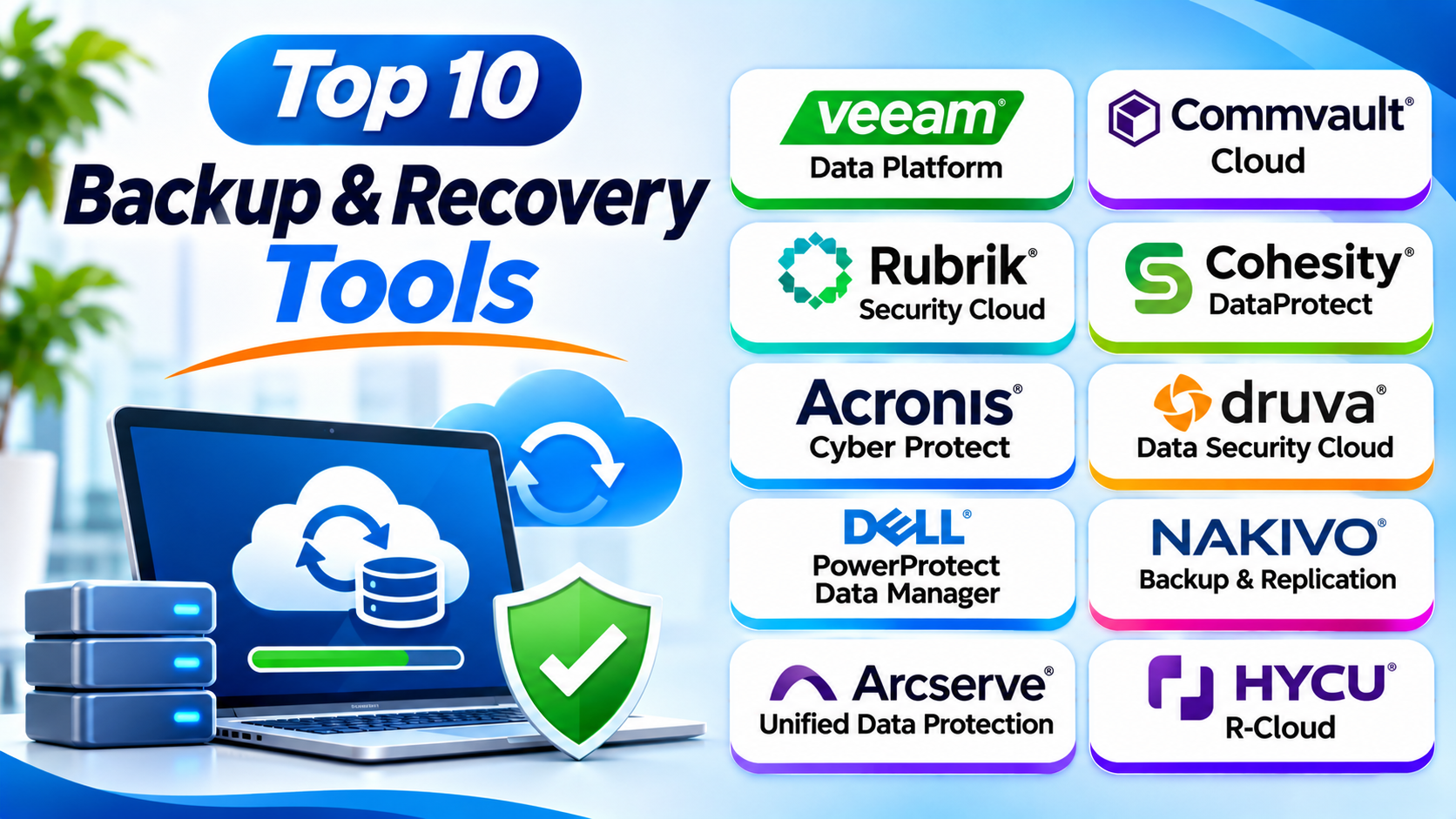
Introduction
Every business needs a safe copy of its data. Files can disappear because of hardware failure, cyberattacks, or human mistakes.
A strong backup plan helps businesses recover important information. It can also reduce downtime after unexpected problems.
Backup and recovery tools make this work easier. They help teams copy data, protect systems, and restore files when needed.
This guide explores ten popular backup and recovery tools. You will learn their features, Pros, Cons, and best uses. You will also find a comparison table and tips for choosing the right platform.
What Is Backup and Recovery Software?
Backup and recovery software protects important digital information. It creates copies of files, databases, servers, and other business data.
When data gets lost, teams can use these copies to restore it. This helps businesses continue their work after unexpected problems.
Backup software can protect many types of information:
- Files and folders
- Desktop and laptop data
- Virtual machines
- Physical servers
- Databases
- Cloud workloads
- Email and collaboration data
- Business applications
Backup and recovery tools also offer different storage options. Companies can store copies on local devices, remote servers, or cloud platforms.
Why Do Businesses Need Backup and Recovery Tools?
Data loss can affect any organization. Even a small mistake can remove important business files.
Backup software helps businesses prepare for these problems.
- Protect important business files.
- Recover data after accidental deletion.
- Restore systems after hardware failure.
- Reduce damage from ransomware attacks.
- Protect cloud and virtual workloads.
- Support disaster recovery plans.
- Reduce business downtime.
- Keep important records available.
- Support data retention policies.
- Improve business continuity.
Top 10 Backup and Recovery Tools
1. Veeam Data Platform
Best For: Virtual, hybrid, and enterprise environments
Veeam Data Platform helps businesses protect data across physical, virtual, and cloud environments. It offers backup, recovery, replication, and data protection features.
IT teams can use Veeam to protect virtual machines and business workloads. They can also restore files, applications, and entire systems.
Veeam supports several popular virtualization and cloud environments. This makes it useful for businesses with mixed IT infrastructure.
The platform also offers security features for backup data. These include options such as immutable backups and recovery controls.
Key Features
- Back up virtual and physical workloads.
- Protect supported cloud environments.
- Restore files, applications, and systems.
- Replicate workloads for disaster recovery.
- Support immutable backup storage options.
- Manage backup policies from a central console.
- Monitor backup jobs and recovery status.
Pros
- Supports many workload types.
- Offers flexible recovery options.
- Provides strong virtualization support.
- Includes useful backup security features.
- Suits small teams and large enterprises.
Cons
- Advanced setup can require technical skills.
- Licensing can be complex.
- Large deployments need careful planning.
- Some features require additional infrastructure.
2. Commvault Cloud
Best For: Large businesses with complex data environments
Commvault Cloud helps organizations protect business data across different environments. It supports backup, recovery, and cyber resilience workflows.
The platform can protect databases, virtual machines, cloud workloads, and business applications. IT teams can manage many data sources through a central platform.
Commvault also offers security-focused recovery features. These can help businesses respond to ransomware and other data threats.
Its broad capabilities make it suitable for large organizations. However, smaller teams may prefer a simpler backup product.
Key Features
- Protect cloud, virtual, and physical workloads.
- Back up databases and business applications.
- Support cloud and hybrid environments.
- Restore files and complete workloads.
- Manage backup policies centrally.
- Support ransomware recovery workflows.
- Monitor backup and recovery operations.
Pros
- Supports broad enterprise workloads.
- Offers flexible recovery options.
- Includes cyber resilience features.
- Supports hybrid and cloud environments.
- Fits complex IT infrastructure.
Cons
- Setup may require specialist knowledge.
- The feature set can feel complex.
- Pricing often needs a vendor quote.
- Smaller businesses may not need every feature.
3. Rubrik Security Cloud
Best For: Ransomware recovery and data security
Rubrik Security Cloud combines data protection with security-focused recovery tools. It helps businesses protect important data across different environments.
The platform supports backup and recovery for cloud, virtual, and enterprise workloads. It also offers tools for identifying suspicious activity and protecting backup data.
Rubrik focuses strongly on cyber resilience. This helps businesses prepare for ransomware and other security incidents.
Its recovery features can help teams restore clean data after an attack. Businesses should test these recovery processes before relying on them.
Key Features
- Protect supported cloud and on-premises workloads.
- Manage backup and recovery policies.
- Support immutable backup options.
- Monitor data security risks.
- Support ransomware recovery workflows.
- Restore files and workloads.
- Provide centralized data protection management.
Pros
- Strong focus on cyber resilience.
- Offers security-focused recovery features.
- Supports different enterprise workloads.
- Helps protect backup copies.
- Provides centralized management.
Cons
- Enterprise pricing may be high.
- Advanced deployment needs planning.
- Some features require technical knowledge.
- Businesses should review workload coverage.
4. Cohesity DataProtect
Best For: Businesses that want consolidated data protection
Cohesity DataProtect helps organizations protect and recover business data. It supports workloads across data centers and cloud environments.
The platform offers backup, recovery, and data management features. IT teams can use it to manage protection policies from a central location.
Cohesity supports different workload types. These may include virtual machines, databases, files, and selected cloud applications.
Its platform can help organizations simplify backup operations. Companies should check the exact product package and supported workloads before buying.
Key Features
- Protect virtual and physical workloads.
- Support cloud and hybrid environments.
- Back up files and databases.
- Manage backup policies centrally.
- Restore business data and workloads.
- Support data security features.
- Monitor backup operations.
Pros
- Supports different business workloads.
- Offers centralized management.
- Helps simplify backup operations.
- Supports hybrid environments.
- Provides recovery and data management tools.
Cons
- Enterprise deployment needs planning.
- Advanced features may need training.
- Pricing can require a sales discussion.
- Some environments may need extra integration work.
5. Acronis Cyber Protect
Best For: Combining backup and cybersecurity
Acronis Cyber Protect combines backup, recovery, and cybersecurity features. It helps businesses protect devices and business information.
The platform supports endpoint and server protection. It can also back up selected workloads and restore lost data.
Acronis offers tools for malware protection and security management. This combination can help businesses manage data protection and endpoint security together.
Its features can suit small businesses and service providers. Teams should compare the available editions before choosing a plan.
Key Features
- Back up files, systems, and supported workloads.
- Restore data after loss or damage.
- Protect endpoints against selected cyber threats.
- Manage backup schedules.
- Support cloud and local storage options.
- Monitor backup activity.
- Combine backup with security management.
Pros
- Combines backup and cybersecurity.
- Offers flexible recovery options.
- Supports endpoint and server protection.
- Provides centralized management.
- Can suit businesses of different sizes.
Cons
- Some advanced features need extra licensing.
- The product range can feel complex.
- Setup requires careful configuration.
- Resource use may vary by workload.
6. Druva Data Security Cloud
Best For: Cloud-first businesses
Druva Data Security Cloud provides cloud-based data protection. It helps businesses protect information across endpoints, cloud workloads, and business applications.
The platform uses a SaaS delivery model. This means organizations can manage backup services without running all the backup infrastructure themselves.
Druva supports different business data sources. Its tools can help teams manage backup policies and restore lost information.
The platform also focuses on data security and cyber resilience. It can suit businesses with remote employees and distributed systems.
Key Features
- Protect supported cloud workloads.
- Back up endpoint data.
- Support SaaS application protection.
- Manage backup policies centrally.
- Restore files and business data.
- Monitor data protection activity.
- Support security-focused recovery workflows.
Pros
- Cloud-based delivery reduces local infrastructure needs.
- Supports distributed business environments.
- Offers centralized management.
- Combines backup with data security features.
- Helps protect different data sources.
Cons
- Cloud delivery may not fit every policy.
- Pricing depends on selected workloads and services.
- Recovery depends on network access.
- Teams should check application coverage.
7. Dell PowerProtect Data Manager
Best For: Businesses using Dell infrastructure
Dell PowerProtect Data Manager helps organizations protect enterprise data. It supports backup and recovery across selected physical, virtual, and cloud workloads.
The platform works with Dell data protection products and infrastructure. This can help companies that already use Dell storage and data center systems.
IT teams can manage backup policies and recovery tasks. They can also monitor protection status across supported workloads.
Its enterprise features suit larger IT environments. Businesses should check compatibility with their current infrastructure.
Key Features
- Protect supported virtual and physical workloads.
- Support selected cloud environments.
- Manage backup policies.
- Restore files and workloads.
- Integrate with Dell data protection products.
- Monitor backup activity.
- Support enterprise recovery workflows.
Pros
- Fits Dell-focused IT environments.
- Supports enterprise data protection.
- Offers centralized policy management.
- Supports different workload types.
- Integrates with Dell infrastructure.
Cons
- Best fit may depend on Dell infrastructure.
- Setup can require technical skills.
- Advanced deployments need planning.
- Pricing may require a vendor quote.
8. NAKIVO Backup & Replication
Best For: Small and medium-sized businesses
NAKIVO Backup & Replication helps businesses protect virtual, physical, and cloud workloads. It offers backup, replication, and recovery features.
IT teams can use it to protect virtual machines and physical servers. The platform also supports selected cloud and application workloads.
NAKIVO provides tools for scheduling and monitoring backup jobs. This helps smaller IT teams manage data protection without building complex systems.
Its deployment options can suit different business environments. Companies should review supported workloads and licensing before choosing it.
Key Features
- Back up supported virtual machines.
- Protect physical servers and workstations.
- Support selected cloud workloads.
- Replicate virtual machines.
- Restore files and workloads.
- Schedule backup jobs.
- Monitor backup status.
Pros
- Offers backup and replication features.
- Supports several workload types.
- Can suit smaller IT teams.
- Provides flexible deployment options.
- Offers useful recovery tools.
Cons
- Some advanced features need configuration.
- Workload support varies by edition.
- Large deployments need careful planning.
- Teams should verify application compatibility.
9. Arcserve Unified Data Protection (UDP)
Best For: Businesses that need backup and disaster recovery
Arcserve UDP combines backup, replication, and disaster recovery features. It helps organizations protect business systems and recover after unexpected problems.
The platform supports different workloads. These may include physical servers, virtual machines, and cloud environments.
IT teams can manage backup jobs and recovery plans. They can also use replication features to support business continuity.
Arcserve UDP can suit organizations that need more than file backup. Businesses should check the supported infrastructure and recovery options before deployment.
Key Features
- Back up physical and virtual workloads.
- Support selected cloud environments.
- Replicate important systems.
- Restore files and complete systems.
- Manage backup schedules.
- Monitor backup jobs.
- Support disaster recovery planning.
Pros
- Combines backup and disaster recovery.
- Supports different workload types.
- Offers replication features.
- Helps protect business continuity.
- Provides centralized management.
Cons
- Setup can require technical knowledge.
- Some environments need extra planning.
- Licensing options may need review.
- Teams should test recovery workflows.
10. HYCU R-Cloud
Best For: Cloud and SaaS data protection
HYCU R-Cloud helps businesses protect data across cloud and SaaS environments. It focuses on simplifying backup and recovery for supported applications and workloads.
Organizations can use it to protect data stored in supported cloud services. It also offers tools for managing backup policies and restoring information.
HYCU supports different cloud and enterprise environments. This makes it useful for companies that rely on several cloud platforms.
Businesses should confirm support for their exact applications. Coverage can vary across products and services.
Key Features
- Protect supported cloud workloads.
- Support selected SaaS applications.
- Manage backup policies.
- Restore business data.
- Monitor backup activity.
- Support cloud-based data protection.
- Manage recovery across supported environments.
Pros
- Focuses on cloud and SaaS protection.
- Offers centralized backup management.
- Helps simplify cloud recovery.
- Supports different cloud environments.
- Can suit cloud-first businesses.
Cons
- Workload coverage varies by service.
- Some integrations need configuration.
- Advanced environments require planning.
- Businesses should confirm application support.
Comparison Table of the Top 10 Backup and Recovery Tools
| Tool | Main Strength | Best For |
|---|---|---|
| Veeam Data Platform | Flexible backup and recovery | Virtual and hybrid environments |
| Commvault Cloud | Broad enterprise data protection | Large organizations |
| Rubrik Security Cloud | Ransomware recovery | Security-focused businesses |
| Cohesity DataProtect | Centralized data protection | Hybrid infrastructure |
| Acronis Cyber Protect | Backup with cybersecurity | Small and medium businesses |
| Druva Data Security Cloud | Cloud-based data protection | Cloud-first organizations |
| Dell PowerProtect Data Manager | Enterprise backup | Dell infrastructure users |
| NAKIVO Backup & Replication | Backup and replication | Small and medium businesses |
| Arcserve UDP | Backup and disaster recovery | Business continuity needs |
| HYCU R-Cloud | Cloud and SaaS protection | Cloud-based organizations |
How to Choose the Right Backup and Recovery Software
The best backup platform depends on your data and business needs. Review these points before making a decision.
1. Identify What You Need to Protect
Start by listing your important data sources. Include computers, servers, databases, virtual machines, and cloud applications.
Check whether the software supports each workload. Do not assume every product protects every system.
2. Understand Your Recovery Goals
Two important terms help businesses plan recovery.
Recovery Point Objective (RPO) means how much data loss a business can accept. Recovery Time Objective (RTO) means how long a business can remain offline.
Choose a tool that supports your recovery goals. Test whether it can restore data within your required time.
3. Check Backup Storage Options
Backup copies should not all depend on one location. Consider local storage, remote storage, and cloud storage.
Look for support for different storage targets. Also check storage costs and retention options.
4. Review Security Features
Backup copies need strong protection. Look for encryption, access controls, and immutable storage options.
Immutable backups resist changes or deletion during their protected period. This can help defend backup data against ransomware.
5. Check Recovery Options
A backup is useful only when you can restore it. Check whether the platform supports file, folder, database, and full-system recovery.
Also review recovery testing tools. Test important workloads before a real emergency happens.
6. Review Automation
Manual backups can create extra work. Choose software that supports scheduled backups and automatic monitoring.
Look for alerts when backup jobs fail. This helps IT teams respond before a problem becomes serious.
7. Check Cloud and SaaS Support
Many businesses use cloud applications. Check whether the software protects the services your company depends on.
Review support for Microsoft 365 and other important applications. Confirm the exact workloads and data types included.
8. Compare Pricing and Licensing
Backup costs may depend on data volume, devices, workloads, or storage. Some vendors use subscription plans, while others provide custom quotes.
Check storage and recovery costs too. Compare the full cost rather than the starting price.
9. Test Before Buying
Request a trial or product demonstration. Test backup creation and data restoration with real workloads.
Ask your IT team to review the interface. Also test recovery speed and reporting.
Common Uses of Backup and Recovery Tools
Businesses use backup software in many situations.
- File protection: Keep copies of important documents and folders.
- Server backup: Protect business servers and applications.
- Virtual machine backup: Save virtual workloads for recovery.
- Database protection: Back up important business records.
- Cloud backup: Protect data stored in cloud platforms.
- SaaS backup: Protect information in supported online applications.
- Ransomware recovery: Restore clean backup copies after an attack.
- Disaster recovery: Bring important systems back after a major event.
- Endpoint backup: Protect employee computers and laptops.
- Business continuity: Keep essential work running during disruptions.
Benefits of Backup and Recovery Software
Backup tools help businesses protect valuable information. They also support faster recovery after unexpected events.
Better Data Protection
Regular backups create extra copies of important information. This helps businesses recover files after accidental deletion or system failure.
Faster Recovery
Recovery tools help teams restore lost data. This can reduce downtime after a technical problem.
Ransomware Resilience
Secure backup copies can help businesses recover after ransomware attacks. Immutable storage and protected access can add another layer of defense.
Lower Business Disruption
A clear recovery plan helps teams restore important systems. This can reduce interruptions to daily work.
Centralized Management
Administrators can manage backup jobs from one place. This makes it easier to review status and identify problems.
Support for Compliance
Some businesses must keep records for specific periods. Backup policies can help support data retention requirements.
Protection Across Different Environments
Modern backup tools can protect physical, virtual, and cloud workloads. This helps businesses manage data in mixed IT environments.
Challenges of Backup and Recovery
Backup software offers many benefits. However, businesses must plan for common challenges.
Storage Costs
Large backups need storage space. Businesses should review retention periods and storage costs.
Slow Recovery
Restoring large systems can take time. Teams should test recovery speed before an emergency.
Backup Failures
A backup job may fail because of network or storage problems. IT teams need alerts and regular checks.
Ransomware Risks
Attackers may try to delete or encrypt backup copies. Businesses should use protected storage and separate access controls.
Complex IT Environments
Companies may use many operating systems and cloud services. One product may not support every workload.
Data Retention
Businesses need clear rules for keeping backup copies. They should also understand legal and business retention needs.
Recovery Testing
A successful backup job does not prove that recovery will work. Teams must test restores regularly.
Questions and Answers About Backup and Recovery Tools
1. What is backup and recovery software?
Backup and recovery software creates copies of important data. It helps businesses restore information after deletion, damage, or system failure.
2. Why do businesses need backup tools?
Businesses need backup tools to protect important information. These tools can also reduce downtime after unexpected problems.
3. What is the difference between backup and recovery?
Backup creates copies of data. Recovery restores data from those copies when the original information becomes unavailable.
4. What is the 3-2-1 backup rule?
The 3-2-1 rule recommends keeping three copies of important data. Store them on two different types of media, with one copy kept offsite.
5. What is immutable backup storage?
Immutable storage protects backup copies from changes or deletion during a set period. It can help protect data against ransomware and accidental removal.
6. What are RPO and RTO?
RPO describes how much data loss a business can accept. RTO describes how long the business can take to restore a system.
7. Can backup software protect cloud data?
Yes. Many platforms support selected cloud workloads and SaaS applications. Check the vendor’s exact application coverage.
8. How often should businesses back up data?
The schedule depends on how often data changes. Critical systems may need frequent backups, while less active files may need fewer copies.
9. Are cloud backups safe?
Cloud backups can be safe when businesses use encryption and access controls. They should also review retention, recovery, and storage settings.
10. Which backup and recovery tool is best?
Veeam offers broad workload protection. Commvault suits complex enterprise environments. Druva and HYCU focus on cloud-based protection. The right choice depends on your workloads and recovery goals.
Final Thoughts
Backup and recovery tools help businesses protect important data. They also help teams restore systems after unexpected problems.
Veeam offers flexible protection across many environments. Commvault and Cohesity suit broad enterprise needs. Rubrik focuses on security and ransomware recovery.
Acronis combines backup with cybersecurity features. Druva and HYCU support cloud-focused environments. Dell PowerProtect fits many Dell infrastructure setups.
NAKIVO and Arcserve offer useful backup and recovery options. Each platform serves different business needs.
Do not choose a tool based on backup features alone. Review security, recovery speed, workload support, and total cost.
Most importantly, test your backups and recovery plans regularly. A backup strategy works only when your business can restore its data when it matters.