Introduction
Unexpected problems can stop business operations without warning. A server may fail, a cyberattack may damage systems, or a natural disaster may affect an entire office.
These events can cause data loss and long business interruptions. Companies need a clear plan to restore their systems quickly.
Disaster Recovery (DR) tools help businesses prepare for these situations. They protect important workloads and help teams bring systems back online.
Modern DR platforms offer more than simple data backups. They can replicate servers, automate recovery steps, test recovery plans, and move workloads to another location.
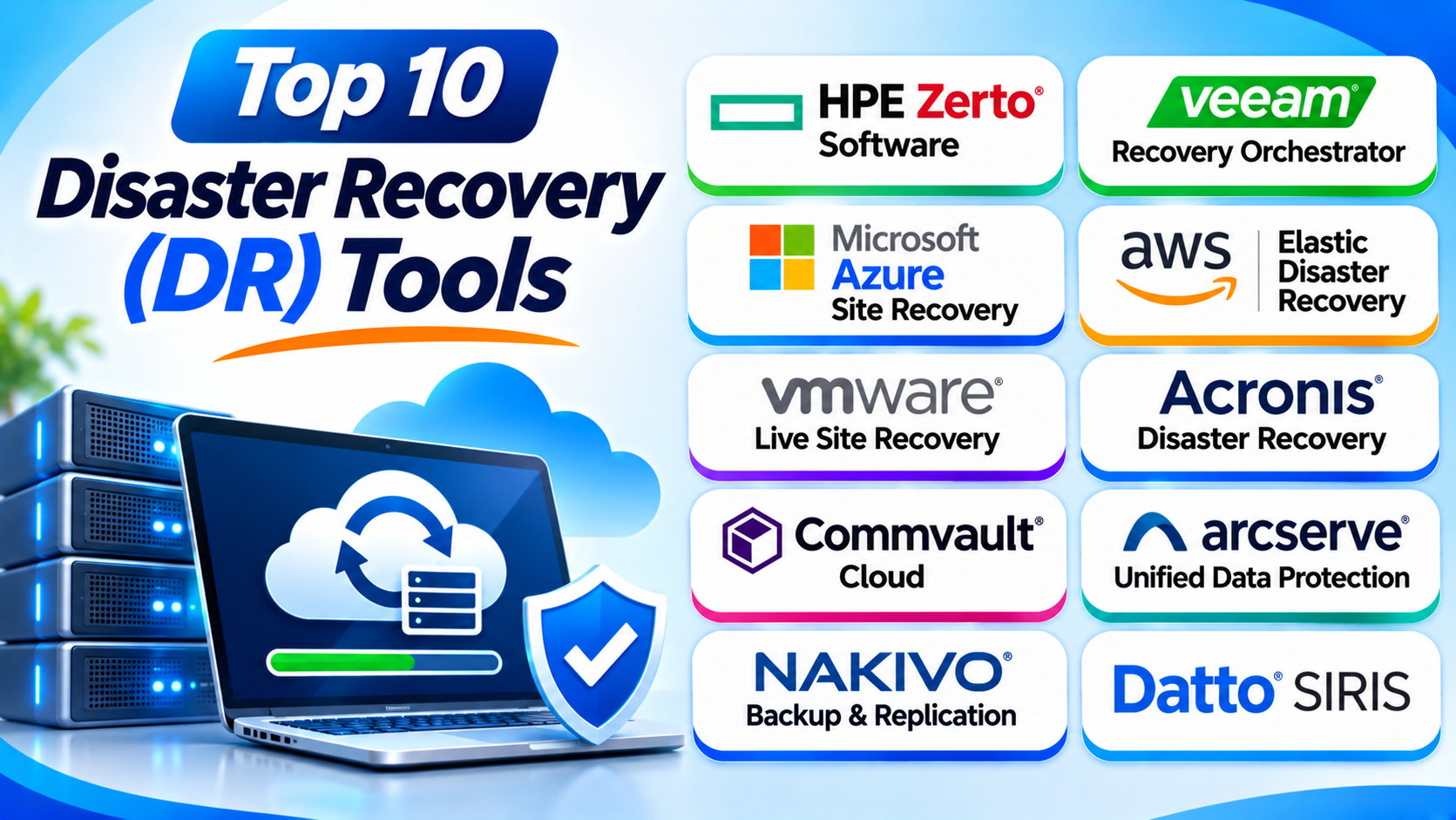
This guide explores ten popular Disaster Recovery tools. You will learn how each platform works and what makes it useful. You will also compare their features, Pros, Cons, and best uses.
What Is Disaster Recovery Software?
Disaster Recovery software helps businesses restore IT systems after a major disruption. It protects important workloads and supports the return of normal business operations.
A disaster can affect many parts of an organization. It may damage servers, storage systems, applications, networks, or cloud services.
DR software helps businesses prepare for these problems. It can create copies of systems at another location and help teams activate those copies during an emergency.
Many platforms also support automated recovery. This means the software can perform planned recovery steps with less manual work.
Common disaster recovery tasks include:
- Replicating servers and virtual machines.
- Protecting business applications.
- Moving workloads to another site.
- Restoring systems after hardware failure.
- Recovering from cyberattacks.
- Testing recovery plans.
- Automating failover and failback.
- Supporting cloud disaster recovery.
- Monitoring recovery operations.
- Helping teams meet recovery targets.
Disaster Recovery vs. Backup and Recovery
Backup and disaster recovery work together, but they serve different purposes.
Backup software creates copies of data. It helps teams restore deleted, damaged, or lost information.
Disaster recovery focuses on restoring IT services. It helps businesses bring applications, servers, and systems back online after major failures.
For example, a backup can restore a lost database. A disaster recovery plan can bring the entire application environment online at another location.
Many modern platforms offer both capabilities. However, businesses should check whether a product provides true replication and failover or mainly restores systems from backups.
Important Disaster Recovery Terms
Before choosing a DR tool, understand these important terms.
Recovery Point Objective (RPO)
Recovery Point Objective describes how much data loss a business can accept.
For example, an RPO of 15 minutes means the business aims to lose no more than 15 minutes of data. The actual result depends on replication settings and system performance.
Recovery Time Objective (RTO)
Recovery Time Objective describes how long a business can take to restore a service.
For example, an RTO of one hour means the business aims to restore the service within one hour.
Failover
Failover moves operations from a failed primary system to a backup system. It helps users access important services from another location.
Failback
Failback moves operations from the recovery environment back to the primary environment. Teams usually perform this step after they repair the original systems.
Replication
Replication copies data and system changes to another location. Some tools perform this process continuously, while others use scheduled updates.
Disaster Recovery as a Service (DRaaS)
DRaaS provides disaster recovery through a cloud service. Businesses can use a provider’s infrastructure instead of building a complete secondary data center.
Top 10 Disaster Recovery (DR) Tools
1. HPE Zerto Software
Best For: Businesses that need frequent replication and fast recovery
HPE Zerto Software is a disaster recovery platform for protecting important applications and virtual workloads. It helps businesses prepare for outages, cyber incidents, and infrastructure failures.
Zerto uses continuous data protection to capture changes as they happen. This approach helps organizations maintain frequent recovery points.
The platform uses journal-based recovery. A journal keeps a history of changes, which helps teams select a suitable recovery point.
This can be useful when a business discovers corruption or ransomware activity after some time. Instead of restoring only the latest copy, teams can choose an earlier recovery point.
Zerto also supports recovery planning for groups of related virtual machines. This matters when an application depends on several systems.
For example, an online service may need a database, application server, and supporting services. Teams must restore these systems in the correct order.
Zerto helps coordinate these recovery steps. It also supports recovery testing, so teams can check their plans without disrupting normal production operations.
Organizations can use it across supported virtual and cloud environments. However, they should review platform compatibility and licensing before deployment.
Key Features
- Continuous data protection.
- Journal-based recovery points.
- Virtual machine replication.
- Application-aware recovery planning.
- Failover and failback support.
- Recovery testing.
- Centralized monitoring.
- Support for selected cloud environments.
Pros
- Supports frequent recovery points.
- Provides flexible recovery choices.
- Helps coordinate application recovery.
- Offers non-disruptive recovery testing.
- Supports complex virtual environments.
Cons
- Advanced configuration requires technical skills.
- Licensing can increase deployment costs.
- Teams need to understand replication settings.
- Compatibility depends on the supported environment.
2. Veeam Recovery Orchestrator
Best For: Businesses using Veeam for backup and data protection
Veeam Recovery Orchestrator helps businesses plan and manage disaster recovery operations. It works with supported Veeam data protection and replication capabilities.
The platform focuses on organized recovery. It helps IT teams create recovery plans and define the steps needed to restore business services.
A recovery plan can include several workloads. Teams can arrange their startup order and define dependencies between systems.
This matters because business applications rarely work alone. A service may need a database, authentication system, application server, and network connection.
Veeam Recovery Orchestrator helps coordinate these steps. It can also support automated recovery testing and documentation.
Testing matters because a recovery plan may contain outdated settings. A server name, network rule, or application dependency may have changed since the team created the plan.
Regular tests help identify these problems before a real disaster. Teams can also review reports and recovery results.
The platform works best when an organization already uses compatible Veeam products. Companies with another backup platform should compare integration needs before choosing it.
Key Features
- Automated disaster recovery plans.
- Recovery workflow management.
- Failover and failback coordination.
- Recovery testing.
- Recovery plan documentation.
- Application dependency management.
- Reporting and monitoring.
- Integration with supported Veeam products.
Pros
- Helps organize complex recovery plans.
- Supports automated recovery testing.
- Works with Veeam data protection products.
- Helps document recovery processes.
- Reduces manual recovery tasks.
Cons
- Works best within a Veeam environment.
- Advanced planning requires technical knowledge.
- Licensing depends on the selected products.
- Teams must maintain accurate recovery plans.
3. Microsoft Azure Site Recovery
Best For: Businesses using Microsoft Azure and hybrid infrastructure
Microsoft Azure Site Recovery helps businesses protect workloads against outages. It replicates supported systems to another location and supports recovery when the primary environment fails.
Organizations can use it for Azure virtual machines and supported on-premises workloads. It also supports selected VMware and Hyper-V recovery scenarios.
The platform helps businesses build a recovery environment in Azure. This can reduce the need to maintain a complete secondary data center.
IT teams can create recovery plans for related workloads. They can also define the order in which systems should start.
For example, a business may need to start its database before its application servers. A recovery plan can help coordinate that process.
Azure Site Recovery also supports test failovers. Teams can use these tests to check recovery plans without affecting production workloads.
The service integrates with the wider Azure environment. This can make it useful for companies that already use Azure infrastructure and management tools.
However, businesses should review network design, storage, replication limits, and cloud costs. They should also test recovery from their actual workload environment.
Key Features
- Replication of supported workloads.
- Azure-to-Azure recovery.
- Support for selected VMware and Hyper-V workloads.
- Recovery plans.
- Failover and failback.
- Test failover.
- Centralized monitoring.
- Integration with Azure services.
Pros
- Strong fit for Azure environments.
- Supports selected hybrid workloads.
- Reduces the need for a second physical data center.
- Provides recovery plan management.
- Offers test failover capabilities.
Cons
- Best fit depends on Azure infrastructure.
- Cloud storage and compute costs can grow.
- Network configuration can be complex.
- Not every workload has the same support options.
4. AWS Elastic Disaster Recovery
Best For: Businesses that want to recover workloads in Amazon Web Services
AWS Elastic Disaster Recovery helps businesses recover applications on Amazon Web Services. It replicates supported source servers into a staging area in AWS.
The service can protect workloads running in physical data centers and supported virtual environments. It can also support recovery for selected cloud-based servers.
AWS Elastic Disaster Recovery uses continuous block-level replication. This helps keep recovery data updated as source systems change.
When an outage occurs, teams can launch recovery instances in AWS. They can then connect users and applications to the recovery environment.
The service can help companies reduce the cost of maintaining a fully active secondary data center. Businesses mainly pay for the resources they use during replication and recovery, subject to the service’s pricing model.
IT teams can test recovery without interrupting production systems. This helps them check whether applications work correctly in the recovery environment.
AWS Elastic Disaster Recovery suits organizations that already use AWS. However, teams must understand cloud networking, instance types, storage, security, and recovery costs.
Key Features
- Continuous block-level replication.
- Recovery into AWS.
- Support for selected physical and virtual servers.
- Point-in-time recovery options.
- Recovery testing.
- Recovery instance launch.
- Centralized management.
- Integration with AWS infrastructure.
Pros
- Strong fit for AWS users.
- Supports several source environments.
- Reduces the need for a second physical site.
- Offers recovery testing.
- Uses AWS infrastructure for recovery.
Cons
- Requires AWS knowledge.
- Recovery creates additional cloud costs.
- Network and security setup needs planning.
- Application testing remains the customer’s responsibility.
5. VMware Live Site Recovery
Best For: Organizations with VMware-based data centers
VMware Live Site Recovery helps organizations protect virtual machine environments. It supports disaster recovery between supported VMware sites and recovery environments.
The platform helps IT teams coordinate virtual machine replication and recovery. It can automate failover and failback workflows.
Businesses can create recovery plans for important applications. These plans help define which virtual machines should start first and where they should run.
This is useful for organizations that operate several connected virtual machines. A business application may need a database server, web server, and application server.
VMware Live Site Recovery helps teams manage these recovery steps. It also supports planned migration and recovery testing.
The platform can suit organizations that already use VMware infrastructure. However, businesses should review product packaging, licensing, compatibility, and the current VMware Cloud Foundation environment.
A good recovery plan needs more than replication. Teams must also check network mappings, storage access, application dependencies, and user access.
Key Features
- Virtual machine recovery planning.
- Site-to-site recovery workflows.
- Automated failover.
- Failback support.
- Recovery testing.
- Planned migration.
- Application recovery coordination.
- Integration with supported VMware environments.
Pros
- Strong fit for VMware environments.
- Helps automate recovery workflows.
- Supports planned migrations.
- Offers recovery testing.
- Helps coordinate groups of virtual machines.
Cons
- Mainly suits VMware-based environments.
- Licensing and product packaging need review.
- Setup requires virtualization knowledge.
- Recovery depends on correct network and storage planning.
6. Acronis Disaster Recovery
Best For: Businesses that want backup, recovery, and cloud failover
Acronis Disaster Recovery provides recovery capabilities for supported business workloads. It helps organizations restore systems after outages and other disruptive events.
The platform forms part of Acronis’ broader cyber protection and data protection offering. Businesses can use it to protect servers and selected applications.
Acronis supports recovery through cloud infrastructure. This can help companies that do not want to maintain a full secondary data center.
The platform can support recovery planning and failover workflows. It also works with Acronis backup capabilities, which can help organizations combine data protection and disaster recovery.
Acronis can suit small and medium-sized businesses. Managed service providers may also use its wider platform to deliver protection services to customers.
Businesses should check the exact disaster recovery package. Some capabilities may depend on the selected subscription, service provider, and workload.
They should also review recovery capacity and cloud resource costs. A recovery environment must have enough resources to run important applications.
Key Features
- Cloud-based disaster recovery options.
- Backup and recovery integration.
- Recovery of supported servers.
- Failover and failback workflows.
- Security and data protection features.
- Centralized management.
- Recovery planning.
- Support for selected physical and virtual environments.
Pros
- Combines data protection and recovery.
- Can reduce secondary-site infrastructure needs.
- Offers centralized management.
- Can suit smaller businesses and service providers.
- Supports selected hybrid environments.
Cons
- Features depend on the selected service package.
- Cloud recovery costs need planning.
- Advanced configuration may require training.
- Workload support varies by environment.
7. Commvault Cloud
Best For: Large organizations with complex recovery requirements
Commvault Cloud offers data protection and recovery capabilities for enterprise environments. It helps organizations protect applications and data across cloud, hybrid, and on-premises systems.
Businesses often operate many different workloads. These may include databases, virtual machines, cloud services, and business applications.
Commvault helps IT teams manage protection policies across these environments. Its broader platform also offers recovery workflows and cyber resilience capabilities.
Disaster recovery requires more than storing backup copies. Teams must know which systems to restore and how those systems depend on one another.
Commvault provides tools that can help organize recovery operations. Organizations can use its capabilities to support recovery planning and restore important workloads.
The platform also focuses on protecting data against cyber threats. This can help businesses prepare for incidents that affect both production systems and backup environments.
Commvault suits organizations with broad IT infrastructure. Smaller teams may find its range of features more complex than they need.
Key Features
- Enterprise backup and recovery.
- Cloud and hybrid workload protection.
- Application and database protection.
- Recovery workflow management.
- Centralized policy control.
- Cyber resilience capabilities.
- Data monitoring and reporting.
- Support for selected disaster recovery workflows.
Pros
- Supports complex enterprise environments.
- Offers broad workload protection.
- Combines data protection and recovery features.
- Provides centralized management.
- Includes security-focused capabilities.
Cons
- The platform can be complex.
- Deployment may require specialist skills.
- Pricing often requires a vendor quote.
- Smaller businesses may not need every feature.
8. Arcserve Unified Data Protection (UDP)
Best For: Businesses that need backup, replication, and disaster recovery
Arcserve Unified Data Protection, also called Arcserve UDP, combines backup and disaster recovery capabilities. It helps businesses protect important systems and recover after disruptions.
The platform supports different workload types. These can include physical servers, virtual machines, and selected cloud environments.
Arcserve UDP offers backup and replication features. These help businesses maintain recovery copies and prepare alternate systems.
Its recovery options can help IT teams restore files, applications, and entire systems. The platform also supports recovery workflows for business continuity.
Arcserve UDP can suit organizations that want several data protection functions in one platform. It can also help teams manage recovery across different types of infrastructure.
Businesses should check the exact edition and supported workloads. They should also test recovery plans to confirm that applications start correctly after failover.
Key Features
- Backup for supported workloads.
- Virtual and physical system protection.
- Replication capabilities.
- Recovery automation.
- Virtual standby options.
- File and system recovery.
- Centralized management.
- Disaster recovery planning.
Pros
- Combines backup and recovery features.
- Supports different workload types.
- Offers replication capabilities.
- Helps support business continuity.
- Provides several recovery options.
Cons
- Advanced setup may require training.
- Large environments need careful planning.
- Feature availability depends on the product edition.
- Recovery performance depends on infrastructure.
9. NAKIVO Backup & Replication
Best For: Small and medium-sized businesses using virtual infrastructure
NAKIVO Backup & Replication provides backup, replication, and site recovery capabilities. It helps businesses protect virtual machines and supported physical and cloud workloads.
The platform offers tools for copying virtual machines to another location. This can help companies prepare a recovery environment before a major outage.
NAKIVO also supports recovery workflows. Teams can use these features to bring workloads online after a failure.
Its interface helps administrators manage backup and replication jobs. They can schedule tasks, monitor results, and review protection status.
Businesses with VMware or Hyper-V environments may find it useful. It can also suit smaller IT teams that need practical recovery features.
Organizations should check the edition and licensing requirements. Some site recovery capabilities may depend on the selected product version.
Key Features
- Virtual machine backup.
- VM replication.
- Site recovery workflows.
- Support for selected physical workloads.
- Cloud backup options.
- Recovery testing and monitoring.
- Scheduled protection jobs.
- Centralized management.
Pros
- Offers backup and replication together.
- Can suit smaller IT teams.
- Supports popular virtual environments.
- Provides practical recovery features.
- Offers flexible deployment options.
Cons
- Advanced recovery needs configuration.
- Feature availability depends on licensing.
- Large deployments require careful planning.
- Teams should verify workload compatibility.
10. Datto SIRIS
Best For: Managed service providers and small to medium-sized businesses
Datto SIRIS is a business continuity and disaster recovery platform. It combines local backup appliances with cloud-based protection and recovery services.
The platform helps businesses protect servers and important applications. It creates backup copies that teams can use when primary systems fail.
Datto SIRIS can support local recovery and cloud recovery options. Local recovery can help restore systems near the original environment.
Cloud recovery can provide another option when a business location becomes unavailable. This can help organizations continue important operations during a major incident.
Datto also focuses on managed service providers. MSPs can use its platform to protect multiple customer environments and manage services centrally.
Businesses should review appliance capacity, cloud retention, recovery options, and service terms. They should also confirm how quickly their applications can run in the recovery environment.
Key Features
- Local backup appliance.
- Cloud backup and recovery.
- Business continuity support.
- Image-based system protection.
- Recovery options for supported workloads.
- Centralized management.
- MSP-focused service capabilities.
- Recovery testing options.
Pros
- Combines local and cloud recovery.
- Can suit MSP service delivery.
- Supports business continuity planning.
- Provides centralized management.
- Offers recovery options for supported systems.
Cons
- Appliance capacity affects deployment.
- Cloud services add ongoing costs.
- Best fit may depend on the MSP model.
- Businesses should review workload and recovery limits.
Comparison Table of the Top 10 Disaster Recovery Tools
| Tool | Main Strength | Best For |
|---|---|---|
| HPE Zerto Software | Continuous data protection and journal recovery | Low-RPO recovery needs |
| Veeam Recovery Orchestrator | Automated recovery plans and testing | Existing Veeam environments |
| Microsoft Azure Site Recovery | Cloud-based replication and recovery | Azure and hybrid businesses |
| AWS Elastic Disaster Recovery | Recovery into AWS | AWS-focused organizations |
| VMware Live Site Recovery | VMware site recovery | VMware data centers |
| Acronis Disaster Recovery | Backup and cloud recovery | Small and medium businesses |
| Commvault Cloud | Enterprise data protection and recovery | Complex IT environments |
| Arcserve UDP | Backup, replication, and recovery | Business continuity |
| NAKIVO Backup & Replication | VM backup and site recovery | Smaller virtual environments |
| Datto SIRIS | Local and cloud business continuity | MSPs and smaller businesses |
How to Choose the Right Disaster Recovery Tool
Choosing the right DR platform takes careful planning. The best tool depends on your systems, recovery targets, budget, and technical skills.
1. Understand Your Business Requirements
Start by identifying your most important business services. List the applications and systems that your company cannot afford to lose.
Some systems need immediate recovery. Others may remain offline for a longer period.
This list helps you decide where to spend your recovery budget. It also helps your team set clear recovery priorities.
2. Define Your RPO and RTO
Set a recovery point objective for each important workload. Decide how much recent data your business can afford to lose.
Next, set a recovery time objective. Decide how long each service can remain unavailable.
Do not choose targets without checking the cost. Very short recovery targets may need continuous replication and extra infrastructure.
3. Check Replication Capabilities
Replication keeps a copy of your systems at another location. Some tools copy changes continuously, while others use scheduled updates.
Choose a method that matches your data loss requirements. Also check bandwidth needs and storage costs.
4. Review Failover and Failback
Failover moves services to the recovery environment. Failback returns services to the original environment after repairs.
Check whether the tool automates these steps. Review how it handles application dependencies and network changes.
5. Check Cloud and Infrastructure Support
Your DR tool must support your existing systems. Check compatibility with your servers, hypervisors, databases, and cloud platforms.
If you use several environments, review hybrid and multi-cloud support. Avoid choosing a platform that protects only part of your infrastructure.
6. Look for Recovery Testing
A recovery plan needs regular testing. Choose software that allows teams to test recovery without disrupting production.
Review the test reports and recovery results. Fix problems before an actual disaster occurs.
7. Review Security Features
Disaster recovery systems also face cyber threats. Attackers may target backup copies and recovery infrastructure.
Look for encryption, access controls, multi-factor authentication, and immutable storage options. Also review how the vendor protects recovery environments.
8. Compare Costs
DR costs can include software licenses, cloud storage, compute resources, network traffic, and support.
Some services charge for protected workloads. Others use capacity-based or subscription pricing.
Calculate the full cost of normal operation and emergency recovery. Do not compare products using only their starting prices.
9. Check Automation and Reporting
Automation can reduce manual work during an emergency. Look for recovery plans, workflow controls, alerts, and detailed reports.
Reports help teams understand whether recovery tasks succeeded. They can also support internal audits and compliance reviews.
10. Test the Product Before Deployment
Request a trial or product demonstration when available. Test the platform with workloads similar to your real systems.
Check how long recovery takes. Confirm that users can access applications after failover.
Common Uses of Disaster Recovery Tools
Organizations use DR platforms to protect many types of systems.
- Data center recovery: Restore operations when a primary data center fails.
- Cloud disaster recovery: Recover workloads in a cloud environment.
- Virtual machine recovery: Restore virtual machines after infrastructure problems.
- Server recovery: Bring physical and virtual servers back online.
- Application recovery: Restore connected application components.
- Ransomware recovery: Recover systems from clean recovery points.
- Regional outage recovery: Move operations to another location.
- Hardware failure recovery: Restore services after server or storage failure.
- Business continuity: Keep important operations running during disruptions.
- Planned migration: Move workloads between supported environments.
Benefits of Disaster Recovery Software
Reduced Downtime
A good recovery plan helps teams restore important services faster. This can reduce interruptions to daily business operations.
Better Data Protection
Replication and backup capabilities create additional copies of important information. These copies can help businesses recover after system failures.
Improved Business Continuity
Disaster recovery helps companies keep essential services available. It gives teams a clear process to follow during emergencies.
Lower Infrastructure Costs
Cloud recovery can reduce the need for a second physical data center. However, businesses must still plan for storage and compute costs.
Automated Recovery
Automation can reduce manual work during stressful situations. It also helps teams follow repeatable recovery steps.
Better Recovery Testing
Testing helps organizations find problems before an actual disaster. Teams can check application dependencies, network settings, and recovery procedures.
Stronger Cyber Resilience
Modern DR platforms can support recovery after cyberattacks. Protected recovery points and secure access controls can help reduce further damage.
Clearer Recovery Management
Centralized dashboards and reports help teams monitor protection activities. They can also identify gaps in recovery plans.
Challenges of Disaster Recovery
Disaster recovery software cannot solve every problem by itself. Businesses must plan for several challenges.
High Initial Costs
Some platforms need licenses, storage, network upgrades, and additional infrastructure. Businesses should calculate the full cost before deployment.
Complex Configuration
Large IT environments can have many connected systems. Teams must configure replication, networks, security, and application dependencies correctly.
Network Limitations
Replication needs enough network bandwidth. Slow connections can delay updates and affect recovery targets.
Cloud Recovery Costs
Cloud recovery may require storage and computing resources. Costs can increase when businesses run many workloads during an emergency.
Incomplete Recovery Plans
A plan may miss important applications or dependencies. Teams should keep recovery documentation updated.
Security Risks
Attackers may target backup systems and recovery accounts. Businesses need strong access controls and protected recovery copies.
Lack of Testing
An untested recovery plan may fail during a real emergency. Teams should test important workloads on a regular schedule.
Staff Training
Employees need to understand their roles during recovery. Regular exercises help teams respond with less confusion.
Questions and Answers About Disaster Recovery Tools
1. What are Disaster Recovery tools?
Disaster Recovery tools help businesses restore IT systems after major disruptions. They support replication, failover, recovery planning, and system restoration.
2. What is the main purpose of disaster recovery software?
Its main purpose is to reduce downtime and data loss. It helps businesses restore important services after failures or disasters.
3. What is the difference between DR and backup?
Backup creates copies of data for later restoration. Disaster recovery focuses on bringing systems and business services back online.
4. What is DRaaS?
DRaaS means Disaster Recovery as a Service. It provides cloud-based recovery infrastructure and services for businesses.
5. What are RPO and RTO in disaster recovery?
RPO defines the amount of data loss a business can accept. RTO defines how long the business can take to restore a service.
6. What is failover in disaster recovery?
Failover moves operations from a failed primary system to a recovery environment. It helps users access important services from another location.
7. How often should businesses test disaster recovery plans?
Businesses should test plans regularly. The right schedule depends on business risk, system changes, and compliance needs.
8. Can disaster recovery tools protect cloud applications?
Yes. Many platforms support selected cloud workloads and applications. Businesses should check exact service and workload compatibility.
9. Which disaster recovery tool is best for small businesses?
Acronis, NAKIVO, and Datto SIRIS may suit different small business needs. The best choice depends on infrastructure, budget, and recovery targets.
10. Which disaster recovery tool is best for large enterprises?
HPE Zerto, Veeam Recovery Orchestrator, Commvault Cloud, and Microsoft Azure Site Recovery can suit different enterprise environments. Businesses should compare their workload support and recovery requirements.
Final Thoughts
Disaster Recovery tools help businesses prepare for unexpected failures. They protect important systems and support faster service restoration.
HPE Zerto suits organizations that need frequent recovery points. Veeam Recovery Orchestrator helps teams manage planned and tested recovery workflows.
Azure Site Recovery and AWS Elastic Disaster Recovery work well for businesses using their respective cloud platforms. VMware Live Site Recovery suits supported VMware environments.
Acronis, Commvault, and Arcserve offer broader data protection and recovery capabilities. NAKIVO and Datto SIRIS provide options for smaller environments and service providers.
No single tool fits every business. Compare recovery targets, workload support, security, testing, and total cost.
Most importantly, create a clear disaster recovery plan. Test it often and update it whenever your systems change.
A recovery tool is only one part of business continuity. Trained people, tested processes, and reliable infrastructure matter just as much.