Introduction
Modern applications often use many containers. Each container runs a small part of an application. Managing all these containers by hand can become difficult.
Container orchestration platforms make this work easier. They help teams deploy, manage, scale, and monitor containers.
Kubernetes leads this space. It helps teams run containerized applications across groups of servers. Many cloud providers and software companies also offer Kubernetes-based platforms.
However, Kubernetes is not the only option. Docker Swarm and HashiCorp Nomad offer other ways to manage workloads. Enterprise platforms add tools for security, automation, and daily operations.
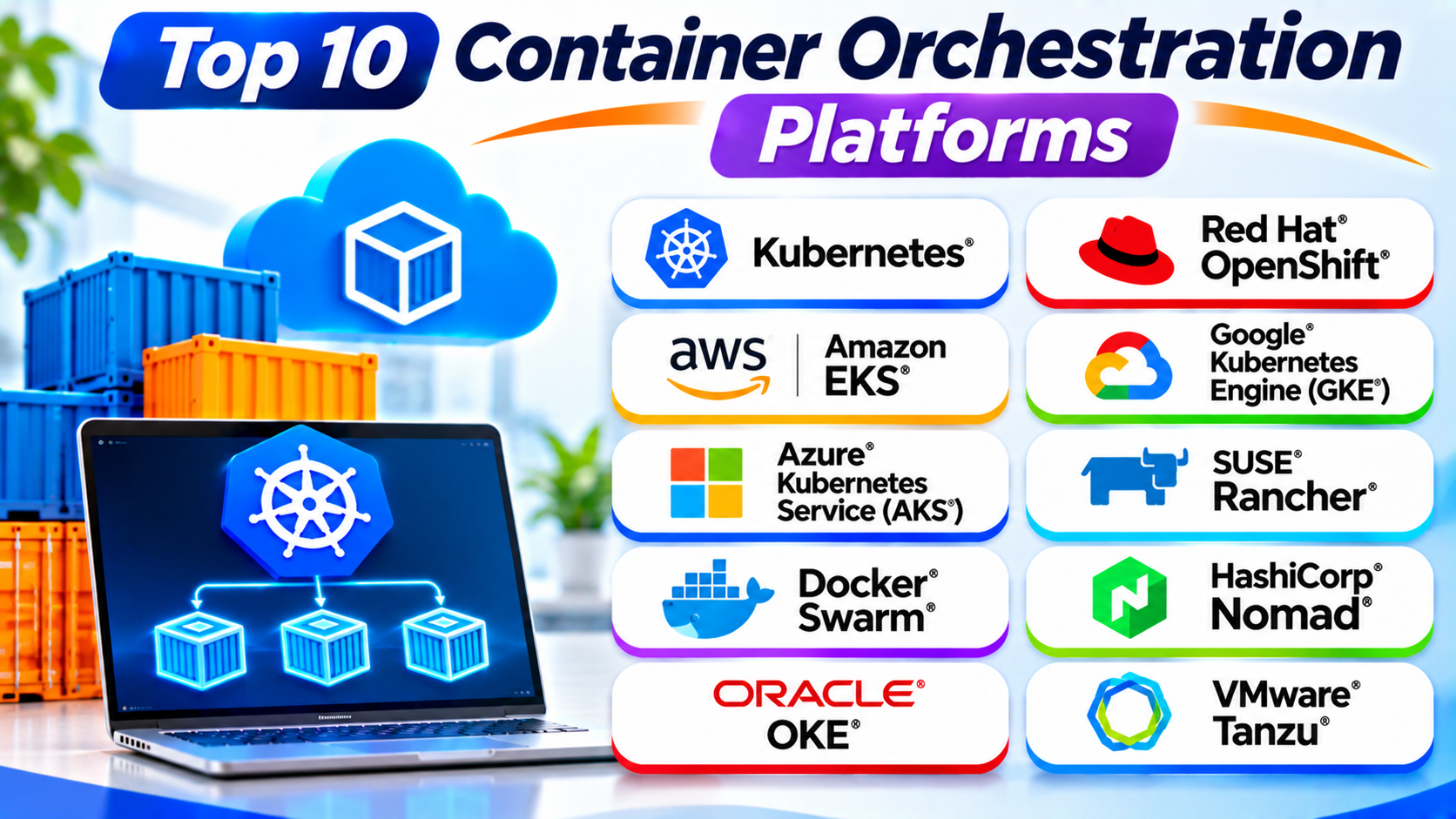
This guide explores ten popular container orchestration platforms. It explains their features, Pros, Cons, and best uses. It also includes a comparison table and practical selection tips.
What Is Container Orchestration?
Container orchestration means managing containers across one or more computers. It helps teams control large groups of containers without handling every task manually.
An orchestration platform can manage several important tasks:
- Deployment: Starts containers based on application settings.
- Scheduling: Chooses which servers should run containers.
- Scaling: Adds or removes containers as demand changes.
- Load balancing: Shares traffic across application instances.
- Service discovery: Helps containers find and communicate with services.
- Recovery: Restarts failed containers when configured.
- Networking: Connects containers across servers.
- Storage: Connects applications to persistent data.
- Monitoring: Tracks container and application health.
These features help teams run reliable applications. They also reduce repeated manual work.
How Does Kubernetes-Based Container Orchestration Work?
Kubernetes uses a cluster to manage container workloads. A cluster contains a control plane and worker nodes.
The control plane manages the cluster. Worker nodes run application workloads.
Here is how the process works:
- A developer creates a container image.
- The developer stores the image in a container registry.
- The team defines the required application settings.
- Kubernetes checks the available cluster resources.
- The scheduler selects suitable worker nodes.
- The platform starts the required containers.
- Controllers check the desired application state.
- Kubernetes works to correct problems when containers fail.
For example, a team may request three copies of a web application. Kubernetes works to keep three copies running. If one container fails, Kubernetes can start another one.
This process helps teams manage applications at scale.
Top 10 Container Orchestration Platforms
The following tools serve different orchestration needs. Some provide Kubernetes directly. Others add management features or offer alternative workload scheduling.
1. Kubernetes
Kubernetes is an open-source container orchestration platform. It helps teams deploy, scale, and manage containerized applications.
Google originally developed Kubernetes. The Cloud Native Computing Foundation now hosts the project.
Kubernetes organizes applications into groups called Pods. A Pod can contain one or more closely related containers. The platform schedules Pods across available worker nodes.
Kubernetes also uses controllers to maintain the desired state. For example, a Deployment can keep a chosen number of application replicas running.
Teams can use Kubernetes across public clouds, private data centers, and hybrid environments. Its large ecosystem also supports many networking, storage, security, and monitoring tools.
However, Kubernetes requires planning and technical skills. Teams must understand clusters, networking, storage, security, and upgrades.
Key Features
- Automated container deployment and scheduling.
- Self-healing through controllers and health checks.
- Horizontal scaling for application workloads.
- Service discovery and load balancing.
- Rolling updates and rollbacks.
- Persistent storage support.
- Configuration and secret management.
- Support for cloud and on-premises environments.
Pros
- Open-source and widely adopted.
- Supports complex container workloads.
- Offers strong automation features.
- Works across many infrastructure environments.
- Provides a large ecosystem of tools.
- Supports flexible scaling.
Cons
- Has a steep learning curve.
- Requires careful cluster management.
- Networking can become complex.
- Poor resource planning can increase costs.
- Needs regular security and version maintenance.
Best For: Teams that need flexible, scalable container orchestration.
2. Red Hat OpenShift
Red Hat OpenShift is an enterprise application platform built around Kubernetes. It adds tools for developers, administrators, and IT teams.
OpenShift helps organizations build, deploy, and manage applications. It includes a web console, command-line tools, security features, and application development workflows.
The platform supports containerized applications across cloud and private infrastructure. It also offers features for managing applications through Kubernetes Operators.
OpenShift can help businesses create consistent development and deployment processes. Its enterprise tools can also support governance and security requirements.
However, OpenShift can need more resources than a basic Kubernetes setup. Teams should also consider subscription costs and administration needs.
Key Features
- Kubernetes-based orchestration.
- Web console for cluster administration.
- Developer tools and application workflows.
- Operator-based application management.
- Integrated security controls.
- Support for hybrid cloud environments.
- Automated deployment options.
- Enterprise support and lifecycle tools.
Pros
- Adds enterprise features around Kubernetes.
- Supports developer and operations teams.
- Offers useful security controls.
- Supports hybrid infrastructure.
- Provides a managed application experience.
Cons
- Can require significant infrastructure resources.
- Subscription costs may be high.
- Needs skilled administrators.
- Some features require careful setup.
- Can feel complex for small teams.
Best For: Enterprises that need Kubernetes with additional security and management tools.
3. Amazon Elastic Kubernetes Service (Amazon EKS)
Amazon Elastic Kubernetes Service, or Amazon EKS, is AWS’s managed Kubernetes service. It helps teams run Kubernetes clusters without managing every control plane component themselves.
AWS operates the Kubernetes control plane for standard EKS clusters. Teams can use AWS services for networking, identity, storage, monitoring, and security.
EKS supports several ways to run worker capacity. Teams can choose managed node groups, self-managed nodes, or supported serverless compute options.
Organizations can use EKS for web applications, microservices, data processing, and other container workloads. It also supports hybrid use cases through related AWS services.
However, EKS does not remove every Kubernetes management task. Teams still need to manage application workloads, permissions, networking, and costs.
Key Features
- Managed Kubernetes control plane.
- Integration with AWS services.
- Managed and self-managed worker options.
- Identity and access management integrations.
- Networking and storage integrations.
- Monitoring through AWS tools.
- Support for workload scaling.
- Options for hybrid Kubernetes environments.
Pros
- Reduces control plane maintenance.
- Fits well with AWS infrastructure.
- Supports production Kubernetes workloads.
- Offers flexible compute choices.
- Connects with many AWS services.
Cons
- Requires AWS and Kubernetes knowledge.
- Workload management remains the team’s responsibility.
- Costs can grow across several services.
- AWS-specific integrations can increase dependency.
- Setup requires careful configuration.
Best For: Organizations that run applications on AWS and want managed Kubernetes.
4. Google Kubernetes Engine (GKE)
Google Kubernetes Engine, or GKE, is Google’s managed Kubernetes service. It helps teams deploy and operate containerized applications on Google Cloud.
GKE manages important parts of Kubernetes cluster operations. It offers different management modes to suit different workloads.
Its Autopilot mode handles more infrastructure tasks. Standard mode gives teams more control over cluster configuration.
GKE connects with Google Cloud services for networking, storage, monitoring, and security. Teams can use it for web applications, microservices, and large cloud workloads.
GKE can reduce the effort involved in operating Kubernetes. However, teams still need to understand application deployment and cloud resource management.
Key Features
- Managed Kubernetes clusters.
- Autopilot and Standard operating modes.
- Integration with Google Cloud services.
- Automated cluster management options.
- Workload scaling support.
- Monitoring and logging integrations.
- Container networking and storage options.
- Support for production applications.
Pros
- Reduces control plane management work.
- Offers flexible cluster management modes.
- Fits well with Google Cloud workloads.
- Supports automated operations.
- Provides useful cloud integrations.
Cons
- Requires Google Cloud knowledge.
- Costs depend on cluster and workload resources.
- Advanced settings need Kubernetes skills.
- Cloud-specific services can increase dependency.
- Complex environments need careful planning.
Best For: Teams that want managed Kubernetes on Google Cloud.
5. Azure Kubernetes Service (AKS)
Azure Kubernetes Service, or AKS, is Microsoft’s managed Kubernetes service. It helps organizations deploy and manage container applications on Azure.
Microsoft manages important Kubernetes control plane components. Teams focus on worker resources, application workloads, and cluster settings.
AKS connects with Azure services for identity, networking, storage, and monitoring. It also supports common development and deployment workflows.
Businesses that already use Microsoft tools may find AKS useful. It can support microservices, enterprise applications, and cloud-native systems.
However, AKS still requires Kubernetes knowledge. Teams must also understand Azure resource costs and configuration.
Key Features
- Managed Kubernetes control plane.
- Integration with Azure services.
- Support for workload scaling.
- Identity and access management options.
- Monitoring through Azure tools.
- Storage and networking integrations.
- Deployment automation support.
- Support for production applications.
Pros
- Fits well with Microsoft Azure.
- Reduces control plane management.
- Connects with Microsoft identity services.
- Supports modern application deployment.
- Offers several automation options.
Cons
- Requires Azure and Kubernetes knowledge.
- Workload operations still need attention.
- Costs depend on several Azure resources.
- Configuration can become complex.
- Cloud dependency may affect portability.
Best For: Businesses that use Azure and need managed Kubernetes.
6. SUSE Rancher
SUSE Rancher is a Kubernetes management platform. It helps teams manage multiple Kubernetes clusters from one central interface.
Organizations often run clusters across different cloud providers and data centers. Rancher gives administrators a common place to manage these environments.
Teams can use Rancher for cluster provisioning, access control, policy management, and monitoring integrations. It also supports Kubernetes distributions such as RKE2 and K3s.
Rancher is especially useful when an organization manages many clusters. It can help standardize operations across different environments.
However, Rancher does not replace Kubernetes itself. Teams still need to understand cluster operations and maintain the underlying infrastructure.
Key Features
- Centralized multi-cluster management.
- Support for different Kubernetes distributions.
- Cluster provisioning and lifecycle tools.
- User and role management.
- Policy and security controls.
- Monitoring integrations.
- Support for cloud and private infrastructure.
- Management of lightweight Kubernetes environments.
Pros
- Provides one view of multiple clusters.
- Supports different infrastructure environments.
- Helps standardize cluster operations.
- Offers useful access controls.
- Supports lightweight Kubernetes options.
Cons
- Requires Kubernetes experience.
- Adds another management layer.
- Large deployments need careful planning.
- Some features depend on the chosen setup.
- Teams must maintain the management environment.
Best For: Organizations that manage several Kubernetes clusters.
7. Docker Swarm
Docker Swarm is Docker’s native container orchestration tool. It helps teams group multiple Docker hosts into one cluster.
A Swarm cluster contains manager nodes and worker nodes. Manager nodes control the cluster. Worker nodes run assigned services.
Teams define services and specify how many replicas they need. Swarm schedules those replicas across available nodes.
It also offers service discovery, load balancing, and rolling updates. Its connection with Docker tools can make setup easier for teams already using Docker.
Docker Swarm has a simpler operating model than Kubernetes. However, it offers fewer advanced features and a smaller ecosystem.
Key Features
- Native Docker integration.
- Cluster management across Docker hosts.
- Service scheduling and scaling.
- Built-in service discovery.
- Load balancing.
- Rolling service updates.
- Secure cluster communication.
- Simple service definitions.
Pros
- Easier to learn than Kubernetes.
- Works with Docker tools and workflows.
- Supports basic cluster management.
- Offers built-in load balancing.
- Useful for smaller deployments.
Cons
- Has a smaller ecosystem than Kubernetes.
- Offers fewer advanced orchestration features.
- Has fewer enterprise integrations.
- May not fit complex cloud-native systems.
- Offers fewer advanced scheduling options.
Best For: Small teams that need simple Docker container orchestration.
8. HashiCorp Nomad
HashiCorp Nomad is a workload orchestrator. It helps teams deploy and manage containers and other application workloads.
Unlike container-only platforms, Nomad can schedule several workload types. These include Docker containers, virtual machines, and standalone applications.
Nomad uses jobs to describe how workloads should run. Its scheduler places tasks on available machines based on resources and constraints.
Teams can connect Nomad with other HashiCorp tools. These integrations can support secrets management, service networking, and infrastructure automation.
Nomad can suit organizations that need a straightforward scheduler for mixed workloads. However, teams may need extra tools for some features that Kubernetes platforms provide.
Key Features
- Scheduling for containers and other workloads.
- Support for Docker containers.
- Job-based deployment definitions.
- Resource-aware workload placement.
- Cluster scheduling and recovery.
- Integration with HashiCorp tools.
- Support for different infrastructure environments.
- Flexible workload management.
Pros
- Supports containers and non-container workloads.
- Offers a straightforward scheduling model.
- Works across different environments.
- Integrates with infrastructure tools.
- Useful for mixed application workloads.
Cons
- Has a smaller ecosystem than Kubernetes.
- May need extra tools for some functions.
- Requires knowledge of job specifications.
- Teams must plan integrations carefully.
- Some enterprise capabilities require paid offerings.
Best For: Teams that need one scheduler for containers and other workloads.
9. Oracle Cloud Infrastructure Container Engine for Kubernetes (OKE)
Oracle Cloud Infrastructure Container Engine for Kubernetes, commonly called OKE, is Oracle’s managed Kubernetes service.
OKE helps teams deploy and operate Kubernetes clusters on Oracle Cloud Infrastructure. Oracle manages key control plane tasks, while teams manage their application workloads and selected infrastructure settings.
The service connects with Oracle Cloud networking, storage, identity, and monitoring tools. Organizations can use it for enterprise applications, microservices, and cloud-native workloads.
OKE can be useful for businesses that already use Oracle Cloud services. It also gives teams access to Kubernetes without building every cluster component themselves.
However, teams need Oracle Cloud knowledge. They should also review service availability, resource choices, and regional requirements.
Key Features
- Managed Kubernetes control plane.
- Integration with Oracle Cloud services.
- Cluster and node pool management.
- Container workload deployment.
- Networking and storage integrations.
- Identity and access controls.
- Monitoring and logging options.
- Support for enterprise workloads.
Pros
- Reduces control plane management work.
- Fits Oracle Cloud environments.
- Uses standard Kubernetes concepts.
- Connects with Oracle infrastructure services.
- Supports cloud-native application workloads.
Cons
- Requires Oracle Cloud knowledge.
- Workload management remains the team’s responsibility.
- Costs depend on infrastructure use.
- Some integrations need extra configuration.
- May not suit teams committed to other cloud providers.
Best For: Organizations that use Oracle Cloud and need managed Kubernetes.
10. VMware Tanzu Kubernetes Grid
VMware Tanzu Kubernetes Grid is a Kubernetes distribution and platform offering for running Kubernetes clusters across supported infrastructure.
It helps organizations create and manage Kubernetes environments. Teams can use it to support application workloads across private data centers and cloud infrastructure.
Tanzu provides tools for cluster lifecycle management and enterprise operations. It can support organizations that want consistent Kubernetes environments across different locations.
The platform is part of VMware’s broader Tanzu portfolio. Product packaging and availability can vary, so teams should review the current offering before choosing it.
Tanzu can suit businesses with existing VMware infrastructure. However, licensing, architecture, and operational requirements need careful review.
Key Features
- Kubernetes cluster deployment and management.
- Support for selected cloud and private environments.
- Cluster lifecycle management.
- Integration with VMware infrastructure.
- Enterprise application platform options.
- Support for consistent cluster operations.
- Tools for infrastructure and application teams.
- Kubernetes-based workload management.
Pros
- Supports enterprise Kubernetes environments.
- Fits organizations with VMware infrastructure.
- Helps standardize cluster operations.
- Supports private and cloud deployments.
- Provides enterprise-focused management options.
Cons
- Product packaging can be complex.
- Licensing needs careful review.
- Requires Kubernetes and VMware skills.
- May add operational overhead.
- Product choices can change across the Tanzu portfolio.
Best For: Enterprises that want Kubernetes across VMware and supported cloud environments.
Container Orchestration Platforms Comparison Table
| Platform | Main Technology | Management Model | Best For |
|---|---|---|---|
| Kubernetes | Kubernetes | Self-managed or hosted | Flexible orchestration |
| Red Hat OpenShift | Kubernetes | Enterprise platform | Enterprise applications |
| Amazon EKS | Kubernetes | AWS-managed service | AWS workloads |
| Google GKE | Kubernetes | Google Cloud-managed service | Google Cloud workloads |
| Azure AKS | Kubernetes | Azure-managed service | Azure workloads |
| SUSE Rancher | Kubernetes management | Centralized multi-cluster management | Multiple clusters |
| Docker Swarm | Docker Swarm | Self-managed orchestration | Simple Docker clusters |
| HashiCorp Nomad | Nomad scheduler | Self-managed or supported deployments | Mixed workloads |
| Oracle OKE | Kubernetes | Oracle-managed service | Oracle Cloud workloads |
| VMware Tanzu Kubernetes Grid | Kubernetes | Enterprise Kubernetes distribution | VMware environments |
Kubernetes vs. Other Container Orchestration Platforms
Kubernetes has become a common choice for container orchestration. However, other platforms can meet different needs.
Kubernetes vs. Docker Swarm
Kubernetes offers a broader set of orchestration features. It supports complex deployments and a large ecosystem.
Docker Swarm offers a simpler way to manage Docker services. It may suit smaller environments that do not need advanced orchestration.
Kubernetes vs. Nomad
Kubernetes focuses on containerized workloads. Nomad can schedule containers and other workload types.
Nomad may suit teams that want a simpler scheduler. Kubernetes offers a larger container ecosystem.
Kubernetes vs. OpenShift
Kubernetes provides core orchestration features. OpenShift adds enterprise tools and workflows around Kubernetes.
OpenShift may suit organizations that need a more integrated enterprise platform.
Self-Managed Kubernetes vs. Managed Kubernetes
Self-managed Kubernetes gives teams more control. However, they must handle more cluster operations.
Managed services such as EKS, GKE, AKS, and OKE reduce some infrastructure tasks. Teams still manage their applications and many cluster settings.
How to Choose the Right Container Orchestration Platform
The right platform depends on your applications, infrastructure, budget, and technical skills.
1. Review Your Application Needs
Start by understanding your workloads. A small web application may need simple orchestration. A large microservices system may need advanced scheduling and scaling.
Choose a platform that supports your current needs without adding unnecessary complexity.
2. Check Your Team’s Skills
Kubernetes needs knowledge of clusters, networking, storage, and security. OpenShift adds more enterprise tools to learn.
Docker Swarm may suit teams that already use Docker. Managed Kubernetes services can reduce some infrastructure tasks.
3. Consider Your Cloud Provider
Your existing cloud environment can influence your decision.
- AWS users can consider Amazon EKS.
- Google Cloud users can consider GKE.
- Azure users can consider AKS.
- Oracle Cloud users can consider OKE.
- VMware users can review Tanzu options.
Kubernetes also supports many self-managed environments.
4. Compare Security Features
Check access controls, network policies, image scanning, and secrets management.
Also review how the platform handles updates and security patches. Good security needs clear policies and regular checks.
5. Understand the Total Cost
Compare more than the platform price. Include compute, storage, networking, monitoring, support, and staff time.
A managed service may reduce maintenance work. However, its infrastructure costs can still grow.
6. Review Scaling Options
Check how the platform handles application and infrastructure scaling. Review resource limits, cluster capacity, and scaling rules.
Also test how the system behaves during traffic increases.
7. Check Support and Documentation
Good documentation helps teams solve problems. Community support can also help developers learn.
Businesses may need paid support and clear service agreements. Review these needs before choosing a platform.
Common Uses of Container Orchestration
Container orchestration supports many software and business needs.
Microservices Applications
Teams can split an application into smaller services. Each service can run in separate containers.
Orchestration platforms help deploy and scale these services.
Cloud-Native Applications
Developers can build applications around containers and services. Orchestration helps manage their deployment and operation.
E-Commerce Platforms
Online stores may experience sudden traffic changes. Orchestration can help scale application workloads as demand changes.
Continuous Delivery
Teams can connect orchestration platforms with automated build and deployment pipelines. This helps them release updates in a repeatable way.
Data Processing
Containerized jobs can process data across available resources. Orchestration helps schedule and manage these jobs.
Hybrid Cloud Environments
Organizations can run workloads across private infrastructure and public clouds. Kubernetes-based platforms can help create consistent deployment methods.
Benefits of Container Orchestration
Container orchestration offers several important benefits.
Automated Deployment
Teams can define how applications should run. The platform uses those settings to deploy workloads.
Easier Scaling
Orchestration platforms can add or remove application instances. This helps applications respond to changing demand.
Better Recovery
Platforms can detect certain failures and restart workloads. This can reduce manual recovery work.
Improved Resource Use
Schedulers place workloads on available infrastructure. This can help teams use computing resources more effectively.
Consistent Application Operations
Teams can use common deployment settings across environments. This helps reduce differences between development and production.
Better Service Management
Service discovery and networking features help application components communicate. This supports complex distributed applications.
Challenges of Container Orchestration
Container orchestration also brings some challenges.
Learning Curve
Advanced platforms need technical knowledge. Teams must learn cluster operations, networking, storage, and security.
Infrastructure Complexity
Large clusters need careful planning. Poor configuration can affect application performance.
Security Management
Weak permissions and unsafe container images can create risks. Teams need regular security checks.
Monitoring Requirements
Large environments generate many logs and metrics. Teams need clear monitoring and alerting systems.
Cost Management
Unused resources can increase infrastructure bills. Teams should review resource use often.
Data Management
Containers can stop or restart. Applications that need lasting data must use suitable persistent storage.
Best Practices for Container Orchestration
Follow these practices to manage container environments well.
- Use trusted container images.
- Scan images for security issues.
- Set resource requests and limits.
- Use role-based access controls.
- Store secrets securely.
- Apply network policies where suitable.
- Monitor cluster and application health.
- Keep platform components updated.
- Back up important data and configuration.
- Test upgrades before production use.
- Review infrastructure costs regularly.
- Document cluster settings and recovery steps.
Frequently Asked Questions
1. What is container orchestration?
Container orchestration automates the deployment and management of containers. It helps teams handle scheduling, scaling, networking, and recovery.
2. What is the most popular container orchestration platform?
Kubernetes is one of the most widely used container orchestration platforms. It has a large ecosystem and broad industry adoption.
3. Is Kubernetes the same as Docker?
No. Docker provides tools to build and run containers. Kubernetes manages containerized workloads across clusters.
4. What is the difference between Kubernetes and OpenShift?
Kubernetes provides core container orchestration. OpenShift builds an enterprise application platform around Kubernetes.
It adds developer tools, security features, and management workflows.
5. Which container orchestration platform is best for beginners?
Docker Swarm can suit beginners who already use Docker. Portainer can also help users manage supported container environments through a visual interface.
Kubernetes is a good long-term skill, but it needs more learning.
6. Are container orchestration platforms free?
Some platforms offer open-source versions. Kubernetes, Docker Swarm, and Nomad are examples.
Managed cloud services and enterprise products may charge for infrastructure, support, or extra features.
7. Can Kubernetes run on private servers?
Yes. Teams can install Kubernetes on suitable private infrastructure.
They must manage the required hardware, networking, storage, security, and cluster operations.
8. What is the difference between managed and self-managed Kubernetes?
A managed service handles important control plane tasks. A self-managed setup gives teams more direct control.
Self-managed clusters also require more maintenance work.
9. Can container orchestration support microservices?
Yes. Orchestration platforms help teams deploy and manage separate services.
They can also support service discovery, scaling, and application recovery.
10. How do I choose the right orchestration platform?
Review your application needs, team skills, infrastructure, security, and budget.
Then compare platform features and test your preferred option with a real workload.
Final Thoughts
Container orchestration helps teams manage modern applications at scale. It reduces manual work and supports reliable deployment.
Kubernetes remains a strong choice for flexible container management. OpenShift adds enterprise tools. EKS, GKE, AKS, and OKE provide managed Kubernetes services.
Rancher helps teams manage multiple clusters. Docker Swarm offers simpler Docker orchestration. Nomad supports different workload types. Tanzu serves organizations with VMware environments.
No single platform fits every project. Your choice should match your workload, team skills, and infrastructure.
Start with a clear list of requirements. Test the platform with a small application. Then expand when your team feels ready.