Introduction
Mechanical design software helps engineers turn ideas into working products. It supports 2D drawings, 3D models, assemblies, and engineering plans.
Mechanical engineers need more than a drawing tool. They must design parts, build complex assemblies, check dimensions, and prepare products for manufacturing. The right mechanical design software helps them complete these tasks with greater accuracy and less manual work.
Modern mechanical design tools use computer-aided design (CAD) technology. CAD lets engineers create and edit detailed 2D drawings and 3D models on a computer. Many platforms also support simulation, sheet metal design, assembly planning, and manufacturing.
However, every tool serves a different purpose. Some focus on everyday machine design, while others support complex automotive and aerospace projects. Some also offer cloud-based teamwork or free access.
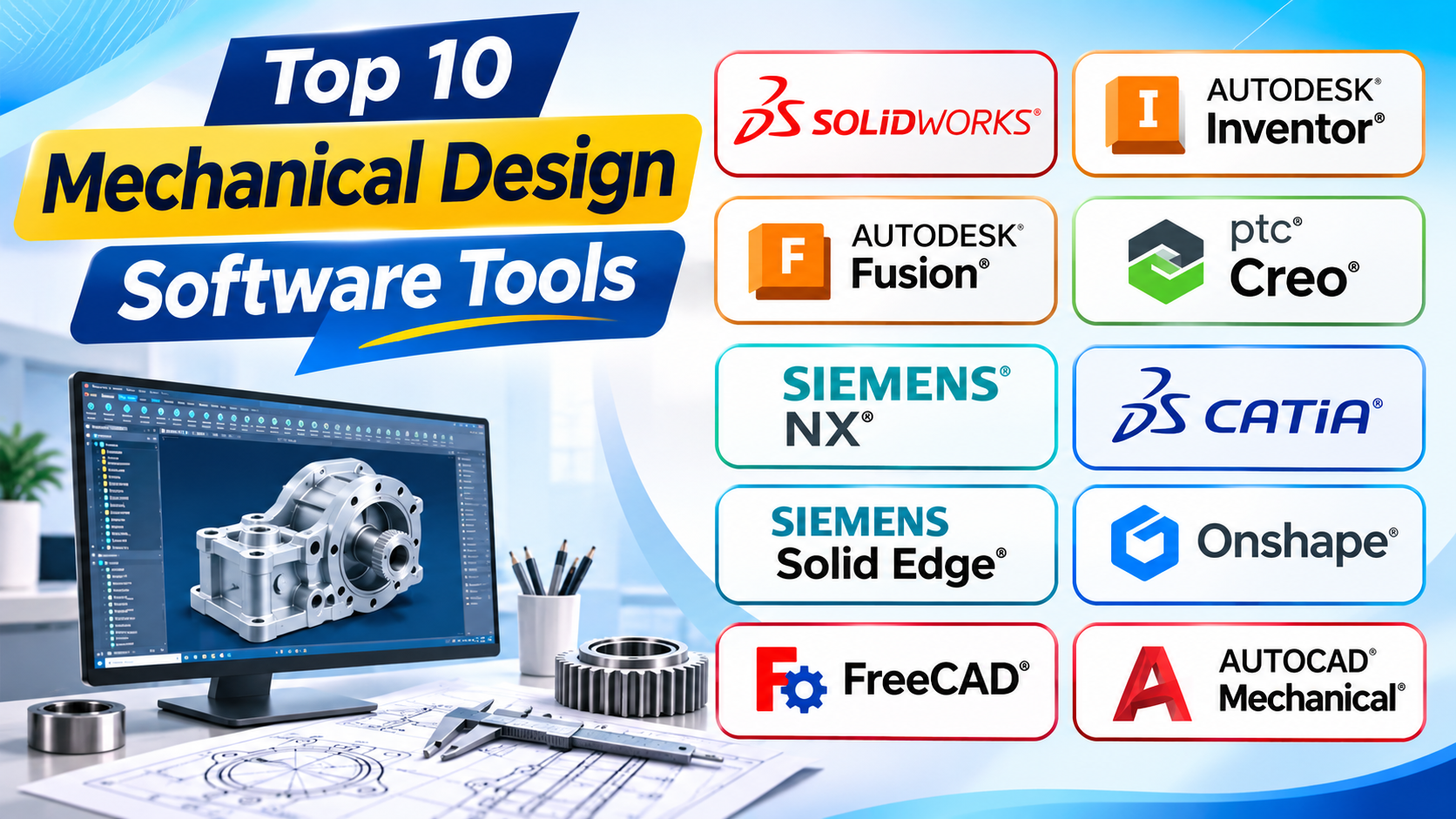
This guide explores 10 important mechanical design software tools. It explains their main features, practical uses, strengths, and limitations. It also helps students, engineers, designers, and manufacturers choose a suitable platform
Some tools focus on detailed mechanical parts. Others support large assemblies, complex surfaces, or manufacturing. The right choice depends on your projects, skills, budget, and team needs.
1. SOLIDWORKS
Best for: Product design, machine parts, and mechanical assemblies
SOLIDWORKS is a popular 3D CAD tool for mechanical engineers. It helps users create accurate parts, assemblies, and technical drawings. It supports many stages of product design.
Engineers often begin with a 2D sketch. They add dimensions and rules to control its shape. Next, they turn the sketch into a 3D part. They can add holes, slots, rounds, cuts, and other details.
One useful feature is parametric modeling. It allows engineers to change dimensions without rebuilding the whole model. For example, a designer can change a shaft’s diameter. The software can then update related features.
SOLIDWORKS also supports assembly design. Users can place many parts together to create a complete product. They can define how parts connect and move. This helps them check clearances and fit before production.
Its sheet metal tools help engineers design metal covers and brackets. Weldment tools support frames and welded structures. Surface tools help create curved product shapes.
Engineers can also create 2D drawings from 3D models. These drawings can show dimensions, sections, notes, and other details. Manufacturers use them to understand how to make each part.
SOLIDWORKS offers additional tools for simulation and product data management. These can help teams study designs and manage project files. However, some advanced functions require extra products or licenses.
Main uses
- Designing machine parts and mechanical products.
- Creating complex assemblies.
- Preparing manufacturing drawings.
- Designing sheet metal components.
- Building frames and welded structures.
- Checking design fit and movement.
- Supporting product development work.
Pros
- Easy to find learning resources and training.
- Offers strong tools for parts and assemblies.
- Supports detailed mechanical drawings.
- Makes design changes easier through parametric modeling.
- Includes tools for sheet metal and weldments.
- Supports many common engineering workflows.
- Has a large user and supplier ecosystem.
Cons
- Professional licenses can cost a lot.
- Large assemblies may need powerful computers.
- Advanced tools can require extra licenses.
- New users need time to learn complex features.
- Teams may need extra systems for file management.
SOLIDWORKS suits product designers and mechanical engineering teams. It is a strong choice for companies that create machines, tools, and consumer products.
2. Autodesk Inventor
Best for: Machinery, equipment, and manufacturing design
Autodesk Inventor is a 3D CAD platform for mechanical engineering. It helps engineers design parts, assemblies, and production drawings. It focuses on accurate mechanical design and product development.
Inventor uses parametric modeling. Engineers create sketches and add features to build 3D parts. They can control shapes through dimensions and design rules.
For example, an engineer can design a gearbox housing. They can add mounting holes, openings, ribs, and other details. If the housing size changes, they can update its dimensions.
Inventor also supports assembly modeling. Users can place different parts into one assembly. They can set connections and movement rules between components. This helps them check how a machine fits together.
Its sheet metal tools support folded metal parts. Engineers can create bends, flanges, and flat patterns. These tools help prepare designs for sheet metal production.
Frame Generator supports designs that use standard structural profiles. It helps users create machine frames, supports, and equipment structures.
Inventor also supports engineering drawings. Users can create views, dimensions, sections, and other production details. These drawings help manufacturers understand the design.
The software works within the wider Autodesk product environment. This can help companies that already use Autodesk tools. Teams should still check file exchange and workflow needs before choosing it.
Main uses
- Designing machines and industrial equipment.
- Creating mechanical parts and assemblies.
- Developing sheet metal components.
- Building frames and support structures.
- Preparing technical drawings.
- Supporting manufacturing design.
- Updating models through design changes.
Pros
- Provides strong mechanical modeling tools.
- Supports complex parts and assemblies.
- Offers useful sheet metal features.
- Helps design structural frames.
- Makes dimension-based design changes easier.
- Fits Autodesk-based engineering workflows.
- Supports detailed manufacturing drawings.
Cons
- Requires time to learn advanced tools.
- Professional licensing can be costly.
- Large assemblies can need strong hardware.
- Some advanced functions may require other products.
- Teams may need training before using it efficiently.
Autodesk Inventor works well for machinery makers and industrial design teams. It is especially useful when engineers need detailed mechanical models and production drawings.
3. Autodesk Fusion
Best for: Product development, prototyping, and integrated manufacturing
Autodesk Fusion combines several product development tools in one platform. It brings CAD, CAM, and CAE functions into a connected environment.
CAD helps users create product designs. CAM helps prepare manufacturing tasks. CAE helps engineers study how a design may behave under certain conditions.
Fusion supports 3D part and assembly modeling. Users can create sketches, build solid shapes, and edit product designs. They can also work with surface and mesh models.
Its manufacturing tools help prepare parts for machining. For example, users can create toolpaths for CNC machines. This helps connect product design with production work.
Fusion also includes simulation options. Depending on the available plan, users can study factors such as stress, movement, and heat. These checks can help identify design problems before making a physical part.
Another important feature is cloud-based collaboration. Teams can store project data and share designs. Different users can review and work with project information.
Fusion suits startups, small manufacturers, product designers, and engineering students. It can help teams move from an early idea to a physical prototype.
However, users should check the available features and plan limits. Some advanced functions may need a paid plan or extra services.
Main uses
- Creating product concepts and 3D models.
- Designing mechanical parts and assemblies.
- Preparing CNC machining operations.
- Building prototypes.
- Checking selected engineering conditions.
- Sharing design files with team members.
- Connecting design and manufacturing tasks.
Pros
- Combines CAD, CAM, and CAE tools.
- Supports product design and prototyping.
- Helps connect design with machining.
- Offers cloud-based collaboration.
- Provides tools for many product development stages.
- Can suit small teams and growing businesses.
- Supports different types of design work.
Cons
- Some features depend on the selected plan.
- Cloud services may not suit every company.
- Internet access can affect some workflows.
- Large projects need careful performance planning.
- Advanced engineering teams may need specialist tools.
- Users must review storage and data policies.
Autodesk Fusion is useful for teams that want connected design and manufacturing tools. It is also a practical option for product makers and small engineering businesses.
4. PTC Creo
Best for: Complex mechanical products and advanced parametric design
PTC Creo is a professional 3D CAD platform. It helps engineers design complex mechanical products and manage detailed design changes.
Creo is known for its parametric modeling tools. Engineers can build models using dimensions, rules, and connected features. These rules help preserve the design intent.
Design intent means the reason behind a design choice. For example, a group of holes may need equal spacing. If the part changes size, the software can help maintain that spacing.
Creo also supports direct modeling. This approach lets users edit model faces and shapes more directly. It can help when working with imported models or making quick changes.
The software offers tools for sheet metal, surface design, and assembly modeling. Engineers can use these tools to create detailed parts and complete mechanical systems.
Creo also supports large assemblies. This matters when a product contains many connected components. Users can organize parts and study their relationships.
Its wider product range includes simulation, product development, and manufacturing options. These tools can help companies manage more stages of engineering work.
Creo suits companies that design industrial equipment, vehicles, and complex products. It can be useful when engineers need detailed control over design changes.
Main uses
- Designing complex mechanical components.
- Creating large product assemblies.
- Developing sheet metal parts.
- Building advanced surface models.
- Editing imported geometry.
- Preparing engineering drawings.
- Supporting product testing and manufacturing workflows.
Pros
- Offers advanced parametric modeling.
- Supports direct model editing.
- Helps manage complex design relationships.
- Provides tools for large assemblies.
- Supports sheet metal and surface design.
- Fits demanding engineering workflows.
- Offers wider product development options.
Cons
- Has a steep learning curve.
- Professional licenses can be expensive.
- Advanced functions may need extra products.
- Users may need formal training.
- Complex projects require careful file and model management.
PTC Creo is a strong choice for companies that design complex products. It suits engineering teams that need precise control over models and design changes.
5. Siemens NX
Best for: Advanced engineering, complex products, and manufacturing
Siemens NX is an advanced engineering software platform. It supports product design, engineering analysis, and manufacturing tasks.
NX gives engineers tools for solid modeling, surface modeling, and assembly design. They can create detailed parts and combine them into complete products.
The software supports different modeling methods. Parametric modeling helps users control designs through dimensions and rules. Direct modeling helps them edit geometry more freely.
NX also supports complex product structures. Engineers can organize large assemblies and manage relationships between parts. This can help teams that design machines, vehicles, and industrial systems.
One major strength is its connection between design and manufacturing. Its wider toolset includes CAM features for production planning and machining. This can help reduce gaps between engineering and factory work.
NX also offers simulation and analysis options. Engineers can use suitable tools to study design behavior. The exact functions depend on the products and licenses in use.
Large companies may use NX with product data and lifecycle systems. These systems help manage product information, design changes, and team processes.
However, NX is a broad platform. Teams may need time, training, and careful planning before they use it fully.
Main uses
- Designing complex mechanical products.
- Creating large assemblies.
- Developing automotive and aerospace components.
- Preparing manufacturing operations.
- Creating detailed engineering drawings.
- Studying selected design conditions.
- Managing connected engineering workflows.
Pros
- Offers a broad engineering toolset.
- Connects design and manufacturing workflows.
- Supports complex parts and assemblies.
- Provides several modeling methods.
- Includes advanced engineering options.
- Suits large industrial projects.
- Supports connected product development processes.
Cons
- Can involve high licensing and setup costs.
- Requires training for advanced workflows.
- May need powerful computer hardware.
- Its wide feature set can feel complex.
- Smaller teams may not need all its functions.
Siemens NX suits large engineering and manufacturing companies. It is a good option when projects need advanced design and production tools.
6. CATIA
Best for: Aerospace, automotive, and complex surface design
CATIA is a high-end product design and engineering platform. It helps companies create complex products with many connected parts.
The software supports 3D modeling, surface design, and assembly development. Engineers can use it to create parts with complex shapes and detailed curves.
CATIA has a strong role in aerospace and automotive engineering. These industries often work with products that contain many parts. They also need careful control over shape, fit, and design changes.
Its surface modeling tools help engineers create smooth and complex shapes. These tools matter when the outside shape of a product affects its design or function.
CATIA also supports product structure management. Teams can organize parts and assemblies. This helps them understand how different components fit into a larger product.
The wider platform supports more than mechanical design. Depending on the setup, teams can connect design work with other engineering and product development tasks.
CATIA can support large projects with many users. However, companies need to plan training, licenses, and data management before adopting it.
Main uses
- Designing aircraft components.
- Creating automotive parts and body shapes.
- Building complex mechanical assemblies.
- Developing advanced surface models.
- Managing large product structures.
- Supporting product development teams.
- Designing complex industrial products.
Pros
- Provides advanced surface modeling tools.
- Supports complex product design.
- Handles large assembly workflows.
- Suits aerospace and automotive projects.
- Helps manage connected product structures.
- Supports wider engineering processes.
- Offers tools for demanding design work.
Cons
- Can be expensive for smaller businesses.
- Takes time to learn.
- Requires skilled users for advanced tasks.
- Setup and data management can be complex.
- Some teams may not need its full capabilities.
CATIA is suitable for companies that design complex products. It is especially useful when advanced surface modeling and large product structures matter.
7. Solid Edge
Best for: Mechanical design and flexible model editing
Solid Edge is a 3D CAD platform from Siemens. It helps engineers create mechanical parts, assemblies, and production drawings.
One of its key features is synchronous technology. This lets users edit model geometry more directly. They can change faces and shapes without relying only on a traditional feature history.
This approach can help when engineers work with imported CAD files. It can also speed up certain design changes.
Solid Edge also supports parametric modeling. Users can create sketches and features controlled by dimensions. This helps them build models that follow clear design rules.
The software includes sheet metal tools. Engineers can create bends, flanges, and other folded metal features. It also supports frame design for structures made from standard profiles.
Assembly tools help users combine parts into complete products. They can check how components fit and work together.
Solid Edge also offers tools for technical drawings and manufacturing workflows. Its wider product range can support simulation and data management tasks.
Main uses
- Designing machine parts and assemblies.
- Editing imported CAD models.
- Creating sheet metal components.
- Building frames and structures.
- Preparing engineering drawings.
- Supporting product development.
- Connecting design with manufacturing tasks.
Pros
- Combines parametric and direct modeling.
- Makes imported model editing easier.
- Offers useful sheet metal tools.
- Supports mechanical assemblies.
- Provides frame design features.
- Fits Siemens-based engineering workflows.
- Can serve small and mid-sized manufacturers.
Cons
- Users need time to learn its modeling methods.
- Some advanced tools need extra products.
- Large projects may need strong hardware.
- Team data workflows require careful setup.
- Its tools may feel unfamiliar to users of other CAD platforms.
Solid Edge is a useful choice for mechanical design teams. It is especially helpful when engineers need both controlled modeling and direct geometry editing.
8. Onshape
Best for: Cloud-based CAD and team collaboration
Onshape is a cloud-based 3D CAD platform. It lets users create and manage designs through a web browser.
Unlike many traditional CAD tools, Onshape does not depend on a standard local desktop installation. Users can access their work through supported browsers and devices.
The platform supports part modeling, assemblies, and technical drawings. Engineers can create parts and connect them into larger products.
One of its main strengths is collaboration. Team members can work with shared design data. They can review changes and follow design activity.
Onshape also includes built-in version control. This helps teams track design changes. They can review earlier versions and manage different design paths.
This can reduce problems caused by sending many separate CAD files. It also helps teams understand which design version they should use.
Onshape suits companies with remote teams and shared design projects. It can also help schools and students learn CAD through browser-based access.
However, cloud-based work requires careful attention to internet access and company data rules. Teams should review its security and plan options before adoption.
Main uses
- Creating 3D mechanical parts.
- Building product assemblies.
- Preparing engineering drawings.
- Sharing designs with team members.
- Tracking design changes.
- Managing project versions.
- Supporting remote engineering work.
Pros
- Works through a web browser.
- Supports team collaboration.
- Includes version control tools.
- Reduces local installation needs.
- Helps teams share design information.
- Supports access from different locations.
- Offers a connected design environment.
Cons
- Depends on reliable internet access.
- Cloud storage may not suit every company.
- Users must review data policies.
- Some workflows differ from desktop CAD.
- Feature access depends on the selected plan.
Onshape is a strong choice for teams that work from different locations. It is especially useful when shared design data and version control matter.
9. FreeCAD
Best for: Free and open-source mechanical design
FreeCAD is a free, open-source 3D CAD application. It helps users create mechanical parts and technical models without buying a standard commercial license.
The software supports parametric modeling. Users can create sketches and build 3D parts from them. They can also change dimensions and design features later.
FreeCAD uses workbenches for different tasks. A workbench is a set of tools for a specific type of work. For example, users can choose tools for part design, technical drawings, or other engineering tasks.
The software supports many common mechanical design activities. Users can create solid models, edit shapes, and prepare technical drawings.
FreeCAD also supports scripting and customization. Users with programming skills can automate tasks or extend certain functions.
Another benefit is its open-source nature. Developers and users can study and contribute to the project. This gives the software a community-driven development model.
FreeCAD suits students, hobbyists, independent designers, and small businesses. It can also help engineers who need a no-cost CAD tool.
However, users should check whether its current tools meet their professional needs. Some workflows may need extra setup or manual work.
Main uses
- Learning 3D CAD and mechanical design.
- Creating mechanical parts.
- Building parametric models.
- Preparing technical drawings.
- Developing prototypes.
- Customizing design workflows.
- Supporting personal and educational projects.
Pros
- Free to use.
- Open-source software.
- Supports parametric modeling.
- Runs on major desktop operating systems.
- Offers tools for different design tasks.
- Allows scripting and customization.
- Has an active user community.
Cons
- Some tools may feel less polished.
- The learning process can be uneven.
- Workbench layouts may confuse beginners.
- Professional workflows may need extra setup.
- Support may depend on community resources.
- Complex projects can require careful file management.
FreeCAD is a practical option for users who need free mechanical design software. It is also useful for learning CAD and building early design skills.
10. AutoCAD Mechanical
Best for: 2D mechanical drafting and engineering documentation
AutoCAD Mechanical is a specialized drafting tool for mechanical engineering. It builds on the AutoCAD environment and adds tools for mechanical drawings.
The software focuses mainly on 2D drafting. It helps engineers create accurate technical drawings for parts and machines.
Users can create lines, dimensions, sections, and annotations. They can also use mechanical drawing tools to speed up repeated tasks.
AutoCAD Mechanical includes libraries of standard mechanical parts and symbols. These can help engineers add common components to drawings.
Its drawing tools support documentation for manufacturing. Engineers can prepare layouts and detailed views that explain how a part should be made.
The software can suit teams that already use AutoCAD. It may also help companies that work with many 2D drawings.
However, it does not replace every feature found in advanced 3D mechanical CAD platforms. Teams that need complex 3D parts and assemblies may need another tool.
Main uses
- Creating 2D mechanical drawings.
- Preparing manufacturing documentation.
- Adding dimensions and annotations.
- Using standard mechanical parts and symbols.
- Updating existing technical drawings.
- Supporting drafting teams.
- Working with AutoCAD-based files.
Pros
- Focuses on mechanical drafting tasks.
- Offers tools for common drawing needs.
- Helps create detailed technical documents.
- Includes standard parts and symbols.
- Fits many AutoCAD-based workflows.
- Can speed up repeated drafting work.
Cons
- Focuses mainly on 2D design.
- Does not replace advanced 3D modeling tools.
- Complex assemblies may need another platform.
- Users need drafting knowledge.
- Its value depends on how much 2D work a team performs.
AutoCAD Mechanical is a good choice for companies that create many mechanical drawings. It is less suitable as the only tool for advanced 3D product design.
Comparison of the Top Mechanical Design Tools
| Software | Main strength | Best suited for |
|---|---|---|
| SOLIDWORKS | 3D parts and assemblies | Product design teams |
| Autodesk Inventor | Mechanical engineering | Machinery and equipment design |
| Autodesk Fusion | Connected design and manufacturing | Small teams and product makers |
| PTC Creo | Advanced parametric modeling | Complex engineering products |
| Siemens NX | Design and manufacturing workflows | Large industrial projects |
| CATIA | Complex surface design | Aerospace and automotive |
| Solid Edge | Flexible model editing | Mechanical design teams |
| Onshape | Cloud collaboration | Distributed engineering teams |
| FreeCAD | Free open-source CAD | Students and independent designers |
| AutoCAD Mechanical | 2D mechanical drafting | Drawing and documentation teams |
Mistakes to Avoid When Choosing Mechanical Design Software
A poor software choice can waste time and money. Avoid these common mistakes.
1. Choosing only by price
A low-cost tool may lack important features. Compare the full workflow before making a decision.
2. Ignoring training needs
Advanced software can take time to learn. Check the skills of your team before choosing.
3. Forgetting hardware needs
Large models can need strong computer hardware. Review the vendor’s system requirements.
4. Overlooking file compatibility
Your software must exchange files with customers and suppliers. Test common file types before you buy.
5. Buying more tools than you need
A large engineering platform may offer features your team never uses. Choose based on real work needs.
6. Ignoring data management
Design teams need to control files and changes. Check how the software stores, shares, and tracks design data.
Frequently Asked Questions
1. What is the best mechanical design software?
There is no single best tool for every user. SOLIDWORKS and Inventor suit many product design tasks. CATIA, Creo, and Siemens NX support more advanced engineering work. Your needs should guide the choice.
2. Which mechanical design software is free?
FreeCAD is a well-known free and open-source CAD tool. It supports 3D modeling and parametric design. Some other platforms offer limited free plans for eligible users.
3. Which software is best for beginners?
FreeCAD and Autodesk Fusion can help beginners learn CAD. The best option depends on the learning goals and available features.
4. What is the difference between 2D and 3D mechanical design?
2D design uses flat drawings with dimensions and views. 3D design creates digital models with depth and shape. Engineers often use both during product development.
5. Is SOLIDWORKS good for mechanical engineering?
Yes. SOLIDWORKS supports parts, assemblies, and engineering drawings. It also offers options for sheet metal, simulation, and other workflows.
6. Can mechanical design software help with manufacturing?
Yes. Many platforms support manufacturing tasks. Some include CAM tools for machining. Others help teams prepare drawings and production data.
7. What is parametric modeling?
Parametric modeling uses dimensions and design rules. Users can change these values to update a model. This helps engineers manage design changes.
8. What is the difference between CAD and CAM?
CAD means computer-aided design. It helps users create digital models and drawings. CAM means computer-aided manufacturing. It helps prepare production tasks, such as machining.
9. Can I use mechanical design software on a laptop?
Yes, but the laptop must meet the software’s hardware needs. Simple models may work on basic systems. Large assemblies often need more memory and processing power.
10. Should small businesses use advanced CAD software?
Not always. Small businesses should choose tools that match their projects. They should also consider license costs, training, and future growth.
Final Thoughts
Mechanical design software helps engineers create better products. It supports accurate models, clear drawings, and better design control.
SOLIDWORKS and Inventor offer strong tools for everyday mechanical design. Fusion connects product design with manufacturing. Creo supports complex parametric work. Siemens NX and CATIA serve demanding engineering projects.
Solid Edge offers flexible model editing. Onshape supports cloud-based teamwork. FreeCAD gives users a free CAD option. AutoCAD Mechanical focuses on 2D drafting.
Before choosing, review your project needs and team skills. Check file support, hardware needs, training, and total cost. Test the software with a real design task before making your final choice.
The best tool is not always the one with the most features. It is the one that fits your work and helps your team design with confidence.