Introduction
Data plays a key role in modern business. Companies use it to run websites, mobile apps, payment systems, reports, and business operations.
A relational database management system (RDBMS) stores data in tables. These tables use rows and columns to organize information. Relationships connect data across tables and help users retrieve it through queries.
RDBMS platforms also help businesses protect data, control access, manage transactions, and maintain accuracy. Many systems support SQL, the common language used to work with relational databases.
However, each platform has different strengths. Some suit large enterprises. Others work well for web apps, cloud services, or small applications.
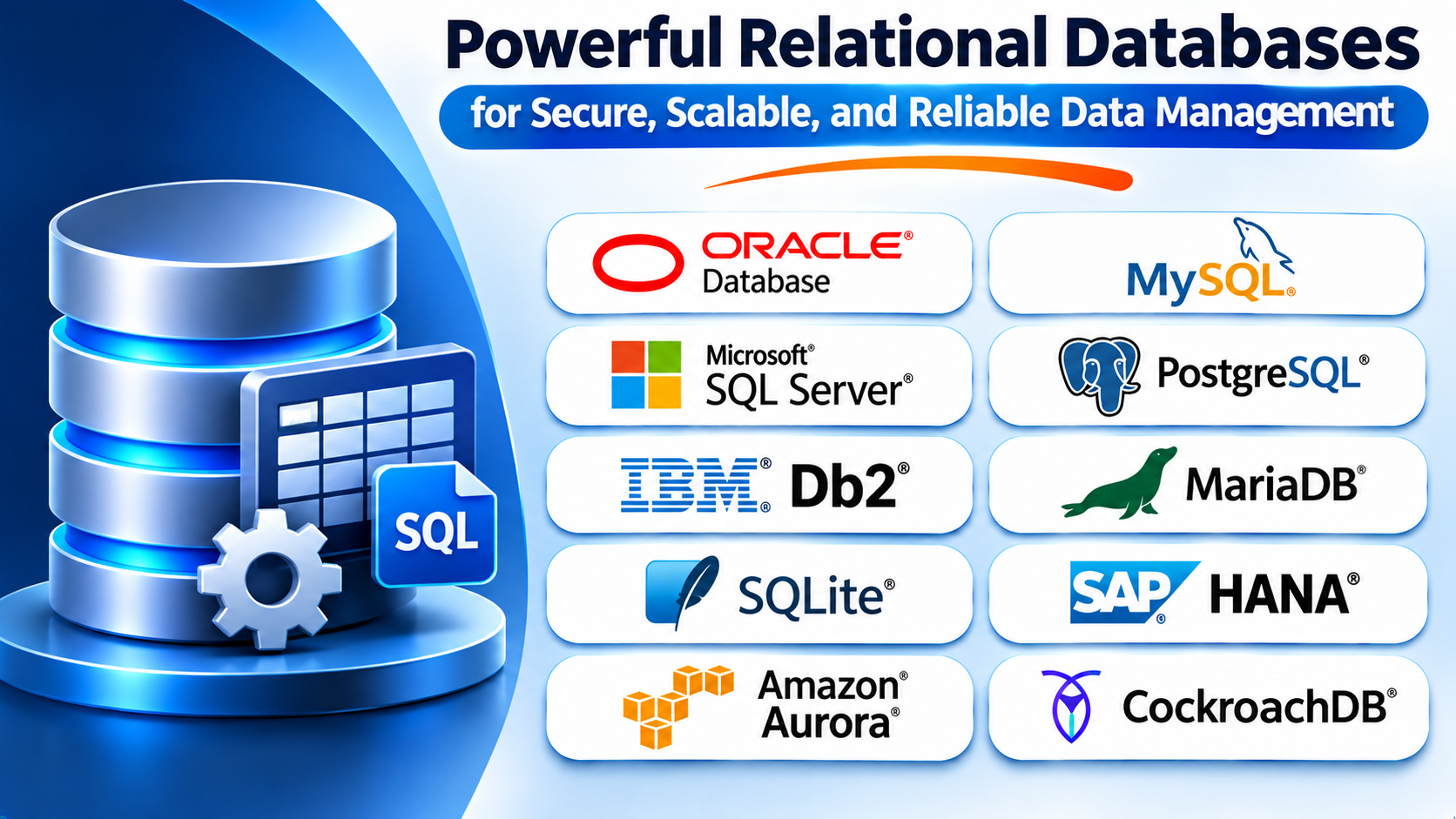
This guide explores ten leading relational database management systems. It covers their features, Pros, Cons, best uses, and key differences. It also includes a comparison table and practical advice for choosing the right platform.
Top 10 Relational Database Management Systems
The following systems serve different needs. Some focus on open-source development. Others support enterprise workloads, cloud applications, and distributed systems.
1. Oracle Database
Oracle Database is an enterprise relational database management system. It helps large organizations store, process, and protect important business information.
Many industries use Oracle for financial systems, business applications, customer records, and large transaction workloads. It offers tools for managing structured data and supporting complex database operations.
Oracle provides advanced features for performance, security, backup, recovery, and high availability. Its Real Application Clusters technology can help organizations maintain database services across multiple server nodes.
Oracle also supports partitioning, data compression, and in-memory processing options. These capabilities help teams manage large databases and demanding workloads.
Organizations can deploy Oracle Database in their own data centers or use Oracle Cloud Infrastructure. Available features depend on the product edition and deployment model.
Key Features
- Enterprise relational database management.
- SQL and PL/SQL support.
- Advanced security and access controls.
- Automatic workload management options.
- Database partitioning.
- Backup and recovery tools.
- High availability with Oracle RAC.
- Data replication and disaster recovery.
- Performance monitoring and optimization.
- Support for large business workloads.
Pros
- Offers extensive enterprise database features.
- Supports complex transaction workloads.
- Provides advanced security capabilities.
- Includes high availability options.
- Supports large databases and demanding applications.
- Offers cloud and on-premises deployment choices.
Cons
- Licensing can be expensive.
- Advanced administration requires skilled professionals.
- Configuration can become complex.
- Resource requirements may be high.
- Some advanced features require additional licenses.
Best For: Large enterprises that need a mature database platform for mission-critical applications, financial systems, and complex business workloads.
2. MySQL
MySQL is an open-source relational database management system used by websites, applications, and business platforms. It offers a practical way to store and retrieve structured information.
Many developers choose MySQL for web applications. It works with popular programming languages and development frameworks.
MySQL uses tables, relationships, indexes, and SQL queries to manage information. Its InnoDB storage engine supports transactions and foreign keys.
The platform also offers replication and high availability features. These capabilities help organizations support growing applications and maintain reliable database services.
MySQL Community Edition is available under the GPL license. Oracle also offers commercial products and services for organizations that need additional support.
Key Features
- Open-source Community Edition.
- SQL-based relational data management.
- InnoDB transactional storage engine.
- Indexes and foreign key support.
- Replication and Group Replication.
- Stored procedures and triggers.
- Views and database partitioning.
- MySQL connectors for programming languages.
- Performance monitoring features.
- Support for major operating systems.
Pros
- Offers a widely used open-source edition.
- Works well with many web applications.
- Has a large developer community.
- Provides useful replication options.
- Supports popular programming languages.
- Offers commercial support options.
Cons
- Advanced features may require commercial editions.
- Complex workloads may need careful tuning.
- Some advanced SQL capabilities differ from PostgreSQL.
- Large deployments require database expertise.
- Performance depends on configuration and workload design.
Best For: Web developers, startups, and businesses that need a popular relational database for websites, applications, and online services.
3. Microsoft SQL Server
Microsoft SQL Server is an enterprise relational database management system. It helps businesses store, process, and secure structured information.
The platform uses Transact-SQL (T-SQL) for database operations. It supports transactions, stored procedures, views, indexes, and database security.
SQL Server works closely with Microsoft technologies. Organizations can connect it with Azure services, Power BI, Microsoft development tools, and business applications.
Its Database Engine supports transaction processing and data management. Additional capabilities support reporting, analytics, replication, and high availability.
SQL Server offers different editions for different workloads. Organizations can select an edition based on performance needs, deployment requirements, and budget.
Key Features
- Relational database engine.
- Transact-SQL support.
- Transaction processing.
- Database encryption and access controls.
- Backup and restore features.
- Always On availability groups.
- Query Store and performance analysis.
- Replication and data integration.
- Azure ecosystem integration.
- Support for Windows and Linux deployments.
Pros
- Offers strong enterprise database capabilities.
- Integrates with Microsoft products.
- Provides useful administration tools.
- Supports high availability and recovery.
- Includes security and auditing features.
- Offers several editions for different needs.
Cons
- Advanced editions can be expensive.
- T-SQL differs from standard SQL in many areas.
- Licensing needs careful review.
- Large deployments require skilled administrators.
- Some features depend on the selected edition.
Best For: Organizations that use Microsoft technologies and need a reliable database for enterprise applications, reporting, and business systems.
4. PostgreSQL
PostgreSQL is a powerful open-source object-relational database management system. It supports complex queries, advanced data types, and reliable transactions.
Developers use PostgreSQL for web applications, business platforms, analytics, and enterprise systems. Its flexible architecture also supports custom data types, functions, operators, and extensions.
PostgreSQL provides strong data integrity features. These include primary keys, foreign keys, unique constraints, and transactional controls.
The platform supports JSON and JSONB data types. It also offers advanced indexing options and extensions such as PostGIS for geographic data.
PostgreSQL runs on major operating systems. Its open-source license allows users to run, modify, and distribute the software under its license terms.
Key Features
- Open-source object-relational database.
- SQL support and complex queries.
- ACID-compliant transactions.
- Primary and foreign key constraints.
- Advanced indexing methods.
- JSON and JSONB support.
- Custom data types and functions.
- Extensions such as PostGIS.
- Replication and high availability options.
- Strong community support.
Pros
- Free and open source.
- Offers advanced SQL capabilities.
- Supports complex data structures.
- Provides strong data integrity.
- Offers many extensions.
- Works across major operating systems.
- Fits both small and large applications.
Cons
- Administration may require technical knowledge.
- Performance tuning needs careful planning.
- Some advanced features require extensions.
- Large deployments need monitoring and maintenance.
- Migration from other systems may require SQL changes.
Best For: Developers and organizations that need a flexible, open-source relational database for complex applications and structured data.
5. IBM Db2
IBM Db2 is an enterprise relational database management system. It supports business applications that need reliable transactions, strong performance, and secure data management.
Organizations use Db2 for financial operations, customer systems, enterprise applications, and large data workloads. It supports structured information and complex queries.
Db2 offers features for transaction processing and analytical workloads. Its optimization capabilities help improve query execution and database performance.
The platform supports hybrid environments. Businesses can use Db2 across supported infrastructure and cloud deployment options.
IBM also provides tools for database administration, performance management, backup, recovery, and security. These features help enterprises manage important database systems.
Key Features
- Enterprise relational database engine.
- SQL support.
- Transaction processing.
- Query optimization.
- Data security and governance.
- Backup and recovery.
- High availability and disaster recovery.
- Hybrid cloud deployment options.
- Performance monitoring.
- Support for enterprise workloads.
Pros
- Supports mission-critical applications.
- Offers strong transaction capabilities.
- Provides enterprise security features.
- Supports hybrid cloud environments.
- Includes query optimization features.
- Fits large business systems.
Cons
- Advanced administration requires expertise.
- Licensing and support can be costly.
- Smaller teams may find it complex.
- Migration from other databases can require planning.
- Some features depend on the Db2 edition.
Best For: Large organizations that need a reliable database for financial systems, enterprise applications, and demanding transaction workloads.
6. MariaDB
MariaDB is an open-source relational database management system. It began as a fork of MySQL and maintains a high level of compatibility with many MySQL applications.
The platform supports structured data, SQL queries, transactions, indexes, and database relationships. It offers several storage engines for different workloads.
MariaDB includes features for replication, clustering, and database performance. Its Galera Cluster integration supports synchronous multi-primary replication in supported configurations.
The platform also offers ColumnStore for analytical workloads. This gives organizations options for both transactional and analytical database use.
MariaDB works across many operating systems and deployment environments. Businesses can use its community software or explore commercial services and support.
Key Features
- Open-source relational database.
- MySQL compatibility.
- Multiple storage engines.
- SQL and transaction support.
- Replication and clustering.
- Galera Cluster integration.
- ColumnStore for analytics.
- Database security controls.
- Backup and recovery options.
- Support for cloud and self-managed environments.
Pros
- Offers an open-source database option.
- Maintains strong MySQL compatibility.
- Provides multiple storage engines.
- Supports clustering options.
- Offers useful analytical features.
- Fits many web and business applications.
Cons
- Not every MySQL feature works identically.
- Migration needs compatibility testing.
- Advanced deployments require expertise.
- Some enterprise capabilities involve commercial offerings.
- Teams must check support for their required storage engines.
Best For: Businesses and developers that want an open-source relational database with MySQL compatibility and additional deployment choices.
7. SQLite
SQLite is a lightweight relational database engine. It stores an entire database in a single file and does not require a separate database server.
This design makes SQLite useful for mobile applications, desktop software, embedded systems, and local data storage.
Applications can read and write database files directly. This removes the need to install and manage a separate database service.
SQLite supports SQL, tables, indexes, views, triggers, and ACID transactions. It also provides a small footprint and simple deployment process.
However, SQLite serves different needs from large client-server databases. Its single-file design and write concurrency model make it better suited to embedded and local workloads than many high-concurrency server applications.
Key Features
- Serverless database engine.
- Single-file database storage.
- SQL support.
- ACID transactions.
- Zero-configuration setup.
- Small software footprint.
- Cross-platform database files.
- Tables, indexes, views, and triggers.
- Public-domain source code.
- Useful for embedded applications.
Pros
- Free for commercial and private use.
- Requires no separate database server.
- Offers simple installation and deployment.
- Uses very little system overhead.
- Works well for local application data.
- Provides reliable transactions.
- Easy to include in software applications.
Cons
- Not designed for every large server workload.
- Write concurrency has limits.
- Centralized access needs additional application design.
- Large multi-user deployments may need another database.
- Some enterprise database features are unavailable.
Best For: Mobile developers, desktop software teams, and embedded application developers who need a compact database without server management.
8. SAP HANA
SAP HANA is an in-memory relational database management system. It stores and processes data in memory to support fast business operations and real-time analysis.
Organizations often use SAP HANA with enterprise resource planning and other SAP applications. It can support transactional and analytical workloads within one platform.
Its architecture combines database processing, data management, and analytics. This helps businesses analyze live information and support faster decisions.
SAP HANA also supports multi-model data capabilities. These include relational, spatial, graph, and other data types, depending on the available features.
Businesses can use SAP HANA in supported on-premises and cloud environments. SAP HANA Cloud provides a managed cloud database service.
Key Features
- In-memory relational database engine.
- Transactional and analytical processing.
- Column-based and row-based storage.
- Real-time data processing.
- SQL and SQLScript support.
- Multi-model data capabilities.
- Data integration and federation.
- Enterprise security controls.
- SAP application integration.
- Cloud and on-premises deployment options.
Pros
- Supports fast in-memory processing.
- Combines transactional and analytical workloads.
- Integrates with SAP business applications.
- Offers enterprise data management features.
- Supports complex analytics.
- Provides cloud and on-premises options.
Cons
- Can require significant infrastructure resources.
- Licensing and deployment costs may be high.
- Administration needs specialist knowledge.
- Best value often comes from SAP-focused environments.
- Migration can be complex.
Best For: Large organizations that use SAP applications and need real-time data processing with enterprise database capabilities.
9. Amazon Aurora
Amazon Aurora is a fully managed relational database engine within Amazon Web Services. It offers MySQL-compatible and PostgreSQL-compatible editions.
Aurora helps organizations run relational databases without managing every part of the underlying infrastructure. AWS handles many operational tasks, including automated backups and software maintenance.
The service uses distributed storage designed for durability and availability. It supports read replicas, automated failover, and recovery options.
Aurora also offers serverless configurations. These can adjust database capacity based on application demand.
Because Aurora runs within AWS, it connects with other AWS services. Teams can use services such as CloudWatch, AWS Identity and Access Management, and AWS Key Management Service.
Aurora is not a separate open-source database engine. It is a managed service with compatibility for established relational database engines.
Key Features
- Managed relational database service.
- MySQL-compatible edition.
- PostgreSQL-compatible edition.
- Automated backups.
- Read replicas.
- Automated failover.
- Distributed storage architecture.
- Serverless capacity options.
- AWS security integrations.
- Monitoring through AWS services.
Pros
- Reduces database infrastructure management.
- Offers MySQL and PostgreSQL compatibility.
- Provides automated backup features.
- Supports high availability configurations.
- Integrates with AWS services.
- Offers flexible capacity options.
Cons
- Ties database operations to AWS.
- Costs depend on compute, storage, and I/O usage.
- Some database features differ from standard MySQL or PostgreSQL.
- Requires AWS knowledge.
- Moving away from the service may need migration work.
Best For: Businesses that run applications on AWS and want a managed relational database with MySQL or PostgreSQL compatibility.
10. CockroachDB
CockroachDB is a distributed SQL database with relational database features. It helps organizations run applications across multiple nodes and locations.
Traditional relational databases often depend on carefully managed replication and scaling systems. CockroachDB uses a distributed architecture to spread data across a cluster.
The platform supports SQL and ACID transactions. It also uses strong consistency to help keep data accurate across distributed nodes.
CockroachDB can replicate data across regions. This can help applications remain available during certain infrastructure failures.
Its PostgreSQL wire compatibility supports many existing PostgreSQL drivers and tools. However, teams should test application compatibility before migration because not every PostgreSQL feature behaves identically.
CockroachDB is useful for applications that need horizontal scaling and geographic distribution. Its distributed design also introduces planning needs for network latency and transaction behavior.
Key Features
- Distributed SQL database.
- Relational tables and indexes.
- ACID transactions.
- Strong consistency.
- Automatic data replication.
- Horizontal scaling.
- Multi-region deployment options.
- PostgreSQL wire compatibility.
- Fault-tolerant architecture.
- Cloud and self-managed deployment options.
Pros
- Supports distributed relational workloads.
- Offers horizontal scaling.
- Provides strong consistency.
- Supports ACID transactions.
- Helps build resilient applications.
- Offers PostgreSQL compatibility for many tools.
Cons
- Distributed architecture can increase complexity.
- Network latency can affect performance.
- Transaction retries may need application handling.
- PostgreSQL compatibility is not identical in every area.
- Advanced deployments require specialist knowledge.
Best For: Businesses that build globally distributed applications and need relational data with horizontal scaling and strong consistency.
Comparison of the Top 10 Relational Database Management Systems
Each RDBMS has different strengths. This table provides a quick view of their main use cases and standout capabilities.
| RDBMS | Main Focus | Best For | Standout Capability |
|---|---|---|---|
| Oracle Database | Enterprise relational data | Large enterprises | Advanced availability and security |
| MySQL | Web and business applications | Web developers | Broad ecosystem and open-source edition |
| Microsoft SQL Server | Enterprise data management | Microsoft-focused organizations | T-SQL and Microsoft integration |
| PostgreSQL | Advanced relational workloads | Developers and enterprises | Extensibility and advanced SQL |
| IBM Db2 | Mission-critical business systems | Large enterprises | Transaction and analytical workloads |
| MariaDB | Open-source relational data | Web and business applications | MySQL compatibility and storage engines |
| SQLite | Embedded relational data | Mobile and desktop apps | Serverless single-file database |
| SAP HANA | In-memory enterprise data | SAP environments | Real-time transactional and analytical processing |
| Amazon Aurora | Managed cloud relational data | AWS applications | Managed MySQL and PostgreSQL compatibility |
| CockroachDB | Distributed relational data | Global applications | Distributed SQL and strong consistency |
Important Features to Consider in an RDBMS
Choosing a relational database requires more than comparing speed. You should also consider data integrity, security, scalability, and long-term maintenance.
1. ACID Transactions
ACID stands for Atomicity, Consistency, Isolation, and Durability. These properties help databases process transactions reliably.
For example, a payment system must not subtract money from one account without adding it to the correct destination account.
Choose a database that supports the transaction guarantees your application requires.
2. SQL Support
SQL helps users create, read, update, and delete database records. It also supports joins, filters, grouping, and complex queries.
Check whether the database supports the SQL features your applications need.
3. Data Integrity
Data integrity keeps information accurate and consistent. Primary keys, foreign keys, unique constraints, and validation rules help protect relationships between tables.
4. Security and Access Control
A database should protect sensitive information. Look for authentication, role-based permissions, encryption, auditing, and secure connections.
5. Performance and Query Optimization
A good database should execute queries efficiently. Indexes, query planners, caching, and workload management can improve performance.
Actual speed depends on hardware, configuration, data size, and application behavior.
6. Scalability
Scalability helps a database handle growing workloads. Some systems scale by adding resources to one server. Others support replication or distributed deployment.
Choose an approach that fits your expected growth.
7. Backup and Recovery
Backups protect important information. Recovery features help organizations restore data after failures or accidental changes.
Review backup schedules, recovery options, and restore testing.
8. High Availability
High availability helps reduce service interruptions. Replication, clustering, and automated failover can support database availability.
Check how each system handles server and network failures.
9. Cloud and Deployment Support
Some databases run on local servers. Others offer managed cloud services or hybrid deployment options.
Choose a model that fits your infrastructure and security rules.
10. Ecosystem and Integrations
A database should work with your programming languages, frameworks, reporting tools, and cloud services.
Review available drivers, connectors, management tools, and community support.
Benefits of Using a Relational Database Management System
RDBMS platforms offer a structured way to store and manage business information. They support many applications that depend on accurate and consistent data.
Organized Data Storage
Relational databases store information in tables. This structure helps users organize records and understand how different data sets connect.
Better Data Accuracy
Constraints and relationships help prevent invalid records. They also reduce errors caused by inconsistent information.
Reliable Transactions
ACID transactions help databases process important operations safely. This is useful for banking, orders, payments, and inventory systems.
Flexible Data Retrieval
SQL allows users to search, filter, combine, and summarize data. Teams can retrieve information from multiple tables through queries.
Improved Security
RDBMS platforms provide tools for managing access and protecting information. Administrators can assign permissions based on user roles.
Easier Reporting
Structured data makes it easier to generate reports. Businesses can use SQL queries and analytics tools to understand operations.
Application Integration
Relational databases connect with many programming languages and software frameworks. This makes them useful for websites, mobile apps, and business systems.
Data Backup and Recovery
Most enterprise RDBMS platforms provide backup and recovery capabilities. These features help organizations protect information and restore operations.
Common Challenges of Relational Database Management Systems
Relational databases provide many benefits, but organizations must plan for their limitations and operating needs.
Complex Database Design
Poor table design can create duplicate information and difficult queries. Teams should plan relationships and data structures before building large systems.
Scaling Large Workloads
Some relational systems need careful planning when workloads grow. Scaling may require stronger hardware, read replicas, partitioning, or distributed architecture.
Administration Requirements
Enterprise databases need regular maintenance. Administrators must manage users, backups, performance, updates, and security.
Licensing Costs
Commercial databases may charge for editions, features, cores, or other usage measures. Organizations should review the total cost before deployment.
Performance Tuning
Slow queries can affect application performance. Teams may need to review indexes, execution plans, and database configuration.
Migration Complexity
Moving from one database to another can require changes to SQL, data types, procedures, and application code.
Backup and Recovery Planning
A backup is useful only when teams can restore it. Organizations should test recovery plans and check backup integrity.
Vendor and Platform Dependency
Some databases connect closely with specific cloud platforms or software ecosystems. Moving away may require time and migration work.
How to Choose the Right RDBMS
The best relational database depends on your application, workload, technical skills, and budget. Follow these steps to make a practical choice.
Step 1: Understand Your Application
Identify what your application needs to store. A small mobile app may need a lightweight database. A banking platform may need advanced transaction controls and high availability.
Step 2: Review Your Data Structure
Check whether your data fits a relational model. If your application depends on tables, relationships, and structured queries, an RDBMS may be suitable.
Step 3: Estimate Your Workload
Estimate the number of users, transactions, reads, and writes. Consider expected growth and peak usage.
Step 4: Check Database Compatibility
Review programming language drivers, application frameworks, SQL features, and third-party integrations.
Step 5: Compare Performance Needs
Test query performance with realistic data. Avoid choosing a database based only on general performance claims.
Step 6: Review Security Requirements
Check authentication, encryption, access controls, auditing, and compliance needs.
Step 7: Choose a Deployment Model
Decide whether you need a self-managed database, a cloud-managed service, or a hybrid setup.
Step 8: Compare Total Costs
Include licenses, cloud resources, storage, backups, support, maintenance, and administration.
Step 9: Evaluate Team Skills
Choose a database your team can operate and maintain. Training and specialist support may affect the total cost.
Step 10: Test Before Deployment
Build a proof of concept. Test performance, recovery, security, integrations, and expected workloads before moving important data.
RDBMS Best Practices
Good database practices help organizations maintain reliable systems and protect important information.
- Design tables with clear relationships.
- Use primary keys for unique records.
- Add foreign keys where relationships require them.
- Apply suitable data types.
- Create indexes for important queries.
- Avoid unnecessary indexes.
- Use transactions for related operations.
- Apply least-privilege access.
- Encrypt sensitive data.
- Use secure database connections.
- Create regular backups.
- Test restore procedures.
- Monitor query performance.
- Review database logs.
- Keep database software updated.
- Document schema changes.
- Test migrations before production.
- Separate development and production environments.
- Plan for high availability where needed.
- Review capacity and storage growth.
Frequently Asked Questions
1. What is a Relational Database Management System?
A Relational Database Management System is software that stores and manages data in related tables. It helps users create, update, retrieve, and protect structured information.
2. What does RDBMS stand for?
RDBMS stands for Relational Database Management System. It describes database software that manages information through a relational model.
3. What are the most popular RDBMS platforms?
Oracle Database, MySQL, Microsoft SQL Server, and PostgreSQL are widely used relational database systems. Other important options include IBM Db2, MariaDB, SQLite, and SAP HANA.
4. What is the difference between DBMS and RDBMS?
DBMS is a broad term for database management software. RDBMS specifically uses a relational model to organize data into tables and manage relationships between them.
5. Is MySQL an RDBMS?
Yes. MySQL is a relational database management system. It uses tables, SQL queries, indexes, and relationships to manage structured information.
6. Is PostgreSQL an RDBMS?
Yes. PostgreSQL is an open-source object-relational database management system. It supports SQL, transactions, relationships, and advanced data types.
7. Which RDBMS is best for enterprise applications?
Oracle Database, Microsoft SQL Server, IBM Db2, and PostgreSQL can support enterprise workloads. The best choice depends on application needs, team skills, budget, and infrastructure.
8. Which RDBMS is best for beginners?
MySQL and SQLite can be good starting points. MySQL helps beginners learn client-server database development, while SQLite offers a simple way to practice SQL locally.
9. Which RDBMS is best for web applications?
MySQL and PostgreSQL are popular options for web applications. The best choice depends on the application’s data model, query needs, hosting environment, and development framework.
10. Is SQLite suitable for large enterprise applications?
SQLite works well for many embedded and local data workloads. However, applications that need many concurrent writers or centralized server management may benefit from a client-server database.
11. What is ACID in a relational database?
ACID means Atomicity, Consistency, Isolation, and Durability. These properties help ensure that database transactions remain reliable and accurate.
12. What is SQL?
SQL stands for Structured Query Language. Users write SQL statements to create tables, retrieve records, update information, and manage relational databases.
13. What is the difference between MySQL and PostgreSQL?
MySQL is popular for web applications and offers a broad development ecosystem. PostgreSQL provides advanced extensibility, data types, and SQL capabilities. The right option depends on application requirements.
14. What is a cloud relational database?
A cloud relational database runs through a cloud provider’s infrastructure. Services such as Amazon Aurora provide managed database operations and reduce the need to maintain physical database servers.
15. What is the difference between an RDBMS and NoSQL database?
An RDBMS organizes data through relational tables and relationships. NoSQL databases use other models, such as documents, key-value pairs, or wide-column structures.
16. Can an RDBMS handle large amounts of data?
Yes. Many relational databases support large data volumes. Performance depends on database design, hardware, indexing, workload, and scaling methods.
17. What is database normalization?
Database normalization organizes information to reduce unnecessary duplication. It uses table relationships and rules to improve data consistency.
18. Are all relational databases open source?
No. PostgreSQL, MySQL Community Edition, MariaDB, and SQLite offer open-source options. Oracle Database, Microsoft SQL Server, IBM Db2, and SAP HANA have commercial licensing models, although some offer free editions or development options.
Final Thoughts
Relational database management systems help businesses organize information and run important applications. They support structured data, reliable transactions, security, and flexible queries.
Oracle Database, Microsoft SQL Server, and IBM Db2 suit many enterprise needs. MySQL and MariaDB work well for web applications. PostgreSQL offers strong flexibility and advanced SQL features.
SQLite fits embedded and local applications. SAP HANA supports in-memory enterprise workloads. Amazon Aurora offers managed relational databases on AWS, while CockroachDB supports distributed SQL applications.
No single RDBMS is the right choice for every project. Review your workload, data structure, security needs, deployment model, and budget before deciding.
A well-chosen relational database can support reliable applications, accurate information, and long-term business growth.