Introduction
A character’s movement can make a scene feel real or completely fake. A walk, jump, dance, or simple hand gesture needs natural motion. Animators often spend many hours creating these movements by hand.
Motion capture software can reduce much of this work. It records human movement and turns it into digital animation data. Artists can then apply that data to 3D characters, game models, and virtual actors.
Different motion capture systems use different methods. Some track small markers with special cameras. Others use wearable sensors or ordinary video. Each method offers a different mix of accuracy, cost, setup time, and freedom.
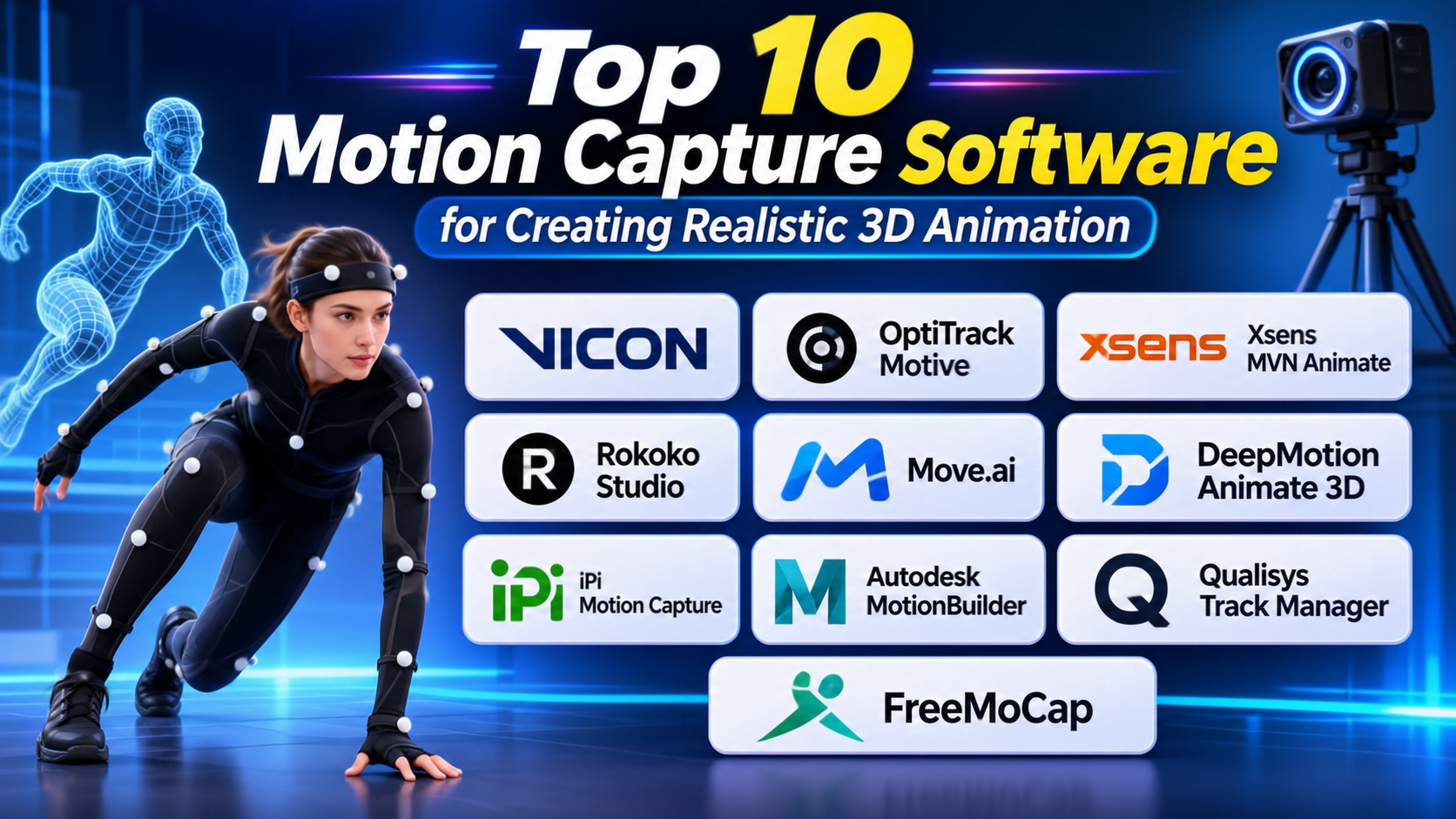
This guide covers 10 motion capture tools for different production needs. It explains their features, uses, Pros, and Cons. It also includes a comparison table and useful questions.
What Is Motion Capture Software?
Motion capture software records and processes human movement. People often call this process mocap.
A capture system tracks body parts such as the head, arms, hands, legs, and feet. It then turns the movement into digital data. Animation teams can apply this data to a 3D character.
A typical motion capture workflow includes these steps:
- Capture: Record a person’s movement with cameras, sensors, or video.
- Track: Identify body positions and movement over time.
- Solve: Convert the tracking data into a usable skeleton or motion.
- Clean up: Fix errors, unwanted movement, and missing data.
- Retarget: Apply the movement to a different character rig.
- Export: Send the animation to a 3D application or game engine.
Motion capture supports many industries. Film studios use it for digital characters. Game teams use it to create natural movement. Researchers study human movement. Virtual production teams use it to control digital characters in real time.
Main Types of Motion Capture Technology
Understanding the capture method helps you choose the right software.
Optical Motion Capture
Optical systems use several cameras to track markers or objects. The cameras record movement from different angles. Software combines the camera data to calculate 3D positions.
This method can provide highly detailed movement data. However, it needs careful camera setup and calibration. Markers may also become hidden when body parts block the camera view.
Vicon and OptiTrack offer well-known optical capture workflows.
Inertial Motion Capture
Inertial systems use wearable sensors. These sensors measure body movement and orientation. The performer wears a suit with sensors placed at key body locations.
This method does not need a large camera setup. It works well for portable capture and outdoor recording. However, users may need calibration and drift correction.
Xsens and Rokoko offer inertial motion capture systems.
Markerless Video Motion Capture
Markerless systems use video to estimate body movement. They use computer vision and AI to identify body positions.
This method can reduce the need for special suits and markers. It can also make motion capture easier for small teams. However, results depend on video quality, camera angles, lighting, and body visibility.
Move.ai and DeepMotion offer video-based motion capture workflows.
Top 10 Motion Capture Software Tools
1. Vicon Shōgun
Vicon Shōgun supports professional motion capture for film, games, and visual effects. It works with Vicon’s optical capture systems and supports markerless workflows through Shōgun Markerless.
The software includes tools for live capture and post-production. Shōgun Live helps teams record and monitor movement during a session. It can track performers and send motion data to animation tools and game engines.
Shōgun Post helps teams review and refine recorded data. It includes tools for data cleanup, gap filling, and character retargeting. These features help artists prepare motion for final animation work.
Vicon also provides tools for finger tracking and prop capture. This can help teams record detailed hand gestures and object movement. Such details matter in scenes that show close hand interaction.
Shōgun suits professional studios that need detailed capture workflows. It can support complex productions, but the full system needs careful planning. Teams must consider camera hardware, studio space, calibration, and staff training.
Pros
- Supports professional optical capture workflows.
- Offers live capture and post-production tools.
- Includes markerless capture options.
- Supports detailed finger tracking.
- Provides motion cleanup and gap-filling tools.
- Can stream motion into game engines.
Cons
- Needs suitable capture hardware for optical workflows.
- Studio setup can require significant space.
- Calibration takes time and care.
- Professional systems can involve high costs.
- New users may need specialist training.
2. OptiTrack Motive
OptiTrack Motive is motion capture software for tracking people, objects, and rigid bodies. It works with OptiTrack’s camera systems.
The software processes data from multiple cameras. It identifies tracked markers and calculates their positions in 3D space. This helps users record movement with detailed spatial information.
Motive supports human motion capture and rigid-body tracking. Rigid bodies are objects that the software tracks as a group. This makes the tool useful for robotics, virtual reality, research, and animation.
The software can stream tracking data to other applications. Teams can use this data in game engines, simulation tools, and custom programs. Its tracking workflow also supports projects that need accurate object positions.
Motive is not only for character animation. Researchers and engineers can use it to study movement and track physical objects. This wider use makes it different from tools built mainly for character animation.
The system depends on compatible OptiTrack cameras and a suitable capture space. Users must plan camera placement and calibration before recording.
Pros
- Supports multi-camera optical tracking.
- Tracks people and rigid bodies.
- Useful for animation, robotics, and research.
- Provides real-time tracking data.
- Supports integration with other applications.
- Suitable for detailed spatial tracking work.
Cons
- Requires compatible camera hardware.
- Camera placement needs careful planning.
- Calibration can take time.
- Optical tracking can face marker visibility problems.
- Full studio setups can be costly.
3. Xsens MVN Animate
Xsens MVN Animate uses wearable inertial sensors to capture human movement. Performers wear a motion capture suit with sensors placed across the body.
The sensors record body movement without depending on a room full of tracking cameras. This makes the system useful for mobile recording and locations where optical capture is difficult.
The software processes sensor data and creates a digital representation of the performer’s movement. Animation teams can then use this data with 3D characters.
Xsens supports motion capture for film, games, animation, and research. Its portable approach helps teams record movement in different environments. It can also support complex movements that may be difficult to capture in a fixed camera space.
Users still need to prepare the suit and calibrate the system. Sensor placement and correct fitting matter. Inertial systems can also experience drift, so teams should review the data after recording.
Xsens MVN Animate suits professional teams that need portable full-body motion capture. It is a different choice from optical systems because it relies on wearable sensors rather than camera-tracked markers.
Pros
- Captures movement without an optical camera setup.
- Supports portable motion capture.
- Useful for full-body animation.
- Works in different recording environments.
- Supports professional animation workflows.
- Suitable for film, games, and research.
Cons
- Requires wearable sensor hardware.
- Correct fitting and calibration matter.
- Sensor drift may need correction.
- Suit preparation takes time.
- Professional equipment can require a large budget.
4. Rokoko Studio
Rokoko Studio combines motion capture, animation editing, and character retargeting. It works with Rokoko’s motion capture hardware and video-based capture options.
Rokoko’s Smartsuit Pro uses inertial sensors to record body movement. Smartgloves capture finger movement. The company also offers face capture options for facial animation workflows.
Users can record movement and review it inside Rokoko Studio. The software includes tools for smoothing motion and correcting common issues. These tools can help improve foot contact, knee movement, and other body details.
Rokoko Studio also supports character retargeting. Retargeting transfers captured movement to another character rig. Users can import their own characters and adjust the motion to fit the model.
The software can stream motion into tools such as Blender, Maya, Unity, and Unreal Engine. It also supports animation exports such as FBX and BVH.
Rokoko suits independent creators, small studios, and production teams. Its combination of capture and editing tools can help reduce the number of separate applications in a workflow.
Pros
- Combines capture, editing, and retargeting.
- Supports wearable body and finger capture.
- Offers video-based capture options.
- Includes motion cleanup tools.
- Supports popular 3D tools and game engines.
- Offers common animation export formats.
Cons
- Full-body capture hardware adds cost.
- Sensor setup and calibration still matter.
- Some motion may need manual cleanup.
- Results depend on the capture method.
- Users should check the features included in each plan.
5. Move.ai
Move.ai offers markerless motion capture through video. It uses computer vision and AI to turn recorded human movement into digital motion data.
The main benefit is that performers do not need to wear optical markers. Teams can record movement with compatible cameras and process the footage through Move.ai’s workflow.
Move.ai supports animation production for games, film, and other digital content. Its tools can help teams capture body movement and prepare it for character animation.
The platform has developed workflows for different capture setups. These can include single-camera and multi-camera approaches, depending on the product and service used. Teams should check the current capture requirements before planning a session.
Markerless capture can make recording easier in some situations. However, video quality remains important. Camera position, lighting, clothing, and blocked body parts can affect the result.
Move.ai can suit studios that want video-based capture without a traditional marker suit. It is also useful for teams that want to test motion capture without building a full optical stage.
Pros
- Uses markerless video capture.
- Reduces the need for wearable tracking markers.
- Supports animation and game production.
- Can simplify some capture setups.
- Offers workflows for different production needs.
- Useful for teams exploring AI-based mocap.
Cons
- Video quality affects the result.
- Camera setup still needs planning.
- Occlusion can affect body tracking.
- Some workflows need compatible hardware.
- Users should review current service and export requirements.
6. DeepMotion Animate 3D
DeepMotion Animate 3D uses AI to turn video into 3D character animation. Users upload video footage and process it through the platform.
The software estimates body movement from the video. It then creates motion data that users can apply to 3D characters. This can help creators build animation without a traditional motion capture suit.
DeepMotion supports workflows for game development, animation, and digital content. Its video-based approach can help small teams test character movement and create motion for prototypes.
The platform also offers tools for working with characters and animation output. Users should check the current export formats and character requirements before choosing it for production.
One useful benefit is its lower hardware barrier compared with a full optical studio. A team may be able to begin with suitable video footage instead of buying a large camera system.
However, AI-generated motion may need cleanup. Fast movement, hidden limbs, poor lighting, and unusual camera angles can affect tracking quality. Teams should test the platform with footage that matches their real production needs.
Pros
- Converts video into 3D motion.
- Uses AI-based markerless tracking.
- Reduces the need for a mocap suit.
- Useful for animation prototypes.
- Can help small teams create character motion.
- Offers a web-based workflow.
Cons
- Results depend on video quality.
- Complex movements may need cleanup.
- Hidden body parts can affect tracking.
- Production use needs careful testing.
- Export and plan features should be checked before purchase.
7. iPi Motion Capture
iPi Motion Capture provides markerless motion capture from video. It uses camera footage to track body movement and create animation data.
The software can work with video from multiple cameras. This allows users to record a performer from different angles. The software then processes the footage to estimate the person’s movement.
iPi Motion Capture can suit independent animators and small studios. It offers an alternative to expensive optical systems that use specialized tracking cameras.
Users can work with recorded footage and process the motion after capture. This makes it useful for projects that do not need live tracking. The system can also support workflows that export motion to 3D applications.
Camera placement matters. More useful views can help the software understand body movement. Poor lighting, blocked limbs, and fast actions can reduce tracking quality.
iPi Motion Capture is worth considering for teams that want a markerless workflow with more control over camera recording. Users should check supported cameras, hardware needs, and export options before starting a project.
Pros
- Supports markerless video capture.
- Can use multiple camera views.
- Offers an alternative to optical marker systems.
- Useful for independent creators.
- Supports animation export workflows.
- Allows offline processing of recorded movement.
Cons
- Camera placement needs care.
- Video quality affects tracking.
- Hidden limbs can cause errors.
- Fast or complex motion may need cleanup.
- Users must check supported camera hardware.
8. Autodesk MotionBuilder
Autodesk MotionBuilder is a 3D character animation tool that supports motion capture editing and retargeting. It is not a complete camera capture system by itself. Instead, it helps teams work with motion data from other capture systems.
MotionBuilder supports real-time character animation workflows. Users can import motion data, apply it to characters, and refine the result. Its tools help animators manage character rigs and movement.
One of its key uses is retargeting. A captured performance may use one skeleton, while the final character uses another. MotionBuilder helps transfer the movement between different character setups.
The software also supports animation layers and editing tools. Animators can adjust parts of a performance without rebuilding the entire motion. This helps when a captured action needs extra artistic control.
MotionBuilder can fit into film, game, and virtual production pipelines. It is especially useful when teams need to edit and prepare motion capture data for final characters.
However, it should be viewed as a motion editing and animation tool. Teams still need a separate capture system or source of motion data.
Pros
- Strong motion editing capabilities.
- Supports character retargeting.
- Works with motion capture data.
- Offers animation layers and editing tools.
- Fits professional animation pipelines.
- Useful for refining captured performances.
Cons
- Does not replace a complete capture hardware system.
- Requires knowledge of character rigs.
- Can take time to learn.
- May be more than small projects need.
- Licensing and system requirements need review.
9. Qualisys Track Manager
Qualisys Track Manager is motion capture software for optical tracking and measurement. It works with Qualisys camera systems and supports motion analysis workflows.
The software tracks markers and calculates their positions in 3D space. Users can record movement and review the captured data. This supports work in biomechanics, sports science, research, and animation.
Qualisys systems can track people and objects. This makes the software useful beyond character animation. Researchers can use it to study movement patterns, while engineering teams can track physical objects.
The software also supports data export and integration with other applications. Teams can use captured data in analysis tools or custom workflows.
Qualisys is a specialist choice for users who need motion tracking and measurement. It may suit research labs and organizations that need more than ready-made character animation.
The system requires compatible cameras and a suitable capture space. Users should also check which analysis and export features match their research or production needs.
Pros
- Supports optical motion tracking.
- Useful for biomechanics and research.
- Tracks people and physical objects.
- Provides 3D movement data.
- Supports data export and integrations.
- Fits specialist measurement workflows.
Cons
- Requires compatible camera hardware.
- Needs careful camera calibration.
- Setup can require dedicated space.
- Some workflows need technical expertise.
- May be excessive for simple character animation.
10. FreeMoCap
FreeMoCap is an open-source motion capture project. It aims to make markerless motion capture more accessible to researchers, developers, and creators.
The system uses camera footage to estimate human movement. Users can build a capture setup with compatible cameras and process the recorded data through its software workflow.
FreeMoCap is useful for people who want to explore motion capture without buying a full commercial system. Its open-source approach also allows users to inspect the project and take part in its development.
The software can support research, education, prototyping, and movement analysis. Users can study body movement and export data for other applications, depending on the workflow.
FreeMoCap is not a direct replacement for every professional optical system. Its results depend on camera setup, calibration, lighting, and processing. Users may also need technical skills to configure the system.
It is a strong option for people who value open tools and want to learn how markerless capture works.
Pros
- Open-source project.
- Supports markerless motion capture.
- Useful for education and research.
- Offers a lower-cost entry point.
- Lets users inspect and contribute to the project.
- Helps developers explore motion capture workflows.
Cons
- Setup may require technical knowledge.
- Camera quality affects results.
- Tracking may need manual review.
- Not a complete replacement for high-end studio systems.
- Support may differ from commercial products.
Motion Capture Software Comparison Table
| Software | Capture Method or Main Role | Best Suited For | Key Strength |
|---|---|---|---|
| Vicon Shōgun | Optical and markerless capture | Film, VFX, and professional studios | Detailed capture and post-production |
| OptiTrack Motive | Optical camera tracking | Research, robotics, and animation | 3D tracking of people and objects |
| Xsens MVN Animate | Wearable inertial sensors | Portable professional capture | Camera-free body tracking |
| Rokoko Studio | Inertial and video workflows | Independent creators and studios | Capture, cleanup, and retargeting |
| Move.ai | AI-based video capture | Film and game production | Markerless motion workflows |
| DeepMotion Animate 3D | AI-based video capture | Creators and game developers | Video-to-animation processing |
| iPi Motion Capture | Multi-camera video capture | Small studios and animators | Markerless camera tracking |
| Autodesk MotionBuilder | Motion editing and retargeting | Professional animation teams | Refining captured movement |
| Qualisys Track Manager | Optical tracking and measurement | Research and biomechanics | Detailed movement analysis |
| FreeMoCap | Open-source markerless capture | Education and research | Accessible open workflow |
Optical vs Inertial vs Markerless Motion Capture
The capture method can matter more than the software name. Each method solves a different problem.
| Capture Type | How It Works | Main Benefit | Main Challenge |
|---|---|---|---|
| Optical | Cameras track markers or objects | Detailed 3D tracking | Camera setup and marker visibility |
| Inertial | Wearable sensors track body movement | Portable recording | Calibration and sensor drift |
| Markerless AI | Software estimates movement from video | Less special equipment | Video quality and tracking errors |
When Should You Choose Optical Capture?
Choose optical capture when your project needs detailed tracking in a controlled space. It can suit professional animation, research, and virtual production.
You must plan camera positions and calibration. You should also test how often performers hide markers from the cameras.
When Should You Choose Inertial Capture?
Choose inertial capture when performers need to move freely. It can help teams record outside a fixed camera studio.
It also suits projects that need portable recording. Check sensor calibration and drift correction before relying on long sessions.
When Should You Choose Markerless Capture?
Choose markerless capture when you want to record movement from video. It can reduce equipment needs and help small teams test ideas.
However, do not assume every video will produce clean animation. Test your lighting, camera angles, clothing, and movement types first.
How to Choose the Right Motion Capture Software
A good choice starts with your production needs. The most expensive system may not suit every project.
1. Define Your Project
Decide what you need to capture. A game character may need full-body movement. A facial animation project may need detailed face tracking. A research project may need accurate body measurements.
Write down the movements and outputs you need before comparing products.
2. Set Your Budget
Motion capture costs include more than software. You may need cameras, sensors, suits, computers, studio space, and training.
Also check subscription costs and export limits. A low starting price may not cover every feature.
3. Check Your Animation Software
Make sure the motion capture tool works with your main 3D application. Check support for Blender, Maya, MotionBuilder, Unity, Unreal Engine, or your chosen platform.
Also review export formats. Common formats include FBX and BVH, but each pipeline has its own needs.
4. Review Capture Quality
Do not judge a system from a short demo alone. Test it with the movements you plan to record.
Try walking, running, jumping, turning, and hand gestures. Check how much cleanup each action needs.
5. Check Real-Time Needs
Some projects need live character movement. Others can process footage after recording.
If you need live capture, check latency and streaming support. If you can work offline, focus on editing and cleanup tools.
6. Plan for Cleanup
Captured motion rarely fits every character perfectly. You may need to fix foot sliding, body rotation, hand movement, and timing.
Check the software’s cleanup and retargeting tools. Also decide whether your team needs a separate animation editor.
Common Motion Capture Mistakes to Avoid
Choosing Software Before Choosing a Capture Method
First decide whether you need optical, inertial, or markerless capture. Each method has different equipment and setup needs.
Then compare tools that support your chosen method.
Ignoring the Target Character Rig
A motion file may not fit your character automatically. Different characters can use different skeleton structures.
Check retargeting support before starting a large capture project.
Expecting Perfect Results From Every Recording
Movement data can contain errors. Cameras may lose markers. Sensors may drift. AI tools may miss hidden body parts.
Plan time for review and cleanup.
Forgetting About Hand and Face Capture
Full-body movement does not always include detailed finger or facial motion. These details may need separate hardware or software.
Check these needs early if your project uses close character shots.
Ignoring Export and Integration Needs
A capture system may record excellent data but still create pipeline problems. Check file formats, plugins, and supported applications before choosing it.
Questions and Answers About Motion Capture Software
1. What is motion capture software used for?
Motion capture software records and processes human movement. It turns that movement into digital data. Animators use the data to control 3D characters and digital objects.
2. Which motion capture software is best for beginners?
Rokoko Studio and video-based tools such as DeepMotion can be useful starting points. The best choice depends on your budget and capture needs. Beginners should test the workflow before buying hardware.
3. What is the difference between optical and markerless motion capture?
Optical systems often track markers with special cameras. Markerless systems estimate body movement from video. Optical systems can provide detailed tracking in controlled spaces. Markerless systems can reduce the need for markers.
4. Can I use motion capture without a suit?
Yes. Markerless tools can estimate movement from video. Examples include Move.ai, DeepMotion, iPi Motion Capture, and FreeMoCap. Results depend on the camera setup and footage quality.
5. Is motion capture software useful for game development?
Yes. Game teams use motion capture to create natural character movement. They can capture walking, running, fighting, dancing, and other actions. They can then refine the animation before adding it to a game.
6. What is motion retargeting?
Motion retargeting transfers movement from one skeleton to another. It helps artists apply recorded movement to a different character. The software may need adjustments for body size and rig structure.
7. Can motion capture software track facial expressions?
Some systems support facial capture. However, full-body tracking does not always include face capture. Teams may need a separate camera, app, or facial tracking system.
8. What file formats do motion capture tools support?
Many tools support formats such as FBX and BVH. Some also offer CSV or other data formats. Check the export options before choosing a tool.
9. Is open-source motion capture software available?
Yes. FreeMoCap is an open-source option. It can help users explore markerless capture for research and education. Users may need technical skills to set up the system.
10. Do captured animations need editing?
Often, yes. Artists may need to fix foot sliding, timing, joint movement, or body position. Retargeting may also need adjustments to fit the final character.
Final Thoughts
Motion capture software can help teams create natural movement with less manual animation work. But each tool serves a different need.
Vicon Shōgun and OptiTrack Motive suit camera-based tracking. Xsens MVN Animate supports portable inertial capture. Rokoko Studio combines capture and animation tools for creators.
Move.ai, DeepMotion, and iPi Motion Capture offer video-based workflows. MotionBuilder helps teams edit and retarget captured animation. Qualisys Track Manager supports measurement and research. FreeMoCap gives users an open-source option.
Before you choose, test a real recording with your target character. Check the motion quality, cleanup time, export options, and total equipment cost. This small test can help you avoid expensive problems later.