Introduction
IT Service Management software helps teams plan and deliver IT services. It gives staff one place to report problems and request help.
ITSM tools manage more than support tickets. They also help teams handle changes, assets, service requests, and IT problems.
For example, an employee may need a new laptop. The employee submits a request through the service portal. The IT team reviews it, approves the request, and tracks delivery.
ITSM software keeps each step organized. It also helps teams follow clear service rules and improve their work.
Main Features of ITSM Tools
Most ITSM platforms offer several core features. However, each product has its own strengths.
- Incident management: Tracks IT problems and helps teams restore services.
- Problem management: Helps teams find and fix the causes of repeated issues.
- Change management: Controls changes to IT systems and services.
- Service request management: Handles requests for access, devices, and software.
- IT asset management: Tracks computers, software, licenses, and other resources.
- Configuration management: Records IT assets and how they connect.
- Service catalog: Shows users which IT services they can request.
- Knowledge management: Stores guides and answers for common problems.
- Workflow automation: Reduces repeated manual tasks.
- Service-level management: Tracks response and resolution targets.
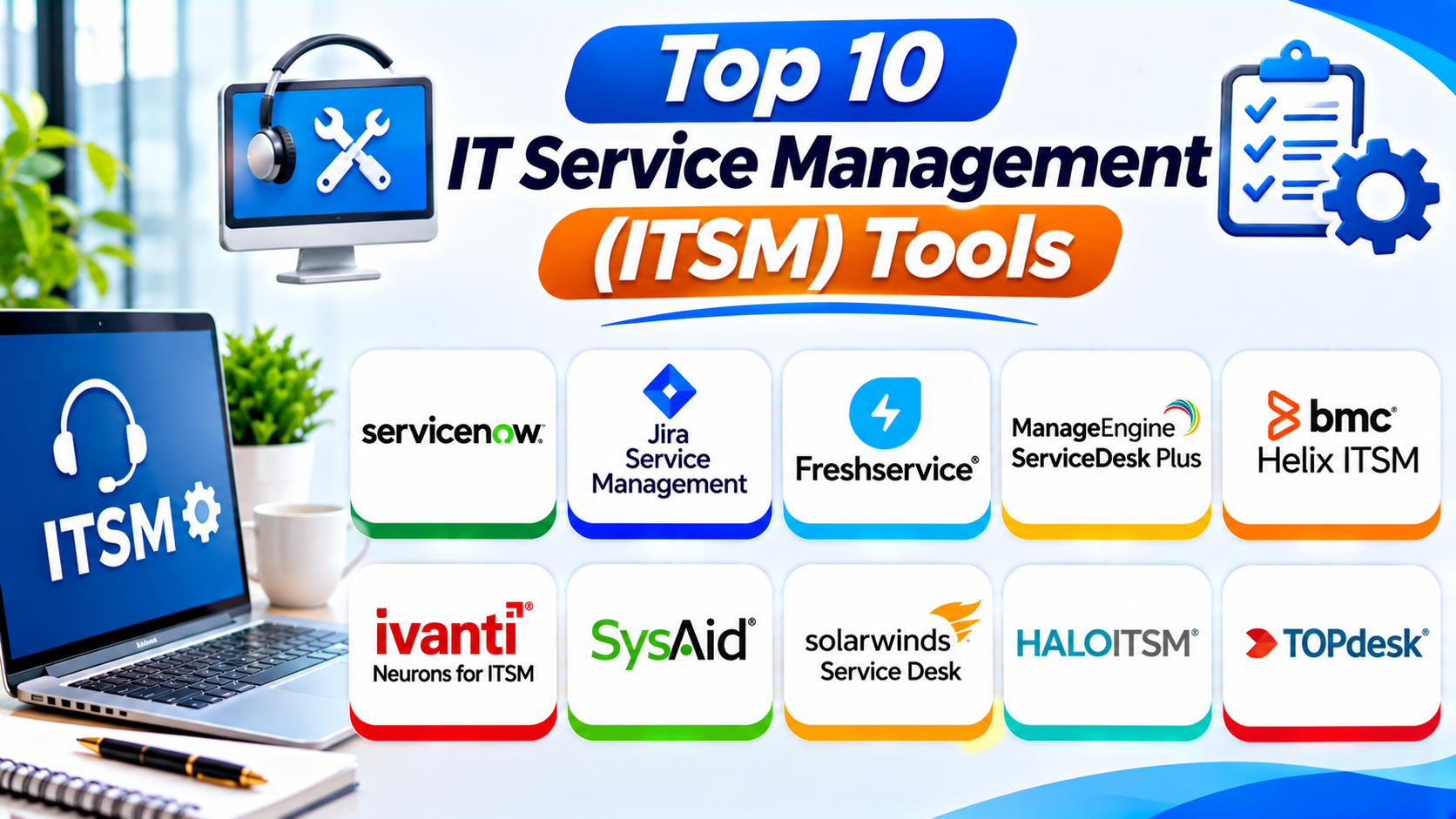
Top 10 IT Service Management (ITSM) Tools
1. ServiceNow IT Service Management
ServiceNow IT Service Management is a broad platform for enterprise IT operations. It helps large organizations manage services, workflows, and support processes.
The platform handles incidents, problems, changes, and service requests. IT teams can use one system to manage many service activities.
ServiceNow also supports configuration and asset management. Its configuration management database helps teams understand how IT resources connect.
The platform offers workflow automation and AI-based features. These tools can help staff manage routine requests and find useful information.
ServiceNow can also support other departments. Businesses can use its wider platform for employee services and enterprise workflows.
Key Features:
- Incident management
- Problem management
- Change management
- Service request management
- IT asset management
- Configuration management database
- Service catalog and employee portal
- Workflow automation
- AI-assisted service operations
- Reports and performance dashboards
Pros:
- Broad enterprise ITSM capabilities
- Supports complex service workflows
- Offers strong automation options
- Connects IT services with wider business processes
- Provides asset and configuration management
- Supports large organizations
Cons:
- Implementation can take time
- Advanced setup may need specialist skills
- Costs can be high for smaller teams
- Administration requires ongoing attention
Best For: Large organizations with complex IT services and enterprise workflow needs.
2. Jira Service Management
Jira Service Management comes from Atlassian. It helps IT teams manage support requests and work with software development teams.
The platform connects service management with development workflows. This connection helps teams investigate technical issues and coordinate fixes.
Jira Service Management supports incidents, problems, changes, and service requests. Teams can also create portals where employees submit requests.
Its automation features help route tickets and manage approvals. Teams can also connect service tickets with Jira Software tasks.
The platform works well for organizations that already use Atlassian products. However, new users may need time to understand its setup.
Key Features:
- Incident and problem management
- Change management
- Service request management
- Employee service portals
- Knowledge management
- SLA tracking
- Workflow automation
- Asset and configuration management options
- Jira Software integration
- Reports and dashboards
Pros:
- Strong connection with Jira Software
- Helps IT and development teams work together
- Flexible ticket workflows
- Useful incident management features
- Supports service portals
- Offers a free entry option for small teams
Cons:
- New users may need training
- Advanced workflows require planning
- Some features depend on plan or product setup
- Large configurations can become difficult to manage
Best For: IT and DevOps teams that already use Jira and other Atlassian products.
3. Freshservice
Freshservice is a cloud-based IT service management platform from Freshworks. It helps businesses manage IT support without building complex workflows from scratch.
The platform brings incidents and service requests into one workspace. Support teams can assign tickets, set priorities, and track progress.
Freshservice also offers asset management and a service catalog. Employees can use the portal to request software, devices, and other services.
Its automation tools help teams reduce repeated work. AI-assisted features can also support agents and improve service workflows.
Freshservice suits teams that want a modern interface and a relatively simple setup. Larger organizations can also review its advanced service management options.
Key Features:
- Incident management
- Problem and change management
- Service request management
- IT asset management
- Service catalog
- Knowledge base
- Workflow automation
- SLA management
- AI-assisted support
- Reports and dashboards
Pros:
- Easy-to-use interface
- Strong core ITSM features
- Helpful automation options
- Includes asset management
- Supports employee self-service
- Suitable for growing IT teams
Cons:
- Advanced features may need higher plans
- Costs can rise as teams add agents
- Complex workflows need careful setup
- Some integrations may need extra configuration
Best For: Small and midsize businesses that want accessible cloud-based ITSM.
4. ManageEngine ServiceDesk Plus
ManageEngine ServiceDesk Plus combines IT help desk and service management features. It helps teams manage incidents, requests, changes, and IT assets.
The platform offers a central ticketing system. Technicians can assign requests and track each issue through its full life cycle.
ServiceDesk Plus also includes a service catalog. Employees can use it to request common services and track approvals.
Its asset management features help teams monitor hardware and software. IT staff can connect assets with tickets to understand issues more clearly.
The product offers cloud and on-premises options. This flexibility can help organizations with different IT and deployment needs.
Key Features:
- Incident management
- Problem management
- Change management
- Service request management
- IT asset management
- Configuration management options
- Service catalog
- Knowledge base
- SLA management
- Workflow automation
- Reports and dashboards
- Cloud and on-premises deployment options
Pros:
- Combines ticketing and ITSM features
- Offers asset management tools
- Supports different deployment needs
- Provides useful reports
- Includes service catalog features
- Fits many IT department workflows
Cons:
- The interface may feel busy
- Advanced setup can take time
- Features vary by edition
- Large environments need careful configuration
Best For: IT departments that need ticketing, asset tracking, and service management in one platform.
5. BMC Helix ITSM
BMC Helix ITSM is an enterprise service management platform. It helps large organizations manage IT services and complex support processes.
The platform supports incident, problem, change, and service request management. Teams can use it to organize service work across departments.
BMC Helix also supports configuration and asset management. These features help teams understand their IT environment and service relationships.
Its automation and AI capabilities can help classify requests and support service operations. Organizations can use its wider BMC ecosystem for connected IT management.
BMC Helix suits companies with mature IT processes. Smaller teams may find its full feature set more than they need.
Key Features:
- Incident management
- Problem management
- Change management
- Service request management
- Configuration management
- IT asset management
- Service catalog
- Knowledge management
- Workflow automation
- AI-assisted service operations
- Enterprise reporting
Pros:
- Broad enterprise ITSM capabilities
- Supports mature IT service processes
- Offers configuration management
- Handles complex workflows
- Provides automation options
- Fits large IT environments
Cons:
- Implementation can be complex
- May need experienced administrators
- Costs may not suit small businesses
- Teams need planning before deployment
Best For: Large enterprises with mature ITIL processes and complex service environments.
6. Ivanti Neurons for ITSM
Ivanti Neurons for ITSM helps organizations manage IT services and support workflows. It also connects with Ivanti’s wider endpoint and security products.
The platform supports incident, problem, change, and service request management. IT teams can use it to organize support work and track service performance.
Its automation features help manage routine tasks. Organizations can also connect service management with endpoint operations.
Ivanti offers asset and configuration management capabilities. These features help teams understand devices, services, and related resources.
The platform can suit businesses that want to connect IT service management with endpoint management. Buyers should review deployment and feature options for their chosen package.
Key Features:
- Incident management
- Problem management
- Change management
- Service request management
- IT asset management
- Configuration management
- Service catalog
- Workflow automation
- Self-service portal
- Reporting and dashboards
- Integration with Ivanti products
Pros:
- Connects service and endpoint operations
- Supports core ITSM processes
- Offers automation features
- Includes asset management options
- Helps manage service requests
- Fits complex IT environments
Cons:
- Setup may require specialist knowledge
- Advanced workflows need planning
- Feature availability can vary by package
- Smaller teams may not need its wider capabilities
Best For: Organizations that want ITSM connected with endpoint and IT operations management.
7. SysAid
SysAid is an IT service management platform with help desk, asset, and automation features. It helps IT teams manage support requests and daily service work.
The platform provides a central ticketing system. Technicians can assign requests, track issues, and communicate with employees.
SysAid also offers asset management and a service catalog. These features help teams manage equipment and common employee requests.
Its automation and AI tools can support routine service tasks. Teams can use workflows to reduce repeated work and improve ticket handling.
SysAid offers cloud and self-hosted options. Organizations should compare the available plans and deployment choices before making a decision.
Key Features:
- IT help desk ticketing
- Incident management
- Service request management
- IT asset management
- Service catalog
- Knowledge base
- Workflow automation
- Self-service portal
- AI-assisted support features
- Reports and dashboards
- Cloud and self-hosted options
Pros:
- Combines help desk and ITSM features
- Offers asset management
- Supports service automation
- Includes self-service tools
- Provides several deployment options
- Helps organize employee support
Cons:
- Setup can take time
- Some users may need training
- Advanced customization needs effort
- Costs depend on the selected package
Best For: Mid-sized IT teams that need ticketing, asset visibility, and service automation.
8. SolarWinds Service Desk
SolarWinds Service Desk is a cloud-based IT service management platform. It helps teams manage incidents, service requests, assets, and changes.
The platform brings support tickets into one workspace. Technicians can assign requests and track their progress.
SolarWinds Service Desk also offers IT asset management. Teams can use this feature to understand which devices and software support their services.
Its service portal and knowledge base help employees find answers. They can also submit requests without contacting technicians directly.
Reporting tools help managers review ticket activity and service performance. This information can guide improvements across the IT team.
Key Features:
- Incident management
- Service request management
- Problem management
- Change management
- IT asset management
- Service catalog
- Knowledge base
- Workflow automation
- SLA tracking
- Reports and dashboards
Pros:
- Cloud-based service management
- Combines tickets and asset tracking
- Offers core ITSM features
- Supports employee self-service
- Provides useful reporting tools
- Helps organize internal IT work
Cons:
- Advanced features may need higher plans
- Cloud-only deployment may not fit every organization
- Custom workflows need planning
- Costs depend on selected features and team size
Best For: Businesses that want cloud-based ITSM with ticketing and asset visibility.
9. HaloITSM
HaloITSM is a configurable IT service management platform. It helps organizations manage incidents, service requests, changes, and other IT processes.
The platform offers flexible ticket workflows. Teams can configure processes to match their service needs.
HaloITSM also supports asset management and a service catalog. Employees can use the portal to request services and check progress.
Its automation and reporting tools help teams manage daily work. Organizations can also review cloud and self-hosted deployment options.
HaloITSM suits teams that want broad ITSM features and control over their workflows. A careful setup can help teams get the most from the platform.
Key Features:
- Incident management
- Problem management
- Change management
- Service request management
- IT asset management
- Configuration management
- Service catalog
- Knowledge base
- Workflow automation
- Reporting and dashboards
- Cloud and self-hosted deployment
Pros:
- Broad ITSM feature set
- Flexible workflow configuration
- Supports asset management
- Offers deployment choices
- Includes service catalog tools
- Can support growing organizations
Cons:
- Configuration can take time
- New users may need training
- Advanced workflows need planning
- Smaller teams may not need every feature
Best For: Organizations that need configurable ITSM workflows and broad service management features.
10. TOPdesk
TOPdesk is a service management platform for IT teams and shared service departments. It helps organizations manage requests, incidents, and service processes.
The platform provides a central service desk workspace. Teams can record issues, assign tasks, and track progress.
TOPdesk also offers a self-service portal and knowledge base. Employees can use these tools to find answers and submit service requests.
Its workflow features help teams organize approvals and service tasks. Organizations can also use TOPdesk beyond IT, including facilities and other internal support teams.
TOPdesk can suit organizations that want clear service processes across departments. Teams should check its integrations and configuration options before choosing it.
Key Features:
- Incident management
- Service request management
- Change management
- Problem management
- Self-service portal
- Knowledge base
- Asset management options
- Workflow management
- SLA tracking
- Reporting and dashboards
- Cross-department service management
Pros:
- Supports IT and other service teams
- Offers employee self-service
- Helps organize service workflows
- Includes knowledge management
- Provides useful reporting
- Can support shared service centers
Cons:
- Advanced configuration may take time
- Some integrations need extra work
- Teams may need training
- Feature depth can vary by package
Best For: Organizations that want IT and other departments to share service management processes.
Comparison Table: Top 10 ITSM Tools
| ITSM Tool | Main Strength | Asset Management | Best For |
|---|---|---|---|
| ServiceNow ITSM | Enterprise service workflows | Yes | Large enterprises |
| Jira Service Management | Development team integration | Available through its ecosystem | IT and DevOps teams |
| Freshservice | Accessible cloud ITSM | Yes | Small and midsize teams |
| ManageEngine ServiceDesk Plus | Broad IT management | Yes | IT departments |
| BMC Helix ITSM | Complex enterprise ITSM | Yes | Large enterprises |
| Ivanti Neurons for ITSM | ITSM and endpoint operations | Yes | Endpoint-focused organizations |
| SysAid | Ticketing and automation | Yes | Mid-sized IT teams |
| SolarWinds Service Desk | Cloud service desk | Yes | Cloud-first IT teams |
| HaloITSM | Flexible workflows | Yes | Configurable ITSM needs |
| TOPdesk | Shared service management | Available | IT and internal service teams |
How to Choose the Right ITSM Tool
The best ITSM tool should match your team’s work. Do not choose a platform only because it offers many features.
1. Understand Your IT Service Needs
List the tasks your team handles every day. These may include incidents, service requests, changes, and asset tracking.
Choose a platform that supports your most important tasks. Avoid paying for features your team will not use.
2. Check Incident and Problem Management
Your ITSM tool should help teams record and resolve incidents. It should also help them find the causes of repeated problems.
Look for clear ticket ownership, priorities, status updates, and issue history.
3. Review Change Management
Changes can affect business systems and employees. Choose a platform that supports approvals, planning, and change tracking.
This helps teams reduce risks when they update IT services.
4. Examine Asset and Configuration Management
Check whether the platform can track devices, software, and service relationships. A useful asset view helps technicians understand which resources affect an issue.
Some organizations may need a detailed configuration management database.
5. Look for Automation
Automation can reduce repeated tasks. Look for ticket routing, approval rules, alerts, and workflow triggers.
Choose automation that solves real problems in your support process.
6. Review Self-Service Features
A service portal lets employees submit requests and find answers. A knowledge base can reduce repeated questions.
Check whether users can track requests and search for help easily.
7. Check Integrations
Your ITSM platform may need to connect with identity tools, monitoring systems, collaboration apps, and development platforms.
Make a list of required integrations. Test important connections before you buy.
8. Compare Security and Deployment
Review access controls, audit logs, data protection, and user permissions.
Check whether you need cloud, self-hosted, or hybrid deployment. Your security policies may decide which options fit.
9. Calculate the Full Cost
Compare more than the starting subscription price. Include agent licenses, add-ons, implementation, training, and support.
Ask vendors to explain which features each plan includes.
10. Test Before You Decide
Run a small pilot with real support requests. Ask technicians and employees to test the workflows.
Measure how easily they submit requests and resolve issues. Use their feedback before choosing a platform.
Common Uses of ITSM Tools
ITSM software supports many daily IT activities.
- Reporting computer and network problems
- Managing employee service requests
- Tracking software and hardware assets
- Handling password and access requests
- Approving system changes
- Managing repeated IT problems
- Tracking service-level agreements
- Sharing IT knowledge and guides
- Managing device and software requests
- Coordinating IT support teams
- Reviewing service performance
- Supporting internal business departments
These tasks help organizations deliver more consistent IT services.
Benefits of IT Service Management Software
Better Incident Tracking
ITSM tools keep incidents in one place. Teams can assign each issue and monitor its progress.
Faster Service Delivery
Automation can route requests to the right team. This can reduce delays and repeated manual work.
Clearer IT Processes
Structured workflows help teams follow the same steps. This makes service work easier to manage.
Improved Asset Visibility
Asset records help teams understand their hardware and software. They can also connect resources with support issues.
Better Employee Experience
Employees can use service portals to request help. Knowledge bases can also provide answers without waiting for an agent.
Stronger Reporting
Reports help managers review ticket volumes and response times. They can use these details to find areas that need improvement.
Better Change Control
Change management helps teams review planned updates. This can reduce confusion and service disruption.
Challenges of Using ITSM Tools
ITSM software can improve service delivery. However, teams should prepare for a few challenges.
Complex Implementation
Large platforms may need careful planning and technical support. Teams should define their processes before setup.
User Adoption
Employees and technicians must understand how to use the platform. Training and simple workflows can improve adoption.
Process Management
Software cannot fix unclear processes by itself. Teams should review their service rules and remove unnecessary steps.
Integration Work
Some systems may not connect directly. Teams should confirm integration support before making a purchase.
Cost Control
Advanced features and extra licenses can increase costs. Review the full package before choosing a plan.
Data Quality
Asset and configuration records need accurate information. Teams should maintain these records to support good decisions.
Questions and Answers
1. What Does ITSM Stand For?
ITSM stands for IT Service Management. It describes how an organization plans, delivers, manages, and improves IT services.
2. What Is an ITSM Tool?
An ITSM tool helps teams manage IT services through one platform. It often includes ticketing, incident management, change management, and service requests.
3. What Are the Main ITSM Processes?
Common ITSM processes include incident management, problem management, change management, service request management, and asset management.
4. Which ITSM Tool Is Best for Large Enterprises?
ServiceNow ITSM and BMC Helix ITSM are strong options for large enterprises. The right choice depends on process complexity, budget, and technical needs.
5. Which ITSM Tool Is Best for Small Businesses?
Freshservice and ManageEngine ServiceDesk Plus can suit smaller IT teams. Compare their plans and features against your actual needs.
6. Is Jira Service Management an ITSM Tool?
Yes. Jira Service Management supports incident, problem, change, and service request management. It also connects service teams with software development workflows.
7. What Is the Difference Between ITSM and ITIL?
ITSM describes how organizations manage IT services. ITIL provides guidance and practices that organizations can use to improve service management.
8. Does ITSM Software Include Asset Management?
Many ITSM platforms offer asset management. Some also provide configuration management features that show how IT resources connect.
9. Can ITSM Tools Automate Support Tasks?
Yes. Many tools can route tickets, send alerts, manage approvals, and trigger workflows. The available automation depends on the platform and plan.
10. How Do I Select the Best ITSM Platform?
Start with your team’s service needs. Then compare features, ease of use, integrations, security, deployment, support, and total cost.
Final Thoughts
ITSM tools help businesses manage IT services with better control. They organize incidents, service requests, changes, and assets.
ServiceNow and BMC Helix suit complex enterprise environments. Jira Service Management works well for teams that use Atlassian tools. Freshservice and ManageEngine ServiceDesk Plus offer useful choices for growing IT departments.
Ivanti, SysAid, SolarWinds Service Desk, HaloITSM, and TOPdesk also serve different service needs.
No single platform fits every organization. Compare your workflows, test your shortlist, and review the full cost.
The right ITSM tool can help your team deliver reliable services and support employees more effectively.