Introduction
Remote Monitoring and Management tools help IT teams support devices from anywhere. They let technicians monitor computers, find problems, install updates, and fix issues remotely.
Managed Service Providers (MSPs) use RMM software to support many customer networks. Internal IT teams also use these tools to manage company devices.
This guide compares ten RMM platforms. It covers their main features, Pros, Cons, best uses, and key differences. It also explains how to choose the right tool for your team
What Is Remote Monitoring and Management Software?
Remote Monitoring and Management software gives technicians a central console. They can use it to monitor and manage computers, servers, and other devices.
Most RMM platforms use a small software agent on each managed device. The agent sends device information to the RMM console. Technicians can then review alerts and take action.
For example, a laptop may run low on storage. The RMM tool can alert the IT team. A technician can connect remotely and fix the issue.
RMM software often includes these core features:
- Device and network monitoring
- Remote desktop access
- Software patch management
- Script and task automation
- Security and system alerts
- Hardware and software inventory
- Device health reports
- Endpoint management
- Policy and configuration controls
- Multi-customer management for MSPs
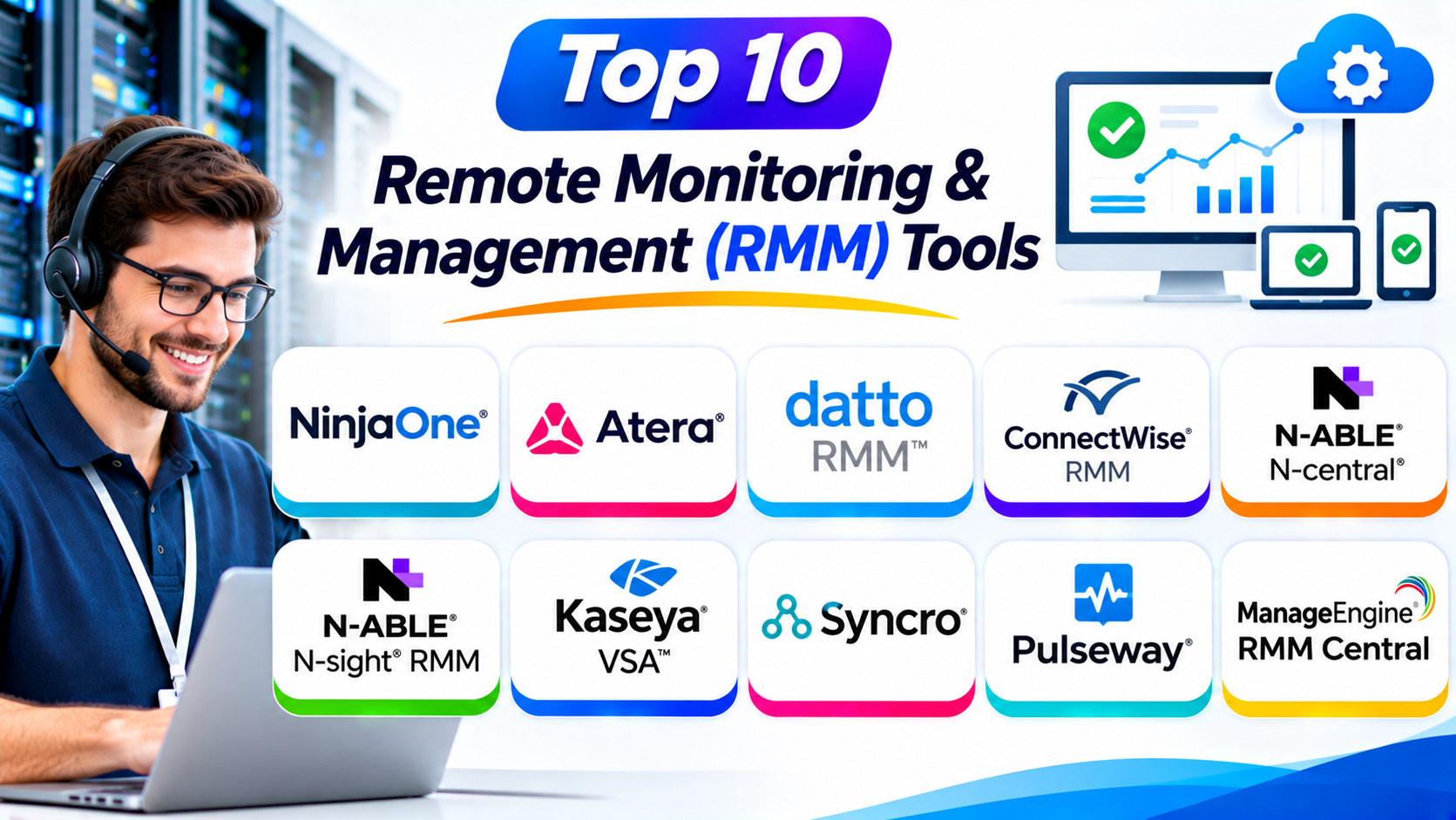
Top 10 Remote Monitoring & Management (RMM) Tools
The list includes tools for managed service providers and internal IT teams. It covers different needs, from simple endpoint management to complex multi-client operations.
1. NinjaOne
NinjaOne is a remote monitoring and management platform for IT teams and MSPs. It helps technicians manage computers, servers, and other endpoints from one console.
The platform provides device monitoring and remote access. Technicians can check device health and respond to problems without visiting each location.
NinjaOne also supports patch management. Teams can manage updates for operating systems and supported applications.
Its automation tools help technicians run scripts and complete routine tasks. The platform also offers endpoint management features for organizations with many devices.
NinjaOne focuses on simple management and centralized control. It can suit both internal IT teams and service providers.
Key Features:
- Remote device monitoring
- Remote desktop access
- Operating system patch management
- Third-party application patching
- Endpoint management
- Script automation
- Hardware and software inventory
- Device health alerts
- Backup and security integrations
- Centralized reporting
Pros:
- Clean and easy-to-use interface
- Supports many endpoint types
- Useful patch management features
- Helps automate routine IT tasks
- Provides centralized device visibility
- Suitable for MSPs and internal IT teams
Cons:
- Pricing may require a custom quote
- Some advanced features may need extra products
- Large deployments need careful policy planning
- Integration needs should be checked before purchase
Best For: MSPs and internal IT teams that want simple endpoint monitoring and management.
2. Atera
Atera combines remote monitoring and management with professional services automation. It helps IT service providers manage devices, technicians, and customer support work.
The platform offers a central dashboard for monitoring endpoints. Technicians can review alerts and connect to remote devices.
Atera also includes ticketing and service management features. These tools help teams manage support requests alongside technical work.
Its patch management and automation features support routine maintenance. Teams can create scripts and workflows to reduce repeated tasks.
Atera uses a per-technician pricing model for its core RMM offering. This model may appeal to teams that manage many devices with a smaller technician group. Check current plans for exact limits and included features.
Key Features:
- Remote device monitoring
- Remote access and support
- Patch management
- Network discovery
- IT automation
- Script execution
- Ticket management
- Professional services automation
- Reporting and analytics
- AI-assisted support features
Pros:
- Combines RMM and PSA features
- Per-technician pricing model
- Centralized device monitoring
- Supports remote troubleshooting
- Includes ticketing tools
- Useful for growing MSPs
Cons:
- Some features may require higher plans
- Advanced workflows need setup
- Per-technician pricing may not suit every team
- Some integrations may add cost
Best For: MSPs that want RMM, ticketing, and service management in one platform.
3. Datto RMM
Datto RMM is a cloud-based platform for managed service providers. It helps technicians monitor and manage customer devices from a central console.
The platform supports endpoint monitoring and remote access. Technicians can review alerts and investigate device problems.
Datto RMM also offers patch management and automation. Teams can schedule updates and run scripts across managed devices.
Its alerting features help technicians identify problems. They can create monitoring policies and use automation to handle common issues.
Datto RMM works within the wider Kaseya ecosystem. MSPs already using related products may find this connection useful.
Key Features:
- Remote monitoring
- Remote access
- Patch management
- Endpoint health alerts
- Script automation
- Device inventory
- Policy-based monitoring
- Alert management
- Reporting and dashboards
- Integration with MSP tools
Pros:
- Built for MSP operations
- Supports centralized device management
- Offers patch automation
- Helps monitor customer endpoints
- Provides alert-based workflows
- Connects with the Kaseya ecosystem
Cons:
- Setup can take time
- Advanced workflows may need training
- Pricing usually requires a sales discussion
- Some features depend on connected products
Best For: MSPs that need cloud-based monitoring and automation across customer environments.
4. ConnectWise RMM
ConnectWise RMM helps managed service providers monitor and manage customer devices. It supports remote IT operations through a centralized platform.
Technicians can review device health and investigate alerts. They can also use remote access to troubleshoot problems.
The platform includes patch management and automation features. These tools help teams maintain endpoints and reduce manual work.
ConnectWise RMM connects with the wider ConnectWise product ecosystem. MSPs can use related tools for service management and business operations.
Its features can support larger service teams. However, organizations should review the setup and integrations they need before deployment.
Key Features:
- Remote endpoint monitoring
- Remote access
- Patch management
- Automated maintenance tasks
- Device health alerts
- Script execution
- Monitoring policies
- MSP workflow integrations
- Centralized dashboards
- Reporting tools
Pros:
- Designed for MSP workflows
- Connects with ConnectWise products
- Supports endpoint monitoring
- Offers patch management
- Helps automate routine tasks
- Can support complex service operations
Cons:
- Setup may require technical knowledge
- New users may need training
- Some workflows can feel complex
- Costs depend on selected products and services
Best For: Established MSPs that already use ConnectWise products or need connected service workflows.
5. N-able N-central
N-able N-central is a remote monitoring and management platform for MSPs and IT departments. It helps teams manage large and complex device environments.
The platform monitors endpoints, servers, and network devices. Technicians can use alerts to identify issues and investigate device health.
N-central also supports patch management and automation. Teams can create monitoring rules and run scripts to maintain managed systems.
Its configuration options support detailed monitoring. This can help service providers manage different customer environments.
N-central suits teams that need control over complex IT systems. However, its wider feature set may require more setup and training.
Key Features:
- Endpoint and server monitoring
- Network device monitoring
- Remote access
- Patch management
- Script automation
- Monitoring policies
- Alert management
- Asset discovery
- Reporting and dashboards
- MSP multi-client management
Pros:
- Supports complex IT environments
- Offers detailed monitoring controls
- Helps manage many endpoints
- Provides automation features
- Supports MSP operations
- Offers broad infrastructure visibility
Cons:
- Learning curve can be steep
- Initial setup may take time
- Advanced configuration needs skilled staff
- Some integrations may require extra work
Best For: Mid-sized and large MSPs that manage complex customer networks.
6. N-able N-sight RMM
N-able N-sight RMM helps MSPs monitor and maintain customer devices. It provides a central view of endpoint health and support activity.
The platform supports remote monitoring and access. Technicians can check device status and respond to alerts.
N-sight also offers patch management and automation. These features help teams maintain systems and complete routine maintenance.
Its reporting tools help MSPs review device status and service work. The platform can suit providers that want a focused RMM system.
N-sight and N-central both come from N-able. However, they serve different operational needs. Teams should compare their monitoring depth and configuration requirements.
Key Features:
- Remote endpoint monitoring
- Remote access
- Patch management
- Automated maintenance
- Device alerts
- Antivirus and security integrations
- Asset information
- Script automation
- Reporting tools
- MSP management features
Pros:
- Supports common MSP workflows
- Offers centralized endpoint monitoring
- Includes patch management
- Helps automate maintenance
- Provides useful reports
- Can suit smaller and midsize service providers
Cons:
- Advanced needs may require other N-able products
- Some features depend on selected plans
- Teams need time to configure monitoring
- Integration options should be checked
Best For: MSPs that want a focused RMM platform for daily endpoint support.
7. Kaseya VSA
Kaseya VSA is an RMM platform for IT teams and managed service providers. It helps technicians monitor devices and automate maintenance tasks.
The platform provides endpoint monitoring and remote management. Technicians can check device health and respond to system alerts.
Kaseya VSA also supports patch management and scripting. These features help teams apply updates and run maintenance tasks across many endpoints.
Its automation capabilities can reduce repeated technician work. Organizations can also connect VSA with other Kaseya products.
Kaseya VSA can support established IT operations. Teams should review its deployment options, licensing, and integrations before choosing it.
Key Features:
- Remote monitoring
- Remote device management
- Patch management
- Script automation
- Endpoint inventory
- Alert management
- Policy-based maintenance
- Remote troubleshooting
- Reporting and dashboards
- Kaseya ecosystem integrations
Pros:
- Broad RMM capabilities
- Supports large endpoint environments
- Offers automation and scripting
- Helps manage patching tasks
- Connects with Kaseya products
- Supports MSP and internal IT workflows
Cons:
- Setup may be complex
- Advanced features need training
- Pricing may require a custom quote
- Product ecosystem choices can take planning
Best For: Established MSPs and IT teams that need broad remote management and automation.
8. Syncro
Syncro combines RMM and professional services automation features. It helps smaller MSPs manage endpoints and customer support work.
The platform offers device monitoring and remote access. Technicians can review alerts and troubleshoot supported devices.
Syncro also includes ticketing, billing, and customer management features. These tools help MSPs connect technical work with daily business operations.
Its scripting and automation features support routine maintenance. Teams can also manage patching and monitor device health.
Syncro aims to bring several MSP functions into one platform. This can reduce the need to manage separate systems.
Key Features:
- Remote monitoring
- Remote access
- Patch management
- Script automation
- Ticket management
- Customer management
- Billing and invoicing tools
- Device inventory
- Alerts and notifications
- Reporting and dashboards
Pros:
- Combines RMM and PSA features
- Useful for smaller MSPs
- Includes ticketing and billing tools
- Supports remote troubleshooting
- Offers scripting and automation
- Helps centralize service operations
Cons:
- Advanced needs may require integrations
- Some workflows need customization
- Large MSPs may need deeper controls
- Teams should review plan limits
Best For: Small and midsize MSPs that want RMM and business management features together.
9. Pulseway
Pulseway is a remote monitoring and management platform for IT teams and MSPs. It helps technicians monitor devices and respond to problems from a central console.
The platform offers real-time monitoring and remote access. Its mobile apps let technicians check systems and respond while away from their desks.
Pulseway also supports patch management and automation. Teams can create rules for alerts and routine maintenance.
The platform provides monitoring for servers, workstations, and network devices. It can help teams manage distributed IT environments.
Pulseway’s mobile-first approach makes it useful for technicians who need access while traveling or working outside the office.
Key Features:
- Real-time device monitoring
- Remote desktop access
- Mobile management apps
- Patch management
- Script automation
- Server monitoring
- Network monitoring
- Alert notifications
- System inventory
- Reporting tools
Pros:
- Strong mobile management experience
- Supports remote monitoring
- Offers patch management
- Helps automate maintenance
- Provides alerts and notifications
- Useful for distributed IT teams
Cons:
- Some advanced features may cost extra
- Large deployments need careful configuration
- Mobile workflows may not replace desktop tools
- Pricing depends on device and plan choices
Best For: IT teams and MSPs that need mobile access to remote monitoring tools.
10. ManageEngine RMM Central
ManageEngine RMM Central combines remote monitoring and network management features. It helps IT teams and MSPs manage endpoints and network devices.
The platform offers centralized monitoring and remote troubleshooting. Technicians can review device information and respond to problems.
RMM Central also supports patch management and automation. These tools help teams maintain devices and reduce manual work.
Its reporting features provide information about device health and network performance. Teams can use these reports to plan maintenance.
ManageEngine offers several IT management products. Organizations should compare RMM Central with Endpoint Central to understand which product matches their needs.
Key Features:
- Remote endpoint monitoring
- Network device monitoring
- Remote access
- Patch management
- Hardware and software inventory
- Script automation
- Alert management
- Network performance monitoring
- Reports and dashboards
- Centralized device management
Pros:
- Combines endpoint and network monitoring
- Offers patch management
- Provides inventory features
- Supports automation
- Includes reporting tools
- Fits many IT management needs
Cons:
- Product setup may take time
- The interface may feel complex to new users
- Some features need careful configuration
- Teams should compare related ManageEngine products
Best For: IT teams that want endpoint and network monitoring in one management platform.
Comparison Table: Top 10 RMM Tools
| RMM Tool | Main Strength | Best For |
|---|---|---|
| NinjaOne | Endpoint management and patching | MSPs and internal IT teams |
| Atera | RMM with PSA features | Small and growing MSPs |
| Datto RMM | Cloud monitoring and automation | MSPs in the Kaseya ecosystem |
| ConnectWise RMM | MSP workflow integration | Established MSPs |
| N-able N-central | Detailed monitoring controls | Complex IT environments |
| N-able N-sight RMM | Focused endpoint management | Small and midsize MSPs |
| Kaseya VSA | Remote management and automation | Established IT operations |
| Syncro | RMM, PSA, and billing | Small and midsize MSPs |
| Pulseway | Mobile monitoring and access | Distributed IT teams |
| ManageEngine RMM Central | Endpoint and network monitoring | IT departments and MSPs |
How to Choose the Right RMM Tool
Choosing an RMM platform takes more than comparing feature lists. You should understand your devices, users, and daily support tasks.
1. Understand Your Device Environment
Count the computers, servers, and network devices you need to manage. Also check their operating systems and locations.
Some tools focus on endpoints. Others offer wider network and infrastructure monitoring.
2. Check Remote Access
Technicians need reliable remote access to solve problems. Check whether the platform supports unattended access and secure remote sessions.
Test access on the devices your team uses most.
3. Review Patch Management
Unpatched devices can create security and reliability risks. Look for tools that support scheduled updates and patch status reports.
Check support for operating systems and third-party applications.
4. Examine Automation Features
Automation can reduce repeated work. Look for scripting, scheduled tasks, automated alerts, and remediation workflows.
Make sure technicians can test scripts before using them across many devices.
5. Review Monitoring and Alerts
A good RMM platform should detect device problems early. Check its alert rules, monitoring options, and notification settings.
Too many alerts can overwhelm technicians. Choose a tool that lets teams control alert noise.
6. Check Security Controls
Remote management tools need strong security. Review multi-factor authentication, role-based access, audit logs, and encryption.
Also check how the vendor handles remote sessions and administrator permissions.
7. Compare MSP and PSA Features
MSPs may need ticketing, billing, contracts, and customer records. Some RMM tools include PSA features.
Others connect with separate PSA products. Choose the setup that fits your service business.
8. Review Integrations
Your RMM platform may need to connect with backup, antivirus, endpoint detection, ticketing, and documentation tools.
List your required integrations before choosing a vendor.
9. Understand the Pricing Model
RMM vendors may charge per device, endpoint, technician, or user. Each model can suit a different business.
Calculate the total cost for your expected device count. Include add-ons, support, and setup costs.
10. Test the Platform
Use a trial or product demo when available. Test monitoring, remote access, patching, and automation on real devices.
Ask technicians to review the interface. Their feedback can help you avoid a poor fit.
Common Uses of RMM Software
RMM platforms support many daily IT tasks.
- Monitoring employee computers
- Managing remote laptops
- Checking server health
- Tracking network device status
- Installing software updates
- Managing security patches
- Running maintenance scripts
- Troubleshooting devices remotely
- Finding hardware and software details
- Monitoring customer networks
- Automating routine IT tasks
- Supporting distributed teams
These uses help IT teams maintain devices without visiting every location.
Benefits of Remote Monitoring and Management Tools
Centralized Device Management
RMM software brings many devices into one console. Technicians can review their status without switching between separate systems.
Faster Problem Detection
Monitoring alerts can help teams find issues early. Technicians can respond before small problems affect more users.
Less Manual Work
Automation can handle routine maintenance. This gives technicians more time for complex issues.
Better Patch Control
Patch tools help teams manage software updates. They can also show which devices need attention.
Remote Support
Technicians can connect to supported devices from another location. This helps teams support remote employees and customers.
Improved Service Delivery
MSPs can use RMM tools to manage many customer environments. This helps them organize support work and maintain service quality.
Better Device Visibility
Inventory and monitoring features help teams understand their IT environment. This information can support planning and troubleshooting.
Challenges of Using RMM Software
RMM tools offer many benefits, but teams should prepare for some challenges.
Initial Setup
Large device environments need careful setup. Teams must install agents, configure policies, and define alert rules.
Alert Overload
Too many notifications can distract technicians. Teams should adjust monitoring rules and set clear alert priorities.
Security Risks
Remote access creates important security responsibilities. Teams should use strong authentication and limit administrator access.
Patch Compatibility
Some updates may affect business applications. Test important patches before deploying them across every device.
Integration Work
RMM platforms may need connections with other IT tools. Check compatibility before selecting a product.
Cost Management
Per-device and per-technician pricing can affect budgets differently. Review the full cost as your device count grows.
Questions and Answers
1. What Does RMM Stand For?
RMM stands for Remote Monitoring and Management. It describes software that helps IT teams monitor and manage devices from a central location.
2. What Does RMM Software Do?
RMM software monitors computers, servers, and network devices. It can also support remote access, patching, automation, and device reporting.
3. Who Uses RMM Tools?
Managed Service Providers use RMM tools to support customer devices. Internal IT teams also use them to manage company systems.
4. What Is the Difference Between RMM and PSA Software?
RMM software focuses on device monitoring and remote management. PSA software helps MSPs manage tickets, customers, billing, and service operations.
5. Which RMM Tool Is Best for MSPs?
NinjaOne, Atera, Datto RMM, ConnectWise RMM, and N-able platforms are popular options. The best choice depends on device count, workflows, and budget.
6. Can RMM Software Manage Remote Computers?
Yes. RMM tools can monitor and manage supported remote computers. Technicians can also use remote access to troubleshoot many issues.
7. Does RMM Software Support Patch Management?
Most leading RMM platforms offer patch management. Teams can use these features to monitor and install supported updates.
8. Is RMM Software Secure?
RMM software can support secure IT management when teams configure it properly. Use strong authentication, access controls, and regular security reviews.
9. What Is the Difference Between N-able N-sight and N-central?
Both products come from N-able. N-sight focuses on streamlined RMM needs, while N-central offers deeper monitoring and configuration options for complex environments.
10. How Do I Choose the Best RMM Tool?
Compare device support, monitoring, remote access, patching, automation, security, integrations, and pricing. Test the most important workflows before buying.
Final Thoughts
Remote Monitoring and Management tools help IT teams support devices from one place. They make monitoring, patching, remote access, and routine maintenance easier.
NinjaOne offers a strong option for endpoint management. Atera and Syncro combine RMM with useful service management features. Datto RMM, ConnectWise RMM, and Kaseya VSA support MSP operations.
N-able N-central and N-sight serve different monitoring needs. Pulseway offers useful mobile access. ManageEngine RMM Central brings endpoint and network monitoring together.
No single platform suits every team. Compare your device environment, support needs, security rules, and budget.
The right RMM tool can help your team manage devices more efficiently and deliver better IT support.