Introduction
Modern apps need speed, flexibility, and reliable performance. Container platforms help teams meet these needs.
A container packs an app with its required files and settings. This lets the app run in different environments. Teams can move containers between development, testing, and production systems.
However, managing many containers can become hard. Teams must handle deployment, scaling, networking, storage, and security. Container platforms help automate these tasks.
Some platforms manage containers across private servers and cloud systems. Others offer ready-to-use services that reduce daily maintenance.
This guide explores ten popular container platforms. It explains their features, strengths, and limits. It also helps you choose the right platform.
What Is a Container Platform?
A container platform helps teams build, run, deploy, and manage container-based apps. It provides tools to control containers across one or more servers.
A platform may include several parts:
- Container runtime to run containers.
- Orchestration to manage many containers.
- Networking to connect apps and services.
- Storage tools to keep app data.
- Security controls to protect workloads.
- Monitoring tools to check app health.
- Deployment tools to release updates.
Not every platform includes all these parts. Some focus on running containers. Others manage full container environments.
How Do Container Platforms Work?
Container platforms help teams manage apps through a clear process.
- Developers create an app and package it into a container image.
- Teams store the image in a container registry.
- The platform pulls the image when it needs to run the app.
- The platform starts containers on available servers.
- It manages networking between containers and services.
- It checks app health and restarts failed containers when configured.
- It can add or remove containers based on workload needs.
This process reduces manual work. It also helps teams run apps in a more consistent way.
Types of Container Platforms
Container platforms come in several forms. Each type solves a different problem.
Container Orchestration Platforms
These platforms manage large groups of containers. They handle scheduling, scaling, service discovery, and recovery.
Examples include Kubernetes and Docker Swarm.
Managed Container Services
Cloud providers operate much of the underlying platform. Teams can focus more on their apps.
Examples include Amazon EKS, Google Kubernetes Engine, and Azure Kubernetes Service.
Enterprise Container Platforms
These platforms add business-focused tools. They may include security controls, developer tools, policy management, and support.
Red Hat OpenShift is one example.
Container Management Platforms
These platforms help teams control container environments from one interface. They may manage Docker, Kubernetes, and other systems.
Portainer and Rancher serve this role in different ways.
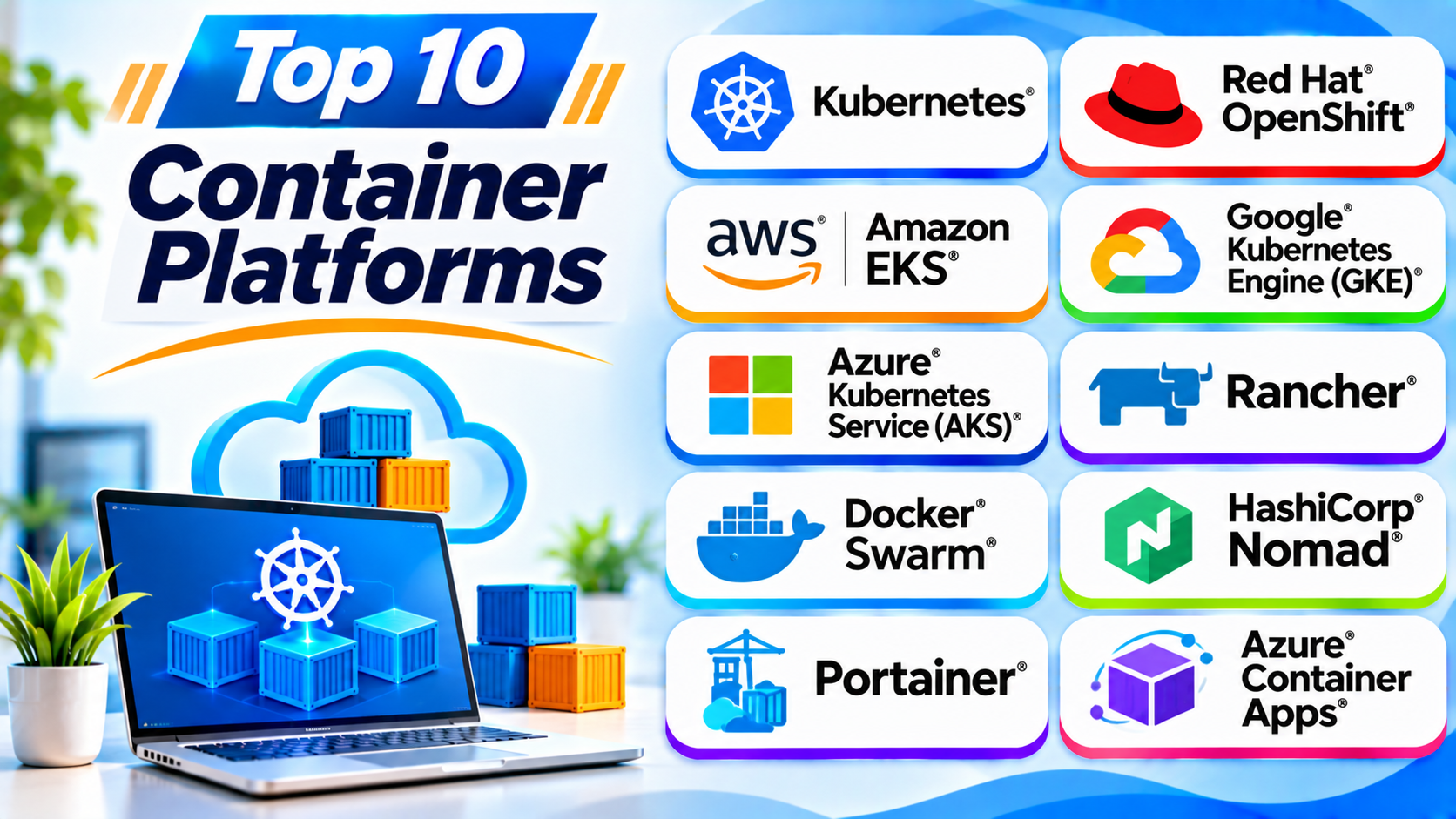
Top 10 Container Platforms
The following platforms serve different needs. Some provide full orchestration. Others simplify cloud deployment or multi-cluster management.
1. Kubernetes
Kubernetes is an open-source container orchestration platform. It helps teams deploy and manage container-based applications.
It can run across private data centers, public clouds, and hybrid environments. Teams use it to manage large groups of containers.
Kubernetes uses clusters to organize computing resources. Each cluster contains a control plane and worker nodes. The control plane manages the cluster. Worker nodes run application workloads.
Kubernetes can restart failed containers and move workloads when needed. It also supports service discovery, load balancing, and automated scaling.
However, Kubernetes needs technical knowledge. Teams must understand networking, storage, security, and cluster operations.
Key Features
- Automated container deployment and scheduling.
- Self-healing for supported workloads.
- Horizontal scaling based on resource use.
- Service discovery and load balancing.
- Rolling updates and rollbacks.
- Storage management through persistent volumes.
- Support for cloud and on-premises environments.
- Large ecosystem of extensions and tools.
Pros
- Open-source platform with broad community support.
- Works across many infrastructure environments.
- Supports large and complex applications.
- Offers strong automation features.
- Provides a wide range of integrations.
Cons
- Has a steep learning curve.
- Needs careful setup and maintenance.
- Can create extra work for small teams.
- Requires planning for networking and storage.
- Poor configuration can increase costs.
Best For: Teams that need flexible, scalable container orchestration.
2. Red Hat OpenShift
Red Hat OpenShift is an enterprise application platform built around Kubernetes. It adds tools that help businesses develop, deploy, and manage applications.
OpenShift provides a web console and command-line tools. Developers can use these tools to manage projects and application workloads.
The platform includes features for security, automation, and application delivery. It also supports hybrid cloud and private data center environments.
OpenShift helps organizations create a more consistent development process. Teams can use its tools to manage applications across supported infrastructure.
However, OpenShift may need more resources than a basic Kubernetes setup. Its enterprise features can also add cost and complexity.
Key Features
- Kubernetes-based container orchestration.
- Web console for cluster management.
- Developer tools and application workflows.
- Integrated security controls.
- Automated application deployment options.
- Support for hybrid and multi-cloud environments.
- Operator-based application management.
- Enterprise support options.
Pros
- Adds useful tools around Kubernetes.
- Supports enterprise application environments.
- Provides a strong developer experience.
- Offers security and policy controls.
- Supports hybrid cloud deployments.
Cons
- Can require significant infrastructure resources.
- Enterprise subscriptions may cost more.
- Needs skilled administrators.
- Some features require extra setup.
- May feel complex for small projects.
Best For: Large businesses that need an enterprise Kubernetes platform.
3. Amazon Elastic Kubernetes Service (Amazon EKS)
Amazon Elastic Kubernetes Service, or Amazon EKS, is a managed Kubernetes service from AWS.
It helps teams run Kubernetes clusters without managing every control plane component themselves. AWS operates the Kubernetes control plane for standard EKS clusters.
Teams can connect EKS with other AWS services. These include identity, networking, storage, monitoring, and security tools.
Amazon EKS supports containerized applications that need reliable cloud infrastructure. It also supports hybrid use cases through related AWS services.
However, teams still need to manage many workload and infrastructure decisions. Costs can also grow with compute resources, storage, networking, and related services.
Key Features
- Managed Kubernetes control plane.
- Integration with AWS services.
- Support for managed and self-managed worker nodes.
- Cluster access and identity controls.
- Integration with AWS networking and storage.
- Monitoring through AWS tools.
- Support for scaling container workloads.
- Options for hybrid Kubernetes environments.
Pros
- Reduces control plane maintenance.
- Fits well with AWS environments.
- Supports production Kubernetes workloads.
- Offers flexible compute choices.
- Connects with many AWS services.
Cons
- Requires knowledge of AWS and Kubernetes.
- Workload management remains the team’s responsibility.
- Costs can become difficult to track.
- AWS-specific integrations may increase dependency.
- Setup can involve many configuration steps.
Best For: Organizations that already use AWS and need managed Kubernetes.
4. Google Kubernetes Engine (GKE)
Google Kubernetes Engine, or GKE, is Google’s managed Kubernetes service. It helps teams deploy and operate containerized applications on Google Cloud.
GKE handles important parts of Kubernetes cluster management. Its Autopilot mode can manage more infrastructure tasks for teams.
The platform connects with Google Cloud services. Teams can use it for application hosting, data processing, and cloud-native workloads.
GKE supports different cluster management approaches. This gives teams control over how much infrastructure they want to manage.
However, users need to understand Google Cloud services and Kubernetes concepts. Moving workloads to another cloud may also require planning.
Key Features
- Managed Kubernetes clusters.
- Autopilot mode for reduced cluster management.
- Integration with Google Cloud services.
- Automated cluster operations.
- Support for workload scaling.
- Monitoring and logging integrations.
- Container networking and storage options.
- Support for production applications.
Pros
- Reduces Kubernetes control plane work.
- Offers useful automation features.
- Fits well with Google Cloud workloads.
- Supports different cluster operating models.
- Provides strong integration with cloud services.
Cons
- Requires Google Cloud knowledge.
- Costs depend on cluster and workload resources.
- Advanced settings may need Kubernetes skills.
- Cloud-specific services can increase dependency.
- Complex environments need careful planning.
Best For: Teams that want managed Kubernetes on Google Cloud.
5. Azure Kubernetes Service (AKS)
Azure Kubernetes Service, or AKS, is Microsoft’s managed Kubernetes service. It helps teams deploy and manage containerized applications on Azure.
Microsoft manages key Kubernetes control plane components. Teams can focus on application workloads and cluster configuration.
AKS connects with Azure services for identity, networking, monitoring, and storage. It also supports integration with development and deployment workflows.
Organizations that already use Microsoft tools may find AKS easier to adopt. It can support applications across cloud and hybrid environments.
However, teams still need Kubernetes skills. They must also understand Azure networking, security, and billing.
Key Features
- Managed Kubernetes control plane.
- Integration with Azure services.
- Support for container scaling.
- Identity and access management options.
- Monitoring through Azure tools.
- Storage and networking integrations.
- Support for automated deployments.
- Options for production and hybrid workloads.
Pros
- Fits well with Microsoft Azure environments.
- Reduces control plane management work.
- Connects with Microsoft identity services.
- Supports modern application deployment.
- Offers several scaling and automation options.
Cons
- Requires Azure and Kubernetes knowledge.
- Workload operations still need attention.
- Costs depend on several Azure resources.
- Configuration can become complex.
- Cloud dependency may affect portability.
Best For: Businesses that use Azure and need managed Kubernetes.
6. SUSE Rancher
SUSE Rancher is a Kubernetes management platform. It helps teams manage multiple Kubernetes clusters from one central interface.
Organizations often run clusters across different clouds and data centers. Rancher helps them control these environments without using a separate management process for every cluster.
Teams can use Rancher to manage access, policies, monitoring integrations, and cluster operations. It also supports Kubernetes distributions such as RKE2 and K3s.
Rancher is useful for organizations with many clusters. It can help standardize operations across different environments.
However, Rancher does not remove the need for Kubernetes knowledge. Teams must still plan cluster capacity, networking, and security.
Key Features
- Centralized multi-cluster management.
- Support for different Kubernetes distributions.
- User and role management.
- Cluster provisioning and lifecycle tools.
- Policy and security management.
- Integration with monitoring tools.
- Support for cloud and on-premises clusters.
- Management of lightweight Kubernetes environments.
Pros
- Provides one view of multiple clusters.
- Supports different infrastructure environments.
- Helps standardize cluster operations.
- Offers useful access controls.
- Supports lightweight Kubernetes options.
Cons
- Requires Kubernetes experience.
- Adds another management layer.
- Large deployments need careful planning.
- Some features depend on the chosen setup.
- Teams must maintain the Rancher management environment.
Best For: Organizations that manage multiple Kubernetes clusters.
7. Docker Swarm
Docker Swarm is Docker’s native container orchestration tool. It helps teams group multiple Docker hosts into one cluster.
A Swarm cluster contains manager nodes and worker nodes. Manager nodes control the cluster. Worker nodes run assigned services.
Docker Swarm supports service scheduling, load balancing, and service discovery. Teams can define services and scale them across available nodes.
Its setup is often simpler than Kubernetes. This makes it useful for smaller environments and straightforward container deployments.
However, Swarm has a smaller ecosystem than Kubernetes. Teams with complex cloud-native needs may prefer a broader platform.
Key Features
- Native Docker integration.
- Cluster management across Docker hosts.
- Service scheduling and scaling.
- Built-in service discovery.
- Load balancing.
- Rolling service updates.
- Secure cluster communication.
- Simple service definitions.
Pros
- Easier to learn than many advanced orchestrators.
- Works with Docker tools and workflows.
- Supports basic cluster management.
- Offers built-in load balancing.
- Useful for smaller deployments.
Cons
- Has a smaller ecosystem than Kubernetes.
- Offers fewer advanced orchestration features.
- Has fewer enterprise integrations.
- May not fit complex cloud-native systems.
- Teams may find fewer learning resources.
Best For: Small teams that need simple Docker container orchestration.
8. HashiCorp Nomad
HashiCorp Nomad is a workload orchestrator. It helps teams deploy and manage containers and other application workloads.
Unlike container-only platforms, Nomad can schedule different workload types. These include containers, virtual machines, and standalone applications.
Nomad uses a scheduler to place workloads on available machines. Teams can define jobs and control how those jobs run.
It can work with other HashiCorp tools for secrets, networking, and infrastructure automation. This can help teams build a connected infrastructure workflow.
Nomad can suit teams that want a simpler scheduler for mixed workloads. However, they may need extra tools for features that other platforms include directly.
Key Features
- Scheduling for containers and other workloads.
- Support for Docker containers.
- Job-based deployment definitions.
- Resource-aware workload placement.
- Cluster scheduling and recovery.
- Integration with HashiCorp tools.
- Support for multiple infrastructure environments.
- Flexible workload management.
Pros
- Supports containers and non-container workloads.
- Offers a straightforward scheduling model.
- Can work across different environments.
- Integrates with other infrastructure tools.
- Useful for mixed application workloads.
Cons
- Has a smaller ecosystem than Kubernetes.
- May need extra tools for some functions.
- Requires knowledge of job specifications.
- Teams must plan integrations carefully.
- Enterprise needs may require paid offerings.
Best For: Teams that need one scheduler for containers and other workloads.
9. Portainer
Portainer is a container management platform with a visual interface. It helps teams manage Docker, Kubernetes, and other supported container environments.
Users can view containers, services, images, networks, and volumes through its web interface. This can reduce the need for frequent command-line work.
Portainer supports access controls and team management. It can help administrators manage container environments from one place.
It works well for teams that want a simpler way to operate container systems. However, Portainer acts as a management layer. It does not replace the underlying container engine or orchestrator.
Key Features
- Web-based container management interface.
- Support for Docker environments.
- Kubernetes management features.
- User and team access controls.
- Container, image, and volume management.
- Application deployment tools.
- Environment monitoring views.
- Centralized management options.
Pros
- Offers an easy-to-use visual interface.
- Reduces routine command-line tasks.
- Supports several container environments.
- Helps teams manage access.
- Useful for small and large operations.
Cons
- Does not replace an orchestrator.
- Some advanced features need paid editions.
- Users still need platform knowledge.
- Large environments need access planning.
- Capabilities differ across environments.
Best For: Teams that want a visual interface for container management.
10. Azure Container Apps
Azure Container Apps is a managed serverless container platform from Microsoft. It helps teams run containerized applications without managing Kubernetes clusters directly.
The platform supports web apps, background services, and event-driven workloads. It can scale applications based on traffic or configured events.
Azure Container Apps includes features for application revisions and traffic management. It also connects with other Azure services.
This platform suits teams that want to focus on application code. They do not need to manage a full Kubernetes cluster for every workload.
However, it offers less direct infrastructure control than a self-managed Kubernetes environment. Teams with complex cluster-level requirements may need AKS instead.
Key Features
- Managed container application hosting.
- Support for event-driven scaling.
- Scale-to-zero options for suitable workloads.
- Application revisions and traffic splitting.
- Integration with Azure services.
- Support for background processing.
- Built-in ingress options.
- Reduced Kubernetes management work.
Pros
- Reduces infrastructure management.
- Supports event-driven applications.
- Offers useful scaling options.
- Fits well with Azure services.
- Helps teams deploy apps quickly.
Cons
- Offers less cluster-level control.
- Depends on Azure services.
- Some workloads need careful scaling design.
- Costs depend on usage and configuration.
- May not fit complex Kubernetes needs.
Best For: Developers who want to run containers without managing Kubernetes clusters.
Container Platforms Comparison Table
| Platform | Main Purpose | Deployment Model | Best For |
|---|---|---|---|
| Kubernetes | Container orchestration | Self-managed or hosted | Flexible container management |
| Red Hat OpenShift | Enterprise application platform | Cloud and on-premises | Enterprise workloads |
| Amazon EKS | Managed Kubernetes | AWS cloud and hybrid options | AWS users |
| Google GKE | Managed Kubernetes | Google Cloud | Google Cloud users |
| Azure AKS | Managed Kubernetes | Azure cloud | Microsoft users |
| SUSE Rancher | Multi-cluster management | Cloud and on-premises | Multiple Kubernetes clusters |
| Docker Swarm | Docker orchestration | Self-managed | Simple Docker clusters |
| HashiCorp Nomad | Workload orchestration | Cloud and on-premises | Mixed workloads |
| Portainer | Container management interface | Self-managed and supported environments | Visual container management |
| Azure Container Apps | Serverless container hosting | Azure cloud | Managed application hosting |
How to Choose the Right Container Platform
Choosing a container platform depends on your workload, skills, budget, and infrastructure.
Consider these points before making a decision.
1. Understand Your Application Needs
Start by reviewing the applications you want to run. Some apps need simple container hosting. Others need advanced scheduling and scaling.
A small web app may work well with Azure Container Apps. A large distributed system may need Kubernetes.
2. Check Your Team’s Skills
Container platforms can have different learning requirements. Kubernetes and OpenShift need strong technical knowledge.
Docker Swarm and Portainer may feel easier for smaller teams. Managed services can reduce some daily infrastructure tasks.
3. Review Your Infrastructure
Check where your applications will run. You may use a public cloud, private data center, or both.
Amazon EKS fits AWS environments. GKE fits Google Cloud. AKS and Azure Container Apps fit Azure.
Kubernetes and Rancher offer broader infrastructure choices.
4. Compare Security Features
Security should remain a major part of your decision. Review access controls, image security, network policies, and secrets management.
Also check how each platform handles updates and vulnerability management.
5. Understand the Total Cost
Do not compare only the platform’s basic price. Include compute, storage, networking, support, and monitoring costs.
Also consider the staff time needed to manage the platform. A low-cost tool may need more daily work.
6. Check Scaling Options
Your application may receive more traffic over time. Choose a platform that can support your expected growth.
Review automatic scaling, resource limits, and cluster capacity.
7. Review Support and Community
Strong documentation can help teams solve problems. Community support also helps developers learn.
Businesses may need paid support and clear service agreements. Check these needs before choosing a platform.
Common Uses of Container Platforms
Container platforms support many types of software projects.
Microservices Applications
Teams can divide large apps into smaller services. Each service can run in its own container.
This makes it easier to update and scale individual parts.
Web Application Hosting
Developers can package websites and web apps into containers. Platforms help run them across servers or cloud systems.
Continuous Integration and Delivery
Teams can connect container platforms with build and deployment pipelines. This helps them test and release updates.
Data Processing
Containers can run data processing jobs. Platforms can schedule these jobs across available resources.
Development and Testing
Developers can use containers to create repeatable test environments. This helps reduce differences between machines.
Hybrid Cloud Workloads
Organizations can run container workloads across private systems and public clouds. This can support different business and technical needs.
Benefits of Container Platforms
Container platforms offer several useful benefits.
Better Resource Use
Containers share the host operating system kernel. This often makes them lighter than full virtual machines.
Teams can run multiple containers on the same host.
Faster Deployment
Teams can package apps into reusable container images. This helps them move applications between environments.
Easier Scaling
Orchestration platforms can add or remove application instances. This helps teams respond to changing demand.
More Consistent Environments
Containers package apps with required libraries and settings. This helps reduce environment-related problems.
Improved Automation
Platforms can automate deployment, recovery, and scaling tasks. This reduces repeated manual work.
Flexible Infrastructure
Many container platforms support cloud and private infrastructure. This gives teams more deployment choices.
Challenges of Using Container Platforms
Container platforms also bring some challenges.
Complex Setup
Advanced platforms need careful planning. Teams must configure networking, storage, security, and monitoring.
Security Risks
Poor image management or weak access controls can create risks. Teams should scan images and apply regular updates.
Monitoring Needs
A large container environment can create many logs and metrics. Teams need clear monitoring and alerting.
Cost Control
Unused resources can increase cloud bills. Teams should track workload usage and remove resources they no longer need.
Skill Requirements
Some platforms need trained administrators. Teams should plan for learning and ongoing support.
Data Storage
Containers can stop and restart at any time. Applications that need lasting data must use suitable persistent storage.
Best Practices for Container Platform Management
Follow these practices to keep container environments stable and secure.
- Use trusted container images.
- Scan images for known security issues.
- Keep container images and platform components updated.
- Set resource limits for workloads.
- Use role-based access controls.
- Store secrets outside container images.
- Monitor application health and resource use.
- Back up important data and configuration.
- Test deployment changes before production releases.
- Review cloud and infrastructure costs often.
Frequently Asked Questions
1. What is a container platform?
A container platform helps teams build, deploy, run, and manage containers. It may include orchestration, networking, storage, and monitoring tools.
2. What is the most popular container platform?
Kubernetes is widely used for container orchestration. Many cloud and enterprise platforms build on Kubernetes.
3. Is Kubernetes a container platform?
Yes. Kubernetes is an open-source container orchestration platform. It manages container deployment, scaling, and operations across clusters.
4. What is the difference between Docker and Kubernetes?
Docker provides tools to build and run containers. Kubernetes manages containerized workloads across clusters.
They solve related but different problems.
5. Which container platform is best for beginners?
Portainer offers a visual interface for container management. Docker Swarm can also suit simple orchestration needs.
The best choice depends on the user’s learning goals and project size.
6. Are container platforms free?
Some platforms are open source. Kubernetes, Docker Swarm, and Nomad offer open-source options.
Managed cloud services may charge for infrastructure and additional features. Enterprise platforms may also require subscriptions.
7. What is the difference between Kubernetes and OpenShift?
Kubernetes provides core container orchestration. OpenShift builds an enterprise application platform around Kubernetes.
OpenShift adds developer tools, security features, and enterprise management options.
8. Can container platforms run on private servers?
Yes. Kubernetes, OpenShift, Rancher, Docker Swarm, and Nomad can support suitable private infrastructure setups.
Teams must check hardware and system requirements before deployment.
9. Do container platforms support microservices?
Yes. Many platforms support microservices applications.
They help teams deploy, scale, connect, and manage separate application services.
10. How do I choose between managed Kubernetes and serverless containers?
Choose managed Kubernetes when you need more control over clusters and workloads. Choose serverless containers when you want to reduce infrastructure management.
Compare scaling, networking, storage, costs, and workload needs before deciding.
Final Thoughts
Container platforms help teams run modern applications with greater control. They support deployment, scaling, automation, and resource management.
However, each platform serves a different purpose. Kubernetes offers flexible orchestration. OpenShift adds enterprise tools. EKS, GKE, and AKS provide managed Kubernetes services.
Rancher helps manage multiple clusters. Docker Swarm offers simpler Docker orchestration. Nomad supports different workload types. Portainer adds a visual management layer. Azure Container Apps reduces cluster management for suitable workloads.
The right choice depends on your applications and team skills. Review your infrastructure, security needs, and budget before deciding.
Start with your real workload needs. Then choose a platform that your team can manage well.