Introduction
Customer feedback helps businesses understand what people really think. It shows what customers like and what they want changed. It also helps companies find problems before they grow.
However, collecting feedback is only the first step. Businesses must also study responses and take action. The right software makes this work easier.
Customer Feedback Tools help companies collect opinions through surveys, forms, ratings, reviews, and other channels. They also help teams study customer satisfaction and find common problems.
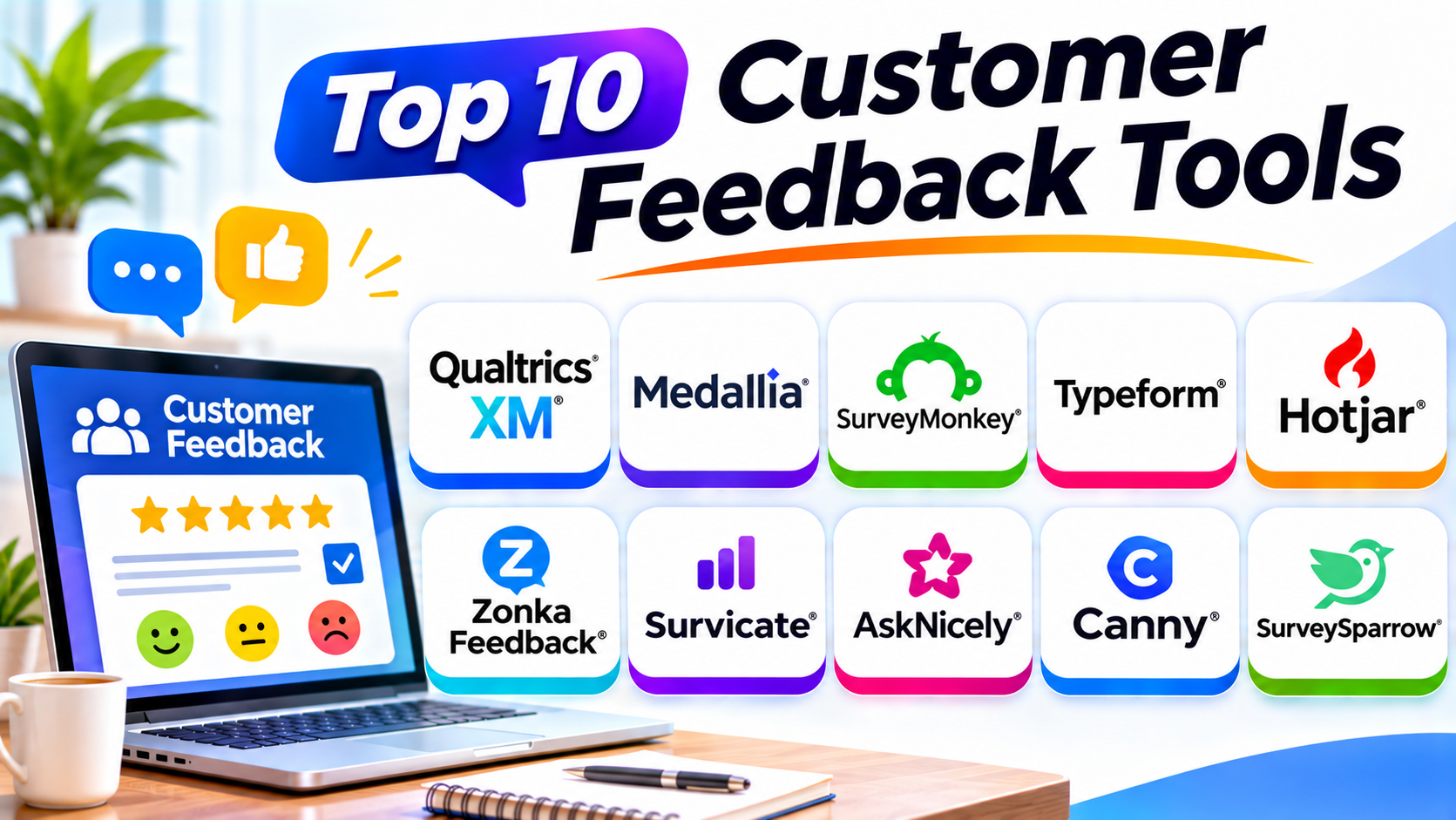
This guide explores ten popular Customer Feedback Tools. It explains their features, uses, Pros, and Cons in detail. It also includes a comparison table and a guide to choosing the right tool.
Top 10 Customer Feedback Tools
1. Qualtrics XM
Qualtrics XM is a customer experience management platform. It helps businesses collect and understand customer opinions across different channels.
Companies can use Qualtrics to create surveys and measure customer satisfaction. They can also study customer loyalty, service quality, and overall experience. The platform supports important feedback programs such as Net Promoter Score (NPS), Customer Satisfaction (CSAT), and Customer Effort Score (CES).
Qualtrics offers tools for analyzing survey responses and open-text comments. Businesses can use these insights to understand common complaints and customer expectations. Teams can also study feedback across different customer groups and locations.
Another useful area is its experience management system. Businesses can connect customer feedback with other experience information. This helps managers understand how different parts of the customer journey affect satisfaction.
Qualtrics suits companies that need detailed research and advanced reporting. However, smaller businesses may not need its full range of features.
Key Features
- Online customer surveys
- NPS, CSAT, and CES measurement
- Customer experience analytics
- Text and sentiment analysis
- Survey logic and customization
- Customer journey insights
- Advanced reporting dashboards
Pros
- Offers powerful survey and research tools.
- Supports detailed customer experience programs.
- Provides advanced reporting and analysis.
- Helps manage feedback across channels.
- Supports complex enterprise requirements.
Cons
- New users may need training.
- Advanced setup can take time.
- Pricing may not suit small businesses.
- Some features may feel complex.
Best For: Large businesses that need advanced customer research and experience management.
2. Medallia
Medallia helps large organizations understand customer experiences. It collects feedback from different customer touchpoints. These may include websites, mobile apps, contact centers, stores, and service interactions.
The platform helps businesses bring customer opinions together. Teams can study feedback from surveys and other customer interactions. This gives managers a wider view of customer satisfaction.
Medallia offers analytics that help identify customer problems and experience trends. Businesses can use these insights to understand why customers feel unhappy. Teams can then work on changes that improve service quality.
The platform also supports customer experience programs across departments. For example, a retail company can study feedback from its stores and online shop. A bank can review customer opinions about its branches and support services.
Medallia focuses strongly on large-scale customer experience management. It may suit organizations that collect large amounts of feedback. Smaller businesses may find its enterprise features more than they need.
Key Features
- Multi-channel feedback collection
- Customer experience analytics
- Customer journey analysis
- Text and sentiment analysis
- Customer feedback dashboards
- Alerts and action workflows
- Enterprise reporting
Pros
- Supports feedback from many channels.
- Helps large teams study customer experiences.
- Offers detailed analytics and reports.
- Helps identify common service problems.
- Supports enterprise customer experience programs.
Cons
- Setup may require careful planning.
- Smaller teams may find it complex.
- Pricing usually requires vendor discussion.
- Teams need time to learn its features.
Best For: Large organizations that need customer feedback across many channels and locations.
3. SurveyMonkey
SurveyMonkey is a popular online survey platform. It helps businesses collect customer opinions through simple and customized surveys.
Companies can create surveys for different purposes. They can ask customers about product quality, service experience, pricing, and satisfaction. The platform offers question types for ratings, multiple choices, and written answers.
SurveyMonkey also supports survey logic. This feature helps businesses show relevant questions based on earlier answers. For example, a customer who gives a low rating can receive extra questions about the problem.
Businesses can share surveys through email and other channels. They can also review responses through reports and charts. These reports help teams understand customer opinions without manually checking every answer.
SurveyMonkey works for businesses of different sizes. Small teams can use it for basic feedback collection. Larger organizations can explore its advanced survey and team features.
Key Features
- Online survey creation
- Ready-made survey templates
- Multiple question types
- Survey logic and branching
- Email survey distribution
- Response analytics
- Reporting and data exports
Pros
- Easy to create customer surveys.
- Offers many question types.
- Provides ready-made templates.
- Supports different business needs.
- Helps organize survey responses.
Cons
- Free plan features are limited.
- Advanced options may need paid plans.
- Large surveys can require careful design.
- Complex customer feedback programs may need other tools.
Best For: Businesses that need a flexible platform for customer surveys and feedback collection.
4. Typeform
Typeform helps businesses create attractive surveys and feedback forms. It uses a conversational design that presents questions in a simple format.
Instead of showing many questions at once, Typeform can display them one by one. This creates a more focused experience for respondents. It can make surveys feel easier to complete.
Businesses can use Typeform to collect customer opinions after purchases or support interactions. They can also create product feedback forms and customer satisfaction surveys.
The platform offers design controls and question logic. Teams can customize forms to match their brand. They can also use conditional questions to make surveys more relevant.
Typeform supports integrations with other business tools. These connections help teams send responses to their existing systems. This can reduce manual data handling.
Typeform works well when survey design and customer experience matter. However, companies that need deep enterprise feedback analysis may need a more specialized platform.
Key Features
- Conversational survey design
- Customizable feedback forms
- Conditional question logic
- Ready-made templates
- Brand customization
- Survey response reports
- Third-party integrations
Pros
- Creates attractive surveys.
- Offers a simple respondent experience.
- Supports conditional questions.
- Provides useful design controls.
- Helps businesses collect structured feedback.
Cons
- Response limits depend on the plan.
- Advanced features may cost more.
- Complex analysis may need other tools.
- Very long surveys may reduce completion.
Best For: Businesses that want attractive, conversational surveys and feedback forms.
5. Hotjar
Hotjar, now part of Contentsquare, helps businesses understand how people use their websites. It combines behavior insights with tools for collecting user feedback.
The platform helps teams study visitor activity through heatmaps and session recordings. Heatmaps show where visitors click, move, and scroll. Session recordings show how people move through website pages.
These features help businesses find areas that confuse visitors. For example, users may leave a checkout page because they cannot find an important button. Website teams can use behavior insights to investigate the problem.
Hotjar also offers feedback tools and surveys. Businesses can ask visitors about their experience while they browse. This gives teams both behavior information and direct customer opinions.
Hotjar is useful for website improvement and user experience research. It does not replace a complete enterprise customer experience platform. Instead, it offers a focused way to understand digital customer behavior.
Key Features
- Website heatmaps
- Session recordings
- On-site surveys
- Feedback widgets
- User behavior analysis
- Website experience insights
- Feedback collection tools
Pros
- Helps teams understand website behavior.
- Combines visual insights with feedback.
- Makes website problems easier to investigate.
- Supports user experience improvements.
- Useful for website and product teams.
Cons
- Focuses mainly on digital experiences.
- Large data sets may need careful analysis.
- Some advanced features require paid plans.
- Teams must respect user privacy when recording activity.
Best For: Website owners, online stores, and product teams that want to understand visitor behavior.
6. Zonka Feedback
Zonka Feedback helps businesses collect and manage customer feedback across different channels. It supports customer satisfaction surveys and feedback programs.
Businesses can create surveys to measure NPS, CSAT, and CES. They can share these surveys through email, websites, SMS, and other supported channels. The platform also supports feedback collection through tablets and kiosks.
This makes Zonka Feedback useful for both online and in-person businesses. A hotel can collect guest opinions after a stay. A store can ask shoppers about their experience before they leave.
Zonka Feedback also offers reporting and feedback analysis. Teams can review customer responses and find common problems. They can use alerts and workflows to follow up on important feedback.
The platform supports businesses that want to collect feedback at different customer touchpoints. Teams should review the available integrations and plans before choosing it.
Key Features
- NPS, CSAT, and CES surveys
- Email and SMS feedback collection
- Website and in-app surveys
- Tablet and kiosk feedback
- Customer feedback analytics
- Automated alerts and workflows
- Reporting dashboards
Pros
- Supports several feedback channels.
- Offers customer satisfaction surveys.
- Works for online and physical locations.
- Helps teams review customer responses.
- Supports feedback follow-up workflows.
Cons
- Advanced features may need training.
- Pricing may require a vendor quote.
- Teams need clear survey plans.
- Some integrations may need extra setup.
Best For: Retail, hospitality, healthcare, and service businesses that collect feedback across multiple channels.
7. Survicate
Survicate helps businesses collect customer feedback through websites, apps, email, and other digital channels. It focuses on making feedback collection part of the customer journey.
Teams can create surveys and display them at useful moments. For example, an online store can ask customers about their shopping experience. A SaaS company can ask users about a feature after they try it.
Survicate supports NPS, CSAT, and customer effort surveys. It also offers targeting options that help businesses reach selected customer groups. This allows teams to collect feedback from the right people.
The platform provides reports that help teams understand survey responses. Businesses can also connect feedback with other tools through integrations. These connections help teams organize customer information.
Survicate works well for digital businesses that want regular feedback. It can help product, marketing, and customer experience teams understand customer needs.
Key Features
- Website feedback surveys
- In-app surveys
- Email surveys
- NPS and CSAT measurement
- Survey targeting
- Customer feedback analytics
- Third-party integrations
Pros
- Supports several digital feedback channels.
- Helps target specific user groups.
- Offers useful survey templates.
- Supports common customer experience metrics.
- Connects with other business tools.
Cons
- Advanced features may need paid plans.
- Teams must plan survey timing carefully.
- Large feedback programs need clear processes.
- Some reporting needs may require other tools.
Best For: SaaS companies and digital businesses that want feedback across websites, apps, and email.
8. AskNicely
AskNicely helps service businesses measure customer satisfaction and improve service quality. It focuses strongly on customer experience metrics and frontline team performance.
The platform helps businesses collect NPS, CSAT, and customer effort feedback. Companies can send surveys after customer interactions or completed services. This helps them understand how customers feel about their experience.
AskNicely also connects customer feedback with employee performance. Managers can review feedback and identify service areas that need attention. Teams can use this information for coaching and improvement.
The platform supports feedback alerts and follow-up activities. Businesses can respond to unhappy customers and recognize employees who provide good service. This helps turn feedback into practical action.
AskNicely suits businesses where employees interact directly with customers. Examples include home services, healthcare, hospitality, and professional services.
Key Features
- NPS, CSAT, and CES surveys
- Automated feedback requests
- Customer feedback dashboards
- Employee performance insights
- Customer follow-up workflows
- Service team reporting
- Customer experience measurement
Pros
- Focuses on service quality.
- Helps measure customer loyalty.
- Connects feedback with team performance.
- Supports customer follow-up.
- Useful for service-based businesses.
Cons
- May not suit every product research need.
- Pricing may require direct contact.
- Teams need clear service measurement goals.
- Advanced programs may need setup support.
Best For: Service businesses that want to improve customer satisfaction and frontline team performance.
9. Canny
Canny helps businesses collect, organize, and manage product feedback. It gives customers a place to suggest ideas and vote for improvements.
Customers can submit feature requests through feedback boards. Other users can support ideas by voting for them. Product teams can then understand which requests matter most to their users.
Canny also helps teams organize feedback and track product development updates. Businesses can connect customer requests with product plans. They can share updates when teams start or complete requested features.
This approach helps product managers understand what customers want. It also gives customers a clearer way to share ideas. Instead of keeping requests in scattered emails, teams can manage them in one place.
Canny focuses more on product feedback than general customer satisfaction surveys. It works best for software companies and digital product teams.
Key Features
- Customer feedback boards
- Feature request collection
- User voting
- Feedback organization
- Product roadmap updates
- Customer communication
- Feedback management integrations
Pros
- Organizes feature requests in one place.
- Helps identify popular customer ideas.
- Supports product planning.
- Makes feedback visible to customers.
- Helps teams share development updates.
Cons
- Focuses mainly on product feedback.
- Does not replace a full survey platform.
- Teams must review and organize requests.
- Public voting may not reflect every customer need.
Best For: SaaS companies and product teams that want to collect and prioritize feature requests.
10. SurveySparrow
SurveySparrow helps businesses create conversational surveys and collect customer opinions. Its survey format aims to make feedback easier to share.
Businesses can use it for customer satisfaction surveys, NPS programs, and service feedback. It supports several question types and survey designs. Teams can also customize surveys to match their brand.
SurveySparrow offers multiple distribution options. Businesses can share surveys through email, web links, and other supported channels. Its reporting tools help teams review responses and understand customer opinions.
The platform also supports automation and integrations. These features help businesses send surveys and manage responses with less manual work.
SurveySparrow suits companies that want flexible surveys and a conversational experience. It can support customer feedback, employee feedback, and other survey needs.
Key Features
- Conversational surveys
- NPS and CSAT surveys
- Survey templates
- Multiple distribution channels
- Survey automation
- Reporting and analytics
- Integrations with business tools
Pros
- Offers conversational survey formats.
- Supports different survey types.
- Provides ready-made templates.
- Helps automate feedback collection.
- Supports multiple business uses.
Cons
- Advanced features may need higher plans.
- Complex surveys need careful design.
- Teams should review response limits.
- Deep analysis may need other tools.
Best For: Businesses that want flexible surveys and conversational feedback collection.
Customer Feedback Tools Comparison Table
| Tool | Main Strength | Best For |
|---|---|---|
| Qualtrics XM | Advanced experience research | Large enterprises |
| Medallia | Multi-channel customer experience | Large organizations |
| SurveyMonkey | General survey creation | Businesses of all sizes |
| Typeform | Conversational survey design | Engaging feedback forms |
| Hotjar | Website behavior and feedback | Website and product teams |
| Zonka Feedback | Multi-channel feedback collection | Retail and service businesses |
| Survicate | Website and in-app surveys | SaaS and digital businesses |
| AskNicely | NPS and service improvement | Frontline service teams |
| Canny | Feature requests and voting | Product teams |
| SurveySparrow | Conversational surveys | Flexible survey programs |
How to Choose the Right Customer Feedback Tool
The best tool depends on your business goals. Start by deciding what type of feedback you need.
1. Identify Your Feedback Goals
Decide what you want to learn from customers.
Do you want to measure satisfaction? Do you need product ideas? Or do you want to improve website experiences?
A clear goal helps you choose the right tool.
2. Check Survey Types
Different tools support different survey needs.
Look for NPS, CSAT, and CES surveys. Also check whether the platform supports open-ended questions and custom forms.
Choose a tool that matches your feedback plan.
3. Review Feedback Channels
Customers may prefer different ways to share opinions.
Some respond to email surveys. Others prefer website forms or in-app questions.
Check whether the platform supports the channels your customers use.
4. Study Reporting and Analytics
Collecting responses is not enough. Your team must understand what customers say.
Look for clear dashboards, charts, filters, and text analysis. These features help teams find common opinions and problems.
5. Check Automation Features
Automation can save time and improve follow-up.
Look for automatic survey requests, response alerts, and follow-up tasks. These tools help teams respond to customer concerns sooner.
6. Review Integrations
Your feedback tool should work with your current business systems.
Check connections with CRM, helpdesk, email marketing, and product analytics tools. Good integrations help teams use feedback in their daily work.
7. Consider Ease of Use
Your team should create surveys without too much effort. Customers should also find surveys easy to complete.
Test the survey builder and respondent experience before buying.
8. Compare Pricing and Response Limits
Some tools charge based on users or responses. Others offer custom enterprise plans.
Check survey limits, advanced features, integrations, and support costs. Choose a plan that can grow with your business.
9. Check Data Privacy
Customer feedback may include personal details. Your business must handle this information responsibly.
Review access controls, data storage, privacy settings, and compliance support. Also collect only the information you really need.
10. Test Before You Buy
Try a demo or free plan when available. Create a sample survey and collect a few responses.
Check how easily your team can review results. This helps you make a better buying decision.
Common Uses of Customer Feedback Tools
Businesses use customer feedback software in many departments. These are some common uses.
Customer Satisfaction Surveys
Businesses ask customers to rate their experience. These surveys help teams understand satisfaction levels.
Product Feedback
Companies ask customers what they like or dislike about a product. This helps product teams plan improvements.
Website Feedback
Website owners ask visitors about page design and navigation. They can use the answers to improve the website experience.
Customer Support Feedback
Businesses ask customers to rate support interactions. This helps teams review service quality and solve common problems.
Customer Loyalty Measurement
NPS surveys help companies understand whether customers would recommend their business. Teams can use these results to study loyalty trends.
Feature Requests
Product teams collect ideas from customers. They can organize and review requests before planning new features.
In-Store Feedback
Retailers and service providers collect opinions at physical locations. Tablet surveys and kiosks make this process easier.
Service Improvement
Managers review customer complaints and suggestions. They can use these details to improve staff training and service processes.
Benefits of Customer Feedback Tools
Customer feedback software offers several benefits when businesses use it well.
- Better customer understanding: Teams learn what customers need and expect.
- Improved products: Feedback helps companies find useful product changes.
- Higher satisfaction: Businesses can fix problems that affect customers.
- Better service quality: Teams can review customer experiences.
- Faster problem detection: Feedback alerts help teams notice issues early.
- Smarter decisions: Reports help managers use real customer opinions.
- Stronger customer relationships: Customers feel heard when businesses respond.
- Better product planning: Feature requests help teams understand user priorities.
- Consistent feedback collection: Automation helps businesses collect responses regularly.
Challenges of Customer Feedback Tools
These tools also bring some challenges. Businesses should plan for them before starting.
- Low response rates: Customers may ignore long or frequent surveys.
- Poor survey design: Confusing questions can produce weak answers.
- Too much feedback: Large response volumes can become difficult to manage.
- Data quality problems: Incomplete answers may affect analysis.
- Slow follow-up: Feedback has little value when teams do not act.
- Privacy concerns: Businesses must protect customer information.
- Tool costs: Advanced platforms may require larger budgets.
- Integration work: Connecting different systems may need technical help.
Questions and Answers About Customer Feedback Tools
1. What are Customer Feedback Tools?
Customer Feedback Tools are software platforms that collect and analyze customer opinions. They help businesses understand satisfaction, product needs, and service problems.
2. Why should businesses collect customer feedback?
Customer feedback shows what people think about a business. It helps companies improve products, services, and customer experiences.
3. What is the difference between NPS and CSAT?
NPS measures how likely customers are to recommend a business. CSAT measures how satisfied customers feel about a product or interaction.
4. What is Customer Effort Score?
Customer Effort Score measures how easy customers find a task. It can help businesses improve support, purchases, and other customer activities.
5. Which Customer Feedback Tool is best for large enterprises?
Qualtrics XM and Medallia are strong options for large organizations. They support detailed feedback programs and advanced customer experience analysis.
6. Which tool is best for creating simple surveys?
SurveyMonkey and Typeform are useful choices. SurveyMonkey supports general survey needs. Typeform focuses on conversational survey design.
7. Can Customer Feedback Tools collect website feedback?
Yes. Tools such as Hotjar and Survicate support website feedback collection. They help businesses understand visitor opinions and digital experiences.
8. How often should businesses collect customer feedback?
Businesses should collect feedback at useful moments. These may include after purchases, support interactions, onboarding, and important customer milestones. Avoid sending too many surveys.
9. How can businesses improve customer feedback response rates?
Keep surveys short and use clear questions. Send them at the right time. Explain why customer opinions matter.
10. How do I choose the best Customer Feedback Tool?
Start with your feedback goals and customer channels. Compare survey features, reporting, automation, integrations, privacy, and pricing. Test the platform before making a final choice.
Final Thoughts
Customer Feedback Tools help businesses understand their customers better. They make it easier to collect opinions and find areas for improvement.
Qualtrics XM and Medallia suit large customer experience programs. SurveyMonkey and Typeform help businesses create surveys. Hotjar helps teams understand website behavior.
Zonka Feedback and Survicate support feedback across digital and physical channels. AskNicely focuses on customer satisfaction and service improvement. Canny helps product teams manage feature requests. SurveySparrow offers conversational survey experiences.
No single platform fits every business. Choose a tool that matches your goals, customers, and budget. Make sure your team can understand and act on the feedback.
Remember, collecting opinions is only the beginning. Businesses build stronger relationships when they listen, respond, and improve.