Introduction
Businesses share files every day. They send reports, customer records, invoices, and private data. Regular file sharing may not offer enough control or security.
Managed File Transfer (MFT) tools help businesses move files safely. They protect data, track transfers, and automate routine tasks. They also help teams meet security and compliance needs.
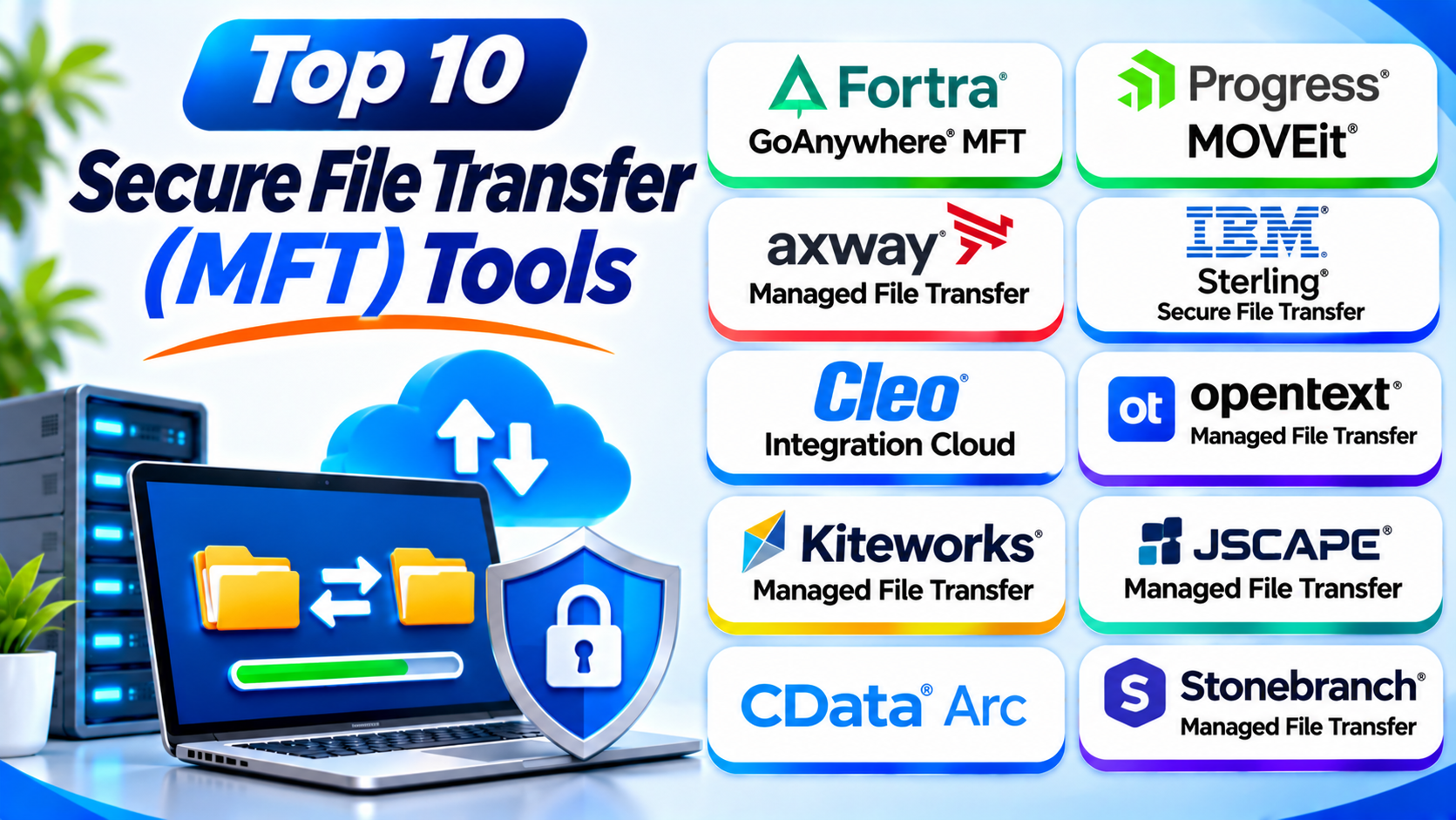
This guide explores ten popular MFT tools. It compares their features, Pros, Cons, and best uses.
What Is Managed File Transfer (MFT)?
Managed File Transfer is a system for sending files safely. It gives businesses more control than basic file-sharing tools.
MFT software can protect files during transfer. It can also automate tasks and record transfer activity. Teams can use it to share data with staff, customers, suppliers, and business partners.
Many MFT platforms support secure transfer methods. These include SFTP, FTPS, HTTPS, and AS2. Some also support APIs and business data exchange.
Why Do Businesses Need MFT Tools?
Businesses often move large amounts of private data. A failed or unsafe transfer can cause serious problems.
MFT tools help teams:
- Protect files with encryption.
- Control who can send or receive files.
- Automate regular file transfers.
- Track file activity through audit logs.
- Send large files across different systems.
- Manage transfers with business partners.
- Reduce manual work and transfer errors.
- Support data security and compliance needs.
Top 10 Secure File Transfer (MFT) Tools
The following tools serve different business needs. Some focus on enterprise workflows. Others support B2B data exchange, cloud transfers, or large file delivery.
1. Fortra GoAnywhere MFT
Fortra GoAnywhere MFT helps businesses manage secure file transfers from one place. It supports file movement between teams, systems, cloud services, and business partners.
The platform helps IT teams build automated transfer workflows. Users can create tasks through a visual workflow designer. They can also schedule transfers and track each activity.
GoAnywhere supports common secure transfer protocols. It also offers encryption, user controls, and detailed audit records. These features help businesses manage sensitive information.
Key Features
- Supports SFTP, FTPS, HTTPS, AS2, and other transfer methods.
- Automates file transfers and business workflows.
- Provides a visual workflow designer.
- Supports encryption and access controls.
- Offers detailed activity logs.
- Connects with databases, applications, and cloud services.
Pros
- Offers strong workflow automation.
- Supports many transfer protocols.
- Helps manage transfers from one place.
- Fits complex business processes.
Cons
- Setup may require technical knowledge.
- Advanced workflows need careful planning.
- Enterprise features may increase costs.
Best For: Businesses that need secure file transfers and workflow automation.
2. Progress MOVEit
Progress MOVEit helps organizations exchange sensitive files securely. It supports managed file transfers between employees, customers, suppliers, and business systems.
MOVEit includes file transfer controls and activity tracking. Teams can monitor file movement and review transfer records. This helps them understand who sent or received important files.
The platform also supports automated file transfer tasks. IT teams can reduce manual work and manage repeated transfers. Its security and reporting features help organizations handle sensitive data.
Key Features
- Supports secure file transfer workflows.
- Provides user access controls.
- Tracks file activity and transfer history.
- Supports automated file movement.
- Offers encryption and audit records.
- Helps manage business file exchange.
Pros
- Provides strong file transfer management.
- Helps track sensitive file activity.
- Supports automation.
- Fits business and enterprise environments.
Cons
- Advanced setup may take time.
- Licensing can be costly for smaller teams.
- Administrators need regular security updates.
Best For: Organizations that need controlled file exchange and audit tracking.
3. Axway Managed File Transfer
Axway Managed File Transfer helps large organizations move data across business systems. It supports secure file exchange between companies, partners, and internal teams.
The platform focuses on reliable file movement and central control. Businesses can manage large transfer networks through shared policies. They can also monitor transfers and review activity.
Axway supports enterprise integration needs. It can connect file transfers with business processes and partner networks. This makes it useful for companies with complex data flows.
Key Features
- Supports secure B2B file exchange.
- Provides centralized transfer management.
- Offers monitoring and tracking.
- Supports enterprise integration workflows.
- Helps manage partner connections.
- Supports scalable transfer environments.
Pros
- Fits complex enterprise networks.
- Supports business-to-business data exchange.
- Offers central management and monitoring.
- Helps manage large transfer operations.
Cons
- May feel complex for small teams.
- Deployment can require specialist skills.
- Pricing may not suit smaller businesses.
Best For: Large organizations with complex partner networks and data transfers.
4. IBM Sterling Secure File Transfer
IBM Sterling Secure File Transfer supports file exchange across large business environments. It helps organizations move data between applications, partners, and internal systems.
The Sterling portfolio supports demanding business data flows. It can help teams manage partner connections and transfer activity. It also supports enterprise integration processes.
Organizations can use IBM Sterling to manage recurring file exchanges. Its capabilities suit businesses that move important data across many systems. It can also support complex supply chain operations.
Key Features
- Supports enterprise file transfer workflows.
- Helps manage partner data exchange.
- Connects with business applications.
- Supports transfer monitoring.
- Provides security and governance controls.
- Fits large integration environments.
Pros
- Suits complex enterprise operations.
- Supports business partner exchanges.
- Works within broader IBM environments.
- Helps manage large data workflows.
Cons
- Implementation can be complex.
- Requires skilled technical staff.
- May be too large for small businesses.
Best For: Large enterprises with complex integration and file transfer needs.
5. Cleo Integration Cloud
Cleo Integration Cloud combines managed file transfer with business integration tools. It helps companies connect systems, applications, and trading partners.
The platform supports file exchange and EDI workflows. EDI means electronic data interchange. It allows businesses to exchange standard business documents electronically.
Cleo helps teams manage data movement across supply chains. Users can connect partners and monitor transactions. They can also automate repeated business processes.
Key Features
- Supports managed file transfer.
- Offers EDI and API integration.
- Connects business partners and applications.
- Provides workflow automation.
- Supports transaction monitoring.
- Helps manage supply chain data exchange.
Pros
- Combines MFT and integration features.
- Supports supply chain workflows.
- Helps connect trading partners.
- Offers useful transaction visibility.
Cons
- Broad features may require training.
- Setup can take time.
- May exceed the needs of simple transfer tasks.
Best For: Businesses that need MFT, EDI, and supply chain integration.
6. OpenText Managed File Transfer
OpenText Managed File Transfer helps businesses exchange files across internal and external networks. It supports organizations that need controlled data movement and reliable transfer processes.
The platform can support business partner communication. It also helps teams manage transfer activity and protect sensitive information. Organizations can use it within wider information management systems.
OpenText offers solutions for different enterprise environments. Businesses should review the exact product and deployment option before choosing a plan.
Key Features
- Supports managed business file exchange.
- Helps connect internal and external systems.
- Provides transfer management controls.
- Supports enterprise information workflows.
- Offers monitoring and security features.
- Fits large business environments.
Pros
- Supports enterprise file exchange.
- Fits broader information management needs.
- Helps manage partner transfers.
- Offers options for complex environments.
Cons
- Product choices can feel complex.
- Deployment may need specialist support.
- Costs may be high for smaller teams.
Best For: Enterprises that need managed file transfer within wider information systems.
7. Kiteworks Managed File Transfer
Kiteworks Managed File Transfer focuses on secure data exchange. It helps organizations share sensitive files with employees, customers, and business partners.
The platform places strong emphasis on governance. Businesses can manage access and monitor how people share information. These controls help teams protect private files.
Kiteworks also supports secure content communication. Organizations can use its platform to manage file transfers alongside other protected data exchanges.
Key Features
- Supports secure managed file transfers.
- Provides access and permission controls.
- Offers activity tracking and audit records.
- Helps govern sensitive content sharing.
- Supports business collaboration.
- Provides enterprise security controls.
Pros
- Focuses on data governance.
- Helps control sensitive file sharing.
- Supports audit and monitoring needs.
- Combines secure exchange capabilities.
Cons
- Advanced controls may need training.
- Pricing may suit larger organizations better.
- Setup needs careful policy planning.
Best For: Organizations that handle sensitive files and require strong governance.
8. JSCAPE Managed File Transfer
JSCAPE Managed File Transfer helps businesses move files across different systems. It supports organizations that use several transfer protocols and platforms.
The solution brings file transfer services into one managed environment. Teams can automate transfers and monitor activity. They can also connect different business systems.
JSCAPE supports different deployment models. This flexibility helps businesses choose an environment that fits their infrastructure. It can work across cloud, on-premises, and hybrid setups.
Key Features
- Supports multiple secure transfer protocols.
- Automates file transfer tasks.
- Provides centralized management.
- Supports cloud and on-premises deployment.
- Offers transfer monitoring.
- Connects different systems and platforms.
Pros
- Supports a wide range of protocols.
- Offers flexible deployment options.
- Helps automate routine transfers.
- Fits mixed IT environments.
Cons
- Setup may require technical skills.
- Complex workflows need planning.
- Smaller teams may not need every feature.
Best For: Businesses that need flexible, multi-protocol file transfer management.
9. CData Arc
CData Arc helps businesses connect applications and exchange data. It supports file transfer, EDI, and other integration workflows.
The platform uses a visual interface to build data flows. Teams can connect systems and automate routine exchanges. This can reduce manual work across business operations.
CData Arc is useful for companies that need more than basic file delivery. It can help manage business documents and partner data. It also supports integration between different applications.
Key Features
- Supports managed file transfer workflows.
- Offers EDI integration.
- Provides visual workflow tools.
- Connects business applications.
- Automates data exchange.
- Helps manage partner communications.
Pros
- Combines file transfer and integration.
- Offers visual workflow building.
- Supports business data exchange.
- Helps reduce manual tasks.
Cons
- Advanced integrations may need expertise.
- Initial configuration can take time.
- Not every business needs its wider integration features.
Best For: Businesses that need file transfers and application integration.
10. Stonebranch Managed File Transfer
Stonebranch Managed File Transfer helps organizations move files as part of wider IT automation. It connects file transfer tasks with business and system workflows.
The platform can help teams coordinate scheduled processes. They can manage file movement alongside other automated jobs. This approach supports operations that depend on several connected tasks.
Stonebranch suits organizations that want to bring file transfers into broader workload automation. It can help teams monitor and manage complex processes.
Key Features
- Supports managed file transfer workflows.
- Connects transfers with IT automation.
- Helps schedule and coordinate tasks.
- Provides workflow monitoring.
- Supports enterprise process management.
- Helps manage connected operations.
Pros
- Connects file transfers with automation.
- Helps coordinate complex workflows.
- Supports enterprise IT operations.
- Improves visibility across scheduled tasks.
Cons
- May be complex for basic transfer needs.
- Requires planning and technical knowledge.
- Its wider automation features may increase setup effort.
Best For: Enterprises that need file transfer within wider IT automation workflows.
Comparison Table: Top 10 MFT Tools
| Tool | Main Strength | Best For |
|---|---|---|
| GoAnywhere MFT | Workflow automation | Secure automated transfers |
| Progress MOVEit | File tracking and control | Sensitive business exchanges |
| Axway MFT | Enterprise B2B transfers | Large partner networks |
| IBM Sterling | Enterprise integration | Complex business systems |
| Cleo Integration Cloud | EDI and MFT | Supply chain data exchange |
| OpenText MFT | Enterprise file exchange | Large organizations |
| Kiteworks MFT | Data governance | Sensitive content sharing |
| JSCAPE MFT | Protocol flexibility | Mixed IT environments |
| CData Arc | Visual integration | Application data exchange |
| Stonebranch MFT | IT workflow automation | Connected enterprise processes |
Important Features to Check Before Choosing MFT Software
Choosing an MFT platform takes careful planning. Look beyond the basic ability to send files.
1. Encryption
Choose a tool that protects data during transfer. Check how it protects stored files too.
2. Secure Transfer Protocols
Check support for SFTP, FTPS, HTTPS, and AS2. Choose protocols that match your partners and systems.
3. Access Controls
Look for user roles and permission settings. These controls help limit access to sensitive files.
4. Workflow Automation
Automation can handle repeated transfers. It can also reduce manual errors and save time.
5. Audit Logs
Audit logs record file transfer activity. They help teams review events and investigate problems.
6. Integration Options
Check whether the tool connects with your applications. Useful connections can simplify daily work.
7. Deployment Choices
Some businesses need cloud services. Others need on-premises or hybrid systems.
8. Scalability
Choose software that can support future growth. Consider transfer volume and user numbers.
9. Support and Maintenance
Review customer support and update policies. Regular security updates help protect transfer systems.
10. Total Cost
Compare licensing, setup, support, and maintenance costs. Check the full cost before making a decision.
How to Choose the Right MFT Tool
Start by understanding your file transfer needs. Then compare the tools against your business requirements.
- Choose GoAnywhere for visual workflow automation.
- Choose MOVEit for controlled file exchange and tracking.
- Choose Axway for complex partner networks.
- Choose IBM Sterling for large enterprise environments.
- Choose Cleo for EDI and supply chain integration.
- Choose OpenText for enterprise information workflows.
- Choose Kiteworks for sensitive content governance.
- Choose JSCAPE for broad protocol support.
- Choose CData Arc for visual data integration.
- Choose Stonebranch for wider IT workflow automation.
Do not select a platform based on features alone. Test its security, ease of use, and integration options. Also review its support and maintenance needs.
Common Uses of Managed File Transfer Tools
MFT software supports many business activities.
- Finance: Send payment files and financial reports.
- Healthcare: Exchange sensitive records with approved partners.
- Retail: Share product and order data with suppliers.
- Manufacturing: Transfer production and supply chain files.
- Banking: Move business and transaction data securely.
- IT Operations: Automate backups and system file transfers.
- Government: Exchange controlled documents between departments.
- Logistics: Share shipping and delivery information.
Benefits of MFT Software
MFT platforms can improve how businesses manage file transfers.
- Better Security: Encryption helps protect sensitive data.
- More Control: User permissions limit file access.
- Less Manual Work: Automation handles repeated tasks.
- Clear Tracking: Logs help teams review transfer activity.
- Fewer Errors: Automated workflows reduce manual mistakes.
- Better Visibility: Monitoring helps teams spot transfer problems.
- Stronger Governance: Central controls support company policies.
- Reliable Processes: Scheduled transfers help keep work moving.
Challenges of MFT Software
MFT tools also bring some challenges. Businesses should plan for them before deployment.
- Setup Complexity: Enterprise systems may need expert support.
- High Costs: Advanced features can increase total spending.
- Staff Training: Teams need time to learn new workflows.
- System Integration: Older applications may need extra work.
- Maintenance: Administrators must manage updates and security.
- Policy Management: Access rules need regular review.
Best Practices for Secure File Transfers
Good software alone cannot protect every transfer. Teams must also follow safe practices.
- Use strong passwords and multi-factor authentication.
- Give users only the access they need.
- Encrypt files during transfer and storage.
- Keep MFT software updated.
- Review audit logs on a regular basis.
- Remove unused accounts and old permissions.
- Test automated workflows before launch.
- Create backup and recovery plans.
- Monitor failed and unusual transfers.
- Train staff to spot suspicious file activity.
Questions and Answers About MFT Tools
1. What does MFT stand for?
MFT stands for Managed File Transfer. It helps businesses send files securely and manage transfer activity.
2. What is an MFT tool?
An MFT tool manages file transfers between people and systems. It often includes encryption, automation, access controls, and audit logs.
3. How is MFT different from FTP?
FTP is a basic file transfer protocol. MFT adds management, security, monitoring, and automation features.
4. What is the difference between SFTP and FTPS?
SFTP uses SSH to protect file transfers. FTPS adds TLS or SSL security to FTP.
5. Are MFT tools suitable for small businesses?
Yes. Some platforms suit smaller teams. Businesses should compare cost, setup effort, and required features.
6. Can MFT tools automate file transfers?
Yes. Many MFT tools support scheduled and event-based transfers. This reduces repeated manual work.
7. Do MFT tools support cloud storage?
Many platforms connect with cloud services. Check each product’s supported services before choosing.
8. Are MFT tools useful for compliance?
They can support compliance through encryption, access controls, and audit records. However, software alone cannot guarantee compliance.
9. Can MFT tools transfer large files?
Many MFT platforms support large file transfers. Check file size limits and network performance before buying.
10. How should a business select an MFT platform?
Start with security, protocols, automation, and integration needs. Then compare pricing, support, deployment, and ease of use.
Final Thoughts
Secure file transfers matter to every data-driven business. A good MFT tool can protect files and simplify daily work.
GoAnywhere offers strong workflow automation. MOVEit supports controlled file exchange. Axway and IBM suit complex enterprise needs. Cleo helps companies manage EDI and partner connections.
Kiteworks focuses on sensitive content governance. JSCAPE offers protocol flexibility. CData Arc connects business applications. Stonebranch links transfers with IT automation.
The right choice depends on your business needs. Compare the features and test the platform before buying. Also check security updates and support options.
The product selection and feature comparisons draw on current MFT vendor and industry references. Cleo+3