Introduction
Business teams need clear and reliable ways to communicate. They use phone calls, video meetings, chat, and file sharing every day. Managing these tools separately can waste time and create confusion.
Unified Communications as a Service, or UCaaS, brings these tools together. It gives teams one cloud-based system for calls, meetings, messages, and teamwork.
UCaaS platforms help employees stay connected from different locations. They also help businesses support remote work and improve daily communication.
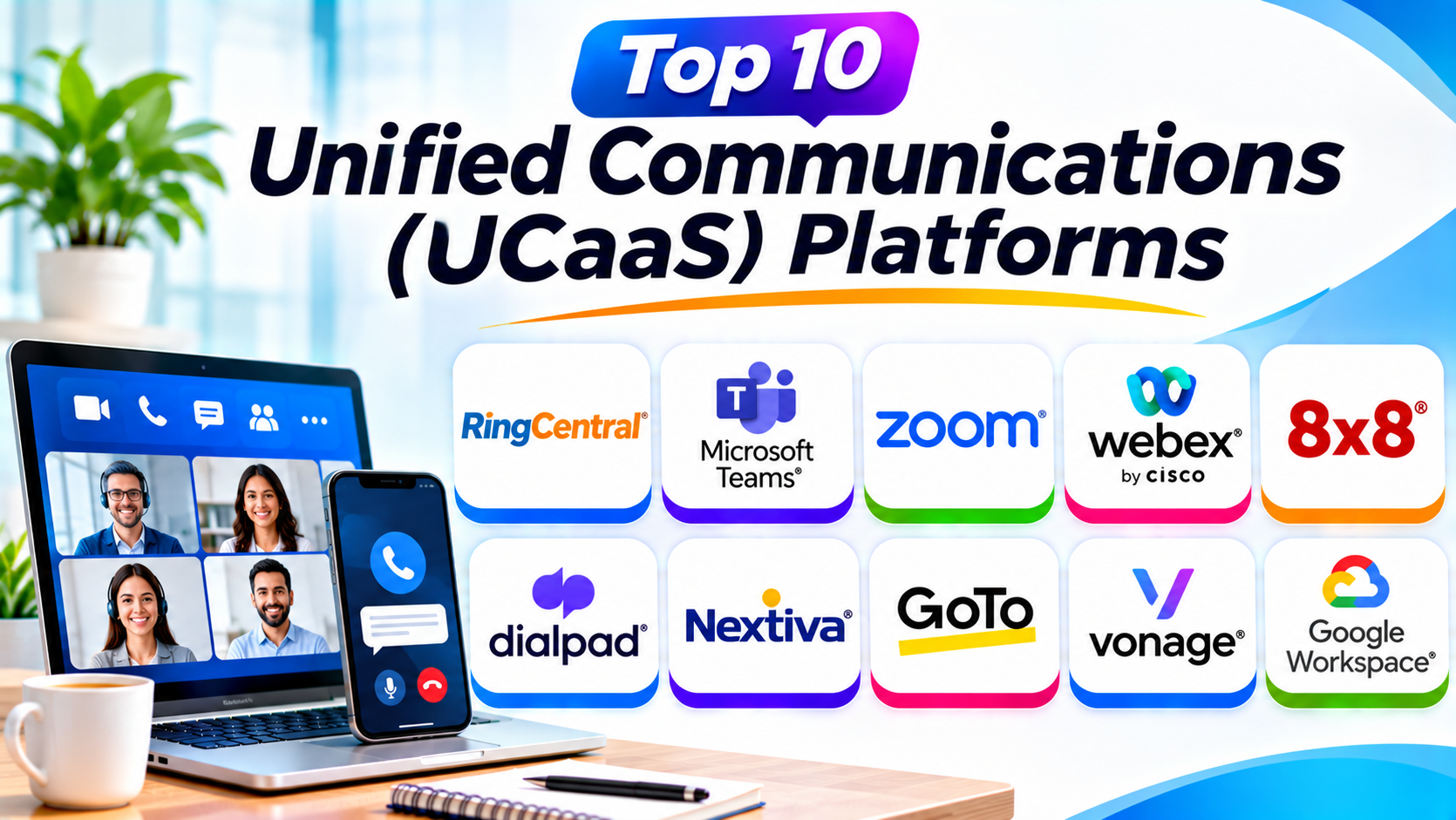
This guide explores ten popular UCaaS platforms. It compares their features, Pros, Cons, and best uses. It also explains how to choose the right platform for your business.
What Does UCaaS Mean?
UCaaS stands for Unified Communications as a Service. It describes cloud software that brings business communication tools together.
Instead of using separate systems, employees can use one connected platform. They can make calls, join meetings, send messages, and share information.
Most UCaaS platforms work through internet connections. Employees can access them from computers, smartphones, and supported desk phones.
A UCaaS provider manages the cloud system. This can reduce the need for businesses to maintain their own phone servers.
Main Features of UCaaS Platforms
Most UCaaS platforms combine several communication features.
- Cloud phone system: Make and receive business calls through the internet.
- Video meetings: Hold online meetings with teams and customers.
- Team messaging: Send direct messages and group updates.
- File sharing: Share documents and other work files.
- Voicemail: Receive and manage voice messages.
- Call routing: Send calls to the right employee or department.
- Auto attendants: Use automated menus to guide callers.
- Mobile applications: Communicate while working away from the office.
- Integrations: Connect communication with other business tools.
- Analytics: Review call activity and communication performance.
Not every platform offers every feature in every plan. Businesses should check the exact package before choosing.
Top 10 Unified Communications (UCaaS) Platforms
1. RingCentral RingEX
Best For: Businesses that need a complete cloud communication system.
RingCentral RingEX brings business calls, messages, and meetings together. It gives employees one platform for daily communication.
Businesses can use it to make and receive calls. They can also send messages and join video meetings.
RingEX includes business phone features such as call routing and voicemail. Teams can manage calls through desktop and mobile applications.
The platform also offers AI-powered tools. These can help users create call summaries and review important conversation details.
RingCentral supports integrations with many business applications. This helps teams connect communication with their existing work systems.
Its wide feature set makes it useful for growing companies. Large organizations can also use its administration and management tools.
However, businesses should compare its plans carefully. Some advanced features may require higher subscriptions.
Key Features
- Cloud business phone system.
- Video meetings.
- Team messaging.
- SMS and business messaging.
- Voicemail and call routing.
- Auto attendants.
- AI call summaries and assistance.
- Desktop and mobile applications.
- Business application integrations.
- Call analytics and administration.
Pros
- Combines several communication tools.
- Offers a wide range of phone features.
- Supports desktop and mobile work.
- Provides useful integrations.
- Includes AI-powered communication tools.
Cons
- Advanced plans can cost more.
- Some features depend on the subscription.
- New users may need training.
- Setup may require careful planning.
Best For: Small, medium, and large businesses that want an all-in-one UCaaS platform.
2. Microsoft Teams
Best For: Organizations that use Microsoft 365.
Microsoft Teams brings workplace messaging, meetings, and collaboration into one platform. It helps employees communicate and work together.
Teams supports direct messages and group conversations. Employees can also create channels for departments and projects.
The platform offers video meetings and screen sharing. Users can share files and work on documents with other team members.
Businesses can add Teams Phone capabilities for cloud-based business calling. The available calling options depend on licensing and the chosen phone service setup.
Teams also connects with Microsoft 365 applications. This helps employees work with documents, calendars, and other business tools.
Its familiar environment can make adoption easier for Microsoft users. However, businesses should understand the difference between standard Teams features and paid phone services.
Key Features
- Team and group messaging.
- Video and audio meetings.
- Screen sharing.
- File sharing and collaboration.
- Teams Phone options.
- Meeting recordings and transcripts.
- Microsoft 365 integrations.
- Apps and workflow connections.
- Administrative controls.
Pros
- Works well with Microsoft 365.
- Combines meetings and messaging.
- Supports document collaboration.
- Offers business calling options.
- Useful for remote and hybrid teams.
Cons
- Full phone features may need extra licensing.
- The interface can feel busy.
- Advanced administration needs planning.
- Some features depend on the Microsoft subscription.
Best For: Businesses that already use Microsoft 365 and want connected communication tools.
3. Zoom Workplace
Best For: Video-first businesses and distributed teams.
Zoom Workplace combines meetings, messaging, and collaboration tools. It helps teams communicate from different locations.
Zoom is widely known for video meetings. Its meeting tools support screen sharing, chat, and group discussions.
Zoom Team Chat helps employees communicate outside meetings. Teams can use channels and direct messages to share updates.
Zoom Phone adds cloud-based business calling. It can help organizations manage calls through the Zoom environment.
The platform also includes AI Companion features in eligible plans. These tools can help with meeting summaries and other communication tasks.
Businesses can connect Zoom with many workplace applications. This helps teams include meetings and calls in their daily workflows.
Organizations should compare Zoom Workplace and Zoom Phone plans. Not every calling feature comes with every subscription.
Key Features
- Video and audio meetings.
- Team messaging.
- Zoom Phone options.
- Screen sharing.
- Meeting recordings.
- AI Companion features.
- Collaboration tools.
- Calendar and business integrations.
- Desktop and mobile applications.
Pros
- Strong video meeting experience.
- Easy for many users to learn.
- Supports remote collaboration.
- Offers cloud phone options.
- Provides useful integrations.
Cons
- Full UCaaS features may require extra plans.
- Advanced administration can take time.
- Some features depend on subscription level.
- Businesses may need separate licensing for calling.
Best For: Remote teams, video-heavy organizations, and businesses that already use Zoom.
4. Cisco Webex
Best For: Large organizations with security and communication needs.
Cisco Webex provides communication and collaboration tools for businesses. It combines meetings, messaging, and calling features.
Employees can use Webex for video meetings and team conversations. The platform also supports business calling through Webex Calling.
Webex offers tools for sharing screens and collaborating during meetings. It can also support compatible conference room devices.
Cisco provides security and administration features for business environments. These tools can help IT teams manage users and communication systems.
Webex also offers AI-powered meeting features in eligible products. These can help users review meeting discussions and important information.
Organizations that already use Cisco networking or meeting equipment may find Webex useful. However, businesses should review licensing and deployment needs before choosing it.
Key Features
- Video and audio meetings.
- Webex Calling.
- Team messaging.
- Screen sharing.
- Meeting recordings.
- Compatible room devices.
- AI meeting assistance.
- Security and administration controls.
- Business integrations.
Pros
- Offers a broad communication suite.
- Supports business calling and meetings.
- Provides enterprise management tools.
- Works with Cisco collaboration devices.
- Suitable for larger organizations.
Cons
- Some features require separate licenses.
- Advanced setup can be complex.
- New users may need training.
- Costs depend on the selected package.
Best For: Enterprises and organizations with established Cisco environments.
5. 8×8 Work
Best For: Businesses with international communication needs.
8×8 Work brings business voice, messaging, and video communication together. It helps employees stay connected through a cloud-based system.
Businesses can use 8×8 for phone calls and team communication. It also supports video meetings and business messaging.
The platform offers call management features. These include call routing, voicemail, and automated call handling.
8×8 also provides mobile and desktop applications. Employees can use these applications to communicate while working remotely.
Some 8×8 plans support international calling options. This can help companies with offices and customers in different countries.
The company also offers contact center products. Businesses can explore these options if they need customer service communication alongside employee collaboration.
However, available features depend on the package and region. Companies should confirm country coverage and calling rules before signing a contract.
Key Features
- Cloud business calling.
- Video meetings.
- Team messaging.
- Call routing and management.
- Voicemail.
- Mobile and desktop applications.
- International calling options.
- Business integrations.
- Contact center expansion options.
Pros
- Supports international communication.
- Combines voice and collaboration tools.
- Offers call management features.
- Provides mobile access.
- Can support wider contact center needs.
Cons
- Pricing may require a sales quote.
- Features vary by plan and region.
- Setup may need technical support.
- Businesses should confirm international coverage.
Best For: Growing businesses with teams and customers across multiple countries.
6. Dialpad
Best For: Businesses that want AI-powered calling and communication.
Dialpad is a cloud communication platform with voice, video, and messaging features. It focuses on making business conversations easier to manage.
Employees can make calls through desktop and mobile applications. Teams can also use messaging and video meetings.
Dialpad offers AI-powered call tools. These can provide live transcription, summaries, and useful conversation insights.
Sales teams can use conversation information to review customer calls. Support teams can also use call details to improve service.
The platform supports business phone features such as call routing and voicemail. It also offers integrations with selected workplace applications.
Dialpad can suit teams that handle many customer conversations. However, businesses should compare the available products because calling, meetings, and contact center features may have separate plans.
Key Features
- Cloud business calling.
- Video meetings.
- Team messaging.
- AI call transcription.
- Call summaries and insights.
- Call routing.
- Voicemail.
- Desktop and mobile applications.
- CRM and business integrations.
Pros
- Strong AI communication features.
- Supports real-time call transcription.
- Useful for sales and support teams.
- Offers a modern interface.
- Combines calling and messaging.
Cons
- Advanced AI features may need higher plans.
- Product options can be confusing.
- Some integrations may require setup.
- Features depend on the selected subscription.
Best For: Sales teams, support teams, and businesses that value AI-powered communication.
7. Nextiva
Best For: Small and medium businesses that want business communication and customer engagement.
Nextiva offers cloud communication products for businesses. It helps teams manage calls and customer conversations.
Its business phone features support inbound and outbound calls. Businesses can also use call routing and automated greetings.
Nextiva offers messaging and video communication options. Its wider product range includes customer experience tools.
Companies can use its applications to communicate from different devices. This supports employees who work in offices or remotely.
Nextiva also provides integrations with business applications. These can help connect communication with customer and sales workflows.
Its range of services makes it useful for businesses that want to connect employee communication with customer engagement. However, users should confirm which features belong to each product and plan.
Key Features
- Cloud business phone system.
- Call routing.
- Voicemail and call management.
- Team messaging.
- Video communication options.
- Mobile and desktop applications.
- Customer engagement tools.
- Business integrations.
- Reporting and analytics.
Pros
- Offers business phone features.
- Supports customer communication.
- Useful for small and medium businesses.
- Provides application integrations.
- Supports remote employees.
Cons
- Product packages may take time to compare.
- Some features require higher plans.
- Costs depend on the selected service.
- Advanced setup may need support.
Best For: Small and medium businesses that want cloud calling and customer communication tools.
8. GoTo Connect
Best For: Small and medium businesses that need flexible cloud calling.
GoTo Connect combines business phone features with communication and meeting tools. It helps teams manage calls from a cloud platform.
Businesses can use it to make and receive calls. The platform also supports call routing and automated phone menus.
GoTo Connect provides video meetings and messaging features. This allows employees to use one system for several communication tasks.
Its visual dial plan editor helps administrators organize call flows. Businesses can set up how incoming calls reach departments and employees.
The platform also supports mobile and desktop access. This can help employees stay connected outside the office.
GoTo Connect suits businesses that want a cloud phone system with collaboration features. However, users should review plan details and regional availability.
Key Features
- Cloud business phone system.
- Call routing and dial plans.
- Auto attendants.
- Voicemail.
- Video meetings.
- Team messaging.
- Mobile and desktop applications.
- Business integrations.
- Call management tools.
Pros
- Offers flexible call routing.
- Supports remote teams.
- Combines calling and meetings.
- Includes visual dial plan tools.
- Useful for multi-location businesses.
Cons
- Pricing may require a custom quote.
- Advanced settings need some learning.
- Features vary by plan.
- Smaller teams may not need every feature.
Best For: Small and medium businesses that want flexible cloud calling.
9. Vonage Business Communications
Best For: Businesses that need cloud communication and flexible integrations.
Vonage Business Communications provides cloud-based phone and collaboration services. It helps companies manage business calls and team communication.
Employees can make and receive calls through supported devices. The platform also offers messaging and meeting features.
Businesses can use call management tools. These include call routing, voicemail, and automated call handling.
Vonage supports integrations with selected business applications. Its wider communications portfolio also includes APIs for developers.
These APIs allow developers to add communication features to applications and workflows. This can help businesses create custom communication experiences.
Vonage can suit companies that want a cloud phone system with integration options. However, businesses should compare the business communications product with its separate developer services.
Key Features
- Cloud business phone system.
- Voice calling.
- Team messaging.
- Video meeting options.
- Call routing.
- Voicemail.
- Business application integrations.
- Mobile and desktop access.
- Communications APIs in its wider portfolio.
Pros
- Offers cloud business calling.
- Supports communication integrations.
- Provides call management tools.
- Has a wider communications portfolio.
- Useful for businesses with custom needs.
Cons
- Product packages can be confusing.
- Some features may require add-ons.
- Pricing depends on the selected service.
- Advanced integrations may need technical skills.
Best For: Businesses that want cloud calling and flexible communication integrations.
10. Google Workspace
Best For: Businesses that use Google productivity tools.
Google Workspace brings email, meetings, messaging, and document collaboration together. It helps employees work and communicate through connected applications.
Google Meet supports video meetings. Google Chat helps employees send messages and work in group spaces.
Gmail provides business email. Google Drive supports file storage and sharing.
Google Voice offers business phone services in supported countries and plans. It can add cloud calling to a Google-based communication setup.
These products work together through the Google Workspace environment. This can make daily communication easier for businesses that already use Google applications.
However, Google Workspace is not the same as a complete phone-focused UCaaS package. Businesses should check Google Voice availability and calling features in their country.
Key Features
- Business email through Gmail.
- Video meetings with Google Meet.
- Team messaging with Google Chat.
- Cloud file storage.
- Document collaboration.
- Google Voice business calling options.
- Calendar scheduling.
- Mobile and desktop access.
- Business application integrations.
Pros
- Strong connection between Google apps.
- Easy document collaboration.
- Supports meetings and messaging.
- Familiar tools for many users.
- Useful for remote teams.
Cons
- Business calling depends on Google Voice availability.
- Some phone features require extra plans.
- May not replace a full enterprise phone system.
- Businesses may need other tools for advanced call routing.
Best For: Businesses that already use Google Workspace and need connected collaboration tools.
Comparison Table: Top 10 UCaaS Platforms
| Platform | Best For | Main Strength | Communication Tools |
|---|---|---|---|
| RingCentral RingEX | All-size businesses | Complete cloud communication | Voice, video, messaging |
| Microsoft Teams | Microsoft 365 users | Workplace collaboration | Chat, meetings, phone options |
| Zoom Workplace | Video-first teams | Online meetings | Video, chat, phone options |
| Cisco Webex | Large enterprises | Business collaboration and calling | Voice, video, messaging |
| 8×8 Work | International businesses | Global business communication | Voice, video, messaging |
| Dialpad | AI-focused teams | AI call intelligence | Voice, video, messaging |
| Nextiva | Small and medium businesses | Business communication and engagement | Voice, messaging, video options |
| GoTo Connect | Growing businesses | Flexible cloud calling | Voice, video, messaging |
| Vonage Business Communications | Integration-focused businesses | Cloud calling and APIs | Voice, messaging, meeting options |
| Google Workspace | Google users | Connected productivity tools | Email, chat, meetings, voice options |
Note: This table gives a general product overview. Phone services, country coverage, and features depend on the provider and subscription.
UCaaS vs. Traditional Business Phone Systems
Traditional business phone systems often rely on office hardware. They may need physical phone servers and local maintenance.
UCaaS platforms run through cloud services. Employees can access communication tools through supported devices and internet connections.
| Area | Traditional Phone System | UCaaS Platform |
|---|---|---|
| Setup | Often needs physical equipment | Uses cloud services |
| Access | Often tied to office systems | Supports remote access |
| Maintenance | May need internal IT work | Provider manages the cloud service |
| Updates | May require manual upgrades | Provider manages service updates |
| Communication | Often focuses on phone calls | Combines calls, meetings, and messaging |
| Growth | May need extra hardware | Often supports plan and user changes |
| Remote work | May need extra setup | Usually supports mobile and desktop access |
UCaaS can offer more flexibility. However, businesses still need reliable internet, suitable devices, and good network security.
How to Choose the Best UCaaS Platform
Choosing a UCaaS platform depends on your business size and communication needs. A small office may need simple calling. A global company may need advanced routing and regional support.
Consider these points before selecting a provider.
1. Understand Your Communication Needs
First, list the tools your employees use every day.
Do they need business phone calls? Do they use video meetings? Do they need team messaging and file sharing?
Choose a platform that covers your main needs.
2. Check Phone System Features
Business calling is a key part of many UCaaS platforms. Review call routing, voicemail, auto attendants, call recording, and number management.
Make sure the provider supports the calling features your business needs.
3. Review Video Meeting Tools
Check meeting size limits and available controls. Look for screen sharing, recordings, meeting security, and guest access.
Choose a platform that supports your meeting style.
4. Check Messaging and Collaboration
Employees need simple ways to share updates and files. Review direct messages, group chats, channels, and document collaboration.
Make sure the platform works for both office and remote teams.
5. Review Mobile and Desktop Apps
Employees may work from different places. Check whether the platform offers reliable applications for computers and smartphones.
Test call quality across the devices your team uses.
6. Compare Integrations
Your communication platform may need to connect with CRM, calendar, help desk, and productivity applications.
Check the integrations your business already depends on.
7. Review Security and Compliance
Business calls and messages may contain private information. Review encryption, access controls, administration, and data protection features.
Also check any industry rules that apply to your organization.
8. Check International Calling
Businesses with global teams need suitable country coverage. Review supported regions, phone numbers, and international calling costs.
Do not assume every plan supports the same countries.
9. Compare Reliability and Support
Communication tools must work when employees need them. Review service reliability information, support options, and provider commitments.
Ask about help during outages and service problems.
10. Compare Pricing and Contracts
Check the full cost per user. Include phone numbers, calling plans, extra features, hardware, and support fees.
Review contract terms before making a commitment.
Common Uses of UCaaS Platforms
UCaaS platforms support many business activities.
Remote and Hybrid Work
Remote employees use cloud communication tools to join meetings and make calls. They can stay connected without working from one office.
Internal Team Communication
Employees use messaging and video meetings to share updates. This helps teams coordinate projects and daily tasks.
Customer Communication
Support teams use business calling and messaging to help customers. They can manage conversations through connected systems.
Sales Teams
Sales employees use cloud calling to contact prospects. They can also use meeting tools to present products and services.
Multi-Location Businesses
Companies with several offices can connect employees through one communication system. This can make internal calls and meetings easier.
International Operations
Global businesses can use supported calling services to connect teams across regions. They should review country coverage and local requirements.
Education and Training
Schools and businesses use video meetings for lessons and training. Messaging tools help learners and employees ask questions.
Project Collaboration
Teams use calls, meetings, and messages to discuss work. File sharing helps employees exchange important documents.
Benefits of Using UCaaS Platforms
UCaaS can help businesses manage communication more easily.
- Connected communication: Bring calls, meetings, and messages together.
- Remote access: Let employees communicate from supported devices.
- Simpler management: Reduce the need to manage separate communication systems.
- Team collaboration: Help employees share updates and files.
- Flexible growth: Add users and services as business needs change.
- Better customer communication: Give teams connected calling options.
- Cloud updates: Receive service updates from the provider.
- Useful insights: Review communication activity through reports.
- Lower hardware needs: Reduce dependence on office phone servers.
Challenges of Using UCaaS Platforms
UCaaS offers many benefits, but businesses should plan for possible challenges.
Internet Dependence
Cloud communication relies on network access. Poor internet can affect calls and meetings.
Use reliable connections and suitable backup options.
Service Outages
A provider may experience service problems. Review its reliability commitments and support process.
Security Risks
Business calls and messages may contain private information. Use strong passwords and suitable access controls.
Migration Work
Moving from an old phone system can take time. Plan number transfers, user setup, and employee training.
User Training
Employees may need help learning new tools. Provide clear instructions and practical training.
Integration Problems
Some applications may not connect as expected. Test important integrations before moving the whole business.
Unexpected Costs
Extra phone numbers, international calls, add-ons, and hardware can increase costs. Review the full price before signing a contract.
Questions and Answers About UCaaS Platforms
1. What does UCaaS stand for?
UCaaS stands for Unified Communications as a Service. It describes cloud platforms that combine business calls, video meetings, messaging, and collaboration tools.
2. What is a UCaaS platform?
A UCaaS platform is a cloud-based communication system. It helps employees make calls, join meetings, send messages, and share information.
3. What are the best UCaaS platforms?
Popular options include RingCentral, Microsoft Teams, Zoom Workplace, Cisco Webex, 8×8, and Dialpad. The best choice depends on your business needs.
4. What is the difference between UCaaS and VoIP?
VoIP sends voice calls over internet networks. UCaaS includes VoIP along with other tools such as video meetings and team messaging.
5. Is Microsoft Teams a UCaaS platform?
Microsoft Teams provides messaging, meetings, and collaboration. Businesses can add Teams Phone capabilities for cloud business calling.
The exact features depend on licensing and calling setup.
6. Is Zoom a UCaaS platform?
Zoom Workplace combines meetings and messaging. Zoom Phone adds cloud-based business calling.
Together, these products can support a unified communication setup.
7. Can small businesses use UCaaS?
Yes. Small businesses can use UCaaS to manage calls and team communication. They can choose plans that match their size and needs.
8. Is UCaaS suitable for remote teams?
Yes. Most UCaaS platforms offer desktop and mobile access. Employees can communicate from different locations with a suitable internet connection.
9. How much does UCaaS software cost?
Costs depend on the provider, plan, and number of users. Extra phone numbers, international calling, and advanced features may increase the total price.
10. How do I choose the right UCaaS provider?
Compare phone features, meetings, messaging, integrations, security, and country coverage. Also review reliability, support, pricing, and contract terms.
Final Thoughts
UCaaS platforms help businesses bring communication tools together. They support phone calls, video meetings, team messages, and daily collaboration.
Each platform offers a different approach. RingCentral provides a broad cloud communication suite. Microsoft Teams fits businesses that use Microsoft 365. Zoom Workplace suits video-focused teams, while Cisco Webex supports enterprise communication needs.
8×8 offers options for international businesses. Dialpad focuses on AI-powered conversations. Nextiva supports business communication and customer engagement. GoTo Connect offers flexible cloud calling. Vonage provides cloud communication and integration options. Google Workspace connects email, meetings, messaging, and supported business calling.
Before choosing, review your team’s needs and current tools. Compare plans, calling coverage, security, and total costs.
The best UCaaS platform should make communication easier. It should help employees stay connected and support better teamwork.